2011 CADILLAC CTS instrument cluster
[x] Cancel search: instrument clusterPage 181 of 496

Black plate (41,1)Cadillac CTS/CTS-V Owner Manual - 2011
Instruments and Controls 5-41
If this message comes on while you
are driving, pull off the road as soon
as possible and stop carefully. Try
resetting the system by turning the
ignition off then back on. If this
message still stays on or comes
back on again while you are driving,
the vehicle needs service. Have the
StabiliTrak system inspected by
your dealer as soon as possible.
SeeStabiliTrak System
on
page 9‑38for more information.
Service Suspension System
This message displays when there
is a problem with the Magnetic Ride
Control system. See Magnetic Ride
Control
on page 9‑39for more
information. Have the vehicle
serviced by your dealer.
Service Traction Control
This message displays when there
is a problem with the Traction
Control System (TCS). The TCS/
StabiliTrak warning light on the
instrument panel cluster also comes
on. When this message displays, the system will not limit wheel spin.
Adjust your driving accordingly. See
your dealer for service. See
Traction
Control System (TCS)
on
page 9‑37for more information.
Stabilitrak Competitive Mode
This message displays when the
Competitive Driving mode is
selected. When in this mode, the
Traction Control System (TCS) will
not be operating and the TCS/
StabiliTrak warning light will turn on.
Adjust your driving accordingly. See
“Competitive Driving Mode” under
Traction Control System (TCS)
on
page 9‑37for more information.
Stabilitrak Not Ready
This message may display after first
driving the vehicle and exceeding
30 km/h (19 mph) for 30 seconds.
The TCS/StabiliTrak warning light
on the instrument panel cluster also
comes on. The StabiliTrak system is
not functional until the message has
turned off. See StabiliTrak System
on page 9‑38for more information.
Stabilitrak Off
This message displays when you
turn off StabiliTrak, or when the
stability control has been
automatically disabled. The TCS/
StabiliTrak warning light on the
instrument panel cluster also
comes on.
To realize the full benefits of the
stability enhancement system, you
should normally leave StabiliTrak
on. To turn the StabiliTrak system
on or off, seeStabiliTrak System
on
page 9‑38.
There are several conditions that
can cause this message to appear.
.One condition is overheating,
which could occur if StabiliTrak
activates continuously for an
extended period of time.
.The message also displays if the
brake system warning light is on.
See Brake System Warning
Light on page 5‑22.
Page 200 of 496

Black plate (2,1)Cadillac CTS/CTS-V Owner Manual - 2011
6-2 Lighting
;(Parking Lamps): Turns on the
parking lamps together with the
following:
.Sidemarker Lamps
.Taillamps
.License Plate Lamps
.Instrument Panel Lights
5 (Headlamps): Turns on the
headlamps, together with the
previously listed lamps and lights.
Exterior Lamps Off
Reminder
A warning chime will sound if the
exterior lamp control is left on in
either the headlamp or parking lamp
position and the driver door is
opened with the ignition off.
Headlamp High/
Low-Beam Changer
Push the turn signal/lane change
lever away from you to turn the high
beams on. Pull the lever toward you
and then release it to return to low
beams.
If the vehicle is turned off while the
highbeams are on, they will come
on the next time the vehicle is
started.
This indicator light turns on in the
instrument panel cluster when the
high‐beam headlamps are on.
Flash-to-Pass
This feature allows the high-beam
headlamps to be used to signal the
driver in front of you that you want
to pass.
Pull and hold the turn signal/lane
change lever toward you to use this
feature. When this is done the
following will occur:
.If the headlamps are off or in
low-beam mode, the high-beam
headlamps will turn on. They will
stay on as long as the lever is
held there. Release the lever to
turn them off.
.If the headlamps are already in
high-beam mode, they will
remain on high‐beam.
Page 201 of 496

Black plate (3,1)Cadillac CTS/CTS-V Owner Manual - 2011
Lighting 6-3
Daytime Running
Lamps (DRL)
Daytime Running Lamps (DRL) can
make it easier for others to see the
front of your vehicle during the day.
Fully functional daytime running
lamps are required on all vehicles
first sold in Canada.
The DRL system will make either
the reduced intensity low‐beam
headlamps or dedicated DRLs come
on when the following conditions
are met:
.It is still daylight and the ignition
is in ON/RUN or START.
.The exterior lamp control is in off
or AUTO and the headlamps
are off.
.The automatic transmission is
not in P (Park).
When DRLs are on, only the
reduced intensity low‐beam
headlamps or dedicated DRLs will be on. The other exterior lamps and
the instrument panel cluster will not
be on.
When the exterior lamp control is in
AUTO and it is dark enough outside,
the DRL turns off and the low-beam
headlamps will turn on. When it is
bright enough outside, the low-beam
headlamps will go off, and the DRL
will turn back on. If the vehicle is
started in a dark garage, the
automatic headlamp system comes
on immediately. Once the vehicle
leaves the garage, it takes about
one minute for the automatic
headlamp system to change to DRL
if it is light outside. During that
delay, the instrument panel cluster
may not be as bright as usual. Make
sure the instrument panel brightness
lever is in the full bright position.
See
Instrument Panel Illumination
Control on page 6‑5.
Turning the exterior lamp control to
off or to the low-beam headlamp
position will turn off the DRL. If the parking lamps or the fog lamps were
turned on instead, the DRL will still
turn off.
This will work regardless of gear
position and whether or not the
parking brake is set.
Automatic Headlamp
System
When it is dark enough outside and
the exterior lamps control is in the
automatic position, the headlamps
come on automatically. See
Exterior
Lamp Controls on page 6‑1.
The vehicle has a light sensor
located on top of the instrument
panel. Make sure it is not covered,
or the headlamps will be on when
they are not needed.
The system may also turn on the
headlamps when driving through a
parking garage or tunnel.
Page 202 of 496

Black plate (4,1)Cadillac CTS/CTS-V Owner Manual - 2011
6-4 Lighting
Adaptive Forward
Lighting (AFL)
The Adaptive Forward Lighting
System (AFL) pivots the headlamps
horizontally to provide greater road
illumination while turning. To enable
AFL, set the exterior lamp switch on
the multifunction lever to the AUTO
position. Moving the switch out of
the AUTO position will deactivate
the system. AFL will operate when
the vehicle speed is greater than
3 km/h (2 mph). AFL will not operate
when the transmission is in
R (Reverse). AFL is not immediately
operable after starting the vehicle;
driving a short distance is required
to calibrate the AFL. SeeExterior
Lamp Controls on page 6‑1.
Hazard Warning Flashers
|
Hazard Warning Flasher:
Press this button located on the
instrument panel near the audio
system, to make the front and rear
turn signal lamps flash on and off.
This warns others that you are
having trouble. Press again to turn
the flashers off.
Turn and Lane-Change
Signals
An arrow on the instrument panel
cluster flashes in the direction of the
turn or lane change.
Move the lever all the way up or
down to signal a turn. Raise or lower the lever until the
arrow starts to flash to signal a lane
change. Hold it briefly until the lane
change is complete. The arrow will
automatically flash three times.
The lever returns to its starting
position when it is released.
If after signaling a turn or lane
change the arrow flashes rapidly or
does not come on, a signal bulb
may be burned out.
Have the bulbs replaced. If the bulb
is not burned out, check the fuse.
See
Fuses and Circuit Breakers
on
page 10‑42.
Turn Signal On Chime
If the turn signal is left on for about
1.6 km (1 mile), a warning chime will
sound and the TURN SIGNAL ON
message will appear on the Driver
Information Center (DIC) display.
See “Turn Signal On” underDriver
Information Center (DIC)
on
page 5‑27for more information.
Page 293 of 496

Black plate (33,1)Cadillac CTS/CTS-V Owner Manual - 2011
Driving and Operating 9-33
Remember: ABS does not change
the time needed to get a foot up to
the brake pedal or always decrease
stopping distance. If you get too
close to the vehicle in front of you,
there will not be enough time to
apply the brakes if that vehicle
suddenly slows or stops. Always
leave enough room up ahead to
stop, even with ABS.
Using ABS
Do not pump the brakes. Just hold
the brake pedal down firmly and let
ABS work. You might hear the ABS
pump or motor operating and feel
the brake pedal pulsate, but this is
normal.
Braking in Emergencies
ABS allows the driver to steer and
brake at the same time. In many
emergencies, steering can help
more than even the very best
braking.
Parking Brake (Manual)
The parking brake pedal is located
on the lower portion of the
instrument panel to the left of the
steering wheel.
To set the parking brake, hold the
brake pedal down, then push the
parking brake pedal down.
If the ignition is on, the brake
system warning light on the
instrument panel cluster should
come on. If it does not, you need tohave the vehicle serviced. See
Brake System Warning Light
on
page 5‑22for more information.
To release the parking brake, pull
the release lever located to the left
of the steering wheel on the
instrument panel.
Notice: Driving with the parking
brake on can overheat the brake
system and cause premature
wear or damage to brake system
parts. Make sure that the parking
brake is fully released and the
brake warning light is off before
driving.
Page 298 of 496

Black plate (38,1)Cadillac CTS/CTS-V Owner Manual - 2011
9-38 Driving and Operating
StabiliTrak System
The vehicle has an electronic
stability control system called
StabiliTrak. It is an advanced
computer controlled system that
assists with directional control of the
vehicle in difficult driving conditions.
StabiliTrak activates when the
system senses a discrepancy
between the intended path and the
direction the vehicle is actually
traveling. StabiliTrak selectively
applies braking pressure at any one
of the vehicle's brakes to help steer
the vehicle in the direction which
you are steering.
When the system activates, this
warning light flashes on the
instrument panel. A noise may be
heard or a vibration may be felt inthe brake pedal. This is normal.
Continue to steer the vehicle in the
intended direction.
If there is a problem detected
with StabiliTrak, SERVICE
STABILITRAK displays on the
Driver Information Center (DIC) and
the TCS/StabiliTrak warning light
comes on the instrument panel
cluster. When this message and
warning light displays, the system is
not operational. Driving should be
adjusted accordingly. See
Driver
Information Center (DIC)
on
page 5‑27and Messages and
Traction Control System (TCS)/
StabiliTrak
®Lighton page 5‑24for
more information.
This button is located on the
instrument panel (CTS) or the
steering wheel (CTS-V).
StabiliTrak comes on automatically
whenever the vehicle is started. The
system should be left on to help
assist with directional control of the
vehicle. If StabiliTrak needs to be
turned off, press and hold the TCS/
StabiliTrak button until the TCS/
StabiliTrak warning light comes on
and STABILITRAK OFF comes on
the DIC. More steering effort is
required when the system is
turned off.
Page 301 of 496

Black plate (41,1)Cadillac CTS/CTS-V Owner Manual - 2011
Driving and Operating 9-41
I(On/Off):Turns the system on
or off. The indicator light on the
button turns on when cruise control
is on.
+RES (Resume/Accelerate):
Press briefly to make the vehicle
resume to a previously set speed,
or press and hold to accelerate.
−SET (Set/Coast): Press to set the
speed and activate cruise control or
make the vehicle decelerate.
[(Cancel): Press to disengage
cruise control without erasing the
set speed from memory.
Setting Cruise Control
If the cruise button is on when not in
use, it could get bumped and go into
cruise when not desired. Keep the
cruise control switch off when cruise
is not being used. The cruise control light on the
instrument panel cluster comes on
after the cruise control has been set
to the desired speed.
1. Press the
Ibutton.
2. Get up to the desired speed.
3. Press the −SET button and
release it.
4. Take your foot off the accelerator.
Resuming a Set Speed
If the cruise control is set at a
desired speed and then the brakes
are applied, the cruise control is
disengaged without erasing the set
speed from memory.
Once the vehicle is driving at about
40 km/h (25 mph) or more, press the
+RES button on the steering wheel.
The vehicle returns to the previous
set speed and stays there. Increasing Speed While Using
Cruise Control
If the cruise control system is
already activated,.Press and hold the +RES button
on the steering wheel until the
desired speed is reached, then
release it.
.To increase vehicle speed in
small amounts, press the +RES
button. Each time this is done,
the vehicle goes about 1.6 km/h
(1 mph) faster.
Reducing Speed While Using
Cruise Control
If the cruise control system is
already activated,
.Press and hold the −SET button
on the steering wheel until the
desired speed is reached, then
release it.
Page 395 of 496
Black plate (77,1)Cadillac CTS/CTS-V Owner Manual - 2011
Vehicle Care 10-77
Always check the TPMS malfunction
telltale after replacing one or more
tires or wheels on your vehicle to
ensure that the replacement or
alternate tires and wheels allow the
TPMS to continue to function
properly.
SeeTire Pressure Monitor
Operation
on page 10‑77for
additional information.
Federal Communications
Commission (FCC) and
Industry Canada
See Radio Frequency Statementon
page 13‑18for information
regarding Part 15 of the Federal
Communications Commission (FCC)
rules and Industry Canada
Standards RSS-210/220/310.
Tire Pressure Monitor
Operation
This vehicle may have a Tire
Pressure Monitor System (TPMS).
The TPMS is designed to warn the
driver when a low tire pressure
condition exists. TPMS sensors are
mounted onto each tire and wheel
assembly, excluding the spare tire
and wheel assembly, if the vehicle
has one. The TPMS sensors
monitor the air pressure in the
vehicle's tires and transmits the tire
pressure readings to a receiver
located in the vehicle.
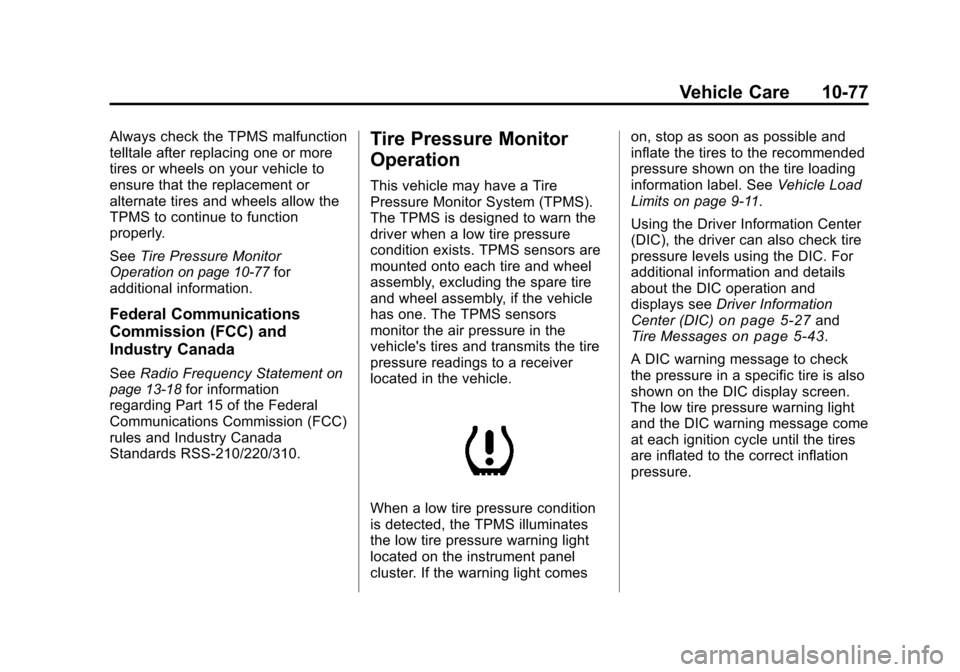
When a low tire pressure condition
is detected, the TPMS illuminates
the low tire pressure warning light
located on the instrument panel
cluster. If the warning light comes on, stop as soon as possible and
inflate the tires to the recommended
pressure shown on the tire loading
information label. See
Vehicle Load
Limits on page 9‑11.
Using the Driver Information Center
(DIC), the driver can also check tire
pressure levels using the DIC. For
additional information and details
about the DIC operation and
displays see Driver Information
Center (DIC)
on page 5‑27and
Tire Messageson page 5‑43.
A DIC warning message to check
the pressure in a specific tire is also
shown on the DIC display screen.
The low tire pressure warning light
and the DIC warning message come
at each ignition cycle until the tires
are inflated to the correct inflation
pressure.