Page 176 of 562

Each f ront door has a LOCK/
UNLOCK f eature.
When you touch the door lock
sensor of the f ront door by hand, all
the doors and the trunk will lock.The lock sensors do not operate if :
When you lock the doors, some
exterior lights blink once and the system beeps once. When you
cannot set the security system
because the trunk or hood is open,
no exterior light blinks and/or no
beeper sounds.
Bef ore locking the doors, make sure
theremoteisnotinsidethevehicle. If a remote is within operating range
while you wash your vehicle or when
it is raining heavily, the door sensors
may respond by locking the doors. Within 2 seconds of touching the
handle to lock the doors or locking
the doors with remote, pull the
handletomakesurethedoorsare
actually locked. The door unlock
sensors do not operate f or about 2
seconds af ter the doors are locked. To change the ‘‘KEYLESS ACCESS
BEEP’’ setting, see page . To change the ‘‘KEYLESS ACCESS
LIGHT FLASH’’ setting, see page
. If you touch the door lock sensor of
the f ront door with your hand
wearing a glove, the door sensor may
delay to respond or not respond by
locking the doors.
Theremoteisnotwithinthe
operating range.
The doors are open.
The ignition switch is not in the
LOCK (0) position.
The built-in key is in the ignition
switch.
The remote is too close to the
vehicle.
Theremotebatteryisdead.
The vehicle battery is dead.
111
113
L ocking the Doors
K eyless A ccess System
170
DOOR LOCK SENSOR
10/08/04 19:10:34 31SJA660_175
ProCarManuals.com
Page 181 of 562

�´ Replace the old batteries with new
batteries. Place the batteries so theside is f acing up. Snap the two
halvesof theremotecaseback
together.
An improperly disposed of battery
can hurt the environment.
Always conf irm local regulations f or
battery disposal.
Replace the batteries if necessary.
Battery type: CR2025
Remove the built-in key.
Place a cloth on the edge to prevent
scratches, then remove the upper
half by caref ully prying on the edge
with a coin.
You will also see the ‘‘DRIVER 1’’ or
‘‘DRIVER 2’’ message on the multi-
inf ormation display, depending on
which linked remote transmitter is
used.
Avoid dropping or throwing the
transmitter.
Protect the transmitter from
extreme temperature.
Do not immerse the transmitter in
any liquid.
If you lose a transmitter, the
replacement needs to be
reprogrammed by your dealer.
CONT INUED
Replacing the Remote Battery
Remote Transmitter Care
K eyless A ccess System
Inst rument s and Cont rols
175
10/08/04 19:11:41 31SJA660_180
ProCarManuals.com
Page 186 of 562
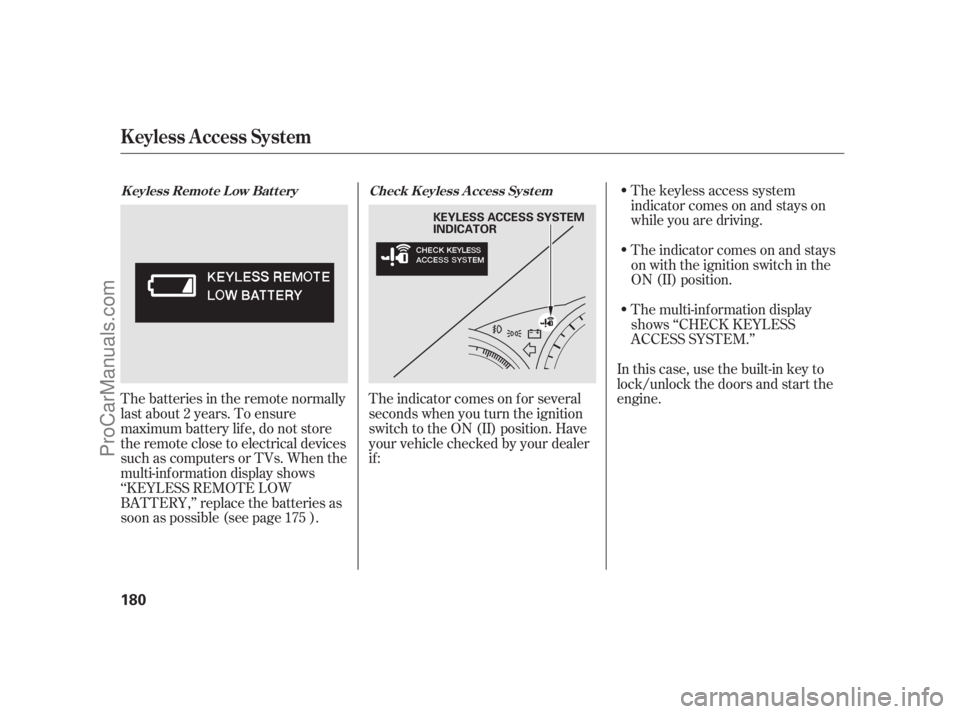
The keyless access system
indicator comes on and stays on
while you are driving.
The indicator comes on and stays
on with the ignition switch in the
ON (II) position.
The multi-inf ormation display
shows ‘‘CHECK KEYLESS
ACCESS SYSTEM.’’
In this case, use the built-in key to
lock/unlock the doors and start the
engine.
The indicator comes on f or several
seconds when you turn the ignition
switch to the ON (II) position. Have
your vehicle checked by your dealer
if :
Thebatteriesintheremotenormally
last about 2 years. To ensure
maximum battery life, do not store
the remote close to electrical devices
such as computers or TVs. When the
multi-inf ormation display shows
‘‘KEYLESS REMOTE LOW
BATTERY,’’ replace the batteries as
soon as possible (see page ).
175Check K eyless A ccess Syst em
K eyless Remot e L ow Bat t ery
K eyless A ccess System
180
KEYLESS ACCESS SYSTEM
INDICATOR
10/08/04 19:12:36 31SJA660_185
ProCarManuals.com
Page 188 of 562

In the LO setting, the heater runs
continuously. It does not cycle with
temperature changes.
Follow these precautions whenever
you use the seat heaters:Use the HI setting only to heat the
seats quickly, because it draws
large amounts of current f rom the
battery.
If the engine is lef t idling f or an
extended period, do not use the
seat heaters, even on the LO
setting. It can weaken the battery,
causing hard starting.
The ignition switch must be in the
ON (II) position to use the heaters.
Push the top of the switch, HI, to
rapidly heat up the seat. Af ter the
seat reaches a comfortable
temperature, select LO by pushing
the bottom of the switch. This will
keep the seat warm.
In the HI setting, the heater turns off
when the seat gets warm, and turns
back on after the seat’s temperature
drops.
Both f ront seats are equipped with
seat heaters. The passenger seat
only has heaters in the seat bottom
because of the side airbag cutof f
system.
RL models
FrontSeatHeaters
182
Passenger’s
seat
Driver’s
seat
HEATERS FRONT SEAT HEATER SWITCHESHI
LOW
10/08/04 19:12:57 31SJA660_187
ProCarManuals.com
Page 190 of 562
�Ý�Ý
�Û
�µ
�µ
�µ �µ �Ý
Follow these precautions whenever
you use the seat heaters and the seat
ventilation:
Use the HI setting only to heat or
to ventilate the seats quickly,
because it draws large amounts of
current from the battery.
If the engine is lef t idling f or an
extended period, do not use the
seat heaters or the seat ventilation,
even on the LO setting. It can
weaken the battery, causing hard
starting.
When you press the button once,
the system is set to HI. To change to
the lower mode, press the button.
To turn the air ventilation off, press
the button until the indicators go
off. HI Three indicators on.
MID Two indicators on.
LO One indicator on.
OFF All indicators of f . To ventilate the seat, press the
button. The indicator (blue) next to
the button will come on. The air
ventilation system has four settings:
Front Seat Heaters and Seat Ventilation
184
10/08/04 19:13:18 31SJA660_189
ProCarManuals.com
Page 191 of 562

The outer rear seat cushions and
seat-backs are equipped with seat
heaters.
The rear seat heater switches are
located under the rear vents. The
lef t (right) switch controls the seat
heaters on lef t (right) outer seating
position.The ignition switch must be in the
ON (II) position to use seat heaters.
Push the right side of the switch, HI,
to rapidly heat up the seat. Af ter the
seat reaches a comfortable
temperature, select LO by pushing
the lef t side of the switch. This will
keep the seat warm.In the HI setting, the heater turns off
when the seat gets warm, and turns
back on after the seat’s temperature
drops.
In the LO setting, the heater runs
continuously. It does not cycle with
temperature changes.
Follow these precautions whenever
you use the seat heaters:
Use the HI setting only to heat the
seats quickly, because it draws
large amounts of current f rom the
battery.
If the engine is lef t idling f or an
extended period, do not use the
seat heaters even on the LO
setting. It can weaken the battery,
causing hard starting.
Rear Seat Heaters (Canadian models)
Inst rument s and Cont rols
185
HEATERS
For right outer
seating position
HEATERS
For left outer
seating position LOW HI
REAR SEAT HEATER SWITCHES
10/08/04 19:13:29 31SJA660_190
ProCarManuals.com
Page 286 of 562

Your vehicle’s audio system may
disable itself if it is disconnected
f rom electrical power f or any reason.
To make it work again, you must
enter a specif ic f ive-digit code with
the preset buttons. Because there
are hundreds of number
combinations possible f rom the f ive
digits, making the system work
without knowing the exact code is
nearly impossible.
If you lose the card, you must obtain
the code number f rom your dealer.
To do this, you will need the audio
system’s serial number. You should have received a radio
code card that lists your audio
system’s code and serial numbers. It
is best to store this card in a saf e
place at home. In addition, you
should write the audio system’s
serial number in this owner’s manual.If you make a mistake entering the
code, do not start over; complete the
f ive-digit sequence, then enter the
correct code. You have ten tries to
enter the correct code. If you are
unsuccessful in ten attempts, you
must then leave the system on for 1
hour bef ore trying again.
The system will retain your AM and
FM presets even if power is
disconnected.
If your vehicle’s battery is discon-
nected or goes dead, or the radio
f use is removed, the audio system
will disable itself . If this happens,
youwillsee‘‘ ’’intheupper
display the next time you turn on the
system. Use the preset buttons to
enter the code. The code is located
on the radio code card included in
your owner’s manual kit. When it is
entered correctly, the radio will start
playing.
If you have a My Acura account, you
can retrieve the anti-thef t code
online.
Radio T hef t Protection
280
NOTE:
10/08/04 19:29:33 31SJA660_285
ProCarManuals.com
Page 292 of 562
You can see the current latitude,
longitude, and elevation at any time
when you press the COMPASS
button or say ‘‘Display map guide.’’
Thedateandtimeisalsodisplayed.If the battery is disconnected
or the f use f or the compass system
is removed, the system may require
GPS initialization (see page ). If the system does not receive the
elevation inf ormation, the display
shows only current latitude and
longitude.
If the GPS reception is low, the
display shows a ‘‘Low GPS
reception’’ message.
299
T he Compass Screen
Compass System (U.S. model without navigation system)
286
NOTE:
10/08/04 19:30:45 31SJA660_291
ProCarManuals.com