Page 157 of 517
In the door activated position, both
front and rear ceiling lights come on
when you:●Open any door.●Remove the key from the ignition
switch.●Unlock the doors with the key,
lock tab on the driver's door,
master door lock switch, or remote
transmitter.
After all doors are closed tightly, the
light(s) dims slightly, then fades out
in about 30 seconds. If you do not open any door after
unlocking the driver's door or
removing the key from the ignition
switch, the light(s) fade out in about
30 seconds. If you leave any door
open without the key in the ignition
switch, the light(s) will go off after 3
minutes.
To change the
‘‘INTERIOR LIGHT
DIMMING TIME ’’setting, see page
98. Individual Map Lights
You can use the front ceiling lights
whenever the lights are off.
To turn a light on or off, push its
lens.
LENSES
Interior Lights15210/06/08 17:42:32 11 ACURA RDX MMC North America Owner's M 50 31STK640 enu
Page 158 of 517

Courtesy LightsThe courtesy lights in the ceiling
console come on when the parking
lights are turned on. You can adjust
their brightness by turning the
select/reset knob on the instrument
panel.
In addition to the courtesy lights on
the ceiling, the driver's and front
passenger's ambient foot lights come
on.The courtesy light in each front door
comes on when the door is opened,
and goes out when the door is
closed.
Your vehicle also has a courtesy light
in the ignition switch. This light
comes on when you:
●Open any door.●Unlock the driver's door.●Remove the key from the ignition
switch.
After all doors are closed tightly, the
light fades out in about 30 seconds.
To change the ‘‘INTERIOR LIGHT
DIMMING TIME ’’setting, see page
98. Cargo Area Light
The cargo area light has a two
position switch. In the OFF (right)
position, the light does not come on.
In the ON (left) position, the light
comes on when you open the
tailgate.
COURTESY LIGHTS
ON
OFF
Interior Lights
153
Instruments and Controls
10/06/08 17:42:32 11 ACURA RDX MMC North America Owner's M 50 31STK640 enu
Page 162 of 517
Accessory Power SocketsTo use the accessory power socket,
pull up the cover. The ignition switch
must be in the ACCESSORY (I) or
ON (II) position.
These sockets are intended to supply
power for 12 volt DC accessories that
are rated 120 watts or less (10 amps).
None of the sockets will power an
automotive type cigarette lighter
element. When both sockets are
being used, the combined power
rating of the accessories should be
120 watts or less (10 amps).Sun Visor
To use the sun visor, pull it down.
You can also use the sun visor at the
side window. Remove the support
rod from the clip and swing the sun
visor toward the side window.
Make sure you put the sun visor
back in place when you are getting
into or out of the vehicle.
Front
COVER
Console Compartment
COVER
Interior Convenience Items
157
Instruments and Controls
10/06/08 17:42:32 11 ACURA RDX MMC North America Owner's M 50 31STK640 enu
Page 179 of 517
To Play the Radio
The ignition switch must be in the
ACCESSORY (I) or the ON (II)
position. Turn the system on by
pushing the PWR/VOL knob, or the
AM or FM button. Adjust the volume
by turning the PWR/VOL knob.
The band and frequency that the
radio was last tuned to is displayed.
To change bands, press the AM or
FM button. On the FM band,‘‘ST ’’
will be shown on the center display if
the station is broadcasting in stereo.
Stereo reproduction on AM is not
available.
XM Radio information is available on
page 179.
SCAN
INDICATOR
A.SEL
INDICATOR
AM BUTTON A.SEL/RDM BUTTON
TUNE/FOLDER BAR
PWR/VOL KNOB
PRESET BARS
U.S. model is shown. SEEK/SKIP BAR
SCAN BUTTON
FM BUTTON STEREO
INDICATOR
Playing the FM/AM Radio (Models without navigation system)17410/06/08 17:42:32 11 ACURA RDX MMC North America Owner's M 50 31STK640 enu
Page 185 of 517

Operating the XM Radio
To listen to the XM Radio, turn the
ignition switch to the ACCESSORY
(I) or ON (II) position. Push the
PWR/VOL knob to turn on the audio
system, and press the
button.
Adjust the volume by turning the
PWR/VOL knob. The last channel
you listened to will show on the
audio display. DISP
-Each time you press and
release the DISP/MODE button, the
center display changes in the
following sequence: Channel name,
category, artist name, and music title.
MODE -To switch between the
category mode and channel mode,
press and hold the DISP/MODE
button until the mode changes. A
‘‘ CH ’’(channel) or ‘‘CAT ’’(category)
mode indicator appears on the center
display. To Select a Channel
When in the satellite radio mode, you
can use any of four methods to find
channels: TUNE, SEEK/SKIP
(CATEGORY), SCAN, and the preset
bars.
TUNE
-Press the TUNE/FOLDER
bar to change channel selections.
Press the
side of the bar to tune
to higher numbered channels, and
the
side of the bar to tune to
lower numbered channels. In the
category mode, you can only select
channels within that category.
SEEK/SKIP (CATEGORY) -
Press either side of the SEEK/SKIP
(CATEGORY) bar (
or
)to
select another category.
Playing the XM
®Radio (Models without navigation system)
18010/06/08 17:42:32 11 ACURA RDX MMC North America Owner's M 50 31STK640 enu
Page 189 of 517

Depending on where you drive, you
may experience reception problems.
Interference can be caused by any of
these conditions:●Driving on the north side of an
east/west mountain road.●Driving on the north side of a large
commercial truck on an east/west
road.●Driving in tunnels.●Driving on a road beside a vertical
wall, steep cliff, or hill to the south
of you.●Driving on the lower level of a
multi-tiered road.●Driving on a single lane road
alongside dense trees taller than
50 ft. (15 m) to the south of you.
There may also be other geographic
situations or structures that could
affect satellite radio reception.
As required by the FCC: Changes or modifications not expresslyapproved by the party responsible for
compliance could void the user'sauthority to operate the equipment.Receiving XM Radio ServiceIf your XM Radio service has expired
or you purchased your vehicle from a
previous owner, you can listen to a
sampling of the broadcasts available on
XM radio. With the ignition switch in
the ACCESSORY (I) or the ON (II)
position, push the PWR/VOL knob to
turn on the audio system, and press the
button. A variety of music types
and styles will play.
If you decide to purchase XM Radio
service, contact XM Radio at
www.
xmradio.com,
or at 1-800-852-9696. In
Canada, contact XM CANADA at
www.
xmradio.ca,
or at 1-877-209-0079. You
will need to give them your radio I.D.
number and your credit card number.
To get your radio I.D. number, turn the
TUNE knob until ‘‘0 ’’ appears in the
display. Your I.D. will appear in the
display.
After you've registered with XM
Radio, keep your audio system in the
satellite radio mode while you wait
for activation. This should take about
30 minutes.
While waiting for activation, make
sure your vehicle remains in an open
area with good reception. Once your
audio system is activated, ‘‘CAT’’ or
‘‘ CH ’’will appear in the display, and
you'll be able to listen to XM Radio
broadcasts. XM Radio will continue
to send an activation signal to your
vehicle for at least 12 hours from the
activation request. If the service has
not been activated after 36 hours,
contact XM Radio. In Canada,
contacr XM CANADA
®.
Playing the XM
®Radio (Models without navigation system)
18410/06/08 17:42:32 11 ACURA RDX MMC North America Owner's M 50 31STK640 enu
Page 192 of 517
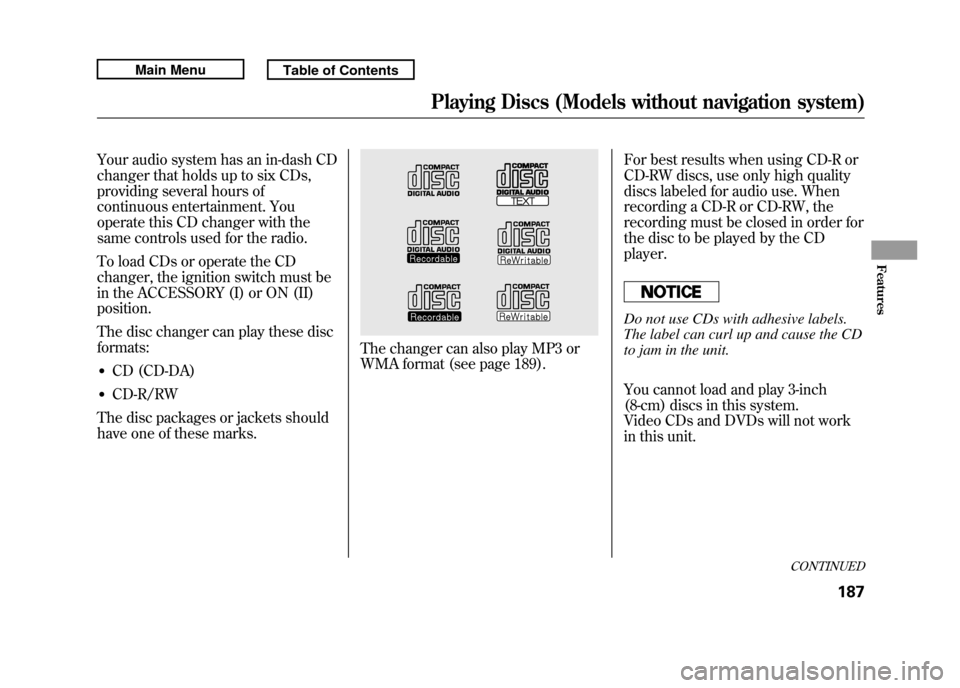
Your audio system has an in-dash CD
changer that holds up to six CDs,
providing several hours of
continuous entertainment. You
operate this CD changer with the
same controls used for the radio.
To load CDs or operate the CD
changer, the ignition switch must be
in the ACCESSORY (I) or ON (II)
position.
The disc changer can play these disc
formats:●CD (CD-DA)●CD-R/RW
The disc packages or jackets should
have one of these marks.
The changer can also play MP3 or
WMA format (see page 189). For best results when using CD-R or
CD-RW discs, use only high quality
discs labeled for audio use. When
recording a CD-R or CD-RW, the
recording must be closed in order for
the disc to be played by the CD
player.
Do not use CDs with adhesive labels.
The label can curl up and cause the CD
to jam in the unit.
You cannot load and play 3-inch
(8-cm) discs in this system.
Video CDs and DVDs will not work
in this unit.
CONTINUED
Playing Discs (Models without navigation system)
187
Features
10/06/08 17:42:32 11 ACURA RDX MMC North America Owner's M 50 31STK640 enu
Page 199 of 517

To Pause a Disc
To pause a disc, press the
corresponding number of the current
disc on the appropriate side of the
preset bars. To play the disc again,
press the preset bar again.
To Stop Playing a Disc
If you turn the system off while a CD
is playing, either with the PWR/VOL
knob or by turning off the ignition
switch, the disc will stay in the drive.
When you turn the system back on,
the CD will begin playing where it
left off.
To take the system out of CD mode,
press the AM or FM, CD/AUX, or
button. To return to CD mode,
press the CD/AUX button. The
system will continue at the same
point that it left off. Removing CDs from the Changer
To remove the disc that is currently
playing, press and release the eject
(
) button. You will see
‘‘EJECT ’’
on the center display. When you
remove the disc from the slot, the
system begins the load sequence so
you can load another disc in that
position. If you do not load another
CD within 10 seconds, the system
selects the previous mode (AM,
FM1, FM2, or XM).
If you do not remove the CD from
the slot, the system will reload the
CD after 10 seconds and put the CD
changer in pause mode. To begin
playing the CD, press the CD/AUX
button.
To remove a different CD from the
changer, select it with the
appropriate side of the preset bar.
When that CD begins playing, press
the eject button. Press and hold the eject button until
you hear a beep to remove all the
discs from the changer.
You can also eject discs when the
ignition switch is off by pressing the
eject button. The disc that was last
selected is ejected first. You can eject
the rest of the discs one at a time.
Protecting Discs
For information on how to handle
and protect compact discs, see page
257.
Disc Changer Error Messages
For information, see page 195.
Adjusting the Sound
For information, see page 177.
Playing Discs (Models without navigation system)19410/06/08 17:42:32 11 ACURA RDX MMC North America Owner's M 50 31STK640 enu


