Page 328 of 609
When you press the SETUP button
while a DVD is not playing, the setup
menu appears for audio.Disp Adjust, Personal Surround, andLanguageThe operation for these menus is the
same as that for using the DVD
player.
AppearanceYou can change the color of the
screen to white, black, blue, brown,
or red. You can also synchronize
with the front navigation system.
Rotate the interface dial to the setting
you want, then press the ENTER
button.
INITIAL SETTINGS MenuWhen you press the MENU button
on the rear control panel when a
DVD is not playing, the ‘‘INITIAL
SETTINGS ’’menu is displayed.
There are five selectable menus:
‘‘ Language ’’ ‘‘Dynamic Range ’’,
‘‘ Angle Mark ’’, ‘‘Parental Level ’’, and
‘‘ Password ’’.
CONTINUED
Rear Entertainment System
323
Features
10/06/29 11:59:04 11 ACURA MDX MMC North America Owner's M 50 31STX640 enu
Page 367 of 609

HomeLink
®is a registered trademark
of Johnson Controls, Inc.
As required by the FCC:
This device complies with Part 15 of theFCC rules. Operation is subject to the
following two conditions: (1) This devicemay not cause harmful interference, and(2) this device must accept any
interference received, includinginterference that may cause undesiredoperation.
Changes or modifications not expresslyapproved by the party responsible for
compliance could void the user'sauthority to operate the equipment.
This device complies with IndustryCanada Standard RSS-210.
Operation is subject to the following twoconditions: (1) this device may not causeinterference, and (2) this device must
accept any interference that may causeundesired operation of the device.
Bluetooth
®HandsFreeLink
®
On models without navigation systemFor vehicles with navigation system,
see page 379.Bluetooth
®HandsFreeLink
®(HFL)
allows you to place and receive
phone calls using voice commands,
without handling your cell phone.
To use HFL, you need a Bluetooth-
compatible cell phone. For a list of
compatible phones, pairing
procedures, and special feature
capabilities:
In the U.S., visit
www.acura.com/
handsfreelink
, or call (888) 528-7876.
In Canada, visit
www.handsfreelink.
ca
, or call (888) 528-7876.
HomeLink
®
Universal Transceiver,
Bluetooth
®
HandsFreeLink
®
36210/06/29 11:59:04 11 ACURA MDX MMC North America Owner's M 50 31STX640 enu
Page 368 of 609
Using HFLHFL ButtonsHFL Talk button-Press and
release to give a command or answer
a call.
HFL Back button -Press and
release to end a call, go back to the
previous command, or cancel the
command.
Voice Control Tips●
Air or wind noise from the
dashboard and side vents and all
windows may interfere with the
microphone. Adjust or close them
as necessary.
●
Press and release the HFL Talk
button each time you want to make
a command. After the beep, speak
in a clear, natural tone.
●
Try to reduce all background
noise. If the microphone picks up
voices other than yours,
commands may be misinterpreted.
●
Many commands can be spoken
together. For example, you can say
‘‘ Call 123-456-7890 ’’or ‘‘Dial Peter. ’’
HFL TALK BUTTON
HFL BACK BUTTON
MICROPHONE
CONTINUED
Bluetooth
®
HandsFreeLink
®
363
Features
10/06/29 11:59:04 11 ACURA MDX MMC North America Owner's M 50 31STX640 enu
Page 369 of 609
●
To change the volume level of
HFL, use the audio system volume
knob or the steering wheel volume
controls.
Help Features●
To hear general HFL information,
including help on pairing a phone
or setting up the system, say
‘‘Tutorial. ’’
●
For help at any time, including a
list of available commands, say
‘‘Hands free help.’’
Information DisplayAs an incoming call notification, you
will see the following display:SIGNAL
STRENGTH HFL
MODEBATTERY
LEVEL STATUS
PHONE DIALING
ROAM STATUS
Bluetooth
®
HandsFreeLink
®
36410/06/29 11:59:04 11 ACURA MDX MMC North America Owner's M 50 31STX640 enu
Page 370 of 609
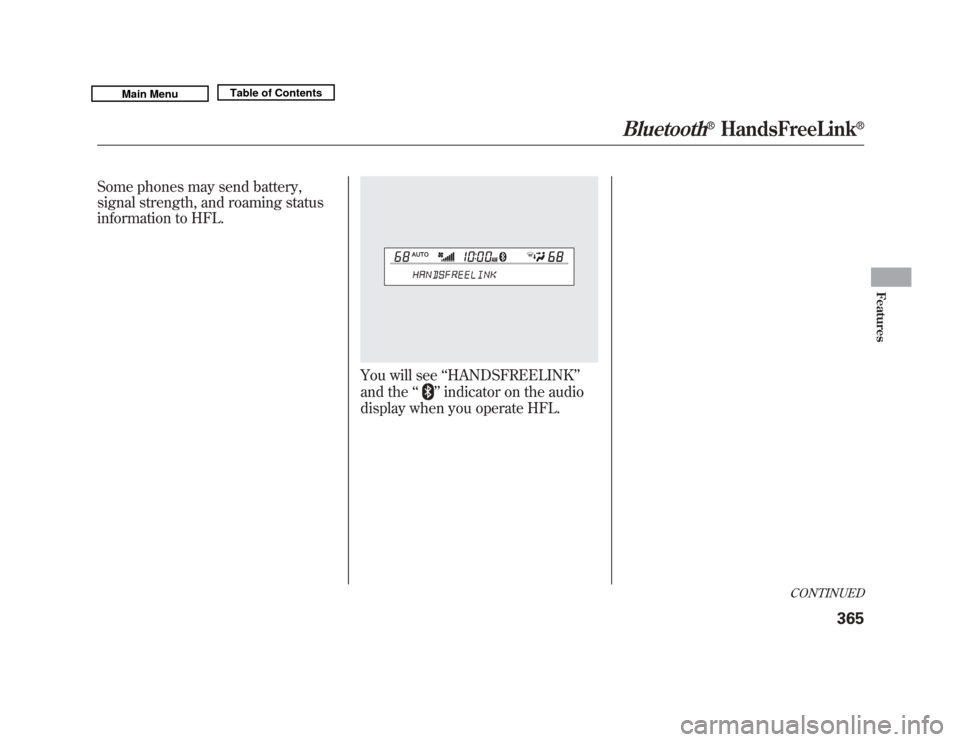
Some phones may send battery,
signal strength, and roaming status
information to HFL.
You will see‘‘HANDSFREELINK ’’
and the ‘‘
’’indicator on the audio
display when you operate HFL.
CONTINUED
Bluetooth
®
HandsFreeLink
®
365
Features
10/06/29 11:59:04 11 ACURA MDX MMC North America Owner's M 50 31STX640 enu
Page 371 of 609
How to Use HFLThe ignition switch must be in the ACCESSORY (I) or ON (II) position.‘‘Phone Setup ’’
‘‘ Call ’’or ‘‘Dial ’’
Press HFL
Talk button ‘‘
Pair’’
‘‘ Edit ’’
‘‘ Delete ’’
‘‘ List ’’
‘‘ Status ’’
‘‘ Next Phone ’’
‘‘ Set Pairing
Code ’’
‘‘ 123-555- #### ’’
‘‘ Jim Smith ’’Enter desired phone number (See page 371)
Once a phonebook entry is stored, you can say a name here.
(See page 371) Set the pairing code to a
‘‘Fixed ’’or ‘‘Random ’’number
(See page 371)
Search for another previously paired phone to link to
(See page 371)
Hear which paired phone is currently linked to the system
(See page 370) Hear a list of all phones paired to the system (See page 370)
Delete a paired phone from the system (See page 370) Edit the name of a paired phone (See page 369) Pair a phone to the system (See page 369)
Press and release the HFL Talk button each time you give a command.Bluetooth
®
HandsFreeLink
®
36610/06/29 11:59:04 11 ACURA MDX MMC North America Owner's M 50 31STX640 enu
Page 372 of 609
Press and release the HFL Talk button each time you give a command.‘‘
Redial ’’
‘‘List ’’
Press HFL
Talk button
‘‘
Transfer’’
‘‘ Mute ’’
‘‘ Send ’’
‘‘ Phonebook ’’ ‘‘
Store ’’
‘‘ Edit ’’
‘‘ Delete ’’
‘‘ Receive
Contact ’’
Send numbers or names during a call (See page 373)
Hear a list of all stored phonebook entries (See page 375) If your phone supports this function, use this to transfer contacts
from your phone to HFL (See page 375) Delete a phonebook entry (See page 374) Edit the number of an existing phonebook entry (See page 373)
Store a phonebook entry (See page 373)
Mute your voice to the person at the other end of the call (See page 373)
Transfer a call from HFL to your phone, or from your phone to HFL (See page 372)
Redial the last number called (See page 372)
CONTINUED
Bluetooth
®
HandsFreeLink
®
367
Features
10/06/29 11:59:04 11 ACURA MDX MMC North America Owner's M 50 31STX640 enu
Page 373 of 609

Press and release the HFL Talk button each time you give a command.‘‘
System
Set up ’’
ꭧ : Canadian modelsPress HFL
Talk button
‘‘
Security ’’
‘‘ Change Passcode ’’
‘‘ Call Notification ’’
‘‘ Auto Transfer ’’
‘‘ Clear ’’
‘‘ Change Language ’’
‘‘ Tutorial ’’
‘‘ Hands Free Help ’’Change language from English to French (See page 378)
ꭧ
Hear a list of available commands and additional information describing each
command (See page 364)
Hear a tutorial for general rules on using the system (See page 364) Clear the system of all paired phones, phonebook entries and security
passcode (See page 377)
Set calls to automatically transfer from your phone to HFL when
you enter the vehicle (See page 377)
Set how you would like to be notified of an incoming call
(See page 376)
Change your security passcode (See page 376)
Apply a security passcode to the system that must be input at each
key cycle to access the system (See page 376)
Bluetooth
®
HandsFreeLink
®
36810/06/29 11:59:04 11 ACURA MDX MMC North America Owner's M 50 31STX640 enu