Page 293 of 684
Opening the DVD film menu manually
The DVD film menu must be opened manually if the DVD film menu does not open automatically with the unit's own menu control, or if the video DVD is already being played.
x In the video DVD menu, press the Menu function key to open the unit's own menu control
⇒ fig. 163.
x If an introduction is playing, it can be skipped by pressing the Menu function key in the unit's own
menu control ⇒ fig. 164 (B).
The DVD film menu is displayed (A).
DVD does not start!
Note that an inserted DVD cannot start automatically if the volume is set to “0” (display: �). A played media source is always stopped (paused) in this case.
The visual appearance of the DVD film menus and the menu options which it offers are the responsibility of the DVD manufacturer.
The language of a video DVD for voice output can be changed
The DVD manufacturer is responsible for the different ways in which individual films respond to identical commands.
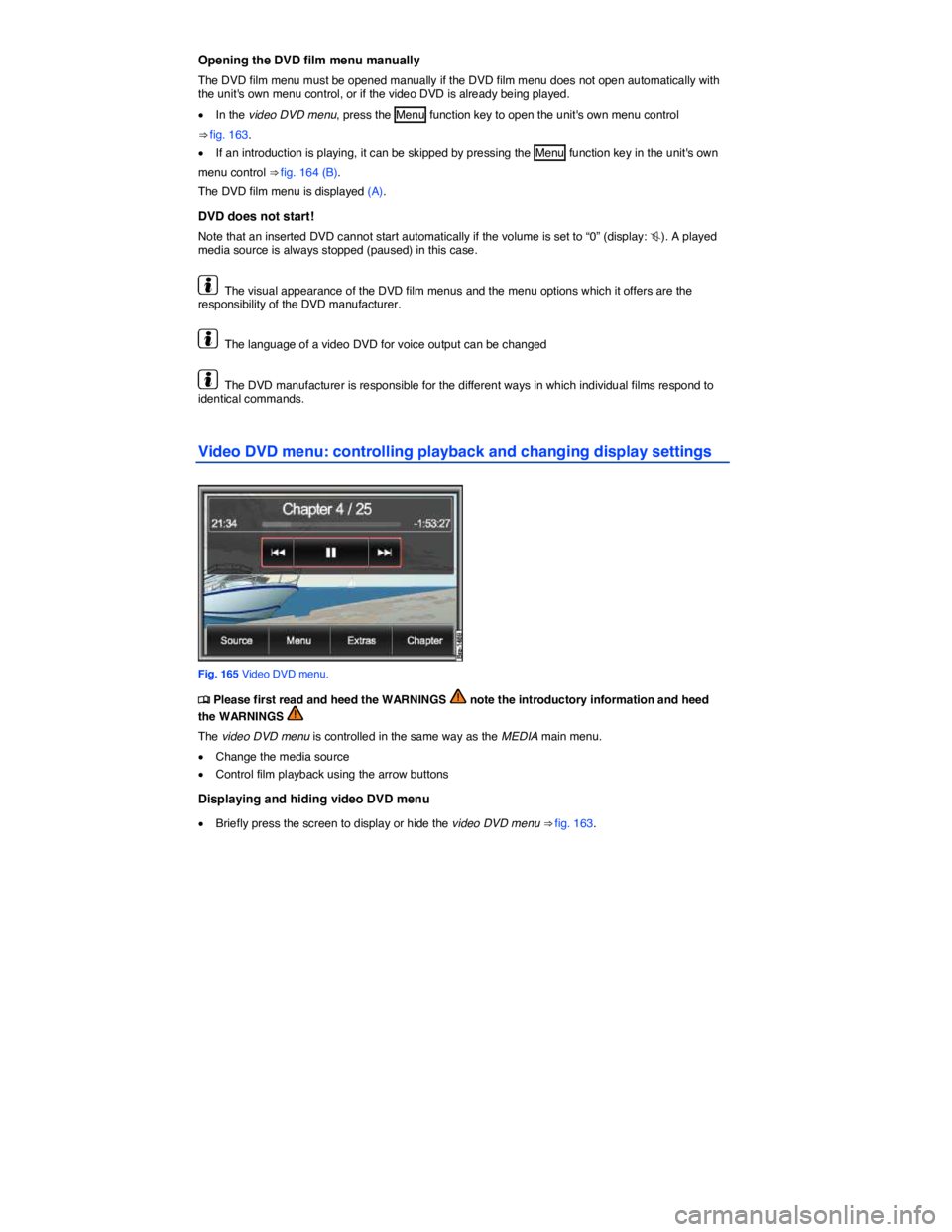
Video DVD menu: controlling playback and changing display settings
Fig. 165 Video DVD menu.
Page 296 of 684

Navigation data
All navigation data required for navigation is stored in the unit navigation data memory.
Street routing is subject to ongoing changes like, for example, new streets, street names or street numbers. The route guidance may be inaccurate or incorrect if the navigation data is no longer up to date. You should therefore have the unit navigation data memory updated by a Volkswagen dealer-ship on a regular basis. The updates are subject to a fee.
Possible errors in navigation
When the navigation system cannot receive any data from GPS satellites (dense canopy of trees, tunnel, underground car park), navigation can still continue using the vehicle sensors.
In areas that are not or only incompletely digitized on the data medium (such as one-way streets and street type not sufficiently captured), the navigation system also tries to enable route guidance.
Please remember that the navigation may sometimes not be so accurate as usual if the precise vehi-cle position cannot be determined.
Navigation main menu
Fig. 167 Navigation main menu: Destination mode.
Fig. 168 Navigation main menu: Tour mode.
Page 324 of 684
Function key: Effect
= Show general contacts : Directory entries that are not assigned to a user
profile are also displayed
Delete profiles : Press the profile to be deleted in the list of stored user
profiles and accept the confirmation dialog with Delete .
Change profile name15: Renames currently loaded profile in an input win-
dow
Read name tags16: Reads out recorded name tags
Delete name tags16: Deletes recorded name tags
Import directory15: Starts an immediate import of directory entries from a
connected mobile phone to the directory.
Import contacts : Imports navigation data (VCards) from an inserted data
medium into the directory
Export contacts : Copies selected directory entries on an inserted data
medium
15 Only active when a mobile phone or a SIM card is currently connected to the Infotainment System
⇒ page 360.
16 Only active if name tags have been recorded for directory entries ⇒ page 240.
Page 332 of 684
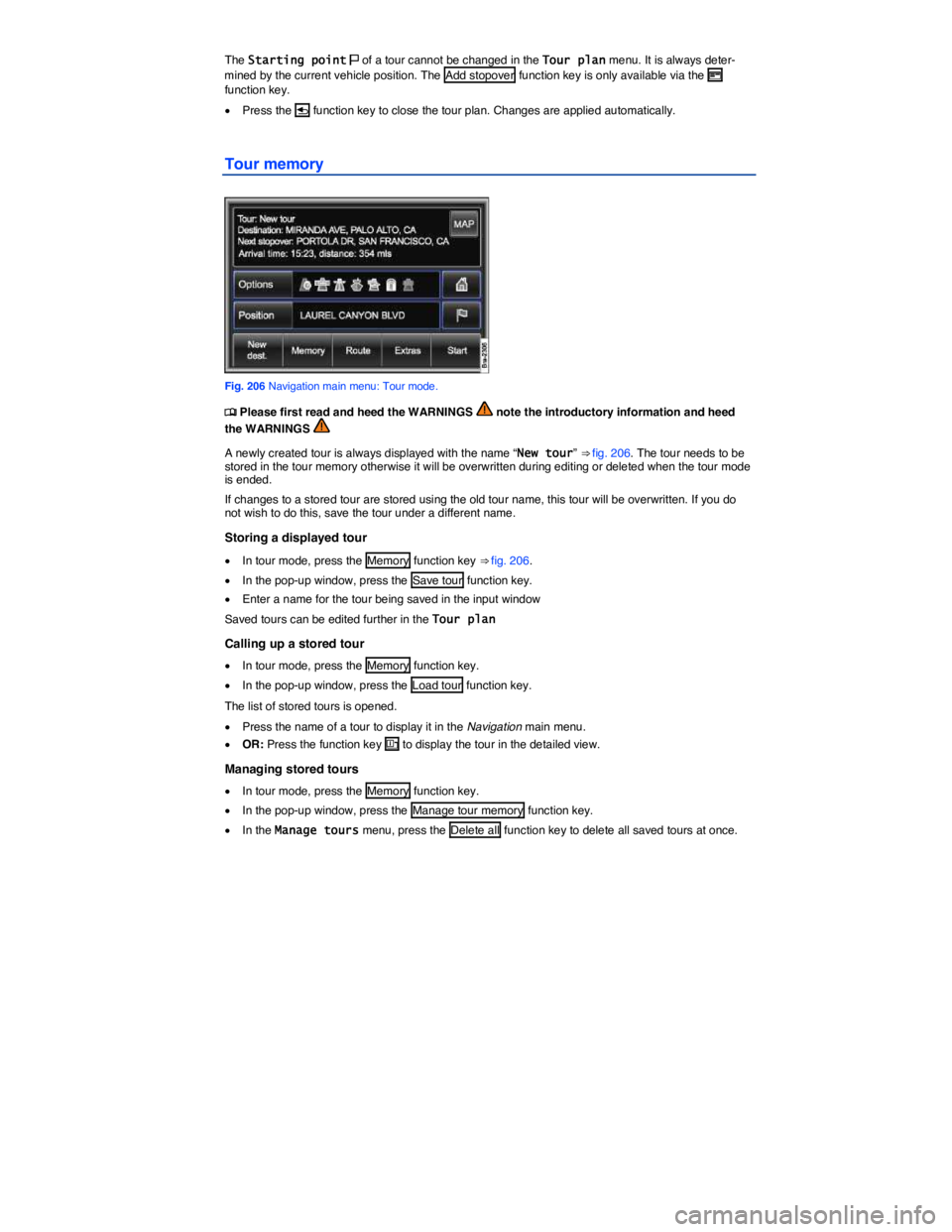
The Starting point 2 of a tour cannot be changed in the Tour plan menu. It is always deter-mined by the current vehicle position. The Add stopover function key is only available via the H function key.
x Press the
Page 333 of 684
x OR: Press the Change tour function key to show all tours in a list and then press the H function key to rename or delete individual tours.
Leaving Tour mode
Page 338 of 684

Starting route guidance
Before you start a waypoint tour, drive to the immediate vicinity of the required starting point.
x Load stored waypoint tour
x In the Waypoint navigation menu, press the Start function key ⇒ fig. 210.
x In the following menu, select how the waypoint tour should be driven.
“Starting” off in a stored route is not detected by the system automatically.
Function key: Effect
Reverse waypoint tour : Reverses the direction of the displayed waypoint
tour to be driven.
From nearest : Will start the waypoint tour from the nearest waypoint.
Start whole tour : Will start the entire waypoint tour. In the menu that fol-
lows you will have to select how the start point of the waypoint tour should
be reached.
On road : The start point for the route guidance will be reached using
public roads as far as possible.
Off-road : The start point for route guidance will be reached in off-road
mode and any available roads will not be used.
When route guidance starts, the system will switch to the map view.
An audible signal is given when the starting point of the waypoint tour has been reached.
During route guidance
Characteristics of the terrain are ignored during route guidance. A driving recommendation will be given about 55 yards (50 meters) before reaching a turning point. You should therefore drive slowly and follow recommendations for turning as far as possible!
Changes in the direction of travel will be given in relation to the current direction of travel, such as “Please travel in direction 9 o'clock!”.
The tendency of the direction of travel will be shown in the instrument cluster display using arrows.
Stopping route guidance
x Press the Infotainment button NAV in the map display to open the Waypoint navigation menu.
x Press the Stop function key.
Page 343 of 684
x Press the NAV Infotainment button or the �... �... function key to switch to the Navigation main menu.
x In the Navigation main menu, press the NAV Infotainment button or MAP function key to switch back to the map view.
The map is displayed in the most recently selected type (2D or 3D). 3D and “Autozoom” are activated by default
Alternative routes: Selecting a calculated route
In the Navigation settings menu, you can specify that 3 alternative routes are suggested on the map after the start of route guidance. These 3 routes correspond to the available route criteria Fast, Short and Economical route. Route 1 corresponds to the current setting in this case.
x Select the required route by pressing on the right of the map.
The setting for the route criteria in the Route options menu is changed accordingly.
If no route is selected then route guidance starts automatically after about one minute, using the setting selected in the Route options.
Interrupting route guidance
Active route guidance can be stopped and later resumed from the new vehicle position at any time in the Navigation main menu.
x In the Navigation main menu, press the Stop function key ⇒ fig. 216.
x Press the Start function key to continue route guidance ⇒ fig. 213.
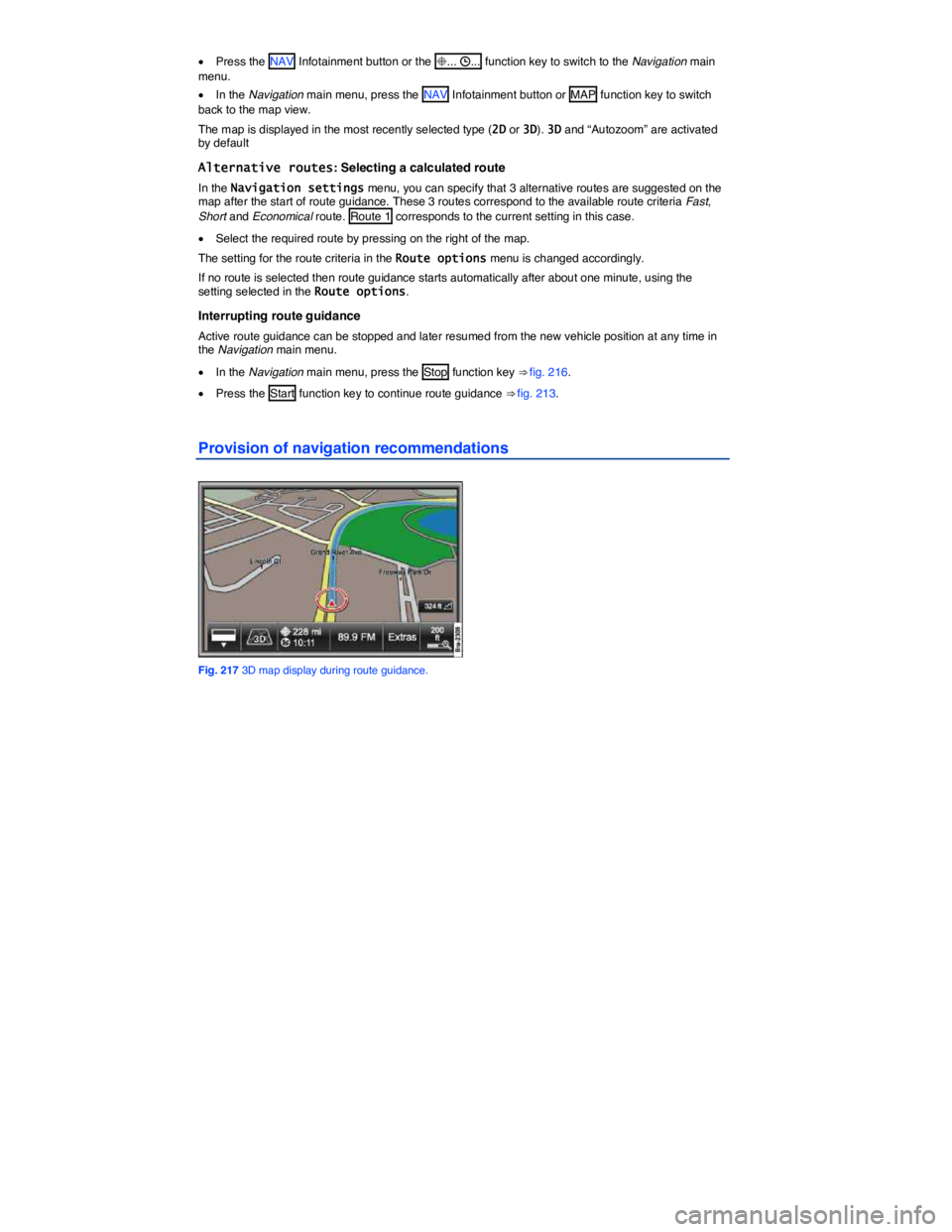
Provision of navigation recommendations
Fig. 217 3D map display during route guidance.
Page 360 of 684
WARNING
The volume may suddenly get louder change when you switch media source or connect a new audio source.
x Always lower the volume before switching media source or connecting a new audio source.
WARNING
A mobile phone on the seat, instrument panel or in other places can be thrown around the inside of the vehicle during a sudden braking maneuver, a crash or other accident and injure vehicle occupants.
x Never attach a mobile phone to, or place it on, a door, the windshield, or above or near the areas marked “AIRBAG” on the steering wheel, the instrument panel, and the seat backrests, or between these areas and the vehicle occupants. The mobile phone could cause serious injury in an accident, especially when the airbags inflate.
WARNING
Always switch off the mobile phone when refueling and in areas with a risk of explosion. The electromagnetic radiation can cause sparks that can ignite fuel vapors and cause a fire.
x The mobile phone can automatically log itself into the mobile phone network again when the Bluetooth® connection to the telephone control is interrupted.
WARNING
If a mobile phone not connected to an external aerial is used in the vehicle, electromagnetic radiation in the interior could exceed limit values. This also applies if the outside antenna is not installed properly.
x Heart specialists advise that mobile phones can adversely affect the way pacemakers work. Always keep the mobile phone and its integrated antenna at least 8 inches (20 cm) away from a pacemaker.
x Never carry a mobile phone that is switched on in the breast pocket directly over a pace-maker.
x If you suspect there may be interference with a pacemaker or other medical device, switch the mobile phone off immediately.
NOTICE
x Your mobile phone and the telephone control must always be switched off in areas where special regulations apply and when the use of mobile phones is forbidden. Radiation from a switched-on mobile phone can interfere with sensitive technical and medical devices, poten-tially causing malfunctions or damage to the devices.
x High speeds, poor weather and road conditions as well as the network quality may impair telephone calls in the vehicle and lead to loss of connection.