2010 VOLKSWAGEN PASSAT button
[x] Cancel search: buttonPage 26 of 392

Display Function
Speed warning --- km/h instrument cluster display.
Switching between the displays
x Use the arrow up and down buttons *and + on the multi-function steering wheel.
Storing speed for the speed warning
x Navigate to MFI > Speed warning (Speed warning at --- mph). or (Speed warning at --- km/h).
x Press the OK button to save the current speed and to activate the warning.
x If the speed is not right, press buttons * or + on the multi-function steering wheel to set a different speed within about 5 seconds. Then press the OK button a second time or just wait a few seconds. The speed is saved and the warning is activated.
x To deactivate, toggle to --- mph or --- km/h and press the OK button. The set speed is deleted.
Manually erasing trip memory 1 or 2
x Navigate to MFI > Route.
x Select the memory to be erased.
x Press the OK button for about 2 seconds.
Enabling and disabling displays
Use the Settings menu, submenu MFI data (Settings > MFI data) to enable displays you want to be available under the MFI menu in the instrument cluster display. The units in which data is displayed
can also be changed , Settings menu.
Settings menu
Page 38 of 392

Replacement vehicle keys
The vehicle identification number is required to get a replacement key or an additional remote control vehicle key.
Up to 8 vehicle keys, each of which must be properly cut, coded, programmed, and synchronized, can be used with your vehicle.
Each new vehicle key contains a microchip and must be coded with the data from the vehicle's electronic immobilizer. A vehicle key will not work if it does not contain a microchip or contains a chip that is not coded, even if the key bit was cut correctly.
You can obtain additional or duplicate remote control vehicle keys from authorized Volkswagen dealers, authorized Volkswagen Service Facilities, and from certain independent repair facilities and locksmiths which are qualified to make remote control vehicle keys.
Each vehicle key must be programmed by an authorized Volkswagen dealer, an authorized Volkswagen Service Facility in order for it to work with your vehicle.
To find the nearest qualified independent repair facility, locksmith, or Volkswagen dealer which can cut and code replacement vehicle keys, call the VW Customer Care Hotline at 1-800-822-8987 or visit http://www.vw.com and search for “replacement keys.”
Canadian customers can contact an authorized Volkswagen dealer or Volkswagen Service Facility or call the Volkswagen Canada Customer CARE Center at (1-800-822-8987).
NOTICE
The remote control vehicle keys contain electrical components. Protect them from damage, moisture and rough handling.
Do not press the buttons on the remote control vehicle key unless you actually want to use the function in question. Since terrain and conditions vary, pressing a button on the remote control vehicle key when it is not necessary may unlock the vehicle or set off the panic alarm, even if you think you are out of range.
Remote control vehicle key functions can be temporarily disrupted by interference from transmitters near the vehicle that use the same frequency range (such as radio equipment or mobile phones).
Things between the remote control vehicle key and vehicle, bad weather, as well as a weak battery can reduce the operating range.
If the remote control vehicle key buttons, Vehicle key set or the power locking buttons, Unlocking and locking the vehicle from the inside are pushed repeatedly in quick succession, the power locking system is switched off for a brief period to help keep it from being overloaded. The vehicle is then unlocked for about 30 seconds. Unless a door or the luggage compartment lid is opened in this span of time, the vehicle is automatically locked afterwards.
Page 43 of 392
WARNING
Improper use of power locks can result in serious personal injury.
x The power locking button locks all doors. Locking the doors from the inside can help prevent unintended door opening during a collision and can also prevent unwanted entry from the outside. Locked doors can, however, delay assistance to vehicle occupants and rescue from the outside in an accident or other emergency.
x Never leave children or anyone who cannot help themselves behind in the vehicle. All doors can be locked from the inside with the power lock button. This could leave people trapped in the vehicle in an emergency. Depending on the time of year, people trapped in the vehicle can be exposed to very high or very low temperatures.
x A closed vehicle can become very hot or very cold, depending on the season. Particularly in the summer, heat build-up in the passenger and luggage compartment of a parked vehicle can result in temperatures in the vehicle that are much higher than the outside temperatures. Temperatures can quickly reach levels that can cause unconsciousness and death, particularly to small children.
x Never allow passengers to remain in a locked vehicle. In an emergency any person still inside the vehicle might not be able to get out.
Indicator light in the driver door
Page 44 of 392
The doors, the luggage compartment lid, and the fuel filler flap can be locked manually if the remote vehicle key is not working.
Automatic locking (Auto lock)
The vehicle locks automatically when it reaches a speed of about 10 mph (15 km/h). When the vehicle
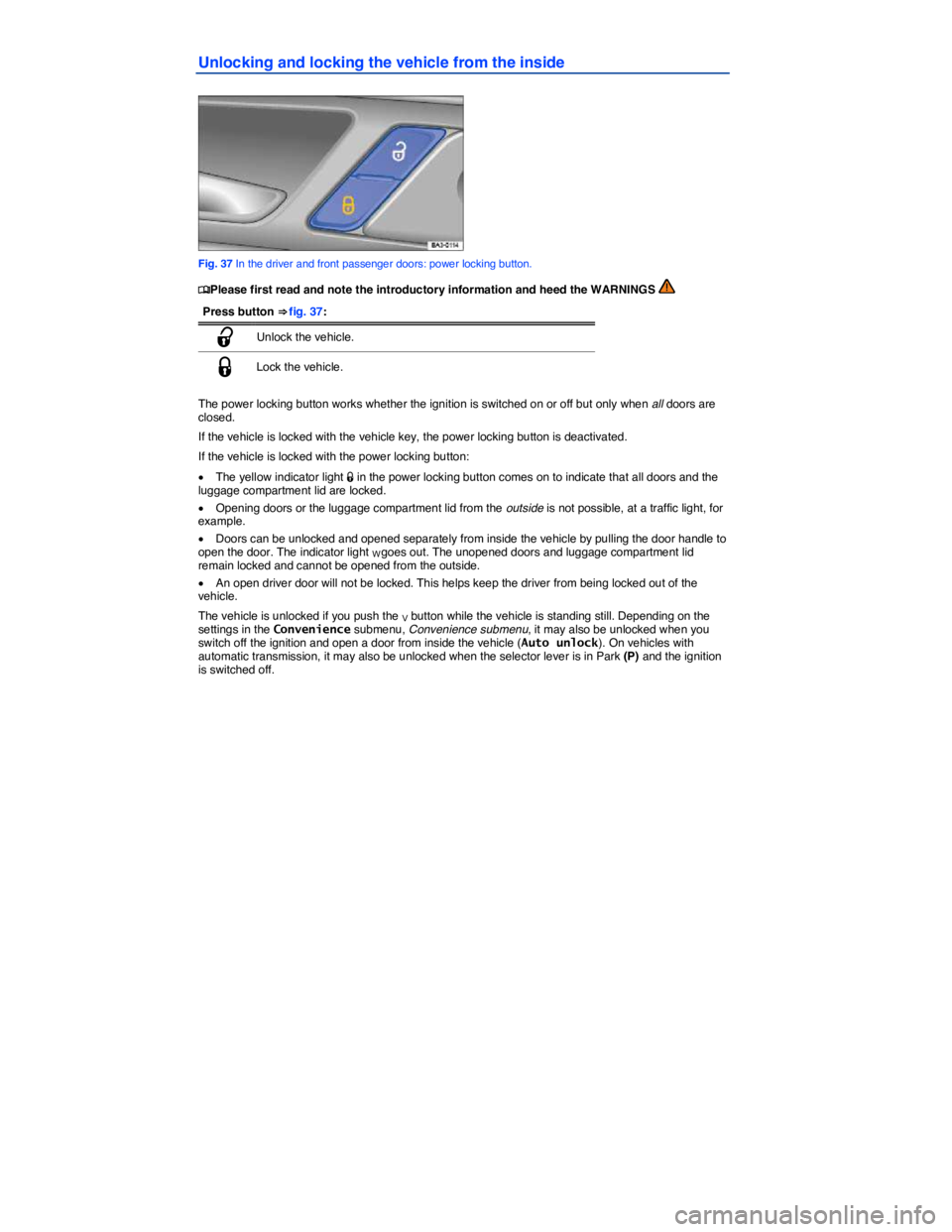
is locked, the indicator light W comes on in the power locking button ⇒ fig. 37.
Automatic unlocking (Auto unlock)
All doors automatically unlock when you switch off the ignition and open a door from inside the vehicle. On vehicles with automatic transmission, the doors will also unlock when the selector lever is in Park (P) or the ignition is switched off. Auto unlock works only if the vehicle has been automatically locked with the Auto lock feature. The indicator light W goes out in the power locking button when the doors
unlock ⇒ fig. 37.
Locking the vehicle after airbag inflation
If the airbags are activated during a collision, the entire vehicle is unlocked. Depending on the severity of the damage, the vehicle can be locked after a collision when the airbags have deployed as follows:
Function Action
Locking the vehicle with the power locking button: – Switch the ignition off. – Open and close a door once. – Press the power locking button 1.
Locking the vehicle with the remote control vehicle key: – Switch the ignition off. OR: Remove the vehicle key from the ignition. – Open a door once. – Lock the vehicle with the remote control vehicle key.
If the vehicle key buttons, Vehicle key set or one of the power locking buttons ⇒ page 50, Unlocking and locking the vehicle from the inside are pushed repeatedly in quick succession, the power locking system is switched off for a brief period to help keep it from being overloaded. The vehicle is then unlocked for about 30 seconds. Unless a door or the luggage compartment lid is opened during this time, the vehicle is automatically locked afterwards.
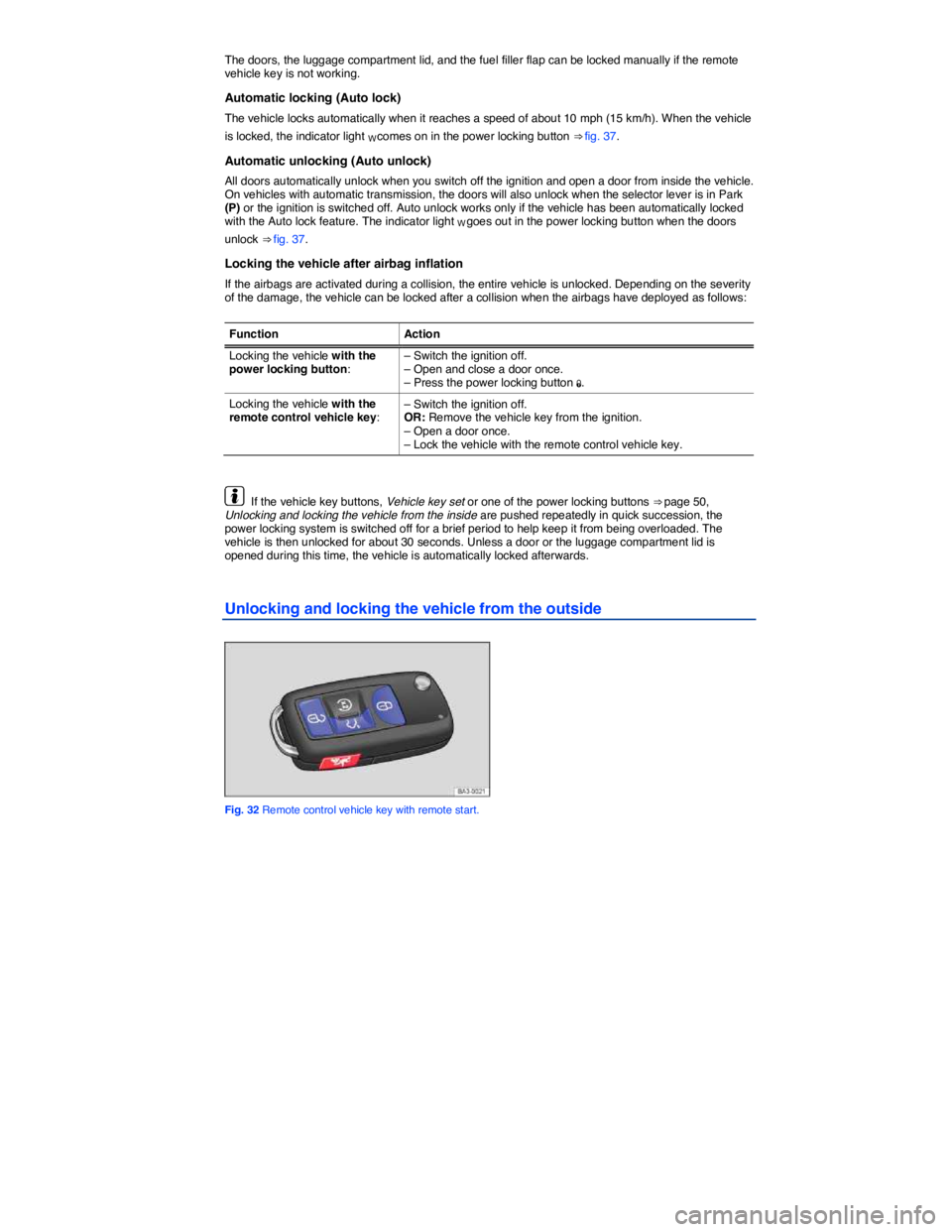
Unlocking and locking the vehicle from the outside
Fig. 32 Remote control vehicle key with remote start.
Page 46 of 392

Valet Parking feature
Fig. 36 In the glove compartment: Button for Valet Parking feature.
Page 47 of 392
Unlocking and locking the vehicle from the inside
Fig. 37 In the driver and front passenger doors: power locking button.
Page 49 of 392

All turn signals flash twice to confirm that the vehicle has been unlocked and once to confirm that it has been locked.
If the vehicle was unlocked and within the next few seconds no door or the luggage compartment lid has been opened, the vehicle is automatically locked again.
Unlocking and opening doors (Keyless Entry)
x Grasp the door handle of the driver or front passenger door so that you touch the unlocking sensor surface (A).
x Open the door.
Closing and locking doors (Keyless Exit)
x Close the driver door.
x Touch the sensor surface in the door handle on the driver or front passenger door (B). The vehicle is locked. The door being locked must be closed.
Unlocking and locking the luggage compartment lid
If the vehicle is locked and a valid remote control vehicle key is within range ⇒ fig. 38 of the luggage compartment lid, it unlocks automatically when opened.
x Open and close the luggage compartment lid as you would a standard luggage compartment lid, Luggage compartment lid.
The luggage compartment lid locks automatically when it is closed except in the following situations:
x The vehicle is completely unlocked.
x When an authorized remote control vehicle key is inside the vehicle.
Locking with a second vehicle key
If a remote control vehicle key is inside the passenger compartment, the vehicle can be locked from the outside only if a second valid remote control vehicle key is within range.
When the vehicle is locked from the outside, the keyless go (starting) function of any keys left in the passenger compartment will be deactivated. All other functions (remote central locking and unlocking as well as emergency starting) remain active and unchanged.
A key that was inside the vehicle when it was locked from the outside is reactivated:
x by pressing a button on the deactivated key.
x by pressing a door handle sensor when the deactivated key is outside of the vehicle, but within range.
x by starting the engine with the starter button on the center console (but not by starting the engine with the remote start button on a key that is outside of the vehicle, Remote start feature).
Automatic deactivation of sensors
If the vehicle has not been unlocked or locked for a longer period of time, the proximity sensors in the passenger door are automatically deactivated.
If a sensor on the door handle of a locked vehicle is activated too often, for instance by a bush or hedge that rubs against the vehicle, the sensors in the door handle on that side of the vehicle are switched off for about 30 minutes.
The door handle sensors become active again if one of the following events occurs:
x 30 minutes have passed.
x OR: The vehicle is unlocked using the 0 button in the remote control vehicle key.
x OR: The luggage compartment lid is opened.
x OR: The vehicle is mechanically unlocked with the vehicle key.
Page 51 of 392

Preparation for the anti-theft alarm system
If the vehicle is pre-equipped for installation of the anti-theft alarm system, the alarm system can be retrofitted by an authorized Volkswagen dealer or an authorized Volkswagen Service Facility.
The anti-theft alarm system makes it more difficult for someone to break into or steal the vehicle.
The anti-theft alarm system is automatically activated when the vehicle is locked by pressing the lock button on the remote control vehicle key.
When is the alarm triggered?
The anti-theft alarm system sounds for about 30 seconds and the turn signals flash for up to 5 minutes if the following occurs with respect to the locked vehicle:
x Opening a door that has been mechanically unlocked without switching on the ignition within about 15 seconds.
x Forcibly opening a door.
x Forcibly opening the engine hood.
x Forcibly opening the luggage compartment lid.
x Switching on the ignition with an invalid key.
x Disconnecting the vehicle battery.
Deactivating the alarm
Unlock the vehicle with the unlock button on the remote control vehicle key and switch on the ignition with a valid vehicle key.
For vehicles with Keyless Access, the alarm can be deactivated by grasping one of the door handles when a valid remote control vehicle key is in range or by holding the remote control vehicle key to the right of the steering column trim and pressing the starter button, Unlocking and locking vehicles with Keyless Access.
After the alarm has stopped and the vehicle is opened again in the same or a different area that is protected by the alarm, the alarm is triggered again. For example, the alarm will sound again if the luggage compartment lid is opened after one of the doors has been opened.
The anti-theft alarm system is not activated when the vehicle is locked with the power lock switch 1 on the inside of the driver or front passenger doors.
If the driver door is mechanically unlocked using the vehicle key bit, only the driver door is unlocked, but not the entire vehicle. Switching on the ignition deactivates the anti-theft alarm system and activates the central locking button. To unlock the doors, use the central locking button or remote control vehicle key.
If the vehicle battery is dead or weak, the anti-theft alarm system will not work properly.