Instrument cluster
Introduction
this section find information about:
overview . . . . . . . . . . . . . . . . . . . . . 18
Displays . . . . . . . . . . . . . . . . . . . . . . . . . . .
. . . 19
Compass . . . . . . . . . . . . . . . . . . . . . . . . . . . . . .
21 Service reminder display . . . . . . . . . . . . . . . . . 22
More information:
Warning and indicator
Display of the selected gears (automatic transmiss ion ) 171
Service reminder inform ation Warranty and Maintenance.
overview
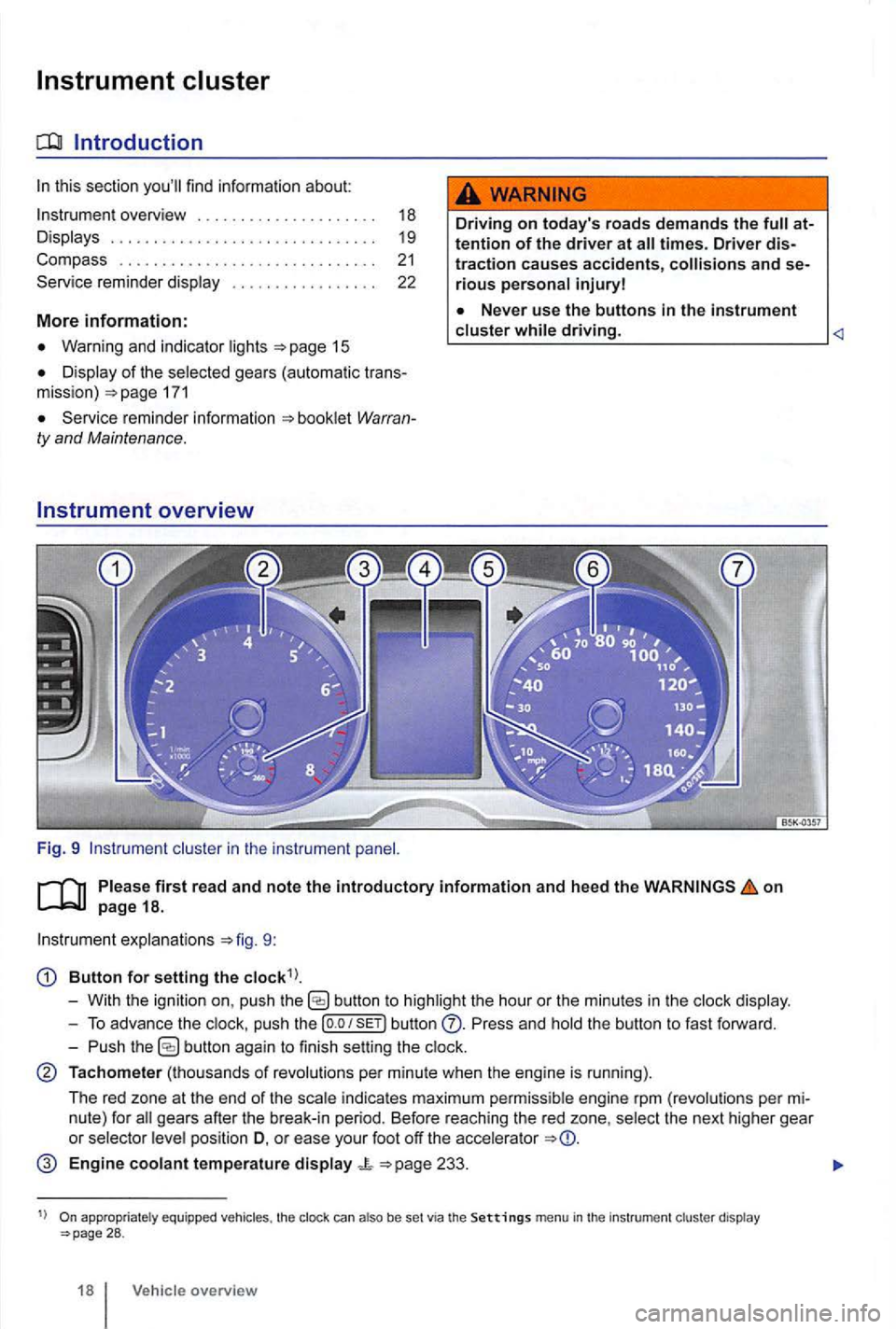
Fig. 9 cluster in the instrument
Driving on today 's roads demands the attention of the driver at
driving.
on
explanations 9:
Button for setting the
butto n to highlight the hour or the minutes in the
push the button Press and the button to fast forward.
- Push
button again to finish setting the
Tachometer (thousands of revolutions per minute when the engine is running).
The red zone at the end of the
indi cates maximum pe rmi ssibl e engi ne rpm (revolution s pe r
pos ition D, o r ease your foot off the accele rator
Engine coolant temperature display 233.
appropriate ly equ ippe d vehicles , the clock can also be set via the Settings menu in the instrumen t cl uster display 28 .
18 Vehicle overview