Page 209 of 406
197
3-2. Using the audio system
3
Interior features
Using the radio
\
Setting station presets (excluding XM® Satellite Radio)
Search for desired stations by turning or pressing “
∧” or
“ ∨ ” on .
Press and hold the button (from
to ) that the sta-
tion is to be set to until you hear a beep.
Scanning radio stations (excluding XM® Satellite Radio)
■ Scanning the preset radio stations
Press and hold until you hear a beep.
Preset stations will be played for 5 seconds each.
When the desired station is reached, press the button once
again.
Vo lu m e
Station scan Station selector
Frequency seek Frequency adjust
(AM, FM mode) or
channel (SAT mode)
AM·SAT/FM mode buttonsPower
Text message display
(SAT mode)
Page 210 of 406
198 3-2. Using the audio system
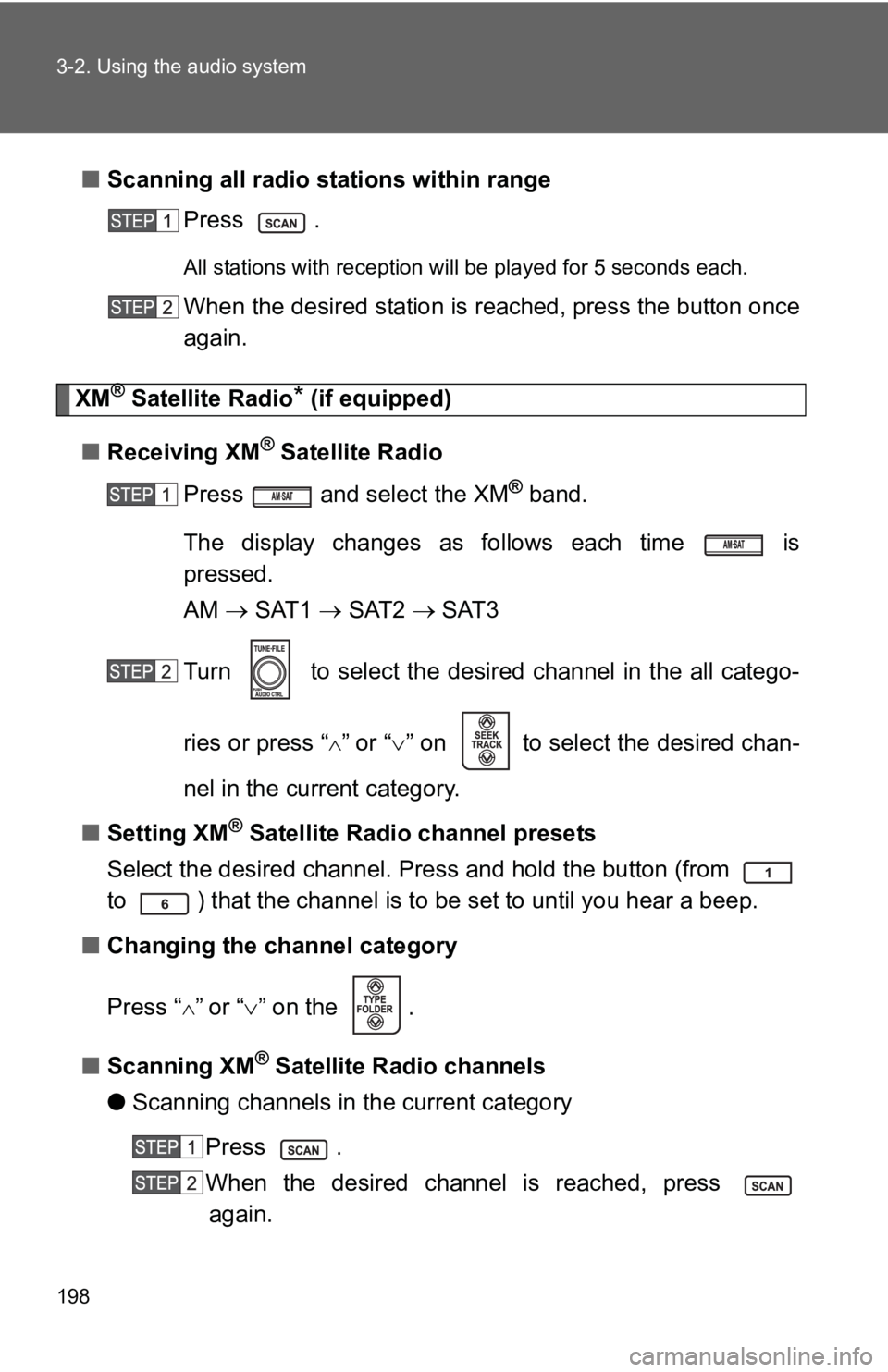
■Scanning all radio stations within range
Press .
All stations with reception will be played for 5 seconds each.
When the desired station is reached, press the button once
again.
XM® Satellite Radio* (if equipped)
■ Receiving XM
® Satellite Radio
Press and select the XM
® band.
The display changes as follows each time is
pressed.
AM → SAT1 → SAT2 → SAT3
Turn to select the desired channel in the all catego-
ries or press “
∧” or “∨ ” on to select the desired chan-
nel in the current category.
■ Setting XM
® Satellite Radio channel presets
Select the desired channel. Press and hold the button (from
to ) that the channel is to be set to until you hear a beep.
■ Changing the channel category
Press “
∧” or “ ∨” on the .
■ Scanning XM
® Satellite Radio channels
● Scanning channels in the current category
Press .
When the desired channel is reached, press again.
Page 211 of 406
199
3-2. Using the audio system
3
Interior features
●
Scanning preset channels
Press and hold until you hear a beep.
When the desired channel is reached, press again.
■ Displaying text information
Press .
The display will show up to 10 characters.
The display changes as follows each time the button is pressed.
●CH NAME
● TITLE (SONG/PROGRAM TITLE)
● NAME (ARTIST NAME/FEATURE)
● CH NUMBER
*:Use of XM® Satellite Radio requires XM® tuner and service.
Contact your Toyota dealer.
■ When the battery is disconnected
Stations presets are erased.
■ Reception sensitivity
●Maintaining perfect radio reception at all times is difficult due to the con-
tinually changing position of the antenna, differences in signal strength
and surrounding objects, such as trains, transmitters, etc.
● The radio antenna is mounted on the rear roof. The antenna can be
removed from the base by turning it.
Page 241 of 406
229
3-5. Other interior features
3
Interior features
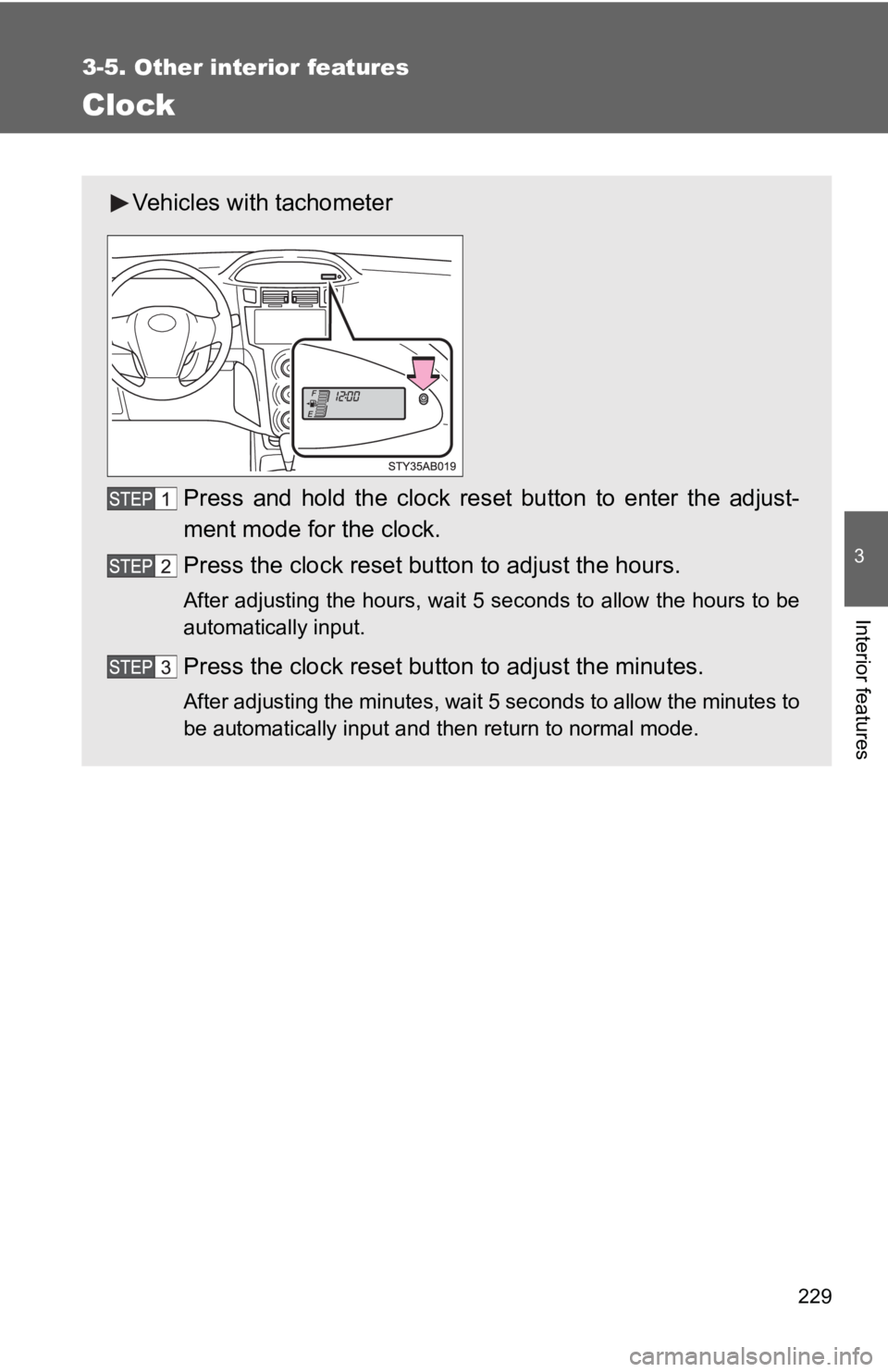
Clock
Vehicles with tachometerPress and hold the clock reset button to enter the adjust-
ment mode for the clock.
Press the clock reset button to adjust the hours.
After adjusting the hours, wait 5 seconds to allow the hours to be
automatically input.
Press the clock reset button to adjust the minutes.
After adjusting the minutes, wait 5 seconds to allow the minutes to
be automatically input and then return to normal mode.
Page 242 of 406
230 3-5. Other interior features
■The clock is displayed when
The engine switch is in the ON position.
■ When disconnecting and reco nnecting battery terminals
The time display will automatically be set to 1:00.
■ Adjusting to a full hour (vehicles without tachometer)
If you press the clock reset button, the minute values will be rounded to the
nearest hour. So, minute values from “:00” to “:29” are rounded down, and
values from “:30” to “:59” are rounded up.*
*: e.g.
1:00 to 1:29 → 1:00
1:30 to 1:59 → 2:00
Vehicles without tachometer
Press and hold the clock reset button to enter the adjust-
ment mode for the clock.
Press the clock reset button to adjust the minutes.
After adjusting the minutes, wait 5 seconds to allow the minutes to
be automatically input.
Press the clock reset button to adjust the hours.
After adjusting the hours, wait 5 seconds to allow the hours to be
automatically input and then return to normal mode.
Page 267 of 406

256 4-3. Do-it-yourself maintenance
■Engine oil consumption
●The amount of engine oil consumed depends on the oil viscosity, the
quality of the oil and the way the vehicle is driven.
● More oil is consumed under driving conditions such as high speeds and
frequent acceleration and deceleration.
● A new engine consumes more oil.
● When judging the amount of oil consumption, keep in mind that the oil
may have become diluted, making it difficult to judge the true level accu-
rately.
● Oil consumption: Max. 1.1 qt./600 miles, 0.9 lmp.qt./600 miles (1.0 L per
1000 km)
■ Engine oil consumption
●If you consume more than 1.1 qt. (1.0 L, 0.9 lmp.qt.) every 600 miles
(1000 km), contact your Toyota dealer.
■ After changing the engine oil (except Canada)
The oil change system should be reset. Perform the following procedures:
Turn the engine switch off with the Trip A reading shown.( →P. 139)
Turn the engine switch to the ON position while holding down the
trip meter reset button.
Continue to press and hold the button until the trip meter displays
000000.
If the system fails to reset, the light will continue flashing.
Page 331 of 406

5
When trouble arises
321
5-2. Steps to take in an emergency
■If the tire pressure warning system is inoperative
The tire pressure warning system will be disabled in the following condi-
tions:
(When the condition be
comes normal, the system will work properly.)
●If tires not equipped with tire pressure warning valves and transmit-
ters are used.
●If the ID code on the tire pressure warning valves and transmitters is
not registered in the tire pressure warning computer.
●If the tire inflation pressure is 73 psi (500 kPa, 5.1 kgf/cm2 or bar) or
higher.
The tire pressure warning system may be disabled in the following condi-
tions:
(When the condition be comes normal, the system will work properly.)
●If electronic devices or facilities using similar radio wave frequencies
are nearby.
●If a radio set at similar frequencies is in use in the vehicle.
●If a window tint that affects the radio wave signals is installed.
●If there is a lot of snow or ice on the vehicle, in particular around the
wheels or wheel housings.
●If non-genuine Toyota wheels are used. (Even if you use Toyota
wheels, the tire pressu re warning system may not work properly with
some types of tires.)
●If tire chains are used.
■If the tire pressure warning light comes on after blinking for 1
minute frequently
If the tire pressure warning light comes on after blinking for 1 minute fre-
quently when the engine switch is turned to the ON position, have it
checked by your Toyota dealer.
■ After changing the engine oil (except Canada)
Make sure to reset the oil maintenance data. ( →P. 256)
Page 344 of 406

334 5-2. Steps to take in an emergency
■After completing the tire change
The tire pressure warning system must be reset ( →P. 320)
CAUTION
■Using the jack
Improper use of the jack may lead to death or serious injuries due to the
vehicle suddenly fa lling off the jack.
●Do not use the jack for any purpose ot her than replacing tires or install-
ing and removing tire chains.
●Only use the jack that comes with this vehicle for replacing a flat tire.
Do not use it on other vehicles, an d do not use other jacks for replac-
ing tires on this vehicle.
●Always check that the jack is securely set to the jack point.
●Do not put any part of your body under the vehicle supported by a jack.
●Do not start or run the engine while your vehicle is supported by the
jack.
●Do not raise the vehicle while someone is in it.
●When raising the vehicle, do not put an object on or under the jack.
●Do not raise the vehicle to a hei ght greater than that required to
replace the tire.
●Use a jack stand if it is necessary to get under the vehicle.
Take particular care when lowering the vehicle to ensure that no one
working on or near the vehicle will be injured.
■Replacing a flat tire
Observe the following precautions to reduce the risk of death or serious
injury.
●Never use oil or grease on the wheel bolts or wheel nuts.
Oil and grease may cause the wheel nuts to be excessively tightened,
leading to bolt or disc wheel damage. In addition, the oil or grease can
cause the wheel nuts to loosen and the wheel may fall off, causing a
serious accident. Remove any oil grease from the wheel bolts or wheel
nuts.

Search for desired stations by turning or pressing “
∧” or
“ âˆ")