210 3-2. Using the audio system
Random playback■ To play files from a partic ular folder in random order
Press (RAND).
■ To play all of the files on a disc in random order
Press and hold (RAND) until you hear a beep.
Switching the display
Press .
Each time the switch is pressed, the display changes in the order of
Folder no./File no./Elapsed time →Folder name→File name→Album title
(MP3 only) →Track title →Artist name.
■Display
Up to 12 characters can be displayed at a time.
If there are 13 characters or more, pressing and holding for 1 second
or more will display the remaining characters.
A maximum of 24 characters can be displayed.
If is pressed for 1 second or more again or has not been pressed for
6 seconds or more, the display will return to the first 12 characters.
Depending on the contents recorded, the characters may not be displayed
properly or may not be displayed at all.
■ Canceling random playback
Press
(RAND) again.
■ Canceling repeat play
Press (RPT) again.
■ Error messages
“ERROR”: This indicates a trouble either in the CD or inside the player.
The CD may be dirty, damaged or inserted up-side down.
“NO MUSIC”:This indicates that the MP 3/WMA file is not included in the CD.
211
3-2. Using the audio system
3
Interior features
■
Discs that can be used
Discs with the marks shown below can be used.
Playback may not be possible depending on recording format or disc fea-
tures, or due to scratches, dirt or deterioration.
■ CD player protection feature
To protect the internal components, playback is automatically stopped when
a problem is detected while the CD player is being used.
■ If CDs are left inside the CD player or in the ejected position for
extended periods
CDs may be damaged and may not play properly.
■ Lens cleaners
Do not use lens cleaners. Doing so may damage the CD player.
■ MP3 and WMA files
MP3 (MPEG Audio LAYER3) is a standard audio compression format.
Files can be compressed to approximately 1/10 of their original size by using
MP3 compression.
WMA (Windows Media
TM Audio) is a Microsoft audio compression format.
This format compresses audio data to a size smaller than that of the MP3
format.
There is a limit to the MP3 and WMA file standards and to the media/formats
recorded by them that can be used.
● MP3 file compatibility
• Compatible standards
MP3 (MPEG1 LAYER3, MPEG2 LSF LAYER3)
• Compatible sampling frequencies MPEG1 LAYER3: 32, 44.1, 48 (kHz)
MPEG2 LSF LAYER3: 16, 22.05, 24 (kHz)
• Compatible bit rates (compatible with VBR) MPEG1 LAYER3: 64, 80, 96, 112, 128, 160, 192, 224, 256, 320 (kbps)
MPEG2 LSF LAYER3: 64, 80, 96, 112, 128, 144, 160 (kbps)
389
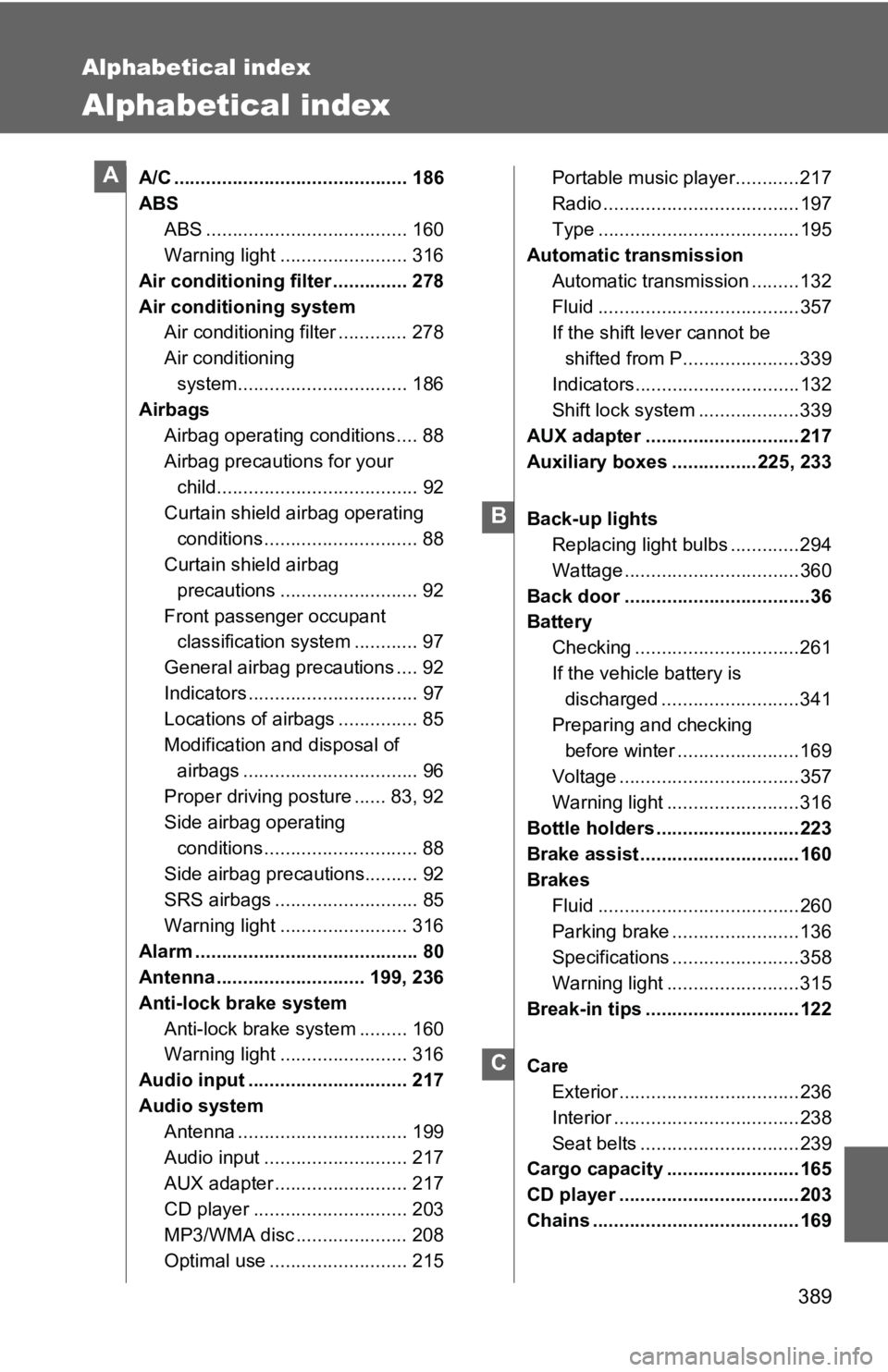
Alphabetical index
Alphabetical index
A/C ............................................ 186
ABSABS ...................................... 160
Warning light ........................ 316
Air conditioning filter .............. 278
Air conditioning system Air conditioning filter ............. 278
Air conditioning
system................................ 186
Airbags
Airbag operating conditions .... 88
Airbag precautions for your child...................................... 92
Curtain shield airbag operating conditions ............................. 88
Curtain shield airbag
precautions .......................... 92
Front passenger occupant classification system ............ 97
General airbag precautions .... 92
Indicators ................................ 97
Locations of airbags ............... 85
Modification and disposal of airbags ................................. 96
Proper driving posture ...... 83, 92
Side airbag operating
conditions ............................. 88
Side airbag precautions.......... 92
SRS airbags ........................... 85
Warning light ........................ 316
Alarm .......................................... 80
Antenna ............................ 199, 236
Anti-lock brake system
Anti-lock brake system ......... 160
Warning light ........................ 316
Audio input .............................. 217
Audio system Antenna ................................ 199
Audio input ........................... 217
AUX adapter ......................... 217
CD player ............................. 203
MP3/WMA disc ..................... 208
Optimal use .......................... 215 Portable music player............217
Radio .....................................197
Type ......................................195
Automatic transmission
Automatic transmission .........132
Fluid ......................................357
If the shift lever cannot be shifted from P......................339
Indicators...............................132
Shift lock system .... ...............339
AUX adapter .............................217
Auxiliary boxes ................225, 233
Back-up lights Replacing light bulbs .............294
Wattage .................................360
Back door ...................................36
Battery Checking ...............................261
If the vehicle battery is discharged ..........................341
Preparing and checking before winter .......................169
Voltage ..................................357
Warning light .........................316
Bottle holders ...........................223
Brake assist ..............................160
Brakes Fluid ......................................260
Parking brake ........................136
Specifications ........................358
Warning light .........................315
Break-in tips .............................122
Care Exterior ..................................236
Interior ...................................238
Seat belts ..............................239
Cargo capacity .........................165
CD player ..................................203
Chains .......................................169A
B
C