Page 177 of 513
177
2-4. Using other
driving systems
2
When driving
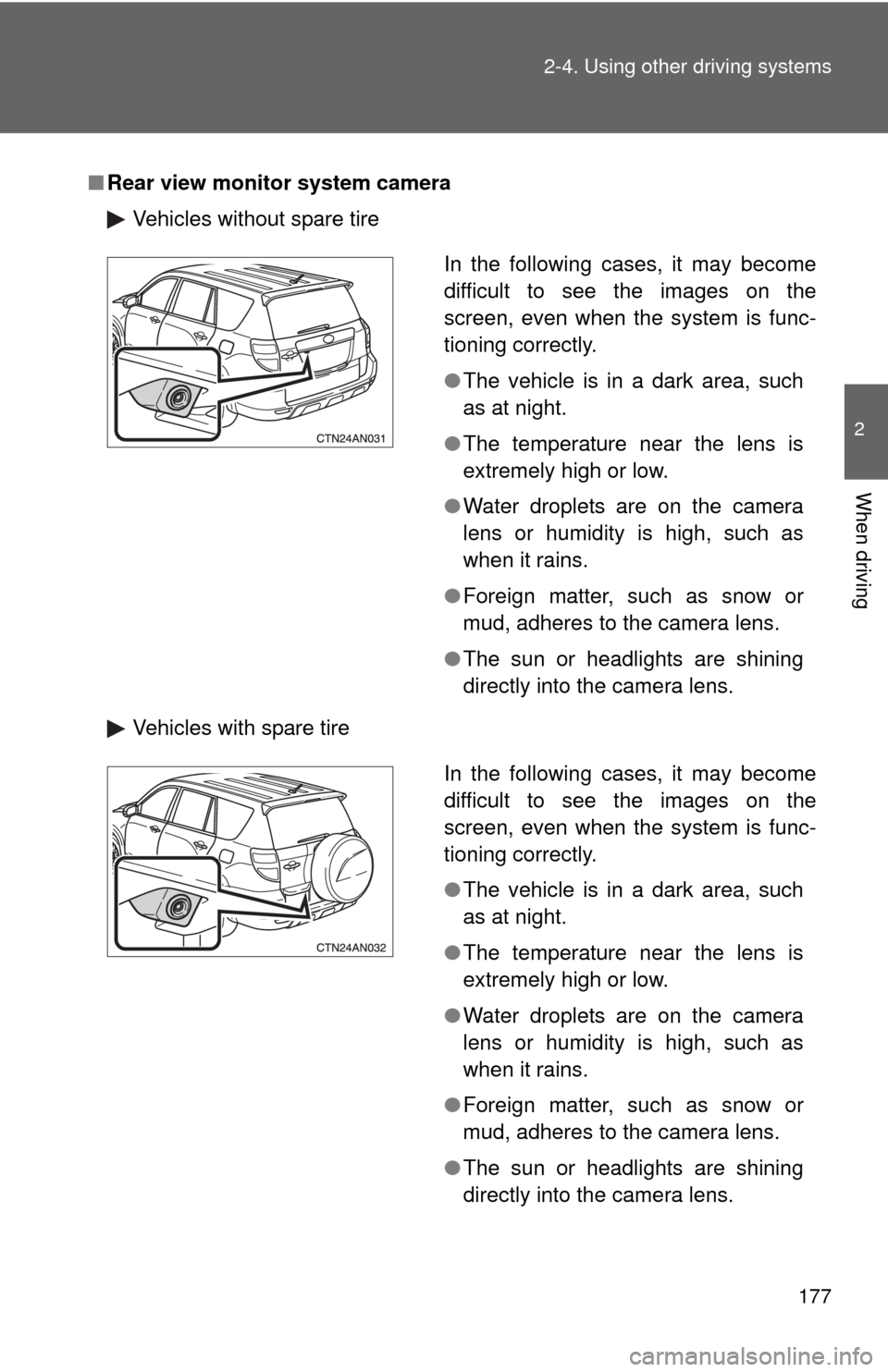
■Rear view monitor system camera
Vehicles without spare tire
Vehicles with spare tire
In the following cases, it may become
difficult to see the images on the
screen, even when the system is func-
tioning correctly.
●The vehicle is in a dark area, such
as at night.
● The temperature near the lens is
extremely high or low.
● Water droplets are on the camera
lens or humidity is high, such as
when it rains.
● Foreign matter, such as snow or
mud, adheres to the camera lens.
● The sun or headlights are shining
directly into the camera lens.
In the following cases, it may become
difficult to see the images on the
screen, even when the system is func-
tioning correctly.
●The vehicle is in a dark area, such
as at night.
● The temperature near the lens is
extremely high or low.
● Water droplets are on the camera
lens or humidity is high, such as
when it rains.
● Foreign matter, such as snow or
mud, adheres to the camera lens.
● The sun or headlights are shining
directly into the camera lens.
Page 178 of 513

178 2-4. Using other driving systems
■Smear effect
■ The rear view monitor system can be used when
Vehicles without smart key system
The engine switch is in the “ON” position, the back door is closed and the
shift lever is in R. Vehicles with smart key system
The “ENGINE START STOP” switch is in IGNITION ON mode, the back door
is closed and the shift lever is in R.
■ To turn off the rear view monitor display
Press the “AUTO” switch. The indica tor turns amber. Pressing the “AUTO”
switch again turns the display back on.
In the following situations, the display will be re-enabled if it has been turned
off.
Vehicles without smart key system
The engine switch is turned to the “ON” position.
Vehicles with smart key system
The “ENGINE START STOP” switch is turned to IGNITION ON mode.
If a bright light, such as sunlight
reflected off the vehicle body, is picked
up by the camera, a smear effect* char-
acteristic to the camera may occur.
*: Smear effect A phenomenon that
occurs when a bright light is picked
up by the camera; when transmitted
by the camera, the light source
appears to have a vertical streak
above and below it.
Page 179 of 513

179
2-4. Using other
driving systems
2
When driving
CAUTION
■When using the rear view monitor system
Observe the following precautions to avoid an accident that could result in
death or serious injuries.
●Never depend solely on the monitor system when reversing.
● Always check visually and with the mirrors to confirm your intended path is
clear.
● Depicted distances between objects and flat surfaces differ from actual
distances.
● Vehicles with spare tire: The spare tire is the rear-most edge of the vehicle
extending past the rear bumper. Take care not to hit any obstacles with the
spare tire while reversing.
■ Conditions which may affect the rear view monitor system
● If the back of the vehicle has been hit, the camera’s position and mounting
angle may have changed. Have the vehicle inspected by your Toyota
dealer.
● Rapid temperature changes, such as when hot water is poured on the
vehicle in cold weather, may cause the system to function abnormally.
● If the camera lens is dirty, it cannot transmit a clear image. Rinse with
water and wipe with a soft cloth. If the camera lens is extremely dirty, wash
with a mild cleanser and rinse.
● The displayed image may be darker and moving images may be slightly
distorted when the system is cold.
Page 212 of 513

212 2-5. Driving information
HitchTrailer hitch assemblies have different weight capacities established
by the hitch manufacturer. Even th ough the vehicle may be rated for
towing a higher weight, the operat or must never exceed the maxi-
mum weight rating specified for the trailer hitch.
■ Before towing
●Ensure that your vehicle’s tires are properly inflated. ( P. 472)
● Trailer tires should be inflated according to the trailer manufacturer's rec-
ommendation.
● All trailer lights must work in order to be legal.
● Confirm all lights work each time you connect them.
● Check that your vehicle remains level when a loaded or unloaded trailer
is hitched. Do not drive if the vehicle is not level, and check for improper
tongue load, overloading, worn suspension, or other possible causes.
● Make sure the trailer cargo is securely loaded.
● Check that your rear view mirrors conform to any federal, state/provincial
or local regulations. If they do not, install rear view mirrors appropriate for
towing purposes.
■ Break-in schedule
Toyota recommends that you do not use a new vehicle or a vehicle with any
new power train components (engine, transmission, differential, wheel bear-
ings, etc.) to tow a trailer for the first 500 miles (800 km) of driving.
■ Maintenance
●If you tow a trailer, your vehicle will require more frequent maintenance
due to the additional load. (See “Scheduled Maintenance Guide” or
“Owner's Manual Supplement”.)
● Retighten the fixing bolts of the towing ball and bracket after approxi-
mately 600 miles (1000 km) of trailer towing.
Page 219 of 513

Interior features3
219
3-1. Using the air conditioning system and defogger
Manual air conditioning system ........................... 220
Automatic air conditioning system ....... 225
Rear window and outside rear view
mirror defoggers ............ 233
Windshield wiper de-icer ............................ 235
3-2. Using the audio system Audio system types .......... 236
Using the radio ................. 239
Using the CD player ......... 245
Playing back MP3 and WMA discs ..................... 252
Optimal use of the audio system ........................... 259
Using the AUX adapter .... 262
Using the steering wheel audio switches ............... 263
3-3. Using the hands-free phone system
(for cellular phone)
Hands-free phone system (for cellular phone)
features .......................... 266
Using the hands-free phone system
(for cellular phone) ......... 270
Making a phone call ......... 278
Setting a cellular phone ... 284 Security and system
setup .............................. 289
Using the phone book ...... 292
3-4. Using the interior lights Interior lights list ............... 300
• Personal/interior light main switch ..................... 301
• Personal/interior lights .... 301
• Interior light ..................... 302
• Luggage compartment light ................................. 302
3-5. Using the storage features List of storage features .... 304
• Glove box........................ 305
• Console box .................... 306
• Overhead console ........... 307
• Cup holders .................... 308
• Bottle holders .................. 309
• Auxiliary box ................... 311
3-6. Other interior features Sun visors ........................ 312
Vanity mirrors ................... 313
Clock ................................ 314
Power outlets ................... 315
Seat heaters..................... 318
Armrest ............................ 320
Coat hooks ....................... 321
Floor mat .......................... 322
Luggage compartment features .......................... 323
Page 234 of 513
234
3-1. Using the air conditioning system and defogger
Rear window and outside rear view mirror defoggers
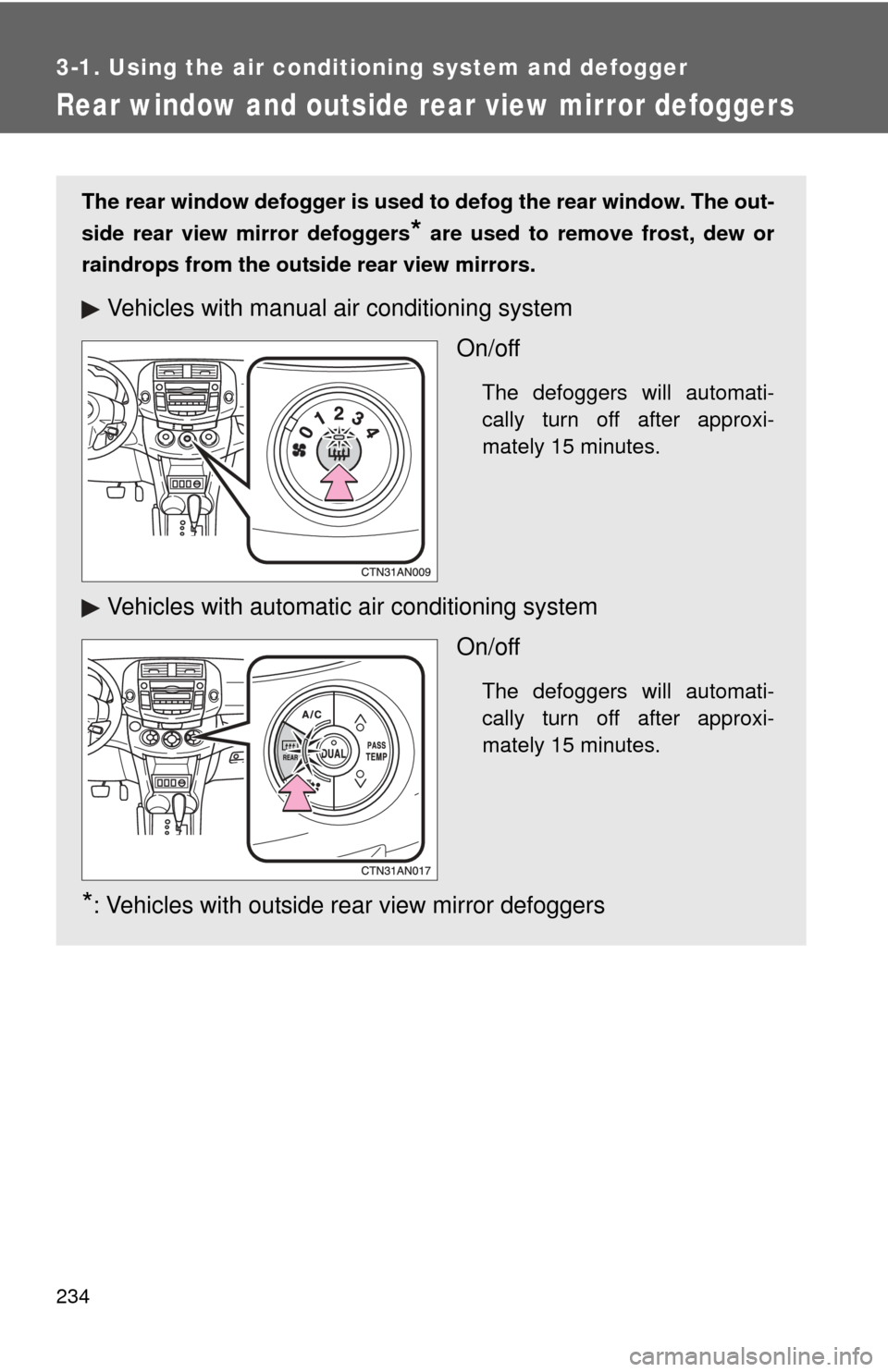
The rear window defogger is used to defog the rear window. The out-
side rear view mirror defoggers
* are used to remove frost, dew or
raindrops from the outside rear view mirrors.
Vehicles with manual air conditioning system
On/off
The defoggers will automati-
cally turn off after approxi-
mately 15 minutes.
Vehicles with automatic air conditioning systemOn/off
The defoggers will automati-
cally turn off after approxi-
mately 15 minutes.
*: Vehicles with outside rear view mirror defoggers
Page 235 of 513
235
3-1. Using the air conditioning system
and defogger
3
Interior features
■The defogger can be operated when
Vehicles without smart key system
The engine switch is in the “ON” position.
Vehicles with smart key system
The “ENGINE START STOP” switch is in IGNITION ON mode.
■ Outside rear view mirror defoggers (vehicles with outside rear view
mirror defoggers)
Turning the rear window defogger on will turn the outside rear view mirror
defoggers on.
CAUTION
■ Outside rear view mirror defoggers (vehicles with outside rear view
mirror defoggers)
The surfaces of the outside rear view mirrors become hot. Do not touch
them to prevent from burning yourself.
Page 394 of 513

393
4-3. Do-it-yourself maintenance
4
Maintenance and care
9 ACC
7.5 AAudio system, power outlets,
power rear view mirror control,
automatic transmission shift lock
system, main body ECU, clock,
smart key system
10 MIR HTR 10 A Outside rear view mirror defoggers
11 PWR OUTLET 15 A Power outlet
12 RR FOG 10 A No circuit
13 IGN 7.5 AMultiport fuel injection system/
sequential multiport fuel injection
system, steering lock system, front
passenger occupant classification
system, smart key system, SRS
airbag system
14 GAUGE 2 7.5 A Gauges and meters
15 S-HTR 15 A Seat heaters
16 FR WIP 25 A Windshield wipers
17 RR WIP 15 A Rear window wiper
18 WSH 15 AWindshield washer, rear window
washer
19 ECU IG 1 10 AElectric cooling fan, ABS, TRAC,
Enhanced VSC, AUTO LSD func-
tion, downhill assist control system,
hill-start assist control system,
active torque control 4WD system,
automatic transmission shift lock
system, air conditioning system,
main body ECU, electric moon
roof, stop/tail lights, electric power
steering system, clock, AC inverter,
auto anti-glare inside rear view mir-
ror
20 ECU IG 2 10 AAir conditioning system, rear win-
dow defogger, emergency flashers
FuseAmpereCircuit