Page 175 of 513
175
2-4. Using other driving systems
2
When driving
Rear view monitor system (vehicles with auto anti-glare inside rear view mirror)
The rear view monitor system assists the driver by displaying an
image of the area behind the vehicle. The image is displayed in
reverse on the screen. This reversed im age is a similar image to the
one on the inside rear view mirror.
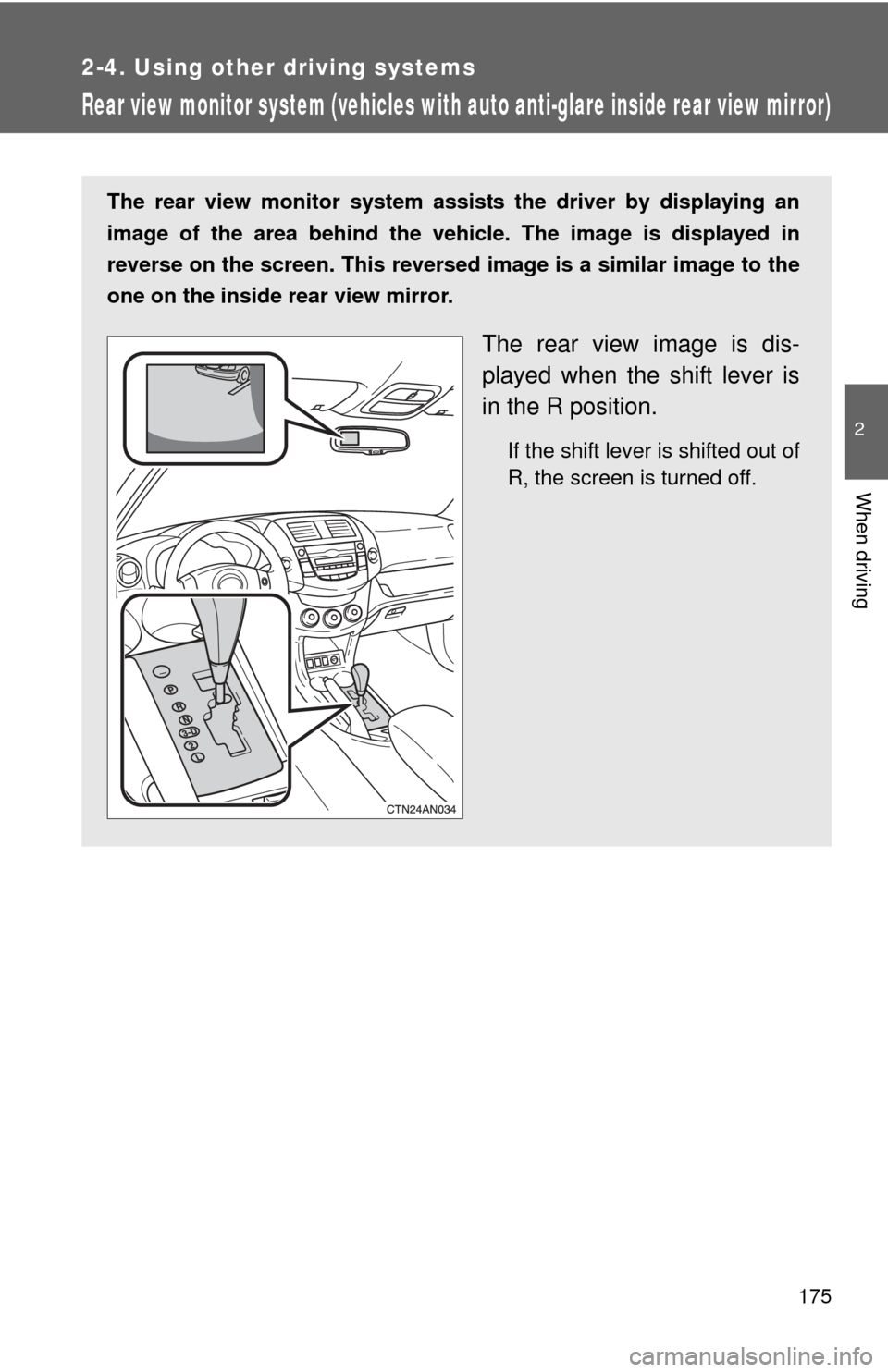
The rear view image is dis-
played when the shift lever is
in the R position.
If the shift lever is shifted out of
R, the screen is turned off.
Page 176 of 513
176 2-4. Using other driving systems
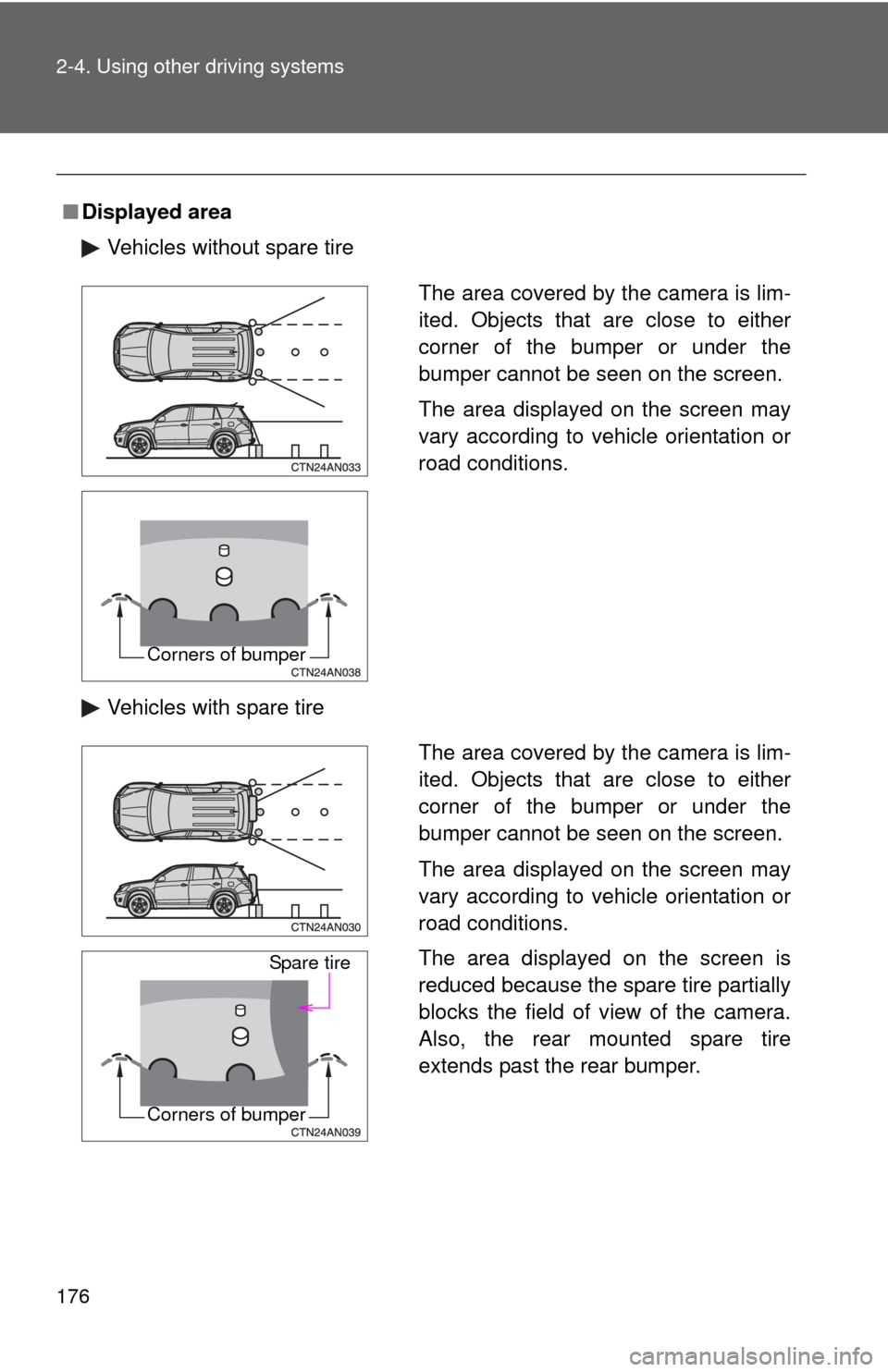
■Displayed area
Vehicles without spare tire
Vehicles with spare tire
The area covered by the camera is lim-
ited. Objects that are close to either
corner of the bumper or under the
bumper cannot be seen on the screen.
The area displayed on the screen may
vary according to vehicle orientation or
road conditions.
Corners of bumper
The area covered by the camera is lim-
ited. Objects that are close to either
corner of the bumper or under the
bumper cannot be seen on the screen.
The area displayed on the screen may
vary according to vehicle orientation or
road conditions.
The area displayed on the screen is
reduced because the spare tire partially
blocks the field of view of the camera.
Also, the rear mounted spare tire
extends past the rear bumper.
Spare tire
Corners of bumper
Page 178 of 513

178 2-4. Using other driving systems
■Smear effect
■ The rear view monitor system can be used when
Vehicles without smart key system
The engine switch is in the “ON” position, the back door is closed and the
shift lever is in R. Vehicles with smart key system
The “ENGINE START STOP” switch is in IGNITION ON mode, the back door
is closed and the shift lever is in R.
■ To turn off the rear view monitor display
Press the “AUTO” switch. The indica tor turns amber. Pressing the “AUTO”
switch again turns the display back on.
In the following situations, the display will be re-enabled if it has been turned
off.
Vehicles without smart key system
The engine switch is turned to the “ON” position.
Vehicles with smart key system
The “ENGINE START STOP” switch is turned to IGNITION ON mode.
If a bright light, such as sunlight
reflected off the vehicle body, is picked
up by the camera, a smear effect* char-
acteristic to the camera may occur.
*: Smear effect A phenomenon that
occurs when a bright light is picked
up by the camera; when transmitted
by the camera, the light source
appears to have a vertical streak
above and below it.
Page 179 of 513
179
2-4. Using other
driving systems
2
When driving
CAUTION
■When using the rear view monitor system
Observe the following precautions to avoid an accident that could result in
death or serious injuries.
●Never depend solely on the monitor system when reversing.
● Always check visually and with the mirrors to confirm your intended path is
clear.
● Depicted distances between objects and flat surfaces differ from actual
distances.
● Vehicles with spare tire: The spare tire is the rear-most edge of the vehicle
extending past the rear bumper. Take care not to hit any obstacles with the
spare tire while reversing.
■ Conditions which may affect the rear view monitor system
● If the back of the vehicle has been hit, the camera’s position and mounting
angle may have changed. Have the vehicle inspected by your Toyota
dealer.
● Rapid temperature changes, such as when hot water is poured on the
vehicle in cold weather, may cause the system to function abnormally.
● If the camera lens is dirty, it cannot transmit a clear image. Rinse with
water and wipe with a soft cloth. If the camera lens is extremely dirty, wash
with a mild cleanser and rinse.
● The displayed image may be darker and moving images may be slightly
distorted when the system is cold.
Page 226 of 513
226
3-1. Using the air conditioning system and defogger
Automatic air conditioning system
Using the automatic modePress .
The air conditioning system begins to operate. Air outlets and fan
speed are automatically adjusted according to the temperature set-
ting.
Press “” on to increase the temperature and “ ” to
decrease the temperature.
Air outlets and fan speed for the driver and passenger seats may be
set separately depending on the temperature setting.
Airflow and outlets are automatica lly adjusted according to the tem-
perature setting.
Fan speed Air conditioning
on/off switch
Changes the air outlets used
Off
Driver's side
temperature control
Automatic mode
Windshield defogger
Outside air or
recirculated air modeAir flow display
Micro dust and pollen filter Passenger’s side
temperature control
STEP 1
STEP 2
: If equipped
Page 227 of 513
227
3-1. Using the air conditioning system
and defogger
3
Interior features
Adjusting the settings
■ Adjusting the temperature setting
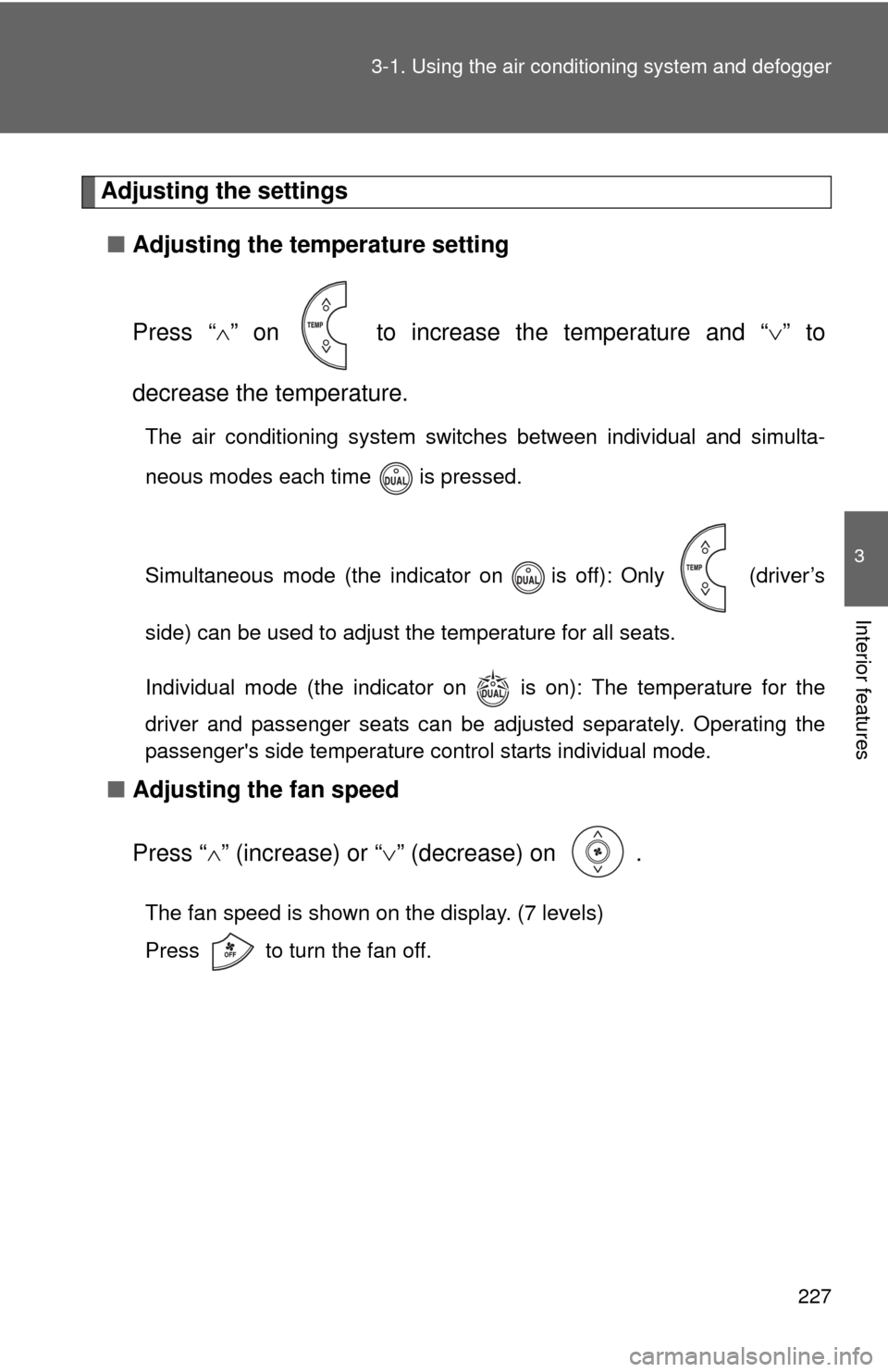
Press “ ” on to increase the temperature and “ ” to
decrease the temperature.
The air conditioning system switc hes between individual and simulta-
neous modes each time is pressed.
Simultaneous mode (the indicator on is off): Only (driver’s
side) can be used to adjust the temperature for all seats.
Individual mode (the indicator on is on): The temperature for the
driver and passenger seats can be adjusted separately. Operating the
passenger's side temperature control starts individual mode.
■ Adjusting the fan speed
Press “ ” (increase) or “ ” (decrease) on .
The fan speed is shown on the display. (7 levels)
Press to turn the fan off.
Page 228 of 513
228 3-1. Using the air conditioning system and defogger
■Changing the air outlets
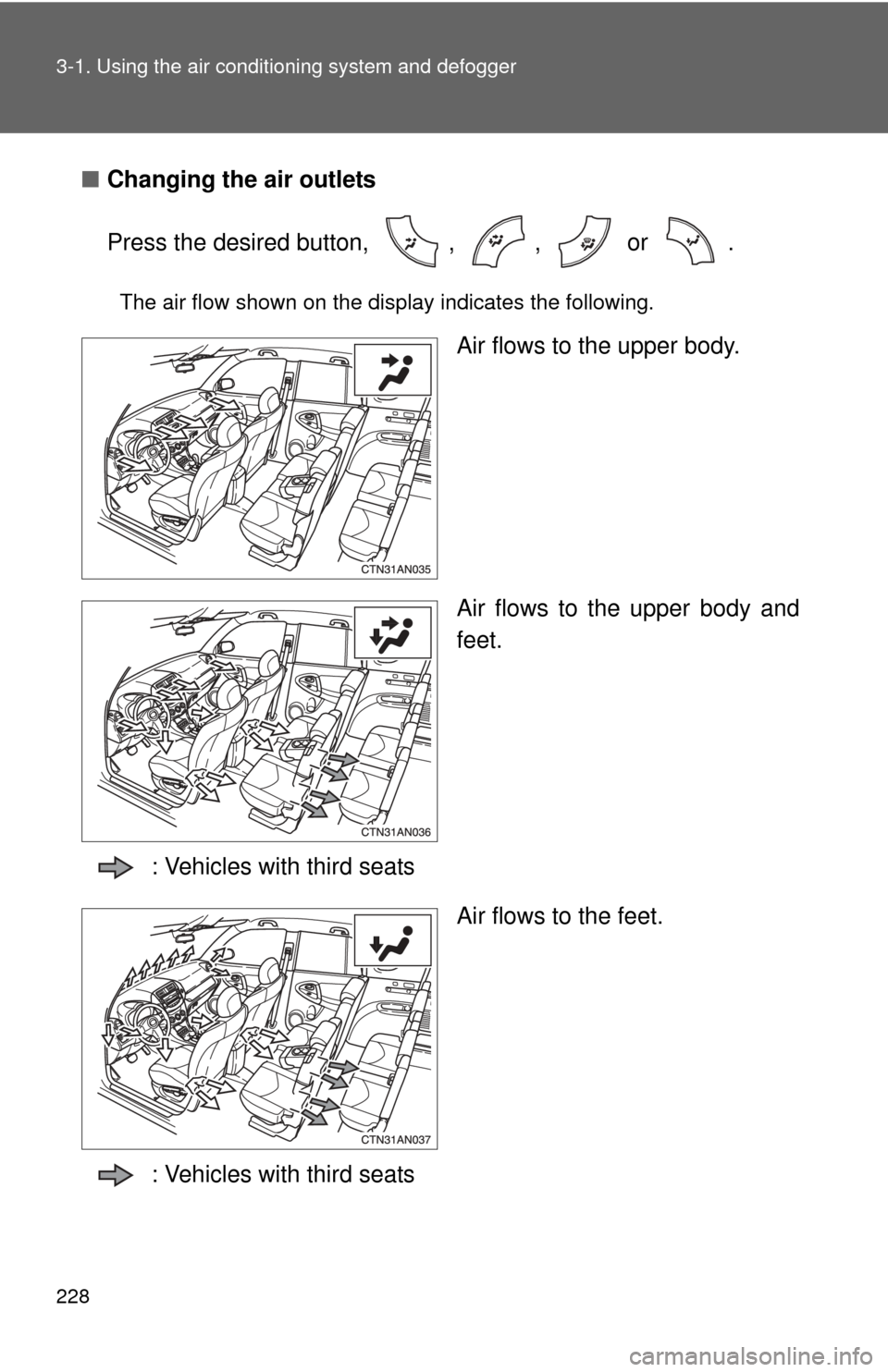
Press the desired button, , , or .
The air flow shown on the display indicates the following.
Air flows to the upper body.
Air flows to the upper body and
feet.
: Vehicles with third seats Air flows to the feet.
: Vehicles with third seats
Page 240 of 513
239
3-2. Using the audio system
3
Interior features
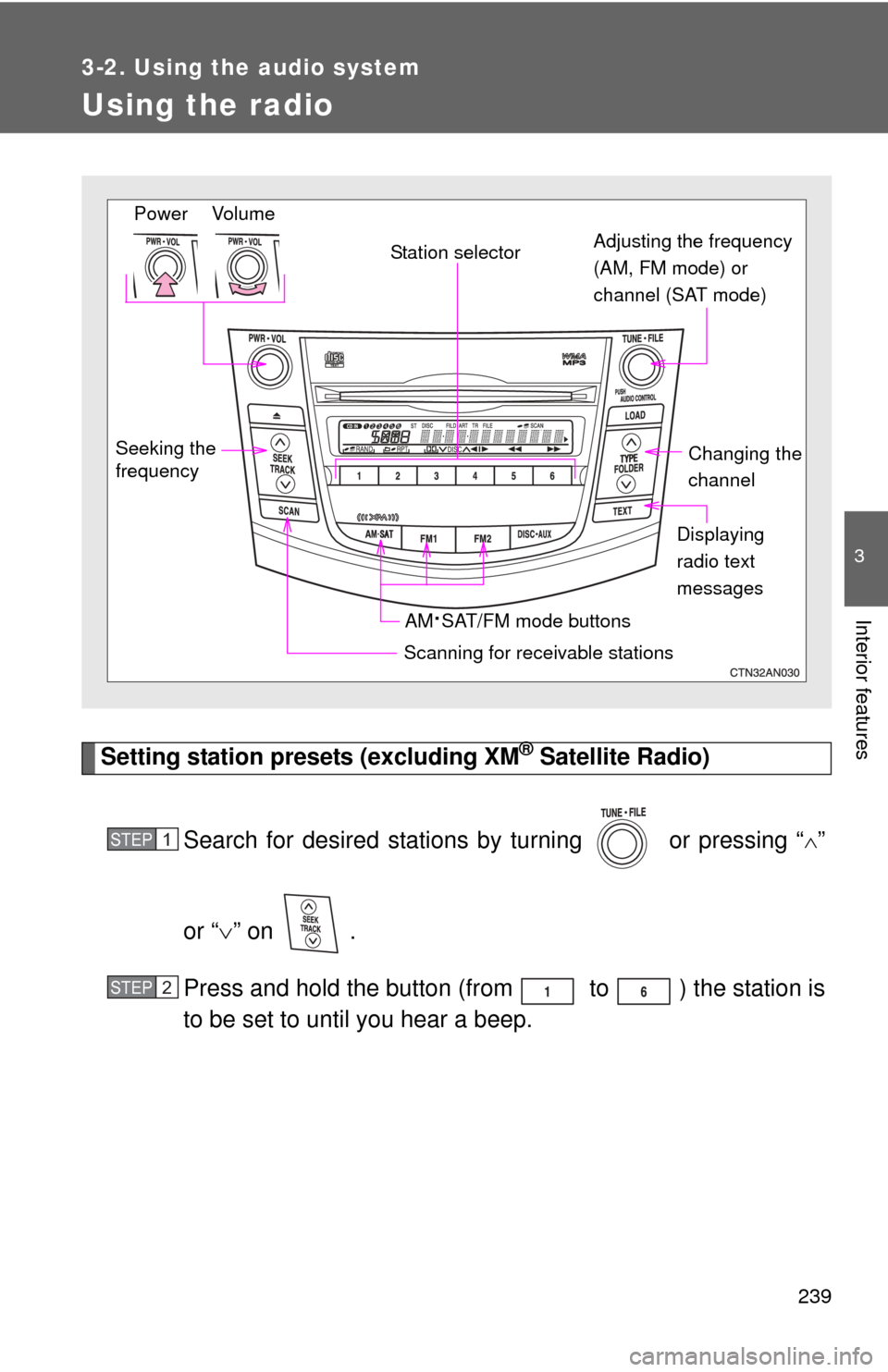
Using the radio
Setting station presets (excluding XM® Satellite Radio)
Search for desired stations by turning or pressing “
”
or “ ” on .
Press and hold the button (from to ) the station is
to be set to until you hear a beep.
Seeking the
frequency Station selector
AM
·SAT/FM mode buttons
Scanning for receivable stations
Changing the
channel
Power Volume Adjusting the frequency
(AM, FM mode) or
channel (SAT mode)
Displaying
radio text
messages
STEP 1
STEP 2