Page 228 of 616

228 2-4. Using other driving systems
PRIUS_U (OM47668U) U.S.A.
CAUTION
■Before using dynamic radar cruise control
Do not overly rely on vehicle-to-vehicle distance control.
Be aware of the set speed. If automatic deceleration/acceleration is not
appropriate, adjust the vehicle speed, as well as the distance between your
vehicle and vehicles ahead by applying the brakes etc.
■ Cautions regarding the driving assist systems
Observe the following precautions.
Failure to do so may cause an accident resulting in death or serious injury.
● Assisting the driver to measure following distance
The dynamic radar cruise control is only intended to help the driver in
determining the following distance between the driver’s own vehicle and a
designated vehicle traveling ahead. It is not a mechanism that allows care-
less or inattentive driving, and it is not a system that can assist the driver in
low-visibility conditions. It is still necessary for driver to pay close attention
to the vehicle’s surroundings.
● Assisting the driver to judge proper following distance
The dynamic radar cruise control determines whether the following dis-
tance between the driver’s own vehicle and a designated vehicle traveling
ahead is appropriate or not. It is not capable of making any other type of
judgement. Therefore, it is absolutely necessary for the driver to remain
vigilant and to determine whether or not there is a possibility of danger in
any given situation.
● Assisting the driver to operate the vehicle
The dynamic radar cruise control has no capability to prevent or avoid a
collision with a vehicle traveling ahead. Therefore, if there is ever any dan-
ger, the driver must take immediate and direct control of the vehicle and
act appropriately in order to ensure the safety of all involved.
■ To avoid inadvertent cruise control activation
Switch the cruise control off using the “ON-OFF” button when not in use.
Page 229 of 616
229
2-4. Using other
driving systems
2
When driving
PRIUS_U (OM47668U) U.S.A.
CAUTION
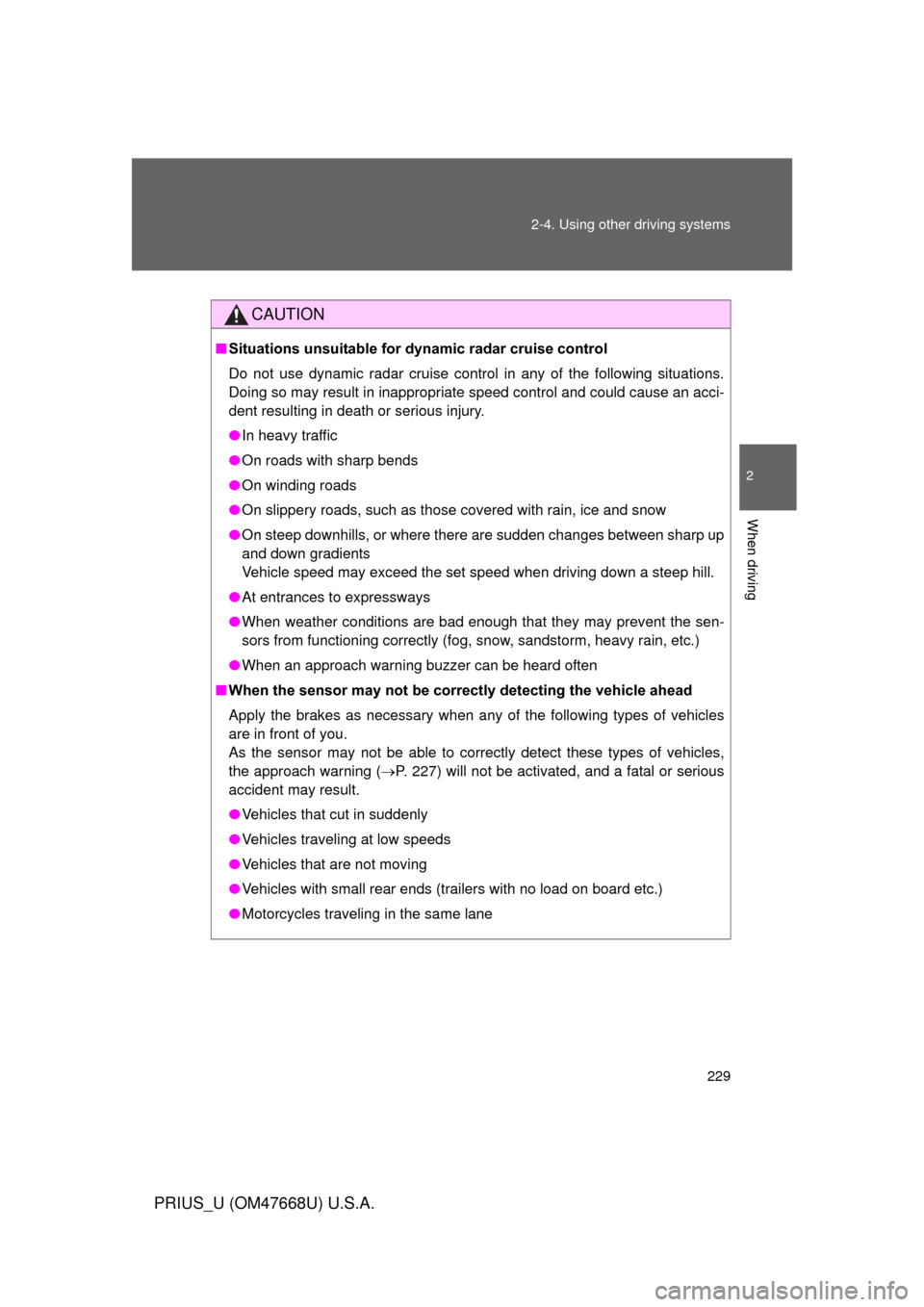
■Situations unsuitable for dynamic radar cruise control
Do not use dynamic radar cruise control in any of the following situations.
Doing so may result in inappropriate speed control and could cause an acci-
dent resulting in death or serious injury.
● In heavy traffic
● On roads with sharp bends
● On winding roads
● On slippery roads, such as those covered with rain, ice and snow
● On steep downhills, or where there are sudden changes between sharp up
and down gradients
Vehicle speed may exceed the set speed when driving down a steep hill.
● At entrances to expressways
● When weather conditions are bad enough that they may prevent the sen-
sors from functioning correctly (fog, snow, sandstorm, heavy rain, etc.)
● When an approach warning buzzer can be heard often
■ When the sensor may not be corr ectly detecting the vehicle ahead
Apply the brakes as necessary when any of the following types of vehicles
are in front of you.
As the sensor may not be able to correctly detect these types of vehicles,
the approach warning ( P. 227) will not be activated, and a fatal or serious
accident may result.
● Vehicles that cut in suddenly
● Vehicles traveling at low speeds
● Vehicles that are not moving
● Vehicles with small rear ends (trailers with no load on board etc.)
● Motorcycles traveling in the same lane
Page 230 of 616

230 2-4. Using other driving systems
PRIUS_U (OM47668U) U.S.A.
CAUTION
■Conditions under which the vehicle -to-vehicle distance control may
not function correctly
Apply the brakes as necessary in the following conditions as the radar sen-
sor may not be able to correctly detect vehicles ahead, and a fatal or serious
accident may result:
● When water or snow thrown up by the surrounding vehicles hinders the
functioning of the sensor
● When your vehicle is pointing upwards (caused by a heavy load in the lug-
gage compartment etc.)
● When the road curves or when the lanes are narrow
● When steering wheel operation or your position in the lane is unstable
● When the vehicle ahead of you decelerates suddenly
■ Handling the radar sensor
Observe the following to ensure the cruise control system can function effec-
tively.
Otherwise, the system may not function correctly and could result in an acci-
dent.
● Keep the sensor and front grille cover clean at all times.
Clean the sensor and front grille cover with a soft cloth so you do not mark
or damage them.
● Do not subject the sensor or surrounding area to a strong impact .
If the sensor moves even slightly off position, the system may malfunction.
If the sensor or surrounding area is subject to a strong impact, always
have the area inspected and adjusted by a Toyota dealer.
● Do not disassemble the sensor.
● Do not attach accessories or stickers to the sensor, grille cover or sur-
rounding area.
● Do not modify or paint the sensor and grille cover.
● Do not replace them with non-genuine parts.
Page 243 of 616

243
2-4. Using other driving systems
2
When driving
PRIUS_U (OM47668U) U.S.A.
Hill-start assist control
■Hill-start assist control operating conditions
The system operates in the following situations:
• The shift position is in other than “P”.
• The parking brake is not applied.
• The accelerator pedal is not depressed.
■ Hill-start assist control
● While hill-start assist control is operating, the brakes remain automati-
cally applied after the driver releases the brake pedal. The stop lights and
the high mounted stoplight turn on.
● Hill-start assist control operates for about 2 seconds after the brake pedal
is released.
● If the slip indicator does not flash and the buzzer does not sound when
the brake pedal is further depressed, slightly reduce the pressure on the
brake pedal (do not allow the vehicl e to roll backward) and then firmly
depress it again. If the system still does not operate, check that the oper-
ating conditions explained above have been met.
Hill-start assist control helps to prevent the vehicle from rolling
backwards when starting on incline or slippery slope.
To engage hill-start assist con-
trol, further depress the brake
pedal when the vehicle is
stopped completely.
A buzzer will sound once to
indicate the system is acti-
vated. The slip indicator will
also start flashing.
ITO24P109
Page 245 of 616
245
2-4. Using other driving systems
2
When driving
PRIUS_U (OM47668U) U.S.A.
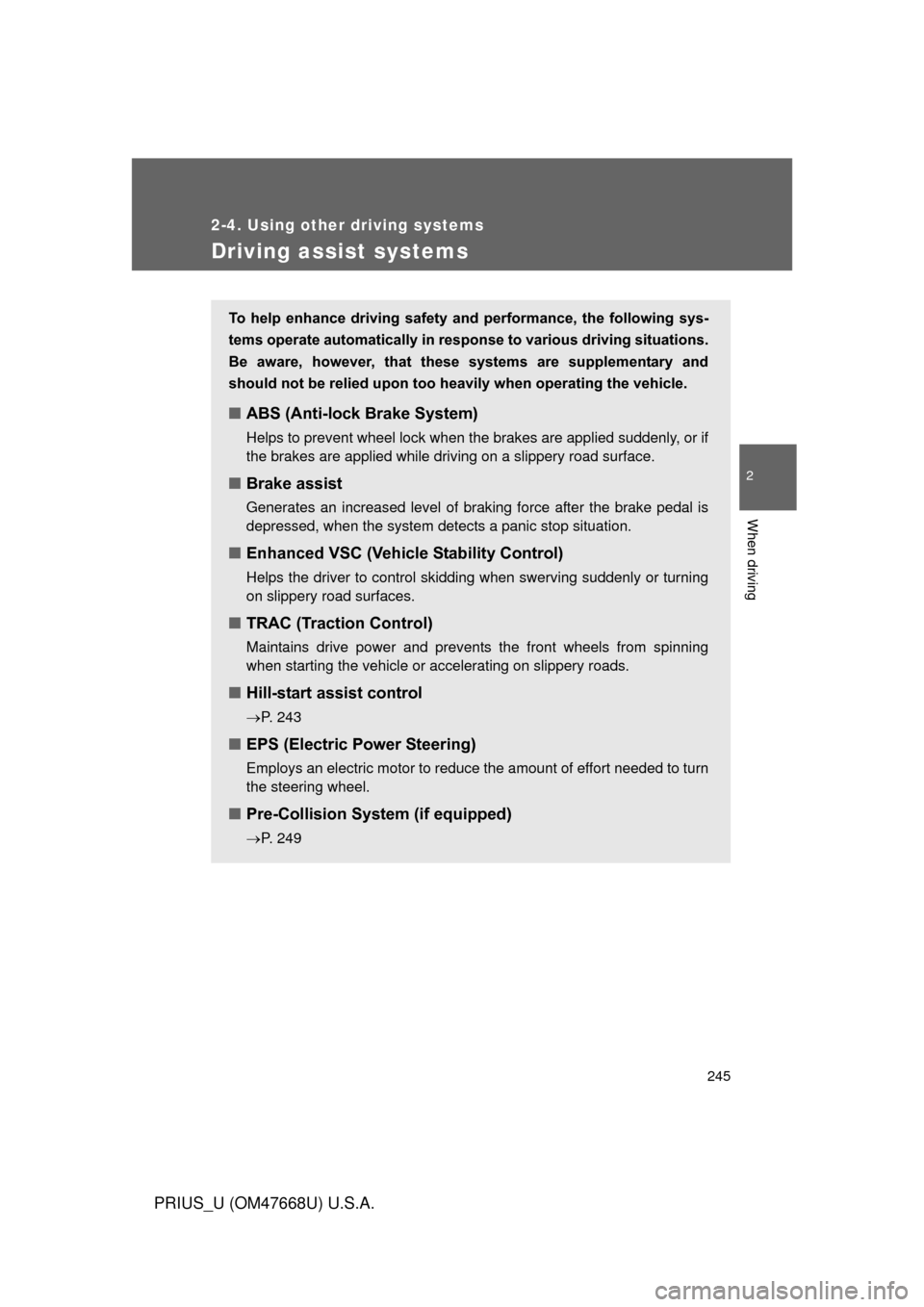
Driving assist systems
To help enhance driving safety and performance, the following sys-
tems operate automatically in res ponse to various driving situations.
Be aware, however, that these systems are supplementary and
should not be relied upon too h eavily when operating the vehicle.
■ABS (Anti-lock Brake System)
Helps to prevent wheel lock when the brakes are applied suddenly, or if
the brakes are applied while driving on a slippery road surface.
■Brake assist
Generates an increased level of braking force after the brake pedal is
depressed, when the system detects a panic stop situation.
■Enhanced VSC (Vehicle Stability Control)
Helps the driver to control skidding when swerving suddenly or turning
on slippery road surfaces.
■TRAC (Traction Control)
Maintains drive power and prevents the front wheels from spinning
when starting the vehicle or accelerating on slippery roads.
■Hill-start assist control
P. 243
■ EPS (Electric Power Steering)
Employs an electric motor to reduce the amount of effort needed to turn
the steering wheel.
■Pre-Collision System (if equipped)
P. 249
Page 249 of 616

249
2-4. Using other driving systems
2
When driving
PRIUS_U (OM47668U) U.S.A.
Pre-Collision System
: If equipped
Safety systems such as the brakes and seat belts are automati-
cally engaged to lessen impact and in juries to occupants as well as
vehicle damage when the radar sensor detects an unavoidable
frontal collision.
■ Pre-collision seat belts
If the pre-collision s ensor detects that a co llision is unavoidable,
the pre-collision system will retract the seat belt before the colli-
sion occurs.
The same will happen if the driver makes an emergency braking
or loses control of the vehicle. ( P. 8 6 )
■ Pre-collision brake assist
When there is a high possibility of a frontal collision, the system
applies greater braking force in relation to how strongly the
brake pedal is depressed.
■ Pre-collision braking
When there is a high possibility of a frontal collision, the system
warns the driver using a warning light, warning display and
buzzer. If the system determines that a collision is unavoidable,
the brakes are auto matically applied to reduce the collision
speed. Pre-collision braking can be disabled using the pre-colli-
sion braking off button.
Page 252 of 616
252 2-4. Using other driving systems
PRIUS_U (OM47668U) U.S.A.
■Conditions that may trigger the system even if there is no danger of
collision
● When there is an object by the roadside at the entrance to a curve
● When passing an oncoming vehicle on a curve
● When driving over a narrow iron bridge
● When there is a metal object on the road surface
● When driving on an uneven road surface
● When passing an oncoming vehicle on a left-turn
● When your vehicle rapidly closes on the vehicle in front
When the system is activated in the situations described above there is also
a possibility that the seat belts will retract quickly and the brakes will be
applied with a force greater than normal. When the seat belt is locked in the
restricted position, stop the vehicle in a safe place, release the seat belt and
refasten.
■ When there is a malfunction in the system
Warning lights and/or warning messages will turn on or flash. ( P. 508)
Page 262 of 616

262 2-5. Driving information
PRIUS_U (OM47668U) U.S.A.
■Before driving the vehicle
Perform the following according to the driving conditions.
●Do not try to forcibly open a window or move a wiper that is
frozen. Pour warm water over the frozen area to melt the ice.
Wipe away the water immediately to prevent it from freezing.
● To ensure proper operation of th e climate control system fan,
remove any snow that has accumulated on the air inlet vents
in front of the windshield.
● Remove any ice that has accumu lated on the vehicle chassis.
● Periodically check for and remove any excess ice or snow
that may have accumulated in the wheel well or on the
brakes.
■ When driving the vehicle
Accelerate the vehicle slowly and drive at a reduced speed suit-
able to road conditions.
■ When parking the vehicle
Park the vehicle and push the “P” position switch without setting
the parking brake. The parking brake may freeze up, preventing
it from being released. If necessa ry block the wheels to prevent
inadvertent sliding or creeping.