Page 87 of 592

87
1-4. Opening and closing the windows and moon roof
1
Before driving
L/C200_U
■
The power windows can be operated when
The “ENGINE START STOP” switch is in IGNITION ON mode.
■ Door lock linked window operation
The following functions can be used if customized at your Toyota dealer.
● The power windows can be opened and closed using the mechanical
key. ( P. 42)
● The power windows can be opened using the wireless remote control.
(P. 3 9 )
● The power windows can be closed using the smart key system. ( P. 27)
■ Operating the power windows after turning the “ENGINE START STOP”
switch OFF
The power windows can be operated for approximately 45 seconds even
after the “ENGINE START STOP” switch is turned ACCESSORY mode or
turned OFF. They cannot, however, be operated once the driver’s or front
passenger’s door is opened.
■ Jam protection function
If an object becomes caught between the window and the window frame,
window travel is stopped and the window is opened slightly.
■ Customization
Settings (e.g. linked door lock operation) can be changed. (Customizable
features P. 567)
Page 90 of 592

90 1-4. Opening and closing the windows and moon roof
L/C200_U
■The moon roof can be operated when
The “ENGINE START STOP” switch is in IGNITION ON mode.
■ Door lock linked moon roof operation
The following functions can be used if customized at your Toyota dealer.
● The moon roof can be opened and closed using the mechanical key.
(P. 4 2 )
● The moon roof can be opened using the wireless remote control.
(P. 3 9 )
● The moon roof can be closed using the smart key system. ( P. 27)
■ Operating the moon roof after tu rning the “ENGINE START STOP”
switch OFF
The moon roof can be operated for approximately 45 seconds even after the
“ENGINE START STOP” switch is turned to ACCESSORY mode or turned
OFF. It cannot, however, be operated once the driver’s or front passenger’s
door is opened.
■ Jam protection function
If an object is detected between the moon roof and the frame while closing
or tilting down, travel is stopped and the moon roof opens slightly.
■ If the moon roof cannot be closed automatically
Keep the switch depressed.
■ To reduce moon roof wind noise
Drive with the moon roof opened automatically (just before fully opened
position).
■ Sunshade
The sunshade can be opened and closed manually. However, the sunshade
will open automatically when the moon roof is opened.
Page 98 of 592
98
1-6. Theft deterrent system
L/C200_U
Alarm
The system sounds the alarm and flashes lights when forcible entry
is detected.
■ Triggering of the alarm
The alarm is triggered in the following situations.
●A locked door is unlocked or o pened in any way other than by
using the smart key system, t he wireless remote control or
using the mechanical key. (The doors will lock again automat-
ically)
● The hood is opened while t he vehicle is locked.
● The battery is reconnected.
■ Setting the alarm system
Vehicles with navigation system
Close the doors and hood,
and lock all doors.
The system will be set auto-
matically after 30 seconds.
The indicator light changes
from being on to flashing when
the system is set.
Vehicles without navigation system
Page 99 of 592
99
1-6. Theft deterrent system
1
Before driving
L/C200_U
■
Items to check before locking the vehicle
To prevent unexpected triggering of the alarm and vehicle theft, make sure
of the following.
● Nobody is in the vehicle.
● The windows and moon roof are closed before the alarm is set.
● No valuables or other personal items are left in the vehicle.
■ Deactivating or stopping the alarm
Do one of the following to deactivate or stop the alarm.
●Unlock the doors using the smart key system or the wireless
remote control.
● Start the engine. (The alarm will be deactivated or stopped
after a few seconds.)
Page 100 of 592
100 1-6. Theft deterrent system
L/C200_U
■Triggering of the alarm
The alarm may be triggered in the following situations.
(Stopping the alarm deactivates the alarm system.)
● A person inside the vehicle opens a door or hood.
● The battery is recharged or replaced when the vehicle is locked.
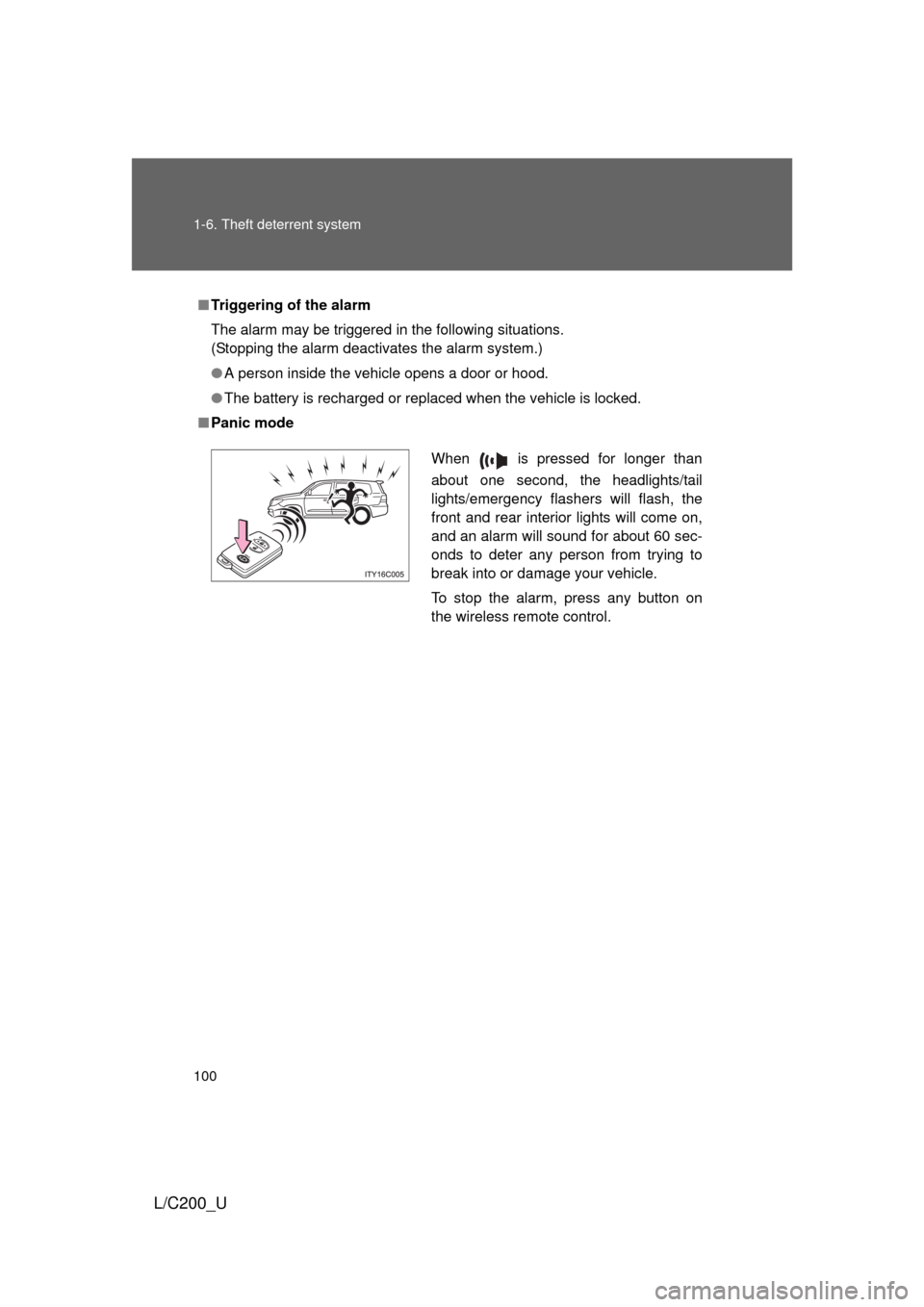
■ Panic mode
When is pressed for longer than
about one second, the headlights/tail
lights/emergency flashers will flash, the
front and rear interior lights will come on,
and an alarm will sound for about 60 sec-
onds to deter any person from trying to
break into or damage your vehicle.
To stop the alarm, press any button on
the wireless remote control.
Page 312 of 592

312 3-3. Using the Bluetooth
® audio system
L/C200_U
■When transferring ownership of the vehicle
Be sure to initialize the system to prevent personal data from being improp-
erly accessed. ( P. 359)
■ About Bluetooth
®
■Compatible models
● Bluetooth
® specifications:
Ver. 1.2, or higher (Recommended: Ver. 2.0+EDR or higher)
● Following Profiles:
• A2DP (Advanced Audio Distribution Profile) Ver. 1.0 or higher
• AVRCP (Audio/Video Remote Control Profile) Ver. 1.0 or higher
(Ver. 1.3 or higher recommended)
Portable players must correspond to the above specifications in order to be
connected to the Bluetooth
® audio system. However, please note that some
functions may be limited depending on the type of portable player.
■ Certification for the Bluetooth
® audio system
FCC ID: AJDK018
MADE IN JAPAN
This device complies with Part 15 of the FCC Rules and RSS-Gen of IC
Rules. Operation is subject to the following two conditions: (1) This device
may not cause harmful interference, and (2) This device must accept any
interference received, including interference that may cause undesired oper-
ation.
Bluetooth is a registered trademark of
Bluetooth SIG. Inc.
Page 398 of 592
398 3-7. Other interior features
L/C200_U■
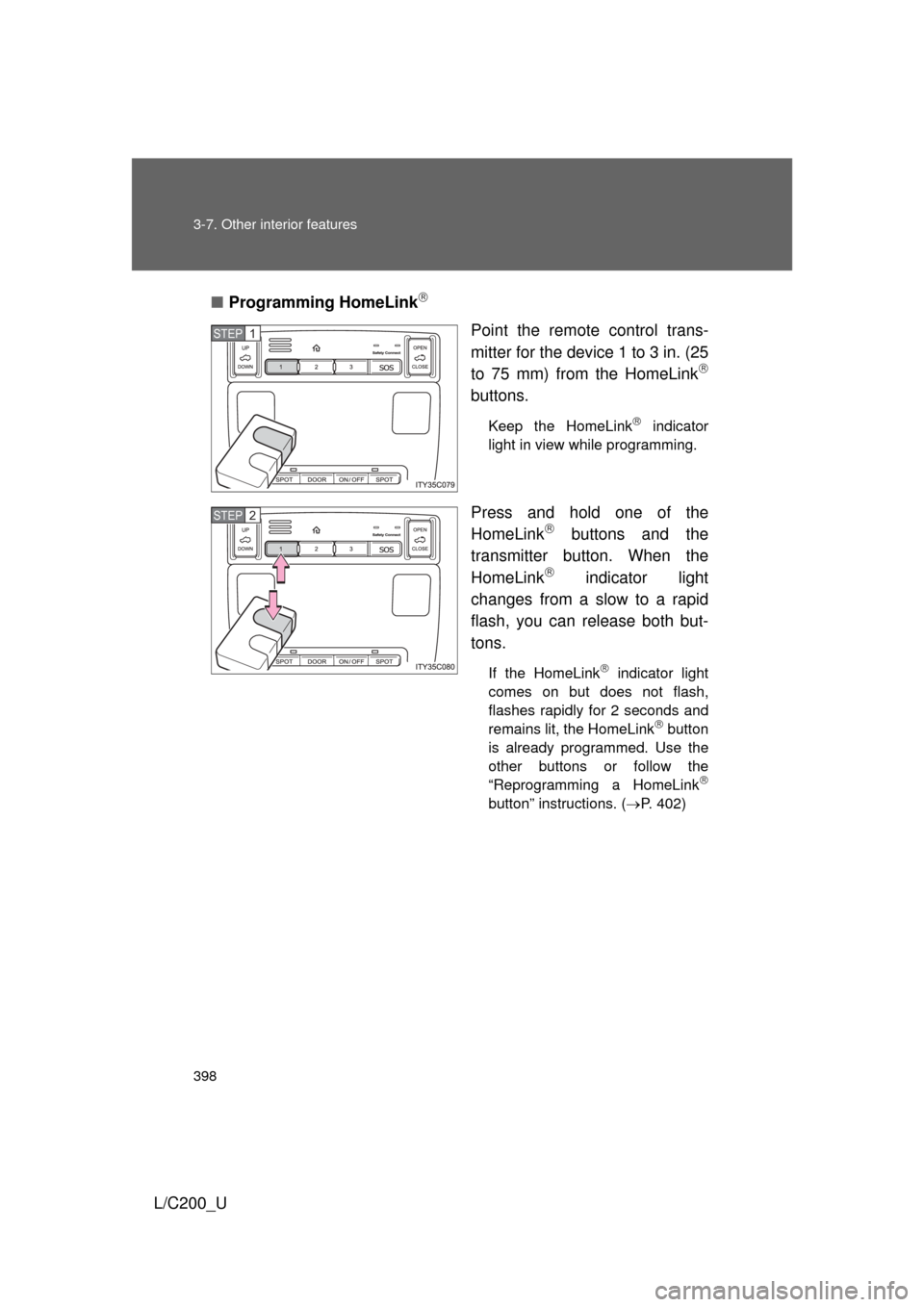
Programming HomeLink
Point the remote control trans-
mitter for the device 1 to 3 in. (25
to 75 mm) from the HomeLink
buttons.
Keep the HomeLink indicator
light in view while programming.
Press and hold one of the
HomeLink buttons and the
transmitter button. When the
HomeLink
indicator light
changes from a slow to a rapid
flash, you can release both but-
tons.
If the HomeLink indicator light
comes on but does not flash,
flashes rapidly for 2 seconds and
remains lit, the HomeLink
button
is already programmed. Use the
other buttons or follow the
“Reprogramming a HomeLink
button” instructions. ( P. 402)
STEP1
STEP2
Page 399 of 592
399
3-7. Other interior features
3
Interior features
L/C200_U
Test the HomeLink
operation
by pressing the newly pro-
grammed button.
If a HomeLink button has been
programmed for a garage door,
check to see if the garage door
opens and closes. If the garage
door does not operate, see if your
remote control transmitter is of
the rolling code type. Press and
hold the programmed HomeLink
button. The remote control trans-
mitter is of the rolling code type if
the HomeLink
indicator light
flashes rapidly for 2 seconds and
then remains lit. If your transmit-
ter is of the rolling code type, pro-
ceed to the heading
“Programming a rolling code sys-
tem”.
Repeat the steps above to program another device for each of
the remaining HomeLink buttons.
STEP3
STEP4