Page 1 of 538
TABLE OF CONTENTS
1
1Before drivingAdjusting and operating features such as door locks,
mirrors, and steering column.
2When drivingDriving, stopping and safe-driving information.
3Interior fea-
turesAir conditioning and audio systems, as well as other in-
terior features for a comfortable driving experience.
4Maintenance
and careCleaning and protecting your vehicle, performing do-it-
yourself maintenance, and maintenance information.
5When trouble
arisesWhat to do if the vehicle needs to be towed, gets a flat
tire, or is involved in an accident.
6Vehicle
specificationsDetailed vehicle information.
7For ownersReporting safety defects for U.S. owners and seat belt
instructions for Canadian owners
IndexAlphabetical listing of information contained in this
manual.
Page 3 of 538

1
2
3
4
5
6
7
3
2-3. Operating the lights and wipers
Headlight switch .................. 159
Fog light switch ................... 163
Windshield wipers and washer .............................. 164
2-4. Using other driving systems Cruise control ...................... 166
Driving assist systems ........ 170
2-5. Driving information Cargo and luggage ............. 175
Vehicle load limits ............... 178
Winter driving tips ............... 179
Trailer towing ...................... 183
Dinghy towing (automatic transmission) .................... 191
Dinghy towing (manual transmission) .................... 192
3-1. Using the air conditioning system and defogger
Automatic air conditioning system .............................. 196
Manual air conditioning system .............................. 204
Rear window and outside rear view mirror
defoggers .......................... 209
3-2. Using the audio system Audio system types ............. 211
Using the radio .................... 215 Using the CD player ........... 223
Playing MP3 and WMA
discs ................................. 232
Operating an iPod
®
player ............................... 240
Operating a USB memory player ............................... 246
Optimal use of the audio system .............................. 253
Using the AUX adapter....... 258
Using the steering wheel audio switches.................. 260
3-3. Using the Bluetooth
®
audio system
Bluetooth
® audio system .... 263
Using the Bluetooth®
audio system .................... 266
Operating a Bluetooth
®
enabled portable player.... 271
Setting up a Bluetooth
®
enabled portable player.... 273
Bluetooth
® audio system
setup ................................ 278
3-4. Using the hands-free phone system
(for cellular phone)
Hands-free phone system (for cellular phone)
features ............................ 279
Using the hands-free phone system
(for cellular phone) ........... 283
Making a phone call ........... 292
Setting a cellular phone ...... 296
Security and system setup ................................ 301
Using the phone book ........ 3053Interior features
Page 4 of 538

TABLE OF CONTENTSIndex
4
3-5. Using the interior lightsInterior lights list ................. 313
• Interior light ...................... 314
• Personal lights ................. 315
3-6. Using the storage features List of storage features....... 316
• Glove box ......................... 317
• Console box ..................... 317
• Cup holders ...................... 319
• Auxiliary boxes ................. 321
3-7. Other interior features Sun visors .......................... 324
Vanity mirrors ..................... 325
Clock .................................. 326
Ashtray ............................... 327
Power outlets ..................... 328
Seat heaters ....................... 330
Armrest............................... 332
Rear sunshade ................... 333
Trunk storage extension..... 334
Floor mat ............................ 335
Trunk features .................... 336
Garage door opener ........... 338
Compass ............................ 343 4-1. Maintenance and care
Cleaning and protecting the vehicle exterior ........... 348
Cleaning and protecting the vehicle interior ............ 350
4-2. Maintenance Maintenance requirements .................... 353
General maintenance ......... 355
Emission inspection and maintenance (I/M)
programs .......................... 358
4-3. Do-it-yourself maintenance Do-it-yourself service precautions ....................... 359
Hood ................................... 362
Positioning a floor jack........ 363
Engine compartment .......... 365
Tires.................................... 382
Tire inflation pressure ......... 392
Wheels................................ 396
Air conditioning filter ........... 398
Key battery ......................... 401
Checking and replacing fuses ................................. 405
Light bulbs .......................... 418
4Maintenance and care
Page 14 of 538
14
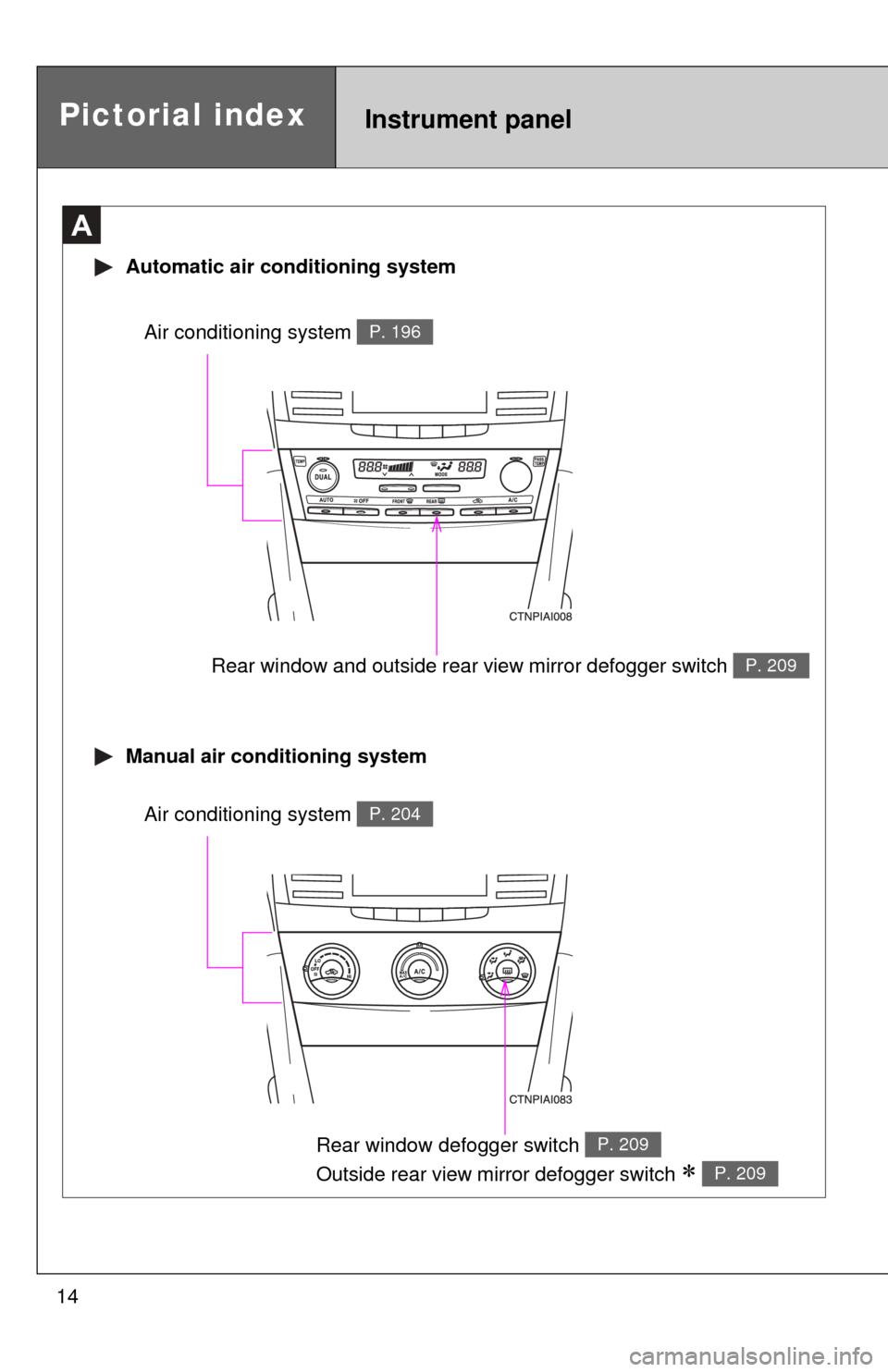
Rear window and outside rear view mirror defogger switch P. 209
A
Automatic air conditioning system
Manual air conditioning system
Air conditioning system P. 196
Rear window defogger switch
Outside rear view mirror defogger switch
P. 209
P. 209
Air conditioning system P. 204
Pictorial indexInstrument panel
Page 15 of 538
15
B
Engine (ignition) switch
(vehicles with smart
key system)
P. 131
Cruise control switch P. 166
Talk switch *1P. 284
Air conditioning remote
control switches
P. 201
Engine (ignition) switch
(vehicles without smart
key system)
P. 135
“DISP” switch P. 156
Telephone switches *1P. 284
Audio remote control
switches *1P. 260
Type A
: If equipped
*1: Refer to “Navigation System Owner’s Manual”.
Page 194 of 538

194
3-1. Using the air conditioning system and defogger
Automatic air conditioning system ........................... 196
Manual air conditioning system ........................... 204
Rear window and outside rear view mirror
defoggers ....................... 209
3-2. Using the audio system Audio system types .......... 211
Using the radio ................. 215
Using the CD player ......... 223
Playing MP3 and WMA discs............................... 232
Operating an iPod
®
player ............................. 240
Operating a USB memory player ............................. 246
Optimal use of the audio system ........................... 253
Using the AUX adapter .... 258
Using the steering wheel audio switches ............... 260 3-3. Using the Bluetooth
®
audio system
Bluetooth
® audio
system ........................... 263
Using the Bluetooth
®
audio system.................. 266
Operating a Bluetooth
®
enabled portable
player ............................. 271
Setting up a Bluetooth
®
enabled portable
player ............................. 273
Bluetooth
® audio system
setup .............................. 278
Interior features3
Page 196 of 538
196
3-1. Using the air conditioning system and defogger
Automatic air conditioning system
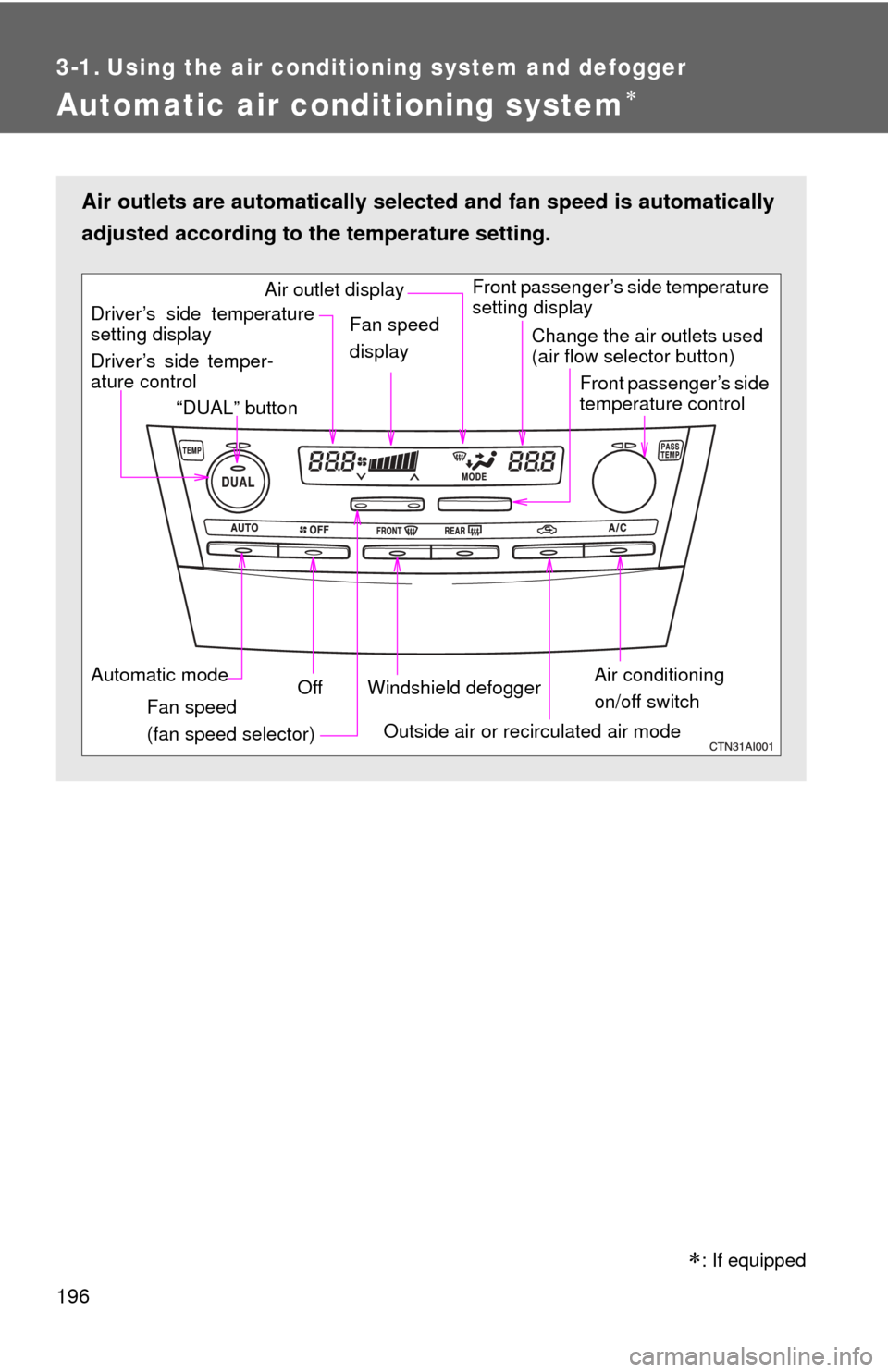
Air outlets are automatically selected and fan speed is automatically
adjusted according to the temperature setting.
Air conditioning
on/off switch
Front passenger’s side temperature
setting display
Driver’s side temper-
ature control “DUAL” button
Automatic mode Off
Driver’s side temperature
setting display
Fan speed
(fan speed selector) Outside air or recirculated air mode
Fan speed
display
Change the air outlets used
(air flow selector button)
Front passenger’s side
temperature control
Windshield defogger
Air outlet display
: If equipped
Page 197 of 538
197
3-1. Using the air conditioning system
and defogger
3
Interior features
Using the automatic mode
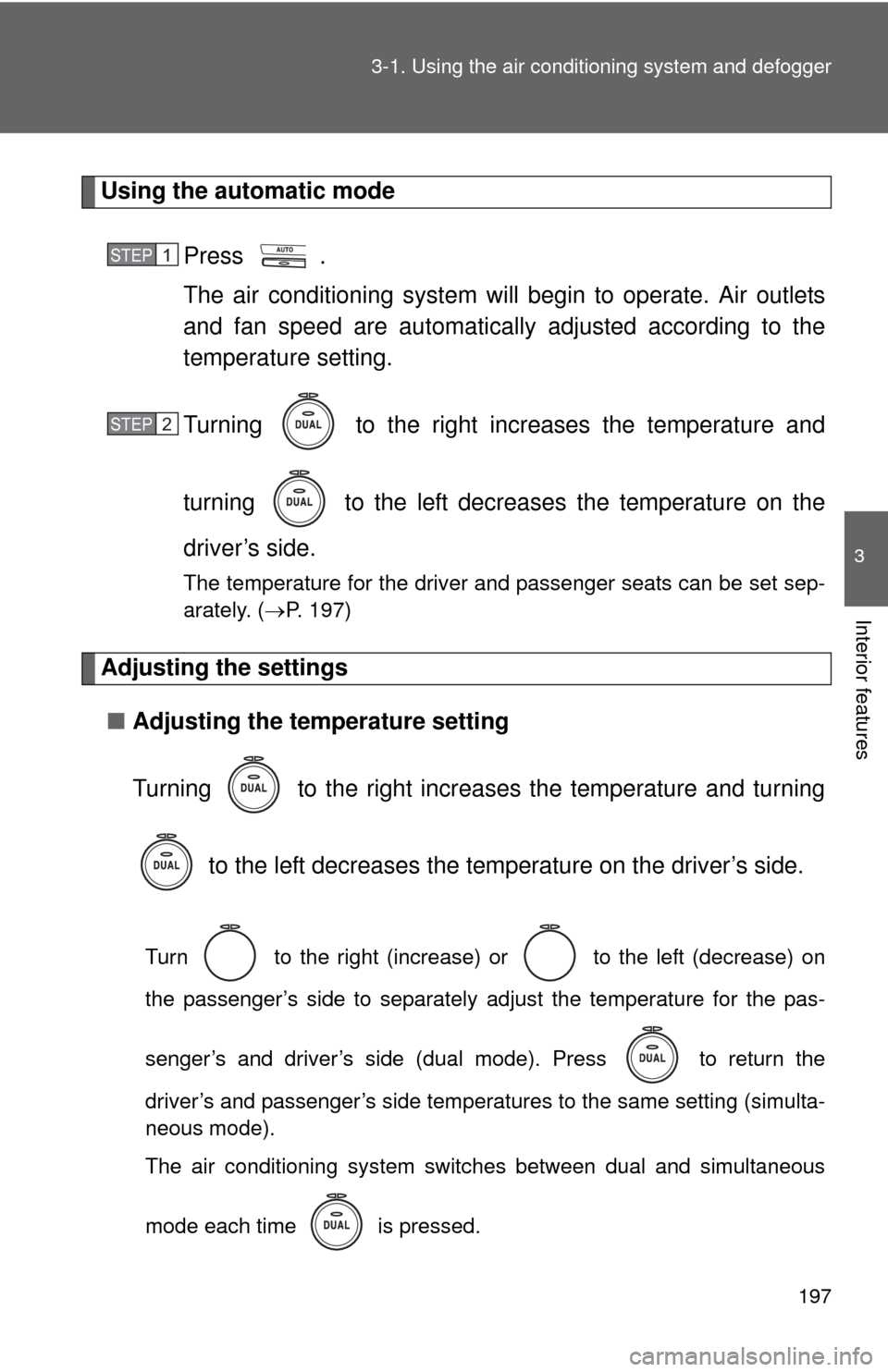
Press .
The air conditioning system will begin to operate. Air outlets
and fan speed are automatically adjusted according to the
temperature setting.
Turning to the right increases the temperature and
turning to the left decreases the temperature on the
driver’s side.
The temperature for the driver and passenger seats can be set sep-
arately. ( P. 197)
Adjusting the settings
■ Adjusting the temperature setting
Turning to the right increases the temperature and turning
to the left decreases the temperature on the driver’s side.
Turn to the right (increase) or to the left (decrease) on
the passenger’s side to separately adjust the temperature for the pas-
senger’s and driver’s side (dual mode). Press to return the
driver’s and passenger’s side temperatures to the same setting (simulta-
neous mode).
The air conditioning system switches between dual and simultaneous
mode each time is pressed.
STEP1
STEP2