2010 TOYOTA AVALON ECU
[x] Cancel search: ECUPage 3 of 476
1
2
3
4
5
6
7
3
AVALON_U (OM41437U)
2-3. Operating the lights and windshield wipers
Headlight switch .................. 156
Fog light switch ................... 159
Windshield wipers and washer .............................. 160
2-4. Using other driving systems Cruise control ...................... 165
Dynamic laser cruise control ............................... 168
Driving assist systems ........ 181
2-5. Driving information Cargo and luggage ............. 184
Vehicle load limits ............... 188
Winter driving tips ............... 189
Trailer towing ...................... 194
Dinghy towing ..................... 195
3-1. Using the air conditioning system and defogger
Automatic air conditioning system .............................. 198
Using the steering wheel climate control
switches ............................ 206
Rear window and outside rear view mirror
defoggers .......................... 208 3-2. Using the audio system
Audio system type .............. 210
Audio cover ........................ 212
Using the radio ................... 213
Using the CD player ........... 220
Playing MP3 and WMA discs ....................... 228
Optimal use of the audio system .............................. 236
Using the AUX adapter....... 238
Using the steering wheel audio switches.................. 239
3-3. Using the hands-free system (for cellular phone)
Hands-free system (for cellular phone) ........... 242
Using the hands-free system .............................. 246
Making a phone call ........... 254
Setting a cellular phone ...... 259
Security and system setup ................................ 264
Using the phone book ........ 267
3-4. Using the interior lights Interior lights list ................. 275
3-5. Using the storage features List of storage features ....... 278
3Interior features
Page 31 of 476

31
1-2. Opening, closing and locking the doors and trunk
1
Before driving
AVALON_U (OM41437U)
■
Note for the smart key system
● Even when the electronic key is within the effective range (detection
areas), the system may not operate properly in the following cases.
• The electronic key is too close to the window or outside door handle,
near the ground, or in a high place when the doors are locked or
unlocked.
• The electronic key is near the ground or in a high place, or too close to the rear bumper center when the trunk is unlocked.
• The electronic key is on the instrument panel, rear package tray or floor, or in the glove box when the engine is started or “ENGINE
START STOP” switch modes are changed.
● As long as the electronic key is within the effective range, the doors may
be locked or unlocked by anyone.
● Even if the electronic key is not inside the vehicle, it may be possible to
start the engine if the electronic key is near the window.
● The doors may unlock if a large amount of water splashes on the door
handle, such as in the rain or in a car wash when the electronic key is
within the effective range. (The doors will automatically be locked after
approximately 60 seconds if the doors are not opened and closed.)
● Gripping the door handle when wearing a glove may not unlock the door.
● If the wireless remote control is used to lock the doors when the elec-
tronic key is near the vehicle, there is a possibility that the door may not
be unlocked by the entry function. (Use the wireless remote control to
unlock the doors.)
● A sudden approach to the effective range or door handle operation may
prevent the doors from being unlocked. In this case, return the door han-
dle to the original position and check that the doors unlock before pulling
the door handle again.
■ When the vehicle is not dr iven for extended periods
To prevent theft of the vehicle, do not leave the electronic key within 6 ft. (2
m) of the vehicle.
■ Security feature
If a door is not opened within approximately 60 seconds after the vehicle is
unlocked, the theft deterrent system automatically locks the vehicle again.
Page 37 of 476
37
1-2. Opening, closing and locking the doors and trunk
1
Before driving
AVALON_U (OM41437U)
■
Operation indicator
Doors: A buzzer sounds and the emergency flashers flash to indicate that
the doors have been locked/unlocked. (Locked: Once; Unlocked:
Twice)
Trunk: A buzzer sounds to indicate that the trunk has been unlocked.
■ Door lock buzzer (vehicle s with smart key system)
If a door is not fully closed, a buzzer sounds continuously for 10 seconds if
an attempt to lock the door is made. Fully close the door to stop the buzzer,
and lock the vehicle once more.
■ Security feature
P. 3 1
■ When the key battery is fully depleted
P. 363
■ Conditions aff ecting operation
Vehicles with smart key system
P. 2 8
Vehicles without smart key system The wireless remote control function may not operate normally in the fol-
lowing situations.
●Near a TV tower, radio station, electric power plant, airport or other facility that generates strong radio waves
●When carrying a portable radio, cellular phone or other wireless com- munication device
●When multiple wireless keys are in the vicinity
●When the wireless key has come into contact with, or is covered by a metallic object
●When a wireless key (that emits radio waves) is being used nearby
●When the wireless key has been left near an electrical appliance such as a personal computer
Page 49 of 476
49
1-2. Opening, closing and locking the doors and trunk
1
Before driving
AVALON_U (OM41437U)
CAUTION
●
Do not attach any accessories other than genuine Toyota parts to the trunk
lid. Such additional weight on the trunk lid may cause the lid to fall closed
again after it is opened.
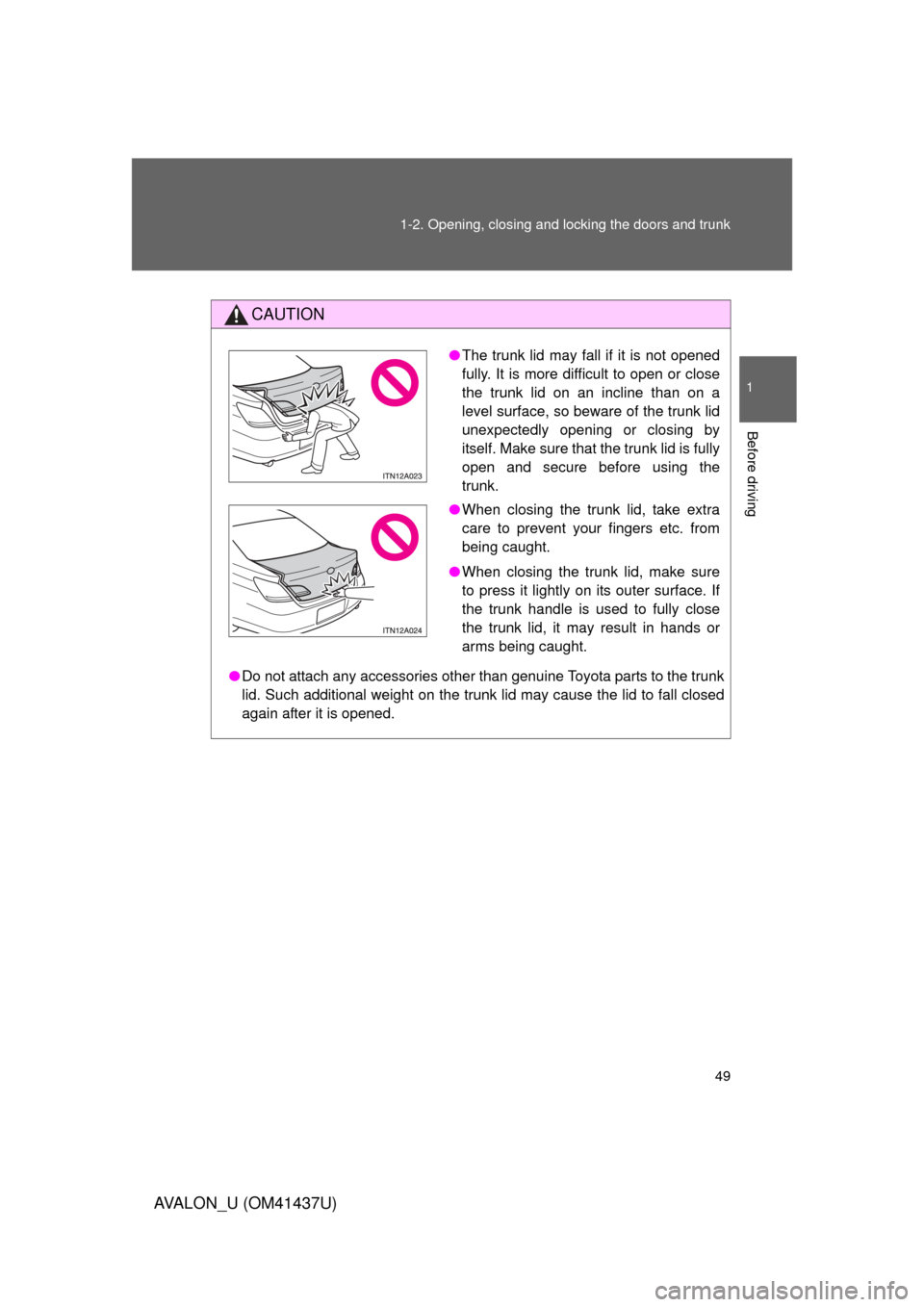
●The trunk lid may fall if it is not opened
fully. It is more difficult to open or close
the trunk lid on an incline than on a
level surface, so beware of the trunk lid
unexpectedly opening or closing by
itself. Make sure that the trunk lid is fully
open and secure before using the
trunk.
● When closing the trunk lid, take extra
care to prevent your fingers etc. from
being caught.
● When closing the trunk lid, make sure
to press it lightly on its outer surface. If
the trunk handle is used to fully close
the trunk lid, it may result in hands or
arms being caught.
Page 65 of 476
65
1-3. Adjustable components (seat
s, steering wheel, mirrors)
1
Before driving
AVALON_U (OM41437U)
■Seat belt extender
CAUTION
Observe the following precautions to reduce the risk of injury in the event of
sudden braking, sudden swerving or an accident. Failing to do so may cau\
se
death or serious injury.
■Wearing a seat belt
● Ensure that all passengers wear a seat belt.
● Always wear a seat belt properly.
● Each seat belt should be used by one person only. Do not use a seat belt
for more than one person at the same time, including children.
● Toyota recommends that children should be seated in the rear seat and
always use a seat belt and/or an appropriate child restraint system.
● Do not recline the seat any more than necessary to achieve a proper seat-
ing position. The seat belt is most effective when the occupants are sitting
up straight and well back in the seats.
● Do not wear the shoulder belt under your arm.
● Always wear your seat belt low and snug across your hips.
■ Adjustable shoulder anchor
Always make sure the shoulder belt is positioned across the center of your
shoulder. The belt should be kept away from your neck, but not falling off
your shoulder. Failure to do so could reduce the amount of protection in an
accident and cause death or serious injuries in the event of a sudden stop,
sudden swerve or accident. ( P. 62)
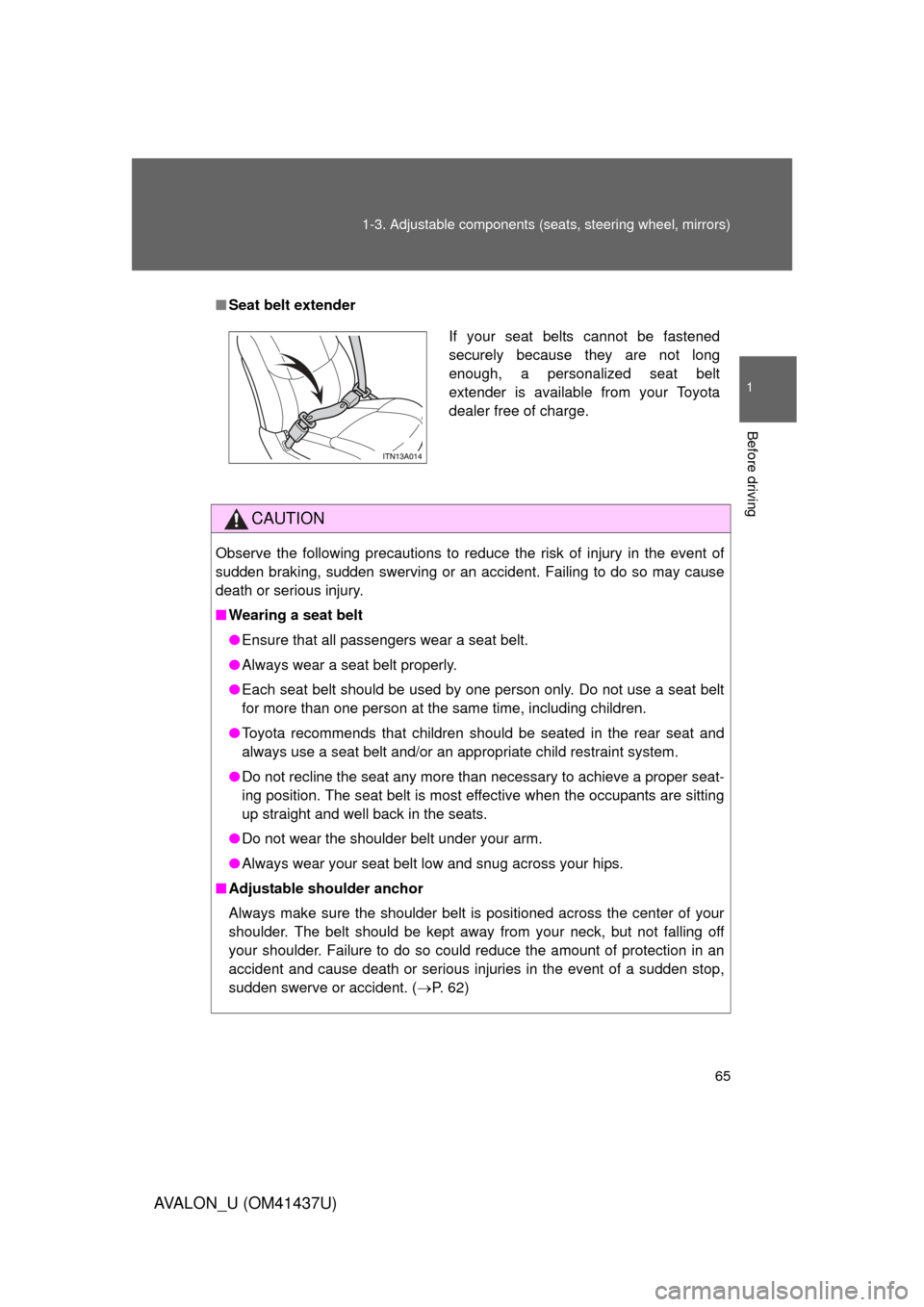
If your seat belts cannot be fastened
securely because they are not long
enough, a personalized seat belt
extender is available from your Toyota
dealer free of charge.
Page 67 of 476
67
1-3. Adjustable components (seat
s, steering wheel, mirrors)
1
Before driving
AVALON_U (OM41437U)
CAUTION
■Using a seat belt comfort guide
● Make sure the belt is not twisted and that it lies flat. The elastic cord must
be behind the belt and the guide must be on the front.
● To reduce the chance of injury in case of a sudden stop, sudden swerve or\
accident while driving, remove and store the comfort guide in its pocket
when it is not in use.
● Always make sure the shoulder belt is positioned across the center of the
shoulder. The belt should be kept away from the neck, and should not fall
off the shoulder.
Failure to observe these precautions could reduce the effectiveness of the
seat belt in an accident, causing death or serious injury.
■ Using a seat belt extender
● Do not wear the seat belt extender, if you can fasten the seat belt without
the extender.
● Do not use the seat belt extender when installing a child restraint system,
because the belt will not securely hold the child restraint system, increas-
ing the risk of death or injury in the event of a collision.
● The personalized extender may not be safe on another vehicle, when
used by another person, or at a different seating position other than the
one originally intended.
NOTICE
■When using a seat belt extender
When releasing the seat belt, press on the buckle release button on the
extender, not on the seat belt.
This helps prevent damage to the vehicle interior and the extender itself.
Page 68 of 476
68
1-3. Adjustable components (seats, steering wheel, mirrors)
AVALON_U (OM41437U)
Steering wheel
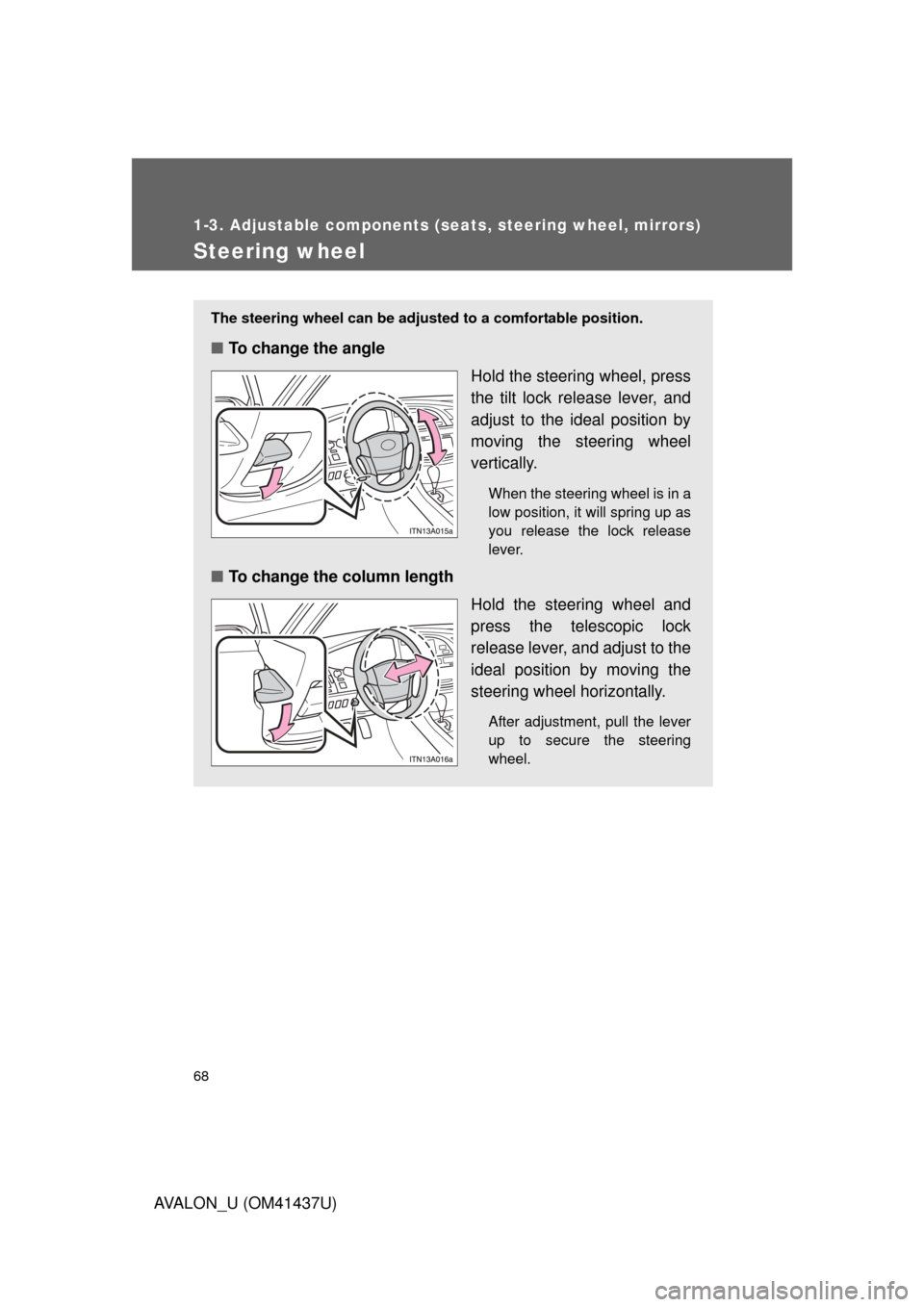
The steering wheel can be adjusted to a comfortable position.
■To change the angle
Hold the steering wheel, press
the tilt lock release lever, and
adjust to the ideal position by
moving the steering wheel
vertically.
When the steering wheel is in a
low position, it will spring up as
you release the lock release
lever.
■To change the column length
Hold the steering wheel and
press the telescopic lock
release lever, and adjust to the
ideal position by moving the
steering wheel horizontally.
After adjustment, pull the lever
up to secure the steering
wheel.
Page 83 of 476
83
1
Before driving
AVALON_U (OM41437U)
1-6. Theft deterrent system
Engine immobilizer system
■System maintenance
The vehicle has a maintenance-free type of engine immobilizer system.
■ Conditions that may cause the system to malfunction
● If the grip portion of the key is in contact with a metallic object.
● If the key is in close proximity to or touching a key to the security system
(key with a built-in transponder chip) of another vehicle.
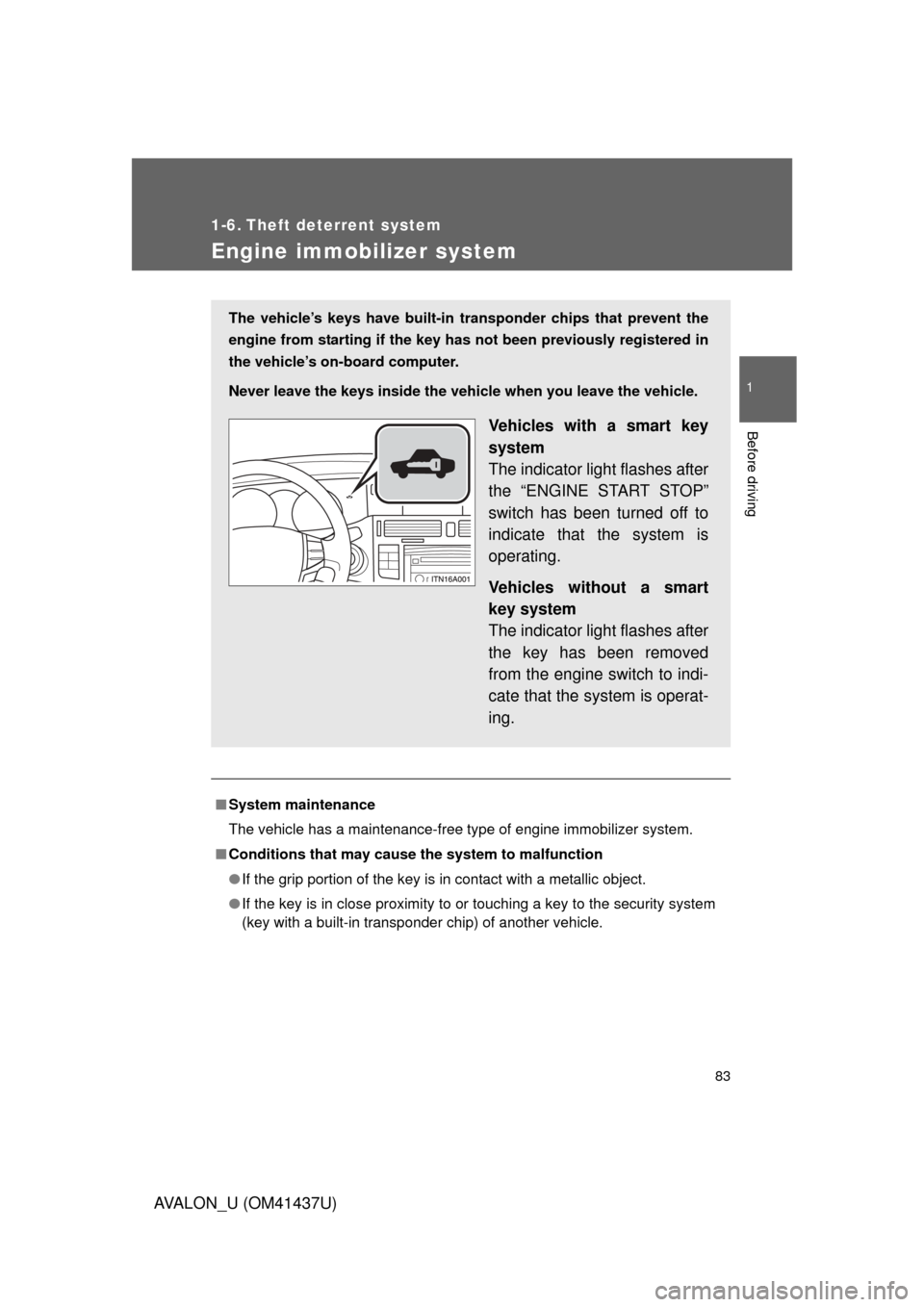
The vehicle’s keys have built-in tr ansponder chips that prevent the
engine from starting if the key has not been previously registered in
the vehicle’s on-board computer.
Never leave the keys inside the vehicle when you leave the vehicle.
Vehicles with a smart key
system
The indicator light flashes after
the “ENGINE START STOP”
switch has been turned off to
indicate that the system is
operating.
Vehicles without a smart
key system
The indicator light flashes after
the key has been removed
from the engine switch to indi-
cate that the system is operat-
ing.