Page 136 of 476

136 2-1. Driving procedures
AVALON_U (OM41437U)
CAUTION
■When starting the engine
Always start the engine while sitting in the driver’s seat. Do not press the
accelerator pedal while starting the engine under any circumstances.
Doing so may cause an accident resulting in death or serious injury.
■ Stopping the engine in an emergency
If you want to stop the engine in an emergency while driving the vehicle,
push and hold the “ENGINE START STOP” switch for more than 3 seconds.
However, do not touch the "ENGINE START STOP" switch while driving
except in an emergency. Turning the engine off while driving will not cause
loss of steering or braking control, but the power assist to these systems will
be lost. This will make it more difficult to steer and brake, so you should pull
over and stop the vehicle as soon as it is safe to do so.
NOTICE
■To prevent battery discharge
Do not leave the “ENGINE START STOP” switch in ACCESSORY or IGNI-
TION ON mode for long periods if the engine is not running.
■ When starting the engine
● Do not race the engine.
● If the engine becomes difficult to start or stalls frequently, have the engine
checked immediately.
Page 140 of 476
140
2-1. Driving procedures
AVALON_U (OM41437U)
Automatic transmission
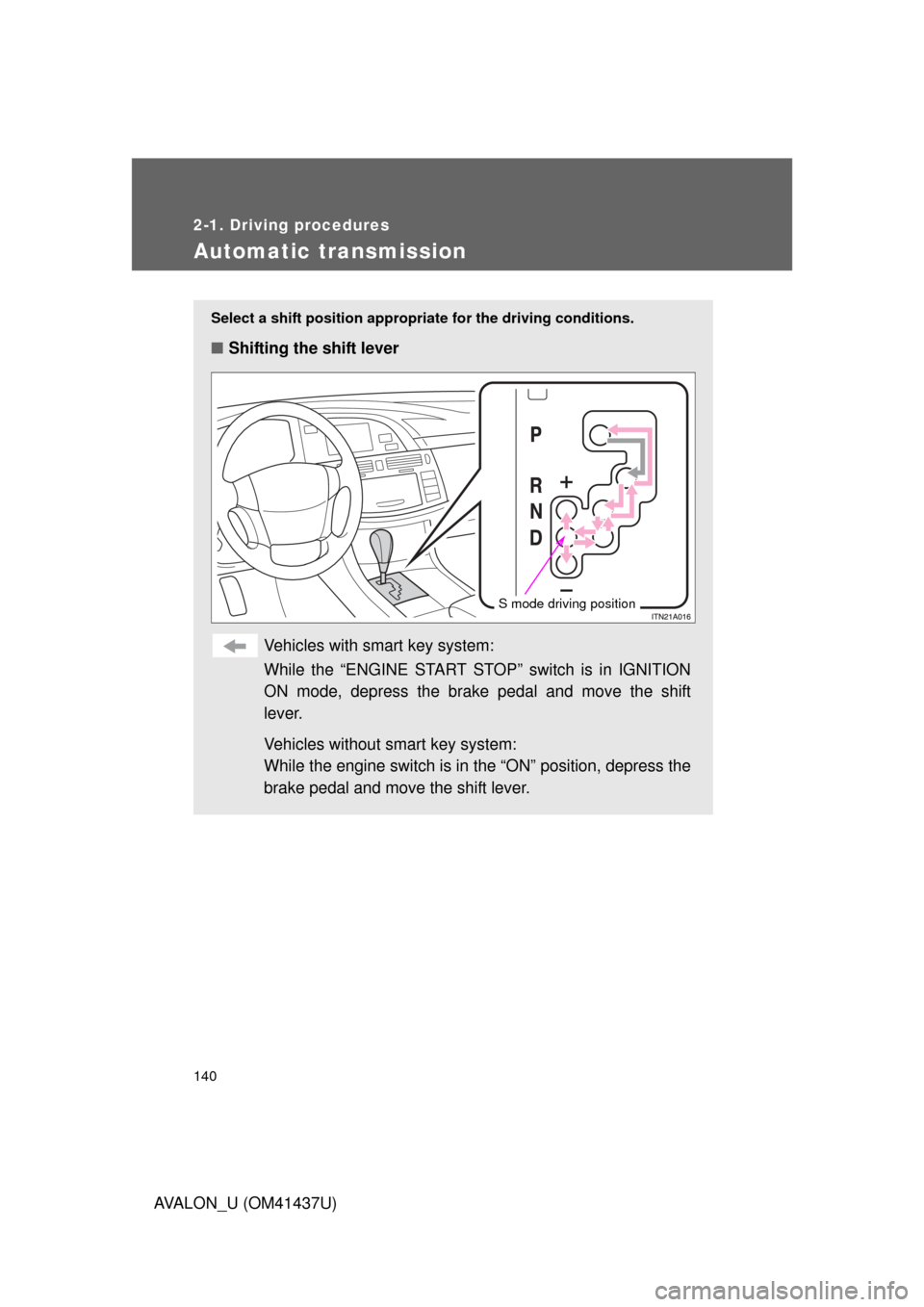
Select a shift position appropriate for the driving conditions.
■Shifting the shift lever
Vehicles with smart key system:
While the “ENGINE START STOP” switch is in IGNITION
ON mode, depress the brake pedal and move the shift
lever.
Vehicles without smart key system:
While the engine switch is in the “ON” position, depress the
brake pedal and move the shift lever.
S mode driving position
Page 145 of 476
145
2-1. Driving procedures
2
When driving
AVALON_U (OM41437U)
Tur n signal lever
■Turn signals can be operated when
Vehicles with smart key system
The “ENGINE START STOP” switch is in IGNITION ON mode. Vehicles without smart key system
The engine switch is in the “ON” position.
■ If the indicators flash faster than usual
Check that a light bulb in the front or rear turn signal lights has not burned
out.
Right turn
Left turn
Move and hold the lever
partway to signal a lane
change
The right hand signal will flash
until you release the lever.
Move and hold the lever
partway to signal a lane
change
The left hand signal will flash
until you release the lever.
Page 149 of 476
149
2-2. Instrument cluster
2
When driving
AVALON_U (OM41437U)
Odometer and trip meter display button
Vehicles with smart key system
Pressing this button switches among odometer and trip meter when
the “ENGINE START STOP” switch is IGNITION ON mode.
Vehicles without smart key system
Pressing this button switches among odometer and trip meter when
the engine switch is in the “ON” position.
Odometer
Trip meter A
Trip meter B
Pushing and holding the button
will reset the trip meter.
Odometer/Trip meter displayOdometer
Displays the total distance the vehicle has been driven.
Trip meter
Displays the distance the vehicle has been driven since the meter
was last reset. Trip meters A and B can be used to record and dis-
play different distances independently.
Dynamic laser cruise control display
P. 168
Engine coolant temperature gauge
Displays the engine coolant temperature.
Page 153 of 476

153
2-2. Instrument cluster
2
When driving
AVALON_U (OM41437U)
CAUTION
■
If a safety system warning light does not come on
Should a safety system light such as ABS and the SRS airbag warning light
not come on when you start the engine, this could mean that these systems
are not available to help protect you in an accident, which could result in
death or serious injury. Have the vehicle inspected by your Toyota dealer
immediately if this occurs.
■ Warning lights
Warning lights inform the driver of malfunctions in the indicated
vehicle’s systems. ( P. 393)
*: These lights turn on when the “ENGINE START STOP” switch is
turned to IGNITION ON mode (vehicles with smart key system) or the
engine switch is turned to the “ON” position (vehicles without smart
key system) to indicate that a system check is being performed. They
will turn off after the engine is started, or after a few seconds. There
may be a malfunction in a system if the lights do not come on, or turn
off. Have the vehicle inspected by your Toyota dealer.
(U.S.A.)(Canada)(U.S.A.)(Canada)(if equipped)
(U.S.A.)(Canada)
(U.S.A.)(if equipped)(if equipped)
*******
*****
****
Page 155 of 476
155
2-2. Instrument cluster
2
When driving
AVALON_U (OM41437U)
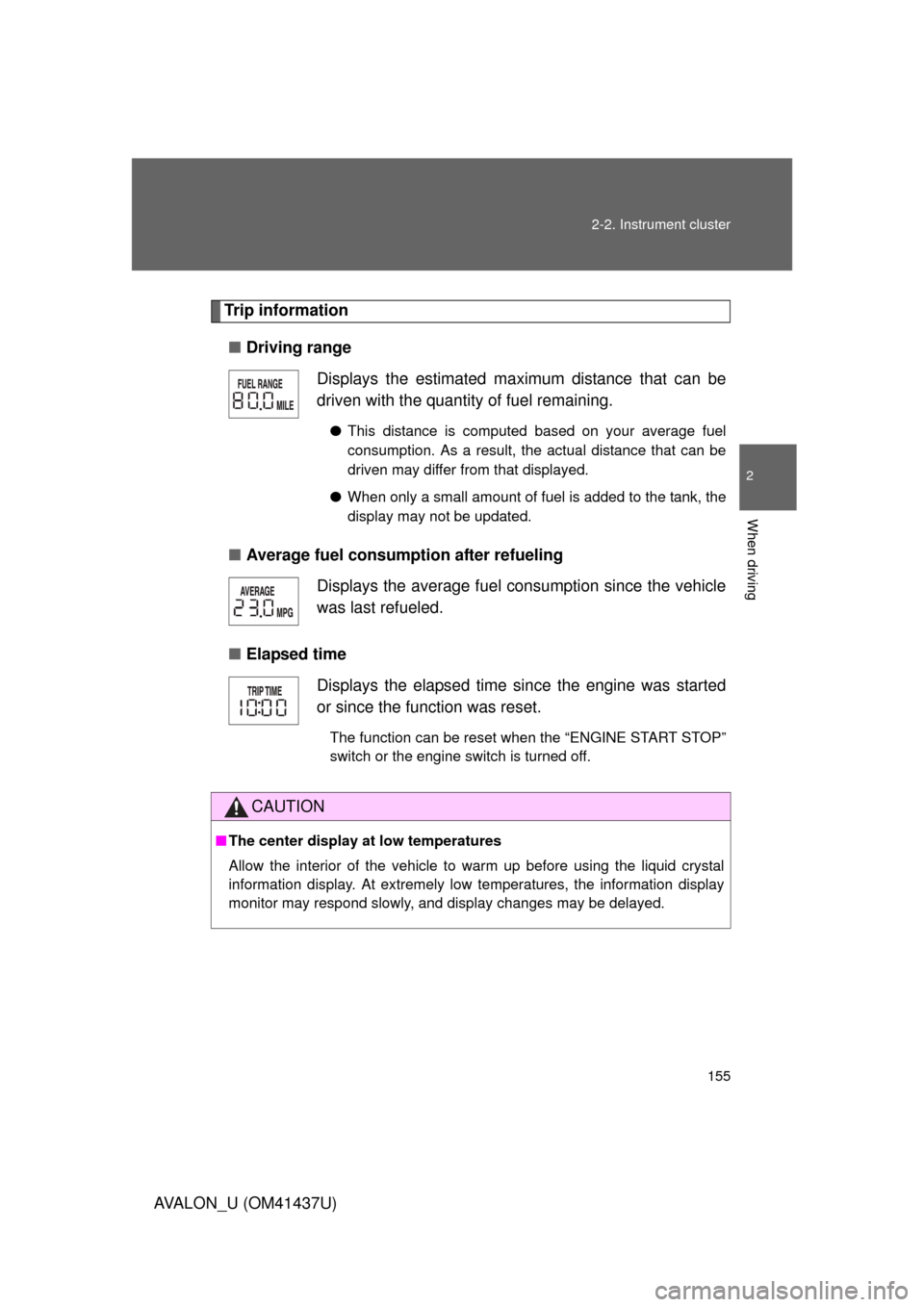
Trip information
■ Driving range
■ Average fuel consumption after refueling
■ Elapsed time Displays the estimated ma
ximum distance that can be
driven with the quantity of fuel remaining.
● This distance is computed based on your average fuel
consumption. As a result, the actual distance that can be
driven may differ from that displayed.
● When only a small amount of fuel is added to the tank, the
display may not be updated.
Displays the average fuel consumption since the vehicle
was last refueled.
Displays the elapsed time since the engine was started
or since the function was reset.
The function can be reset when the “ENGINE START STOP”
switch or the engine switch is turned off.
CAUTION
■The center display at low temperatures
Allow the interior of the vehicle to warm up before using the liquid crystal
information display. At extremely low temperatures, the information display
monitor may respond slowly, and display changes may be delayed.
Page 156 of 476
156
AVALON_U (OM41437U)
2-3. Operating the lights and windshield wipers
Headlight switch
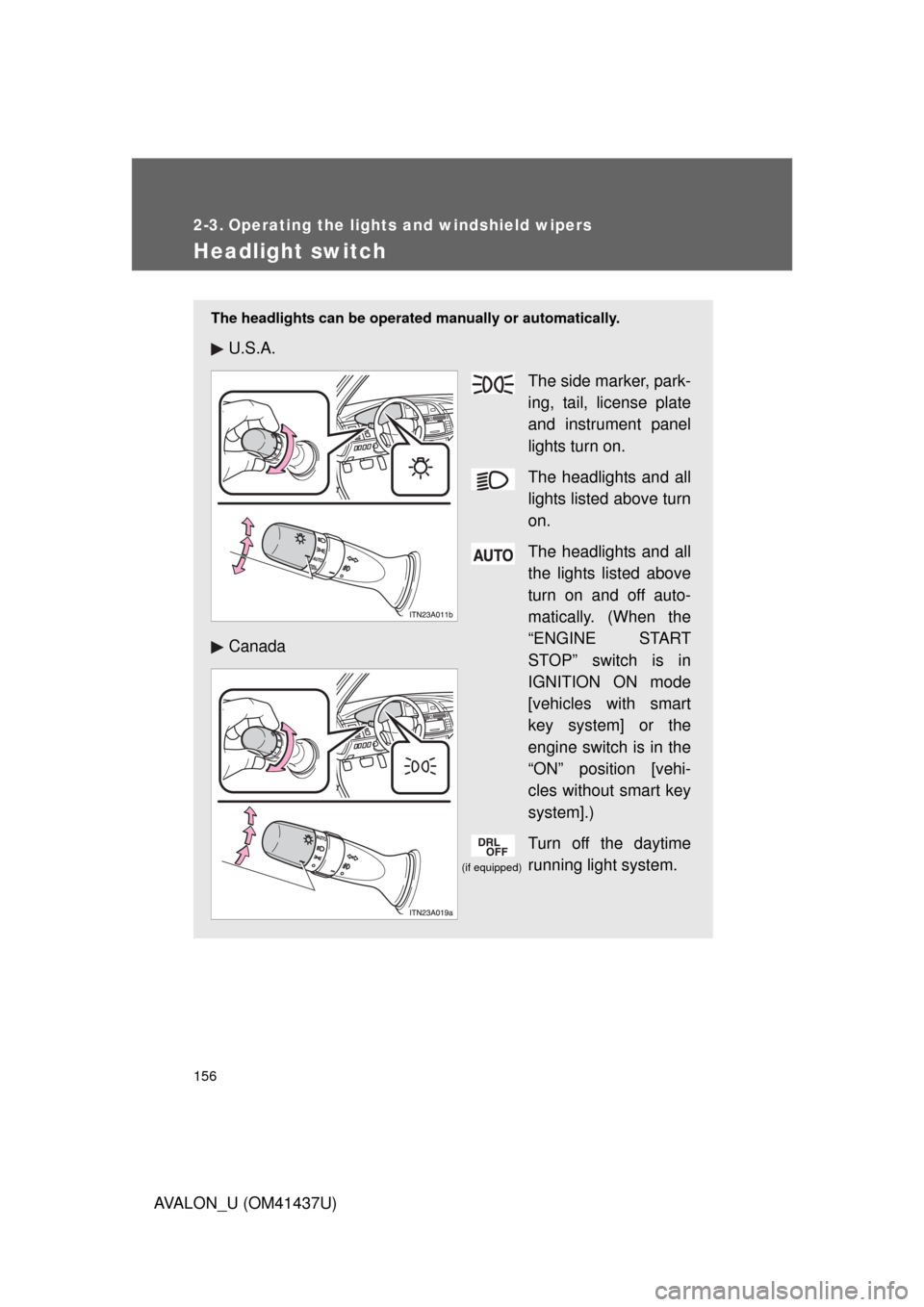
The headlights can be operated manually or automatically.
U.S.A.
The side marker, park-
ing, tail, license plate
and instrument panel
lights turn on.
The headlights and all
lights listed above turn
on.
The headlights and all
the lights listed above
turn on and off auto-
matically. (When the
“ENGINE START
STOP” switch is in
IGNITION ON mode
[vehicles with smart
key system] or the
engine switch is in the
“ON” position [vehi-
cles without smart key
system].)
Turn off the daytime
running light system.
Canada
(if equipped)
Page 158 of 476

158 2-3. Operating the lights and windshield wipers
AVALON_U (OM41437U)
■Automatic light off system
Vehicles with smart key system
The headlights and tail lights turn off 30 seconds after a door is opened or
closed if the “ENGINE START STOP” switch has been turned to ACCES-
SORY or turned OFF while the headlights are turned on. (The lights turn off
immediately if the button on the key is pressed after all doors are
locked.)
To turn the lights on again, turn the “ENGINE START STOP” switch to IGNI-
TION ON mode, or turn the light switch OFF once and then back to the or position.
Vehicles without smart key system
The headlights and tail lights turn off 30 seconds after a door is opened or
closed if the engine switch has been turned to the “ACC” or “LOCK” position
while the headlights are turned on. (The lights turn off immediately if the
button on the key is pressed after all doors are locked.)
To turn the lights on again, turn the engine switch to the “ON” position, or
turn the light switch OFF once and then back to the or position.
■ Customization that can be co nfigured at Toyota dealer
Settings (e.g. light sensor sensitivity) can be changed.
(Customizable features P. 454)
NOTICE
■To prevent battery discharge
Do not leave the lights on longer than necessary if the engine is not running.