Page 133 of 294
Instruments, On-Board Computer, Warnings
131
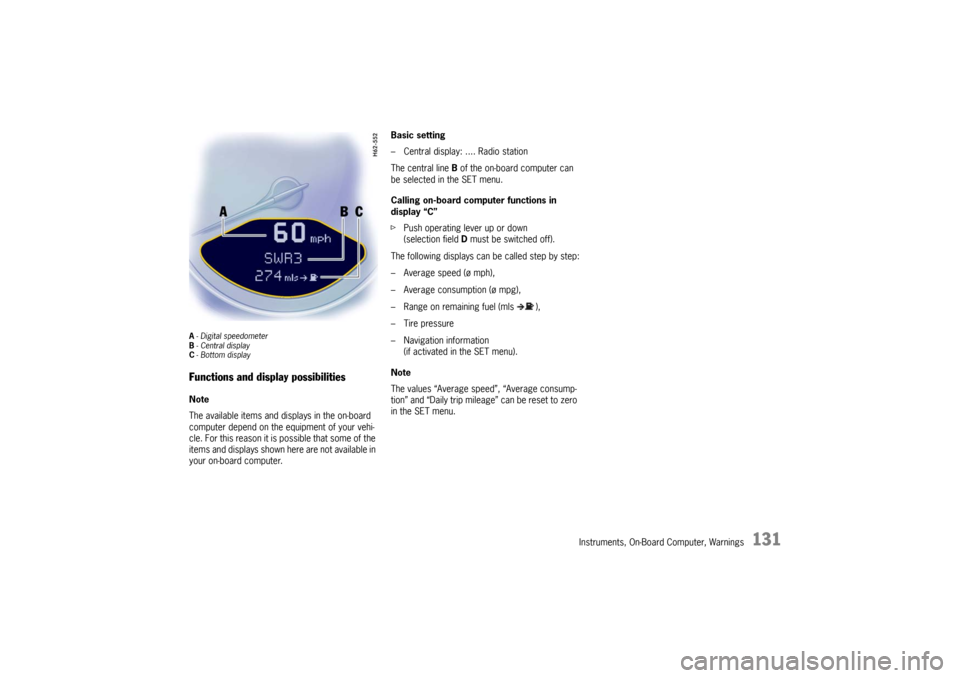
A- Digital speedometer
B -Central display
C - Bottom displayFunctions and display possibilitiesNote
The available items and displays in the on-board
computer depend on the equipment of your vehi-
cle. For this reason it is possible that some of the
items and displays shown here are not available in
your on-board computer. Basic setting
– Central display: .... Radio station
The central line
B of the on-board computer can
be selected in the SET menu.
Calling on-board computer functions in
display “C”
f Push operating lever up or down
(selection field D must be switched off).
The following displays can be called step by step:
– Average speed (ø mph),
– Average consumption (ø mpg),
– Range on remaining fuel (mls ),
– Tire pressure
– Navigation information (if activated in the SET menu).
Note
The values “Average speed”, “Average consump-
tion” and “Daily trip mileag e” can be reset to zero
in the SET menu.
Page 134 of 294
132
Instruments, On-Board Computer, Warnings
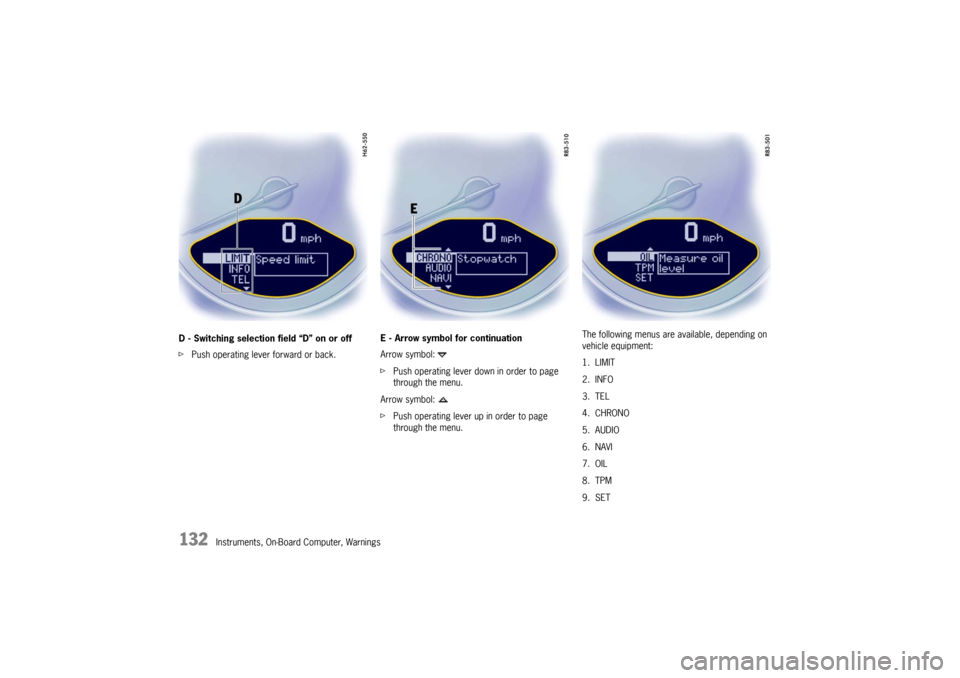
D - Switching selection field “D” on or off
f
Push operating lever forward or back. E - Arrow symbol for continuation
Arrow symbol:
f
Push operating lever down in order to page
through the menu.
Arrow symbol:
f Push operating lever up in order to page
through the menu. The following menus are available, depending on
vehicle equipment:
1. LIMIT
2. INFO
3. TEL
4. CHRONO
5. AUDIO
6. NAVI
7. OIL
8. TPM
9. SET
Page 135 of 294
Instruments, On-Board Computer, Warnings
133
LIMIT
Acoustic warning signal for speed limitThe acoustic warning signal can be activated for
speeds above 6 mph (10 km/h).
The signal sounds when the preset speed is ex-
ceeded.
For the signal to sound again, the driving speed
must fall below the preset speed by at least
3 mph (5 km/h).
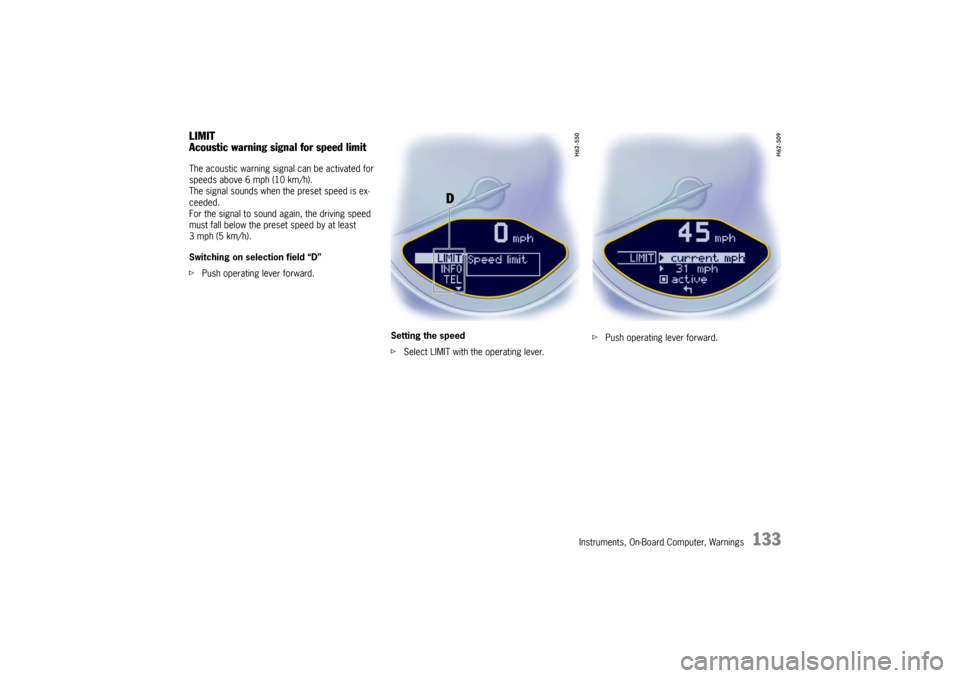
Switching on selection field “D”
f Push operating lever forward.
Setting the speed
fSelect LIMIT with the operating lever. f
Push operating lever forward.
Page 136 of 294
134
Instruments, On-Board Computer, Warnings
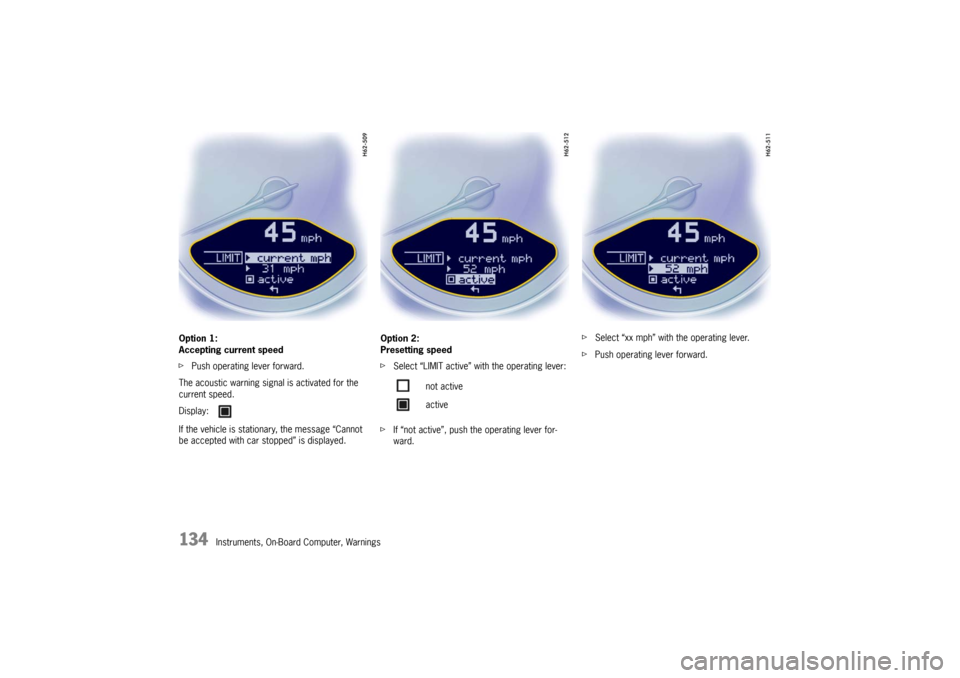
Option 1:
Accepting current speed
f
Push operating lever forward.
The acoustic warning signal is activated for the
current speed.
If the vehicle is stationary, the message “Cannot
be accepted with car stopped” is displayed. Option 2:
Presetting speed
f
Select “LIMIT active” with the operating lever:
f If “not active”, push the operating lever for-
ward. f
Select “xx mph” with the operating lever.
f Push operating lever forward.
Display:
not active
active
Page 137 of 294
Instruments, On-Board Computer, Warnings
135
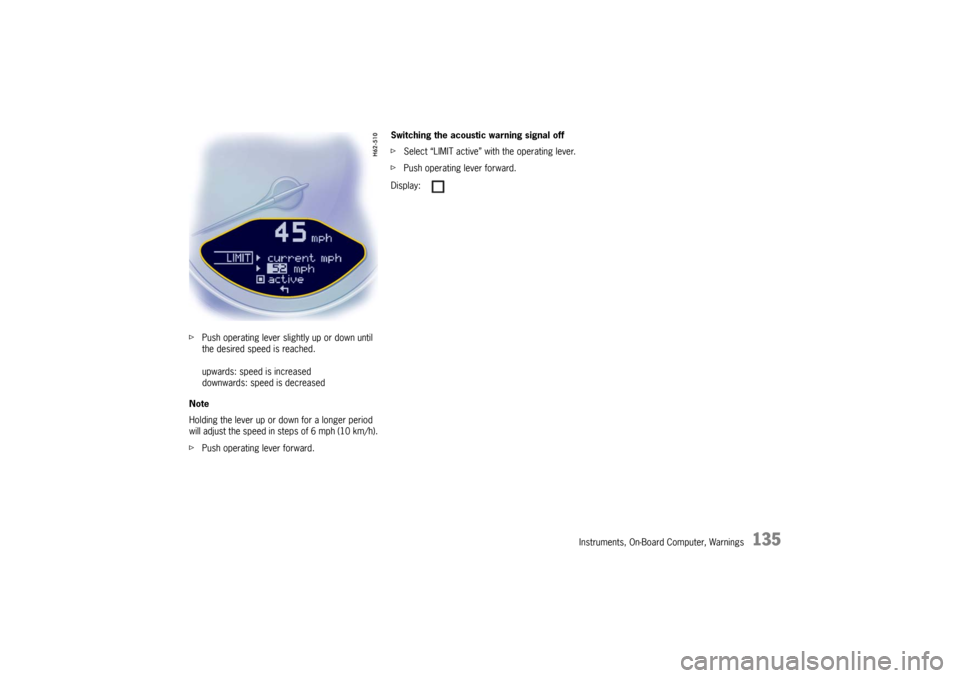
fPush operating lever slightly up or down until
the desired speed is reached.
upwards: speed is increased
downwards: speed is decreased
Note
Holding the lever up or do wn for a longer period
will adjust the speed in steps of 6 mph (10 km/h).
f Push operating lever forward. Switching the acoustic warning signal off
f
Select “LIMIT active” with the operating lever.
f Push operating lever forward.
Display:
Page 138 of 294
136
Instruments, On-Board Computer, Warnings
INFO
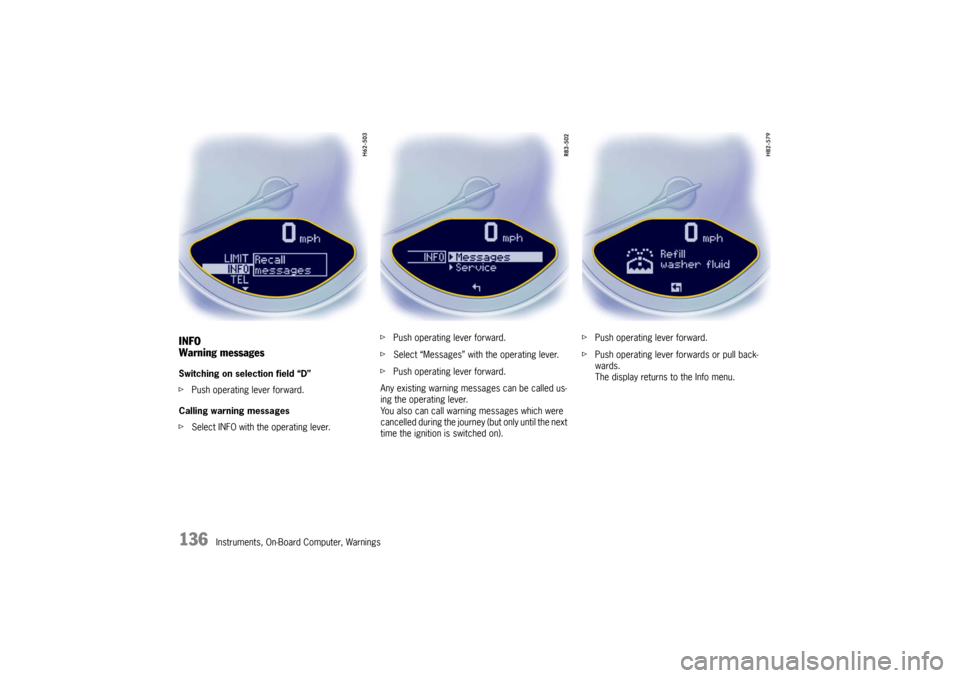
Warning messagesSwitching on selection field “D”
fPush operating lever forward.
Calling warning messages
f Select INFO with the operating lever. f
Push operating lever forward.
f Select “Messages” with the operating lever.
f Push operating lever forward.
Any existing warning messages can be called us-
ing the operating lever.
You also can call warning messages which were
cancelled during the journey (but only until the next
time the ignition is switched on). f
Push operating lever forward.
f Push operating lever forwards or pull back-
wards.
The display returns to the Info menu.
Page 139 of 294
Instruments, On-Board Computer, Warnings
137
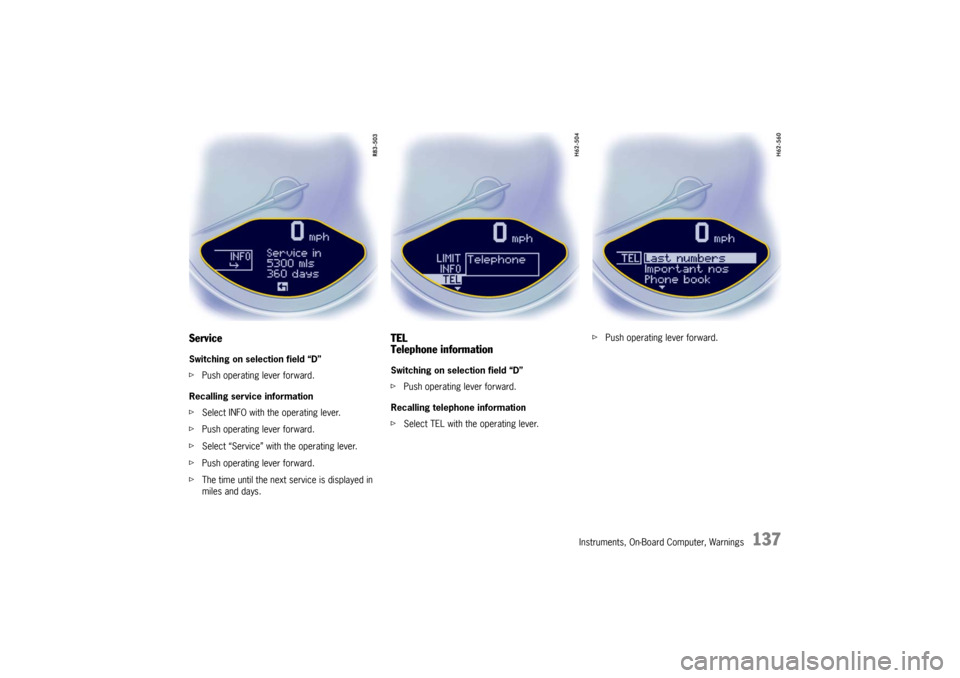
ServiceSwitching on selection field “D”
fPush operating lever forward.
Recalling service information
f Select INFO with the operating lever.
f Push operating lever forward.
f Select “Service” with the operating lever.
f Push operating lever forward.
f The time until the next service is displayed in
miles and days.
TEL
Telephone informationSwitching on selection field “D”
fPush operating lever forward.
Recalling telephone information
f Select TEL with the operating lever. f
Push operating lever forward.
Page 140 of 294
138
Instruments, On-Board Computer, Warnings
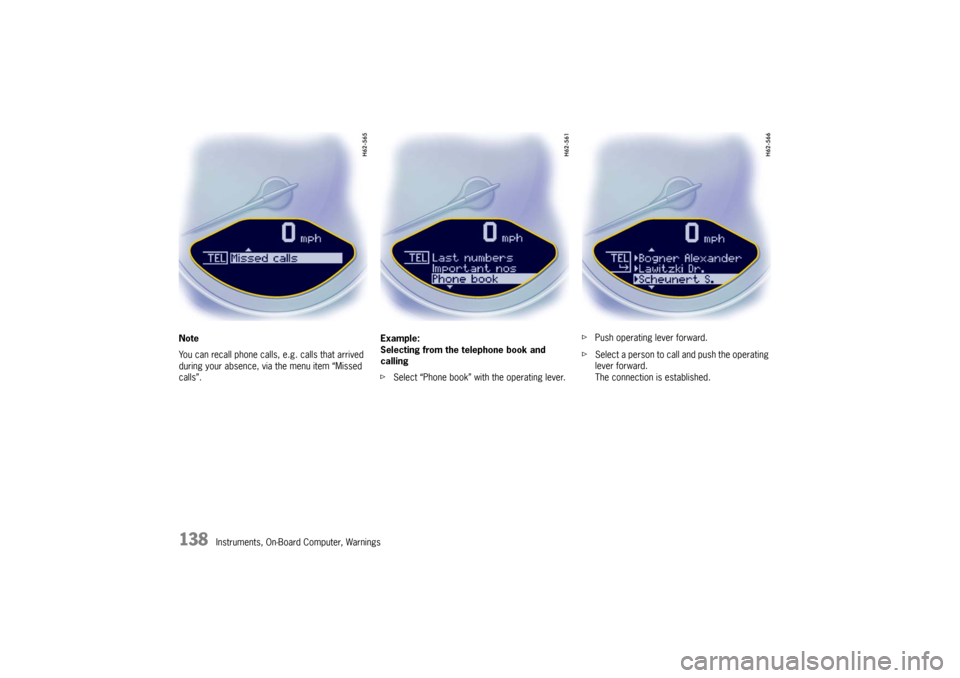
Note
You can recall phone calls, e.g. calls that arrived
during your absence, via the menu item “Missed
calls”.
Example:
Selecting from the telephone book and
calling
f
Select “Phone book” with the operating lever. f
Push operating lever forward.
f Select a person to call and push the operating
lever forward.
The connection is established.