2010 PEUGEOT 3008 day light
[x] Cancel search: day lightPage 23 of 315
26
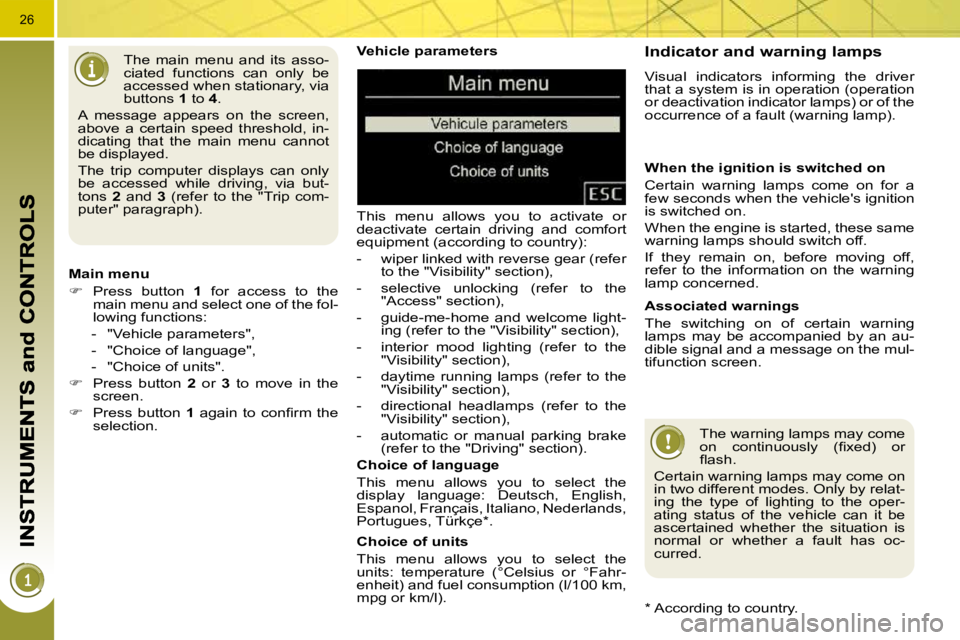
Vehicle parameters
This menu allows you to activate or
deactivate certain driving and comfort
equipment (according to country):
- wiper linked with reverse gear (refer to the "Visibility" section),
- selective unlocking (refer to the "Access" section),
- guide-me-home and welcome light- ing (refer to the "Visibility" section),
- interior mood lighting (refer to the "Visibility" section),
- daytime running lamps (refer to the "Visibility" section),
- directional headlamps (refer to the "Visibility" section),
- automatic or manual parking brake (refer to the "Driving" section).
Choice of units
This menu allows you to select the
units: temperature (°Celsius or °Fahr-
enheit) and fuel consumption (l/100 km,
mpg or km/l).
Choice of language
This menu allows you to select the
display language: Deutsch, English,
Espanol, Français, Italiano, Nederlands,
Portugues, Türkçe * .
The main menu and its asso-
ciated functions can only be
accessed when stationary, via
buttons
1 to 4 .
A message appears on the screen,
above a certain speed threshold, in-
dicating that the main menu cannot
be displayed.
The trip computer displays can only
be accessed while driving, via but-
tons 2 and 3 (refer to the "Trip com-
puter" paragraph).
Main menu
Press button 1 for access to the
main menu and select one of the fol-
lowing functions:
- "Vehicle parameters",
- "Choice of language",
- "Choice of units".
Press button 2 or 3 to move in the
screen.
Press button 1 again to confi rm the
selection.
* According to country. Indicator and warning lamps
Visual indicators informing the driver
that a system is in operation (operation
or deactivation indicator lamps) or of the
occurrence of a fault (warning lamp).
When the ignition is switched on
Certain warning lamps come on for a
few seconds when the vehicle's ignition
is switched on.
When the engine is started, these same
warning lamps should switch off.
If they remain on, before moving off,
refer to the information on the warning
lamp concerned.
Associated warnings
The switching on of certain warning
lamps may be accompanied by an au-
dible signal and a message on the mul-
tifunction screen. The warning lamps may come
on continuously (fi xed) or
fl ash.
Certain warning lamps may come on
in two different modes. Only by relat-
ing the type of lighting to the oper-
ating status of the vehicle can it be
ascertained whether the situation is
normal or whether a fault has oc-
curred.
Page 24 of 315
26
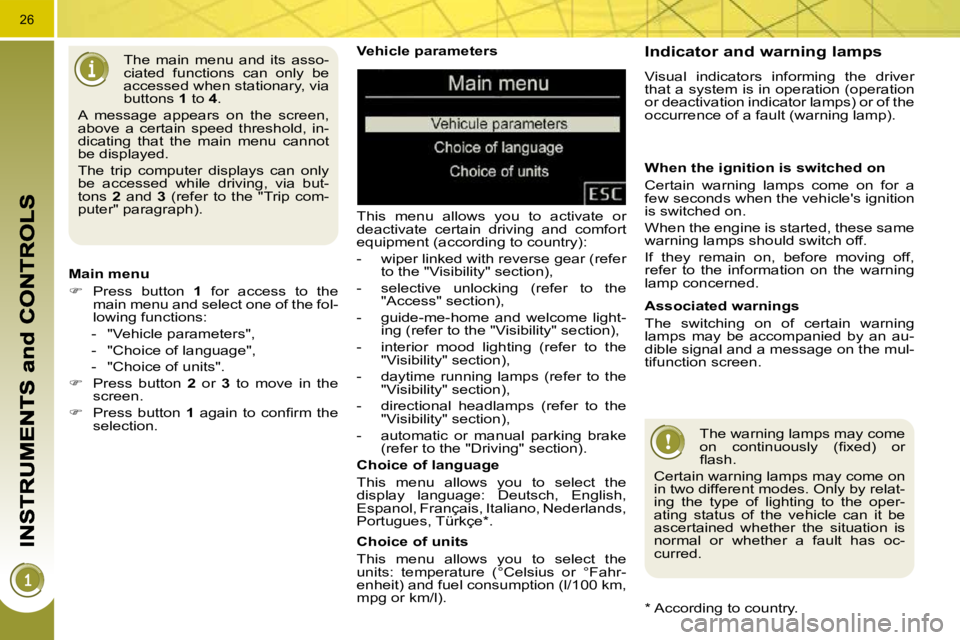
Vehicle parameters
This menu allows you to activate or
deactivate certain driving and comfort
equipment (according to country):
- wiper linked with reverse gear (refer to the "Visibility" section),
- selective unlocking (refer to the "Access" section),
- guide-me-home and welcome light- ing (refer to the "Visibility" section),
- interior mood lighting (refer to the "Visibility" section),
- daytime running lamps (refer to the "Visibility" section),
- directional headlamps (refer to the "Visibility" section),
- automatic or manual parking brake (refer to the "Driving" section).
Choice of units
This menu allows you to select the
units: temperature (°Celsius or °Fahr-
enheit) and fuel consumption (l/100 km,
mpg or km/l).
Choice of language
This menu allows you to select the
display language: Deutsch, English,
Espanol, Français, Italiano, Nederlands,
Portugues, Türkçe * .
The main menu and its asso-
ciated functions can only be
accessed when stationary, via
buttons
1 to 4 .
A message appears on the screen,
above a certain speed threshold, in-
dicating that the main menu cannot
be displayed.
The trip computer displays can only
be accessed while driving, via but-
tons 2 and 3 (refer to the "Trip com-
puter" paragraph).
Main menu
Press button 1 for access to the
main menu and select one of the fol-
lowing functions:
- "Vehicle parameters",
- "Choice of language",
- "Choice of units".
Press button 2 or 3 to move in the
screen.
Press button 1 again to confi rm the
selection.
* According to country. Indicator and warning lamps
Visual indicators informing the driver
that a system is in operation (operation
or deactivation indicator lamps) or of the
occurrence of a fault (warning lamp).
When the ignition is switched on
Certain warning lamps come on for a
few seconds when the vehicle's ignition
is switched on.
When the engine is started, these same
warning lamps should switch off.
If they remain on, before moving off,
refer to the information on the warning
lamp concerned.
Associated warnings
The switching on of certain warning
lamps may be accompanied by an au-
dible signal and a message on the mul-
tifunction screen. The warning lamps may come
on continuously (fi xed) or
fl ash.
Certain warning lamps may come on
in two different modes. Only by relat-
ing the type of lighting to the oper-
ating status of the vehicle can it be
ascertained whether the situation is
normal or whether a fault has oc-
curred.
Page 37 of 315
38
Total distance recorder
System which measures the total dis-
tance travelled by the vehicle during its
life.
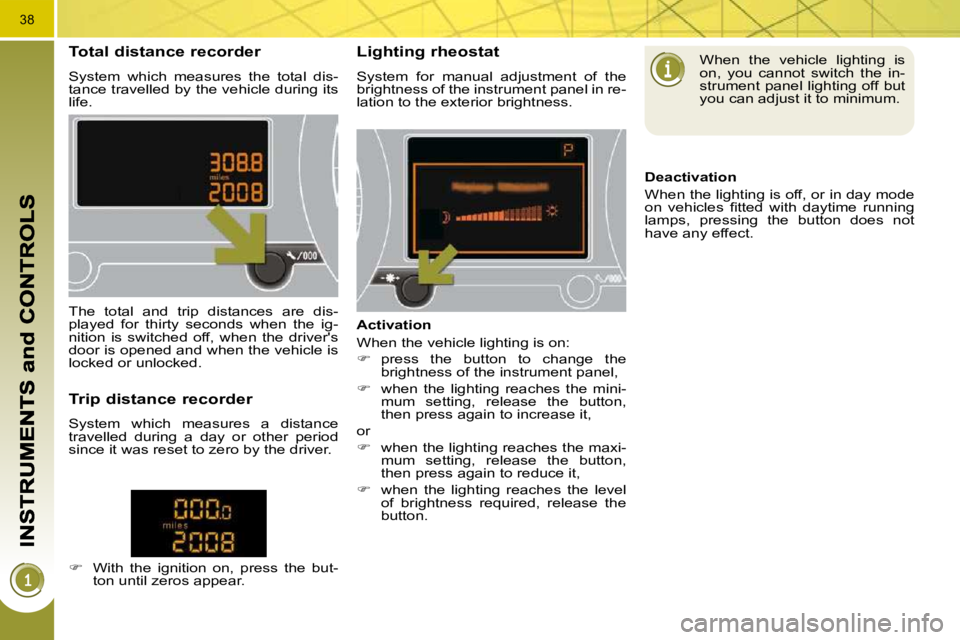
Lighting rheostat
System for manual adjustment of the
brightness of the instrument panel in re-
lation to the exterior brightness.
The total and trip distances are dis-
played for thirty seconds when the ig-
nition is switched off, when the driver's
door is opened and when the vehicle is
locked or unlocked.
Trip distance recorder
System which measures a distance
travelled during a day or other period
since it was reset to zero by the driver.
With the ignition on, press the but-
ton until zeros appear. Activation
When the vehicle lighting is on:
press the button to change the
brightness of the instrument panel,
when the lighting reaches the mini-
mum setting, release the button,
then press again to increase it,
or
when the lighting reaches the maxi-
mum setting, release the button,
then press again to reduce it,
when the lighting reaches the level
of brightness required, release the
button. When the vehicle lighting is
on, you cannot switch the in-
strument panel lighting off but
you can adjust it to minimum.
Deactivation
When the lighting is off, or in day mode
on vehicles fi tted with daytime running
lamps, pressing the button does not
have any effect.
Page 39 of 315
40
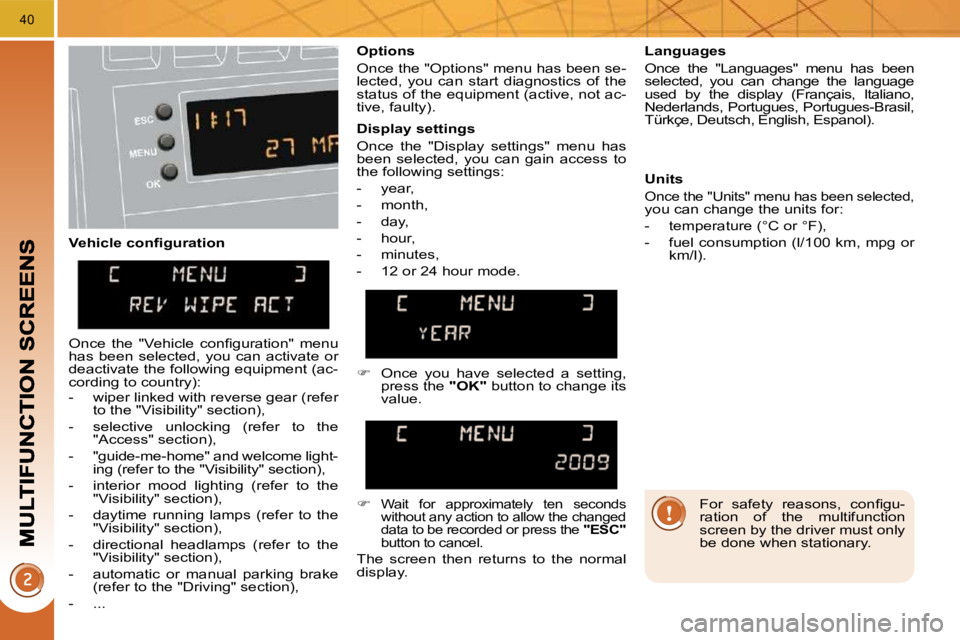
Vehicle confi guration Options
Once the "Options" menu has been se-
lected, you can start diagnostics of the
status of the equipment (active, not ac-
tive, faulty).
Languages
Once the "Languages" menu has been
selected, you can change the language
used by the display (Français, Italiano,
Nederlands, Portugues, Portugues-Brasil,
Türkçe, Deutsch, English, Espanol).
Display settings
Once the "Display settings" menu has
been selected, you can gain access to
the following settings:
- year,
- month,
- day,
- hour,
- minutes,
- 12 or 24 hour mode. Units
Once the "Units" menu has been selected,
you can change the units for:
- temperature (°C or °F),
- fuel consumption (l/100 km, mpg or km/l).
Once you have selected a setting,
press the "OK" button to change its
value.
Wait for approximately ten seconds
without any action to allow the changed
data to be recorded or press the "ESC"
button to cancel.
The screen then returns to the normal
display.
Once the "Vehicle confi guration" menu
has been selected, you can activate or
deactivate the following equipment (ac-
cording to country):
- wiper linked with reverse gear (refer to the "Visibility" section),
- selective unlocking (refer to the "Access" section),
- "guide-me-home" and welcome light- ing (refer to the "Visibility" section),
- interior mood lighting (refer to the "Visibility" section),
- daytime running lamps (refer to the "Visibility" section),
- directional headlamps (refer to the "Visibility" section),
- automatic or manual parking brake (refer to the "Driving" section),
- ... For safety reasons, confi gu-
ration of the multifunction
screen by the driver must only
be done when stationary.
Page 41 of 315
42
For safety reasons, confi gu-
ration of the multifunction
screen by the driver must only
be done when stationary.
Display settings
Once the "Display settings" menu has
been selected, you can gain access to
the following settings:
- year,
- month,
- day,
- hour,
- minutes,
- 12 or 24 hour mode.
Languages
Once the "Languages" menu has been
selected, you can change the language
used by the display (Français, Italiano,
Nederlands, Portugues, Portugues-Brasil,
Türkçe, Deutsch, English, Espanol).
Units
Once the "Units" menu has been se-
lected, you can change the units of the
following parameters:
- temperature (°C or °F),
- fuel consumption (l/100 km, mpg or
km/l).
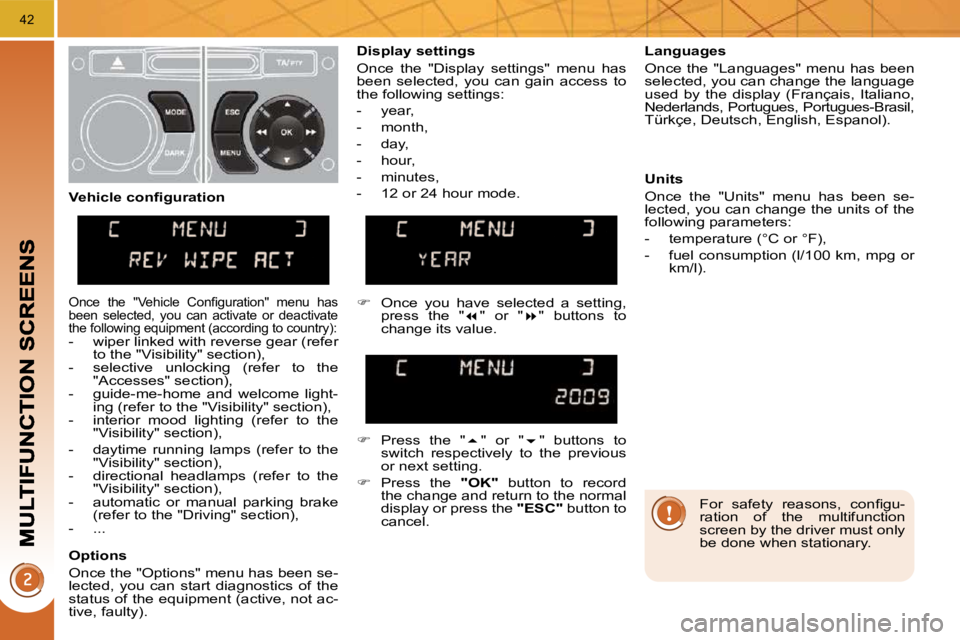
Once you have selected a setting,
press the " " or " " buttons to
change its value.
Press the " " or " " buttons to
switch respectively to the previous
or next setting.
Press the "OK" button to record
the change and return to the normal
display or press the "ESC" button to
cancel.
Vehicle confi guration
Once the "Vehicle Confi guration" menu has
been selected, you can activate or deactivate
the following equipment (according to country):
- wiper linked with reverse gear (refer
to the "Visibility" section),
- selective unlocking (refer to the "Accesses" section),
- guide-me-home and welcome light- ing (refer to the "Visibility" section),
- interior mood lighting (refer to the "Visibility" section),
- daytime running lamps (refer to the "Visibility" section),
- directional headlamps (refer to the "Visibility" section),
- automatic or manual parking brake (refer to the "Driving" section),
- ...
Options
Once the "Options" menu has been se-
lected, you can start diagnostics of the
status of the equipment (active, not ac-
tive, faulty).
Page 43 of 315
44
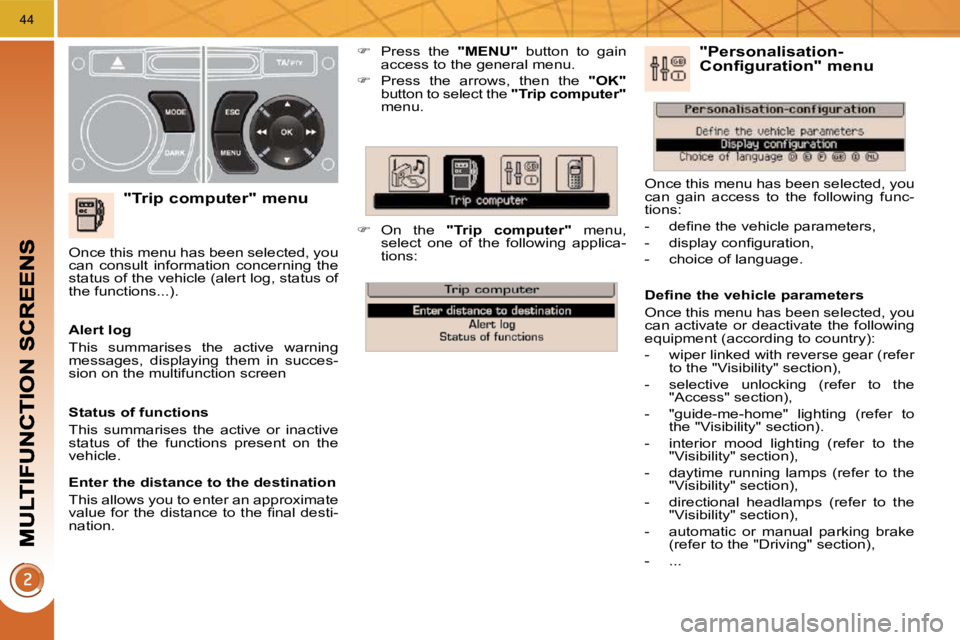
"Trip computer" menu
Press the "MENU" button to gain
access to the general menu.
Press the arrows, then the "OK"
button to select the "Trip computer"
menu.
On the "Trip computer" menu,
select one of the following applica-
tions:
Alert log
This summarises the active warning
messages, displaying them in succes-
sion on the multifunction screen
Once this menu has been selected, you
can consult information concerning the
status of the vehicle (alert log, status of
the functions...).
Defi ne the vehicle parameters
Once this menu has been selected, you
can activate or deactivate the following
equipment (according to country):
- wiper linked with reverse gear (refer
to the "Visibility" section),
- selective unlocking (refer to the "Access" section),
- "guide-me-home" lighting (refer to the "Visibility" section).
- interior mood lighting (refer to the "Visibility" section),
- daytime running lamps (refer to the "Visibility" section),
- directional headlamps (refer to the "Visibility" section),
- automatic or manual parking brake (refer to the "Driving" section),
- ... "Personalisation-Configuration" menu
Once this menu has been selected, you
can gain access to the following func-
tions:
- defi ne the vehicle parameters,
- display confi guration,
- choice of language.
Status of functions
This summarises the active or inactive
status of the functions present on the
vehicle.
Enter the distance to the destination
This allows you to enter an approximate
value for the distance to the fi nal desti-
nation.
Page 46 of 315
47
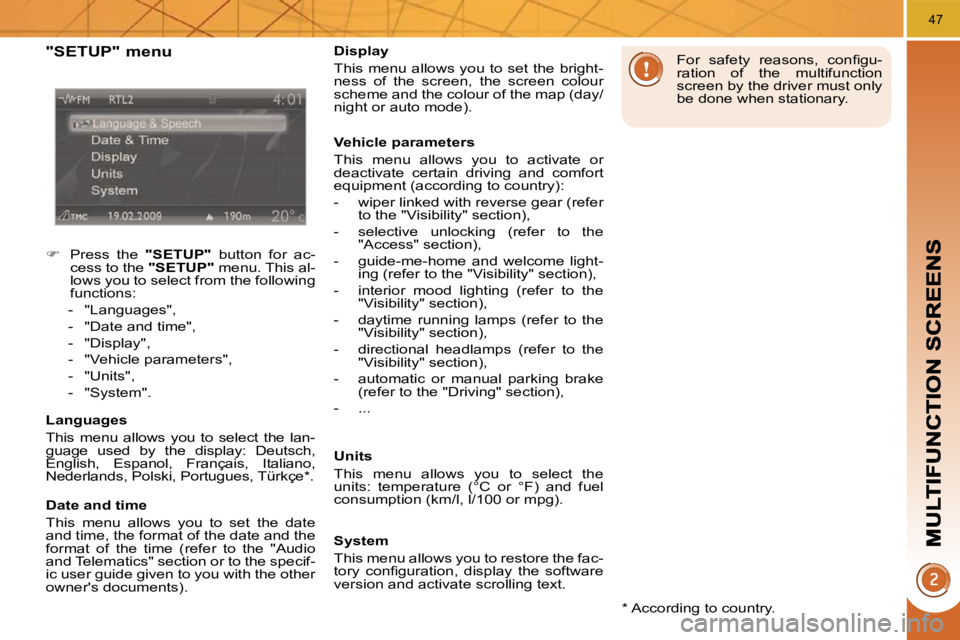
"SETUP" menu
Press the "SETUP" button for ac-
cess to the "SETUP" menu. This al-
lows you to select from the following
functions:
- "Languages",
- "Date and time",
- "Display",
- "Vehicle parameters",
- "Units",
- "System".
Languages
This menu allows you to select the lan-
guage used by the display: Deutsch,
English, Espanol, Français, Italiano,
Nederlands, Polski, Portugues, Türkçe * .
Date and time
This menu allows you to set the date
and time, the format of the date and the
format of the time (refer to the "Audio
and Telematics" section or to the specif-
ic user guide given to you with the other
owner's documents). * According to country.
Display
This menu allows you to set the bright-
ness of the screen, the screen colour
scheme and the colour of the map (day/
night or auto mode).
Vehicle parameters
This menu allows you to activate or
deactivate certain driving and comfort
equipment (according to country):
- wiper linked with reverse gear (refer
to the "Visibility" section),
- selective unlocking (refer to the "Access" section),
- guide-me-home and welcome light- ing (refer to the "Visibility" section),
- interior mood lighting (refer to the "Visibility" section),
- daytime running lamps (refer to the "Visibility" section),
- directional headlamps (refer to the "Visibility" section),
- automatic or manual parking brake (refer to the "Driving" section),
- ...
Units
This menu allows you to select the
units: temperature (°C or °F) and fuel
consumption (km/l, l/100 or mpg). For safety reasons, confi gu-
ration of the multifunction
screen by the driver must only
be done when stationary.
System
This menu allows you to restore the fac-
tory confi guration, display the software
version and activate scrolling text.
Page 70 of 315

69
Adjustment
Adjust the mirror so that the glass
is directed correctly in the "day"
position.
As a safety precaution, the
mirrors must be adjusted to
reduce the "blind spot".
Manual day/night model
Day/night position
Pull the lever to change to the "night"
anti-dazzle position.
Push the lever to change to the nor-
mal "day" position.
Rear view mirror
Adjustable mirror providing a central
rearward view.
Equipped with an anti-dazzle system,
useful in poor light.
In order to guarantee opti-
mum visibility during your ma-
noeuvres, the mirror lightens
automatically when reverse gear is
engaged.
Automatic day/night model
By means of a sensor, which measures
the light from the rear of the vehicle, this
system automatically and progressively
changes between the day and night
uses.
It has an anti-dazzle system which dark-
ens the mirror glass: this reduces any
driver discomfort caused by the light
beam of following vehicles, the sun...