KEYFOB (if so equipped)
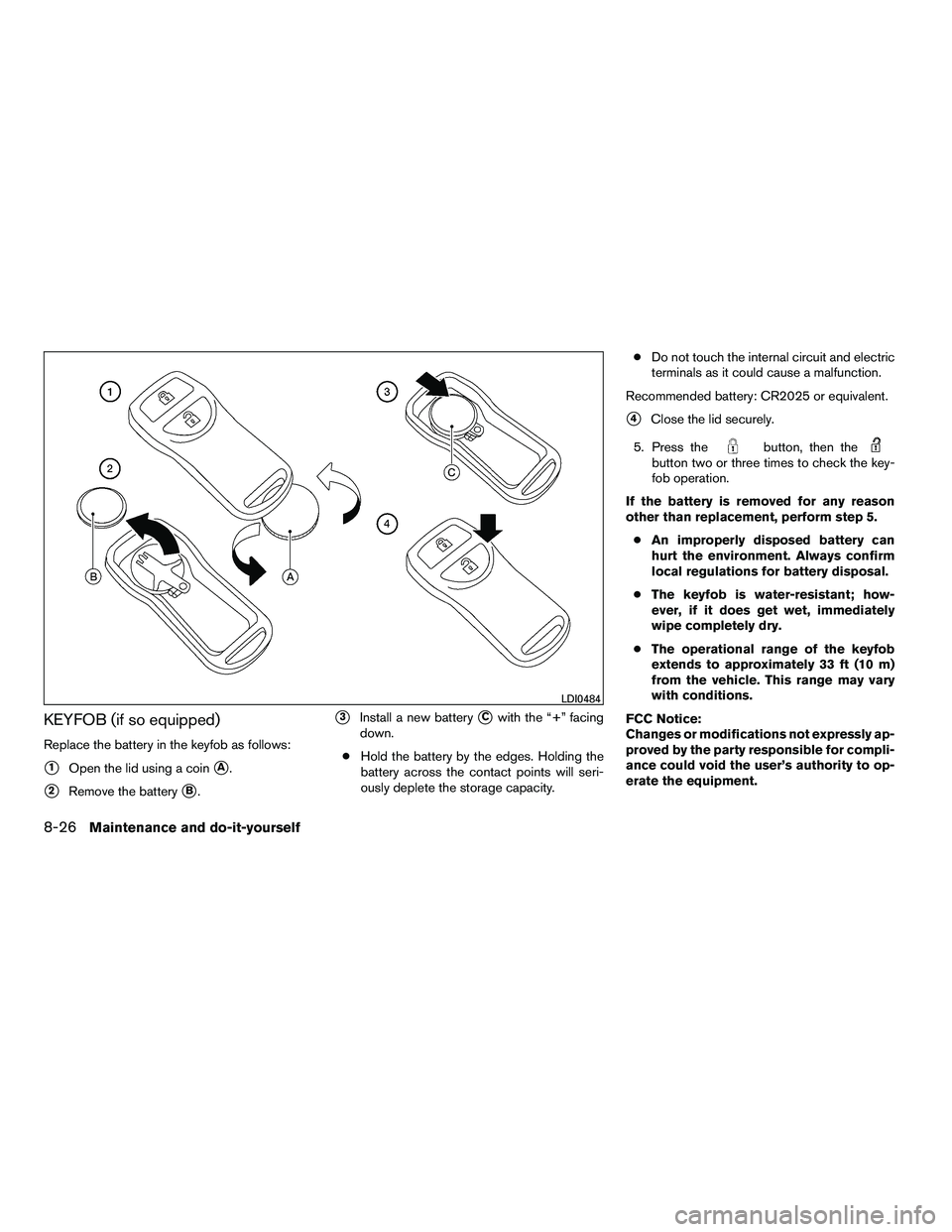
Replace the battery in the keyfob as follows:
�1Open the lid using a coin�A.
�2Remove the battery�B.
�3Install a new battery�Cwith the “+” facing
down.
● Hold the battery by the edges. Holding the
battery across the contact points will seri-
ously deplete the storage capacity. ●
Do not touch the internal circuit and electric
terminals as it could cause a malfunction.
Recommended battery: CR2025 or equivalent.
�4Close the lid securely.
5. Press the
This device complies with Part 15 of the
FCC Rules and RSS-210 of Industry
Canada.
Operation is subject to the following two
conditions: (1) This device may not cause
harmful interference, and (2) this device
must accept any interference received, in-
cluding interference that may cause undes-
ired operation of the device.NISSAN INTELLIGENT KEY™ (if so
equipped)
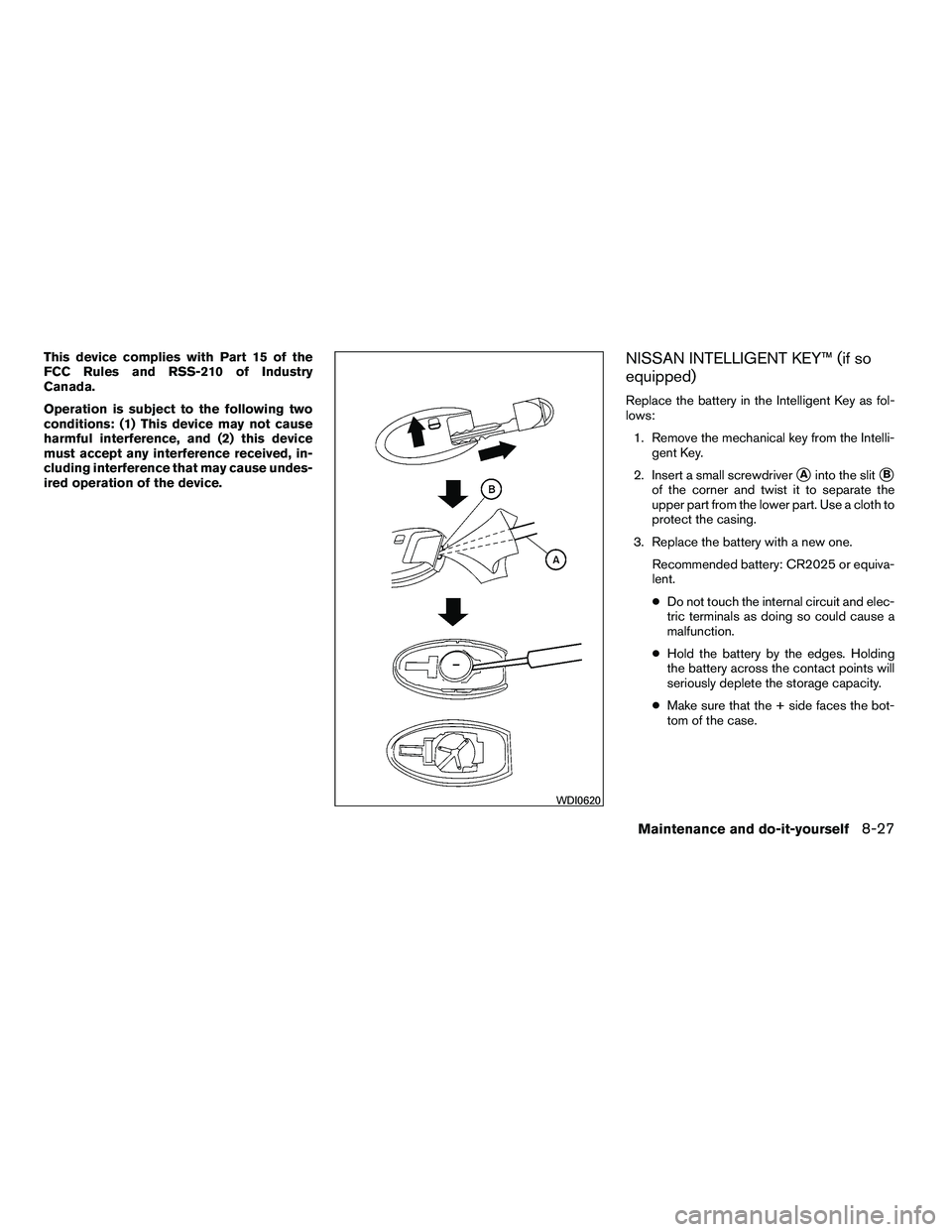
Replace the battery in the Intelligent Key as fol-
lows:1. Remove the mechanical key from the Intelli- gent Key.
2. Insert a small screwdriver
�Ainto the slit�B
of the corner and twist it to separate the
upper part from the lower part. Use a cloth to
protect the casing.
3. Replace the battery with a new one. Recommended battery: CR2025 or equiva-
lent.
●Do not touch the internal circuit and elec-
tric terminals as doing so could cause a
malfunction.
● Hold the battery by the edges. Holding
the battery across the contact points will
seriously deplete the storage capacity.
● Make sure that the + side faces the bot-
tom of the case.