Page 311 of 472
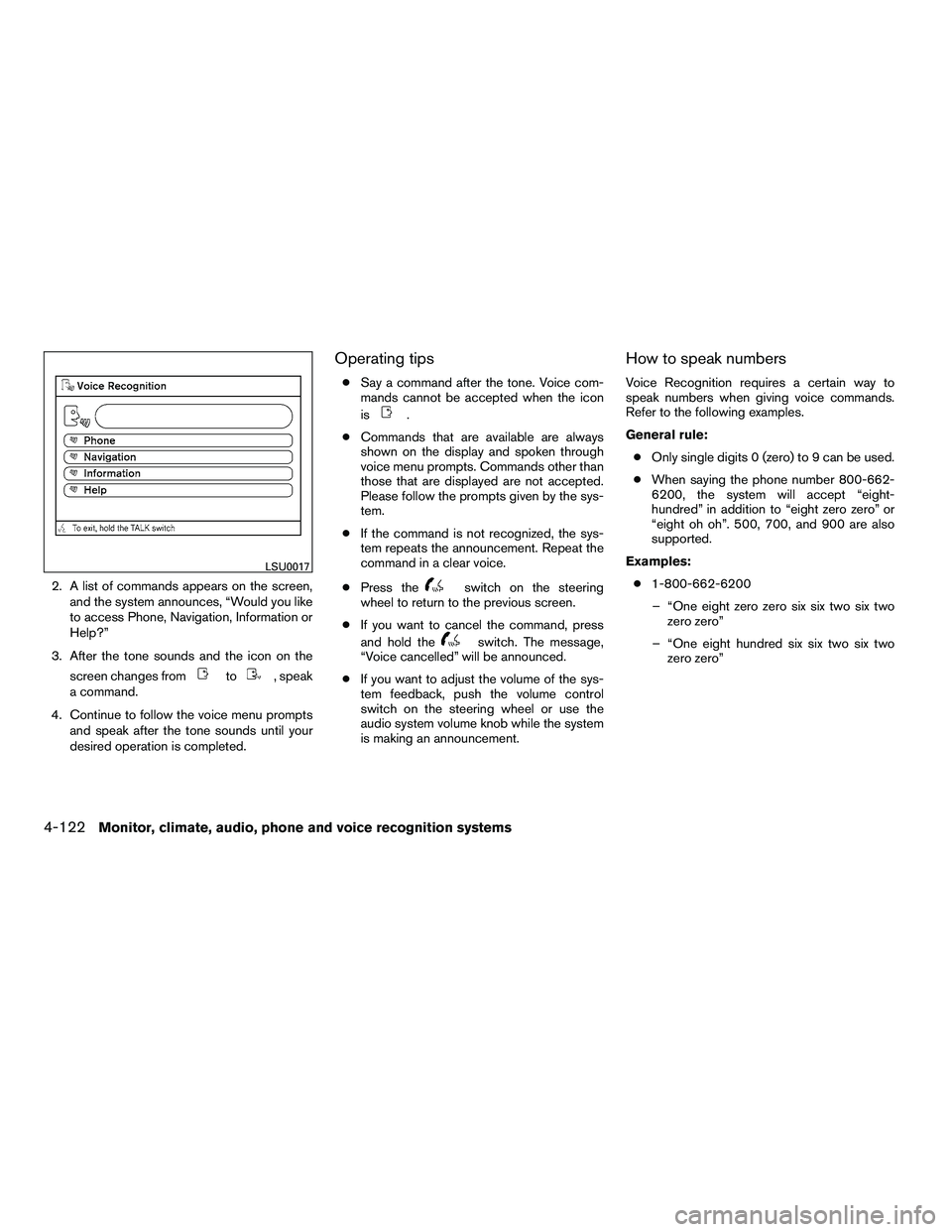
2. A list of commands appears on the screen,and the system announces, “Would you like
to access Phone, Navigation, Information or
Help?”
3. After the tone sounds and the icon on the screen changes from
Page 315 of 472
Voice command examples
Some basic voice command examples are de-
scribed here.
For navigation system commands, see the sepa-
rate Navigation System Owner’s Manual.Example 1 — Placing a call to the phone
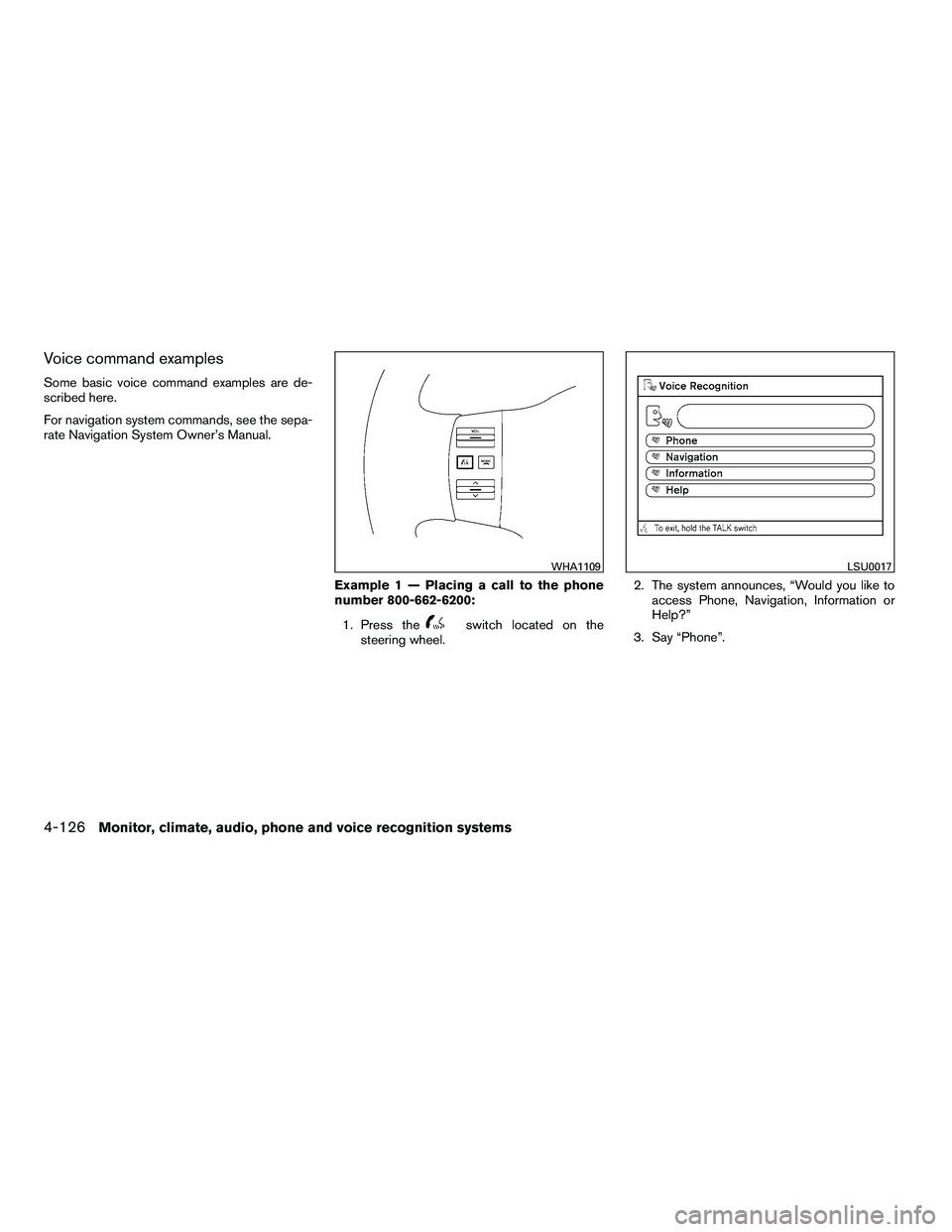
number 800-662-6200:1. Press the
Page 319 of 472
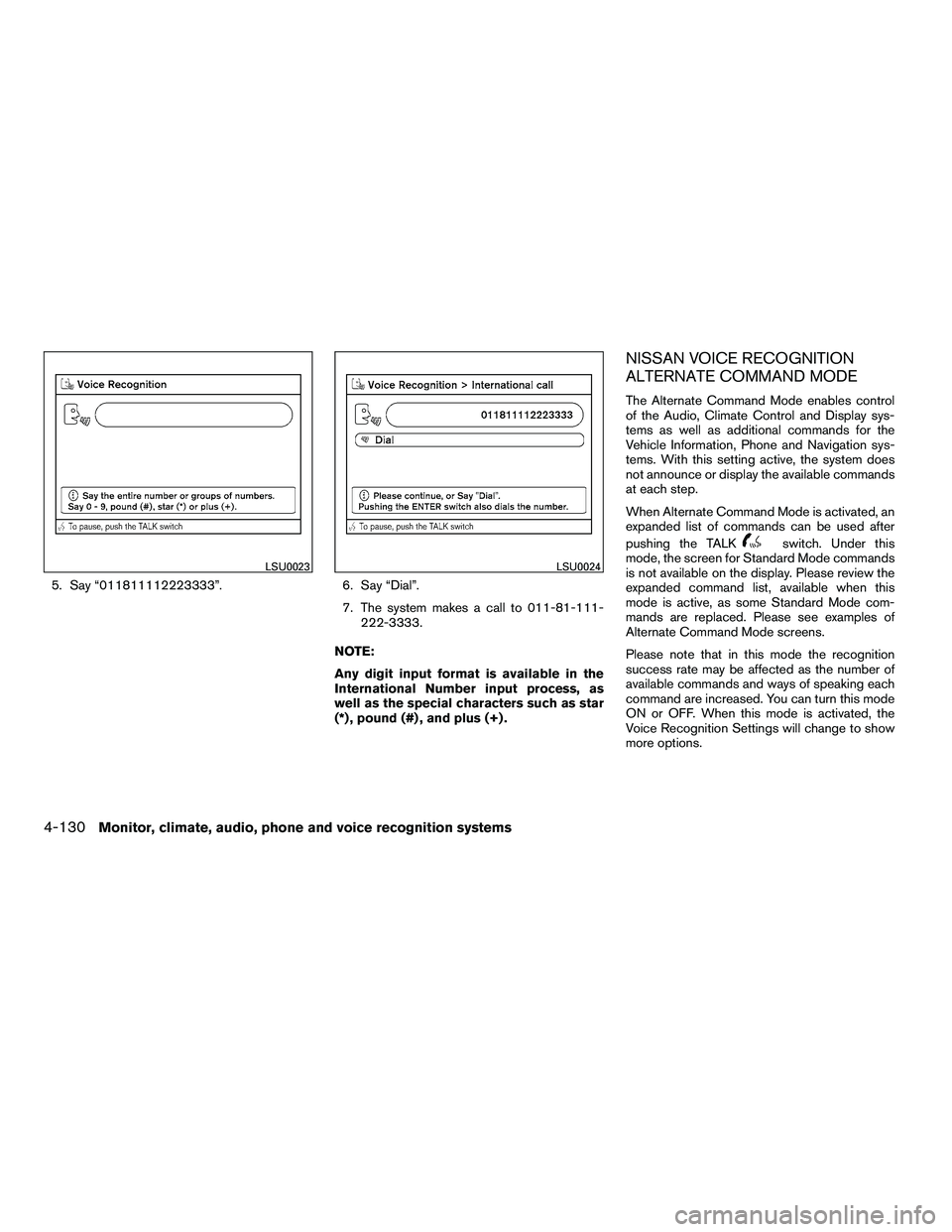
5. Say “011811112223333”.6. Say “Dial”.
7. The system makes a call to 011-81-111-
222-3333.
NOTE:
Any digit input format is available in the
International Number input process, as
well as the special characters such as star
(*) , pound (#) , and plus (+) .
NISSAN VOICE RECOGNITION
ALTERNATE COMMAND MODE
The Alternate Command Mode enables control
of the Audio, Climate Control and Display sys-
tems as well as additional commands for the
Vehicle Information, Phone and Navigation sys-
tems. With this setting active, the system does
not announce or display the available commands
at each step.
When Alternate Command Mode is activated, an
expanded list of commands can be used after
pushing the TALK
Page 328 of 472
Say, “six two zero zero”. Using this method of
phone digit entry can improve recognition perfor-
mance.
NOTE:
When speaking a house number, speak the
number “0” as “zero” or “oh”. If the letter
“O” is included in the house number, it will
not be recognized as “0” even if you speak
“oh” instead of “zero”.
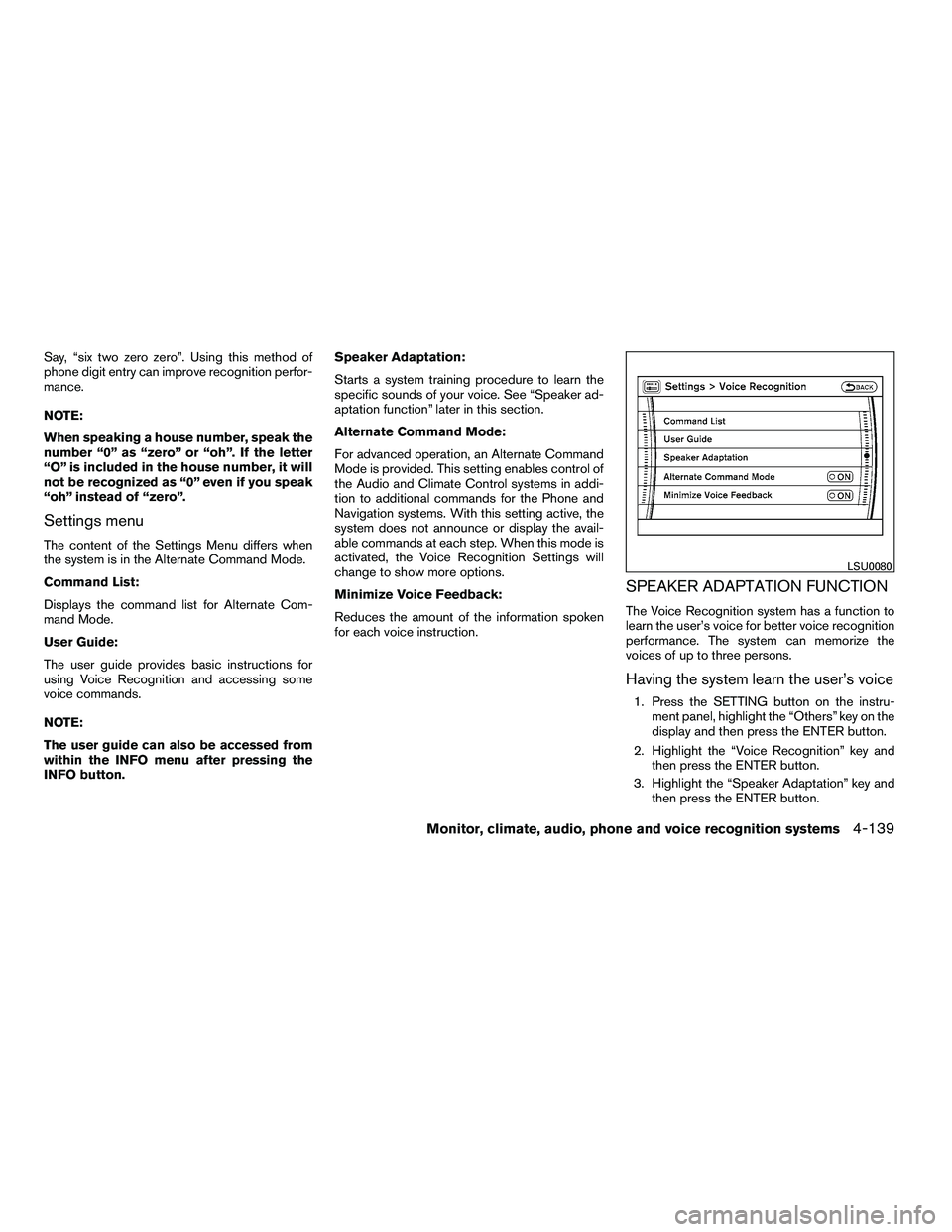
Settings menu
The content of the Settings Menu differs when
the system is in the Alternate Command Mode.
Command List:
Displays the command list for Alternate Com-
mand Mode.
User Guide:
The user guide provides basic instructions for
using Voice Recognition and accessing some
voice commands.
NOTE:
The user guide can also be accessed from
within the INFO menu after pressing the
INFO button.Speaker Adaptation:
Starts a system training procedure to learn the
specific sounds of your voice. See “Speaker ad-
aptation function” later in this section.
Alternate Command Mode:
For advanced operation, an Alternate Command
Mode is provided. This setting enables control of
the Audio and Climate Control systems in addi-
tion to additional commands for the Phone and
Navigation systems. With this setting active, the
system does not announce or display the avail-
able commands at each step. When this mode is
activated, the Voice Recognition Settings will
change to show more options.
Minimize Voice Feedback:
Reduces the amount of the information spoken
for each voice instruction.
SPEAKER ADAPTATION FUNCTION
The Voice Recognition system has a function to
learn the user’s voice for better voice recognition
performance. The system can memorize the
voices of up to three persons.
Having the system learn the user’s voice
1. Press the SETTING button on the instru-
ment panel, highlight the “Others” key on the
display and then press the ENTER button.
2. Highlight the “Voice Recognition” key and then press the ENTER button.
3. Highlight the “Speaker Adaptation” key and then press the ENTER button.
Page 329 of 472
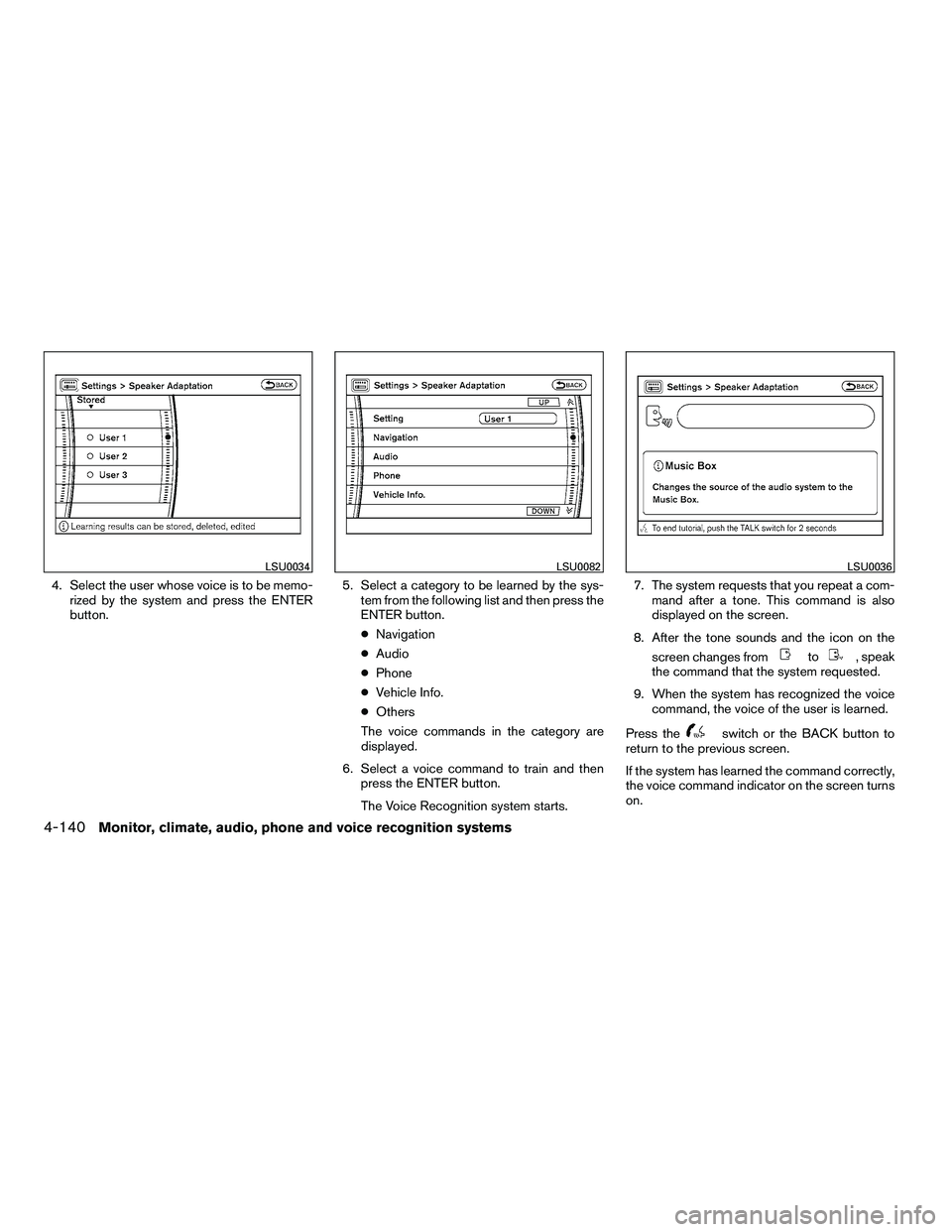
4. Select the user whose voice is to be memo-rized by the system and press the ENTER
button. 5. Select a category to be learned by the sys-
tem from the following list and then press the
ENTER button.
● Navigation
● Audio
● Phone
● Vehicle Info.
● Others
The voice commands in the category are
displayed.
6. Select a voice command to train and then press the ENTER button.
The Voice Recognition system starts. 7. The system requests that you repeat a com-
mand after a tone. This command is also
displayed on the screen.
8. After the tone sounds and the icon on the screen changes from
Page 465 of 472

Car phone or CB radio.............4-92
Cargo light ...................2-57
Cargo (See vehicle loading information) . . .9-13
CD care and cleaning .............4-71
CD changer (See audio system) ........4-50
CD player (See audio system) .........4-58
Child restraint with top tether strap ......1-37
Child restraints .......1-31, 1-31, 1-32, 1-34
Precautions on child restraints . . .1-32, 1-40, 1-45, 1-50
Top tether strap anchor point locations . .1-37
Child safety rear door lock ............3-7
Chimes, audible reminders ...........2-20
Cleaning exterior and interior ..........7-2
Clock ...................4-48, 4-56
(models with navigation system) . .4-11, 4-27
Clock set .................4-11, 4-27
C.M.V.S.S. certification label ..........9-11
Cold weather driving ..............5-33
Compact disc (CD) player ...........4-58
CompactFlash (CF) player ...........4-60
Console box ...............2-40, 2-46
Control panel buttons .............4-17
Brightness/contrast button .....4-16, 4-32
Enter button ..............4-2, 4-17
Setting button .............4-9, 4-26
Startup screen ...............4-20
Without navigation system ..........4-2
Controls Audio controls (steering wheel) ......4-73
Heater and air conditioner controls . . . .4-36
Rear audio controls .............4-75
Rear seat air conditioner ..........4-38
Coolant Capacities and recommended
fuel/lubricants .................9-2 Changing engine coolant
..........8-8
Checking engine coolant level ........8-7
Engine coolant temperature gauge .....2-6
Corrosion protection ...............7-5
Cruise control ..................5-18
Cup holders ...................2-44
Curtain
side-impact and rollover air bag . . .1-65
D
Daytime running light system
(Canada only) ..................2-32
Defroster switch Rear window and outside mirror defroster
switch ....................2-30
Digital video disc DVD .............4-76
Dimensions and weights .............9-9
Dimmer switch for instrument panel ......2-33
Display controls
(see control panel buttons) ........4-2, 4-17
Distance to empty .............4-5, 4-21
Door locks ....................3-5
Drive belt ....................8-16
Drive positioner, Automatic ...........3-36
Driving Cold weather driving ............5-33
Driving with automatic transmission . . . .5-14
Precautions when starting and driving . . .5-2
E
Economy - fuel .................5-20
Emission control information label .......9-11
Emission control system warranty .......9-30Engine
Before starting the engine .........5-12
Capacities and recommended
fuel/lubricants .................9-2
Changing engine coolant ..........8-8
Changing engine oil .............8-9
Changing engine oil filter ..........8-10
Checking engine coolant level ........8-7
Checking engine oil level ..........8-8
Engine compartment check locations . . . .8-6
Engine coolant temperature gauge .....2-6
Engine cooling system ............8-7
Engine oil ...................8-8
Engine oil and oil filter recommendation . .9-6
Engine oil viscosity ..............9-6
Engine serial number ............9-11
Engine specifications .............9-8
Starting the engine ............ .5-12
Engine oil pressure
gauge ............2-8
Engine oil pressure low/engine coolant
temperature high warning light .........2-15
Enter button ................4-2, 4-17
Event data recorders ..............9-32
Exhaust gas (Carbon monoxide) ........5-2
Eyeglass case ..................2-41
F
Flashers
(See hazard warning flasher switch) ......2-34
Flat tire ......................6-2
Floor mat positioning aid .............7-5
Fluid Brake fluid ..................8-12
10-2
�REVIEW COPY—2010 Armada (wzw)
Owners Manual (owners)—USA_English (nna)
03/09/09—tbrooks
�
Page:
< prev 1-8 9-16 17-24