Page 150 of 440
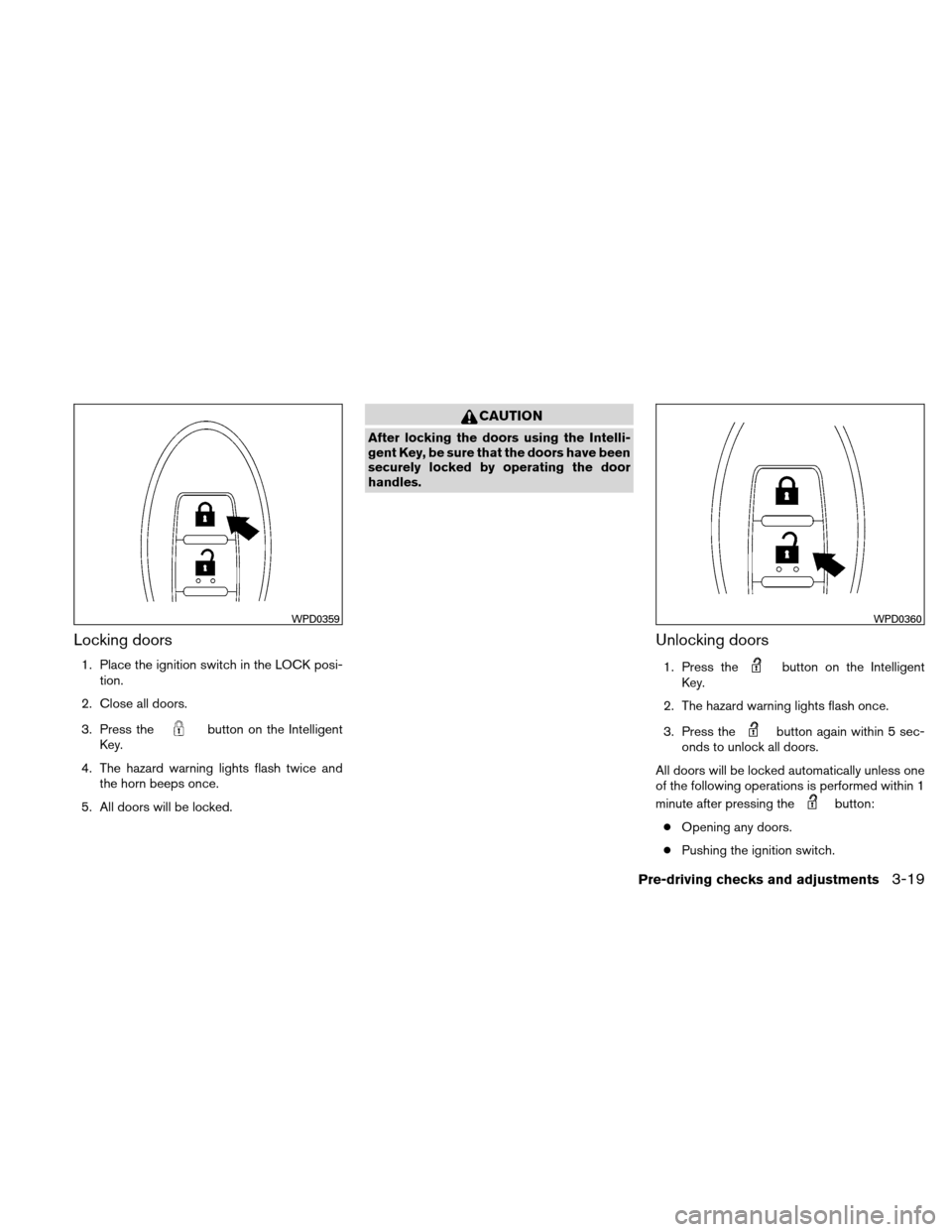
Locking doors
1. Place the ignition switch in the LOCK posi-tion.
2. Close all doors.
3. Press the
button on the Intelligent
Key.
4. The hazard warning lights flash twice and the horn beeps once.
5. All doors will be locked.
CAUTION
After locking the doors using the Intelli-
gent Key, be sure that the doors have been
securely locked by operating the door
handles.
Unlocking doors
1. Press thebutton on the Intelligent
Key.
2. The hazard warning lights flash once.
3. Press the
button again within 5 sec-
onds to unlock all doors.
All doors will be locked automatically unless one
of the following operations is performed within 1
minute after pressing the
button:
● Opening any doors.
● Pushing the ignition switch.
WPD0359WPD0360
Pre-driving checks and adjustments3-19
Page 151 of 440
The interior light illuminates for 15 seconds when
a door is unlocked and the room light switch is in
the DOOR position.
The light can be turned off without waiting for 15
seconds by performing one of the following op-
erations:● Placing the ignition switch in the ON posi-
tion.
● Locking the doors with the Intelligent Key.
● Switching the room light switch to the OFF
position.
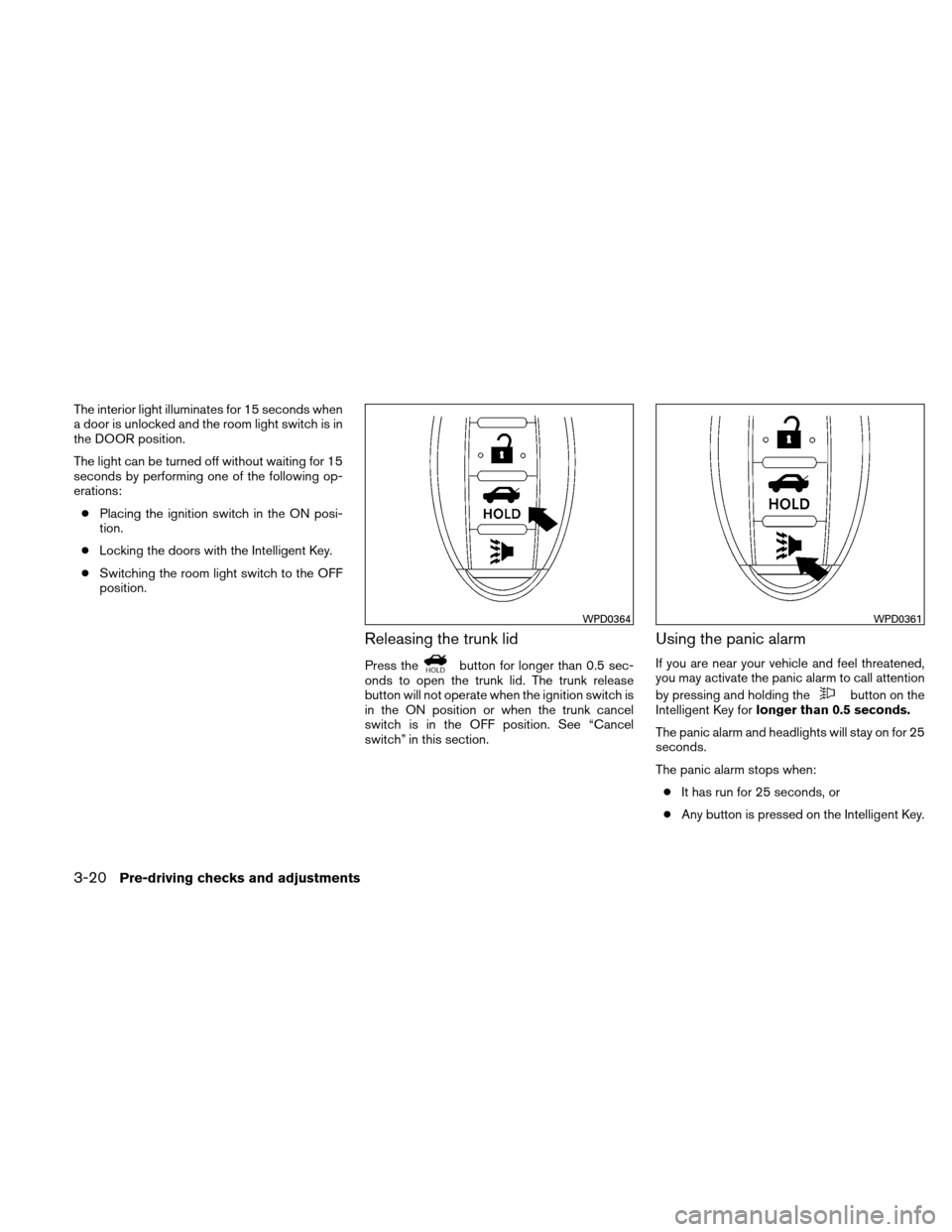
Releasing the trunk lid
Press thebutton for longer than 0.5 sec-
onds to open the trunk lid. The trunk release
button will not operate when the ignition switch is
in the ON position or when the trunk cancel
switch is in the OFF position. See “Cancel
switch” in this section.
Using the panic alarm
If you are near your vehicle and feel threatened,
you may activate the panic alarm to call attention
by pressing and holding the
button on the
Intelligent Key for longer than 0.5 seconds.
The panic alarm and headlights will stay on for 25
seconds.
The panic alarm stops when: ● It has run for 25 seconds, or
● Any button is pressed on the Intelligent Key.
WPD0364WPD0361
3-20Pre-driving checks and adjustments
Page 152 of 440
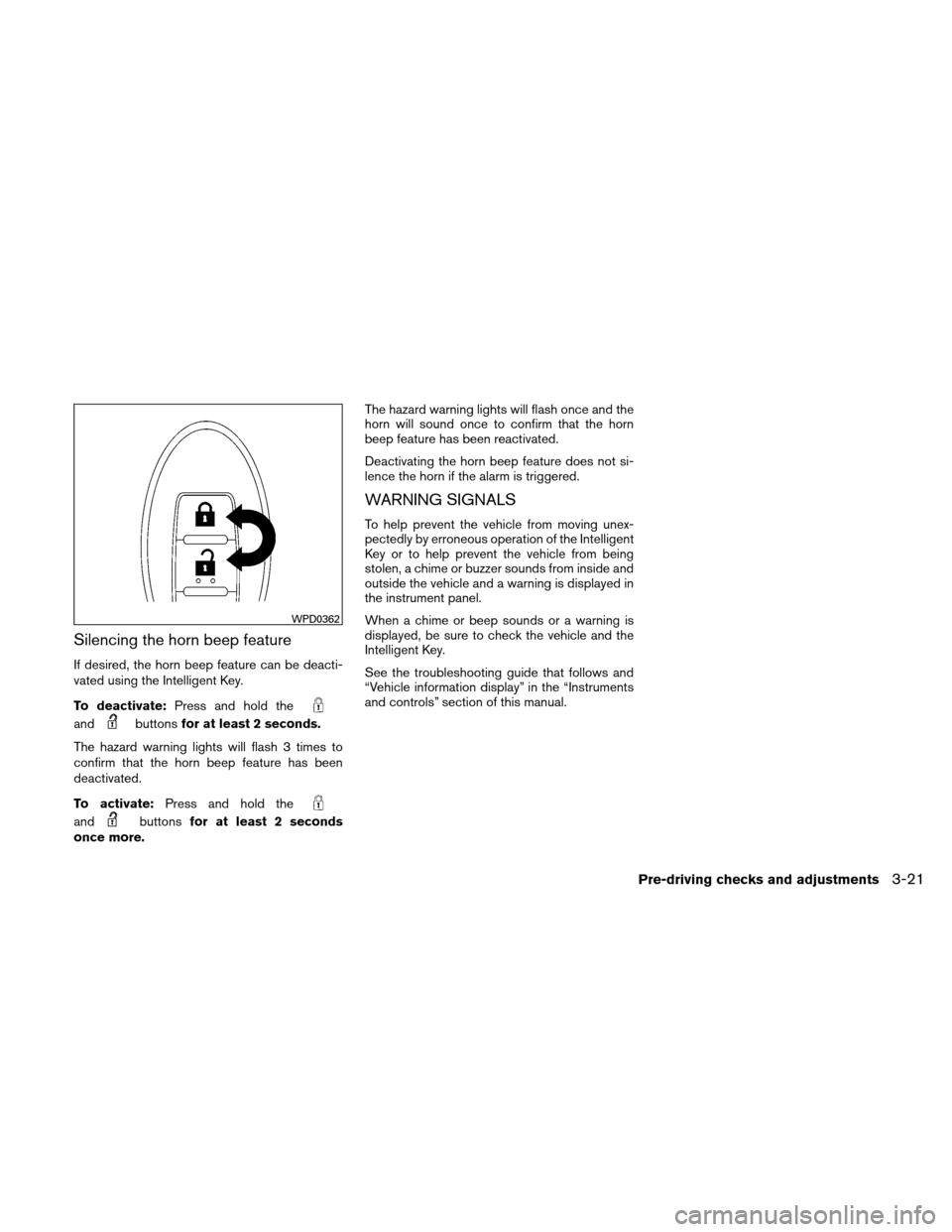
Silencing the horn beep feature
If desired, the horn beep feature can be deacti-
vated using the Intelligent Key.
To deactivate:Press and hold the
andbuttonsfor at least 2 seconds.
The hazard warning lights will flash 3 times to
confirm that the horn beep feature has been
deactivated.
To activate: Press and hold the
andbuttonsfor at least 2 seconds
once more. The hazard warning lights will flash once and the
horn will sound once to confirm that the horn
beep feature has been reactivated.
Deactivating the horn beep feature does not si-
lence the horn if the alarm is triggered.
WARNING SIGNALS
To help prevent the vehicle from moving unex-
pectedly by erroneous operation of the Intelligent
Key or to help prevent the vehicle from being
stolen, a chime or buzzer sounds from inside and
outside the vehicle and a warning is displayed in
the instrument panel.
When a chime or beep sounds or a warning is
displayed, be sure to check the vehicle and the
Intelligent Key.
See the troubleshooting guide that follows and
“Vehicle information display” in the “Instruments
and controls” section of this manual.
WPD0362
Pre-driving checks and adjustments3-21
Page 153 of 440
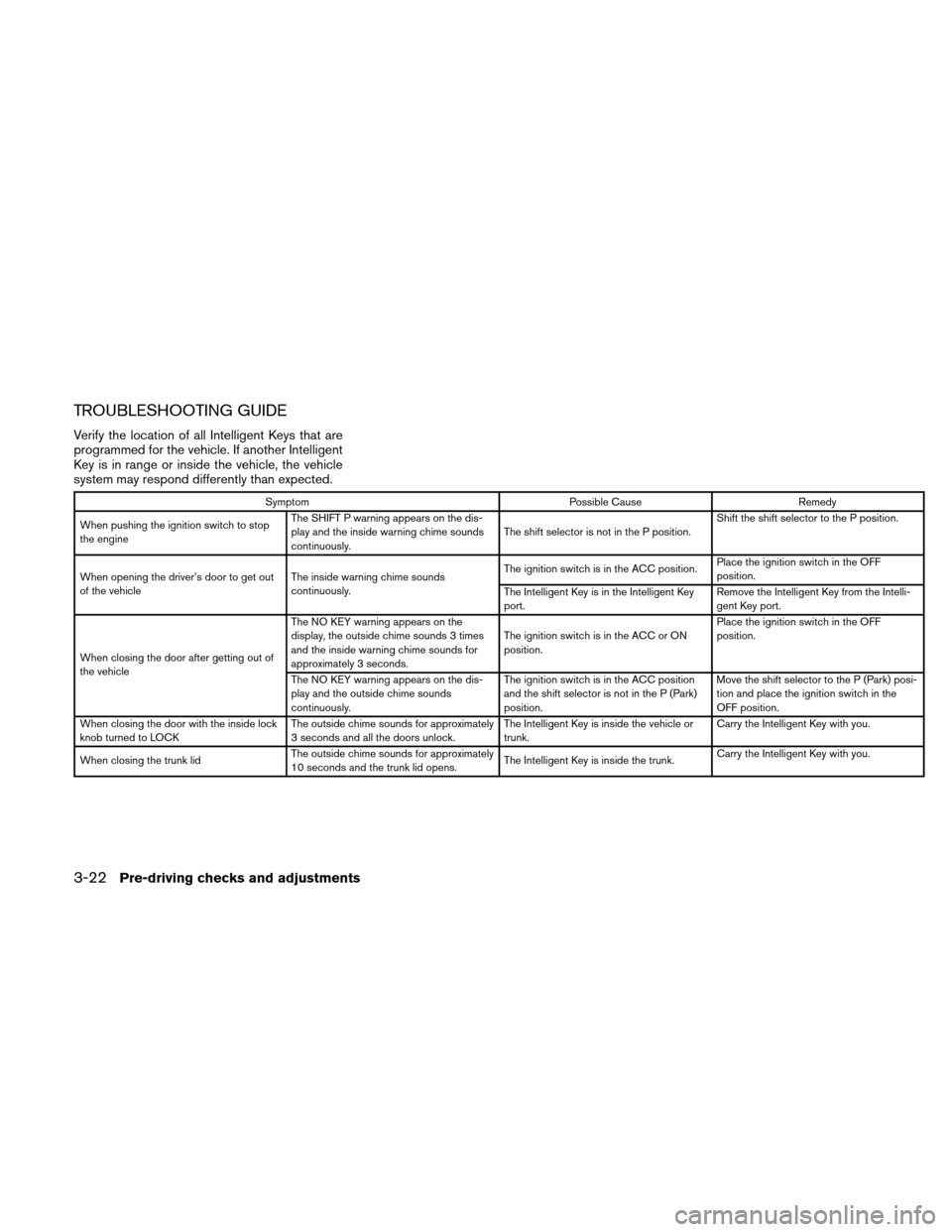
TROUBLESHOOTING GUIDE
Verify the location of all Intelligent Keys that are
programmed for the vehicle. If another Intelligent
Key is in range or inside the vehicle, the vehicle
system may respond differently than expected.
SymptomPossible CauseRemedy
When pushing the ignition switch to stop
the engine The SHIFT P warning appears on the dis-
play and the inside warning chime sounds
continuously.
The shift selector is not in the P position.Shift the shift selector to the P position.
When opening the driver’s door to get out
of the vehicle The inside warning chime sounds
continuously. The ignition switch is in the ACC position.
Place the ignition switch in the OFF
position.
The Intelligent Key is in the Intelligent Key
port. Remove the Intelligent Key from the Intelli-
gent Key port.
When closing the door after getting out of
the vehicle The NO KEY warning appears on the
display, the outside chime sounds 3 times
and the inside warning chime sounds for
approximately 3 seconds.
The ignition switch is in the ACC or ON
position.Place the ignition switch in the OFF
position.
The NO KEY warning appears on the dis-
play and the outside chime sounds
continuously. The ignition switch is in the ACC position
and the shift selector is not in the P (Park)
position.Move the shift selector to the P (Park) posi-
tion and place the ignition switch in the
OFF position.
When closing the door with the inside lock
knob turned to LOCK The outside chime sounds for approximately
3 seconds and all the doors unlock. The Intelligent Key is inside the vehicle or
trunk.Carry the Intelligent Key with you.
When closing the trunk lid The outside chime sounds for approximately
10 seconds and the trunk lid opens. The Intelligent Key is inside the trunk.Carry the Intelligent Key with you.
3-22Pre-driving checks and adjustments
Page 155 of 440
●Closely supervise children when they
are around cars to prevent them from
playing and becoming locked in the
trunk where they could be seriously in-
jured. Keep the car locked, with the rear
seatback and trunk lid securely latched
when not in use, and prevent children’s
access to car keys.
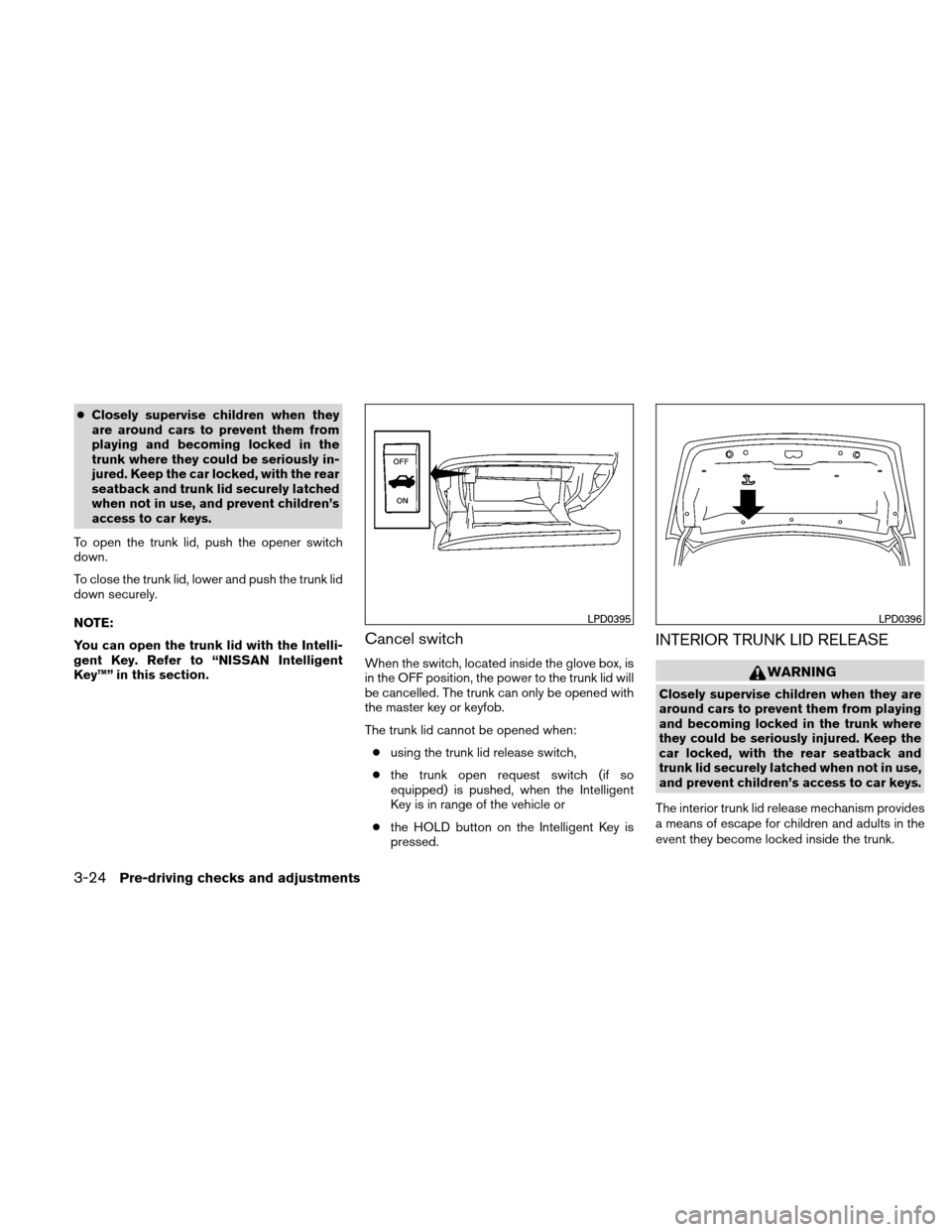
To open the trunk lid, push the opener switch
down.
To close the trunk lid, lower and push the trunk lid
down securely.
NOTE:
You can open the trunk lid with the Intelli-
gent Key. Refer to “NISSAN Intelligent
Key™” in this section.
Cancel switch
When the switch, located inside the glove box, is
in the OFF position, the power to the trunk lid will
be cancelled. The trunk can only be opened with
the master key or keyfob.
The trunk lid cannot be opened when: ● using the trunk lid release switch,
● the trunk open request switch (if so
equipped) is pushed, when the Intelligent
Key is in range of the vehicle or
● the HOLD button on the Intelligent Key is
pressed.
INTERIOR TRUNK LID RELEASE
WARNING
Closely supervise children when they are
around cars to prevent them from playing
and becoming locked in the trunk where
they could be seriously injured. Keep the
car locked, with the rear seatback and
trunk lid securely latched when not in use,
and prevent children’s access to car keys.
The interior trunk lid release mechanism provides
a means of escape for children and adults in the
event they become locked inside the trunk.
LPD0395LPD0396
3-24Pre-driving checks and adjustments
Page 166 of 440
*For Navigation system control buttons, refer to
the separate Navigation System Owner’s
Manual.
When you use this system, make sure the engine
is running.
If you use the system with the engine not
running (ignition ON or ACC) for a long
time, it will discharge the battery, and the
engine will not start.
Reference symbols:
“Example” — Words marked in quotes refer to a
key shown only on the display. These keys can be
selected by touching the screen.
HOW TO USE THE TOUCH
SCREEN
CAUTION
●The glass screen on the liquid crystal
display may break if it is hit with a hard
or sharp object. If the glass breaks, do
not touch the liquid crystalline material,
which contains a small amount of mer-
cury. In case of contact with skin, wash
immediately with soap and water. ●
To clean the display, never use a rough
cloth, alcohol, benzine, thinner or any
kind of solvent or paper towel with a
chemical cleaning agent. They will
scratch or deteriorate the panel.
● Do not splash any liquid such as water
or car fragrance on the display. Contact
with liquid will cause the system to
malfunction.
To help ensure safe driving, some functions can-
not be operated while driving.
The on-screen functions that are not available
while driving will be “grayed out” or muted.
Park the vehicle in a safe location and then oper-
ate the navigation system.
WARNING
● ALWAYS give your full attention to
driving.
● Avoid using vehicle features that could
distract you. If distracted, you could
lose control of your vehicle and cause
an accident.
Touch screen operation
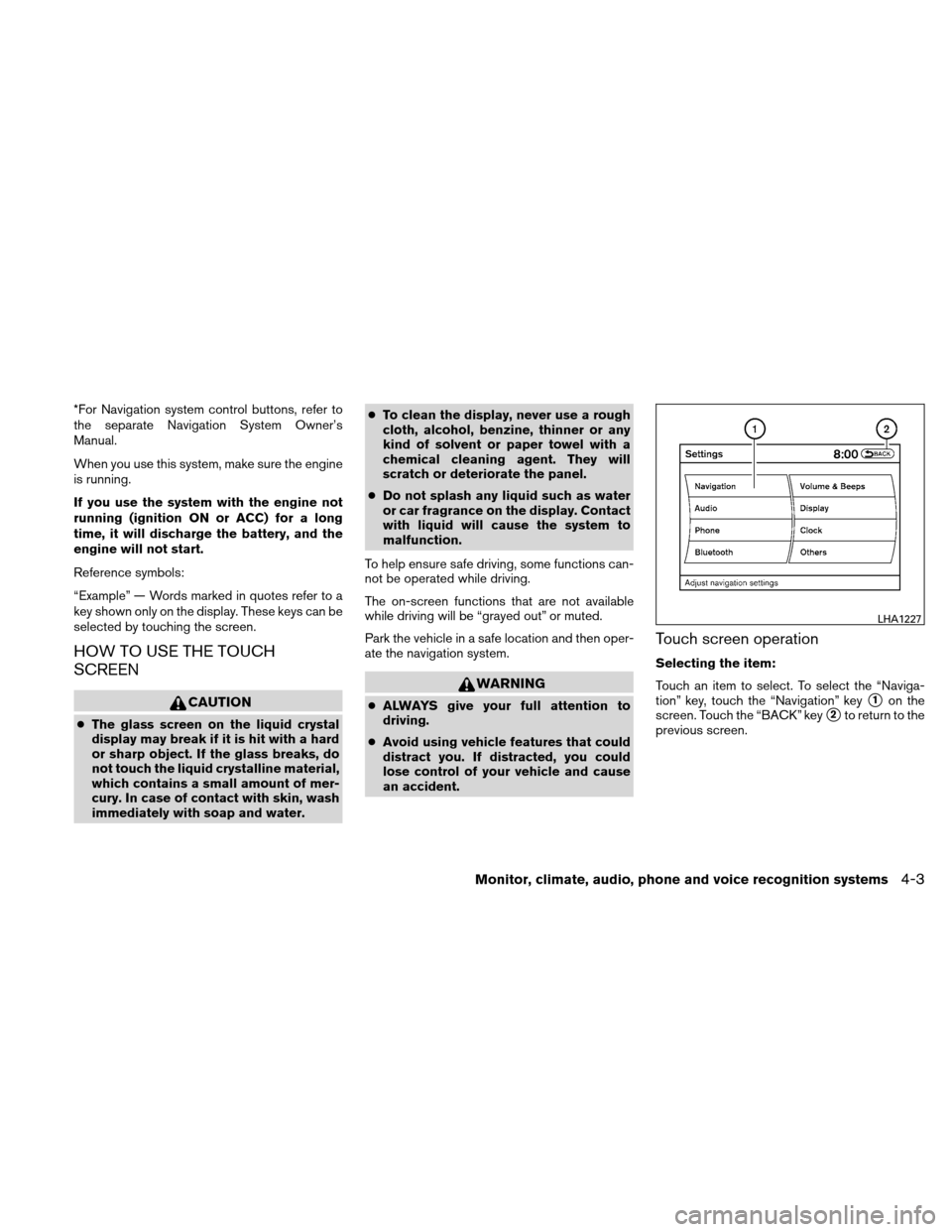
Selecting the item:
Touch an item to select. To select the “Naviga-
tion” key, touch the “Navigation” key
�1on the
screen. Touch the “BACK” key
�2to return to the
previous screen.
LHA1227
Monitor, climate, audio, phone and voice recognition systems4-3
Page 167 of 440
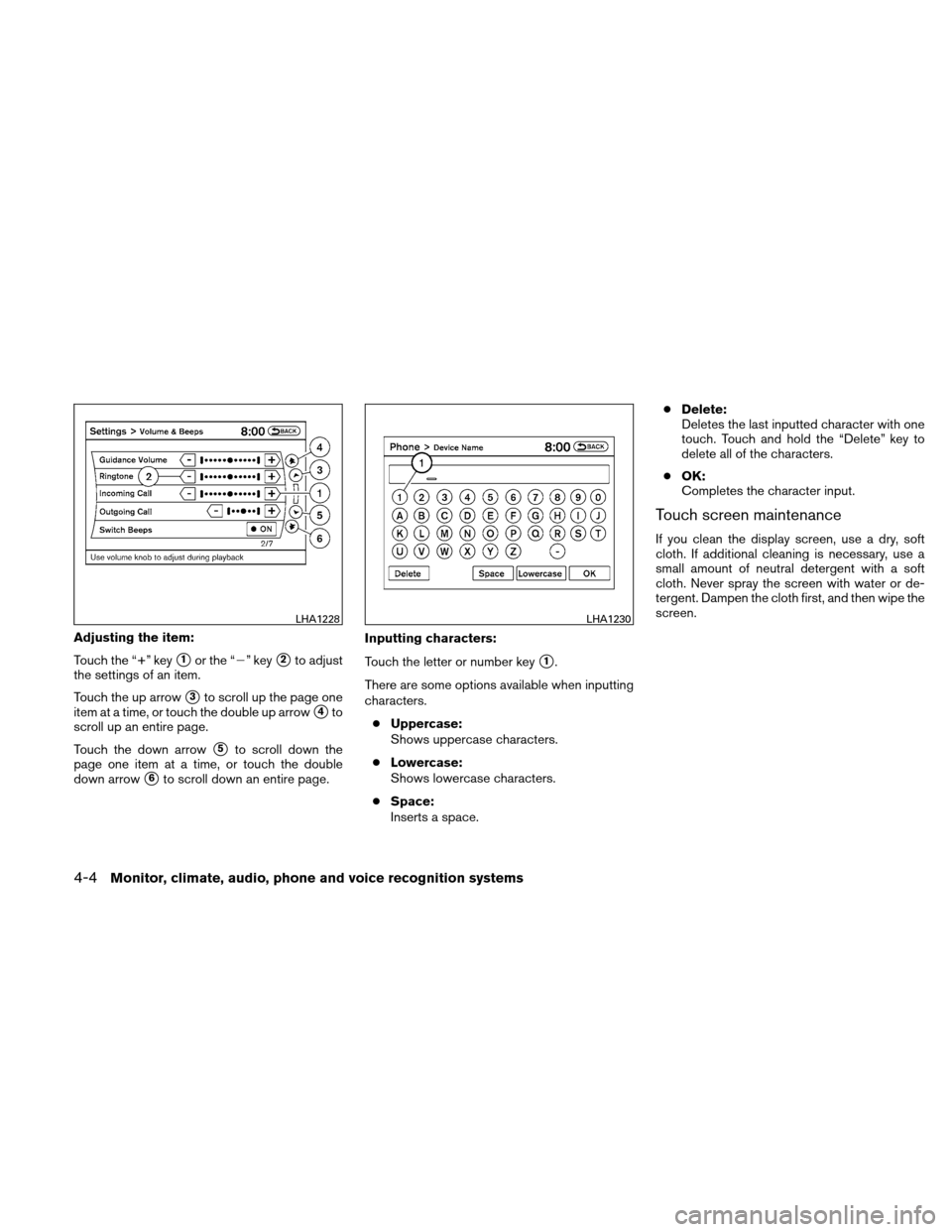
Adjusting the item:
Touch the “+” key
�1or the “�” key�2to adjust
the settings of an item.
Touch the up arrow
�3to scroll up the page one
item at a time, or touch the double up arrow
�4to
scroll up an entire page.
Touch the down arrow
�5to scroll down the
page one item at a time, or touch the double
down arrow
�6to scroll down an entire page. Inputting characters:
Touch the letter or number key
�1.
There are some options available when inputting
characters. ● Uppercase:
Shows uppercase characters.
● Lowercase:
Shows lowercase characters.
● Space:
Inserts a space. ●
Delete:
Deletes the last inputted character with one
touch. Touch and hold the “Delete” key to
delete all of the characters.
● OK:
Completes the character input.
Touch screen maintenance
If you clean the display screen, use a dry, soft
cloth. If additional cleaning is necessary, use a
small amount of neutral detergent with a soft
cloth. Never spray the screen with water or de-
tergent. Dampen the cloth first, and then wipe the
screen.
LHA1228LHA1230
4-4Monitor, climate, audio, phone and voice recognition systems
Page 168 of 440
HOW TO SELECT MENUS ON THE
SCREEN
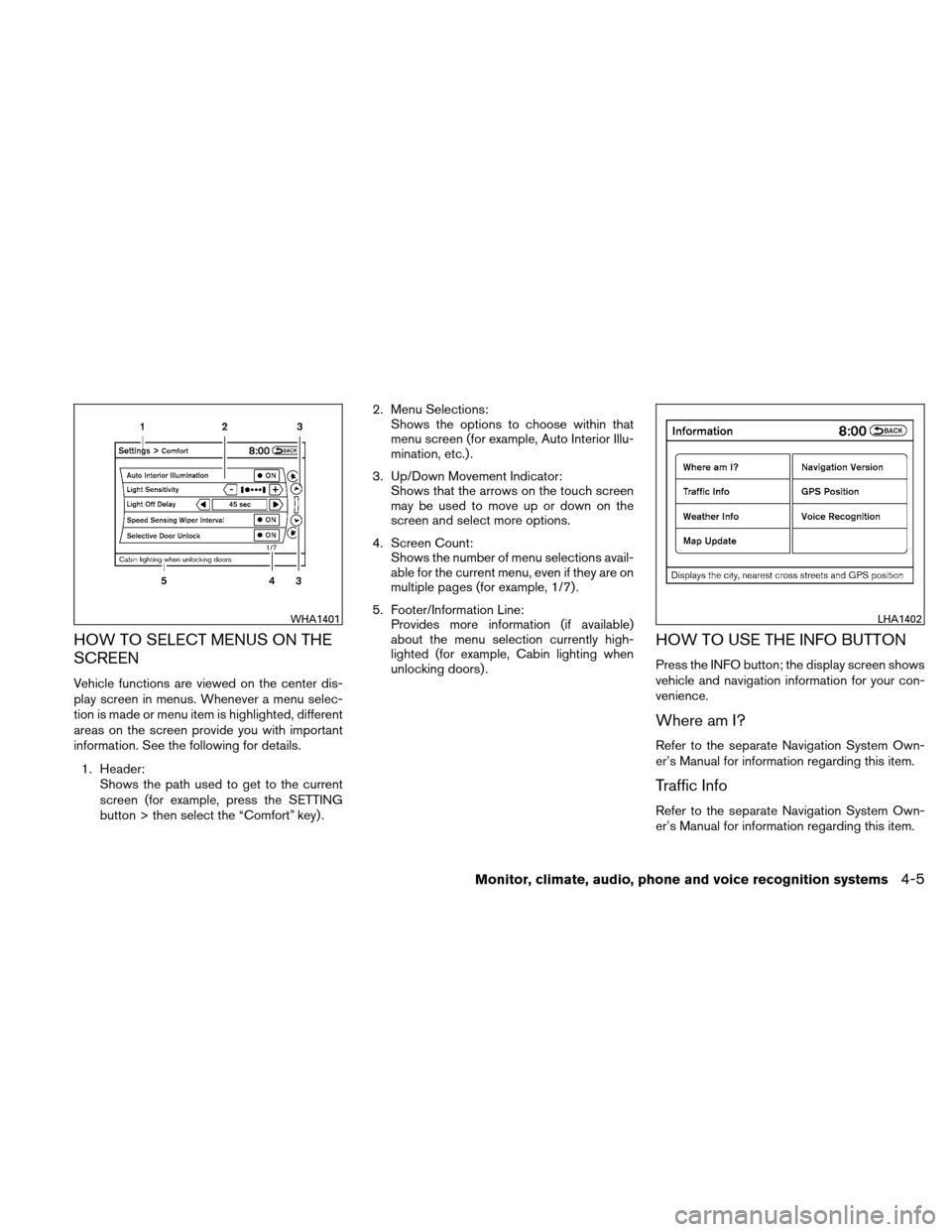
Vehicle functions are viewed on the center dis-
play screen in menus. Whenever a menu selec-
tion is made or menu item is highlighted, different
areas on the screen provide you with important
information. See the following for details.1. Header: Shows the path used to get to the current
screen (for example, press the SETTING
button > then select the “Comfort” key) . 2. Menu Selections:
Shows the options to choose within that
menu screen (for example, Auto Interior Illu-
mination, etc.) .
3. Up/Down Movement Indicator: Shows that the arrows on the touch screen
may be used to move up or down on the
screen and select more options.
4. Screen Count: Shows the number of menu selections avail-
able for the current menu, even if they are on
multiple pages (for example, 1/7) .
5. Footer/Information Line: Provides more information (if available)
about the menu selection currently high-
lighted (for example, Cabin lighting when
unlocking doors) .
HOW TO USE THE INFO BUTTON
Press the INFO button; the display screen shows
vehicle and navigation information for your con-
venience.
Where am I?
Refer to the separate Navigation System Own-
er’s Manual for information regarding this item.
Traffic Info
Refer to the separate Navigation System Own-
er’s Manual for information regarding this item.
WHA1401LHA1402
Monitor, climate, audio, phone and voice recognition systems4-5