Page 161 of 658
3-66 Features and controls
3
Testing the theft-alarm systemUse the following procedure to test the system:
1. Lower the driver’s window.
2. Arm the system as explained in “Armed stage”.
3. Make sure that the theft-alarm indicator comes on and
flashes within approximately 20 seconds.
4. Wait a few seconds and then unlock the driver’s side door
by using the inside door lock knob and opening the door.
5. Check to be sure that the horn sounds intermittently and
the headlights blink on and off when the doors or the rear
hatch is opened.
6. Disarm the system by unlocking all doors and the rear
hatch by the remote control transmitter, the F.A.S.T.-key.
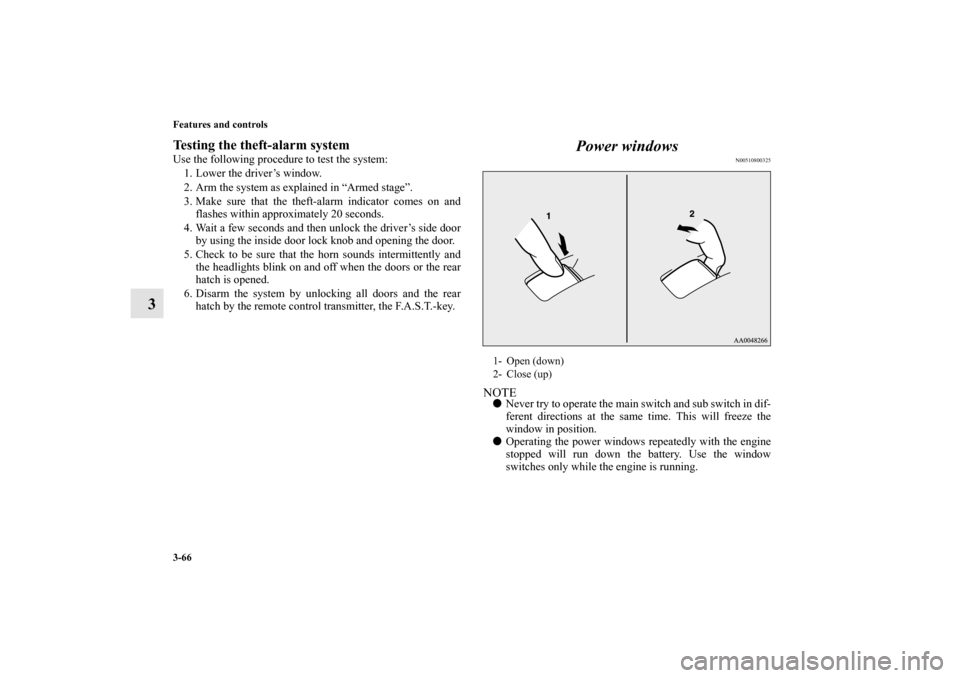
Power windows
N00510800325
NOTE�
Never try to operate the main switch and sub switch in dif-
ferent directions at the same time. This will freeze the
window in position.
�
Operating the power windows repeatedly with the engine
stopped will run down the battery. Use the window
switches only while the engine is running.
1- Open (down)
2- Close (up)
BK0103001US.book 66 ページ 2009年8月20日 木曜日 午前10時45分
Page 173 of 658
3-78 Features and controls
3
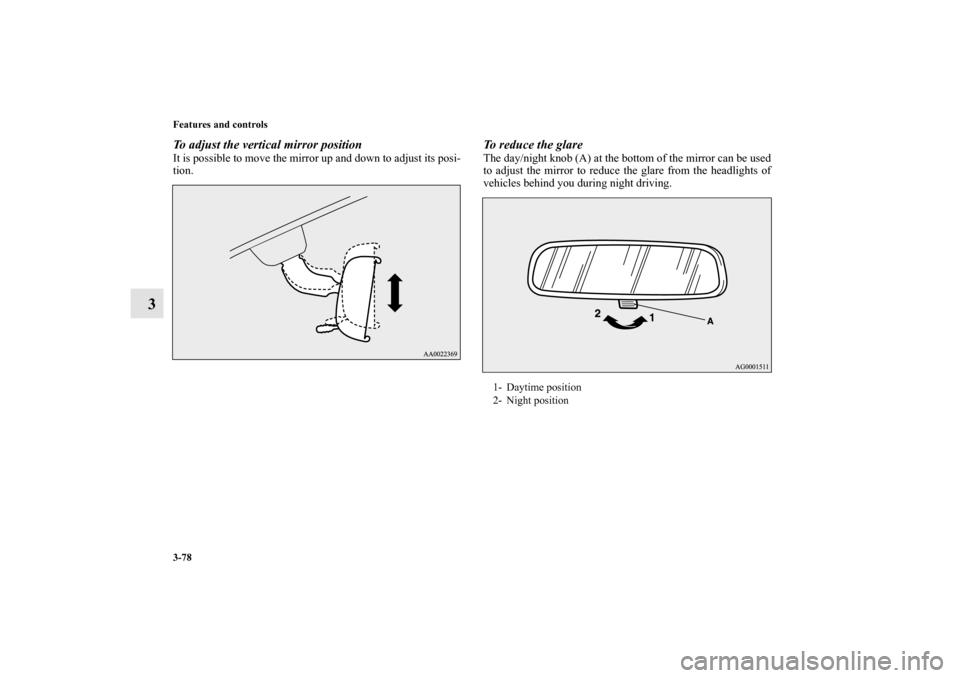
To adjust the vertical mirror positionIt is possible to move the mirror up and down to adjust its posi-
tion.
To reduce the glareThe day/night knob (A) at the bottom of the mirror can be used
to adjust the mirror to reduce the glare from the headlights of
vehicles behind you during night driving.1- Daytime position
2- Night position
BK0103001US.book 78 ページ 2009年8月20日 木曜日 午前10時45分
Page 299 of 658
3-204 Features and controls
3
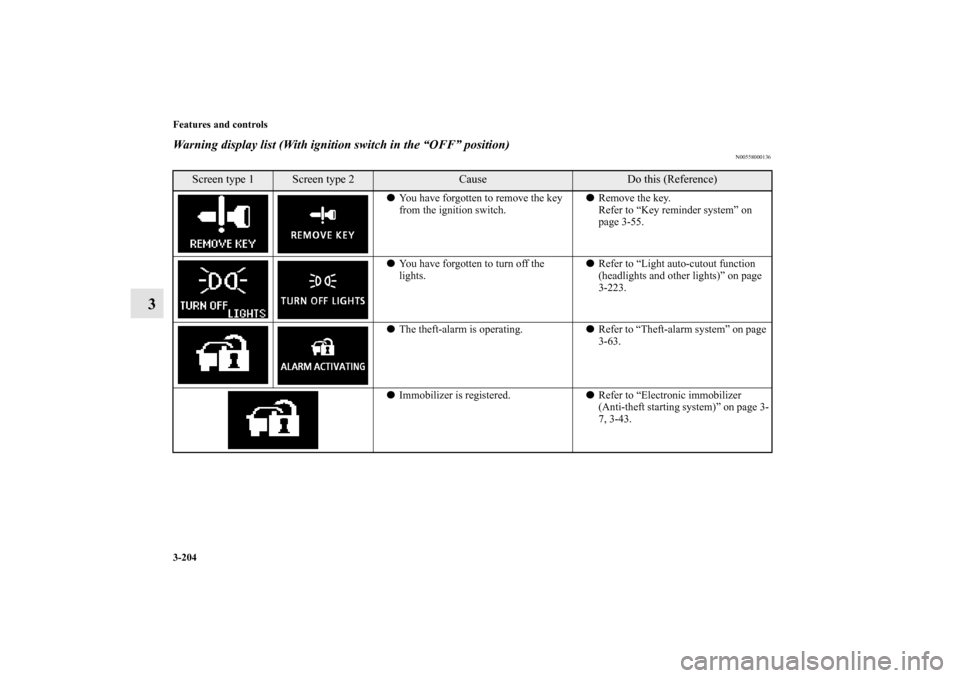
Warning display list (With ignition switch in the “OFF” position)
N00558000136
Screen type 1
Screen type 2
Cause
Do this (Reference)
�You have forgotten to remove the key
from the ignition switch.�Remove the key.
Refer to “Key reminder system” on
page 3-55.
�You have forgotten to turn off the
lights.�Refer to “Light auto-cutout function
(headlights and other lights)” on page
3-223.
�The theft-alarm is operating.�Refer to “Theft-alarm system” on page
3-63.
�Immobilizer is registered.�Refer to “Electronic immobilizer
(Anti-theft starting system)” on page 3-
7, 3-43.
BK0103001US.book 204 ページ 2009年8月20日 木曜日 午前10時45分
Page 309 of 658

3-214 Features and controls
3Indicators
N00519900156
Turn signal indicators/Hazard warning lights
N00520000229
The arrows will flash in time with the corresponding exterior
turn signals when the turn signal lever is used.
Both arrows will flash when the hazard warning flasher switch
is pressed.NOTE�
If the indicator flashes faster than usual or if the indicator
stays on without flashing, check for a malfunctioning turn
signal light bulb or turn signal connection.
High beam indicator
N00520100086
A blue light comes on when the headlights are on high beam.Front fog light indicator
N00520200218
This indicator comes on while the front fog lights are on.Position indicator
N00551300026
This indicator light illuminates while the position lights are on.
Warning lights
N00520300147
Brake warning light
N00520400366
When the ignition switch is turned to the “ON” position, this
indicator normally comes on and goes out a few seconds later.
A warning is also displayed in the multi-information display.
The warning light also illuminates after starting the engine
under the following conditions:�
When the parking brake is still applied.
�
When the brake fluid level is low.
�
When the brake system circuit is not working properly.
Before driving, be sure that the parking brake is fully released
and brake warning light is off.
CAUTION
!�
If the brake warning light and the anti-lock braking
system warning light are illuminated at the same
time, the braking force distribution function will not
operate, so the vehicle may be destabilized during
sudden braking under the following conditions. When the brake warning light does not go out even
when the parking brake is released.
When the brake warning light stays on while driv-
ing.
If the above occurs, avoid sudden braking and
high-speed driving. Park the vehicle in a safe
place, and contact an authorized Mitsubishi
Motors dealer or a repair facility of your choice as
soon as possible.
BK0103001US.book 214 ページ 2009年8月20日 木曜日 午前10時45分
Page 315 of 658
3-220 Features and controls
3Combination headlights and dimmer switch
N00522500589
Headlights NOTE�
Do not leave the headlights and other lights on for a long
period of time when the engine is not running. The battery
will run down.
�
When it rains, or when the vehicle has been washed, the
inside of the lens sometimes becomes foggy. This is the
same as when window glass mists up on a humid day, and
does not indicate a problem. When the light is switched
on, the heat will dry out the fog. However, if water col-
lects inside the light, have it checked by an authorized
Mitsubishi Motors dealer or a repair facility of your
choice.
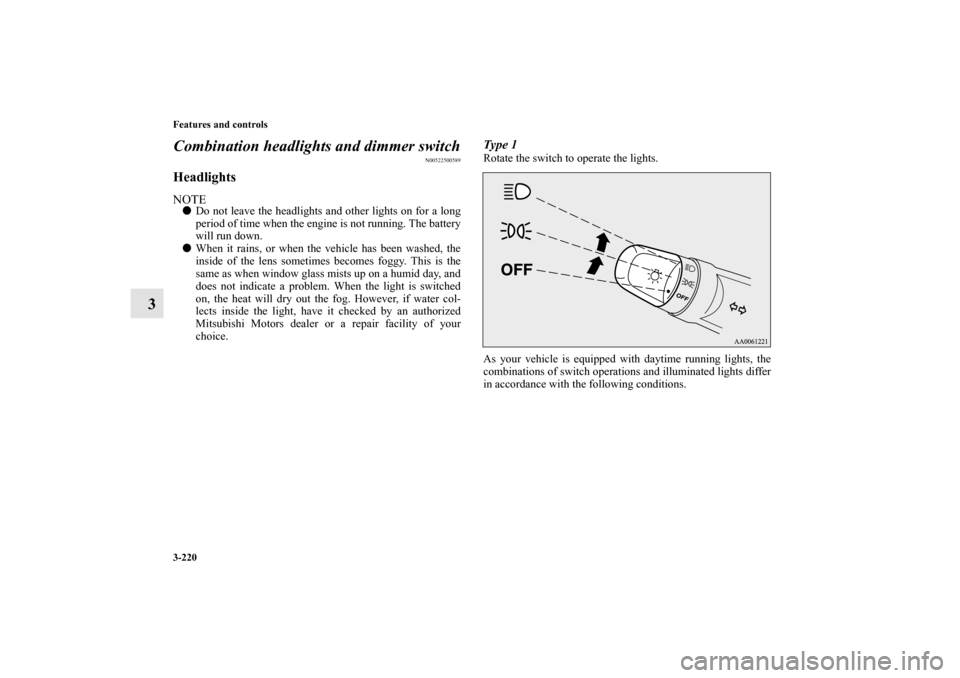
Type 1Rotate the switch to operate the lights.
As your vehicle is equipped with daytime running lights, the
combinations of switch operations and illuminated lights differ
in accordance with the following conditions.
BK0103001US.book 220 ページ 2009年8月20日 木曜日 午前10時45分
Page 316 of 658
![MITSUBISHI LANCER SPORTBACK 2010 8.G Owners Manual Features and controls
3-221
3
[When the engine is started and the parking brake is released]
The daytime running lights will be illuminated.NOTE�
Once the daytime running light come on, they do not go](/manual-img/19/7499/w960_7499-315.png "MITSUBISHI LANCER SPORTBACK 2010 8.G Owners Manual Features and controls
3-221
3
[When the engine is started and the parking brake is released]
The daytime running lights will be illuminated.NOTE�
Once the daytime running light come on, they do not go")
Features and controls
3-221
3
[When the engine is started and the parking brake is released]
The daytime running lights will be illuminated.NOTE�
Once the daytime running light come on, they do not go
out until the ignition switch is turned to the “LOCK” or
“ACC” position.
[The engine is not running, or the engine is running but the
parking brake has not been released]
The engine starts when the lights are off.
Type 2Rotate the switch to operate the lights.
As your vehicle is equipped with daytime running lights, the
combinations of switch operations and illuminated lights differ
in accordance with the following conditions.
OFF The daytime running lights illuminated
The daytime running lights illuminated
Parking, tail, front and rear side-marker lights, license
plate and instrument panel lights on
Headlights and other lights on
OFF All lights off
Parking, tail, front and rear side-marker lights, license
plate and instrument panel lights on
Headlights and other lights on
BK0103001US.book 221 ページ 2009年8月20日 木曜日 午前10時45分
Page 317 of 658
![MITSUBISHI LANCER SPORTBACK 2010 8.G Owners Manual 3-222 Features and controls
3
[When the engine is started, and the parking brake is released]
The daytime running lights will be illuminated.NOTE�
Once the daytime running light come on, they do not g](/manual-img/19/7499/w960_7499-316.png "MITSUBISHI LANCER SPORTBACK 2010 8.G Owners Manual 3-222 Features and controls
3
[When the engine is started, and the parking brake is released]
The daytime running lights will be illuminated.NOTE�
Once the daytime running light come on, they do not g")
3-222 Features and controls
3
[When the engine is started, and the parking brake is released]
The daytime running lights will be illuminated.NOTE�
Once the daytime running light come on, they do not go
out until the ignition switch is turned to the “LOCK” or
“ACC” position.
[When the engine is not running, or when the engine is running
but the parking brake is not released]
The engine starts when the lights are off.
NOTE�
The sensitivity of the automatic on/off control can be
adjusted.
For further information, please contact your authorized
Mitsubishi Motors dealer or a repair facility of your
choice.
�
Do not cover the sensor (A) for the automatic on/off con-
trol by affixing a sticker or label to the windshield.
�
If the lights do not turn on or off with the switch in the
“AUTO” position, manually operate the switch and we
recommend you to have your vehicle checked.
OFF The daytime running lights illuminated
AUTOThe daytime running lights illuminated
Headlights and other lights turn on and off automati-
cally in accordance with outside light level.
The daytime running lights illuminated
Parking, tail, front and rear side-marker lights, license
plate and instrument panel lights on
Headlights and other lights on
OFF All lights off
AUTOHeadlights and other lights turn on and off automati-
cally in accordance with outside light level.
Parking, tail, front and rear side-marker lights, license
plate and instrument panel lights on
Headlights and other lights on
BK0103001US.book 222 ページ 2009年8月20日 木曜日 午前10時45分
Page 318 of 658
Features and controls
3-223
3
Light auto-cutout function (headlights and other
lights)
N00532600482
�
If the ignition key is turned to “LOCK” or “ACC” posi-
tion or removed from the ignition switch and the driver’s
door is opened with the light switch in the “ ” or “ ”
position, the lights automatically turn off.
[When using a key to start the engine]
If the driver’s door is opened after the key is removed
from the ignition switch, a high-pitched constant tone
will sound to remind you to turn off the lights.
If the driver’s door is opened with the key in the ignition
switch, a low-pitched tone will sound to remind you to
remove the key.
[When using the F.A.S.T.-key to start the engine]
If the ignition switch is turned to the “LOCK” position
and the driver’s door is opened, a high-pitched constant
buzzer will sound to remind you to turn off the lights.
If the ignition switch is turned to any position other than
“LOCK” and the driver’s door is opened, a low-pitched
constant buzzer will sound to remind you to return the
ignition switch.
�
If the ignition switch is turned to “LOCK” or “ACC” posi-
tion with the driver’s door closed and the light switch in
the “ ” or “ ” position, the lights will stay on for
about 3 minutes and then turn off automatically.
NOTE�
The light auto-cutout function can be deactivated.
See your authorized Mitsubishi Motors dealer for details.
For vehicles equipped with the Mitsubishi Multi-Commu-
nication System, adjustments can be made using screen
operations. For further details, refer to the separate
owner’s manual.
When you want to keep the lights on: If the light switch is turned to the “ ” or “ ” position again
after the engine is turned off, the about 3 minutes auto-cutout
function described above will not work. The lights (the parking
lights, tail lights and license plate lights) will stay on and will
not turn off automatically. NOTE�
When the engine is started using the key, if the driver’s
door is opened and the key is removed, the headlight
reminder buzzer intermittently emits a high-pitched
sound. If the key is still in the ignition the key reminder
buzzer intermittently emits a low-pitched sound.
The buzzer stops when the driver’s door is closed. (A
warning is also displayed in the multi-information dis-
play.)
�
When the engine is started using the F.A.S.T-key, if the
driver’s door is opened and the ignition switch is in the
“LOCK” position, the headlight reminder buzzer intermit-
tently emits a high-pitched sound. If the ignition switch is
in any position other than “LOCK”, the ignition switch on
reminder buzzer intermittently emits a low-pitched sound.
The buzzer stops when the driver’s door is closed. (A
warning is also displayed in the multi-information dis-
play.)
BK0103001US.book 223 ページ 2009年8月20日 木曜日 午前10時45分