Page 113 of 514
3-24 Features and controls
3
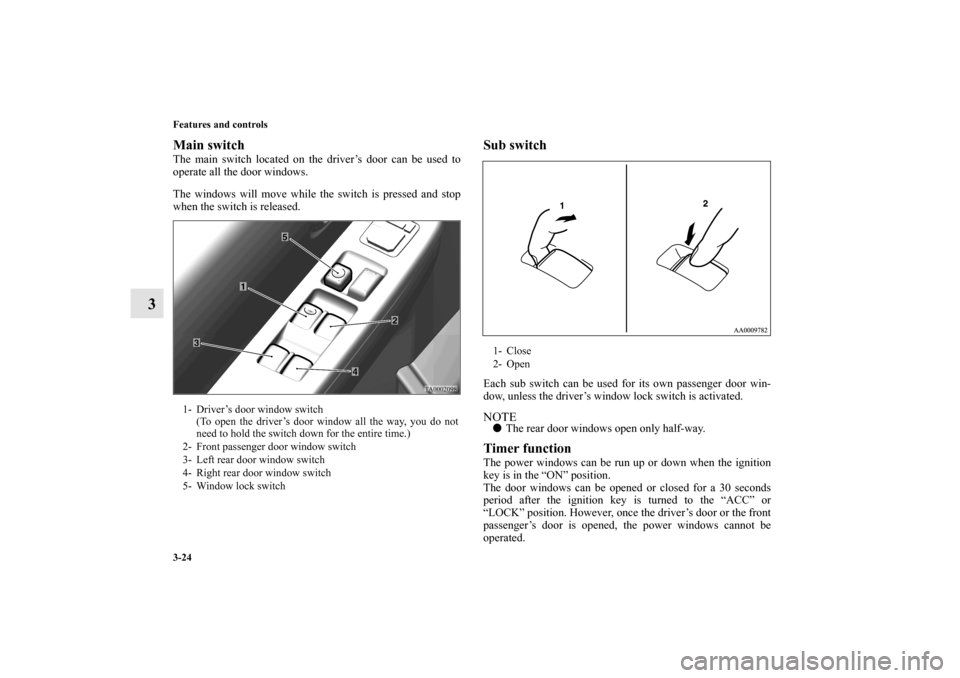
Main switchThe main switch located on the driver’s door can be used to
operate all the door windows.
The windows will move while the switch is pressed and stop
when the switch is released.
Sub switchEach sub switch can be used for its own passenger door win-
dow, unless the driver’s window lock switch is activated. NOTE�The rear door windows open only half-way.Timer functionThe power windows can be run up or down when the ignition
key is in the “ON” position.
The door windows can be opened or closed for a 30 seconds
period after the ignition key is turned to the “ACC” or
“LOCK” position. However, once the driver’s door or the front
passenger’s door is opened, the power windows cannot be
operated.
1- Driver’s door window switch
(To open the driver’s door window all the way, you do not
need to hold the switch down for the entire time.)
2- Front passenger door window switch
3- Left rear door window switch
4- Right rear door window switch
5- Window lock switch
1- Close
2- Open
BK0102600US.book 24 ページ 2009年3月30日 月曜日 午後2時2分
Page 114 of 514
Features and controls
3-25
3
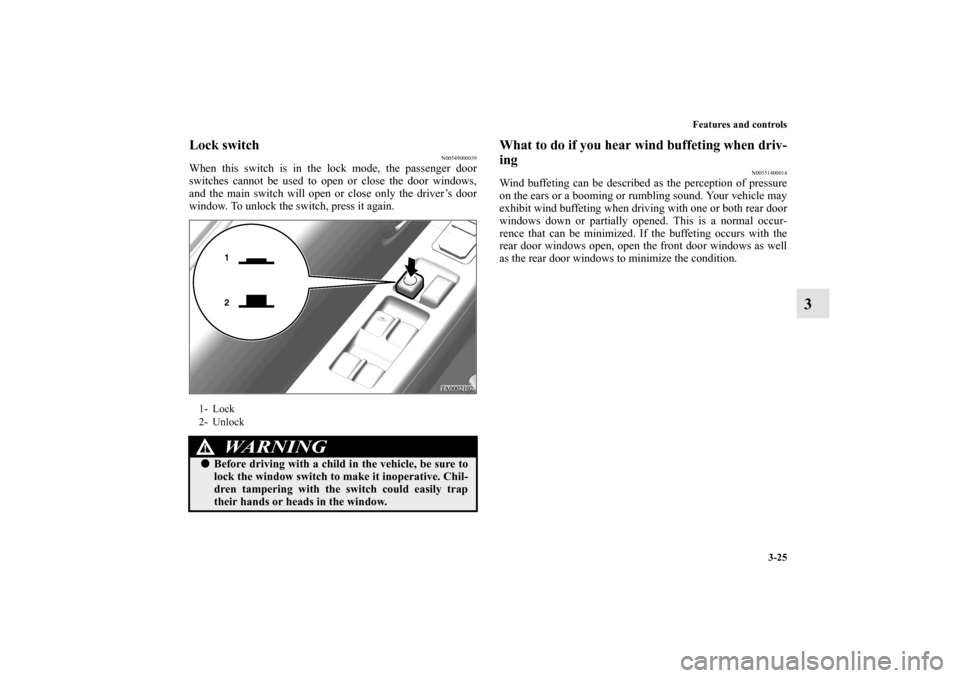
Lock switch
N00549000039
When this switch is in the lock mode, the passenger door
switches cannot be used to open or close the door windows,
and the main switch will open or close only the driver’s door
window. To unlock the switch, press it again.
What to do if you hear wind buffeting when driv-
ing
N00551400014
Wind buffeting can be described as the perception of pressure
on the ears or a booming or rumbling sound. Your vehicle may
exhibit wind buffeting when driving with one or both rear door
windows down or partially opened. This is a normal occur-
rence that can be minimized. If the buffeting occurs with the
rear door windows open, open the front door windows as well
as the rear door windows to minimize the condition.
1- Lock
2- Unlock
WA R N I N G
!�Before driving with a child in the vehicle, be sure to
lock the window switch to make it inoperative. Chil-
dren tampering with the switch could easily trap
their hands or heads in the window.
BK0102600US.book 25 ページ 2009年3月30日 月曜日 午後2時2分
Page 120 of 514
Features and controls
3-31
3
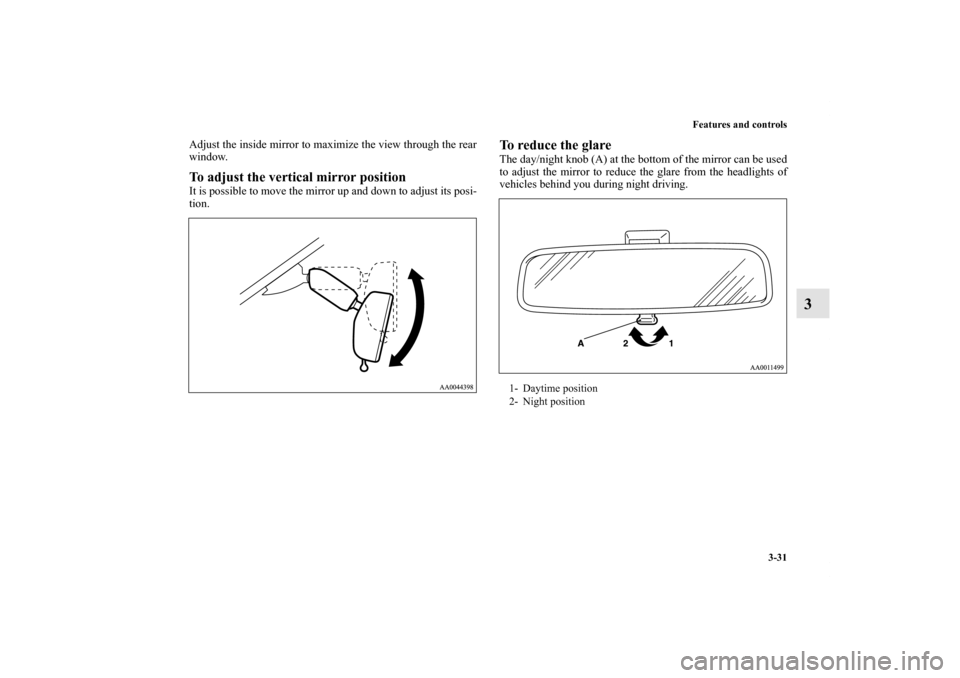
Adjust the inside mirror to maximize the view through the rear
window.To adjust the vertical mirror positionIt is possible to move the mirror up and down to adjust its posi-
tion.
To reduce the glareThe day/night knob (A) at the bottom of the mirror can be used
to adjust the mirror to reduce the glare from the headlights of
vehicles behind you during night driving.1- Daytime position
2- Night position
BK0102600US.book 31 ページ 2009年3月30日 月曜日 午後2時2分
Page 122 of 514
Features and controls
3-33
3
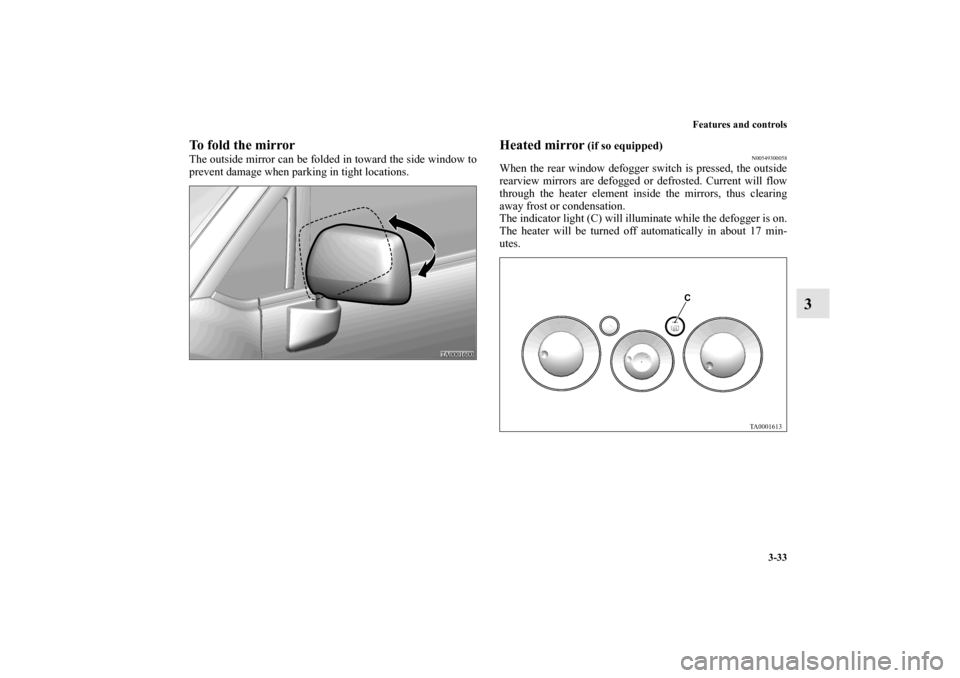
To fold the mirrorThe outside mirror can be folded in toward the side window to
prevent damage when parking in tight locations.
Heated mirror
(if so equipped)
N00549300058
When the rear window defogger switch is pressed, the outside
rearview mirrors are defogged or defrosted. Current will flow
through the heater element inside the mirrors, thus clearing
away frost or condensation.
The indicator light (C) will illuminate while the defogger is on.
The heater will be turned off automatically in about 17 min-
utes.
BK0102600US.book 33 ページ 2009年3月30日 月曜日 午後2時2分
Page 184 of 514
Features and controls
3-95
3
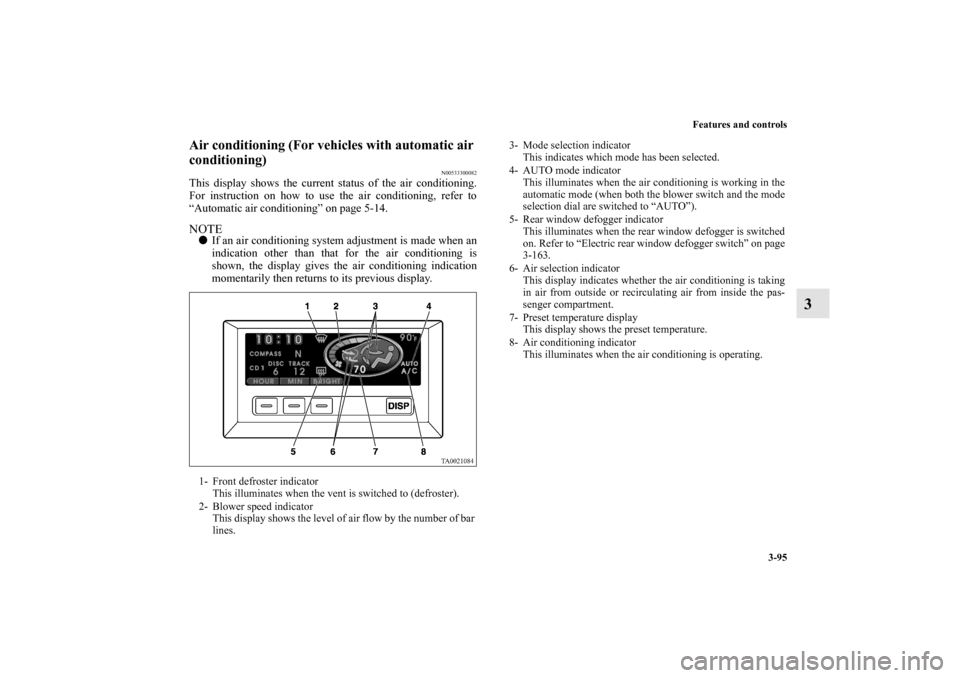
Air conditioning (For vehicles with automatic air
conditioning)
N00533300082
This display shows the current status of the air conditioning.
For instruction on how to use the air conditioning, refer to
“Automatic air conditioning” on page 5-14.NOTE�If an air conditioning system adjustment is made when an
indication other than that for the air conditioning is
shown, the display gives the air conditioning indication
momentarily then returns to its previous display.1- Front defroster indicator
This illuminates when the vent is switched to (defroster).
2- Blower speed indicator
This display shows the level of air flow by the number of bar
lines.
3- Mode selection indicator
This indicates which mode has been selected.
4- AUTO mode indicator
This illuminates when the air conditioning is working in the
automatic mode (when both the blower switch and the mode
selection dial are switched to “AUTO”).
5- Rear window defogger indicator
This illuminates when the rear window defogger is switched
on. Refer to “Electric rear window defogger switch” on page
3-163.
6- Air selection indicator
This display indicates whether the air conditioning is taking
in air from outside or recirculating air from inside the pas-
senger compartment.
7- Preset temperature display
This display shows the preset temperature.
8- Air conditioning indicator
This illuminates when the air conditioning is operating.
BK0102600US.book 95 ページ 2009年3月30日 月曜日 午後2時2分
Page 242 of 514
Features and controls
3-153
3
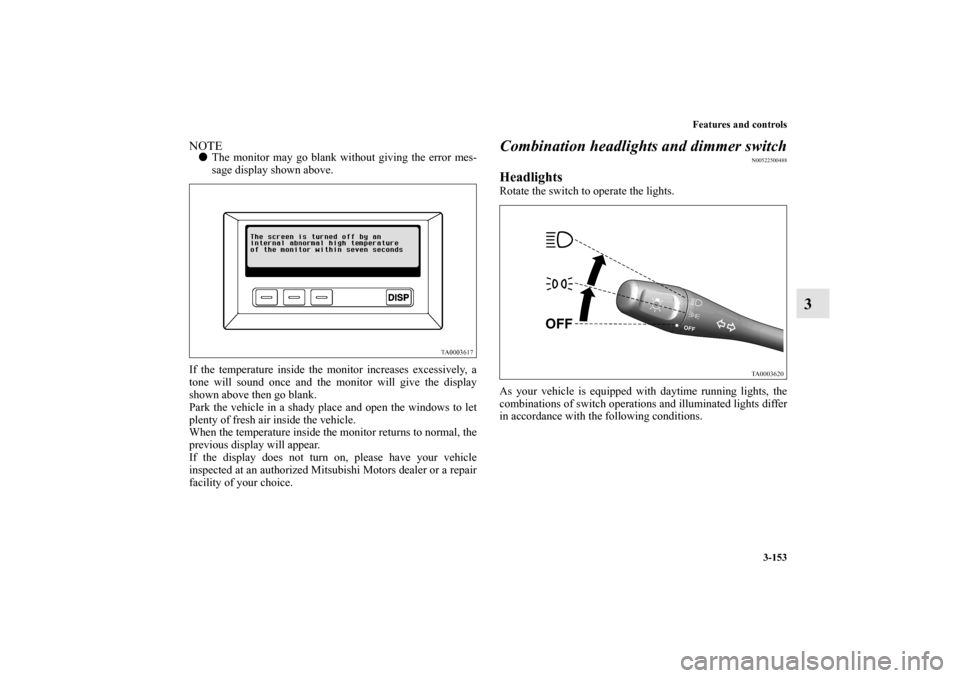
NOTE�The monitor may go blank without giving the error mes-
sage display shown above.
If the temperature inside the monitor increases excessively, a
tone will sound once and the monitor will give the display
shown above then go blank.
Park the vehicle in a shady place and open the windows to let
plenty of fresh air inside the vehicle.
When the temperature inside the monitor returns to normal, the
previous display will appear.
If the display does not turn on, please have your vehicle
inspected at an authorized Mitsubishi Motors dealer or a repair
facility of your choice.
Combination headlights and dimmer switch
N00522500488
Headlights Rotate the switch to operate the lights.
As your vehicle is equipped with daytime running lights, the
combinations of switch operations and illuminated lights differ
in accordance with the following conditions.
BK0102600US.book 153 ページ 2009年3月30日 月曜日 午後2時2分
Page 243 of 514
![MITSUBISHI ENDEAVOR 2010 1.G Owners Manual 3-154 Features and controls
3
[When the engine is started and the parking brake is released]
The daytime running lights come on.NOTE�Once the daytime running lights have been turned on, the
illuminate](/manual-img/19/7427/w960_7427-242.png "MITSUBISHI ENDEAVOR 2010 1.G Owners Manual 3-154 Features and controls
3
[When the engine is started and the parking brake is released]
The daytime running lights come on.NOTE�Once the daytime running lights have been turned on, the
illuminate")
3-154 Features and controls
3
[When the engine is started and the parking brake is released]
The daytime running lights come on.NOTE�Once the daytime running lights have been turned on, the
illuminated lights do not go off until the ignition switch is
turned to the “LOCK” or “ACC” position.
[When the engine is not running, or the engine is running but
the parking brake has not been released]
The engine can be started with the headlights off when the
vehicle is stationary.NOTE�Do not leave the headlights and other lights on for a long
period of time when the engine is not running. The battery
will run down. �When it rains, or when the vehicle has been washed, the
inside of the lens sometimes becomes foggy. This is the
same as when window glass mists up on a humid day, and
does not indicate a problem. When the light is switched
on, the heat will dry out the fog. However, if water col-
lects inside the light, have it checked by an authorized
Mitsubishi Motors dealer or a repair facility of your
choice.
Light auto-shutoff function (headlights and other
lights)
N00532600307
�If the ignition key is turned to “LOCK” or “ACC” posi-
tion or removed from the ignition switch and the driver’s
door is opened with the light switch in the “ ” or “ ”
position, the lights automatically turn off.
• If the driver’s door is opened after the key is removed
from the ignition switch, a high-pitched constant tone
will sound to remind you to turn off the lights.
• If the driver’s door is opened with the key in the ignition
switch, a low-pitched tone will sound to remind you to
remove the key.
�If the ignition key is turned to “LOCK” or “ACC” posi-
tion or removed from the ignition switch with the driver’s
door closed and the light switch in the “ ” or “ ”
position, the lights will stay on for about 3 minutes and
then turn off automatically. NOTE�In vehicles with multi center display, multi center display
can be used to deactivate the light auto-shutoff function.
For details, refer to “Setting and customization” on page
3-108.
OFF Headlights illuminate dimly
Headlights illuminate dimly and
Parking, tail, front and rear side-marker lights, license
plate and instrument panel lights on
Headlights and other lights on
OFF All lights off
Parking, tail, front and rear side-marker lights, license
plate and instrument panel lights on
Headlights and other lights onBK0102600US.book 154 ページ 2009年3月30日 月曜日 午後2時2分
Page 250 of 514
Features and controls
3-161
3
Windshield washer
N00504600100
To turn on the windshield washer, pull the lever toward you
with the ignition key in either the “ON” or “ACC” position.
The wipers will wipe automatically several times when the
washer fluid is sprayed.
To turn off the spray, release the lever.
Rear window wiper and washer
N00523200323
The rear window wiper and washer can be operated when the
ignition key is in the “ON” or “ACC” position.
Turn the knob to operate the rear window wiper.OFF- Off
INT- The wiper operates continuously for several seconds then
operates intermittently at intervals of about 8 seconds.
-Washer fluid will be sprayed onto the rear window glass
while the knob is turned fully in either direction.
When the washer fluid is sprayed, the wiper will automati-
cally operate 2 or 3 times.
BK0102600US.book 161 ページ 2009年3月30日 月曜日 午後2時2分