Page 370 of 514
Comfort controls
5-51
5
To listen to the radio
N00735000841
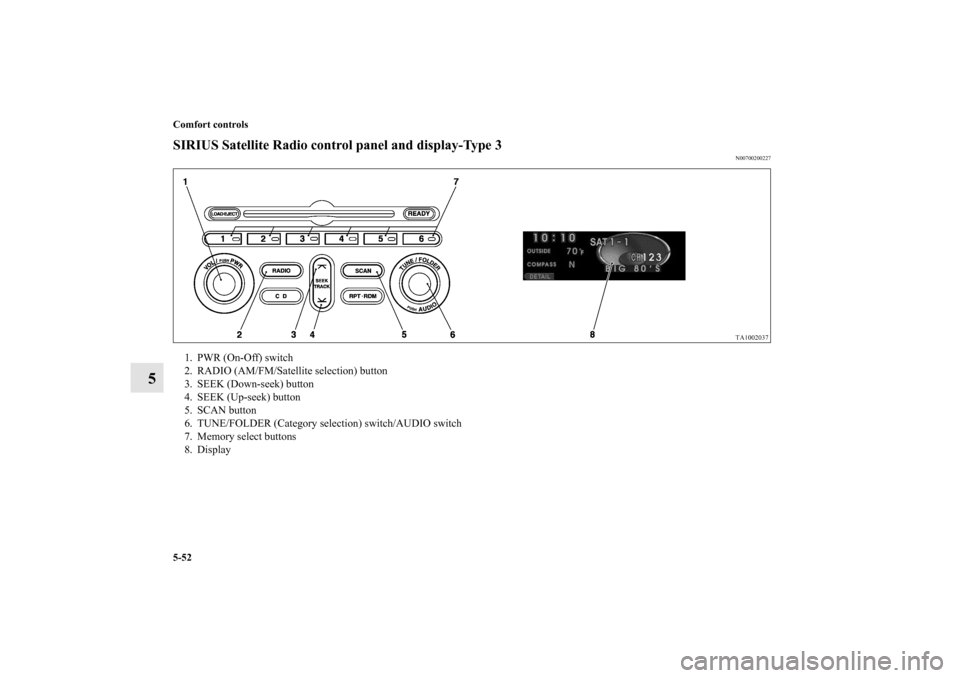
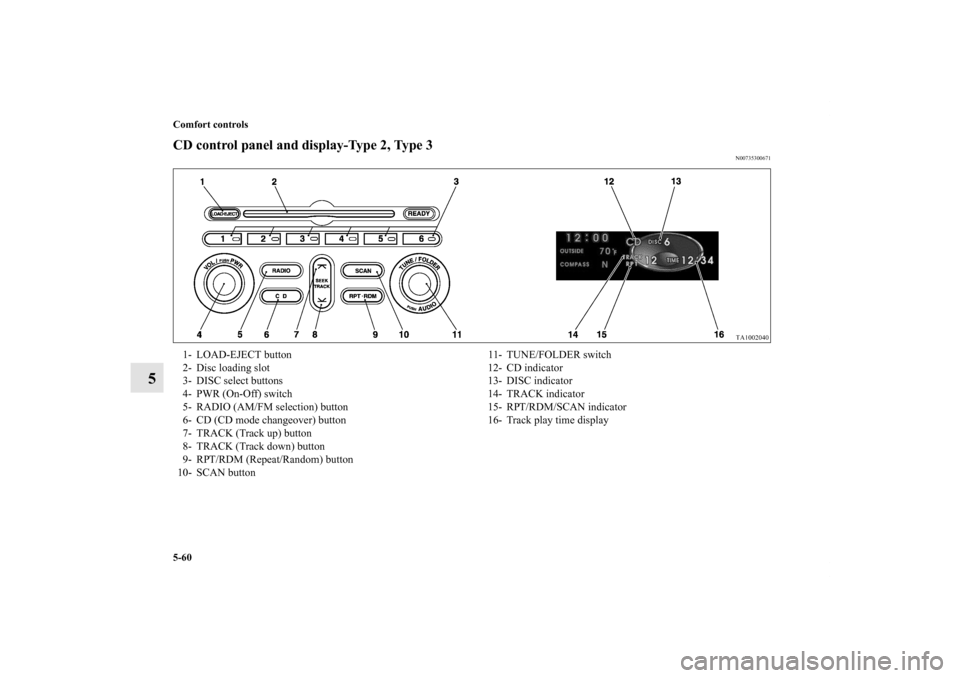
1. Press the PWR switch (1) or RADIO button (3) to turn on
the radio.
Press the PWR switch again to switch it off.
2. Press the RADIO button (3) to select the desired band
(AM/FM1/FM2/SAT1/SAT2/SAT3/SAT4).
3. Press the SEEK button (4 or 5) to tune to a station, or
press one of the memory select buttons (2) to tune in to a
station memorized for that button.To tune the radioAutomatic tuning
1. After pressing the SEEK button (4 or 5), reception of the
selected station will begin.
2. Press the SCAN button (6). SCAN indicator (12) will
come on and the radio will tune consecutively to each
available station for about 5 seconds per station. If you
want to stop scanning, press the SCAN button again.
The frequency display of the current station blinks once
per second during SCAN.
Manual tuning
The frequency changes every time the TUNE/FOLDER switch
(7) is turned.
Turn the switch to select the desired station. To enter frequencies into the memoryAs many as 6 AM, 12 FM and 24 SAT stations can be entered
into the memory.To store a frequency in the memory, follow these steps:
1. Press the SEEK button (4 or 5), or turn the
TUNE/FOLDER switch (7) to tune to the frequency you
wish to keep in the memory.
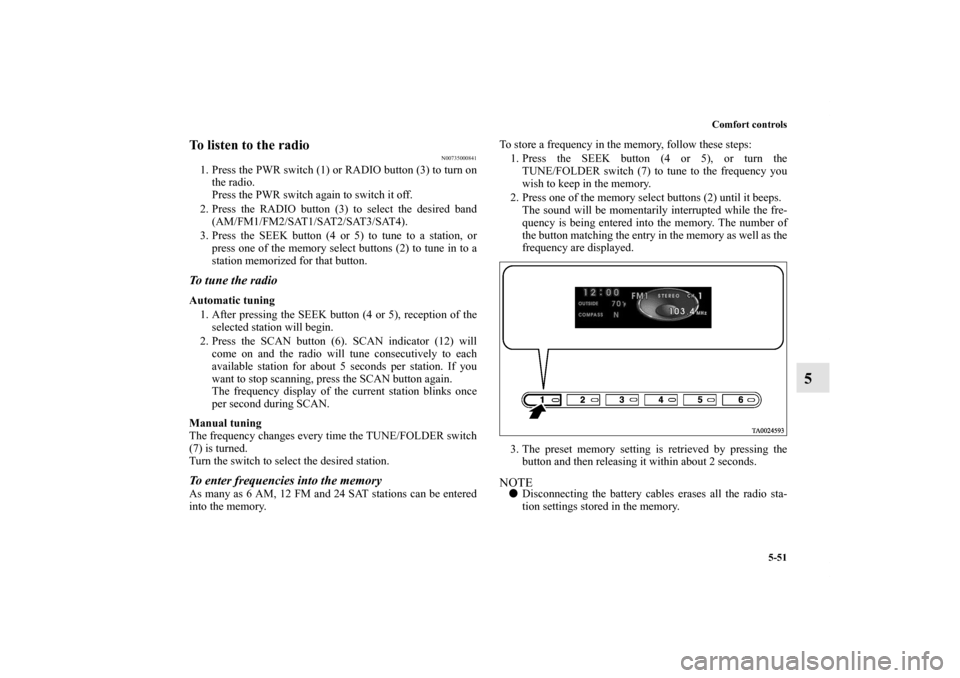
2. Press one of the memory select buttons (2) until it beeps.
The sound will be momentarily interrupted while the fre-
quency is being entered into the memory. The number of
the button matching the entry in the memory as well as the
frequency are displayed.
3. The preset memory setting is retrieved by pressing the
button and then releasing it within about 2 seconds.
NOTE�Disconnecting the battery cables erases all the radio sta-
tion settings stored in the memory.
BK0102600US.book 51 ページ 2009年3月30日 月曜日 午後2時2分
Page 371 of 514
5-52 Comfort controls
5
SIRIUS Satellite Radio control panel and display-Type 3
N00700200227
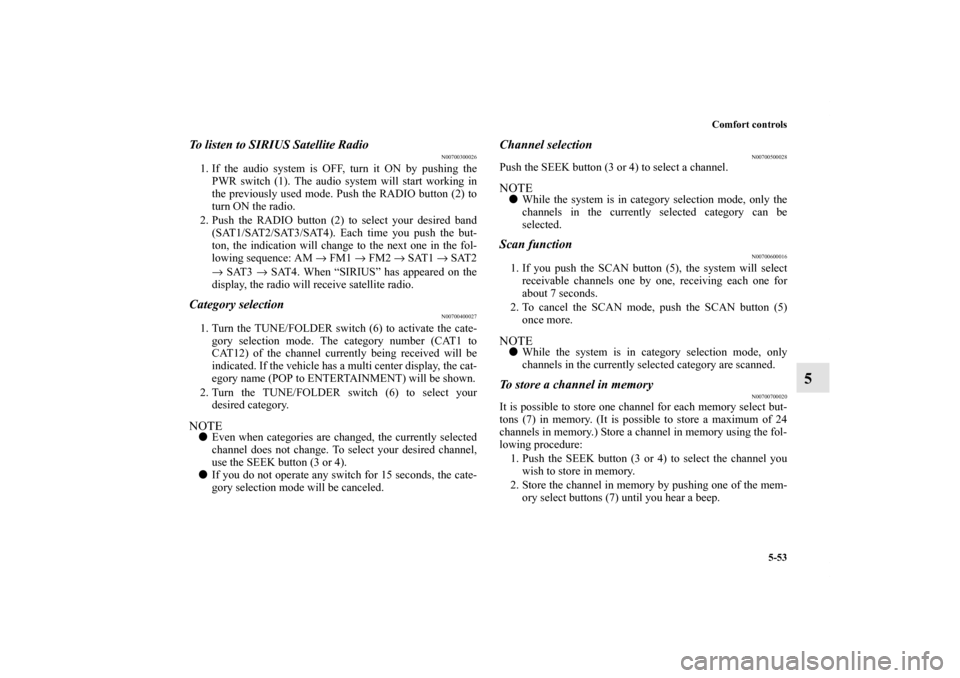
1. PWR (On-Off) switch
2. RADIO (AM/FM/Satellite selection) button
3. SEEK (Down-seek) button
4. SEEK (Up-seek) button
5. SCAN button
6. TUNE/FOLDER (Category selection) switch/AUDIO switch
7. Memory select buttons
8. Display
BK0102600US.book 52 ページ 2009年3月30日 月曜日 午後2時2分
Page 372 of 514
Comfort controls
5-53
5
To listen to SIRIUS Satellite Radio
N00700300026
1. If the audio system is OFF, turn it ON by pushing the
PWR switch (1). The audio system will start working in
the previously used mode. Push the RADIO button (2) to
turn ON the radio.
2. Push the RADIO button (2) to select your desired band
(SAT1/SAT2/SAT3/SAT4). Each time you push the but-
ton, the indication will change to the next one in the fol-
lowing sequence: AM → FM1 → FM2 → SAT1 → SAT2
→ SAT3 → SAT4. When “SIRIUS” has appeared on the
display, the radio will receive satellite radio.Category selection
N00700400027
1. Turn the TUNE/FOLDER switch (6) to activate the cate-
gory selection mode. The category number (CAT1 to
CAT12) of the channel currently being received will be
indicated. If the vehicle has a multi center display, the cat-
egory name (POP to ENTERTAINMENT) will be shown.
2. Turn the TUNE/FOLDER switch (6) to select your
desired category.NOTE�Even when categories are changed, the currently selected
channel does not change. To select your desired channel,
use the SEEK button (3 or 4).
�If you do not operate any switch for 15 seconds, the cate-
gory selection mode will be canceled.
Channel selection
N00700500028
Push the SEEK button (3 or 4) to select a channel.NOTE�While the system is in category selection mode, only the
channels in the currently selected category can be
selected.Scan function
N00700600016
1. If you push the SCAN button (5), the system will select
receivable channels one by one, receiving each one for
about 7 seconds.
2. To cancel the SCAN mode, push the SCAN button (5)
once more.NOTE�While the system is in category selection mode, only
channels in the currently selected category are scanned.To store a channel in memory
N00700700020
It is possible to store one channel for each memory select but-
tons (7) in memory. (It is possible to store a maximum of 24
channels in memory.) Store a channel in memory using the fol-
lowing procedure:
1. Push the SEEK button (3 or 4) to select the channel you
wish to store in memory.
2. Store the channel in memory by pushing one of the mem-
ory select buttons (7) until you hear a beep.
BK0102600US.book 53 ページ 2009年3月30日 月曜日 午後2時2分
Page 379 of 514
5-60 Comfort controls
5
CD control panel and display-Type 2, Type 3
N00735300671
1- LOAD-EJECT button
2- Disc loading slot
3- DISC select buttons
4- PWR (On-Off) switch
5- RADIO (AM/FM selection) button
6- CD (CD mode changeover) button
7- TRACK (Track up) button
8- TRACK (Track down) button
9- RPT/RDM (Repeat/Random) button
10- SCAN button11- TUNE/FOLDER switch
12- CD indicator
13- DISC indicator
14- TRACK indicator
15- RPT/RDM/SCAN indicator
16- Track play time display
BK0102600US.book 60 ページ 2009年3月30日 月曜日 午後2時2分
Page 384 of 514
Comfort controls
5-65
5
To repeat the same track or change the order of tracks
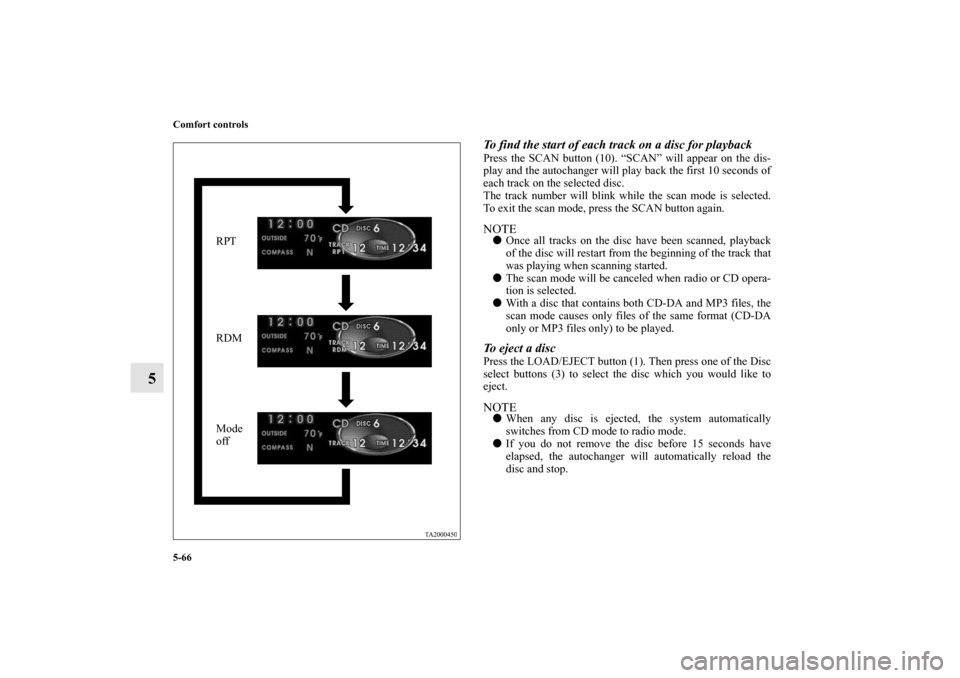
for playbackPress the RPT/RDM button (9) to select RPT → RDM →
RPT/RDM mode off.To repeat the same trackSelect the RPT mode, and the RPT indicator (15) will come on.
You can listen to the same track repeatedly. NOTE�The track repeat mode will be canceled by pressing the
TRACK button (7 or 8), the SCAN button (10), the DISC
select buttons (3) or the LOAD/EJECT button (1).
�With a disc that contains both CD-DA and MP3 files, the
repeat mode causes only files of the same format (CD-DA
only or MP3 files only) to be repeated. To change the order of tracks for playbackRandom playback for all discs in the autochanger (music
CDs only)
Select the RDM mode, and the RDM indicator (15) will come
on. Tracks are randomly selected from all discs loaded in the
autochanger.Random playback for all folders on a disc (MP3 CDs only)
Select the RDM mode, and the RDM indicator (15) will come
on. Tracks from all the folders on the currently selected disc
will be played in a random sequence.
NOTE�The Random playback mode will be canceled by pressing
the SCAN button (10) or the LOAD/EJECT button (1).
�In the all discs random mode, if an MP3 CD has been
loaded in the autochanger, the autochanger will skip over
it to the next music CD.
�With a disc that contains both CD-DA and MP3 files, the
random mode causes only files of the same format (CD-
DA only or MP3 files only) to be played in a random
sequence.
BK0102600US.book 65 ページ 2009年3月30日 月曜日 午後2時2分
Page 385 of 514
5-66 Comfort controls
5
To find the start of each track on a disc for playbackPress the SCAN button (10). “SCAN” will appear on the dis-
play and the autochanger will play back the first 10 seconds of
each track on the selected disc.
The track number will blink while the scan mode is selected.
To exit the scan mode, press the SCAN button again.NOTE�Once all tracks on the disc have been scanned, playback
of the disc will restart from the beginning of the track that
was playing when scanning started.
�The scan mode will be canceled when radio or CD opera-
tion is selected.
�With a disc that contains both CD-DA and MP3 files, the
scan mode causes only files of the same format (CD-DA
only or MP3 files only) to be played.To eject a discPress the LOAD/EJECT button (1). Then press one of the Disc
select buttons (3) to select the disc which you would like to
eject.NOTE�When any disc is ejected, the system automatically
switches from CD mode to radio mode.
�If you do not remove the disc before 15 seconds have
elapsed, the autochanger will automatically reload the
disc and stop.
RPT
RDM
Mode
off
BK0102600US.book 66 ページ 2009年3月30日 月曜日 午後2時2分
Page 388 of 514
Comfort controls
5-69
5
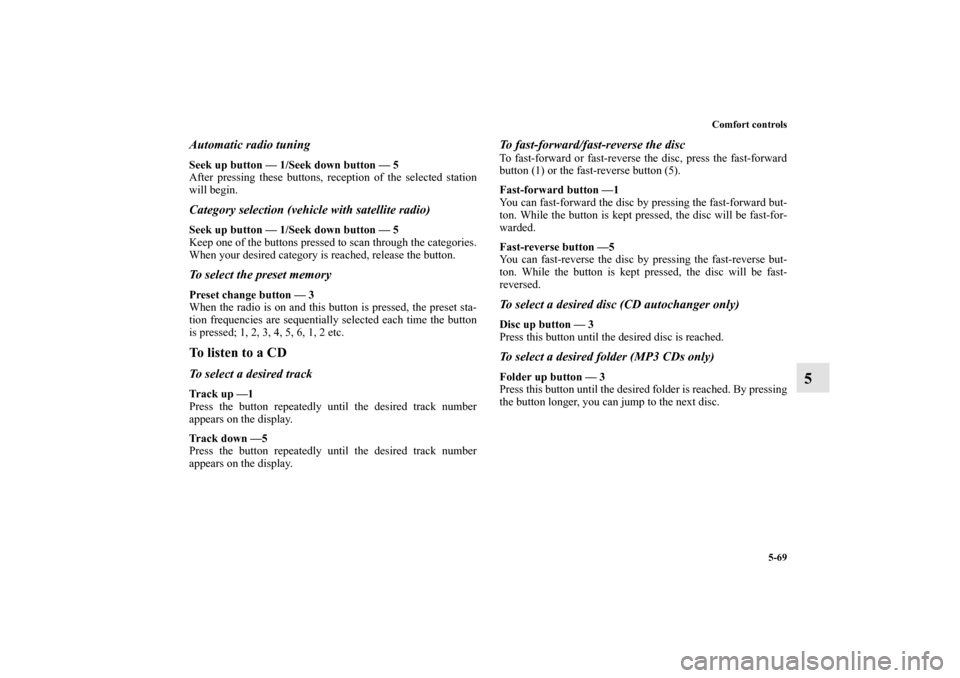
Automatic radio tuningSeek up button — 1/Seek down button — 5
After pressing these buttons, reception of the selected station
will begin.Category selection (vehicle with satellite radio)Seek up button — 1/Seek down button — 5
Keep one of the buttons pressed to scan through the categories.
When your desired category is reached, release the button.To select the preset memoryPreset change button — 3
When the radio is on and this button is pressed, the preset sta-
tion frequencies are sequentially selected each time the button
is pressed; 1, 2, 3, 4, 5, 6, 1, 2 etc.To listen to a CDTo select a desired trackTr a c k u p — 1
Press the button repeatedly until the desired track number
appears on the display.
Tr a c k d o w n — 5
Press the button repeatedly until the desired track number
appears on the display.
To fast-forward/fast-reverse the discTo fast-forward or fast-reverse the disc, press the fast-forward
button (1) or the fast-reverse button (5).
Fast-forward button —1
You can fast-forward the disc by pressing the fast-forward but-
ton. While the button is kept pressed, the disc will be fast-for-
warded.
Fast-reverse button —5
You can fast-reverse the disc by pressing the fast-reverse but-
ton. While the button is kept pressed, the disc will be fast-
reversed.To select a desired disc (CD autochanger only)Disc up button — 3
Press this button until the desired disc is reached.To select a desired folder (MP3 CDs only)Folder up button — 3
Press this button until the desired folder is reached. By pressing
the button longer, you can jump to the next disc.
BK0102600US.book 69 ページ 2009年3月30日 月曜日 午後2時2分