Page 251 of 385

Driving while you tow
When towing a trailer:
•Keep your speed no faster than 70 mph (113 km/h) during the first
500 miles (800 km) of towing a trailer, and don’t make full throttle
starts.
•Turn off the speed control. The speed control may shut off
automatically when you are towing on long, steep grades.
•Consult your local motor vehicle speed regulations for towing a trailer.
•To eliminate excessive shifting, use a lower gear. This will also assist
in transmission cooling. For additional information, refer toAutomatic
transmission operationin theDrivingchapter.
•Anticipate stops and brake gradually.
•Do not exceed the GCWR rating or transmission damage may occur.
If your vehicle is equipped with AdvanceTrac�with RSC, you may
experience AdvanceTrac�with RSC activations during typical cornering
maneuvers with a heavily loaded trailer; this is normal. Cornering at a
slower speed while towing will reduce the tendency of the AdvanceTrac�
stability enhancement system to activate.
Servicing after towing
If you tow a trailer for long distances, your vehicle will require more
frequent service intervals. Refer to yourscheduled maintenance
informationfor more information.
Trailer towing tips
•Practice turning, stopping and backing up before starting on a trip to
get the feel of the vehicle trailer combination. When turning, make
wider turns so the trailer wheels will clear curbs and other obstacles.
•Allow more distance for stopping with a trailer attached.
•If you are driving down a long or steep hill, shift to a lower gear. Do
not apply the brakes continuously, as they may overheat and become
less effective.
•The trailer tongue weight should be 10–15% of the loaded trailer
weight.
Tires, Wheels and Loading
251
2010 Navigator(nav)
Owners Guide(own2002), 1st Printing
USA(fus)
Page 267 of 385
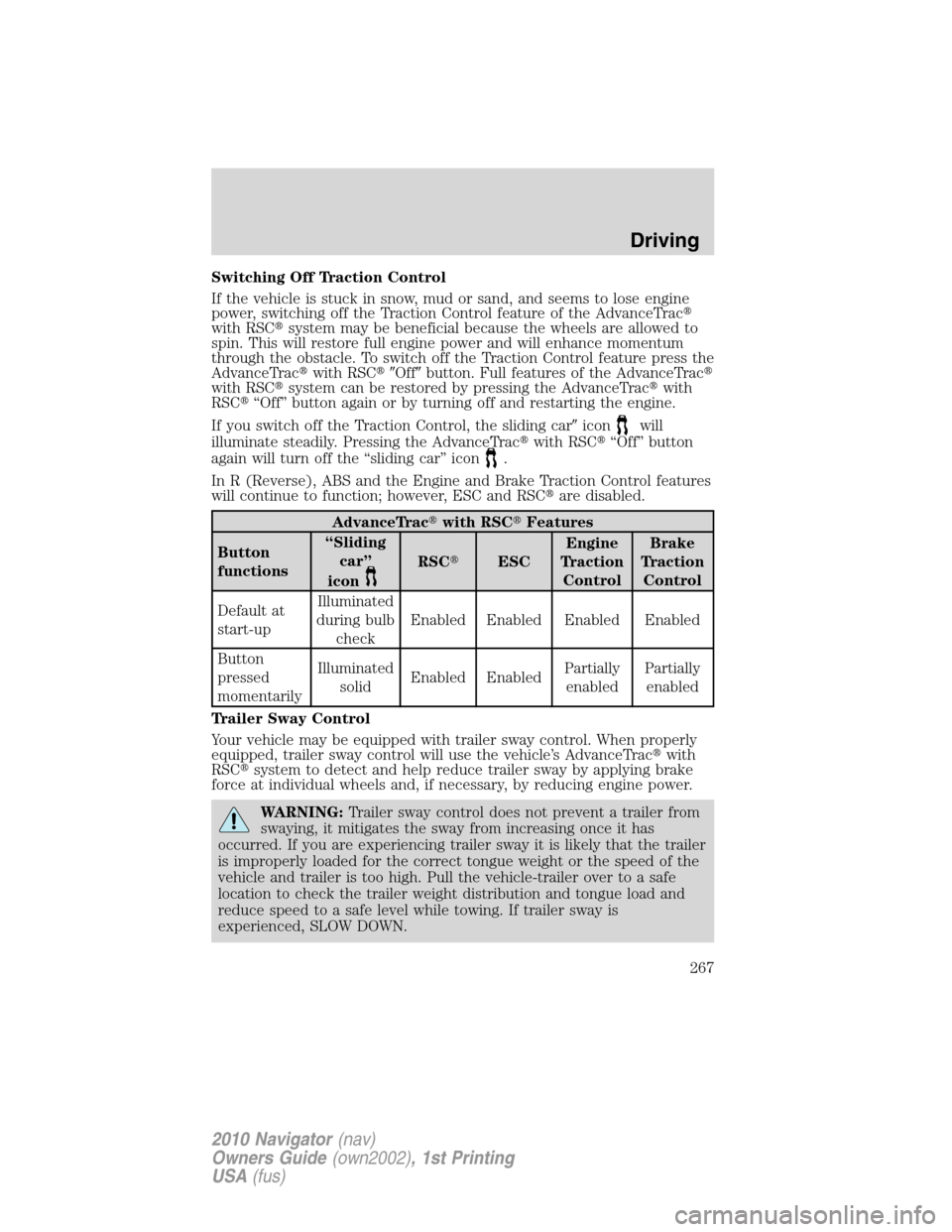
Switching Off Traction Control
If the vehicle is stuck in snow, mud or sand, and seems to lose engine
power, switching off the Traction Control feature of the AdvanceTrac�
with RSC�system may be beneficial because the wheels are allowed to
spin. This will restore full engine power and will enhance momentum
through the obstacle. To switch off the Traction Control feature press the
AdvanceTrac�with RSC��Off�button. Full features of the AdvanceTrac�
with RSC�system can be restored by pressing the AdvanceTrac�with
RSC�“Off” button again or by turning off and restarting the engine.
If you switch off the Traction Control, the sliding car�icon
will
illuminate steadily. Pressing the AdvanceTrac�with RSC�“Off” button
again will turn off the “sliding car” icon
.
In R (Reverse), ABS and the Engine and Brake Traction Control features
will continue to function; however, ESC and RSC�are disabled.
AdvanceTrac�with RSC�Features
Button
functions“Sliding
car”
icon
RSC�ESCEngine
Traction
ControlBrake
Traction
Control
Default at
start-upIlluminated
during bulb
checkEnabled Enabled Enabled Enabled
Button
pressed
momentarilyIlluminated
solidEnabled EnabledPartially
enabledPartially
enabled
Trailer Sway Control
Your vehicle may be equipped with trailer sway control. When properly
equipped, trailer sway control will use the vehicle’s AdvanceTrac�with
RSC�system to detect and help reduce trailer sway by applying brake
force at individual wheels and, if necessary, by reducing engine power.
WARNING:Trailer sway control does not prevent a trailer from
swaying, it mitigates the sway from increasing once it has
occurred. If you are experiencing trailer sway it is likely that the trailer
is improperly loaded for the correct tongue weight or the speed of the
vehicle and trailer is too high. Pull the vehicle-trailer over to a safe
location to check the trailer weight distribution and tongue load and
reduce speed to a safe level while towing. If trailer sway is
experienced, SLOW DOWN.
Driving
267
2010 Navigator(nav)
Owners Guide(own2002), 1st Printing
USA(fus)
Page 360 of 385

•Perform all regularly scheduled maintenance items. Follow the
recommended maintenance schedule and owner maintenance checks
found inscheduled maintenance information.
Conditions
•Heavily loading a vehicle or towing a trailer may reduce fuel economy
at any speed.
•Carrying unnecessary weight may reduce fuel economy (as much as
1 mpg [0.4 km/L] is lost for every 400 lb [180 kg] of weight carried).
•Adding certain accessories to your vehicle (for example; bug
deflectors, rollbars/light bars, running boards, ski/luggage racks) may
reduce fuel economy.
•Using fuel blended with alcohol may lower fuel economy.
•Fuel economy may decrease with lower temperatures during the first
8–10 miles (12–16 km) of driving.
•Driving on flat terrain offers improved fuel economy as compared to
driving on hilly terrain.
•Transmissions give their best fuel economy when operated in the top
cruise gear and with steady pressure on the gas pedal.
•Four-wheel-drive operation (if equipped) is less fuel efficient than
two-wheel-drive operation.
•Close windows for high speed driving.
EPA fuel economy estimates
Every new vehicle should have a sticker on the window called the
Monroney Label which contains EPA fuel economy estimates. Contact
your authorized dealer if the Monroney label is not supplied with your
vehicle. The EPA fuel economy estimates should be your guide for the
fuel economy comparisons with other vehicles. Your fuel economy may
vary depending upon the method of operation and conditions.
EMISSION CONTROL SYSTEM
Your vehicle is equipped with various emission control components and a
catalytic converter which will enable your vehicle to comply with
applicable exhaust emission standards. To make sure that the catalytic
converter and other emission control components continue to work
properly:
•Use only the specified fuel listed.
•Avoid running out of fuel.
Maintenance and Specifications
360
2010 Navigator(nav)
Owners Guide(own2002), 1st Printing
USA(fus)
Page 373 of 385
Vehicle identification number (VIN)
The vehicle identification number is
located on the driver side
instrument panel.
Please note that in the graphic,
XXXX is representative of your
vehicle identification number.
The Vehicle Identification Number (VIN) contains the following
information:
1. World manufacturer identifier
2. Brake system / Gross Vehicle
Weight Rating (GVWR) / Restraint
Devices and their location
3. Make, vehicle line, series, body
type
4. Engine type
5. Check digit
6. Model year
7. Assembly plant
8. Production sequence number
XXXXXXXXXXXXXXXXX
Maintenance and Specifications
373
2010 Navigator(nav)
Owners Guide(own2002), 1st Printing
USA(fus)
Page 376 of 385

Locking gas plug for capless fuel system
Wheel locks
For maximum vehicle performance, keep the following information in
mind when adding accessories or equipment to your vehicle:
•When adding accessories, equipment, passengers and luggage to your
vehicle, do not exceed the total weight capacity of the vehicle or of
the front or rear axle (GVWR or GAWR as indicated on the Safety
Compliance Certification label). Consult your authorized dealer for
specific weight information.
•The Federal Communications Commission (FCC) and Canadian Radio
Telecommunications Commission (CRTC) regulate the use of mobile
communications systems — such as two-way radios, telephones and
theft alarms - that are equipped with radio transmitters. Any such
equipment installed in your vehicle should comply with FCC or CRTC
regulations and should be installed only by a qualified service
technician.
•Mobile communications systems may harm the operation of your
vehicle, particularly if they are not properly designed for automotive
use.
•To avoid interference with other vehicle functions, such as anti-lock
braking systems, amateur radio users who install radios and antennas
onto their vehicle should not locate the Amateur Radio Antennas in
the area of the driver’s side hood.
•Electrical or electronic accessories or components that are added to
the vehicle by the authorized dealer or the owner may adversely affect
battery performance and durability.
Accessories
376
2010 Navigator(nav)
Owners Guide(own2002), 1st Printing
USA(fus)
