2010 LINCOLN NAVIGATOR reset
[x] Cancel search: resetPage 88 of 385

WARNING:Always remember to turn on your headlamps at
dusk or during inclement weather. The Daytime Running Lamp
(DRL) system does not activate the tail lamps and generally may not
provide adequate lighting during these conditions. Failure to activate
your headlamps under these conditions may result in a collision.
PANEL DIMMER CONTROL
Use to adjust the brightness of the
instrument panel when exterior
lights are on.
•Rotate the thumbwheel from left
to right to brighten the instrument panel.
•Rotate the thumbwheel from right to left to dim the instrument panel.
•Rotate fully to the right (past detent) to turn on interior lamps.
•Rotate to the left position (past detent) to turn off the interior lamps
and to disable the illuminated entry feature. When the control is in the
far left position, it acts as a dome lamp defeat/override.
Note:If the battery is disconnected, discharged, or a new battery is
installed, the dimmer switch requires re-calibration. Rotate the dimmer
switch from the full dim position to the full dome/on position to reset.
This will ensure that your displays are visible under all lighting
conditions.
At dusk and dawn, the LEDs are illuminated at six times the normal
intensity to enhance contrast and visibility. The system automatically
“dims down” as ambient light reaches the dash-mounted sensor.
The interior control lights dim progressively in four steps until they
reach nighttime operating levels. At all illumination levels, the lights can
be dimmed using the thumbwheel on the instrument panel.
AIMING THE HEADLAMPS
The headlamps on your vehicle are properly aimed at the assembly plant.
If your vehicle has been in an accident the alignment of your headlamps
should be checked by your authorized dealer.
Vertical aim adjustment
Before aim adjustment, disable the air suspension system. Refer to
Message centerin theDriver Controlschapter.
1. Park the vehicle directly in front of a wall or screen on a level surface,
approximately 25 feet (7.6 meters) away.
Lights
88
2010 Navigator(nav)
Owners Guide(own2002), 1st Printing
USA(fus)
Page 100 of 385
On vehicles with memory feature, to prevent damage to the steering
column, the steering column is designed to set a stopping position just
short of the end of the column position. If the steering column
encounters an object while moving up or down, a new stopping position
will be set. To reset the steering column to its normal stopping position:
•After encountering the new stopping position, press the steering
column control again to override.
•Continue pressing the control until it reaches the end of the column
position.
•A new soft stop will be automatically set. The next time the steering
column is tilted it will stop just short of the end of the column
position.
ILLUMINATED VISOR MIRROR (IF EQUIPPED)
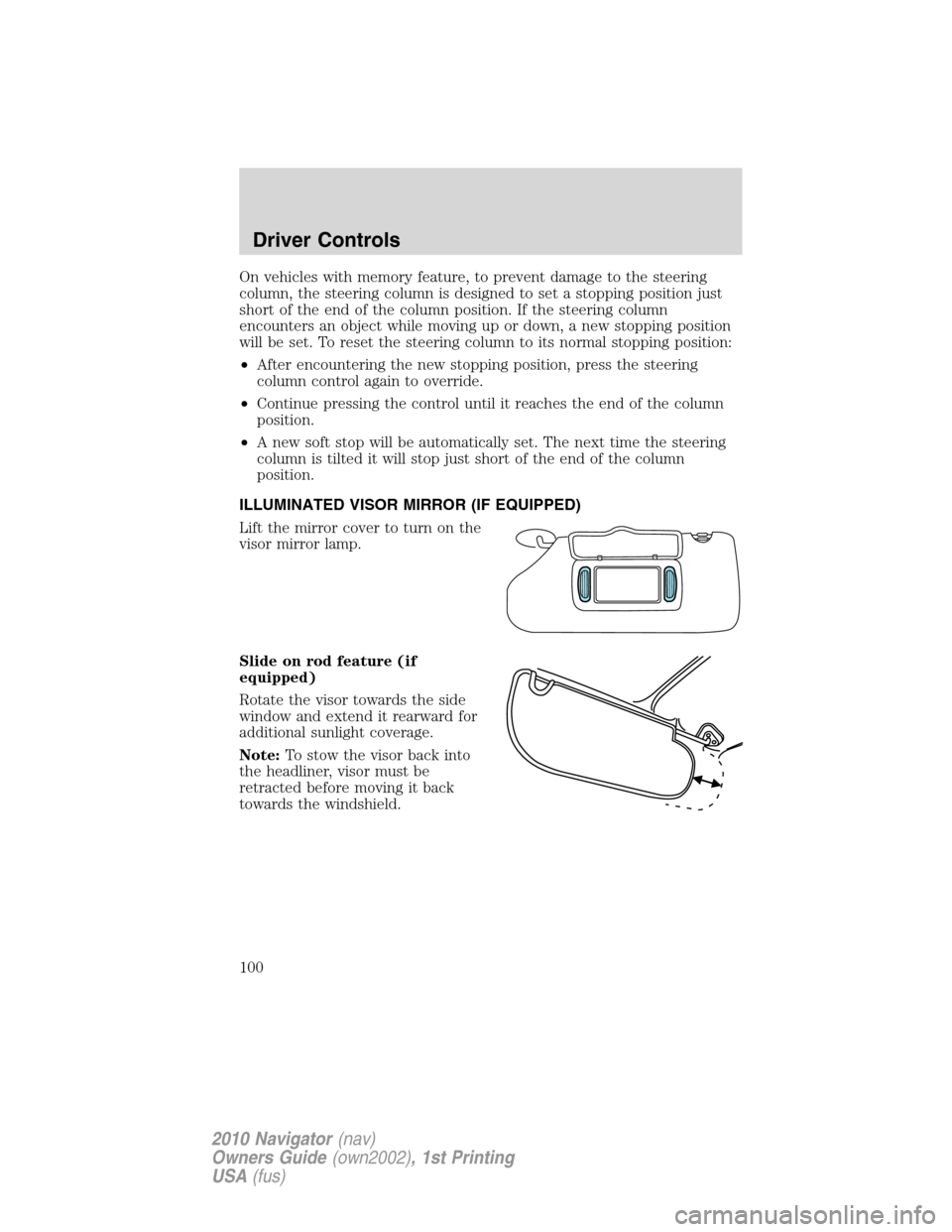
Lift the mirror cover to turn on the
visor mirror lamp.
Slide on rod feature (if
equipped)
Rotate the visor towards the side
window and extend it rearward for
additional sunlight coverage.
Note:To stow the visor back into
the headliner, visor must be
retracted before moving it back
towards the windshield.
Driver Controls
100
2010 Navigator(nav)
Owners Guide(own2002), 1st Printing
USA(fus)
Page 107 of 385

EXTERIOR MIRRORS
Power side view mirrors
The ignition can be in any position to adjust the power side view mirrors.
To adjust your mirrors:
1. Rotate the control clockwise to
adjust the right mirror and rotate
the control counterclockwise to
adjust the left mirror.
2. Move the control in the direction
you wish to tilt the mirror.
3. Return to the center position to
lock mirrors in place.
Memory feature
The power side view mirror positions are saved when doing a memory
set function and can be recalled along with the vehicle personality
features when a memory position is selected through the remote entry
transmitter, keyless entry keypad or memory switch on the driver’s door.
Refer toSeatingin theSeating and Safety Restraintschapter.
Powerfold mirrors
Rotate the 4–way adjustment switch
to the center position. Press the
switch down to auto fold in and
down again to auto fold back to
design position. Powerfold the side
mirrors in carefully when driving
through a narrow space, like an
automatic car wash.
The mirrors may be moved
inward/outward manually. If a mirror
is moved manually, it will need to be
reset. To reset: with the switch in the center position, press the switch
down to fold the mirrors in and wait a short period (8 seconds). An
audible “click” will be heard indicating re-synchronization. If the click is
not heard, use the switch to fold the mirrors out, then in, until the click
is heard. After that, the mirrors will operate to their normal positions
until they are again moved manually.
POWER FOLD
Driver Controls
107
2010 Navigator(nav)
Owners Guide(own2002), 1st Printing
USA(fus)
Page 108 of 385
Note:10 or more switch activations within one minute, or repeated
folding/unfolding of the mirrors while holding the switch rearward during
full travel, may cause the system to disable the fold/unfold function to
protect motors from overheating. Should this occur, wait approximately
three minutes with the vehicle running and up to 10 minutes with the
vehicle off, for the system to reset and for function to return to normal.
Heated outside mirrors
Both mirrors are heated automatically to remove ice, mist and fog when
the rear window defrost is activated.
Do not remove ice from the mirrors with a scraper or attempt to
readjust the mirror glass if it is frozen in place. These actions
could cause damage to the glass and mirrors.
Do not clean the housing or glass of any mirror with harsh
abrasives, fuel or other petroleum-based cleaning products.
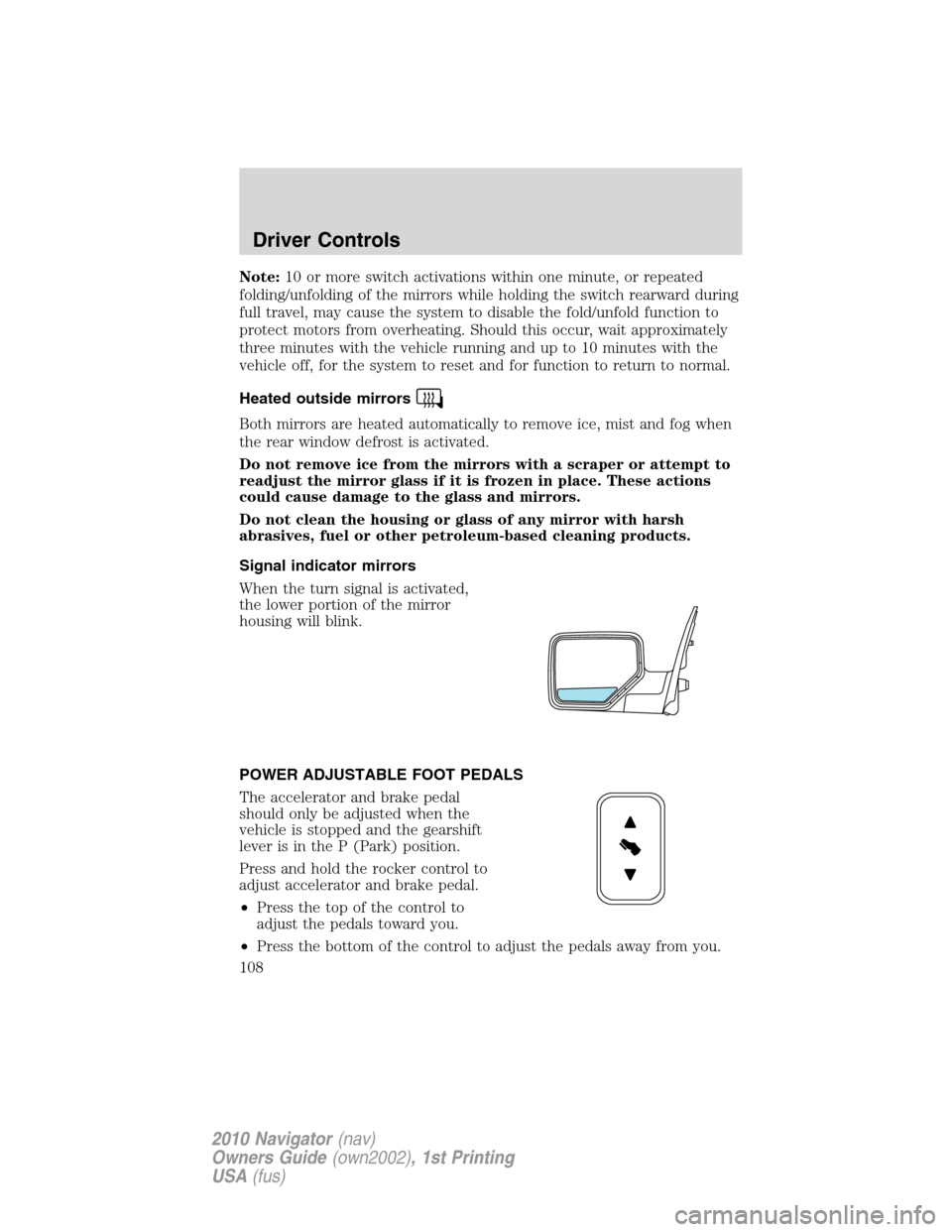
Signal indicator mirrors
When the turn signal is activated,
the lower portion of the mirror
housing will blink.
POWER ADJUSTABLE FOOT PEDALS
The accelerator and brake pedal
should only be adjusted when the
vehicle is stopped and the gearshift
lever is in the P (Park) position.
Press and hold the rocker control to
adjust accelerator and brake pedal.
•Press the top of the control to
adjust the pedals toward you.
•Press the bottom of the control to adjust the pedals away from you.
Driver Controls
108
2010 Navigator(nav)
Owners Guide(own2002), 1st Printing
USA(fus)
Page 112 of 385

Increasing speed while using speed control
To set a higher speed:
•Press and hold SET + until you get to the desired speed, then release.
You can also use SET + to operate the tap-up function. Press and
release SET + to increase the vehicle set speed in 1 mph (1.6 km/h)
increments.
•Use the accelerator pedal to get to the desired speed then press and
release SET +.
Reducing speed while using speed control
To reduce a set speed:
•Press and hold SET – until you get to the desired speed, then release.
You can also use SET – to operate the tap-down function. Press and
release SET – to decrease the vehicle set speed in 1 mph (1.6 km/h)
increments.
•Press the brake pedal until the desired vehicle speed is reached then
press SET –.
Turning off speed control
To turn off the speed control, Press OFF or turn off the ignition.
Note:When you turn off the speed control or the ignition, your speed
control set speed memory is erased.
STEERING WHEEL CONTROLS
Radio control features
– VOL + (Volume):Press to
decrease or increase the volume.
(Seek):Press to select
the previous/next radio station
preset, CD track or satellite radio
station preset depending on which
media mode you are in.
MEDIA:Press repeatedly to select:
•AM, FM1, FM2 or CD
•SAT1, SAT2 or SAT3 (Satellite radio mode)
•LINE IN (Auxiliary input jack)
Driver Controls
112
2010 Navigator(nav)
Owners Guide(own2002), 1st Printing
USA(fus)
Page 128 of 385

Note:In case of operation in extreme cold -40° F (-40° C), or on
extreme inclines, manual operation of the liftgate is suggested.
Obstacle detection
The power liftgate system is equipped with an obstacle detection feature.
If the power liftgate is closing, the system is designed to reverse to full
open when it encounters a solid obstacle. A three second chime is also
sounded when an obstacle is detected. Once the obstacle is removed, the
liftgate can be closed under power.
If the power liftgate is opening, the system is designed to stop when it
encounters a solid obstacle. A chime will sound for three seconds while
the obstacle is present.
Resetting the power liftgate:
The power liftgate may not operate under these conditions. If any of
these conditions occur, the power liftgate must be reset:
•A low voltage or dead battery
•Disconnected battery
•The liftgate is manually closed and left ajar (unlatched)
To reset the power liftgate:
1. Disconnect the battery for 20 seconds then, reconnect the battery.
2. Manually close and fully latch the liftgate.
3. Power open the liftgate by using the remote entry transmitter or
instrument panel button.
Note:If the power liftgate system is turned off in the message center,
the system cannot be activated with the outside release handle or rear
cargo area control button. The system will need to be turned on to
resume operation with the outside release handle or rear cargo area
control button. The power liftgate is still operational through the use of
the remote entry transmitter and instrument panel button when the
power liftgate is turned off in the message center.
Liftgate ajar signal
If the liftgate or liftgate glass are not fully latched, you will receive a
message on the instrument panel. If you see this message, check both
the liftgate glass and liftgate door to ensure they are fully latched.
WARNING:Make sure the liftgate is closed to prevent exhaust
fumes from being drawn into the vehicle. If you must drive with
the liftgate open, keep the vents open so outside air comes into the
vehicle.
Driver Controls
128
2010 Navigator(nav)
Owners Guide(own2002), 1st Printing
USA(fus)
Page 139 of 385

Two stage unlocking may be disabled or re-enabled by simultaneously
pressing the
andcontrols on the IKT for four seconds (disabling
two stage unlock allows all vehicle doors to unlock simultaneously). The
parking lamps will flash twice to indicate that two-stage unlock was
enabled or disabled.
Locking the doors
1. Pressand release to lock all the doors. The parking lamps will
illuminate.
2. Press
and release again within three seconds to confirm that all
the doors are closed.Note:The doors will lock again, the horn will chirp
and the turn lamps will illuminate once if all the doors and liftgate are
closed.
Note:If any door or the liftgate is not closed, or if the hood is not
closed in vehicles equipped with the perimeter alarm feature, the horn
will chirp twice and the turn lamps will not flash.
Opening the power liftgate
Presstwice within three seconds to open the power liftgate. This
control will not unlatch the liftgate window.
WARNING:Make sure all persons are clear of the power liftgate
area before using the control.
To close the power liftgate, press the control twice.
If the power liftgate stops mid travel, it may have detected an obstacle,
Check to ensure the power liftgate swing zone is free from obstruction
and reset the power assist by manually closing the power liftgate. Normal
operation can then be resumed.
WARNING:Make sure the power liftgate is closed to prevent
exhaust fumes from being drawn into the vehicle. This will also
prevent passengers and cargo from falling out. If you must drive with
the liftgate open, keep the vents open so outside air comes into the
vehicle.
Car finder
Press
twice within three seconds. The horn will chirp and the turn
lamps will flash. It is recommended that this method be used to locate
your vehicle, rather than using the panic alarm.
Locks and Security
139
2010 Navigator(nav)
Owners Guide(own2002), 1st Printing
USA(fus)
Page 149 of 385

Create a MyKey™
To program MyKey™ on one of the keys programmed to the vehicle,
insert it into the ignition. Turn the ignition on. Use the message center
buttons to do the following:
1. Press SETUP until PRESS RESET TO CREATE MYKEY is displayed.
2. Press and release the RESET button. HOLD RESET TO CONFIRM
MYKEY will be displayed.
3. Press and hold the RESET button for two seconds until MARK THIS
AS RESTRICTED is displayed.
4. Wait until KEY RESTRICTED AT NEXT START is displayed.
MyKey™ is successfully programmed. Make sure you label it so you can
distinguish it from the Admin keys.Note:To program the optional settings
go to step 2 in theProgramming MyKey™ optional settingssection.
Note:The MyKey™ can be cleared within the same key cycle that it was
created, otherwise a standard key (Administrator key) is required to
disable the MyKey™ programming. To clear all MyKeys™ go to step 2 in
theDisable MyKey™section.
Programming MyKey™ Optional Settings
Turn the ignition on using an Admin key. To program the optional
settings, use the message center buttons to do the following:
1. Press SETUP until RESET FOR MYKEY SETUP is displayed.
2. Press and release the RESET button to display MyKey™ setup menus.
The first menu shown is:
MYKEY MAX MPH <80 MPH> OFF
3. If you don’t want to change the maximum speed setting, press the
SETUP button to display the next menu. The remaining menus appear as
follows with the default settings shown:
MYKEY MPH TONES 45 55 65
MYKEY VOLUME LIMIT
MYKEY ADVTRAC CTRL ON
4. On any of the menus press RESET to highlight your choice with the
<…>.
5. Press SETUP to enter your choice. The next optional setting will be
displayed.
6.
Repeat steps 4 and 5 until you are done changing the optional settings.
Locks and Security
149
2010 Navigator(nav)
Owners Guide(own2002), 1st Printing
USA(fus)