2010 LINCOLN MKT light
[x] Cancel search: lightPage 162 of 430

The lights will not turn off if:
•they have been turned on with the dimmer control, or
•any door is open.
Illuminated exit
•When all vehicle doors are closed, the ignition is turned off , the
interior dome lamps, parking lamps and puddle lamps (if equipped)
will illuminate.
The lights will turn off if all the doors remain closed and
•25 seconds elapse, or
•the start button is pressed.
Battery saver
The battery saver will shut off the lamps 10 minutes after the ignition
has been turned off.
•If the dome lamps were turned on using the panel dimmer control, the
battery saver will shut them off 10 minutes after the ignition has been
turned off.
•If the courtesy lamps were turned on because one of the vehicle doors
or the liftgate was opened, the battery saver will shut them off
10 minutes after the ignition has been turned off.
•The battery saver will shut off the headlamps 10 minutes after the
ignition has been turned off.
Accessory mode battery saver for Intelligent Access Keys with
Push Button Start
The battery saver will shut off the ignition approximately 45 minutes
after the vehicle is left in Accessory Mode, in order to preserve the
vehicle’s battery.
Locks and Security
162
2010 MKT(mkt)
Owners Guide, 1st Printing
USA(fus)
Page 163 of 430

SECURICODE™ KEYLESS ENTRY SYSTEM
The keypad, located near the driver’s window, is invisible until touched
and then it lights up so you can see and touch the appropriate buttons.
Note:If you enter your entry code too fast on the keypad, the unlock
function may not work. Re-enter your entry code more slowly.
You can use the keyless entry
keypad to:
•lock or unlock the doors without
using a key.
•recall memory seat/power mirrors
and adjustable pedals (if
equipped).
•enable or disable the autolock
and autounlock features
•activate Intelligent Access at the
driver door, refer toIntelligent
Accessin this chapter.
The keypad can be operated with
the factory set 5–digit entry code;
this code is located on the owner’s wallet card in the glove box and is
available from your authorized dealer. You can also create up to three of
your own 5–digit personal entry codes.
Note:Your keypad will still function normally if you enter your personal
entry code or factory set code. However, if your transmitter is within
range of the driver’s door, an Intelligent Access unlock will also occur
each time you press any number on the keypad. Note that this additional
unlock will not impact keypad functionality, and you can still enter your
code and perform all keypad functions (unlock, lock, liftgate release).
Programming a personal entry code and keypad association to
memory seats, mirrors, and adjustable pedals
To create your own personal entry code:
1. Enter the factory set code.
2. Within five seconds touch the 1•2 on the keypad.
3. Enter your personal 5-digit code. Each number must be entered
within five seconds of each other.
4. For memory recall feature, enter the sixth digit 1•2 to store driver 1
settings or 3•4 to store driver 2 settings.
Locks and Security
163
2010 MKT(mkt)
Owners Guide, 1st Printing
USA(fus)
Page 169 of 430

Note:The MyKey™ can be cleared within the same key cycle that it was
created, otherwise a standard key (Administrator key) is required to
disable the MyKey™ programming. To clear all MyKeys™ go to Step 2 in
theDisable MyKey™section.
Programming MyKey™ Optional Settings
With an Admin key in the backup slot, turn the ignition on; To program
the optional settings, use the message center buttons to do the following:
1. Press SETUP until RESET FOR MYKEY SETUP is displayed.
2. Press and release the RESET button to display MyKey setup menus.
The first menu shown is:
MYKEY MAX MPH <80 MPH> OFF
3. If you don’t want to change the maximum speed setting, press the
SETUP button to display the next menu. The remaining menus appear as
follows with the default settings shown:
MYKEY MPH TONES 45 55 65
MYKEY VOLUME LIMIT
MYKEY ADVTRAC CTRL ON
4. On any of the menus press RESET to highlight your choice with the
<…>.
5. Press SETUP to enter your choice. The next optional setting will be
displayed.
6. Repeat Steps 4 and 5 until you are done changing the optional
settings.
Disable MyKey™
To reset all MyKeys™ as Admin keys do the following:
1. With an Admin key in the backup slot, turn the ignition on.
2. Press SETUP until PRESS RESET TO CLEAR MYKEY is displayed.
3. Press and release the RESET button. HOLD RESET TO CONFIRM
CLEAR is displayed.
4. Press and hold the RESET button for two seconds until ALL MYKEYS
CLEARED is displayed.
Locks and Security
169
2010 MKT(mkt)
Owners Guide, 1st Printing
USA(fus)
Page 181 of 430

Using the four-way power lumbar support (if equipped)
The lumbar control is located on the side of the seat cushion.
Press the front of the control to
adjust firmness.
Press the rear of the control to
adjust softness.
Press the top of the control to raise
the height of the lumbar support.
Press the bottom of the control to
lower the height of the lumbar
support.
Front-row heated and cooled seats
Heated seats
WARNING:Persons who are unable to feel pain to the skin
because of advanced age, chronic illness, diabetes, spinal cord
injury, medication, alcohol use, exhaustion, or other physical
conditions, must exercise care when using the seat heater. The seat
heater may cause burns even at low temperatures, especially if used
for long periods of time. Do not place anything on the seat that
insulates against heat, such as a blanket or cushion, because this may
cause the seat heater to overheat. Do not puncture the seat with pins,
needles, or other pointed objects because this may damage the heating
element which may cause the seat heater to overheat. An overheated
seat may cause serious personal injury.
Note:Do not do the following:
•Place heavy objects on the seat
•Operate the seat heater if water or any other liquid is spilled on the
seat. Allow the seat to dry thoroughly.
The heated seats will only function when the engine is running.
To operate the heated seats:
Press once to activate the high heat
setting (three indicator lights).
Continue pressing to scroll through
the other settings; medium heat
(two indicator lights), low heat (one indicator light) or off.
Seating and Safety Restraints
181
2010 MKT(mkt)
Owners Guide, 1st Printing
USA(fus)
Page 182 of 430

The heated seats will turn off after 15 minutes.
If the engine falls below 350 RPMs while the heated seats are on, the
feature will turn itself off and will need to be reactivated.
Cooled seats
The cooled seats will only function when the engine is running.
To operate the cooled seats:
Press once to activate the high cool
setting (three indicator lights).
Continue pressing to scroll through
the other settings; medium cool
(two indicator lights), low cool (one indicator light) or off.
The cooled seats will turn off after 30 minutes.
If the engine falls below 350 RPMs while the cooled seats are on, the
feature will turn itself off and will need to be reactivated.
Climate controlled seats air filter replacement
The climate controlled seat system includes air filters that must be
replaced periodically. Refer to thescheduled maintenance information
for more information.
•There is a filter located under the
rear of each front seat which can
be accessed from the second row
seat. Move the front seats all the
way forward and up to ease
access.
To remove the air filter:
1. Remove key from ignition.
2. Push up on the outside rigid edge
of the filter and rotate toward the
front of the vehicle once tabs are
released.
3. Remove filter.
Seating and Safety Restraints
182
2010 MKT(mkt)
Owners Guide, 1st Printing
USA(fus)
Page 193 of 430

Ensure that the rear latch hooks are
properly engaged with the floor
striker.
Note: Ensure that the seat and
seatback are latched securely in
position. Keep floor area free of
objects that would prevent proper
seat engagement.
WARNING:Do not adjust
or release the seat floor
latch while vehicle is in motion.
Do not operate the vehicle with
seats in tumbled position. Always
latch the vehicle seat to the floor,
whether the seat is occupied or
empty. If not latched or if the seat
is tumbled, the seat may cause
injury during a sudden stop.
Second row heated seats (if equipped)
Note:For a list of warnings regarding personal injury and damage to the
seat, refer toFront-row heated and cooled seatsearlier in this chapter.
To operate the heated seats:
•Press the button located on the
rear of the floor console once to
activate high heat.
•Press twice to activate low heat.
•Press a third time to deactivate.
The indicator light on the control will illuminate when activated. For low
heat, one light will be lit; for high heat, both lights will be lit.
Second-row heated and cooled seats (if equipped)
Note:For a list of warnings regarding personal injury and damage to the
seat, refer toFront-row heated and cooled seatsearlier in this chapter.
Seating and Safety Restraints
193
2010 MKT(mkt)
Owners Guide, 1st Printing
USA(fus)
Page 197 of 430
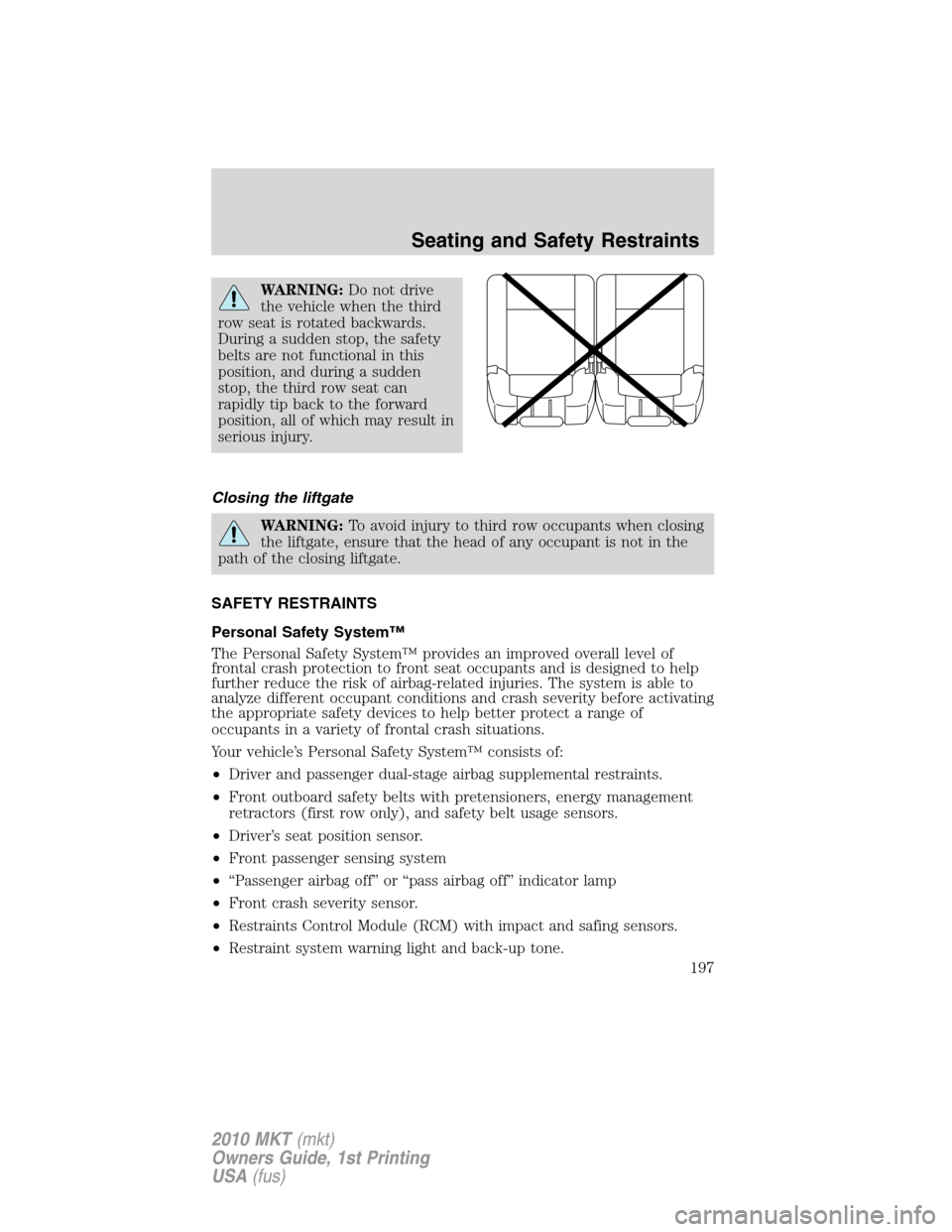
WARNING:Do not drive
the vehicle when the third
row seat is rotated backwards.
During a sudden stop, the safety
belts are not functional in this
position, and during a sudden
stop, the third row seat can
rapidly tip back to the forward
position, all of which may result in
serious injury.
Closing the liftgate
WARNING:To avoid injury to third row occupants when closing
the liftgate, ensure that the head of any occupant is not in the
path of the closing liftgate.
SAFETY RESTRAINTS
Personal Safety System™
The Personal Safety System™ provides an improved overall level of
frontal crash protection to front seat occupants and is designed to help
further reduce the risk of airbag-related injuries. The system is able to
analyze different occupant conditions and crash severity before activating
the appropriate safety devices to help better protect a range of
occupants in a variety of frontal crash situations.
Your vehicle’s Personal Safety System™ consists of:
•Driver and passenger dual-stage airbag supplemental restraints.
•Front outboard safety belts with pretensioners, energy management
retractors (first row only), and safety belt usage sensors.
•Driver’s seat position sensor.
•Front passenger sensing system
•“Passenger airbag off” or “pass airbag off” indicator lamp
•Front crash severity sensor.
•Restraints Control Module (RCM) with impact and safing sensors.
•Restraint system warning light and back-up tone.
Seating and Safety Restraints
197
2010 MKT(mkt)
Owners Guide, 1st Printing
USA(fus)
Page 198 of 430

•The electrical wiring for the airbags, crash sensor(s), safety belt
pretensioners, front safety belt usage sensors, driver seat position
sensor, front passenger sensing system, and indicator lights.
How does the Personal Safety System™ work?
The Personal Safety System™ can adapt the deployment strategy of your
vehicle’s safety devices according to crash severity and occupant
conditions. A collection of crash and occupant sensors provides
information to the Restraints Control Module (RCM). During a crash, the
RCM activates the safety belt pretensioners and/or either one or both
stages of the dual-stage airbag supplemental restraints based on crash
severity and occupant conditions.
The fact that the pretensioners or airbags did not activate for both front
seat occupants in a collision does not mean that something is wrong with
the system. Rather, it means the Personal Safety System™ determined
the accident conditions (crash severity, belt usage, etc.) were not
appropriate to activate these safety devices. Front airbags are designed
to activate only in frontal and near-frontal collisions (not rollovers, side
impacts or rear impacts) unless the collision causes sufficient
longitudinal deceleration. The pretensioners are designed to activate in
frontal and near-frontal collisions, and in side collisions and rollovers.
Driver and passenger dual-stage airbag supplemental restraints
The dual-stage airbags offer the capability to tailor the level of airbag
inflation energy. A lower, less forceful energy level is provided for more
common, moderate-severity impacts. A higher energy level is used for
the most severe impacts. Refer toAirbag supplemental restraints
(SRS)section in this chapter.
Front crash severity sensor
The front crash severity sensor enhances the ability to detect the
severity of an impact. Positioned up front, it provides valuable
information early in the crash event on the severity of the impact. This
allows your Personal Safety System™ to distinguish between different
levels of crash severity and modify the deployment strategy of the
dual-stage airbags and safety belt pretensioners.
Driver’s seat position sensor
The driver’s seat position sensor allows your Personal Safety System™ to
tailor the deployment level of the driver dual-stage airbag based on seat
position. The system is designed to help protect smaller drivers sitting
close to the driver airbag by providing a lower airbag output level.
Seating and Safety Restraints
198
2010 MKT(mkt)
Owners Guide, 1st Printing
USA(fus)