Page 146 of 611
144
2-1. Driving procedures
HS250h_U_75033U(Canada)
NOTICE
■Avoiding damage to vehicle parts
●Do not turn the steering wheel fully in either direction and hold it there for an
extended period of time.
Doing so may damage the power steering motor.
●When driving over bumps in the road, drive as slowly as possible to avoid damag-
ing the wheels, underside of the vehicle, etc.
■If you get a flat tire while driving
A flat or damaged tire may cause the following situations. Hold the steering wheel
firmly and gradually depress the brake pedal to slow down the vehicle.
●It may be difficult to control your vehicle.
●The vehicle will make abnormal sounds or vibrations.
●The vehicle will lean abnormally.
Information on what to do in case of a flat tire. ( →P. 5 2 1 )
■When encountering flooded roads
Do not drive on a road that has flooded after heavy rain etc. Doing so may cause the
following serious damage to the vehicle:
●Engine stalling
●Short in electrical components
●Engine damage caused by water immersion
In the event that you drive on a flooded road and the vehicle is flooded, be sure to
have your Lexus dealer check the following:
●Brake function
●Changes in quantity and quality of engine oil, transaxle fluid for the hybrid system
etc.
●Lubricant condition for the bearings and suspension joints (where possible), and
the function of all joints, bearings, etc.
As flooding may damage components involved in P position control, the parking
lock may jam in the locked position.
■If the vehicle will not shift out of the P position
There is a possibility that the 12-volt battery is discharged. Check the 12-volt battery
in this situation.
Page 159 of 611

157
2-1. Driving procedures
2
When driving
HS250h_U_75033U(Canada)
■Power mode automatic deactivation
Power mode is automatically deactivated if the “POWER” switch is turned off after
driving in power mode.
■Customization
Settings (e.g. Reverse warning buzzer) can be changed.
(Customizable features →P. 5 74 )
CAUTION
■When driving on slippery road surfaces
Do not accelerate or shift gears suddenly.
Sudden changes in engine braking may cause the vehicle to spin or skid, resulting in
an accident.
■For the shift lever
Do not hang anything on the shift lever.
Doing so could prevent the shift lever fr om returning to position, causing unex-
pected accidents to occur when the vehicle is in motion.
NOTICE
■Situations where P position control system malfunctions are possible
If any of the following situations occurs, P position control system malfunctions are
possible.
Immediately stop the vehicle in a safe place on level ground, apply the parking
brake, and then contact your Lexus dealer.
●When the “P Lock Malfunction” warning message appears on the multi-informa-
tion display. ( →P. 5 0 2 )
●When the P position switch indicator flashes.
●When the shift position symbols (such as P and R) are flashing on the shift posi-
tion indicator.
●When the shift position indicator remains off.
■When in heavy traffic
If shift position N is selected, the hybrid battery (traction battery) will not be
charged. To help prevent the battery from discharging, avoid leaving the N position
selected for an extended period of time.
Page 163 of 611
161
2-1. Driving procedures
2
When driving
HS250h_U_75033U(Canada)
Horn
■After adjusting the steering wheel (manually adjustable type)
Make sure that the steering wheel is securely locked.
The horn may not sound if the steering wheel is not securely locked. (→P. 7 9 )
To sound the horn, press on or
close to the mark.
Page 173 of 611
171
2-2. Instrument cluster
2
When driving
HS250h_U_75033U(Canada)
Display order may vary depending on vehicle condition.
Electronic feature control contentsSetting electronic feature controls
AFS (if equipped)→P. 1 8 5
Intuitive parking assist
(if equipped)Refer to “Navigation System
Owner’s Manual”.
Other contentsDe ta ils
Customization ( →P. 5 74 )
Settings of functions such as the
door lock and light illumination time
can be changed
Dynamic radar cruise control
(if equipped) ( →P. 2 0 5 )Automatically displayed when using
the dynamic radar cruise control
LKA (Lane Keeping Assist)
(if equipped) ( →P. 2 1 7 )Automatically displayed when using
the lane keeping assist
PCS (Pre-Collision System)
(if equipped) ( →P. 232, 502, 505)Automatically displayed if there is a
possibility of collision.
Page 188 of 611

186
2-3. Operating the lights and windshield wipers
HS250h_U_75033U(Canada)Press the “ENTER” switch to
change to OFF.
The “AFS OFF” indicator will come
on.
Each pressing of the switch turns
AFS on and off.
Press the menu switch to change to
the normal display.
■Daytime running light system (if equipped)
●To make your vehicle more visible to other drivers, the headlights turn on auto-
matically (at a reduced intensity) whenever the hybrid system is started and the
parking brake is released. Daytime running lights are not designed for use at
night.
For the U.S.A.: Daytime running lights can be turned off by operating the switch.
●Compared to turning on the headlights, the daytime running light system offers
greater durability and consumes less electricity, so it can help improve fuel
economy.
■Headlight control sensor
■Automatic light off system
●When the headlights come on: The headlights and tail lights turn off 30 seconds
after a door is opened and closed if the “POWER” switch is turned to ACCES-
SORY mode or turned off. (The lights turn off immediately if on the key is
pressed after all the doors are locked.)
●When only the tail lights come on: The tail lights turn off automatically if the
“POWER” switch is turned to ACCESSORY mode or turned off and the
driver’s door is opened. The sensor may not function properly if an
object is placed on the sensor, or anything
that blocks the sensor is affixed to the wind-
shield.
Doing so interferes with the sensor detecting
the level of ambient light and may cause the
automatic headlight system to malfunction.
Page 200 of 611

198
2-3. Operating the lights and windshield wipers
HS250h_U_75033U(Canada)
■Raindrop sensor (vehicles with rain-sensing windshield wipers)
●If the wiper switch is turned to the position while the “POWER” switch is
in ON mode, the wipers will operate once to show that AUTO mode is acti-
vated.
●If the temperature of the raindrop sensor is 194 °F (90 °C) or higher, or 14 °F
(-10 °C) or lower, automatic operation may not occur. In this case, operate the
wipers in any mode other than “AUTO”.
■If no windshield washer fluid sprays
Check that the washer nozzles are not blocked if there is washer fluid in the washer
fluid tank.
CAUTION
■Caution regarding the use of windshield wipers in “AUTO” mode (vehicles with
rain-sensing windshield wipers)
The windshield wipers may operate unexpectedly if the sensor is touched or the
windshield is subject to vibration in “AUTO” mode. Take care that your fingers etc.
do not become caught in the windshield wipers.
●The raindrop sensor judges the amount of
raindrops.
An optical sensor is adopted. It may not
operate properly when sunlight from the
rising or setting of the sun intermittently
strikes the windshield, or if bugs etc. are
present on the windshield.
Page 201 of 611
199
2-3. Operating the lights and windshield wipers
2
When driving
HS250h_U_75033U(Canada)
NOTICE
■When the windshield is dry
Do not use the wipers, as they may damage the windshield.
■When the washer fluid tank is empty
Do not operate the switch continually as the washer fluid pump may overheat.
■When a nozzle becomes blocked
Do not try to clear it with a pin or other object. The nozzle will be damaged.
■To prevent 12-volt battery discharge
Do not leave the wipers on longer than necessary when the hybrid system is off.
Page 226 of 611
224
2-4. Using other driving systems
HS250h_U_75033U(Canada)
NOTICE
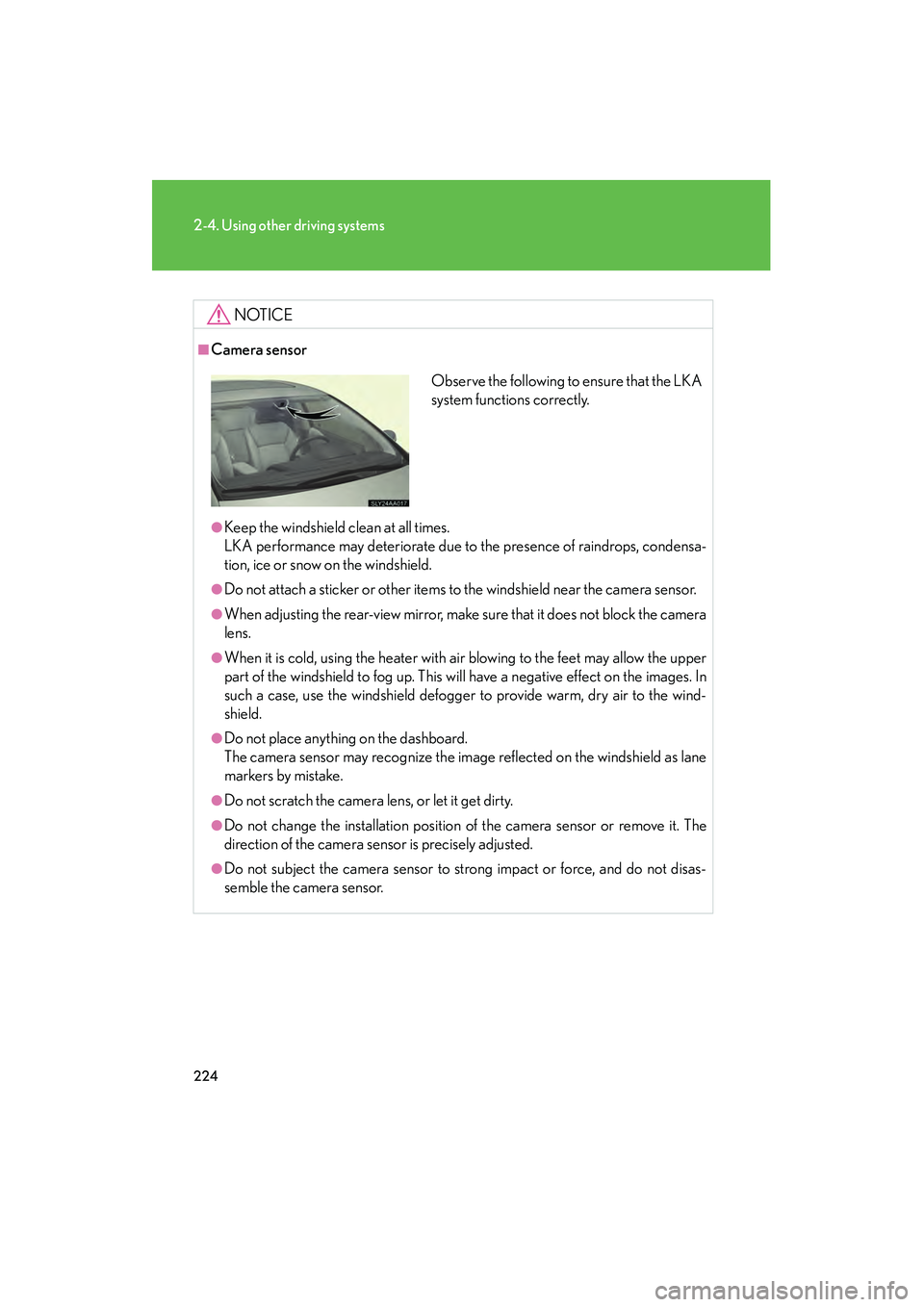
■Camera sensor
●Keep the windshield clean at all times.
LKA performance may deteriorate due to the presence of raindrops, condensa-
tion, ice or snow on the windshield.
●Do not attach a sticker or other items to the windshield near the camera sensor.
●When adjusting the rear-view mirror, make sure that it does not block the camera
lens.
●When it is cold, using the heater with air blowing to the feet may allow the upper
part of the windshield to fog up. This will have a negative effect on the images. In
such a case, use the windshield defogger to provide warm, dry air to the wind-
shield.
●Do not place anything on the dashboard.
The camera sensor may recognize the image reflected on the windshield as lane
markers by mistake.
●Do not scratch the camera lens, or let it get dirty.
●Do not change the installation position of the camera sensor or remove it. The
direction of the camera sensor is precisely adjusted.
●Do not subject the camera sensor to strong impact or force, and do not disas-
semble the camera sensor.
Observe the following to ensure that the LKA
system functions correctly.


