2010 Lexus GS350 trunk
[x] Cancel search: trunkPage 114 of 650

113
1-7. Safety information
1
Before driving
GS_G_U (OM30C80U)
January 27, 2010 4:47 pm
CAUTION
■Child restraint precautions
●Do not use the seat belt extender when installing a child restraint system on the
front or rear passenger seat. If installing a child restraint system with the seat belt
extender connected to the seat belt, the seat belt will not securely hold the child
restraint system, which could cause death or serious injury to the child or other
passengers in the event of a sudden stop, sudden swerve or accident.
●Do not allow the child to lean his/her head or any part of his/her body against the
door or the area of the seat, front pillar or roof side rail from which the side air-
bags or curtain shield airbags deploy even if the child is seated in the child
restraint system. It is dangerous if the side airbags and curtain shield airbags
inflate, and the impact could cause death or serious injury to the child.
●Make sure you have complied with all installation instructions provided by the
child restraint manufacturer and that the system is properly secured. If it is not
secured properly, it may cause death or serious injury to the child in the event of a
sudden stop, sudden swerve or an accident.
■Child restraint lock function belt precaution
Do not allow children to play with the chil d restraint lock function belt. If the belt
becomes twisted around a child’s neck, it will not be possible to pull the belt out
leading to choking or other serious injuries that could result in death.
If this occurs and the buckle cannot be unfastened, scissors should be used to cut
the belt.
■When the child restraint system is not in use
●Keep the child restraint system properly secured on the seat even if it is not in use.
Do not store the restraint unsecured in the passenger compartment.
●If it is necessary to detach the child restraint system, remove it from the vehicle or
store it securely in the trunk. This will prevent it from injuring passengers in the
event of a sudden stop, sudden swerve or accident.
GS_U_G.book Page 113 Wednesday, January 27, 2010 4:48 PM
Page 129 of 650

128
2-1. Driving procedures
GS_G_U (OM30C80U)
January 27, 2010 4:47 pm
CAUTION
■When starting the vehicle
Always keep your foot on the brake pedal while stopped with the engine running.
This prevents the vehicle from creeping.
■When driving the vehicle
●Do not drive if you are unfamiliar with the location of the brake and accelerator
pedals to avoid depressing the wrong pedal.
• Accidentally depressing the accelerator pedal instead of the brake pedal willresult in sudden acceleration that may lead to an accident that could result in
death or serious injury.
• When backing up, you may twist your body around, leading to a difficulty in operating the pedals. Make sure to operate the pedals properly.
• Make sure to keep a correct driving posture even when moving the vehicle only slightly, allowing you to depress the brake and accelerator pedals prop-
erly.
• Depress the brake pedal using your right foot. Depressing the brake pedal using your left foot may delay response in an emergency, resulting in an acci-
dent.
●Do not drive the vehicle over or stop the vehicle near flammable materials.
The exhaust system and exhaust gases can be extremely hot. This may cause a
fire if there is any flammable material nearby.
●Do not let the vehicle roll backwards while the shift lever is in a driving position, or
roll forward while the shift lever is in “R”.
Doing so may cause the engine not to operate or lead to poor brake and steering
performance, resulting in an accident or damage to the vehicle.
●If the smell of exhaust is noticed inside the vehicle, open the windows and check
that the trunk is closed.
Large amounts of exhaust in the vehicle can cause driver drowsiness and an acci-
dent, resulting in death or a serious health hazard. Have the vehicle inspected by
your Lexus dealer immediately.
GS_U_G.book Page 128 Wednesday, January 27, 2010 4:48 PM
Page 182 of 650

181
2-4. Using other driving systems
2
When driving
GS_G_U (OM30C80U)
January 27, 2010 4:47 pm
CAUTION
■When the radar sensor may not be correctly detecting the vehicle ahead
Apply the brakes as necessary when any of the following types of vehicles are in
front of you.
As the sensor may not be able to correctly detect these types of vehicles, the prox-
imity alarm ( →P. 551) will not be activated, and a serious or fatal accident may
result.
●Vehicles that cut in suddenly
●Vehicles traveling at low speeds
●Vehicles that are not moving
●Vehicles with small rear ends (trailers with no load on board etc.)
●Motorcycles traveling in the same lane
■Conditions under which the vehicle-to-vehicle distance control may not function
correctly
Apply the brakes as necessary in the following conditions as the radar sensor may
not be able to correctly detect vehicles ahead, and a serious or fatal accident may
result.
●When water or snow thrown up by the surrounding vehicles hinders the function-
ing of the sensor
●When your vehicle is pointing upwards (caused by a heavy load in the trunk, etc.)
●When the road curves or when the lanes are narrow
●When steering wheel operation or your position in the lane is unstable
●When the vehicle ahead of you decelerates suddenly
GS_U_G.book Page 181 Wednesday, January 27, 2010 4:48 PM
Page 199 of 650

198
2-4. Using other driving systems
GS_G_U (OM30C80U)
January 27, 2010 4:47 pm
■Smear effect
CAUTION
■When using the rear view monitor system
Observe the following precautions to avoid an accident that could result in death or
serious injuries.
●Never depend solely on the monitor system when reversing.
●Always check visually and with the mirrors to confirm your intended path is clear.
●Depicted distances between objects and flat surfaces differ from actual dis-
tances.
●Do not use the system if the trunk is open.
■Conditions which may affect the rear view monitor system
●If the back of the vehicle is hit, the camera’s position and mounting angle may
change. Contact your Lexus dealer.
●Rapid temperature changes, such as when hot water is poured on the vehicle in
cold weather, may cause the system to function abnormally.
●If the camera lens is dirty, it cannot transmit a clear image. Rinse with water and
wipe with a soft cloth. If extremely dirty, wash with a mild cleanser and rinse.
●The displayed image may be darker and moving images may be slightly distorted
when the system is cold.
If a bright light (for example, sunlight
reflected off the vehicle body) is picked up by
the camera, a smear effect
* peculiar to the
camera may occur.
*: Smear effect—A phenomenon that occurs when a bright light (for example, sunlight
reflected off the vehicle body) is picked up
by the camera; when transmitted by the
camera, the light source appears to have a
vertical streak above and below it.
GS_U_G.book Page 198 Wednesday, January 27, 2010 4:48 PM
Page 215 of 650

214
GS_G_U (OM30C80U)
January 27, 2010 4:47 pm
2-5. Driving information
Cargo and luggage
Take notice of the following information about storage precautions, cargo
capacity and load.
●Stow cargo and luggage in the trunk whenever possible. Be sure all
items are secured in place.
● Be careful to keep the vehicle level. Placing the weight as far for-
ward as possible helps maintain vehicle balance.
● For better fuel economy, do not carry unnecessary weight.
GS_U_G.book Page 214 Wednesday, January 27, 2010 4:48 PM
Page 218 of 650

217
2-5. Driving information
2
When driving
GS_G_U (OM30C80U)
January 27, 2010 4:47 pm
CAUTION
■Things that must not be carried in the trunk
The following things may cause a fire if loaded in the trunk.
●Receptacles containing gasoline
●Aerosol cans
■Storage precautions
Observe the following precautions.
Failing to do so may result in death or serious injury.
●Do not place cargo or luggage in or on the following locations as the item may
get under the brake or accelerator pedal and prevent the pedals from being
depressed properly, block the driver’s vision, or hit the driver or passengers,
causing an accident.
•Driver’s feet
• Front passenger or rear seats (when stacking items)
• Package tray
• Instrument panel
•Dashboard
●Secure all items in the occupant compartment, as they may shift and injure some-
one during sudden braking, sudden swerving or an accident.
■We i g h t o f t h e l o a d
●Improper loading may cause deterioration of steering or braking control result-
ing in an accident which may cause death or serious injury.
●Do not exceed the maximum axle weight rating or the total vehicle weight rating.
●Even if the total load of occupant’s weight and the cargo load is less than the total
load capacity, do not apply the load unevenly. Improper loading may cause dete-
rioration of steering or braking control which may cause death or serious injury.
GS_U_G.book Page 217 Wednesday, January 27, 2010 4:48 PM
Page 228 of 650
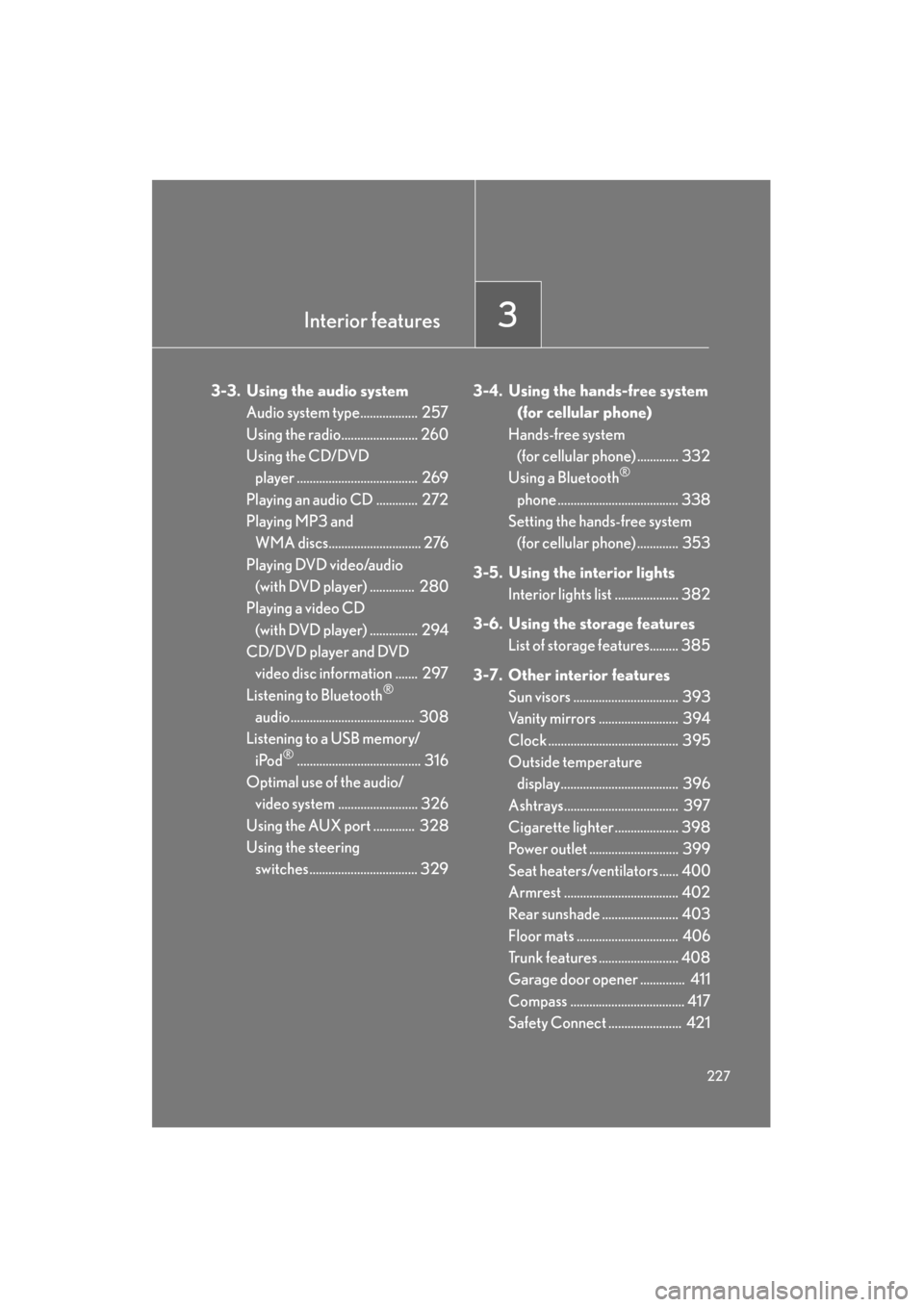
Interior features3
227
GS_G_U (OM30C80U)
January 27, 2010 7:28 pm
3-3. Using the audio systemAudio system type.................. 257
Using the radio........................ 260
Using the CD/DVD player ...................................... 269
Playing an audio CD ............. 272
Playing MP3 and WMA discs............................. 276
Playing DVD video/audio (with DVD player) .............. 280
Playing a video CD
(with DVD player) ............... 294
CD/DVD player and DVD video disc information ....... 297
Listening to Bluetooth
®
audio....................................... 308
Listening to a USB memory/
iPod
®....................................... 316
Optimal use of the audio/ video system ......................... 326
Using the AUX port ............. 328
Using the steering switches.................................. 329 3-4. Using the hands-free system
(for cellular phone)
Hands-free system (for cellular phone) ............. 332
Using a Bluetooth
®
phone ...................................... 338
Setting the hands-free system (for cellular phone) ............. 353
3-5. Using the interior lights Interior lights list .................... 382
3-6. Using the storage features List of storage features......... 385
3-7. Other interior features Sun visors ................................. 393
Vanity mirrors ......................... 394
Clock ......................................... 395
Outside temperature
display..................................... 396
Ashtrays.................................... 397
Cigarette lighter .................... 398
Power outlet ............................ 399
Seat heaters/ventilators ...... 400
Armrest .................................... 402
Rear sunshade ........................ 403
Floor mats ................................ 406
Trunk features ......................... 408
Garage door opener .............. 411
Compass .................................... 417
Safety Connect ....................... 421
Sec_03TOC.fm Page 227 Wednesday, January 27, 2010 7:28 PM
Page 388 of 650

387
3-6. Using the storage features
3
Interior features
GS_G_U (OM30C80U)
January 27, 2010 4:47 pm
Glove boxOpen (push button)
Unlock with the mechanical key
Lock with the mechanical key
■Glove box light
The glove box light turns on when the headlight switch is on.
■Trunk opener main switch
The trunk opener main switch is located in the glove box. ( →P. 4 8 )
CAUTION
■While driving
Keep the glove box closed.
Injuries may result in the event of sudden braking, sudden swerving or an accident.
GS_U_G.book Page 387 Wednesday, January 27, 2010 4:48 PM