Page 255 of 543
253
3-2. Using the audio system
3
Interior features
ES350_U
Using the steering wheel audio switches
Turning on the powerPress when the audio system is turned OFF.
The audio system can be turned off by holding the button down for 1 second
or more.
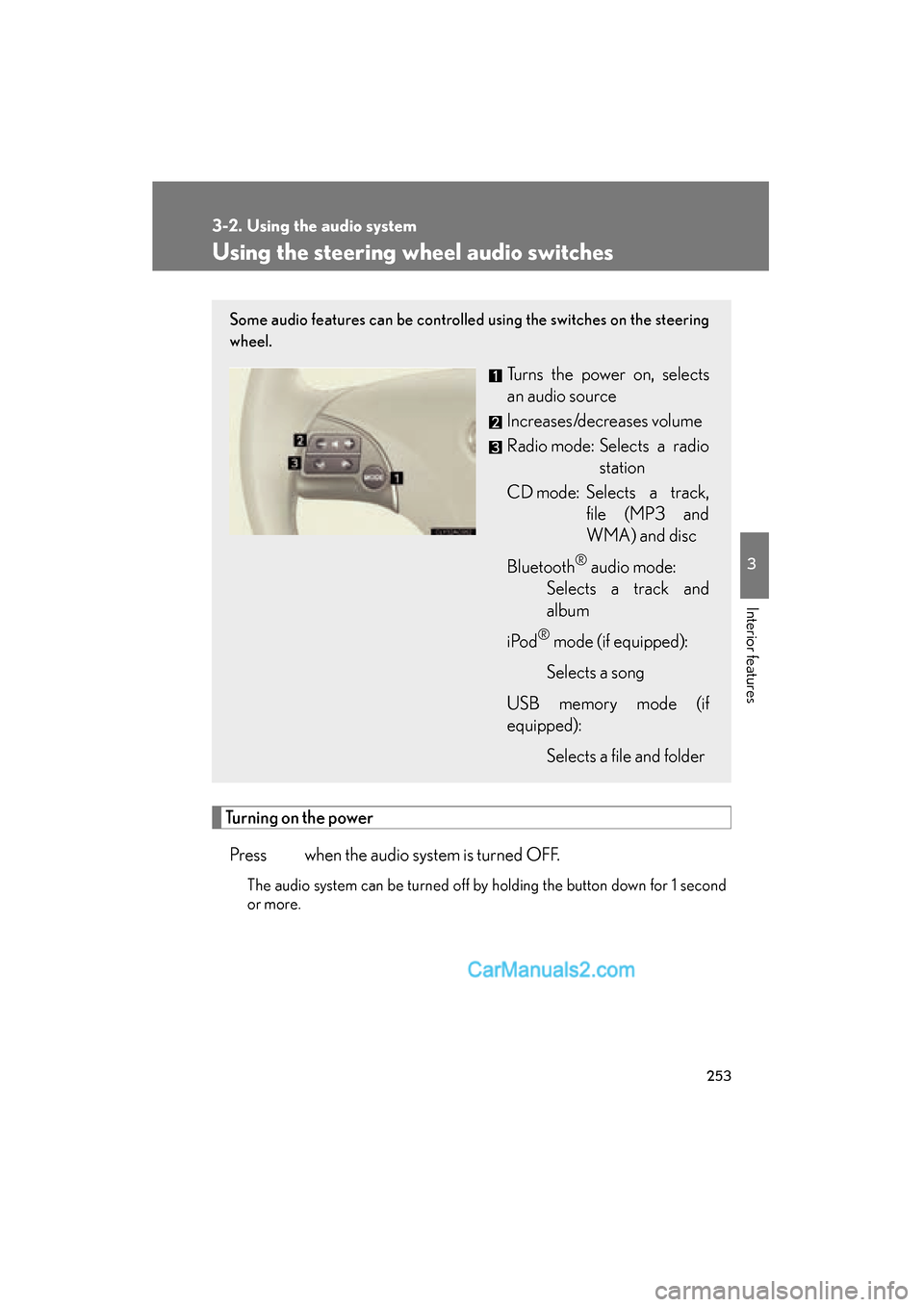
Some audio features can be controlled using the switches on the steering
wheel.
Turns the power on, selects
an audio source
Increases/decreases volume
Radio mode: Selects a radio station
CD mode: Selects a track, file (MP3 and
WMA) and disc
Bluetooth
® audio mode:
Selects a track and
album
i Po d
® mode (if equipped):
Selects a song
USB memory mode (if
equipped): Selects a file and folder
Page 256 of 543
254
3-2. Using the audio system
ES350_U
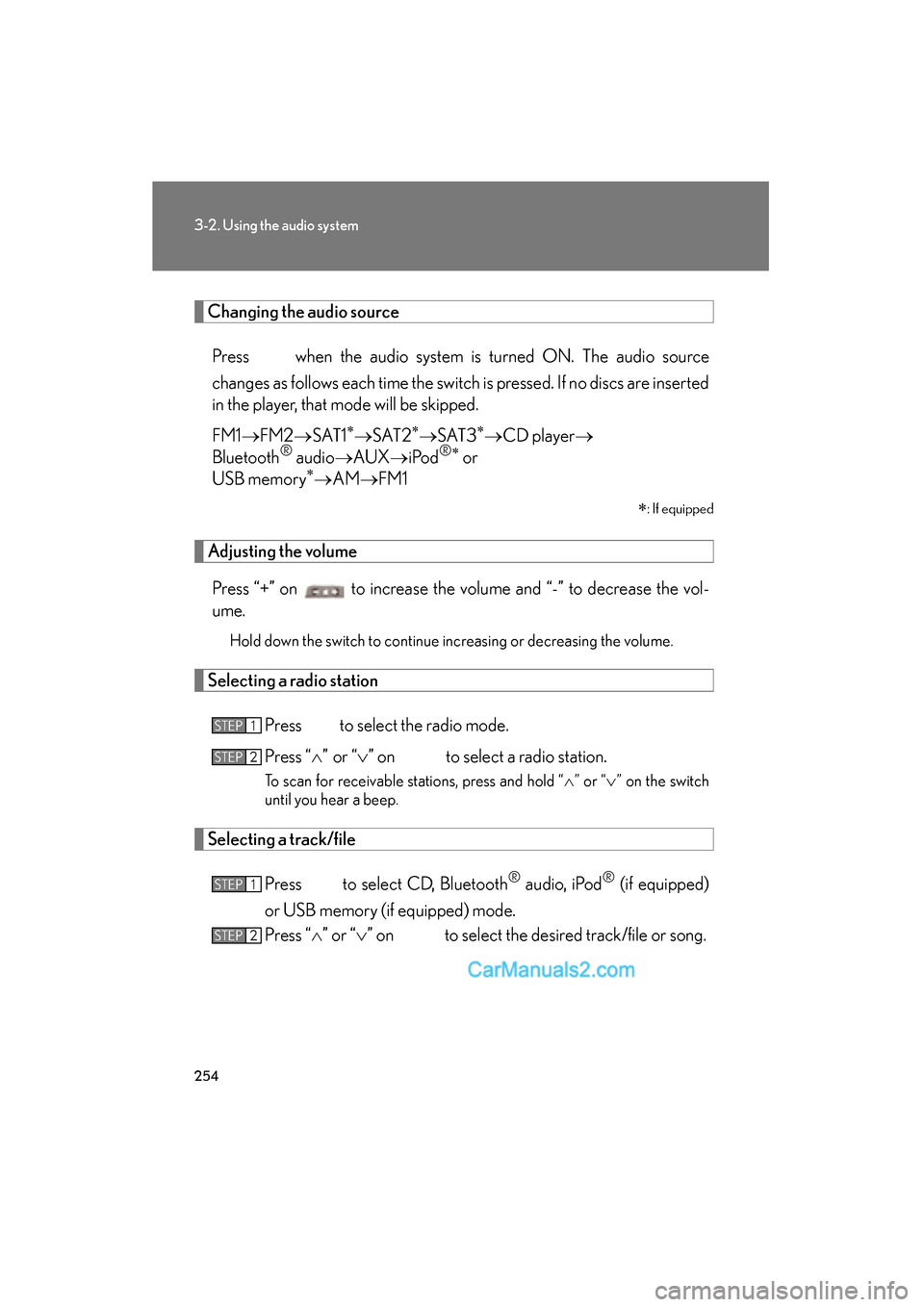
Changing the audio sourcePress when the audio system is turned ON. The audio source
changes as follows each time the switch is pressed. If no discs are inserted
in the player, that mode will be skipped.
FM1 oFM2 oSAT1
∗oS AT 2∗oS AT 3∗oCD player o
Bluetooth® audio oAUX oiPod®∗ or
USB memory∗o AM oFM1
∗
: If equipped
Adjusting the volume
Press “+” on to increase the volume and “-” to decrease the vol-
ume.
Hold down the switch to continue increasing or decreasing the volume.
Selecting a radio station
Press to select the radio mode.
Press “
Page 268 of 543
266
3-3. Using the Bluetooth® audio system
ES350_U
■Bluetooth® audio system functions
Depending on the portable player that is connected to the system, certain functions
may not be available.
■Display
o P. 222
■Error message
“Memory Error”: This indicates a problem in the system.
Page 285 of 543
283
3-4. Using the hands-free system (for mobile phone)
3
Interior features
ES350_USelect “Yes” or “No” using a voice command or .
(Bluetooth
® audio player
oP. 2 5 7 )
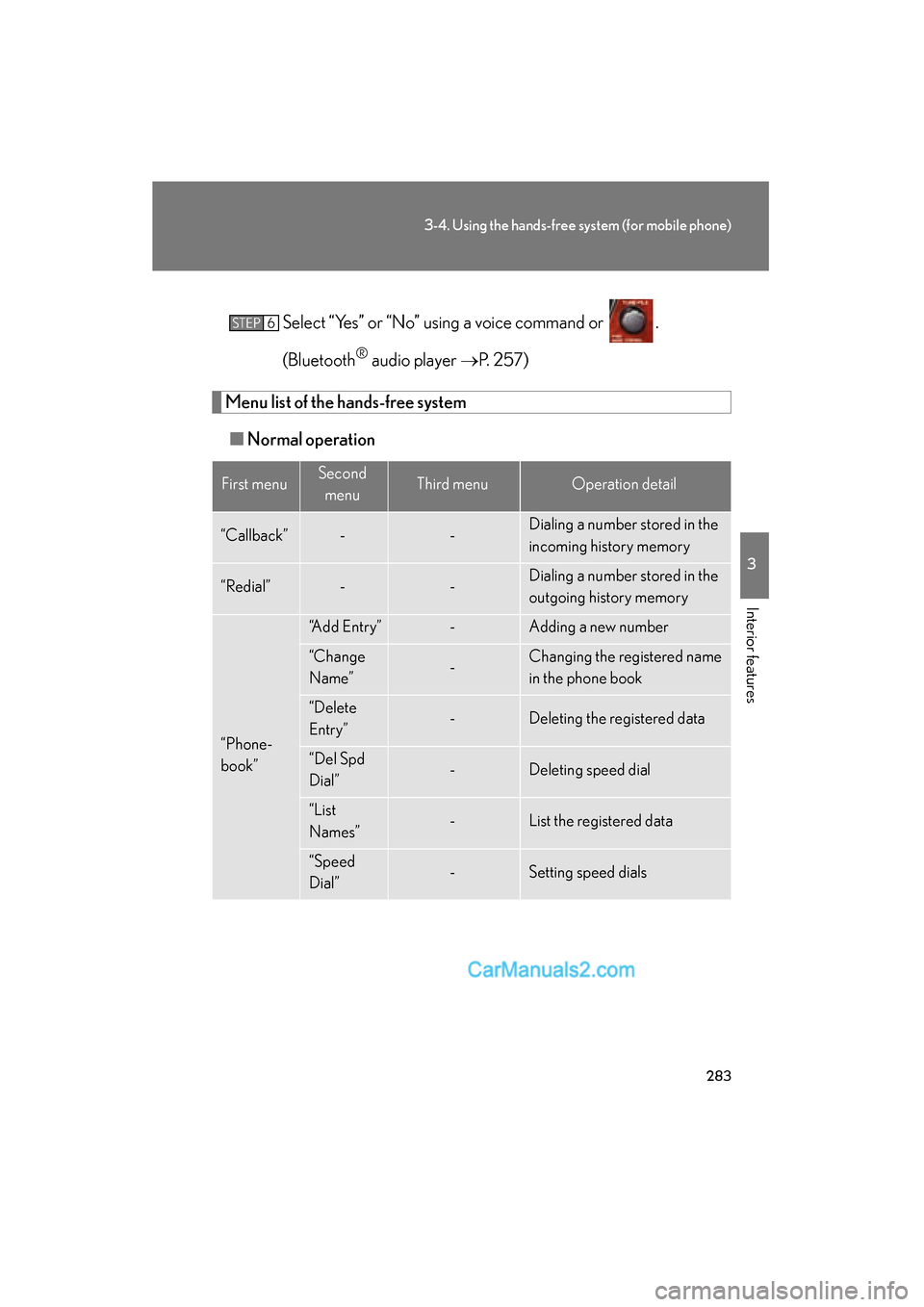
Menu list of the hands-free system
■ Normal operation
First menuSecond
menuThird menuOperation detail
“Callback”--Dialing a number stored in the
incoming history memory
“Redial”--Dialing a number stored in the
outgoing history memory
“Phone-
book”
“Add Entry”-Adding a new number
“Change
Name”-Changing the registered name
in the phone book
“Delete
Entry”-Deleting the registered data
“Del Spd
Dial”-Deleting speed dial
“List
Names”-List the registered data
“Speed
Dial”-Setting speed dials
STEP6
Page 289 of 543
287
3-4. Using the hands-free system (for mobile phone)
3
Interior features
ES350_U
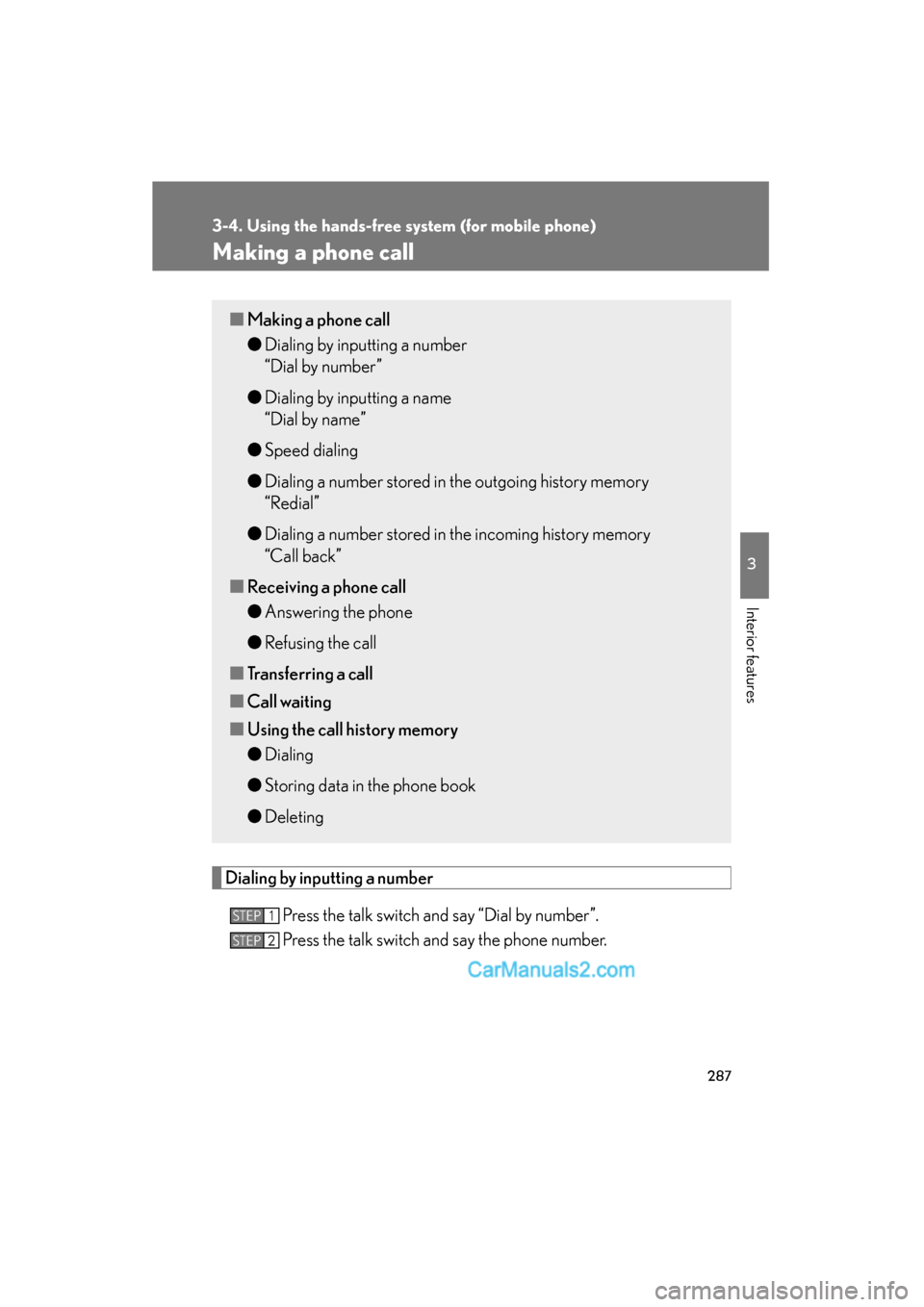
Making a phone call
Dialing by inputting a numberPress the talk switch and say “Dial by number”.
Press the talk switch and say the phone number.
■Making a phone call
●Dialing by inputting a number
“Dial by number”
● Dialing by inputting a name
“Dial by name”
● Speed dialing
● Dialing a number stored in the outgoing history memory
“Redial”
● Dialing a number stored in the incoming history memory
“Call back”
■ Receiving a phone call
●Answering the phone
● Refusing the call
■ Transferring a call
■ Call waiting
■ Using the call history memory
●Dialing
● Storing data in the phone book
● Deleting
STEP1
STEP2
Page 292 of 543
290
3-4. Using the hands-free system (for mobile phone)
ES350_U
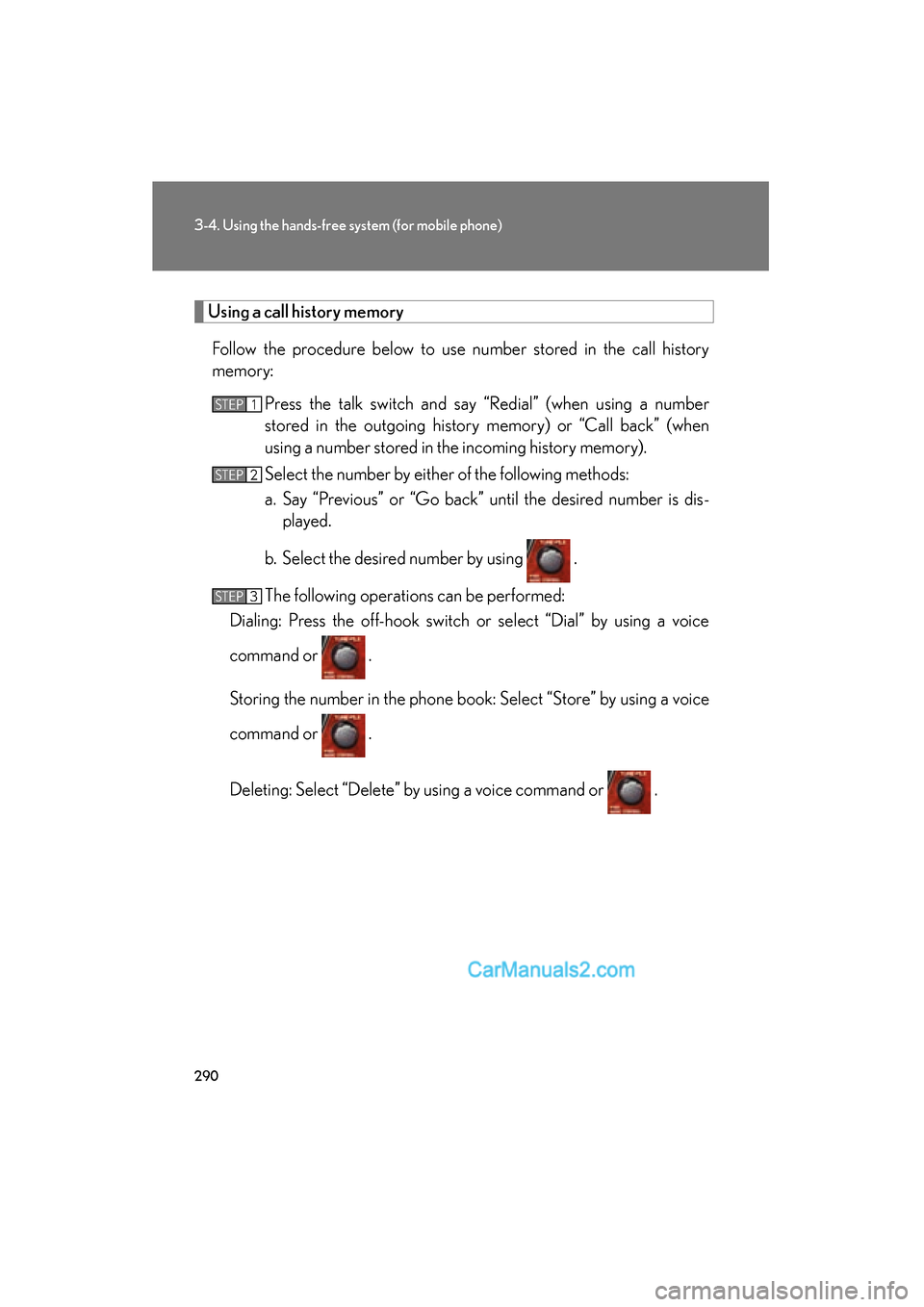
Using a call history memory
Follow the procedure below to use number stored in the call history
memory: Press the talk switch and say “Redial” (when using a number
stored in the outgoing history memory) or “Call back” (when
using a number stored in the incoming history memory).
Select the number by either of the following methods:
a. Say “Previous” or “Go back” until the desired number is dis-played.
b. Select the desired number by using .
The following operations can be performed:
Dialing: Press the off-hook switch or select “Dial” by using a voice
command or .
Storing the number in the phone book: Select “Store” by using a voice
command or .
Deleting: Select “Delete” by using a voice command or .
STEP1
STEP2
STEP3
Page 302 of 543
300
3-4. Using the hands-free system (for mobile phone)
ES350_U
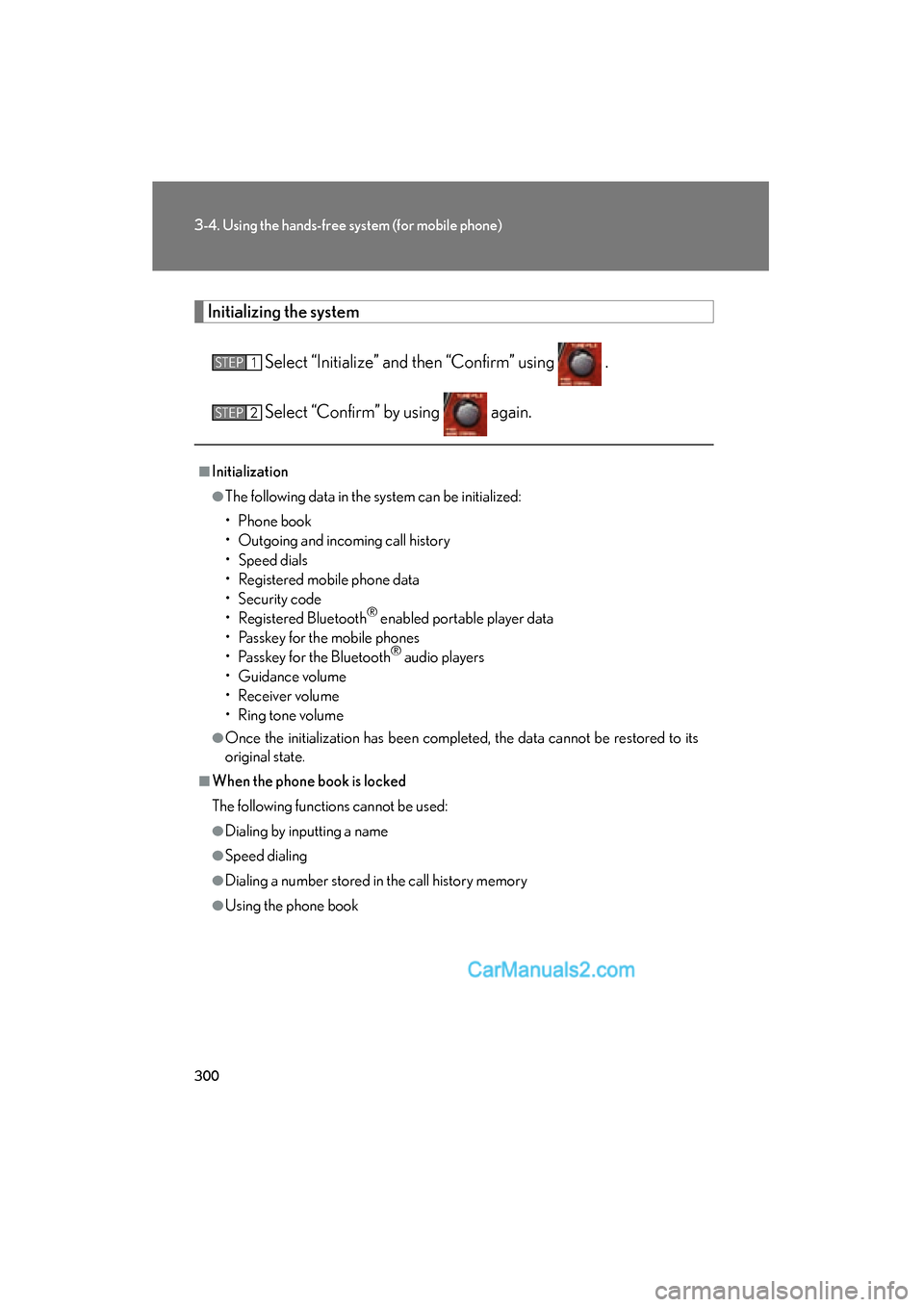
Initializing the system
Select “Initialize” and then “Confirm” using .
Select “Confirm” by using again.
■Initialization
●The following data in the system can be initialized:
• Phone book
• Outgoing and incoming call history
• Speed dials
• Registered mobile phone data
• Security code
• Registered Bluetooth
® enabled portable player data
• Passkey for the mobile phones
• Passkey for the Bluetooth
® audio players
• Guidance volume
• Receiver volume
• Ring tone volume
●Once the initialization has been completed, the data cannot be restored to its
original state.
■When the phone book is locked
The following functions cannot be used:
●Dialing by inputting a name
●Speed dialing
●Dialing a number stored in the call history memory
●Using the phone book
STEP1
STEP2
Page 415 of 543
413
4-3. Do-it-yourself maintenance
4
Maintenance and care
ES350_U
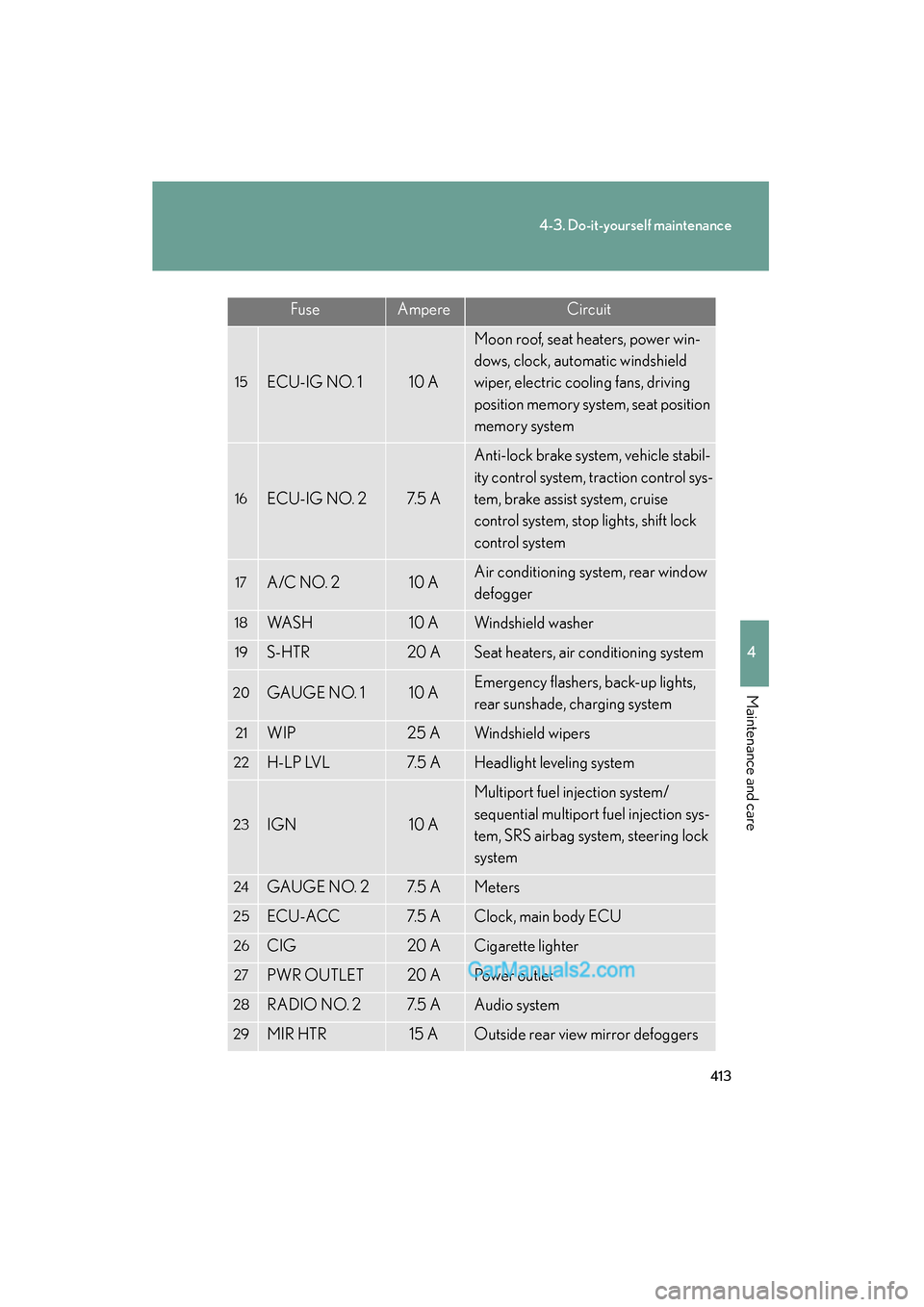
15ECU-IG NO. 110 A
Moon roof, seat heaters, power win-
dows, clock, automatic windshield
wiper, electric cooling fans, driving
position memory system, seat position
memory system
16ECU-IG NO. 27. 5 A
Anti-lock brake system, vehicle stabil-
ity control system, traction control sys-
tem, brake assist system, cruise
control system, stop lights, shift lock
control system
17A/C NO. 210 AAir conditioning system, rear window
defogger
18WA S H10 AWindshield washer
19S-HTR20 ASeat heaters, air conditioning system
20GAUGE NO. 110 AEmergency flashers, back-up lights,
rear sunshade, charging system
21WIP25 AWindshield wipers
22H-LP LVL7. 5 AHeadlight leveling system
23IGN10 A
Multiport fuel injection system/
sequential multiport fuel injection sys-
tem, SRS airbag system, steering lock
system
24GAUGE NO. 27. 5 AMeters
25ECU-ACC7. 5 AClock, main body ECU
26CIG20 ACigarette lighter
27PWR OUTLET20 APower outlet
28RADIO NO. 27. 5 AAudio system
29MIR HTR15 AOutside rear view mirror defoggers
FuseAmpereCircuit