2010 KIA SORENTO Parking
[x] Cancel search: ParkingPage 10 of 399

17
Introduction
INDICATOR SYMBOLS ON THE INSTRUMENT CLUSTER
Seat belt warning light
Door/tailgate open position indicator*
Tailgate open warning light
High beam indicator
Light on indicator*
Turn signal indicator
Front fog light indicator*
ABS warning light
Parking brake & Brake fluid
warning light
Engine oil pressure warning light
4WD system warning light* 4WD LOCK indicator*
Malfunction indicator*
Air bag warning light
Cruise SET indicator*
Low fuel level warning light
Shift pattern indicator*
DBC indicator*
❈ For more detailed explanations, refer to “Instrument cluster” in section 4.
Charging system warning light
Low windshield washer fluid level
warning light*
Door ajar warning light
Overspeed warning light*
120km/h
Key out warning light*KEY
OUT
* if equipped
Glow indicator (Diesel only)
Fuel filter warning light (Diesel only)
Cruise indicator*
Rear fog light indicator*
ESP indicator*
ESP OFF indicator*
Immobilizer indicator*
Low tire pressure telltale*/
TPMS (Tire Pressure MonitoringSystem) malfunction indicator*
Low tire pressure position telltale*
Page 13 of 399

23
Your vehicle at a glance
INSTRUMENT PANEL OVERVIEW
1. Instrument cluster.............................4-39
2. Steering wheel audio controls* ......4-107
3. Light control / Turn signals ...............4-63
4. Horn .................................................4-34
5. Auto cruise controls* ........................5-41
6. Wiper/Washer switch ........................4-69
7. Driver’s front air bag .........................3-47
8. Ignition switch* orENGINE START/STOP button* ...5-4, 5-8
9. Hazard warning flasher .............4-62, 6-2
10. Audio* ...........................................4-107
11. Digital clock ..................................4-102
12. Climate control system* ........4-77, 4-86
13. Power outlet* ................................4-101
14. Cigar lighter* ..................................4-99
15. Shift lever ..............................5-17, 5-14
16. AUX, USB and iPod port*.............4-108
17. Seat warmer switch* ........................3-9
18. Parking brake pedal* ......................5-31
19. Brake pedal ....................................5-30
20. Accelerator pedal .............................5-5
21. Passenger’s front air bag* ..............3-47
22. Glove box .......................................4-97
* : if equipped
OXM019002
Page 31 of 399
317
Safety features of your vehicle
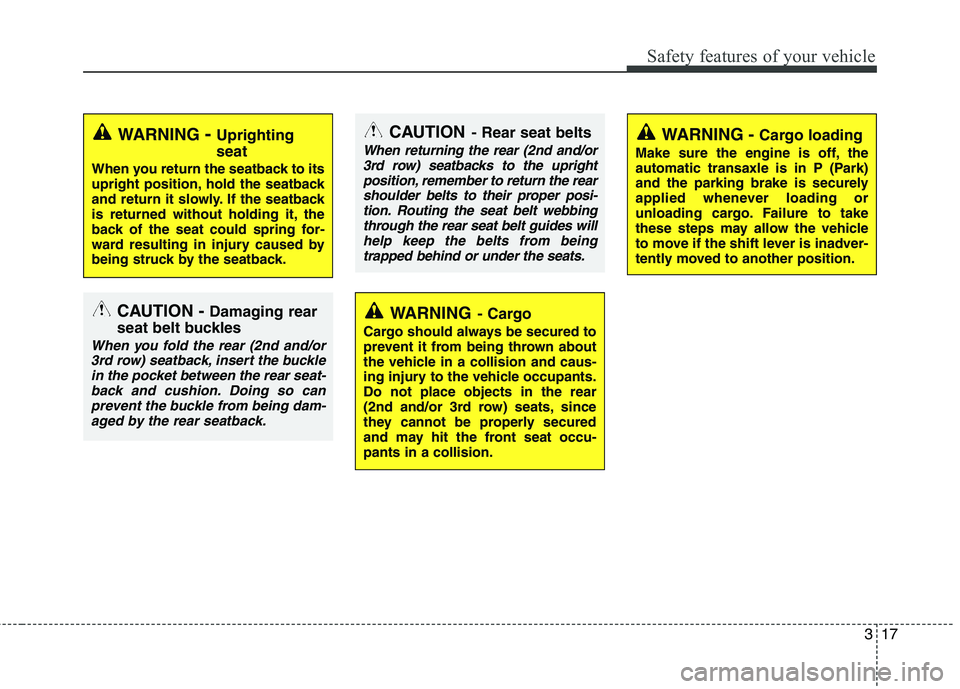
CAUTION- Rear seat belts
When returning the rear (2nd and/or
3rd row) seatbacks to the upright
position, remember to return the rearshoulder belts to their proper posi-tion. Routing the seat belt webbing through the rear seat belt guides will
help keep the belts from beingtrapped behind or under the seats.
CAUTION - Damaging rear
seat belt buckles
When you fold the rear (2nd and/or 3rd row) seatback, insert the bucklein the pocket between the rear seat- back and cushion. Doing so can
prevent the buckle from being dam-aged by the rear seatback.
WARNING - Uprighting seat
When you return the seatback to its
upright position, hold the seatback
and return it slowly. If the seatback
is returned without holding it, the
back of the seat could spring for-
ward resulting in injury caused by
being struck by the seatback.WARNING - Cargo loading
Make sure the engine is off, the
automatic transaxle is in P (Park)
and the parking brake is securely
applied whenever loading or
unloading cargo. Failure to take
these steps may allow the vehicle
to move if the shift lever is inadver-
tently moved to another position.
WARNING - Cargo
Cargo should always be secured to
prevent it from being thrown about
the vehicle in a collision and caus-
ing injury to the vehicle occupants.Do not place objects in the rear
(2nd and/or 3rd row) seats, since
they cannot be properly secured
and may hit the front seat occu-pants in a collision.
Page 76 of 399
4
Keys / 4-3
Remote keyless entry / 4-6
Smart key / 4-9
Theft-alarm system / 4-12
Door locks / 4-14
Tailgate / 4-18
Windows / 4-20
Hood / 4-24
Fuel filler lid / 4-26
Panorama sunroof / 4-29
Steering wheel / 4-33
Mirrors / 4-35
Instrument cluster / 4-39
Rear parking assist system / 4-59
Rearview camera / 4-62
Hazard warning flasher / 4-62
Lighting / 4-63
Wipers and washers / 4-69
Interior light / 4-73
Defroster / 4-76
Manual climate control system / 4-77
Automatic climate control system / 4-86
Windshield defrosting and defogging / 4-94
Features of your vehicle
Page 86 of 399

411
Features of your vehicle
Restrictions in handling keys
When leaving keys with parking lot and
valet attendants, the following proce-
dures will ensure that your vehicle’s
glove box compartment can not be
opened in your absence.
1. Press and hold the release button (1)and remove the mechanical key.
2. Close and then lock the glove box using the mechanical key.
3. Leave the smart key with the atten- dant. The glove box can not be opened
without the mechanical key. Battery replacement
A smart key battery should last for sever-
al years, but if the smart key is not work-
ing properly, try replacing the battery with
a new one. If you are unsure how to use
your smart key or replace the battery,
contact an authorized KIA dealer.
✽✽
NOTICE
The circuit inside the smart key can
have a problem if exposed to moisture
or static electricity. If you are unsure
how to use your smart key or replace the
battery, contact an authorized KIA deal-
er.
1. Pry open the rear cover of the smart key.
2. Replace the battery with a new battery (CR2032). When replacing the battery,
make sure the battery positive “+” sym-
bol faces up as indicated in the illus-
tration.
3. Install the battery in the reverse order of removal.
✽✽ NOTICE
Using the wrong battery can cause the smart key to malfunction. Be sure to
use the correct battery.
Circuits inside the smart key may
develop problems when dropped,
exposed to moisture or static electrici-
ty.
If you suspect that your smart key might have sustained some damage,
or you feel your smart key is not
working correctly, contact an author-
ized KIA dealer.
OXM049200LOHM048005
CAUTION
An inappropriately disposed bat-
tery can be harmful to the environ-
ment and human health.
Dispose the battery according toyour local law(s) or regulation.
Page 89 of 399
Features of your vehicle
14
4
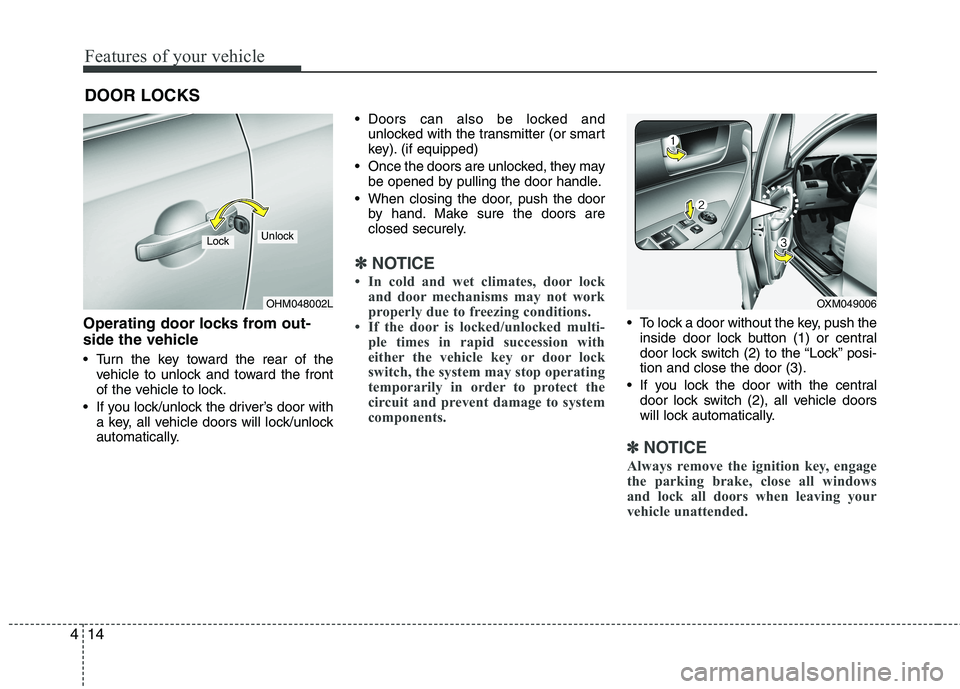
Operating door locks from out-
side the vehicle
Turn the key toward the rear of the
vehicle to unlock and toward the front
of the vehicle to lock.
If you lock/unlock the driver’s door with a key, all vehicle doors will lock/unlock
automatically. Doors can also be locked and
unlocked with the transmitter (or smart
key). (if equipped)
Once the doors are unlocked, they may be opened by pulling the door handle.
When closing the door, push the door by hand. Make sure the doors are
closed securely.
✽✽ NOTICE
In cold and wet climates, door lock and door mechanisms may not work
properly due to freezing conditions.
If the door is locked/unlocked multi- ple times in rapid succession with
either the vehicle key or door lock
switch, the system may stop operating
temporarily in order to protect the
circuit and prevent damage to system
components.
To lock a door without the key, push theinside door lock button (1) or central
door lock switch (2 ) to the “Lock” posi-
tion and close the door (3).
If you lock the door with the central door lock switch (2), all vehicle doors
will lock automatically.
✽✽ NOTICE
Always remove the ignition key, engage
the parking brake, close all windows
and lock all doors when leaving your
vehicle unattended.
DOOR LOCKS
OHM048002L
LockUnlock
OXM049006
Page 91 of 399
Features of your vehicle
16
4
When pressing the front portion (1) of
the switch, all vehicle doors will lock.
When pressing the rear portion (2) of the switch, all vehicle doors will unlock.
If the key is in the ignition switch (or if the smart key is in the vehicle) and any front door is opened, the doors will not
lock even though the front portion (1)
of the central door lock switch ispressed.
WARNING - Unlocked
vehicles
Leaving your vehicle unlocked can
invite theft or possible harm to you
or others from someone hiding in
your vehicle while you are gone.
Always remove the ignition key,
engage the parking brake, close all
windows and lock all doors when
leaving your vehicle unattended.
WARNING - Unattended
children
An enclosed vehicle can become
extremely hot, causing death or
severe injury to unattended chil-dren or animals who cannot escape
the vehicle. Furthermore, children
might operate features of the vehi-
cle that could injure them, or they
could encounter other harm, possi-
bly from someone gaining entry to
the vehicle. Never leave children or
animals unattended in your vehicle.
WARNING - Doors
The doors should always be fully closed and locked while the vehi-
cle is in motion to prevent acci-
dental opening of the door.
Locked doors will also discour-
age potential intruders when the
vehicle stops or slows down.
Be careful when opening doors and watch for vehicles, motorcy-
cles, bicycles or pedestrians
approaching the vehicle in the
path of the door. Opening a door
when something is approaching
can cause damage or injury.
Page 116 of 399
441
Features of your vehicle
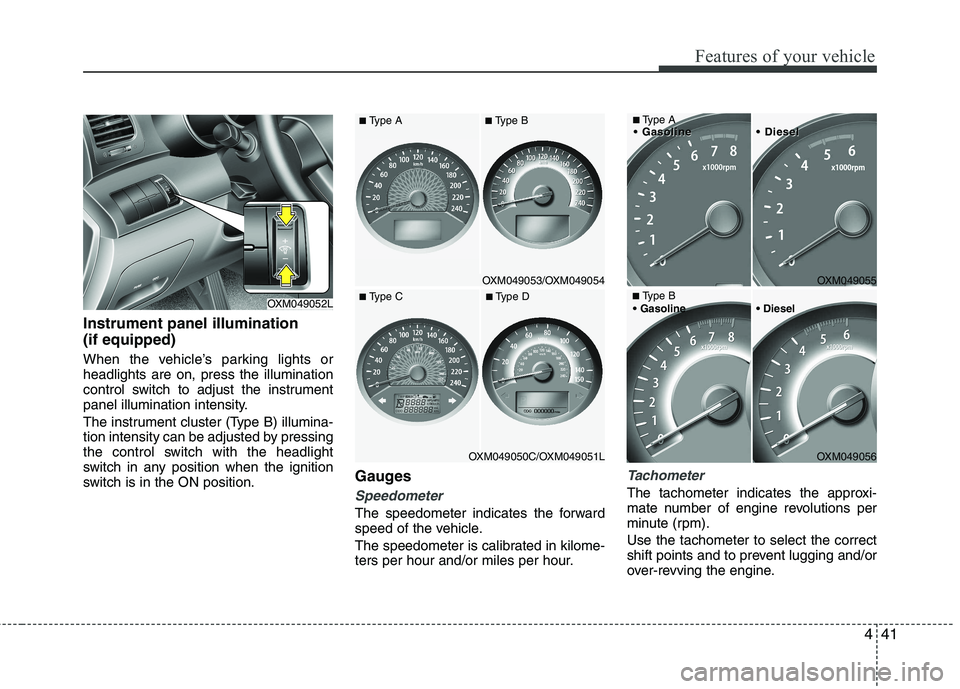
Instrument panel illumination (if equipped)
When the vehicle’s parking lights or headlights are on, press the illumination
control switch to adjust the instrument
panel illumination intensity.
The instrument cluster (Type B) illumina-
tion intensity can be adjusted by pressing
the control switch with the headlight
switch in any position when the ignition
switch is in the ON position.Gauges
Speedometer
The speedometer indicates the forward
speed of the vehicle.
The speedometer is calibrated in kilome-
ters per hour and/or miles per hour.
Tachometer
The tachometer indicates the approxi-
mate number of engine revolutions per
minute (rpm). Use the tachometer to select the correct
shift points and to prevent lugging and/or
over-revving the engine.
OXM049052L
■
Type ADieselDiesel
OXM049056
■
Type B
OXM049055
OXM049053/OXM049054
OXM049050C/OXM049051L
■
Type C ■ Type D
■Type A ■Type B