Page 169 of 461
489
Features of your vehicle
Instrument panel vents
The outlet vents can be opened or closed
separately using the thumbwheel.
Also, you can adjust the direction of air
delivery from these vents using the vent
control lever as shown.
D230102AHM-ECTemperature controlThe temperature control switch allows
you to control the temperature of the air
flow from the ventilation system. To
change the air temperature in the pas-
senger compartment;
Type A: Press the right side button ( )for warm and hot air (H), or press
the left side button ( ) for
cooler air (C). Type B, C: Pull up ( ▲
) the switch for
warm and hot air (H), or push
down ( ▼ ) the switch for cool-
er air (C).
OHM048092N
OHM048093L
■Type A
OHM048093
■Type B,C
Page 182 of 461
Features of your vehicle102
4Defrost-Level (A, D)
Most of the air flow is directed to the
windshield with a small amount of air
directed to the side window defrosters. Instrument panel vents
The outlet vents can be opened or closed
separately using the thumbwheel.
Also, you can adjust the direction of air
delivery from these vents using the vent
control lever as shown.
D240202AHM-ECTemperature controlThe temperature will increase to the
maximum (HI) by pulling up ( ▲
) the
switch.
The temperature will decrease to the min-
imum (Lo) by pushing down ( ▼) the
switch.
When operating the switch, the tempera-
ture will increase or decrease by
0.5°C/1°F. When set to the lowest tem-
perature setting, the air conditioning will
operate continuously.
OHM048105
OHM048092N
OHM048106
Page 205 of 461
4125
Features of your vehicle
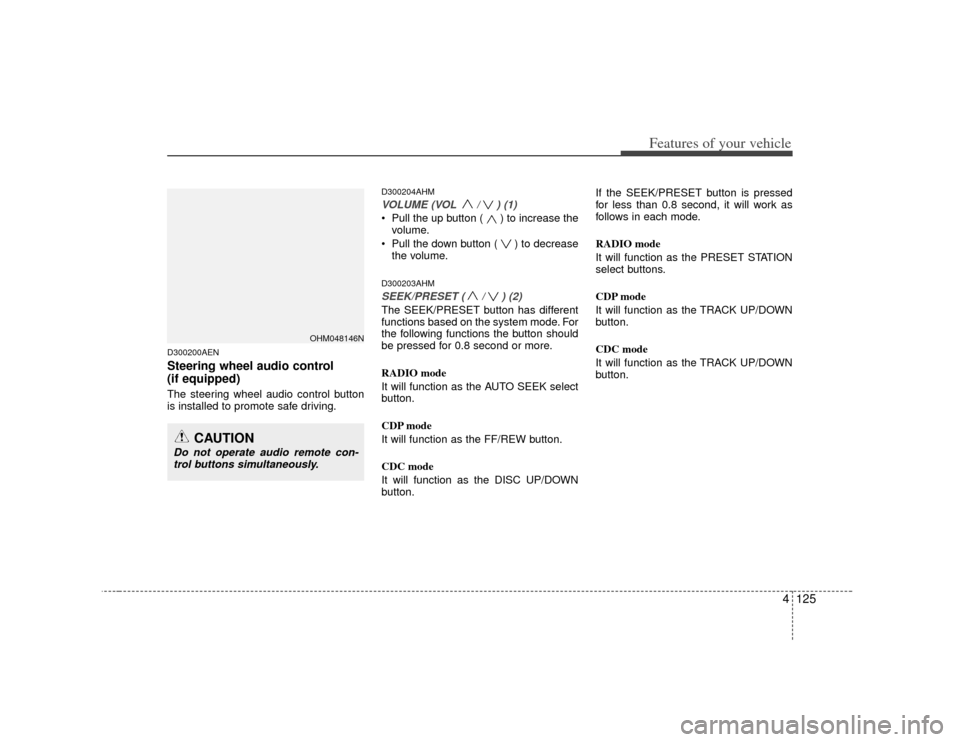
D300200AENSteering wheel audio control
(if equipped) The steering wheel audio control button
is installed to promote safe driving.
D300204AHMVOLUME (VOL / ) (1)• Pull the up button ( ) to increase thevolume.
Pull the down button ( ) to decrease the volume.D300203AHMSEEK/PRESET ( / ) (2)The SEEK/PRESET button has different
functions based on the system mode. For
the following functions the button should
be pressed for 0.8 second or more.
RADIO mode
It will function as the AUTO SEEK select
button.
CDP mode
It will function as the FF/REW button.
CDC mode
It will function as the DISC UP/DOWN
button. If the SEEK/PRESET button is pressed
for less than 0.8 second, it will work as
follows in each mode.
RADIO mode
It will function as the PRESET STATION
select buttons.
CDP mode
It will function as the TRACK UP/DOWN
button.
CDC mode
It will function as the TRACK UP/DOWN
button.
OHM048146N
CAUTION
Do not operate audio remote con-
trol buttons simultaneously.
Page 260 of 461

Features of your vehicle180
4BLUETOOTH PHONE OPERATION
■ General Feature This system supports Bluetooth, a wire-
less system that allows you to make or
receive calls without taking your hands
from the steering wheel and without
using cables to connect the phone and
system.
The phone must be paired to the system before using the hands-free feature.
Only one linked cellular phone can be
used with the system at a time. The
System is available in English, US
Spanish, or Canadian French languages.✽ ✽ NOTICESome Bluetooth devices do not offer a
perfect compatibility with this system.
■Voice Recognition Activation
in the Bluetooth System can be activat-
ed in the following conditions:
- Button Activation The voice recognition system will be
active when the button is pressed
and after the sound of a Beep.
- Active Listening The voice recognition system will be
active for a period of time when the
Voice Recognition system has asked
for a customer response.
from zero to nine while number greater
than ten will not be recognized.
system will announce "Pardon" or No
input voice signal from microphone. (No
response)
tion mode in following cases : When
pressing the button and saying
cancel following the beep. When not
making a call and pressing the but-
ton. When voice recognition has failed 3
consecutive times.
CAUTION
If the vehicle is moving do not use acellular phone or connect the Bluetooth phone.
Bluetooth
Volume
Operation
Button
Page 299 of 461
5
Before driving / 5-3
Key positions / 5-4
ENGINE START/STOP button / 5-6
Starting the engine / 5-9
Automatic transmission / 5-12
Four wheel drive (4WD) / 5-18
Brake system / 5-27
Cruise control system / 5-39
Economical operation / 5-45
Special driving conditions / 5-47
Winter driving / 5-51
Trailer towing / 5-54
Vehicle load limit / 5-63
Vehicle weight / 5-68
Driving your vehicle
Page 302 of 461

Driving your vehicle45E030100AHMIlluminated ignition switchWhenever a front door is opened, the
ignition switch will illuminate for your con-
venience, provided the ignition switch is
not in the ON position. The light will go off
immediately when the ignition switch is
turned on. It will also go off after about 30
seconds when the door is closed.
Ignition switch positionE030201AUNLOCKThe steering wheel locks to protect
against theft. The ignition key can be
removed only in the LOCK position.
When turning the ignition switch to the
LOCK position, push the key inward at
the ACC position and turn the key toward
the LOCK position.
E030202AHMACC (Accessory)The steering wheel is unlocked and elec-
trical accessories are operative.✽ ✽NOTICEIf difficulty is experienced turning the
ignition switch to the ACC position, turn
the key while turning the steering wheel
right and left to release the tension.E030203AUNONThe warning lights can be checked
before the engine is started. This is the
normal running position after the engine
is started.Do not leave the ignition switch ON if the
engine is not running to prevent batterydischarge.
OHM058001N
OUN036002
KEY POSITIONS
Page 303 of 461

55
Driving your vehicle
E030204AUNSTARTTurn the ignition switch to the START
position to start the engine. The engine
will crank until you release the key; then
it returns to the ON position. The brake
warning lamp can be checked in this
position.E030205AHM
WARNING -
Ignition
switch
Never turn the ignition switch toLOCK or ACC while the vehicle is
moving. This would result in loss
of directional control and braking
function, which could cause an
accident.
The anti-theft steering column lock is not a substitute for the parking
brake. Before leaving the driver’s
seat, always make sure the shift
lever is engaged in P (Park), set the
parking brake fully and shut the
engine off. Unexpected and sud-
den vehicle movement may occur
if these precautions are not taken.
(Continued)
(Continued)
Never reach for the ignition switch,or any other controls through the
steering wheel while the vehicle is
in motion. The presence of your
hand or arm in this area could
cause a loss of vehicle control, an
accident and serious bodily injury
or death.
Do not place any movable objects around the driver’s seat as they
may move while driving, interfere
with the driver and lead to an acci-
dent.
Page 304 of 461

Driving your vehicle65Illuminated ENGINE START/STOP
buttonE030100AHMWhenever the front door is opened, the
ENGINE START/STOP button will illumi-
nate for your convenience. The light will
go off after about 30 seconds when the
door is closed. It will also go off immedi-
ately when the theft-alarm system is
armed.
ENGINE START/STOP button
positionE030701AHMOFFTo turn off the engine (START/RUN posi-
tion) or vehicle power (ON position),
press the ENGINE START/STOP button
with the shift lever in the P (Park) posi-
tion. When you press the ENGINE
START/STOP button without the shift
lever in the P (Park) position, the
ENGINE START/STOP button will not
change to the OFF position but to the
ACC position.
Also, the steering wheel locks when the
ENGINE START/STOP button is in the
OFF position to protect you against theft.
It locks when the door is opened or when
you pull out the smart key from the smart
key holder.
If the steering wheel is not locked prop-
erly when you open the driver's door, the
warning chime will sound. Try locking the
steering wheel again. If the problem is
not solved, have it checked by an author-
ized KIA dealer.In addition, if the ENGINE START/STOP
button is in the OFF position after the dri-
ver's door is opened, the steering wheel
will not lock and the warning chime will
sound. In such a situation, close the door.
Then the steering wheel will lock and the
warning chime will stop.
✽ ✽
NOTICEIf the steering wheel doesn't unlock
properly, the ENGINE START/STOP
button will not work. Press the ENGINE
START/STOP button while turning the
steering wheel right and left to release
the tension.
ENGINE START/STOP BUTTON (IF EQUIPPED)
OHM058001
CAUTION
You are able to turn off the engine
(START/RUN) or vehicle power (ON), only when the vehicle is not inmotion. In an emergency situation while the vehicle is in motion, you areable to turn the engine off and to theACC position by pressing the ENGINE START/STOP button for more than 3seconds or 3 times successively. Ifthe vehicle is still moving, you can restart the engine without depressingthe brake pedal by pressing theENGINE START/STOP button with the shift lever in the N (Neutral) position.
Not illuminated


