2010 INFINITI M warning light
[x] Cancel search: warning lightPage 310 of 445

cIf you move the selector lever to the N
(Neutral) position, the cruise control will be
canceled.
To reset at a faster cruising speed, use one of
the following methods:
c Depress the accelerator pedal. When the
vehicle attains the desired speed, push and
release the SET/COAST switch.
c Push and hold the RESUME/ACCELERATE
switch. When the vehicle attains the desired
speed, release the switch.
c Push, then quickly release the
RESUME/ACCELERATE switch. Each time you
do this, the set speed will increase by about
1 MPH (1.6 km/h).
To reset at a slower cruising speed, use one of
the following methods:
c Lightly tap the brake pedal. When the ve-
hicle attains the desired speed, push the
SET/COAST switch and release it.
c Push and hold the SET/COAST switch. Re-
lease the switch when the vehicle slows
down to the desired speed.
c Push, then quickly release the SET/COAST
switch. Each time you do this, the set speed
will decrease by about 1 MPH (1.6 km/h). To resume the preset speed,
push and release
the RESUME/ACCELERATE switch. The vehicle
will resume the last set cruising speed when the
vehicle speed is over 25 MPH (40 km/h). The Intelligent Cruise Control (ICC) system au-
tomatically maintains a selected distance from
the vehicle traveling in front of you according to
that vehicle's speed (up to the set speed), or at
the set speed when the road ahead is clear.
The ICC function can be set to one of two cruise
control modes:
c
Vehicle-to-vehicle distance control mode:
For maintaining a selected distance between
your vehicle and the vehicle in front of you
up to the preset speed.
c Conventional (fixed speed) cruise control
mode:
For cruising at a preset speed.
WARNING
cAlways drive carefully and attentively when
using either cruise control mode. Read and
understand the Owner's Manual thoroughly
before using the cruise control. To avoid se-
rious injury or death, do not rely on the sys-
tem to prevent accidents or to control the
vehicle's speed in emergency situations. Do
not use cruise control except in appropriate
road and traffic conditions.
INTELLIGENT CRUISE CONTROL (ICC)
SYSTEM (if so equipped)
Starting and driving5-25
wÐ
Ð
05/15/09Ðpattie
X
Page 312 of 445

VEHICLE-TO-VEHICLE DISTANCE
CONTROL MODE
In the vehicle-to-vehicle distance control mode,
the Intelligent Cruise Control (ICC) system auto-
matically maintains a selected distance from
the vehicle traveling in front of you according to
that vehicle's speed (up to the set speed), or at
the set speed when the road ahead is clear.
With ICC, the driver can maintain the same
speed as other vehicles without the constant
need to adjust the set speed as you would with
a normal cruise control system.
PRECAUTIONS ON VEHICLE-TO-
VEHICLE DISTANCE CONTROL MODE
The system is intended to enhance the opera-
tion of the vehicle when following a vehicle
traveling in the same lane and direction.
If the distance sensor
sAdetects a slower
moving vehicle ahead, the system will reduce
the vehicle speed so that your vehicle follows
the vehicle in front at the selected distance.
The system automatically controls the throttle
and applies the brakes (up to 25% of vehicle
braking power) if necessary.
The detection range of the sensor is approxi-
mately 390 ft (120 m) ahead.
WARNING
c This system is only an aid to assist the driver
and is not a collision warning or avoidance
device. It is the driver's responsibility to stay
alert, drive safely and be in control of the
vehicle at all times.
c The system is primarily intended for use on
straight, dry, open roads with light traffic. It
is not advisable to use the system in city
traffic or congested areas.
Type A
SSD0676
Type B
SSD0695
Starting and driving5-27
wÐ
Ð
05/15/09Ðpattie
X
Page 313 of 445

cThis system will not adapt automatically to
road conditions. This system should be used
in evenly flowing traffic. Do not use the sys-
tem on roads with sharp curves, or on icy
roads, in heavy rain or in fog.
The distance sensor will not detect under most
conditions:
c Stationary and slow moving vehicles
c Pedestrians or objects in the roadway
c Oncoming vehicles in the same lane
c Motorcycles traveling offset in the travel
lane
This system will not automatically brake the ve-
hicle to a stop.WARNING
c As there is a performance limit to the dis-
tance control function, never rely solely on
the Intelligent Cruise Control system. This
system does not correct careless, inatten-
tive or absent-minded driving, or overcome
poor visibility in rain, fog, or other bad
weather. Decelerate the vehicle speed by de-
pressing the brake pedal, depending on the
distance to the vehicle ahead and the sur-
rounding circumstances in order to maintain
a safe distance between vehicles.
c Although the brake operation is controlled
by the system, the system does not auto-
matically stop the vehicle. If the vehicle
speed falls below approximately 20 MPH (32
km/h), the Intelligent Cruise Control system
is automatically canceled and a warning
chime sounds. (The brake control is also
canceled.)
c The system may not detect the vehicle in
front of you in certain road or weather condi-
tions. To avoid accidents, never use the In-
telligent Cruise Control system under the
following conditions:
± On roads where the traffic is heavy or there are sharp curves ± On slippery road surfaces such as on ice
or snow, etc.
± During bad weather (rain, fog, snow, etc.)
± When the windshield wiper is operated at the low speed (LO) or high speed (HI) po-
sition, the Intelligent Cruise Control sys-
tem is automatically canceled.
± When strong light (for example, at sun- rise or sunset) is directly shining on the
front of the vehicle
± When rain, snow or dirt adhere to the sys- tem sensor
± On steep downhill roads (the vehicle may go beyond the set vehicle speed and fre-
quent braking may result in overheating
the brakes)
± On repeated uphill and downhill roads
± When traffic conditions make it difficult to keep a proper distance between vehicles
because of frequent acceleration or
deceleration
c Do not use the Intelligent Cruise Control sys-
tem if you are towing a trailer. The system
may not detect a vehicle ahead.
5-28Starting and driving
wÐ
Ð
05/15/09Ðpattie
X
Page 319 of 445
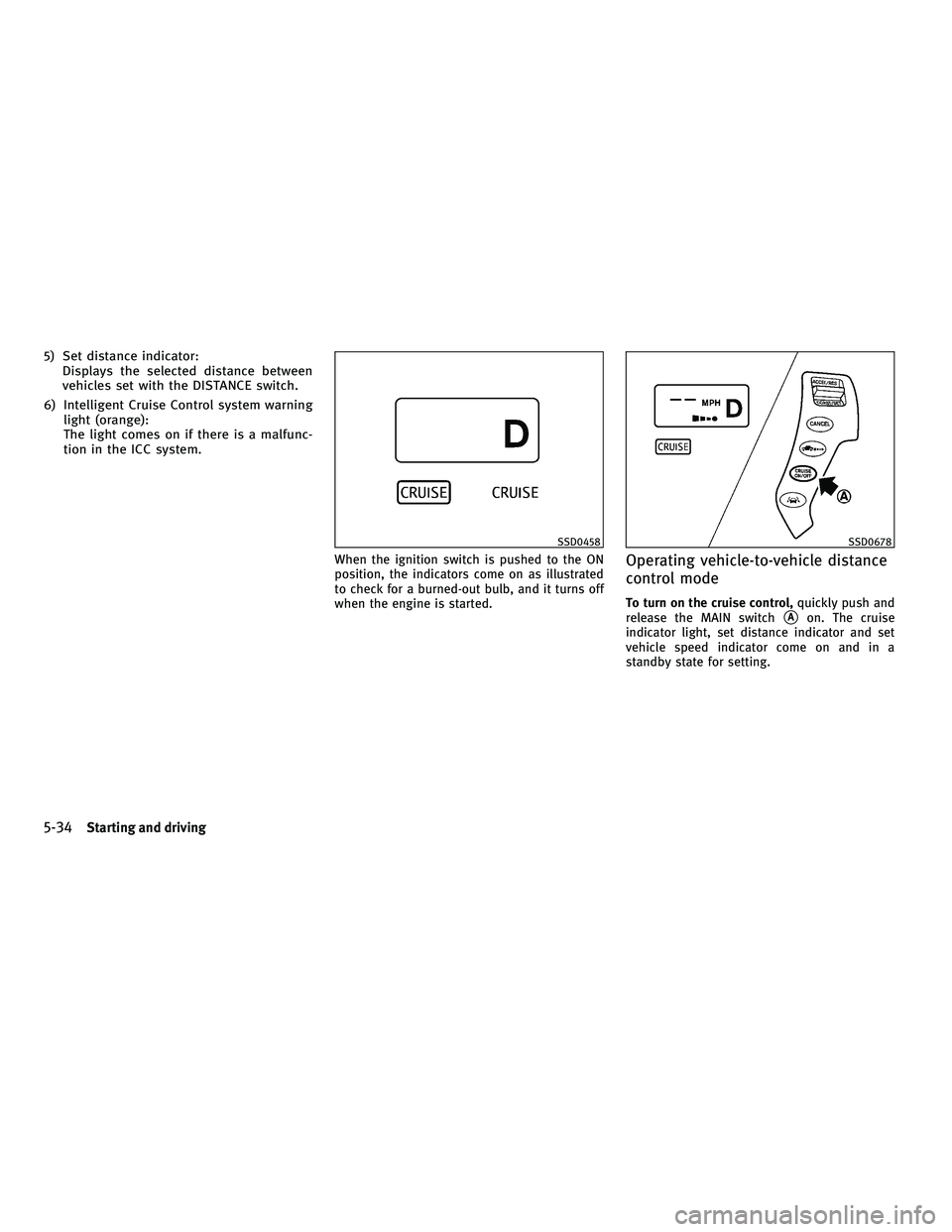
5) Set distance indicator:Displays the selected distance between
vehicles set with the DISTANCE switch.
6) Intelligent Cruise Control system warning light (orange):
The light comes on if there is a malfunc-
tion in the ICC system.
When the ignition switch is pushed to the ON
position, the indicators come on as illustrated
to check for a burned-out bulb, and it turns off
when the engine is started.Operating vehicle-to-vehicle distance
control mode
To turn on the cruise control, quickly push and
release the MAIN switch
sAon. The cruise
indicator light, set distance indicator and set
vehicle speed indicator come on and in a
standby state for setting.
SSD0458SSD0678
5-34Starting and driving
wÐ
Ð
05/19/09Ðtbrooks
X
Page 321 of 445

cWhen the VDC system is off (To use the ICC
system, turn on the VDC system. Push the
MAIN switch to turn off the ICC system and
reset the ICC switch by pushing the MAIN
switch again.)
For details about the VDC system, see ªVE-
HICLE DYNAMIC CONTROL (VDC) SYSTEMº
later in this section.
c When ABS or VDC (including the traction
control system) is operating
c When driving into a strong light (i.e., sun-
light)
c When a wheel is slipping (To use the ICC
system, make sure the wheels are no longer
slipping. Push the MAIN switch to turn off
the ICC, and reset the ICC system by pushing
the MAIN switch again.)
1. System set display with vehicle ahead
2. System set display without vehicle aheadSystem operation
WARNING
Normally when controlling the distance to a
vehicle ahead, this system automatically accel-
erates or decelerates your vehicle according to
the speed of the vehicle ahead. Depress the
accelerator to properly accelerate your vehicle
when acceleration is required for a lane
change. Depress the brake pedal when decel-
eration is required to maintain a safe distance
to the vehicle ahead due to its sudden braking
or if a vehicle cuts in. Always stay alert when
using the ICC system.
SSD0461
5-36Starting and driving
wÐ
Ð
05/19/09Ðtbrooks
X
Page 325 of 445
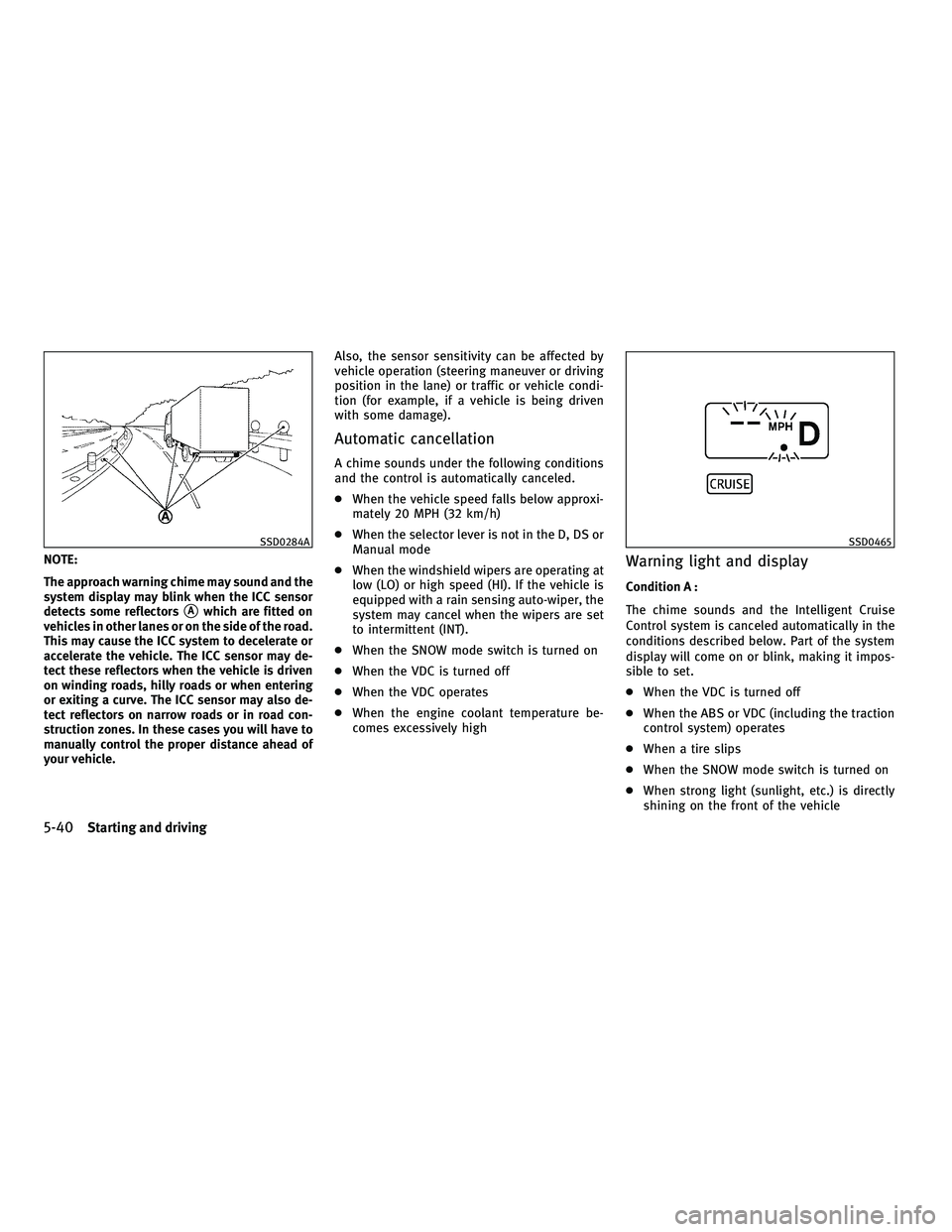
NOTE:
The approach warning chime may sound and the
system display may blink when the ICC sensor
detects some reflectors
sAwhich are fitted on
vehicles in other lanes or on the side of the road.
This may cause the ICC system to decelerate or
accelerate the vehicle. The ICC sensor may de-
tect these reflectors when the vehicle is driven
on winding roads, hilly roads or when entering
or exiting a curve. The ICC sensor may also de-
tect reflectors on narrow roads or in road con-
struction zones. In these cases you will have to
manually control the proper distance ahead of
your vehicle. Also, the sensor sensitivity can be affected by
vehicle operation (steering maneuver or driving
position in the lane) or traffic or vehicle condi-
tion (for example, if a vehicle is being driven
with some damage).
Automatic cancellation
A chime sounds under the following conditions
and the control is automatically canceled.
c
When the vehicle speed falls below approxi-
mately 20 MPH (32 km/h)
c When the selector lever is not in the D, DS or
Manual mode
c When the windshield wipers are operating at
low (LO) or high speed (HI). If the vehicle is
equipped with a rain sensing auto-wiper, the
system may cancel when the wipers are set
to intermittent (INT).
c When the SNOW mode switch is turned on
c When the VDC is turned off
c When the VDC operates
c When the engine coolant temperature be-
comes excessively high
Warning light and display
Condition A :
The chime sounds and the Intelligent Cruise
Control system is canceled automatically in the
conditions described below. Part of the system
display will come on or blink, making it impos-
sible to set.
cWhen the VDC is turned off
c When the ABS or VDC (including the traction
control system) operates
c When a tire slips
c When the SNOW mode switch is turned on
c When strong light (sunlight, etc.) is directly
shining on the front of the vehicle
SSD0284ASSD0465
5-40Starting and driving
wÐ
Ð
05/19/09Ðtbrooks
X
Page 326 of 445

Action to take :
When the conditions listed above are no longer
present, turn the system off using the Intelli-
gent Cruise Control MAIN Switch. Turn the ICC
system back on to use the system.Condition B :
When the sensor window is dirty, making it
impossible to detect a vehicle ahead, the ICC
system is automatically canceled.
The chime sounds and the ICC system warning
light (orange) will come on and the ªCLEAN
SENSORº indicator will appear.
Action to take :
If the warning light comes on, park the vehicle
in a safe place, turn the engine off. Clean the
sensor window with a soft cloth and then
perform the settings again.Condition C :
When the ICC system is not operating properly,
the chime sounds and the ICC system warning
light (orange) will come on.
Action to take :
If the warning light comes on, park the vehicle
in a safe place. Turn the engine off, restart the
engine, resume driving and set the ICC system
again.
If it is not possible to set the system or the
indicator stays on, it may indicate that the ICC
system is malfunctioning. Although the vehicle
is still driveable under normal conditions, have
the vehicle checked at an INFINITI retailer.
SSD0466SSD0458
Starting and driving5-41
wÐ
Ð
05/15/09Ðpattie
X
Page 328 of 445

Conventional (fixed speed) cruise
control switch
1) RESUME/ACCELERATE switch:Resumes set speed or increases speed
incrementally.
2) SET/COAST switch:
Sets the desired cruise speed, reduces
speed incrementally.
3) CANCEL switch:
Deactivates the system without erasing
the set speed.
4) MAIN switch:
Master switch to activate the system.
Conventional (fixed speed) cruise
control mode display and indicators
The display is located under the tachometer.
1) Cruise set switch indicator:Displays while the vehicle speed is con-
trolled by the conventional (fixed speed)
cruise control mode of the ICC system.
2) MAIN switch indicator light:
Indicates that the MAIN switch is ON.
3) Cruise control system warning light:
Comes on if there is a malfunction in the
cruise control system.
Operating conventional (fixed speed)
cruise control mode
To turn on the conventional (fixed speed) cruise
control mode, push and hold the MAIN switch
sAfor longer than about 1.5 seconds.
When pushing the MAIN switch on, the Intelli-
gent Cruise Control system display and the
CRUISE indicator light (green) in the instrument
cluster illuminate. After you hold the MAIN
switch on for longer than about 1.5 seconds, the
Intelligent Cruise Control system display turns
off. The CRUISE indicator light stays lit. You can
now set your desired cruising speed. Pushing
the MAIN switch again will turn the system
completely off.
SSD0681SSD0468SSD0682
Starting and driving5-43
wÐ
Ð
05/19/09Ðtbrooks
X