Page 79 of 526
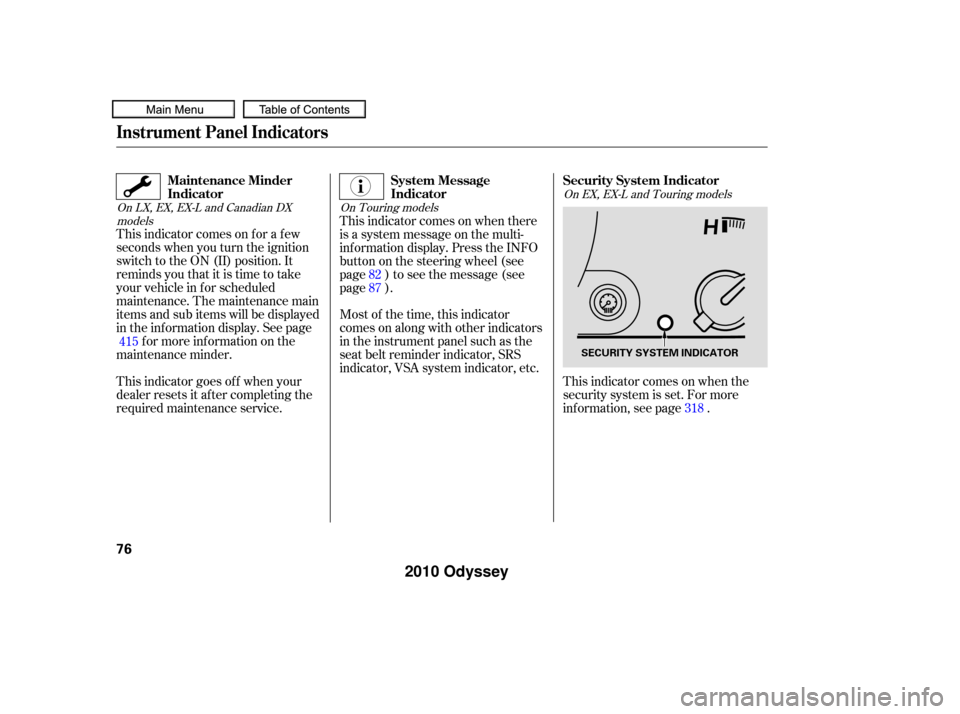
This indicator comes on f or a f ew
seconds when you turn the ignition
switch to the ON (II) position. It
remindsyouthatitistimetotake
your vehicle in f or scheduled
maintenance. The maintenance main
items and sub items will be displayed
in the inf ormation display. See pagef or more inf ormation on the
maintenance minder.
This indicator goes of f when your
dealer resets it after completing the
required maintenance service. This indicator comes on when there
is a system message on the multi-
inf ormation display. Press the INFO
button on the steering wheel (see
page ) to see the message (see
page ).
Most of the time, this indicator
comes on along with other indicators
in the instrument panel such as the
seat belt reminder indicator, SRS
indicator, VSA system indicator, etc.
This indicator comes on when the
security system is set. For more
inf ormation, see page .318
82
87
415
On LX, EX, EX-L and Canadian DX models On Touring modelsOn EX, EX-L and Touring models
Instrument Panel Indicators
Maintenance Minder
Indicator
System Message
IndicatorSecurity System Indicator
76
SECURITY SYSTEM INDICATOR
�����—�����—�
���y�
�������������y���
�(�����������y�������
�y
2010 Odyssey
Page 81 of 526
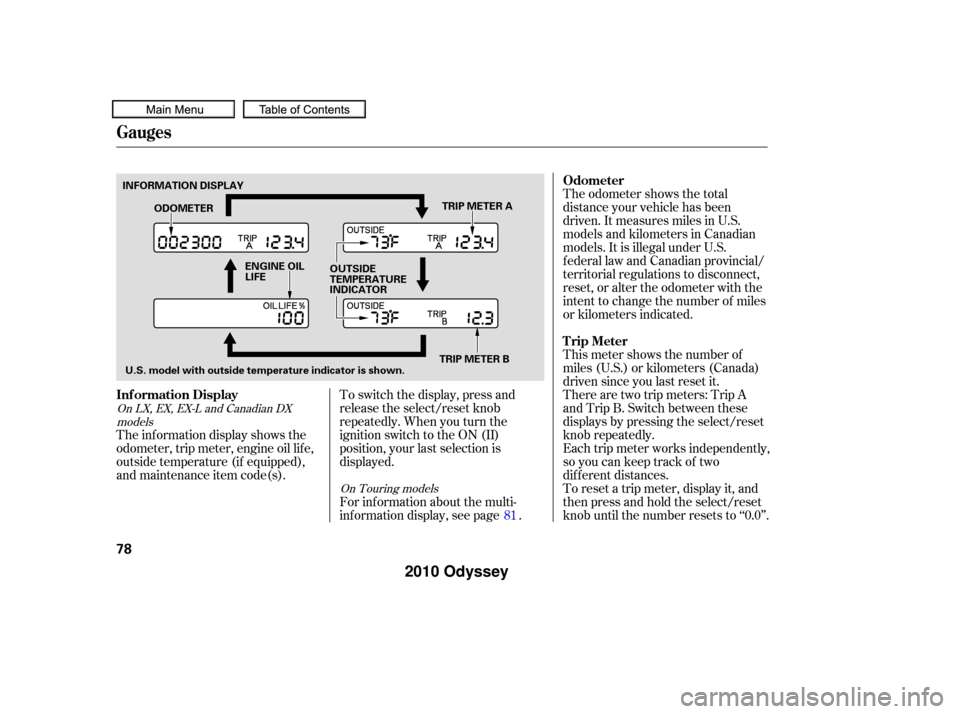
The odometer shows the total
distance your vehicle has been
driven. It measures miles in U.S.
models and kilometers in Canadian
models. It is illegal under U.S.
federal law and Canadian provincial/
territorial regulations to disconnect,
reset, or alter the odometer with the
intent to change the number of miles
or kilometers indicated.
To switch the display, press and
release the select/reset knob
repeatedly. When you turn the
ignition switch to the ON (II)
position, your last selection is
displayed. This meter shows the number of
miles (U.S.) or kilometers (Canada)
driven since you last reset it.
There are two trip meters: Trip A
and Trip B. Switch between these
displays by pressing the select/reset
knob repeatedly.
Each trip meter works independently,
so you can keep track of two
dif f erent distances.
To reset a trip meter, display it, and
then press and hold the select/reset
knob until the number resets to ‘‘0.0’’.
The inf ormation display shows the
odometer, trip meter, engine oil lif e,
outside temperature (if equipped),
and maintenance item code(s).
For inf ormation about the multi-
inf ormation display, see page .81
On LX, EX, EX-L and Canadian DX
models
On Touring models
Gauges
Odometer
Inf ormation Display Trip Meter
78
INFORMATION DISPLAY
TRIP METER A
ENGINE OIL
LIFE OUTSIDE
TEMPERATURE
INDICATOR
ODOMETER
U.S. model with outside temperature indicator is shown. TRIP METER B
�����—�����—�
���y�
����
����
�
�y���
�(�����������y���������y
2010 Odyssey
Page 82 of 526

�¶�¶�µ�µ
�µ�µ�µ
�µ�µ�µ
This indicator displays the outside
temperature in Fahrenheit (U.S.
models) or Celsius (Canadian
models). To see the outside
temperature, press and release the
select/reset knob until the
temperature is displayed.
The temperature sensor is in the
f ront bumper. The temperature
reading can be affected by heat
ref lection f rom the road surf ace,
engine heat, and the exhaust f rom
surrounding traf f ic. This can cause
an incorrect temperature reading
when your vehicle speed is under
19 mph (30 km/h). When you start
your trip, the sensor is not f ully
acclimatized, theref ore it may take
several minutes until the proper
temperature is displayed. In certain weather conditions,
temperature readings near f reezing
(32°F, 0°C) could mean that ice is
f orming on the road surf ace.
If the outside temperature is
incorrectly displayed, you can adjust
it up to 5°F in U.S. models ( 3°C
in Canadian models) warmer or
cooler.
The temperature must be
stabilized bef ore doing this
procedure. To adjust the outside temperature
indicator, press and hold the select/
reset knob f or 10 seconds. The
f ollowing sequence will appear f or 1
secondeach:0,1,2,3,4,5, 5, 4,
3, 2, 1, 0 (U.S.) or 0, 1, 2, 3,
3, 2, 1, 0 (Canada).
When the temperature reaches the
desired value, release the select/
reset knob. You should see the new
outside temperature displayed.
On EX and EX-L models
Gauges
Outside Temperature Indicator
Inst rument s and Cont rols
79
NOTE:
�����—�����—�
���y�
����
����
���y���
�(�����������y���������y
2010 Odyssey
Page 83 of 526
The inf ormation display in the
instrument panel shows you the
engine oil lif e and maintenance
service items when the ignition
switch is in the ON (II) position. This
inf ormation helps to keep you aware
of the periodic maintenance your
vehicle needs f or continued trouble-
f ree driving. Ref er to page f or
more inf ormation.Your vehicle’s onboard diagnostic
system will detect a loose or missing
f uel f ill cap as an evaporative system
leak. The f irst time a leak is detected
a ‘‘CHECK FUEL CAP’’ message
appears on the information display.
Turn the engine of f , and conf irm the
f uel f ill cap is installed. If it is, loosen
it, then retighten it until it clicks at
least once. The message should go
off after several days of normal
driving once you tighten or replace
the f uel f ill cap. To scroll to another
display, press the select/reset knob.
The ‘‘CHECK FUEL CAP’’ message
will appear each time you restart the
engine until the system turns the
message of f .If the system still detects a leak in
your vehicle’s evaporative emissions
system, the malf unction indicator
lamp (MIL) comes on. If the f uel f ill
cap was not already tightened, turn
the engine of f , and check or
retighten the f uel f ill cap until it
clicks at least once. The MIL should
go off after several days of normal
driving once the cap is tightened or
replaced. If the MIL does not go of f ,
have your vehicle inspected by a
dealer. For more inf ormation, see
page .
415
478
Gauges
Maintenance MinderCheck Fuel Cap Message
80
�����—�����—�
���y�
����
��������y���
�(�����������y���������y
2010 Odyssey
Page 93 of 526
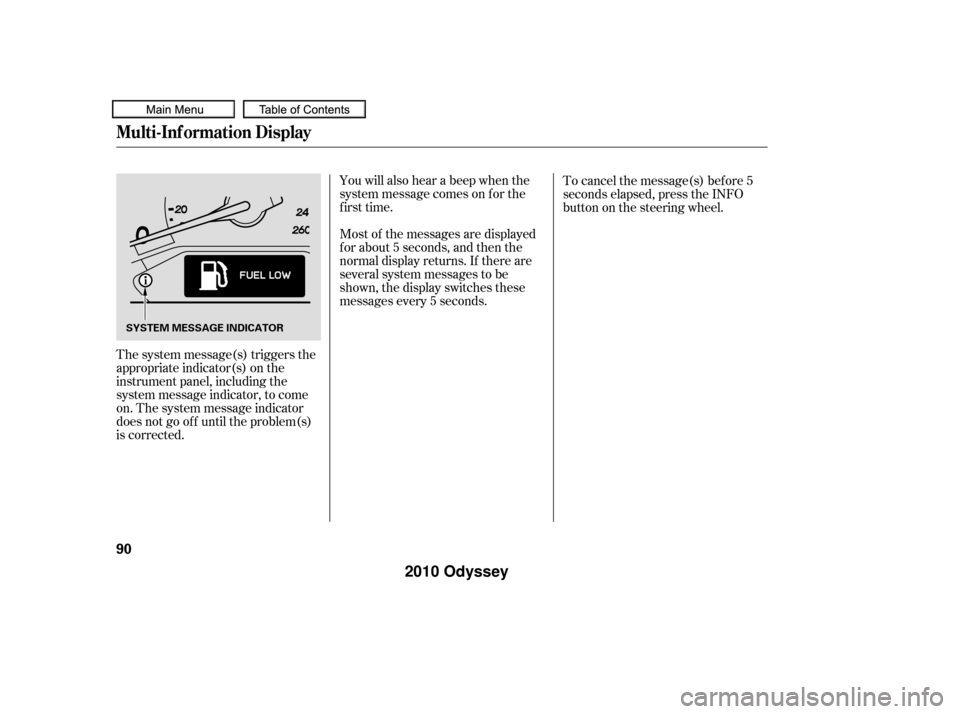
The system message(s) triggers the
appropriate indicator(s) on the
instrument panel, including the
system message indicator, to come
on. The system message indicator
does not go of f until the problem(s)
is corrected.You will also hear a beep when the
system message comes on f or the
first time.
Most of the messages are displayed
f or about 5 seconds, and then the
normal display returns. If there are
several system messages to be
shown, the display switches these
messages every 5 seconds.
To cancel the message(s) bef ore 5
seconds elapsed, press the INFO
button on the steering wheel.
Multi-Inf ormation Display
90
SYSTEM MESSAGE INDICATOR
�����—�����—�
���y�
����
�
������y���
�(�����������y���������y
2010 Odyssey
Page 94 of 526
CONT INUED
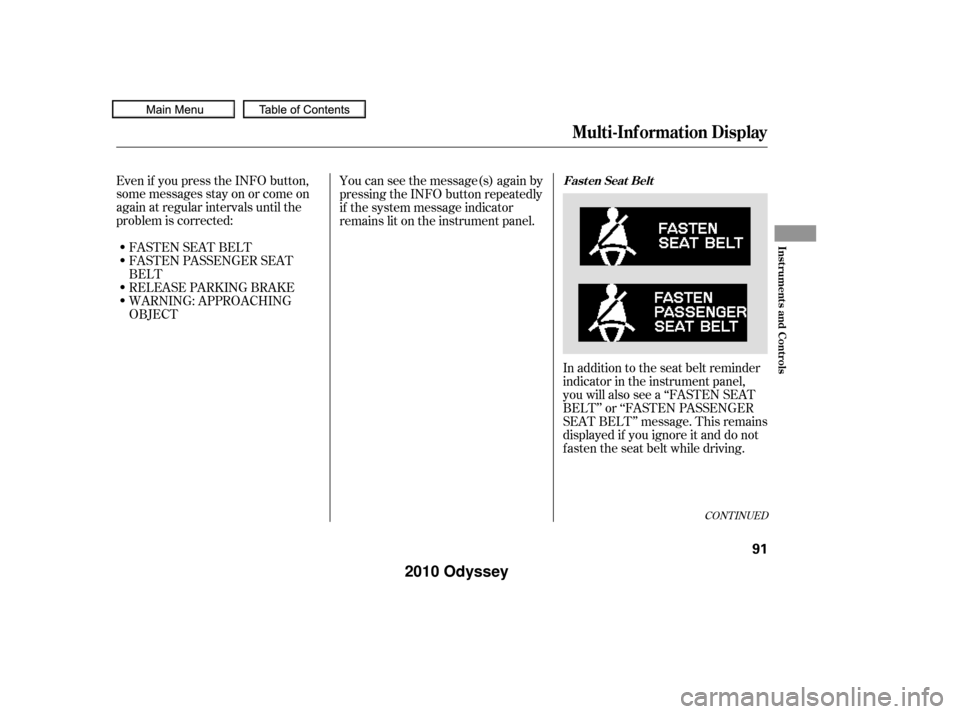
In addition to the seat belt reminder
indicator in the instrument panel,
you will also see a ‘‘FASTEN SEAT
BELT’’ or ‘‘FASTEN PASSENGER
SEAT BELT’’ message. This remains
displayed if you ignore it and do not
f asten the seat belt while driving.
Even if you press the INFO button,
some messages stay on or come on
again at regular intervals until the
problem is corrected:
You can see the message(s) again by
pressing the INFO button repeatedly
if the system message indicator
remains lit on the instrument panel.
FASTEN SEAT BELT
FASTEN PASSENGER SEAT
BELT
RELEASE PARKING BRAKE
WARNING: APPROACHING
OBJECT
Multi-Inf ormation Display
Fast en Seat Belt
Inst rument s and Cont rols
91
�����—�����—�
���y�
����
�
������y���
�(�����������y���������y
2010 Odyssey
Page 96 of 526
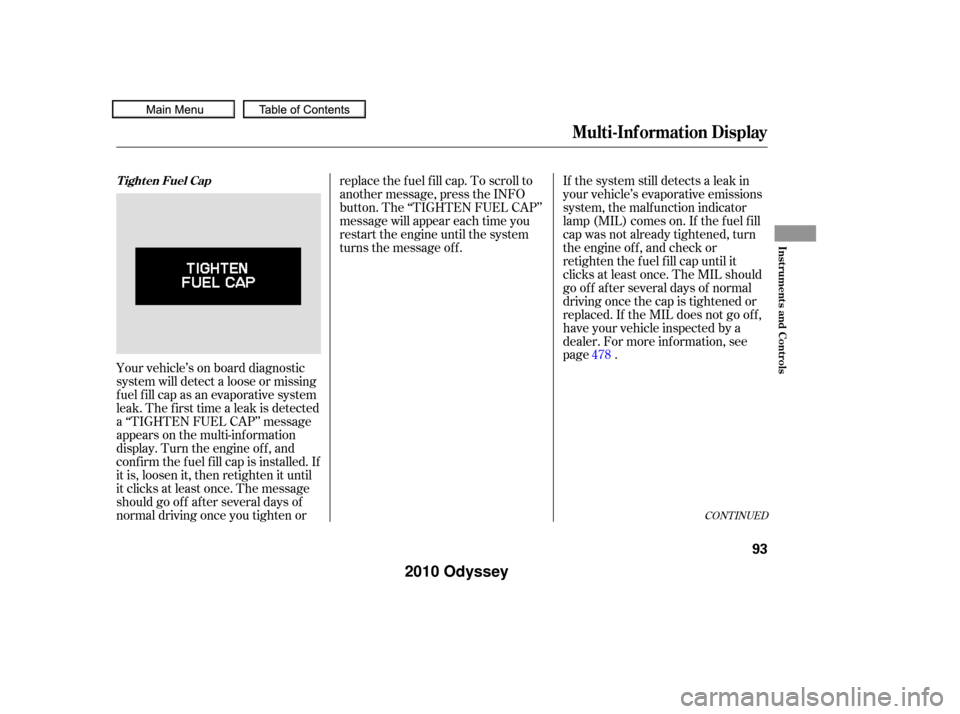
Your vehicle’s on board diagnostic
system will detect a loose or missing
f uel f ill cap as an evaporative system
leak. The f irst time a leak is detected
a ‘‘TIGHTEN FUEL CAP’’ message
appears on the multi-inf ormation
display. Turn the engine of f , and
conf irm the f uel f ill cap is installed. If
it is, loosen it, then retighten it until
it clicks at least once. The message
should go of f af ter several days of
normal driving once you tighten orreplace the f uel f ill cap. To scroll to
another message, press the INFO
button. The ‘‘TIGHTEN FUEL CAP’’
message will appear each time you
restart the engine until the system
turns the message of f .
If the system still detects a leak in
your vehicle’s evaporative emissions
system, the malf unction indicator
lamp (MIL) comes on. If the f uel f ill
cap was not already tightened, turn
the engine of f , and check or
retighten the f uel f ill cap until it
clicks at least once. The MIL should
go off after several days of normal
driving once the cap is tightened or
replaced. If the MIL does not go of f ,
have your vehicle inspected by a
dealer. For more inf ormation, see
page .
478
CONT INUED
Tighten Fuel Cap
Multi-Inf ormation Display
Inst rument s and Cont rols
93
�����—�����—�
���y�
����
����
�
�y���
�(�����������y���������y
2010 Odyssey
Page 97 of 526
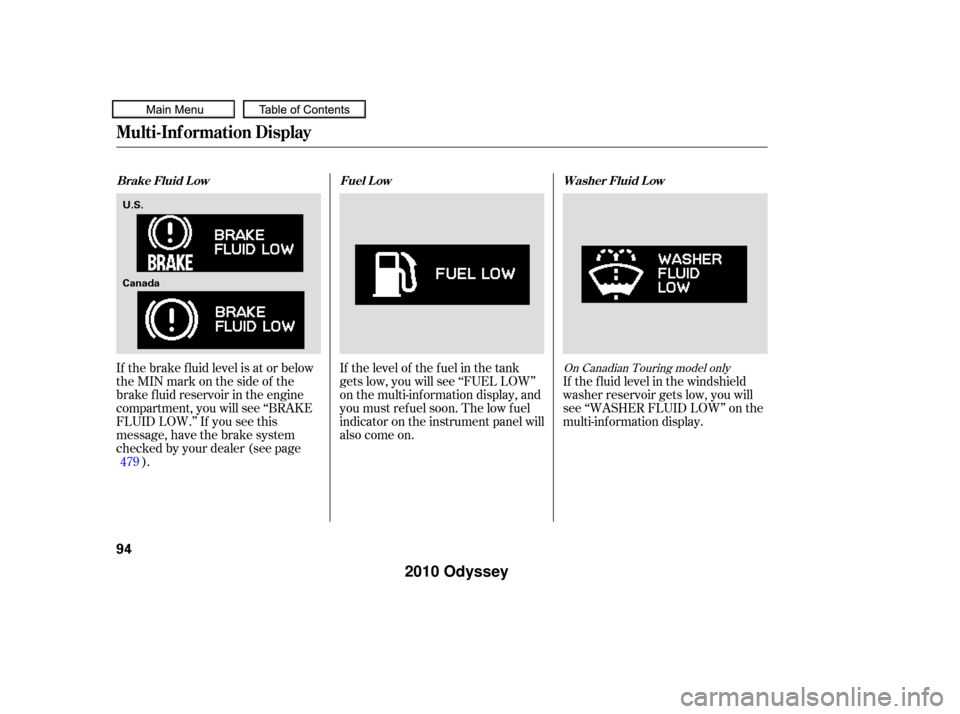
If the brake f luid level is at or below
theMINmarkonthesideof the
brake f luid reservoir in the engine
compartment, you will see ‘‘BRAKE
FLUID LOW.’’ If you see this
message, have the brake system
checked by your dealer (see page). If the f luid level in the windshield
washer reservoir gets low, you will
see ‘‘WASHER FLUID LOW’’ on the
multi-inf ormation display.
If the level of the fuel in the tank
gets low, you will see ‘‘FUEL LOW’’
on the multi-information display, and
you must ref uel soon. The low f uel
indicator on the instrument panel will
also come on.
479On Canadian Touring model only
Brake Fluid L ow
Fuel L ow Washer Fluid L ow
Multi-Inf ormation Display
94
U.S.
Canada
�����—�����—�
���y�
����
����
���y���
�(�����������y���������y
2010 Odyssey