Page 69 of 387

This section gives inf ormation about
the controls and displays that
contribute to the daily operation of
your vehicle. All the essential
controls are within easy reach............................Control Locations . 56
............................
Instrument Panel . 57
..........
Instrument Panel Indicators . 59
.............................................
Gauges . 66
..............
Display Change Button . 66
....................
Inf ormation Display . 67
..................................
Fuel Gauge . 70
...................
Temperature Gauge . 70
Controls Near the Steering ...........................................
Wheel . 71
.
Windshield Wipers and Washers . 72
.........
Turn Signals and Headlights . 73
............
Daytime Running Lights . 74
........................................
Fog Lights . 74
........
Instrument Panel Brightness . 75
.................
Hazard Warning Button . 76
.................
Rear Window Def ogger . 76
..........
Steering Wheel Adjustment . 77
...............................
Keys and Locks . 78
........................
Immobilizer System . 79
................................
Ignition Switch . 80
......................................
Door Locks . 81
......................
Power Door Locks . 82
..............
Childproof Door Locks . 82
.
Auto Door Locking/Unlocking . 83
.....................
Auto Door Locking . 83 .................
Auto Door Unlocking . 85
................................................
Trunk . 88
........
Emergency Trunk Opener . 89
.......................
Remote Transmitter . 90
.................................................
Seats . 93
..................................
Seat Heaters . 100
............................
Power Windows . 101
.......................................
Moonroof . 102
...........................................
Mirrors . 103
...............................
Parking Brake . 105
...............................
Interior Lights . 105
.........
Interior Convenience Items . 107
.....................
Beverage Holders . 108
.........
Accessory Power Socket . 108
..................................
Glove Box . 108
.............
Console Compartment . 108
Instruments and Controls
Inst rument s and Cont rols
55
Page 75 of 387

When you press the hazard warning
button, both turn signal indicators
and all turn signals on the outside of
the vehicle f lash.If this indicator comes on when the
ignition switch is turned to the ON
(II) position and the parking brake is
released, it means there is a problem
with a circuit. Have your vehicle
checked by your dealer.
This indicator comes on with the
high beam headlights. For more
inf ormation, see page .
This indicator reminds you that the
exterior lights are on. It comes on
when the light switch is in either the
or position. If you turn the
ignition switch to the ACCESSORY
(I) or the LOCK (0) position without
turning of f the light switch, this
indicator will remain on. A reminder
chime will also sound when you open
the driver’s door and remove the key
from the ignition switch.
The lef t or right turn signal indicator
blinks when you signal a lane change
or turn. If an indicator does not blink
or blinks rapidly, it usually means
one of the turn signal bulbs is
burned out (see pages and ).
Replace the bulb as soon as possible,
since other drivers cannot see that
you are signaling.
This indicator comes on if the trunk
lid is not closed tightly.
This indicator comes on if any door
is not closed tightly.
This indicator also comes on with
reduced brightness when the
daytime running lights (DRL) are on
(see page ).
This indicator comes on when you
turn on the f og lights. For more
inf ormation, see page . 73
74
74
304 305
Si model only
Turn Signal and
Hazard Warning
Indicators
Lights On Indicator
High Beam Indicator Trunk-open Indicator
Door-open Indicator
Fog L ight Indicator
Daytime Running L ights
Indicator
Instrument Panel Indicators
Inst rument s and Cont rols
61
Table of Contents
Page 85 of 387
�Î�Î
�Î
�Î �Î
�Î
�Î
�Î
�Î �Î�Î�Î
Only on vehicles equipped with navigation system. Ref er to the navigati on system manual.
To use the horn, press the center pad of the steering wheel.
If equipped
1:2:3:4: Si model
Controls Near the Steering Wheel
Inst rument s and Cont rols
71
STEERING WHEEL
ADJUSTMENT WINDSHIELD WIPERS/WASHERS
Vehicle with navigation system is shown. HORN
CRUISE CONTROL BUTTONSPASSENGER AIRBAG OFF
INDICATOR
HAZARD WARNING BUTTON
REAR WINDOW DEFOGGER
HEATED MIRRORS
DISPLAY CHANGE
BUTTON
HOOD RELEASE HANDLE
SEL/RESET BUTTON
(P.75)
(P.66) (P.66)
(P.76)
(P.76) (P.30)
(P.72)
REMOTE AUDIO CONTROLS HEADLIGHTS/TURN SIGNALS
(P.73)
FOG LIGHTS (P.74)
INSTRUMENT PANEL
BRIGHTNESS
(P.77)
VEHICLE STABILITY ASSIST
(VSA) OFF SWITCH
NAVIGATION SYSTEM VOICE
CONTROL BUTTONS (P.269)
(P.204)
BLUETOOTH HANDSFREELINK
SYSTEM VOICE CONTROL
BUTTONS (P.212)
(P.240)
(P.209)(P.104)
1 2
2
2 3
2
4
4
Table of Contents
Page 90 of 387
Make sure the rear window is clear
and you have good visibility bef ore
starting to drive.
The def ogger and antenna wires on
the inside of the rear window can be
accidentally damaged. When
cleaning the glass, always wipe side-
to-side.
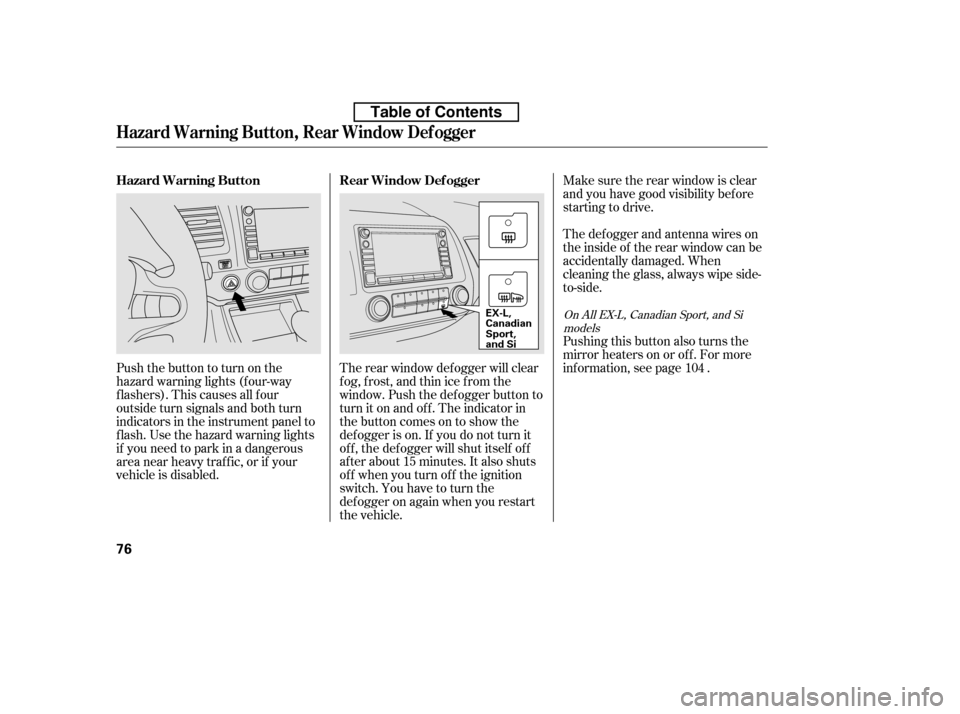
The rear window def ogger will clear
fog, frost, and thin ice from the
window. Push the def ogger button to
turn it on and off. The indicator in
the button comes on to show the
def ogger is on. If you do not turn it
of f , the def ogger will shut itself of f
af ter about 15 minutes. It also shuts
of f when you turn of f the ignition
switch. You have to turn the
def ogger on again when you restart
the vehicle.
Pushthebuttontoturnonthe
hazard warning lights (f our-way
flashers). This causes all four
outside turn signals and both turn
indicators in the instrument panel to
f lash. Use the hazard warning lights
if you need to park in a dangerous
area near heavy traffic, or if your
vehicle is disabled.
Pushing this button also turns the
mirror heaters on or of f . For more
inf ormation, see page .
104
OnAllEX-L,CanadianSport,andSi
models
Hazard Warning Button, Rear Window Def ogger
Rear Window Def ogger
Hazard Warning Button
76
EX-L,
Canadian
Sport,
and Si
Table of Contents
Page 107 of 387
�µ
See pages f or important saf ety
inf ormation and warnings about how toproperly position seats and seat-backs. 11 13
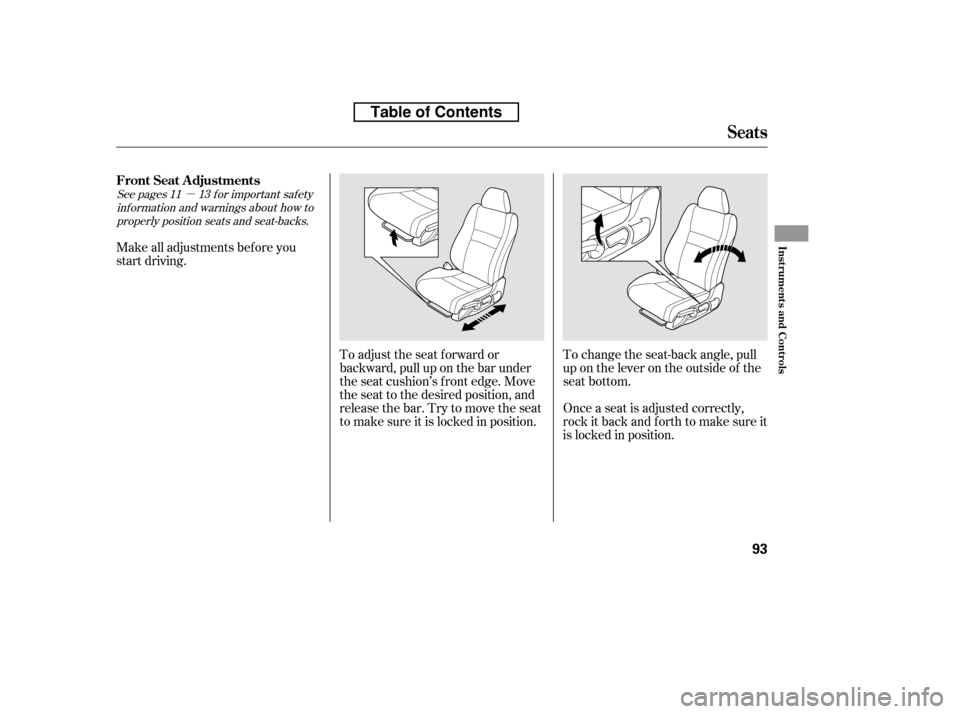
Make all adjustments bef ore you
start driving.
To adjust the seat f orward or
backward, pull up on the bar under
the seat cushion’s f ront edge. Move
the seat to the desired position, and
releasethebar.Trytomovetheseat
to make sure it is locked in position.Once a seat is adjusted correctly,
rock it back and f orth to make sure it
is locked in position.
To change the seat-back angle, pull
up on the lever on the outside of the
seat bottom.
FrontSeatAdjustments
Seats
Inst rument s and Cont rols
93
Table of Contents
Page 108 of 387
See page f or important saf etyinf ormation and a warning aboutimproperly positioning head restraints. 13
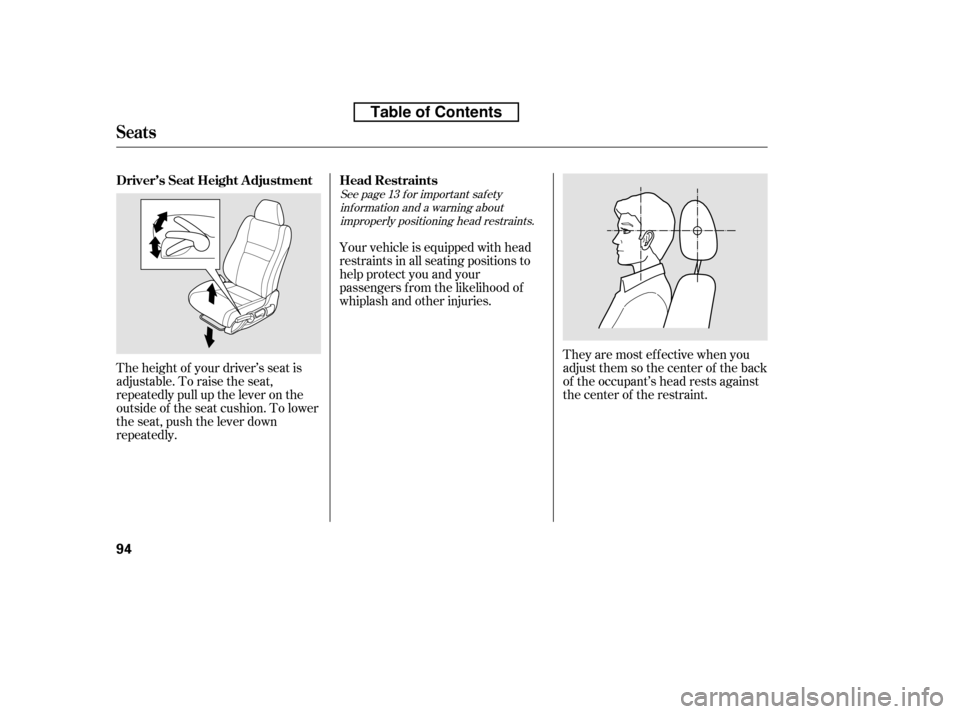
The height of your driver’s seat is
adjustable. To raise the seat,
repeatedly pull up the lever on the
outside of the seat cushion. To lower
the seat, push the lever down
repeatedly. Your vehicle is equipped with head
restraints in all seating positions to
help protect you and your
passengers f rom the likelihood of
whiplash and other injuries.
They are most ef f ective when you
adjust them so the center of the back
of the occupant’s head rests against
the center of the restraint.
Driver’s Seat Height Adjustment Head Restraints
Seats
94
Table of Contents
Page 337 of 387
�µ
If you need to connect the battery to
a charger, disconnect both cables to
prevent damaging your vehicle’s
electrical system. Always disconnect
the negative ( ) cable first, and
reconnect it last.
If additional battery maintenance is
needed, see your dealer or a
qualif ied technician.
Battery posts,
terminals, and related accessories
contain lead and lead compounds. If your vehicle’s battery is
disconnected, or goes dead, the
audio system will disable itself . The
nexttimeyouturnontheradio,you
may see ‘‘ENTER CODE’’ in the
f requency display. Use the preset
buttons to enter the code (see page
).
The navigation system will also
disableitself.Thenexttimeyouturn
on the ignition switch, the system
will require you to enter a PIN
bef ore it can be used. Ref er to the
navigation system manual.
If your vehicle’s battery is
disconnected, or goes dead, the time
setting will be reset to 1:00. To set
the time again, f ollow the setting
procedure (see page ).
206
207
On vehicles with navigation system
On vehicles without navigation system
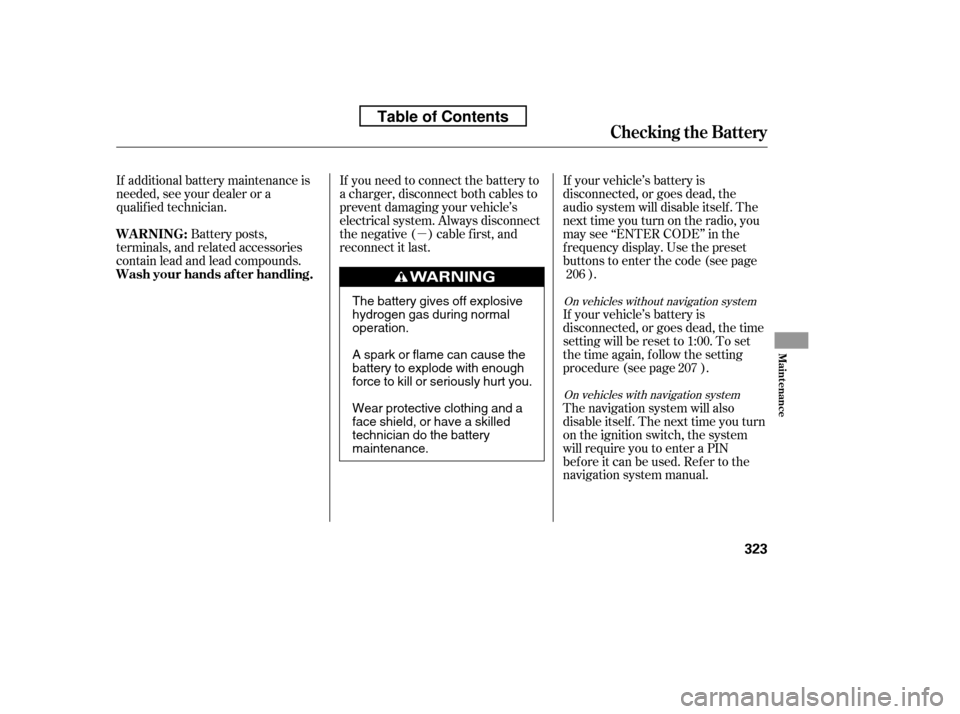
WARNING:
Wash your hands af ter handling.
Checking the Battery
Maint enance
323
The battery gives off explosive
hydrogen gas during normaloperation.
A spark or flame can cause the
battery to explode with enough
force to kill or seriously hurt you.
Wear protective clothing and a
face shield, or have a skilled
technician do the batterymaintenance.
Table of Contents
Page 341 of 387

Turn on the hazard warning lights,
and turn the ignition switch to the
LOCK (0) position. Have all
passengers get out of the vehicle
while you change the tire.
Park the vehicle on f irm, level, and
non-slippery ground. Put the
transmission in Park (automatic)
or reverse (manual). Apply the
parking brake.
Open the trunk. Raise the trunk
f loor by lif ting up on the back edge.
Take the tool case out of the spare
tire.
Unscrew the wing bolt, and take
the spare tire out of its well.
If you have a f lat tire while driving,
stop in a saf e place to change it.
Drive slowly along the shoulder until
you get to an exit or an area to stop
that is far away from the traffic lanes.
Thecompactsparetireissmaller
than a standard tire, and it will affect
the vehicle’s handling. Drive
cautiously when the spare is
mounted on your vehicle.
Thesizedifferencemayalsocause
damage to the dif f erential, so do not
mount the compact spare on the
f ront. If either f ront tire goes f lat,
removethereartireonthatsame
side, mount the compact spare tire
on the rear, then mount the rear tire
on the f ront.
5.
4.
3.
2.
1.
CONT INUED
On Si model only
Changing a Flat T ire
T aking Care of t he Unexpect ed
327
SPARE TIRE
TRUNK FLOOR JACK TOOL CASE
The vehicle can easily roll off
the jack, seriously injuring
anyone underneath.
Follow the directions for
changing a tire exactly, and
never get under the vehicle
when it is supported only by thejack.
Table of Contents