Page 209 of 387
�Û�Ý
�µ
�µ �µ
�Ý
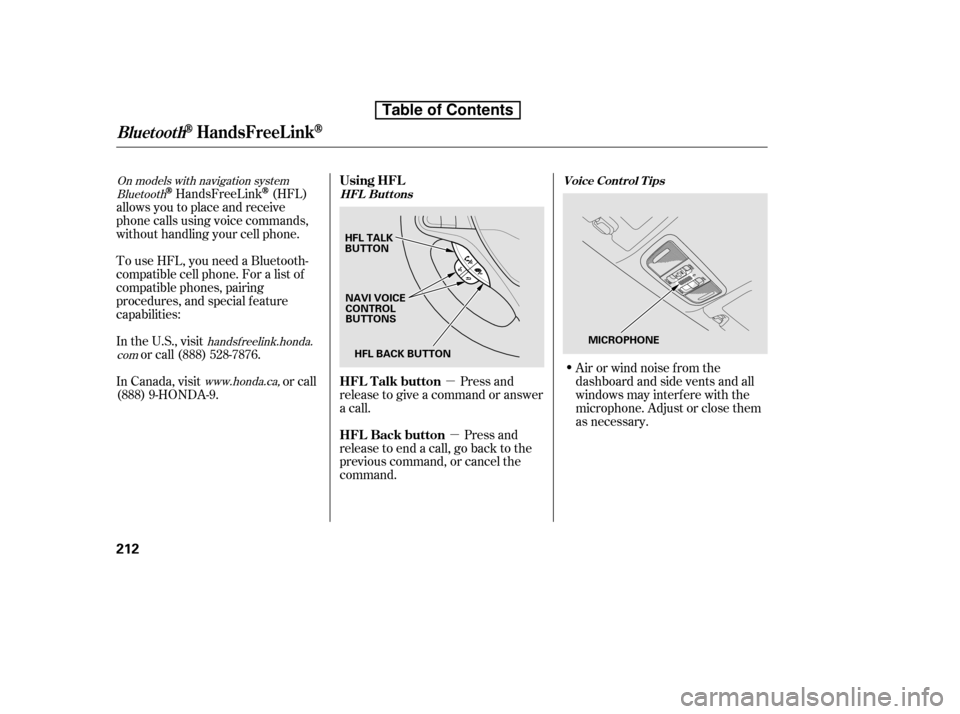
�Û You can also select a f ile directly
f rom a track list on the audio display.
Press the AUDIO button to show the
audio display, then touch the Track
List icon. The track list menu
appears on the display.
To scroll through the display, touch
the or icononthesideof the
screen.Togobacktotheprevious
display, touch the Return icon.
To play a f ile, touch its icon on the
screen. The current f older is
highlighted in blue.
Each time you press and
release (preset 6), the player
skips forward to the beginning of the
next f ile. Press and release
(preset 5), to skip backward to
the beginning of the current f ile.
Press it again to skip to the
beginning of the previous f ile.
To move rapidly within
a f ile, press and hold (preset 4)
or (preset 3).
To
select a dif f erent f older, press either
side of the TUNE bar. Press the side to skip to the next folder,
andpressthe sidetoskiptothe
beginning of the previous f older.
Use the SKIP button while a USB
f lash memory device is playing to
change f iles.
CONT INUED
Using a T rack L ist
T o Change or Select Files
SK IP
FF/REW
FOLDER SELECTION
Audio System (Models with navigation system)
Features
195
FOLDER ICON
RETURN ICON
TRACK LIST ICON
Table of Contents
Page 226 of 387
�µ�µ
Bluetooth
handsf reelink.honda.
com
www.honda.ca,
On models with navigation systemHandsFreeLink(HFL)
allows you to place and receive
phone calls using voice commands,
without handling your cell phone.
To use HFL, you need a Bluetooth-
compatible cell phone. For a list of
compatible phones, pairing
procedures, and special f eature
capabilities:
In the U.S., visit or call (888) 528-7876.
In Canada, visit or call
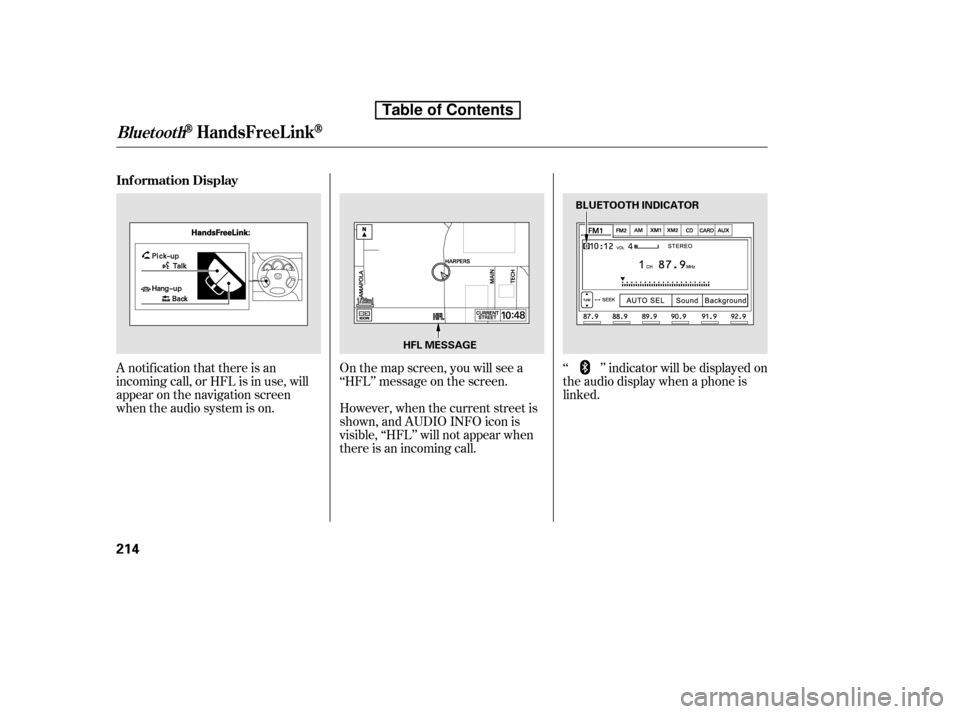
(888) 9-HONDA-9. Press and
release to give a command or answer
a call.
Press and
release to end a call, go back to the
previous command, or cancel the
command. Airorwindnoisefromthe
dashboard and side vents and all
windows may interfere with the
microphone. Adjust or close them
as necessary.
Using HFL
HFL Talk button
HFL Back buttonHFL Buttons
Voice Cont rol T ips
BluetoothHandsFreeL ink
212
HFL BACK BUTTON
NAVI VOICE
CONTROL
BUTTONS
HFL TALK
BUTTON
MICROPHONE
Table of Contents
Page 227 of 387
Press and release the HFL Talk
button each time you want to
make a command. Af ter the beep,
speak in a clear, natural tone.
Try to reduce all background
noise. If the microphone picks up
voices other than yours,
commands may be misinterpreted.Many commands can be spoken
together. For example, you can
say ‘‘Call 123-456-7890’’ or ‘‘Dial
Peter.’’
When HFL is in use, navigation
voice commands cannot be
recognized.
To change the volume level of
HFL, use the audio system volume
knob or the steering wheel volume
controls.To hear general HFL inf ormation,
including help on pairing a phone
or setting up the system, say
‘‘Tutorial.’’
For help at any time, including a
list of available commands, say
‘‘Hands f ree help.’’
CONT INUED
BluetoothHandsFreeL ink
Help Feat ures
Features
213
Table of Contents
Page 228 of 387
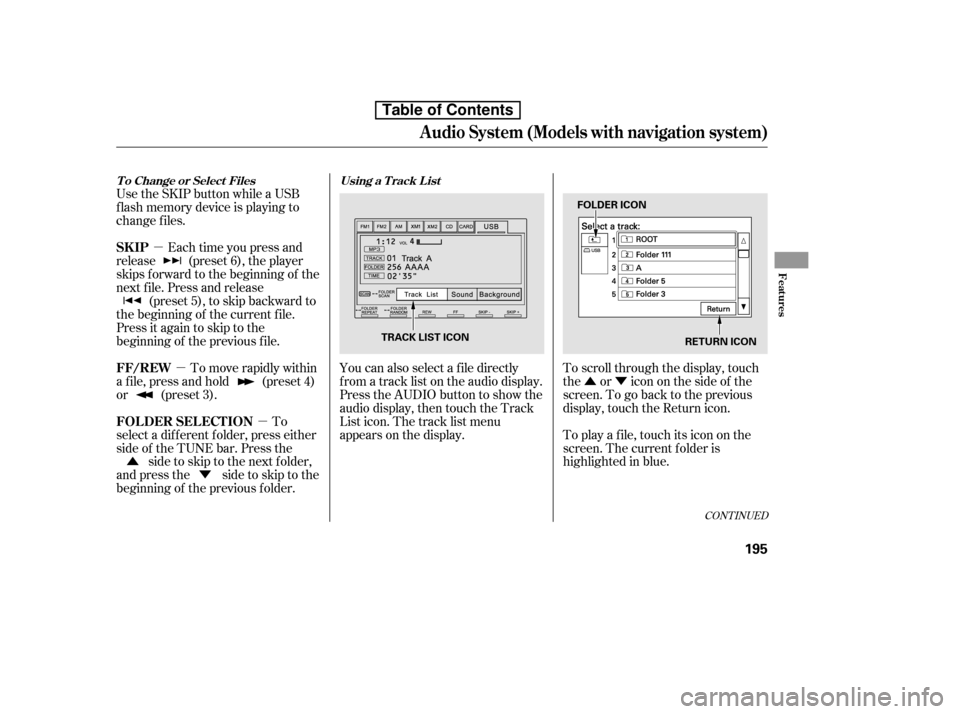
A notif ication that there is an
incoming call, or HFL is in use, will
appear on the navigation screen
when the audio system is on.Onthemapscreen,youwillseea
‘‘HFL’’ message on the screen.
‘‘ ’’ indicator will be displayed on
the audio display when a phone is
linked.
However, when the current street is
shown, and AUDIO INFO icon is
visible, ‘‘HFL’’ will not appear when
there is an incoming call.
BluetoothHandsFreeL ink
Inf ormation Display
214
BLUETOOTH INDICATOR
HFL MESSAGE
Table of Contents
Page 229 of 387
�Ì�Ì�Ì�Ì
CONT INUED
BluetoothHandsFreeL ink
How to Use HFL
Features
215
‘‘Phone Setup’’
‘‘Call’’ or ‘‘Dial’’‘‘Pair’’
‘‘Edit’’
‘‘Delete’’
‘‘Jim Smith’’
‘‘Set Pairing
Code’’
The ignition switch must be in the ACCESSORY (I) or ON (II) position.
‘‘List’’‘‘Status’’
‘‘Next Phone’’
‘‘123-555- ’’
Press HFL
Talk button
Press and release the HFL Talk button each time you give a command. Pair a phone to the system (See page
218)
Edit the name of a paired phone (See page 219)
Delete a paired phone from the system (See page 219)
Hear a list of all phones paired to the system (See page 219)
Hear which paired phone is currently linked to the system
(See page 220)
Search for another previously paired phone to link to (See page 220)
Set the pairing code to a ‘‘Fixed’’ or ‘‘Random’’ number
(See page 220)
Enter desired phone number (See page 221)
Once a phonebook entry is stored, you can say a name here.
(See page 221)
Table of Contents
Page 230 of 387
BluetoothHandsFreeL ink
216
‘‘Redial’’
‘‘Transfer’’
‘‘Mute’’
‘‘Send’’‘‘Phonebook’’ ‘‘Store’’
‘‘Edit’’
‘‘Delete’’
‘‘Receive Contact’’
‘‘List’’
Press HFL
Talk button
Press and release the HFL Talk button each time you give a command. Redial the last number called (See page 222)
Transfer a call from HFL to your phone, or from your phone to HFL (See page 224)
Mute your voice to the person at the other end of the call (See page 225)
Send numbers or names during a call (See page 225)
Store a phonebook entry (See page 226)
Edit the number of an existing phonebook entry (See page 226)
Delete a phonebook entry (See page 227)
If your phone supports this function, use this to transfer contacts from
your phone to HFL (See page 227)
Hear a list of all stored phonebook entries (See page 227)
Table of Contents
Page 231 of 387
�Î�Î
CONT INUED
BluetoothHandsFreeL ink
Features
217
‘‘Change Language’’
‘‘Hands Free Help’’
‘‘System
Set up’’
‘‘Tutorial’’ ‘‘Clear’’
‘‘Auto Transfer’’
‘‘Call Notification’’ ‘‘Security’’
‘‘Change Passcode’’
Press HFL
Talk button
Press and release the HFL Talk button each time you give a command.
: Canadian models Apply a security passcode to the system that must be input at each key
cycle to access the system (See page 232)
Change your security passcode (See page 233)
Set how you would like to be notified of an incoming call
(See page 233)
Set calls to automatically transfer from your phone to HFL when you
enter the vehicle (See page 233)
Clear the system of all paired phones, phonebook entries and security
passcode (See page 234)
Hear a tutorial for general rules on using the system (See page 213)
Hear a list of available commands and additional information describing each comma nd
(See page 213)
Change language from English to French (See page 234)
Table of Contents
Page 232 of 387

To use HFL, you need to pair your
Bluetooth-compatible cell phone to
the system.This command group is available f or
paired cell phones.
You cannot pair your phone while
the vehicle is moving.
Your phone must be in discovery
or search mode to pair. Ref er to
your phone’s manual.
Up to six phones can be paired.
Your phone’s battery may drain
f aster when it is paired to HFL.
If af ter three minutes your phone
is not ready to pair or a phone is
not f ound, the system will time out
andreturntoidle. Press and release the HFL Talk
button. If you are pairing a phone
f or the f irst time, HFL will give
you inf ormation about the pairing
process. If it is not the f irst phone
you are pairing, say ‘‘
’’ and say ‘‘ .’’
Follow the HFL prompts and put
your phone in discovery or search
mode. HFL will give you a 4-digit
pairing code and begin searching
foryourphone.
When your phone f inds a
Bluetooth device, select HFL f rom
the options and enter the 4-digit
code f rom the previous step.
Follow the HFL prompts and
name the newly paired phone.
1.
2. 3. 4.
Phone Setup
Phone
setup Pair
Phone pairing tips T o pair a cell phone:
BluetoothHandsFreeL ink
218
Table of Contents