2010 FORD TAURUS reset
[x] Cancel search: resetPage 64 of 378
PANEL DIMMER CONTROL
Use to adjust the brightness of the
instrument panel and all applicable
lit components in the vehicle during
headlamp and parking lamp
operation.
•Tapthetoporbottomofthe
control to brighten/dim all interior
lit components incrementally, or
•Press and hold the top or bottom of the control until the desired
lighting level is reached.
•Press and hold the top of the control to the full on position to activate
the “dome on” feature. This will turn on the interior courtesy lights.
The lights will remain on until the bottom of the control is pressed.
Note:If the battery is disconnected, discharged, or a new battery is
installed, the dimmer control requires re-calibration. Press the dimmer
control from the full dim position to the full on position to reset. This
will ensure that your displays are visible under all lighting conditions.
AIMING THE HEADLAMPS
The headlamps on your vehicle are properly aimed at the assembly plant.
If your vehicle has been in an accident, the alignment of your headlamps
should be checked by your authorized dealer.
Vertical aim adjustment
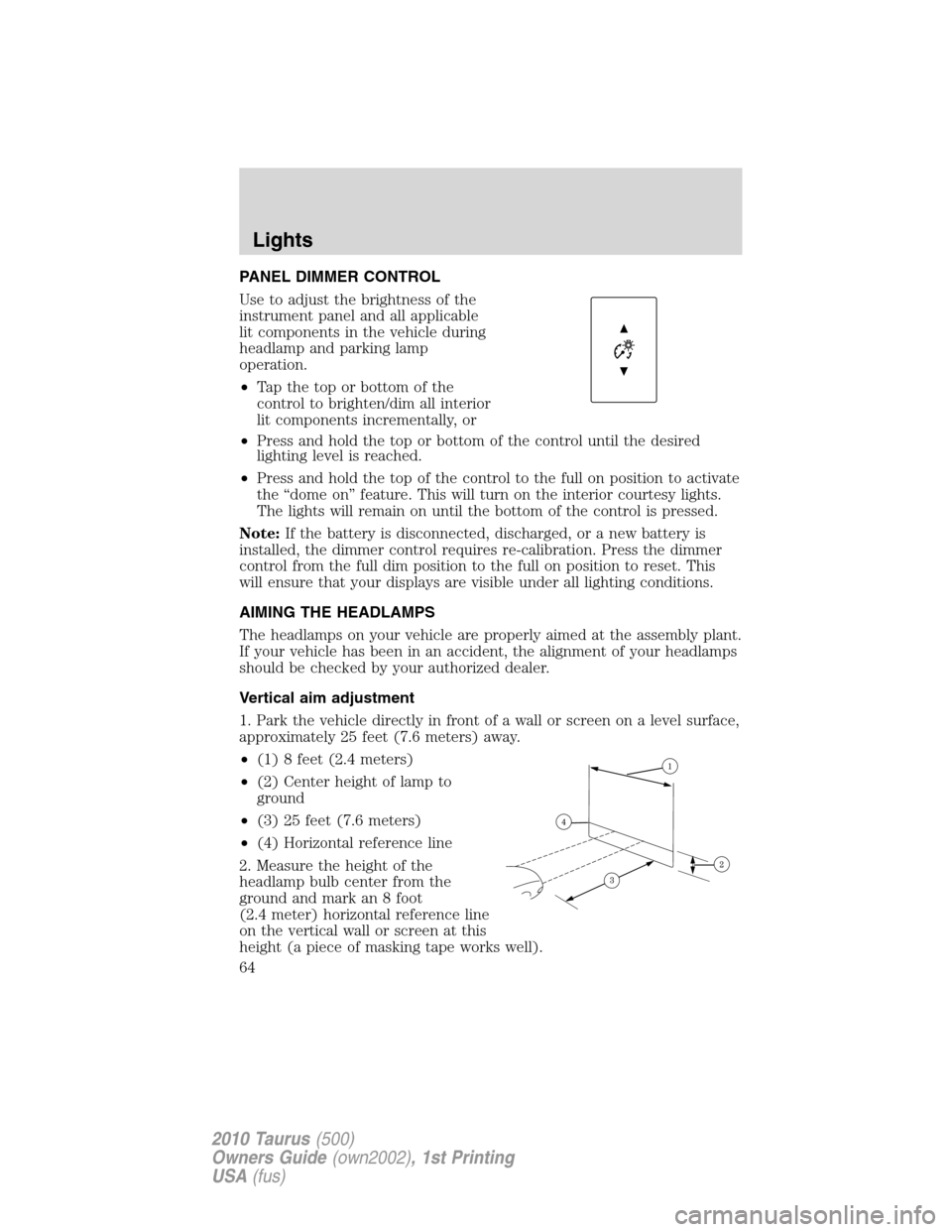
1. Park the vehicle directly in front of a wall or screen on a level surface,
approximately 25 feet (7.6 meters) away.
•(1) 8 feet (2.4 meters)
•(2) Center height of lamp to
ground
•(3) 25 feet (7.6 meters)
•(4) Horizontal reference line
2. Measure the height of the
headlamp bulb center from the
ground and mark an 8 foot
(2.4 meter) horizontal reference line
on the vertical wall or screen at this
height (a piece of masking tape works well).
Lights
64
2010 Taurus(500)
Owners Guide(own2002), 1st Printing
USA(fus)
Page 76 of 378
ELECTRONIC COMPASS (IF EQUIPPED)
The compass heading is displayed in the center stack display.
The compass reading may be affected when you drive near large
buildings, bridges, power lines and powerful broadcast antenna. Magnetic
or metallic objects placed in, on or near the vehicle may also affect
compass accuracy.
Usually, when something affects the compass readings, the compass will
correct itself after a few days of operating your vehicle in normal
conditions. If the compass still appears to be inaccurate, a manual
calibration may be necessary. Refer toCompass calibration
adjustment.
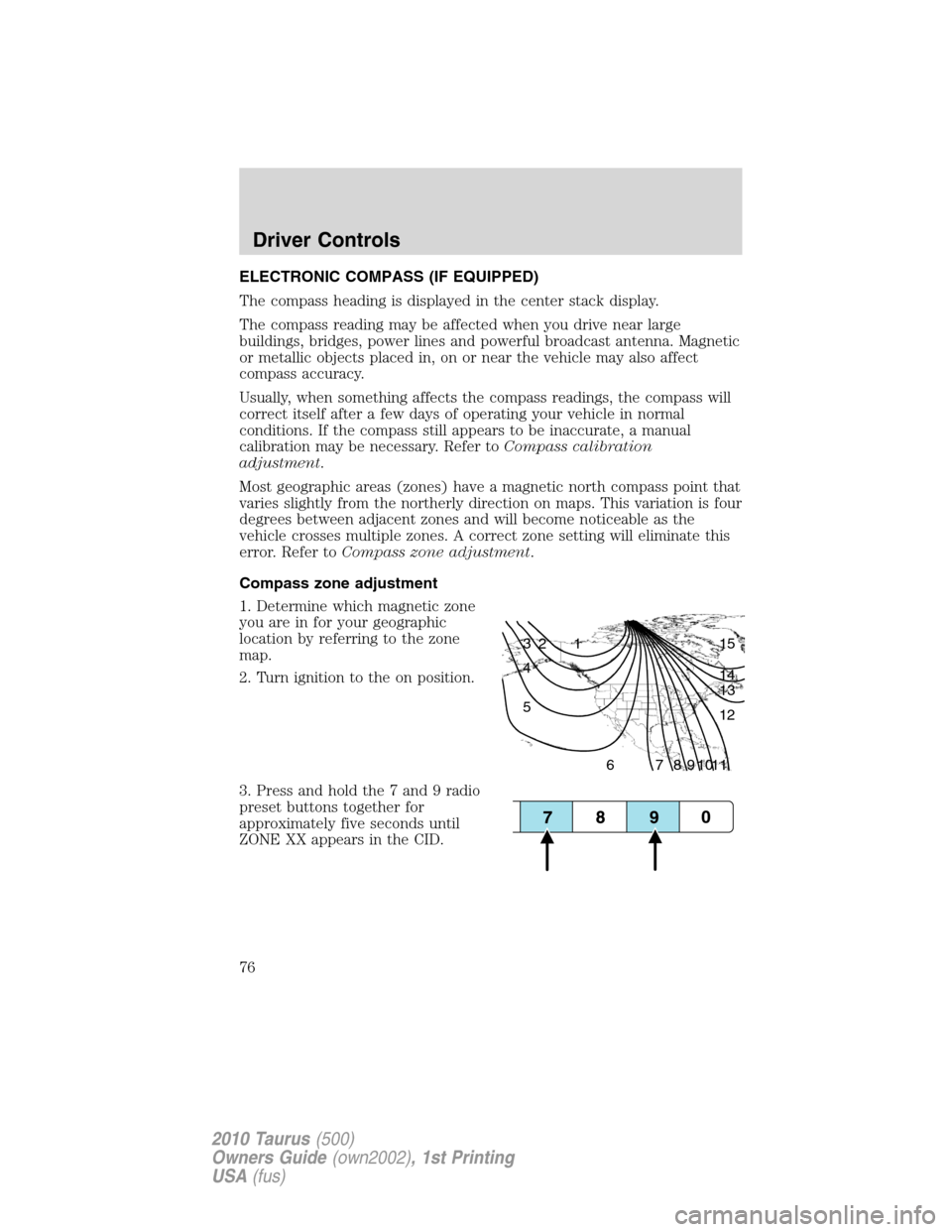
Most geographic areas (zones) have a magnetic north compass point that
varies slightly from the northerly direction on maps. This variation is four
degrees between adjacent zones and will become noticeable as the
vehicle crosses multiple zones. A correct zone setting will eliminate this
error. Refer toCompass zone adjustment.
Compass zone adjustment
1. Determine which magnetic zone
you are in for your geographic
location by referring to the zone
map.
2. Turn ignition to the on position.
3. Press and hold the 7 and 9 radio
preset buttons together for
approximately five seconds until
ZONE XX appears in the CID.
1 2 3
4
5
6 7 8 9 101112 13 14 15
Driver Controls
76
2010 Taurus(500)
Owners Guide(own2002), 1st Printing
USA(fus)
Page 77 of 378
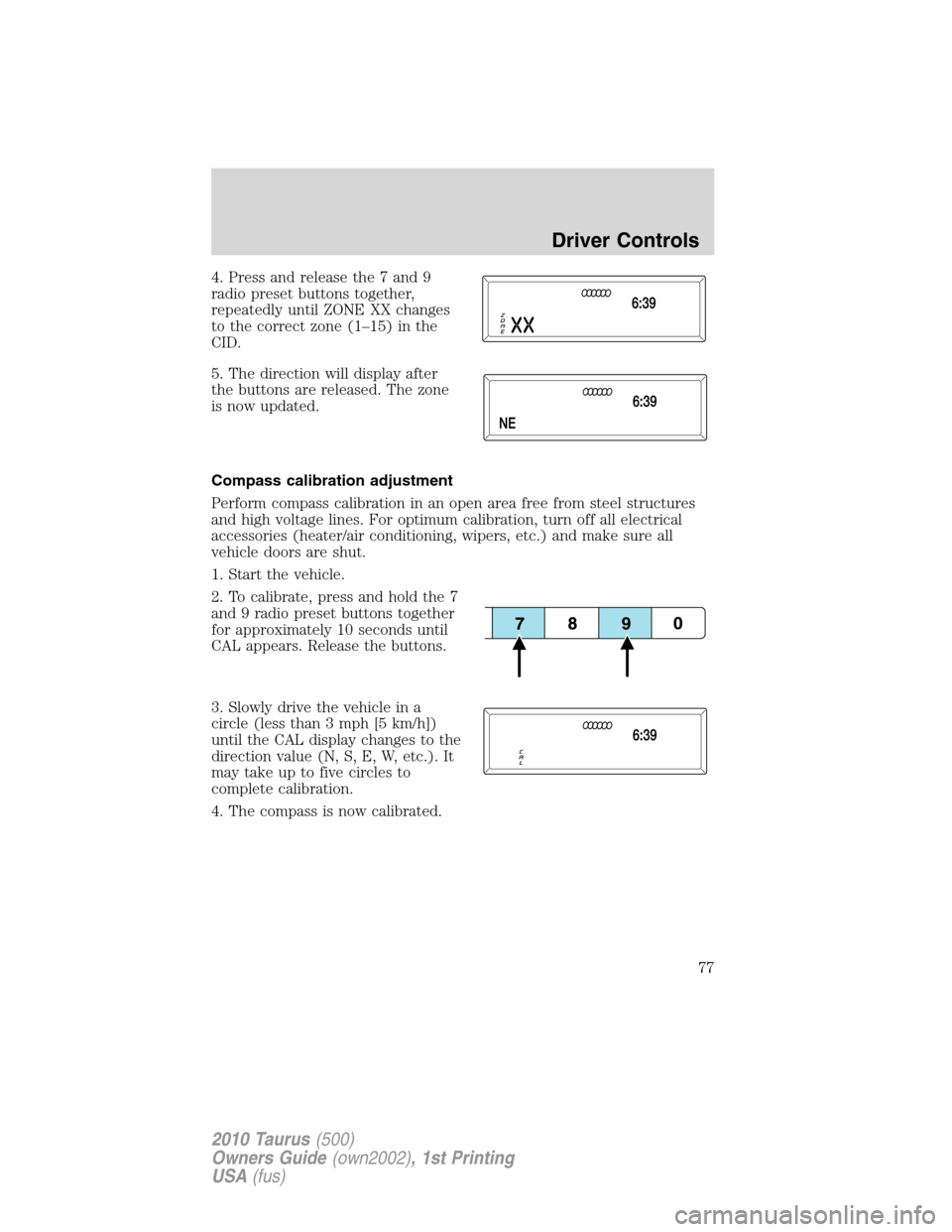
4. Press and release the 7 and 9
radio preset buttons together,
repeatedly until ZONE XX changes
to the correct zone (1–15) in the
CID.
5. The direction will display after
the buttons are released. The zone
is now updated.
Compass calibration adjustment
Perform compass calibration in an open area free from steel structures
and high voltage lines. For optimum calibration, turn off all electrical
accessories (heater/air conditioning, wipers, etc.) and make sure all
vehicle doors are shut.
1. Start the vehicle.
2. To calibrate, press and hold the 7
and 9 radio preset buttons together
for approximately 10 seconds until
CAL appears. Release the buttons.
3. Slowly drive the vehicle in a
circle (less than 3 mph [5 km/h])
until the CAL display changes to the
direction value (N, S, E, W, etc.). It
may take up to five circles to
complete calibration.
4. The compass is now calibrated.
Driver Controls
77
2010 Taurus(500)
Owners Guide(own2002), 1st Printing
USA(fus)
Page 88 of 378
3. Press and release the SET +
control. The vehicle speed will be
stored in the memory and the
message center will display SET
XXX MPH (your desired speed).
4. Take your foot off the accelerator
pedal.
5. The green
cruise indicator
light on the instrument cluster will
illuminate if there are no vehicles
detected in front of you, while the yellow
ACC indicator light on the
instrument cluster will illuminate if there is a vehicle detected in front of
you.
Following a vehicle
WARNING:When following a vehicle in front of you, the vehicle
will not decelerate automatically to a stop, nor will the vehicle
always decelerate quickly enough to avoid a collision without driver
intervention. Always apply the brakes when necessary. Failing to do so
may result in a collision, serious injury or death.
When a vehicle ahead of you enters the same lane or a slower vehicle is
ahead in the same lane, the vehicle speed will adjust automatically to
maintain a preset gap distance. The distance setting is adjustable, refer
toSetting the gap distancein this section.
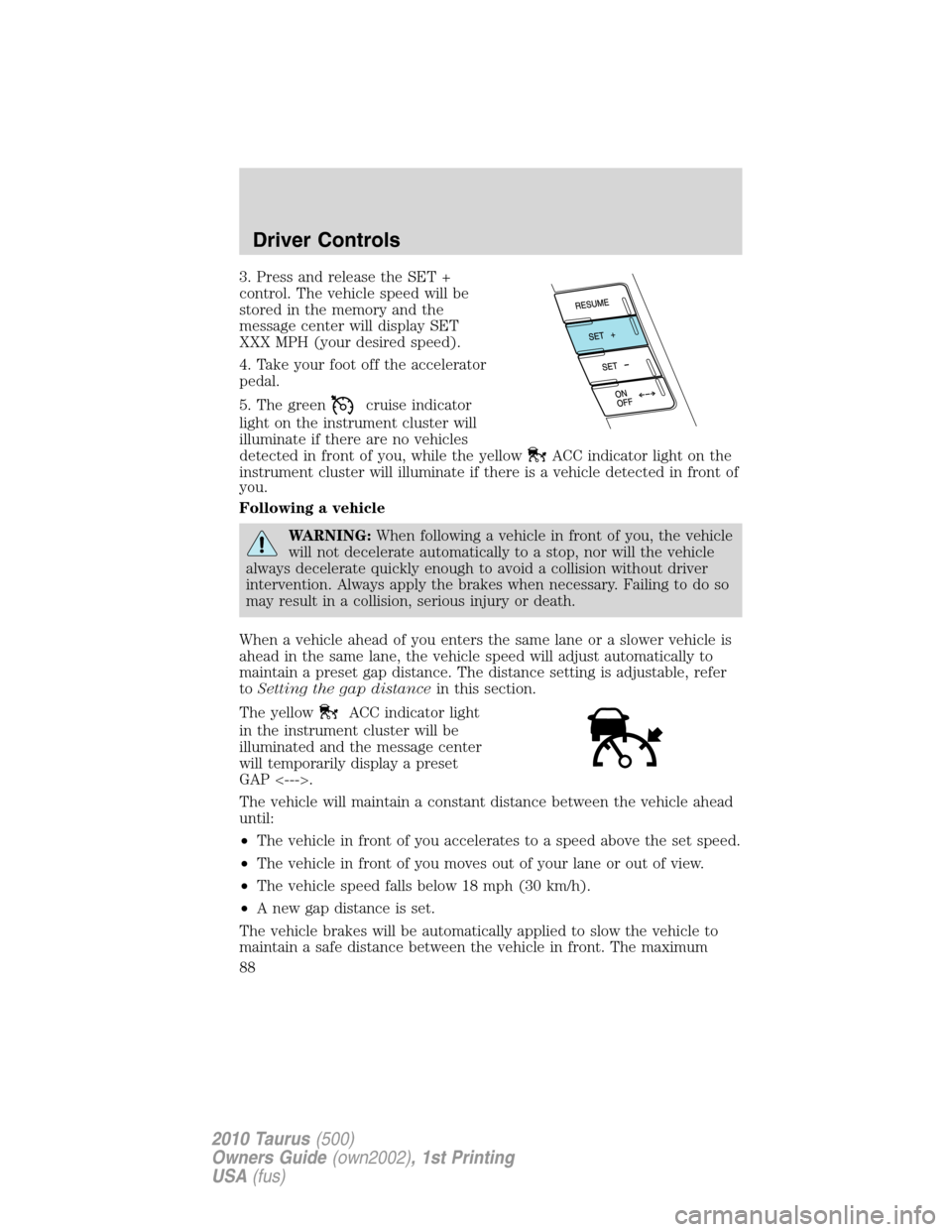
The yellow
ACC indicator light
in the instrument cluster will be
illuminated and the message center
will temporarily display a preset
GAP <--->.
The vehicle will maintain a constant distance between the vehicle ahead
until:
•The vehicle in front of you accelerates to a speed above the set speed.
•The vehicle in front of you moves out of your lane or out of view.
•The vehicle speed falls below 18 mph (30 km/h).
•A new gap distance is set.
The vehicle brakes will be automatically applied to slow the vehicle to
maintain a safe distance between the vehicle in front. The maximum
Driver Controls
88
2010 Taurus(500)
Owners Guide(own2002), 1st Printing
USA(fus)
Page 95 of 378

STEERING WHEEL CONTROLS (IF EQUIPPED)
Radio control features
VOL + (Volume):Press to increase
the volume.
VOL – (Volume):Press to decrease
the volume.
(Seek):Press to
select the previous/next radio
station preset, CD track or satellite
radio channel preset depending on
which media mode you are in.
MEDIA:Press repeatedly to select:
•AM, FM1, FM2, or CD
•DVD/FES (if equipped)
•SAT1, SAT2 or SAT3 (Satellite radio mode if equipped).
•LINE IN (Auxiliary input jack)
Navigation system hands free
control features (if equipped)
Press and hold
control briefly
until the voice
icon appears on
the navigation display to use the
voice command feature.
Press
to complete a voice
command.
For further information on the
navigation system, refer to theNavigation Systemsupplement.
Driver Controls
95
2010 Taurus(500)
Owners Guide(own2002), 1st Printing
USA(fus)
Page 135 of 378
Create a MyKey™
To program MyKey™ on one of the keys programmed to the vehicle,
insert it into the ignition. (For vehicles equipped with push button start,
put the Intelligent Access Key in the backup slot; see theDriving
chapter for the location of the backup slot.) Turn the ignition on. Use
the message center buttons to do the following:
1. Press SETUP until PRESS RESET TO CREATE MYKEY is displayed.
2. Press and release the RESET button. HOLD RESET TO CONFIRM
MYKEY will be displayed.
3. Press and hold the RESET button for two seconds until MARK THIS
AS RESTRICTED is displayed.
4. Wait until KEY RESTRICTED AT NEXT START is displayed.
MyKey™ is successfully programmed. Make sure you label it so you can
distinguish it from the Admin keys.Note:To program the optional
settings go to step 2 in theProgramming MyKey™ Optional Settings
section.
Note:The MyKey™ can be cleared within the same key cycle that it was
created, otherwise a standard key (Administrator key) is required to
disable the MyKey™ programming. To clear all MyKeys™ go to step 2 in
theDisable MyKey™section.
Programming MyKey™ Optional Settings
Turn the ignition on using an Admin key. To program the optional
settings, use the message center buttons to do the following:
1. Press SETUP until RESET FOR MYKEY SETUP is displayed.
2. Press and release the RESET button to display MyKey setup menus.
The first menu shown is:
MYKEY MAX MPH <80 MPH> OFF
3. If you don’t want to change the maximum speed setting, press the
SETUP button to display the next menu. The remaining menus appear as
follows with the default settings shown:
MYKEY MPH TONES 45 55 65
MYKEY VOLUME LIMIT
MYKEY ADVTRAC CTRL ON
4. On any of the menus press RESET to highlight your choice with the
<…>.
5. Press SETUP to enter your choice. The next optional setting will be
displayed.
Locks and Security
135
2010 Taurus(500)
Owners Guide(own2002), 1st Printing
USA(fus)
Page 136 of 378
6. Repeat steps 4 and 5 until you are done changing the optional
settings.
Disable MyKey™
To reset all MyKeys™ as Admin keys do the following:
1. Turn the vehicle on using the Admin key.
2. Press SETUP until PRESS RESET TO CLEAR MYKEY is displayed.
3. Press and release the RESET button. HOLD RESET TO CONFIRM
CLEAR is displayed.
4. Press and hold the RESET button for two seconds until ALL MYKEYS
CLEARED is displayed.
Check MyKey™ System Status
The vehicle System Check will provide the status of the following
MyKey™ parameters:
•MYKEY MILES — This odometer only tracks mileage when a MyKey™
is used. If mileage does not accumulate as expected, then the
MyKey™ is not being used by the intended user. The only way to
reset this odometer to zero is by disabling MyKey™. If this odometer
is lower than the last time you checked, then the MyKey™ system has
been recently cleared.
•# MYKEY(S) PROGRAMMED — Indicates how many MyKeys™ are
programmed to the vehicle. Can be used to detect deletion of a
MyKey™.
•# ADMIN KEYS PROGRAMMED — Indicates how many Admin keys
are programmed to the vehicle. Can be used to detect if an additional
spare key has been programmed to the vehicle
Refer toMessage centerin theInstrument Clusterchapter for MyKey™
system warnings displays.
Locks and Security
136
2010 Taurus(500)
Owners Guide(own2002), 1st Printing
USA(fus)
Page 157 of 378
Rear heated seats (if equipped)
WARNING:Persons who are unable to feel pain to the skin
because of advanced age, chronic illness, diabetes, spinal cord
injury, medication, alcohol use, exhaustion, or other physical
conditions, must exercise care when using the seat heater. The seat
heater may cause burns even at low temperatures, especially if used
for long periods of time. Do not place anything on the seat that
insulates against heat, such as a blanket or cushion, because this may
cause the seat heater to overheat. Do not puncture the seat with pins,
needles, or other pointed objects because this may damage the heating
element which may cause the seat heater to overheat. An overheated
seat may cause serious personal injury.
Note:Do not do the following:
•Place heavy objects on the seat
•Operate the seat heater if water or any other liquid is spilled on the
seat. Allow the seat to dry thoroughly.
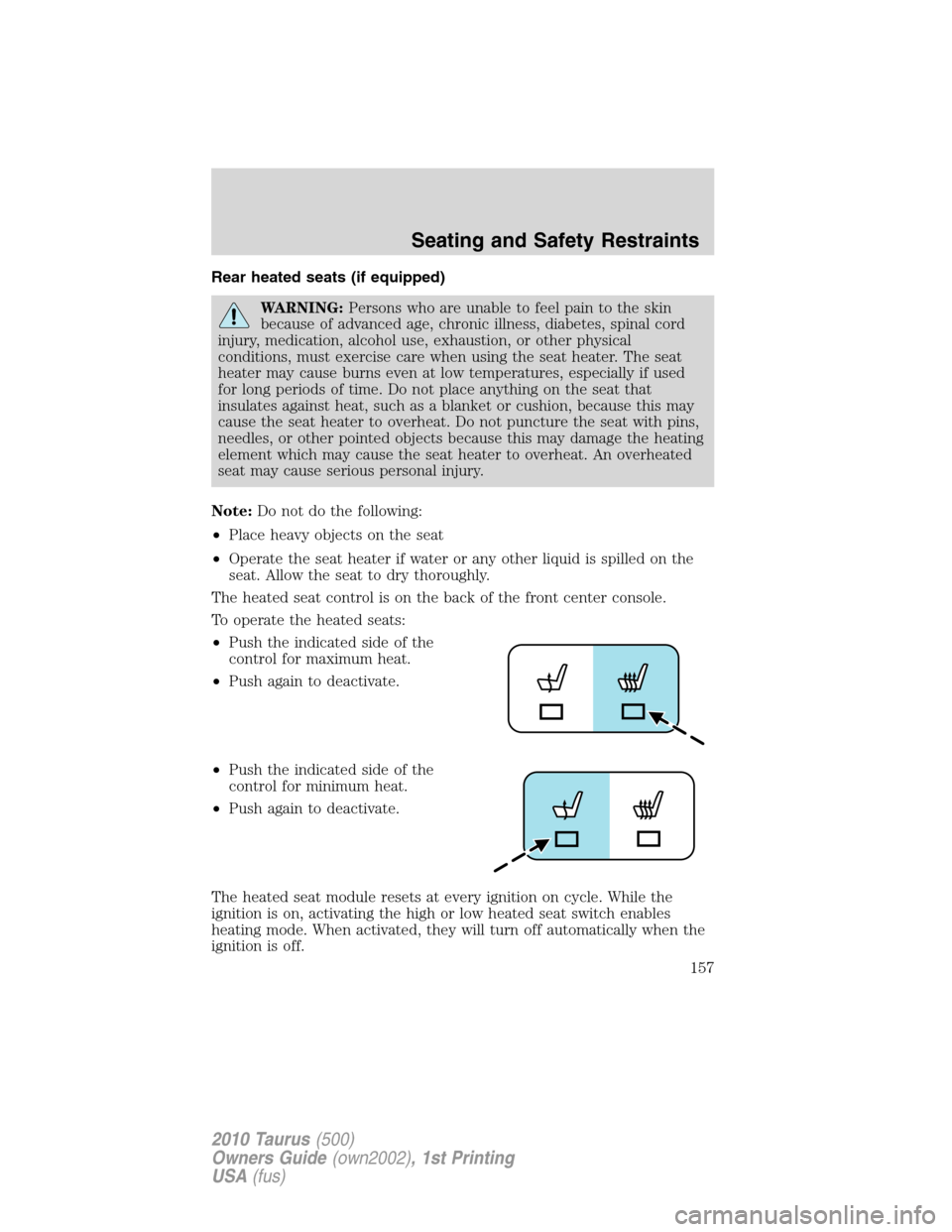
The heated seat control is on the back of the front center console.
To operate the heated seats:
•Push the indicated side of the
control for maximum heat.
•Push again to deactivate.
•Push the indicated side of the
control for minimum heat.
•Push again to deactivate.
The heated seat module resets at every ignition on cycle. While the
ignition is on, activating the high or low heated seat switch enables
heating mode. When activated, they will turn off automatically when the
ignition is off.
Seating and Safety Restraints
157
2010 Taurus(500)
Owners Guide(own2002), 1st Printing
USA(fus)