Page 59 of 378

HEADLAMP CONTROL
Turns the lamps off.
Turns on the parking lamps,
instrument panel lamps, license
plate lamps and tail lamps.
Turns the low beam headlamps
on.
Autolamp control (if equipped)
The autolamp system provides light
sensitive automatic on-off control of
the exterior lights normally
controlled by the headlamp control.
•To turn autolamps on, rotate the
control to
.
•To turn autolamps off, rotate the
control from the autolamp
position.
The autolamp system also keeps the
lights on for a predetermined amount of time after the ignition switch is
turned to off. You can change the amount of time the lamps stay on by
using the programming procedure that follows:
Note:If the vehicle is equipped with autolamps, it will have the
headlamps on with windshield wipers feature.If the windshield
wipers are turned on (for a fixed period of time), the exterior lamps will
turn on with the headlamp control in the Autolamp position.
Autolamps - Programmable exit delay
Programmable exit delay allows the length of the autolamp exit delay to
be changed.
To program the auto lamp exit time delay:
1. Start with the ignition in the off position and the headlamp control in
the autolamp position.
2. Turn the headlamp control to off.
Lights
59
2010 Taurus(500)
Owners Guide(own2002), 1st Printing
USA(fus)
Page 60 of 378

3. Turn the ignition switch to on and then back to off.
4. Turn the headlamp control to the autolamp position. The headlamps
will turn on.
5. Wait the desired amount of time for the exit delay you want (up to
three minutes), then turn the headlamps off.
High beams
Push the lever toward the
instrument panel to activate. Pull
the lever towards you to deactivate.
Auto high beams (if equipped)
During nighttime driving, the automatic high beam system automatically
turns on your high beams if it is dark enough and no other traffic is
present. When it detects an approaching vehicle’s headlights or a
preceding vehicle’s tail lamps, the system turns off the high beams (low
beams remain on) before they distract other drivers.
If the vehicle is equipped with automatic high beams, the high beam
switch will operate differently depending on the status of the automatic
high beam system. Each of the possible operating scenarios are detailed
below:
Scenario 1:
Conditions -The automatic high beam system is set to ON in the
message center. The headlamp switch is in
(autolamps). The
automatic high beam system has turned the high beams on.
Operation -The high beam switch will not perform any function.
Scenario 2:
Conditions -The automatic high beam system is set to ON in the
message center. The headlamp switch is in
(autolamps). The
automatic high beam system has not turned the high beams on.
O
F
F
Lights
60
2010 Taurus(500)
Owners Guide(own2002), 1st Printing
USA(fus)
Page 61 of 378

Operation -The high beam switch can be used to turn the high beams
on. They will then remain on until the switch has been returned to the
neutral position and the auto high beam system has turned the high
beams off.
Scenario 3:
Conditions -The automatic high beam system is set to ON in the
message center. The headlamp switch is in
(off),(park lamps),
or
(on).
Operation -The high beam switch can be used to turn the high beams
on and off.
Scenario 4:
Conditions -The automatic high beam system is set to OFF in the
message center. The headlamp switch is
in
(autolamps),(off),(park lamps), or(on).
Operation -The high beam switch can be used to turn the high beams
on and off.
Enabling/disabling auto high beams
Enabling/disabling and/or checking the status of the automatic high beam
system can be performed using the message center. SeeMessage center
in theInstrument clusterchapter.
Activating high beams
If there is no traffic in front of the vehicle, the high beams will come on
automatically and the
light will display in the instrument panel if
the following are true:
•The headlamp control is in auto lamp
mode.
•The ambient light level is low enough that high beams are needed.
•Vehicle speed must be greater than 32 mph (51 km/h).
•Severe weather is not detected.
Deactivating high beams
The automatic high beams will deactivate if any of the following events
occur:
•An approaching vehicle’s headlights or a preceding vehicle’s tail lamps
are detected.
•The headlamp control is moved out of the autolamps position.
Lights
61
2010 Taurus(500)
Owners Guide(own2002), 1st Printing
USA(fus)
Page 62 of 378

•The vehicle speed falls below 27 mph (43 km/h).
•The ambient light level is high enough that high beams are not
needed.
•Severe rain, snow or fog is detected.
•The camera is blocked.
Note:Activating the multi-function lever will put the headlamps in
manual high beam mode (constant or flash-to-pass) until the lever is
returned to the neutral position. To manually override the auto high
beam and go to low beam, the headlamp control must be taken out of
the
(autolamp) position.
Setting auto high beam sensitivity
The automatic high beam system has two sensitivity settings. The default
setting is near. If you would like the high beams to turn off when traffic
is further away, the sensitivity setting can be changed to far. The
procedure is as follows:
Preconditions:
•Vehicle is at a stop.
•Ignition is in the on position.
•The headlamp control is in the
position.
•High-beams are off.
Programming Sequence:
1. Turn the headlamp control from
(On) to(autolamp) three
times within two seconds, ending in
(On).
2. Cycle flash-to-pass three times using the multi-function lever.
3. The sensitivity setting has been changed.
Note: The programming sequence will end if either of the following
occur:
•The vehicle speed is not zero.
•The battery voltage is out of normal range.
Troubleshooting
If the automatic high beam camera becomes blocked, the high beams will
not come on automatically. They will only activate when they are
manually turned on with the multi-function lever.
Typical road dust, dirt and water spots will not affect the automatic high
beam system’s performance.
Lights
62
2010 Taurus(500)
Owners Guide(own2002), 1st Printing
USA(fus)
Page 63 of 378

For significant blockages (e.g. bird dropping, bug splatter, snow, or ice),
the automatic high beam system uses a blocked sensor computer
program. If it detects a blockage, it will be monitored for two minutes. If
no changes are observed, the system will go into low beam mode until
the blockage is cleared.
If it appears that automatic control of the high beams is not functioning,
check the windshield in front of the camera for blockage.
Flash to pass
Pull toward you to activate and
release to deactivate.
Daytime running lamps (DRL) (if equipped)
Turns the headlamps on with a reduced output.
To activate:
•the ignition must be in the on position,
•the headlamp control is in the off, autolamps or parking lamp position
and
•the transmission must be out of the P (Park) position.
WARNING:Always remember to turn on your headlamps at
dusk or during inclement weather. The Daytime Running Lamp
(DRL) system does not activate the tail lamps and generally may not
provide adequate lighting during these conditions. Failure to activate
your headlamps under these conditions may result in a collision.
Lights
63
2010 Taurus(500)
Owners Guide(own2002), 1st Printing
USA(fus)
Page 64 of 378
PANEL DIMMER CONTROL
Use to adjust the brightness of the
instrument panel and all applicable
lit components in the vehicle during
headlamp and parking lamp
operation.
•Tapthetoporbottomofthe
control to brighten/dim all interior
lit components incrementally, or
•Press and hold the top or bottom of the control until the desired
lighting level is reached.
•Press and hold the top of the control to the full on position to activate
the “dome on” feature. This will turn on the interior courtesy lights.
The lights will remain on until the bottom of the control is pressed.
Note:If the battery is disconnected, discharged, or a new battery is
installed, the dimmer control requires re-calibration. Press the dimmer
control from the full dim position to the full on position to reset. This
will ensure that your displays are visible under all lighting conditions.
AIMING THE HEADLAMPS
The headlamps on your vehicle are properly aimed at the assembly plant.
If your vehicle has been in an accident, the alignment of your headlamps
should be checked by your authorized dealer.
Vertical aim adjustment
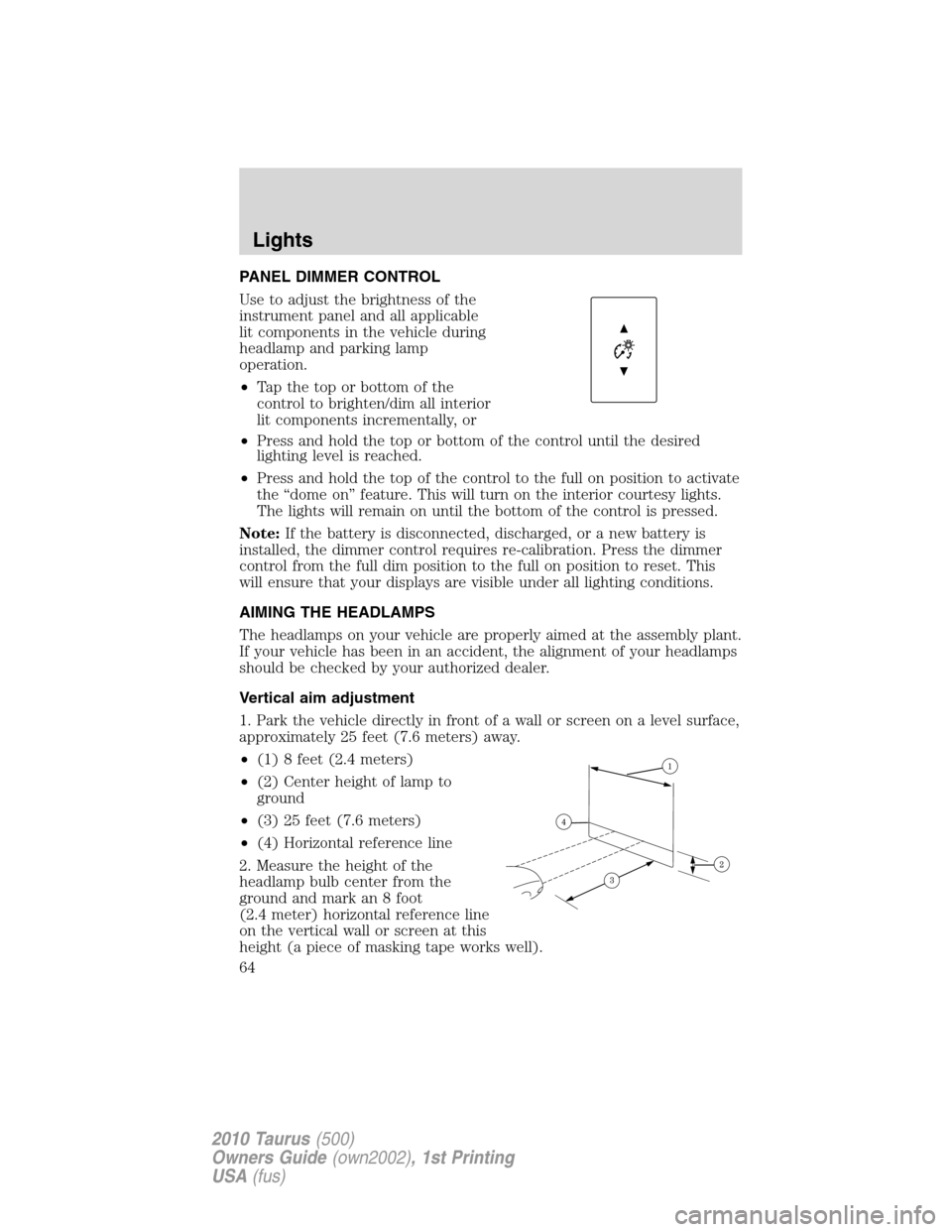
1. Park the vehicle directly in front of a wall or screen on a level surface,
approximately 25 feet (7.6 meters) away.
•(1) 8 feet (2.4 meters)
•(2) Center height of lamp to
ground
•(3) 25 feet (7.6 meters)
•(4) Horizontal reference line
2. Measure the height of the
headlamp bulb center from the
ground and mark an 8 foot
(2.4 meter) horizontal reference line
on the vertical wall or screen at this
height (a piece of masking tape works well).
Lights
64
2010 Taurus(500)
Owners Guide(own2002), 1st Printing
USA(fus)
Page 65 of 378
3. Turn on the low beam headlamps to illuminate the wall or screen and
open the hood.
To see a clearer light pattern for adjusting, you may want to block the
light from one headlamp while adjusting the other.
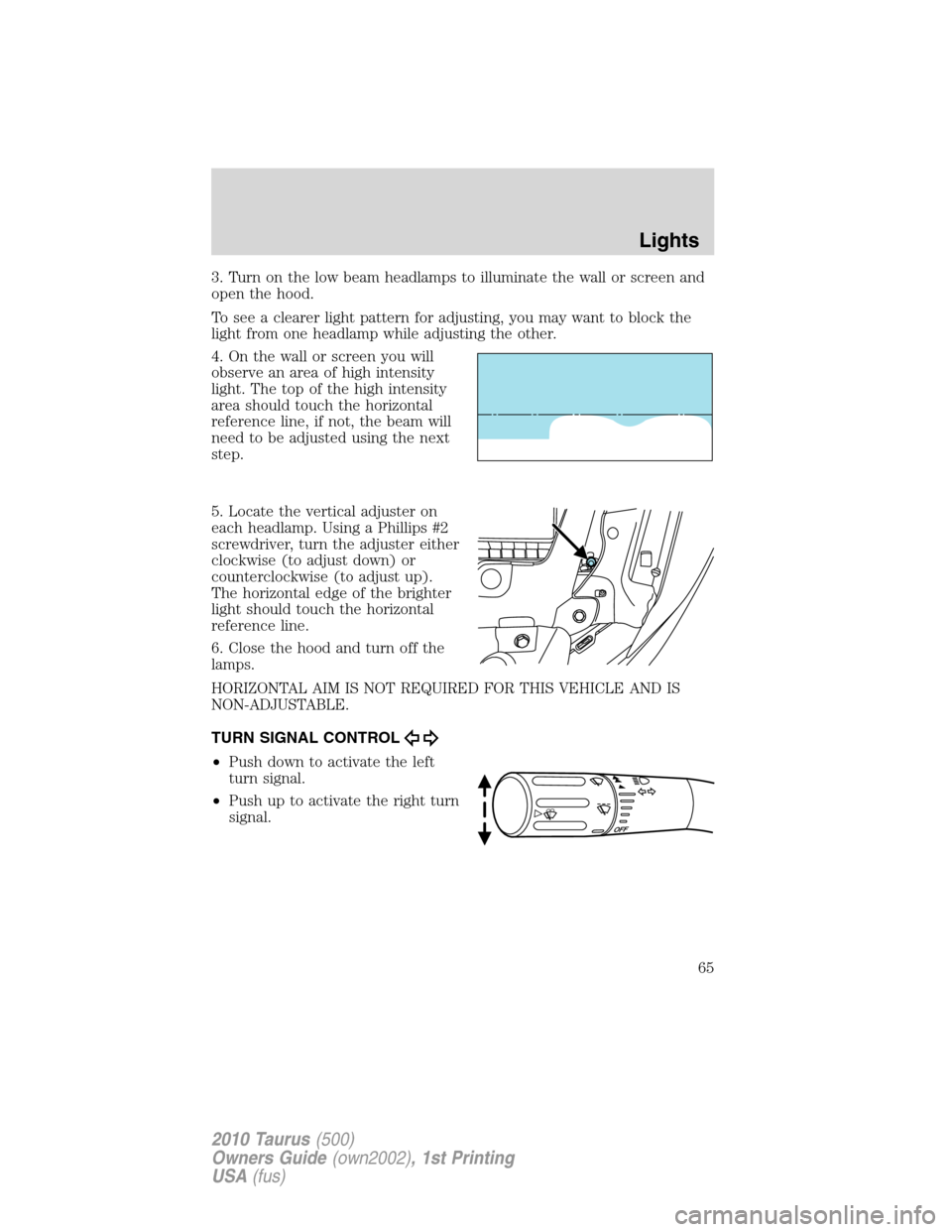
4. On the wall or screen you will
observe an area of high intensity
light. The top of the high intensity
area should touch the horizontal
reference line, if not, the beam will
need to be adjusted using the next
step.
5. Locate the vertical adjuster on
each headlamp. Using a Phillips #2
screwdriver, turn the adjuster either
clockwise (to adjust down) or
counterclockwise (to adjust up).
The horizontal edge of the brighter
light should touch the horizontal
reference line.
6. Close the hood and turn off the
lamps.
HORIZONTAL AIM IS NOT REQUIRED FOR THIS VEHICLE AND IS
NON-ADJUSTABLE.
TURN SIGNAL CONTROL
•Push down to activate the left
turn signal.
•Push up to activate the right turn
signal.
Lights
65
2010 Taurus(500)
Owners Guide(own2002), 1st Printing
USA(fus)
Page 66 of 378
INTERIOR LAMPS
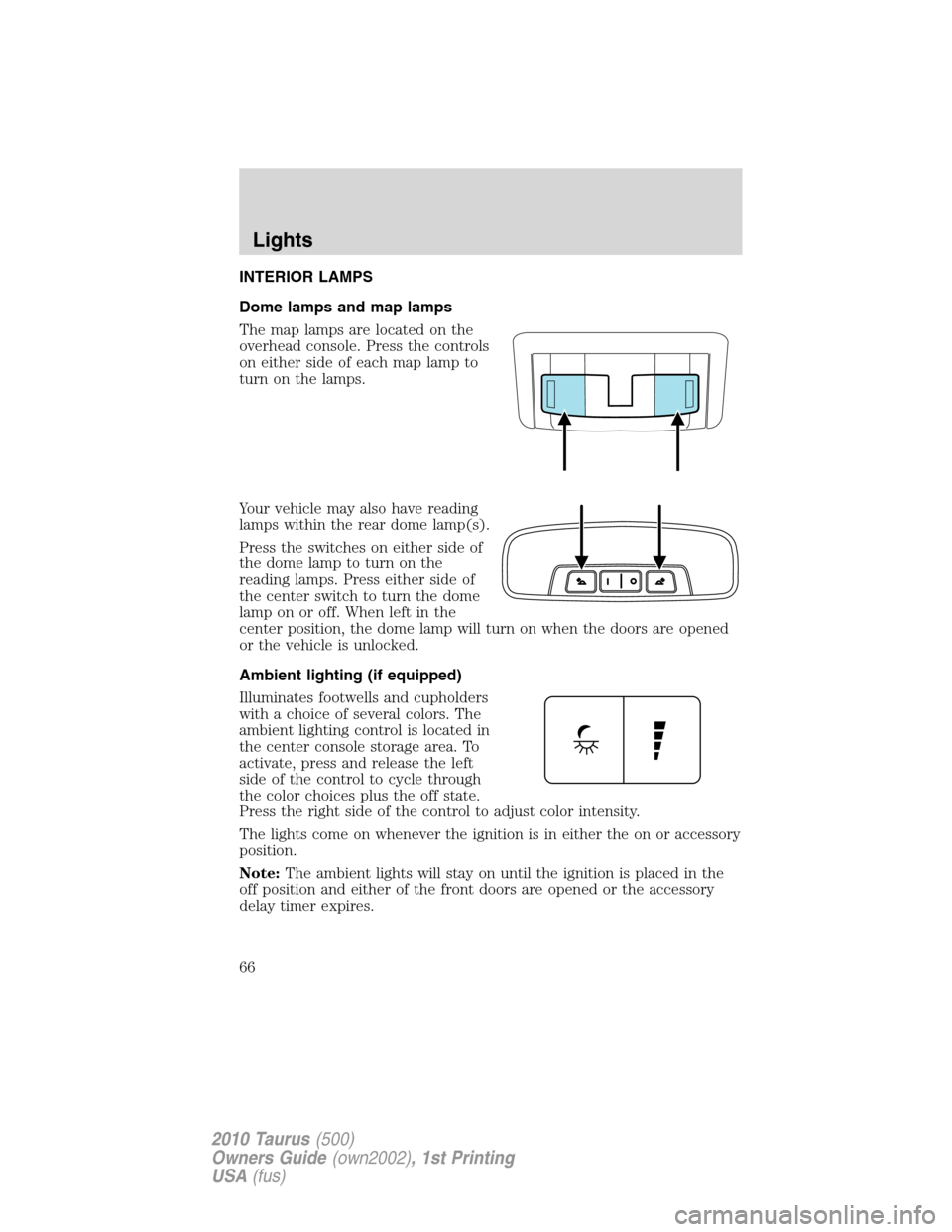
Dome lamps and map lamps
The map lamps are located on the
overhead console. Press the controls
on either side of each map lamp to
turn on the lamps.
Your vehicle may also have reading
lamps within the rear dome lamp(s).
Press the switches on either side of
the dome lamp to turn on the
reading lamps. Press either side of
the center switch to turn the dome
lamp on or off. When left in the
center position, the dome lamp will turn on when the doors are opened
or the vehicle is unlocked.
Ambient lighting (if equipped)
Illuminates footwells and cupholders
with a choice of several colors. The
ambient lighting control is located in
the center console storage area. To
activate, press and release the left
side of the control to cycle through
the color choices plus the off state.
Press the right side of the control to adjust color intensity.
The lights come on whenever the ignition is in either the on or accessory
position.
Note:The ambient lights will stay on until the ignition is placed in the
off position and either of the front doors are opened or the accessory
delay timer expires.
Lights
66
2010 Taurus(500)
Owners Guide(own2002), 1st Printing
USA(fus)