Page 127 of 378
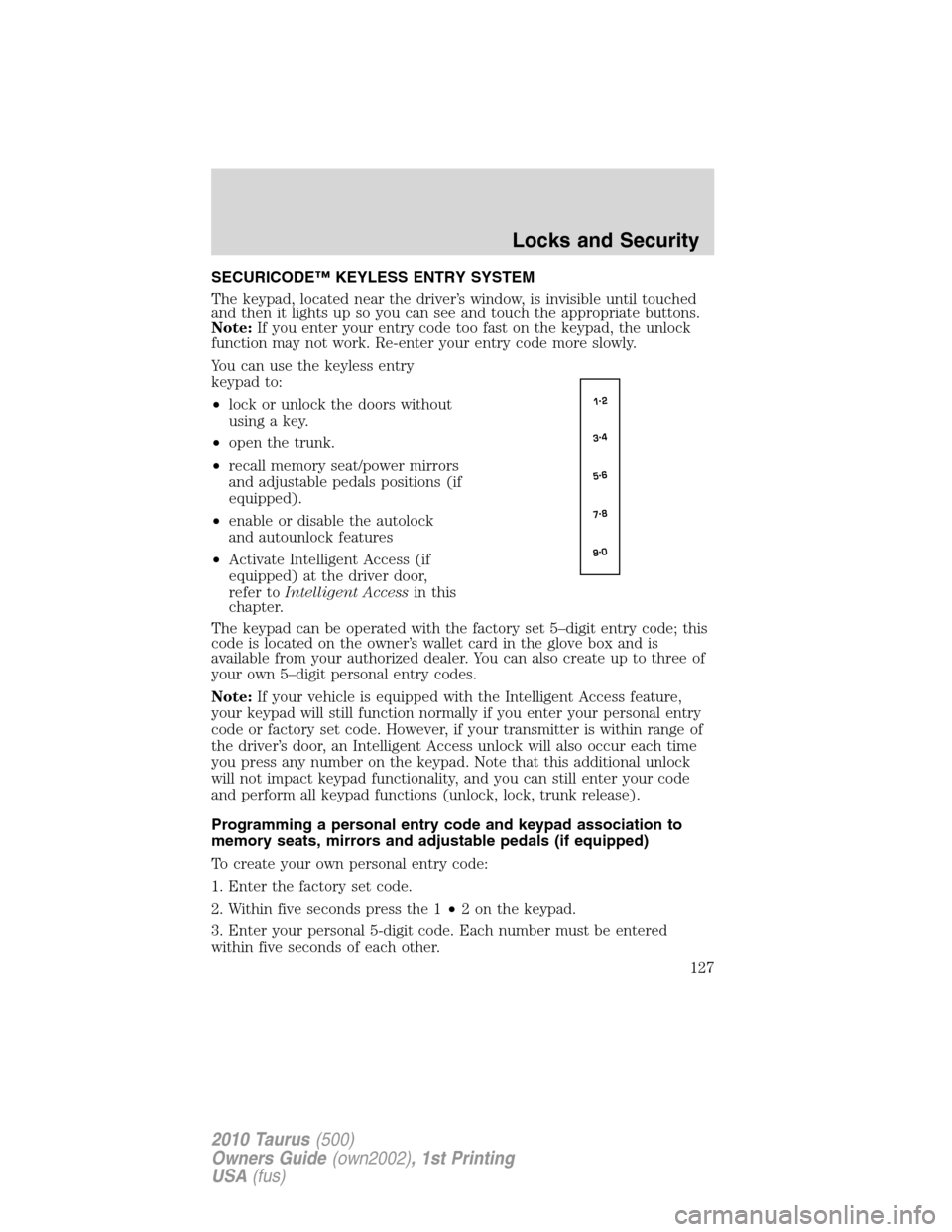
SECURICODE™ KEYLESS ENTRY SYSTEM
The keypad, located near the driver’s window, is invisible until touched
and then it lights up so you can see and touch the appropriate buttons.
Note:If you enter your entry code too fast on the keypad, the unlock
function may not work. Re-enter your entry code more slowly.
You can use the keyless entry
keypad to:
•lock or unlock the doors without
using a key.
•open the trunk.
•recall memory seat/power mirrors
and adjustable pedals positions (if
equipped).
•enable or disable the autolock
and autounlock features
•Activate Intelligent Access (if
equipped) at the driver door,
refer toIntelligent Accessin this
chapter.
The keypad can be operated with the factory set 5–digit entry code; this
code is located on the owner’s wallet card in the glove box and is
available from your authorized dealer. You can also create up to three of
your own 5–digit personal entry codes.
Note:If your vehicle is equipped with the Intelligent Access feature,
your keypad will still function normally if you enter your personal entry
code or factory set code. However, if your transmitter is within range of
the driver’s door, an Intelligent Access unlock will also occur each time
you press any number on the keypad. Note that this additional unlock
will not impact keypad functionality, and you can still enter your code
and perform all keypad functions (unlock, lock, trunk release).
Programming a personal entry code and keypad association to
memory seats, mirrors and adjustable pedals (if equipped)
To create your own personal entry code:
1. Enter the factory set code.
2. Within five seconds press the 1•2 on the keypad.
3. Enter your personal 5-digit code. Each number must be entered
within five seconds of each other.
Locks and Security
127
2010 Taurus(500)
Owners Guide(own2002), 1st Printing
USA(fus)
Page 135 of 378
Create a MyKey™
To program MyKey™ on one of the keys programmed to the vehicle,
insert it into the ignition. (For vehicles equipped with push button start,
put the Intelligent Access Key in the backup slot; see theDriving
chapter for the location of the backup slot.) Turn the ignition on. Use
the message center buttons to do the following:
1. Press SETUP until PRESS RESET TO CREATE MYKEY is displayed.
2. Press and release the RESET button. HOLD RESET TO CONFIRM
MYKEY will be displayed.
3. Press and hold the RESET button for two seconds until MARK THIS
AS RESTRICTED is displayed.
4. Wait until KEY RESTRICTED AT NEXT START is displayed.
MyKey™ is successfully programmed. Make sure you label it so you can
distinguish it from the Admin keys.Note:To program the optional
settings go to step 2 in theProgramming MyKey™ Optional Settings
section.
Note:The MyKey™ can be cleared within the same key cycle that it was
created, otherwise a standard key (Administrator key) is required to
disable the MyKey™ programming. To clear all MyKeys™ go to step 2 in
theDisable MyKey™section.
Programming MyKey™ Optional Settings
Turn the ignition on using an Admin key. To program the optional
settings, use the message center buttons to do the following:
1. Press SETUP until RESET FOR MYKEY SETUP is displayed.
2. Press and release the RESET button to display MyKey setup menus.
The first menu shown is:
MYKEY MAX MPH <80 MPH> OFF
3. If you don’t want to change the maximum speed setting, press the
SETUP button to display the next menu. The remaining menus appear as
follows with the default settings shown:
MYKEY MPH TONES 45 55 65
MYKEY VOLUME LIMIT OFF
MYKEY ADVTRAC CTRL ON .
4. On any of the menus press RESET to highlight your choice with the
<…>.
5. Press SETUP to enter your choice. The next optional setting will be
displayed.
Locks and Security
135
2010 Taurus(500)
Owners Guide(own2002), 1st Printing
USA(fus)
Page 152 of 378
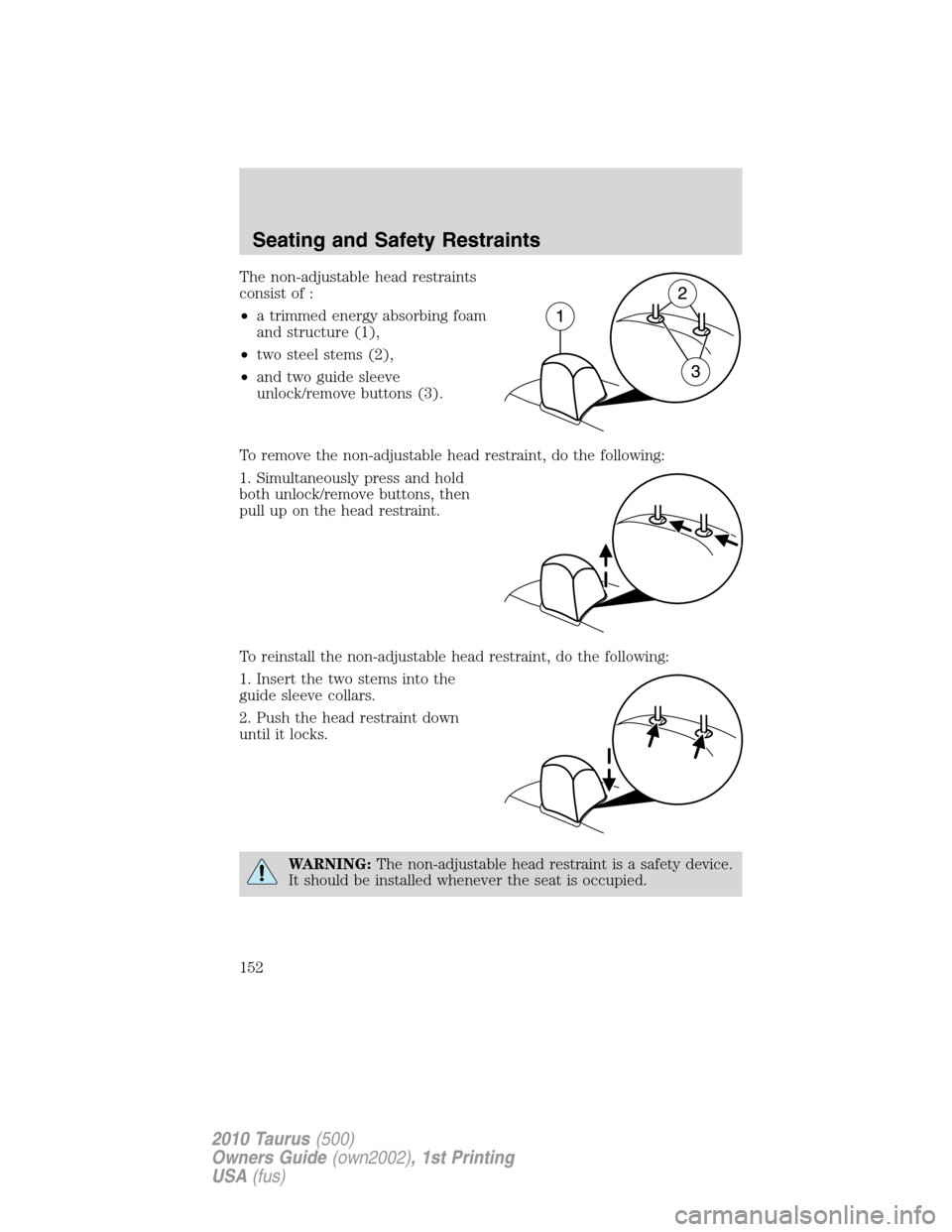
The non-adjustable head restraints
consist of :
•a trimmed energy absorbing foam
and structure (1),
•two steel stems (2),
•and two guide sleeve
unlock/remove buttons (3).
To remove the non-adjustable head restraint, do the following:
1. Simultaneously press and hold
both unlock/remove buttons, then
pull up on the head restraint.
To reinstall the non-adjustable head restraint, do the following:
1. Insert the two stems into the
guide sleeve collars.
2. Push the head restraint down
until it locks.
WARNING:The non-adjustable head restraint is a safety device.
It should be installed whenever the seat is occupied.
Seating and Safety Restraints
152
2010 Taurus(500)
Owners Guide(own2002), 1st Printing
USA(fus)
Page 238 of 378

vehicle from the on mode. If you would like to start the vehicle and you
are in on mode, you must first switch the vehicle off.
4. Start — press the START/STOP button (for any length of time) while
applying the brake pedal.Note:The indicator light on the start button
will illuminate when the vehicle is in on mode and when the engine is
started.
There may be areas inside your vehicle where the IA key is not detected.
If the message NO KEY DETECTED appears on your message center
when you press the START/STOP button, it may be necessary to move
your IA key to another area within the vehicle. The IA key may not be
detected near the roof (between the driver or passenger sunvisor and
the roof, or in the overhead console area) or in the extreme corners of
the rear package tray, near your audio speakers. It is not recommended
that you stow the IA key in these locations. If you move the IA key to a
location where it has been detected before and you still see the NO KEY
DETECTED message, your IA key’s battery may be low or you may be in
an area with excessive radio frequency interference. If this occurs, you
can use the backup method to start your vehicle (see below).
Backup Method of Starting:Your
IA key uses a radio frequency signal
to communicate with your vehicle
and authorize your vehicle to start
when you press the START/STOP
button and apply the brake pedal. If
excessive radio frequency
interference is present in the area,
or if the battery in your IA key is
low, it may be necessary to start
your car by inserting the IA key in
the backup slot, located in your center console utility compartment.
Insert the IA key into the slot with buttons facing out and with key ring
up. After inserting the IA key into the backup slot, use the START/STOP
button and brake pedal to start your vehicle as usual. The vehicle should
respond normally as long as the IA key is in the backup slot in the
center console utility compartment. Once the vehicle is started, the IA
key can be removed from the backup slot, if desired.
Fast Restart Feature:The Fast Restart feature allows you to re-start
your vehicle within 20 seconds of switching the vehicle off, if a valid IA
key is not present when the vehicle is switched off. When you switch
your vehicle off without a IA key in the passenger compartment or trunk,
the message RESTART NOW OR KEY IS NEEDED will be displayed on
Driving
238
2010 Taurus(500)
Owners Guide(own2002), 1st Printing
USA(fus)
Page:
< prev 1-8 9-16 17-24