2010 FORD TAURUS wheel
[x] Cancel search: wheelPage 27 of 378

INTKEY COULD NOT PROGRAM— Displayed when an attempt is
made to program a fifth integrated key to the remote key entry system.
For more information on integrated key, refer to theLocks and Security
chapter in this manual.
CRUISE ON RADAR READY (if equipped)— Displayed when the
driver pressed the cruise On/Off control and ACC was off.
CRUISE OFF (if equipped)— Displayed when the driver pressed the
Cruise On/Off control and ACC was on.
SET XXX MPH GAP ACC GAP (if equipped)— Displayed when
ACC is active and driver has selected a GAP setting using the steering
wheel control <---> button.
CRUISE OVERRIDE (if equipped)— Displayed when the accelerator
pedal is being pressed while ACC is active.
CRUISE NOT AVAILABLE (if equipped)— Displayed when a system
malfunction is preventing ACC from engaging.
CRUISE MALFUNCTION (if equipped)— Displayed when a radar
malfunction is preventing the ACC from engaging.
CRUISE NOT AVAILABLE SENSOR BLOCKED SEE MANUAL (if
equipped)— Displayed when the radar is blocked because of poor
radar visibility due to bad weather or ice/mud/water in front of radar.
Driver can typically clean the sensor to resolve.
COLLISION WARN MALFUNCTION (if equipped)— Displayed
when there is a system malfunction with the collision warning system.
The system will be disabled.
COLLISION WARN NOT AVAILABLE (if equipped)— Displayed
when there is a system malfunction with the collision warning system.
The system will be disabled.
COLLISION WARN NOT AVAILABLE SENSOR BLOCKED SEE
MANUAL (if equipped)— Displayed when the collision warning
system radar is blocked because of poor radar visibility due to bad
weather or ice/mud/water in front of the radar. Driver can typically clean
the sensor to resolve.
PRESS BRAKE TO START (if equipped)— Displayed when the
start/stop button is pressed without the brake pedal being applied. This
is a reminder that the brake pedal must be applied when the start/stop
button is pressed in order to start the engine.
Instrument Cluster
27
2010 Taurus(500)
Owners Guide(own2002), 1st Printing
USA(fus)
Page 74 of 378

Courtesy wipe feature:One extra wipe will occur a few seconds after
washing the front window to clear any excess washer fluid remaining on
the windshield.
Note:Do not operate the washer when the washer reservoir is empty.
This may cause the washer pump to overheat. Check the washer fluid
level frequently. Do not operate the wipers when the windshield is dry.
This may scratch the glass, damage the wiper blades and cause the wiper
motor to burn out. Before operating the wiper on a dry windshield,
always use the windshield washer. In freezing weather, be sure the wiper
blades are not frozen to the windshield before operating the wipers.
Windshield wiper rainlamp feature
When the windshield wipers are turned on during daylight, and the
headlamp control is in the autolamp position, the exterior lamps will turn
on after a brief delay and will remain on until the wipers are turned off.
TILT/TELESCOPE STEERING WHEEL
To adjust the steering wheel:
1. Pull the lever down to unlock the
steering column.
2. While the lever is in the down
position, move the steering wheel
up or down and in or out until you
find the desired position.
3. While holding the steering wheel
in place, pull the lever up to its
original position to lock the steering
column.
WARNING:Never adjust the steering wheel when the vehicle is
moving.
Driver Controls
74
2010 Taurus(500)
Owners Guide(own2002), 1st Printing
USA(fus)
Page 85 of 378
WARNING:Do not use the speed control in heavy traffic or on
roads that are winding, slippery or unpaved.
Using speed control
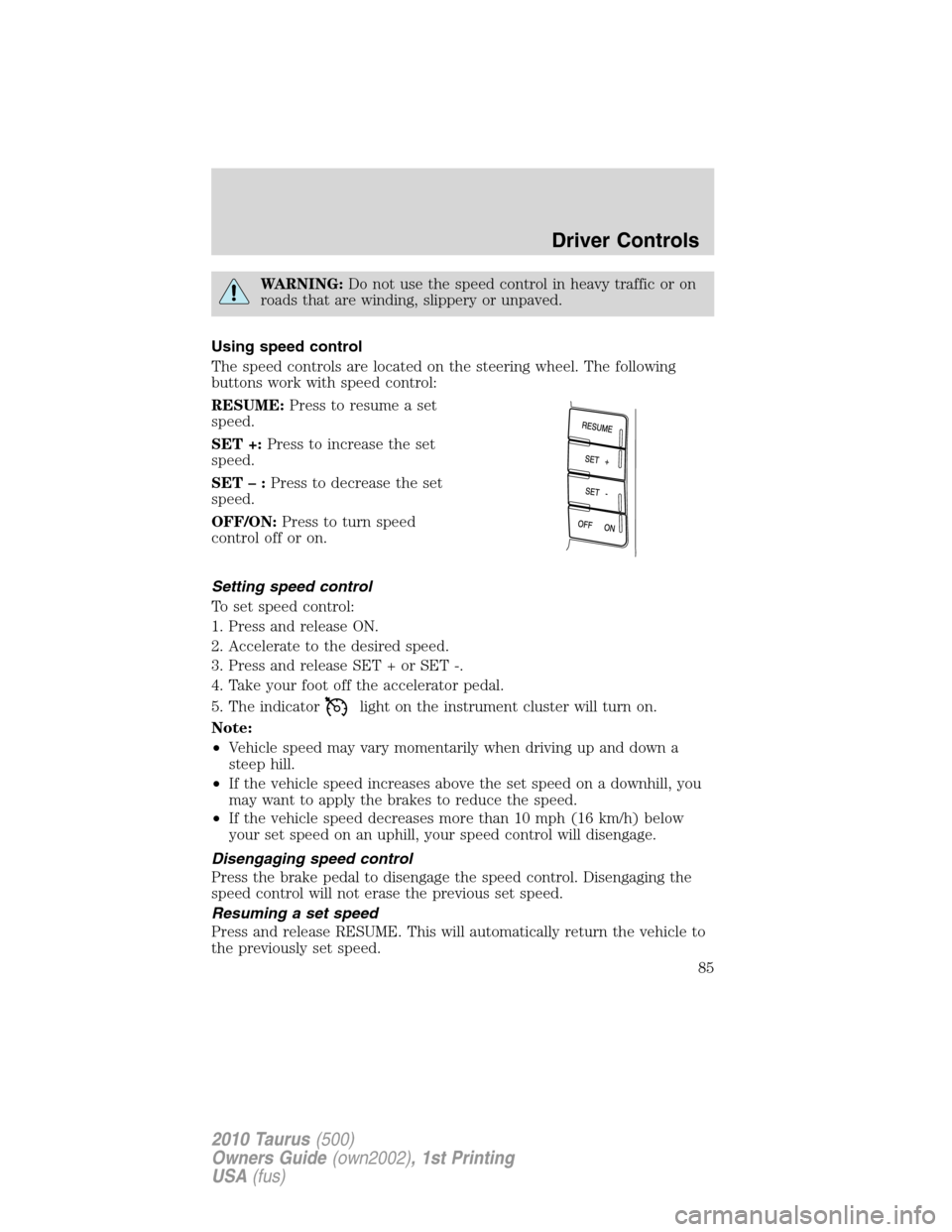
The speed controls are located on the steering wheel. The following
buttons work with speed control:
RESUME:Press to resume a set
speed.
SET +:Press to increase the set
speed.
SET–:Press to decrease the set
speed.
OFF/ON:Press to turn speed
control off or on.
Setting speed control
To set speed control:
1. Press and release ON.
2. Accelerate to the desired speed.
3. Press and release SET + or SET -.
4. Take your foot off the accelerator pedal.
5. The indicator
light on the instrument cluster will turn on.
Note:
•Vehicle speed may vary momentarily when driving up and down a
steep hill.
•If the vehicle speed increases above the set speed on a downhill, you
may want to apply the brakes to reduce the speed.
•If the vehicle speed decreases more than 10 mph (16 km/h) below
your set speed on an uphill, your speed control will disengage.
Disengaging speed control
Press the brake pedal to disengage the speed control. Disengaging the
speed control will not erase the previous set speed.
Resuming a set speed
Press and release RESUME. This will automatically return the vehicle to
the previously set speed.
Driver Controls
85
2010 Taurus(500)
Owners Guide(own2002), 1st Printing
USA(fus)
Page 86 of 378
Increasing speed while using speed control
To set a higher speed:
•Press and hold SET + until you get to the desired speed, then release.
You can also use SET + to operate the tap-up function. Press and
release SET + to increase the vehicle set speed in 1 mph (1.6 km/h)
increments.
•Use the accelerator pedal to get to the desired speed then press and
release SET +.
Reducing speed while using speed control
To reduce a set speed:
•Press and hold SET – until you get to the desired speed, then release.
You can also use SET – to operate the tap-down function. Press and
release SET – to decrease the vehicle set speed in 1 mph (1.6 km/h)
increments.
•Press the brake pedal until the desired vehicle speed is reached then
press SET –.
Turning off speed control
To turn off the speed control, Press OFF or turn off the ignition.
Note:When you turn off the speed control or the ignition, your speed
control set speed memory is erased.
ADAPTIVE CRUISE CONTROL (ACC) (IF EQUIPPED)
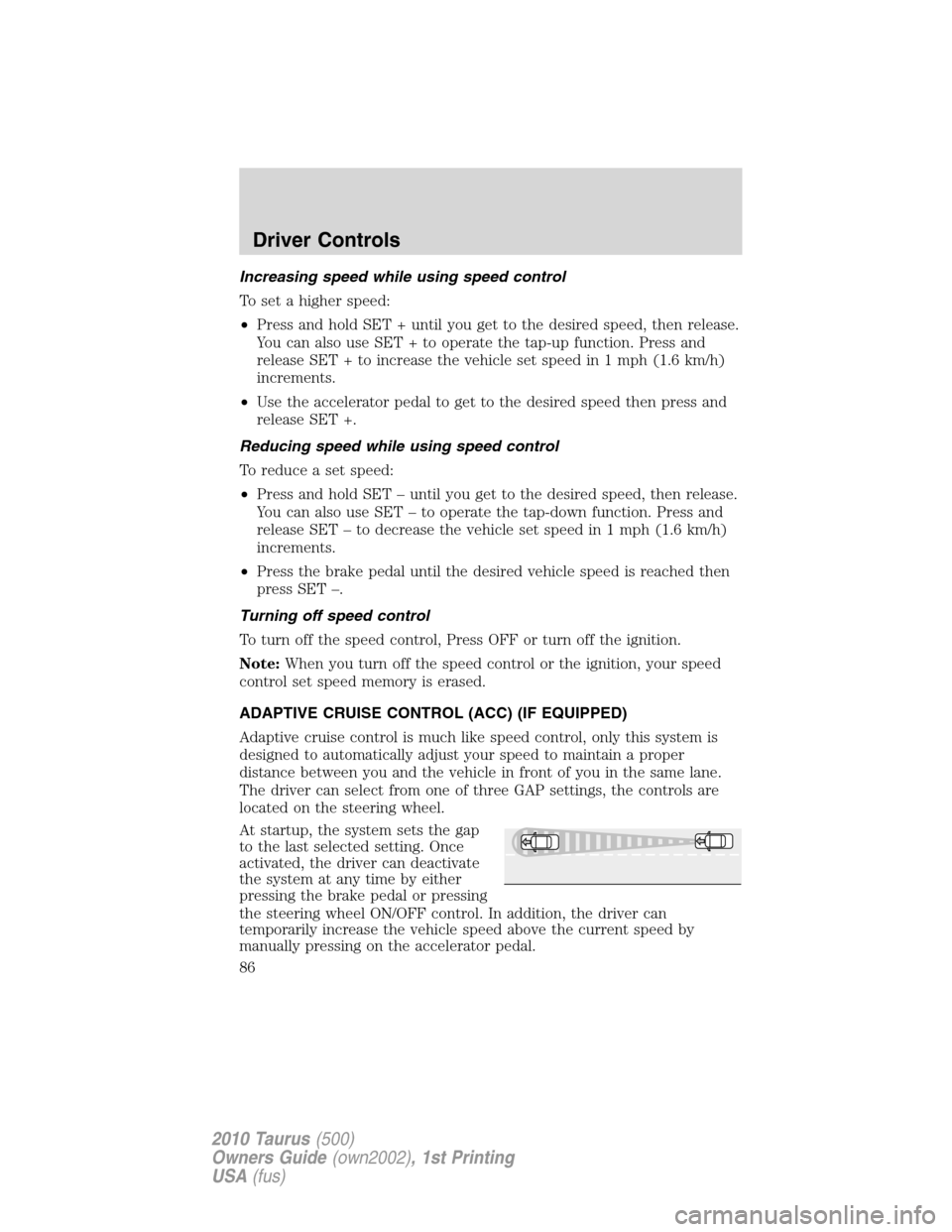
Adaptive cruise control is much like speed control, only this system is
designed to automatically adjust your speed to maintain a proper
distance between you and the vehicle in front of you in the same lane.
The driver can select from one of three GAP settings, the controls are
located on the steering wheel.
At startup, the system sets the gap
to the last selected setting. Once
activated, the driver can deactivate
the system at any time by either
pressing the brake pedal or pressing
the steering wheel ON/OFF control. In addition, the driver can
temporarily increase the vehicle speed above the current speed by
manually pressing on the accelerator pedal.
Driver Controls
86
2010 Taurus(500)
Owners Guide(own2002), 1st Printing
USA(fus)
Page 87 of 378
WARNING:Always pay close attention to changing road
conditions, especially when using Adaptive Cruise Control.
Adaptive Cruise Control cannot replace attentive driving. Failing to
follow any of the warnings below or failing to pay attention to the road
may result in a collision, serious injury or death.
WARNING:Adaptive cruise control is not a collision warning or
avoidance system. Additionally, adaptive cruise control will not
detect:
•Stationary or slow moving vehicles below 6 mph (10 km/h).
•Pedestrians or objects in the roadway.
•Oncoming vehicles in the same lane.
WARNING:Do not use the adaptive cruise control when
entering or leaving a highway, in heavy traffic or on roads that
are winding, slippery or unpaved.
WARNING:Do not use in poor visibility, specifically fog, rain,
spray or snow.
Setting adaptive cruise control
Note:It is the drivers responsibility to stay alert, drive safely and be in
control of the vehicle at all times.
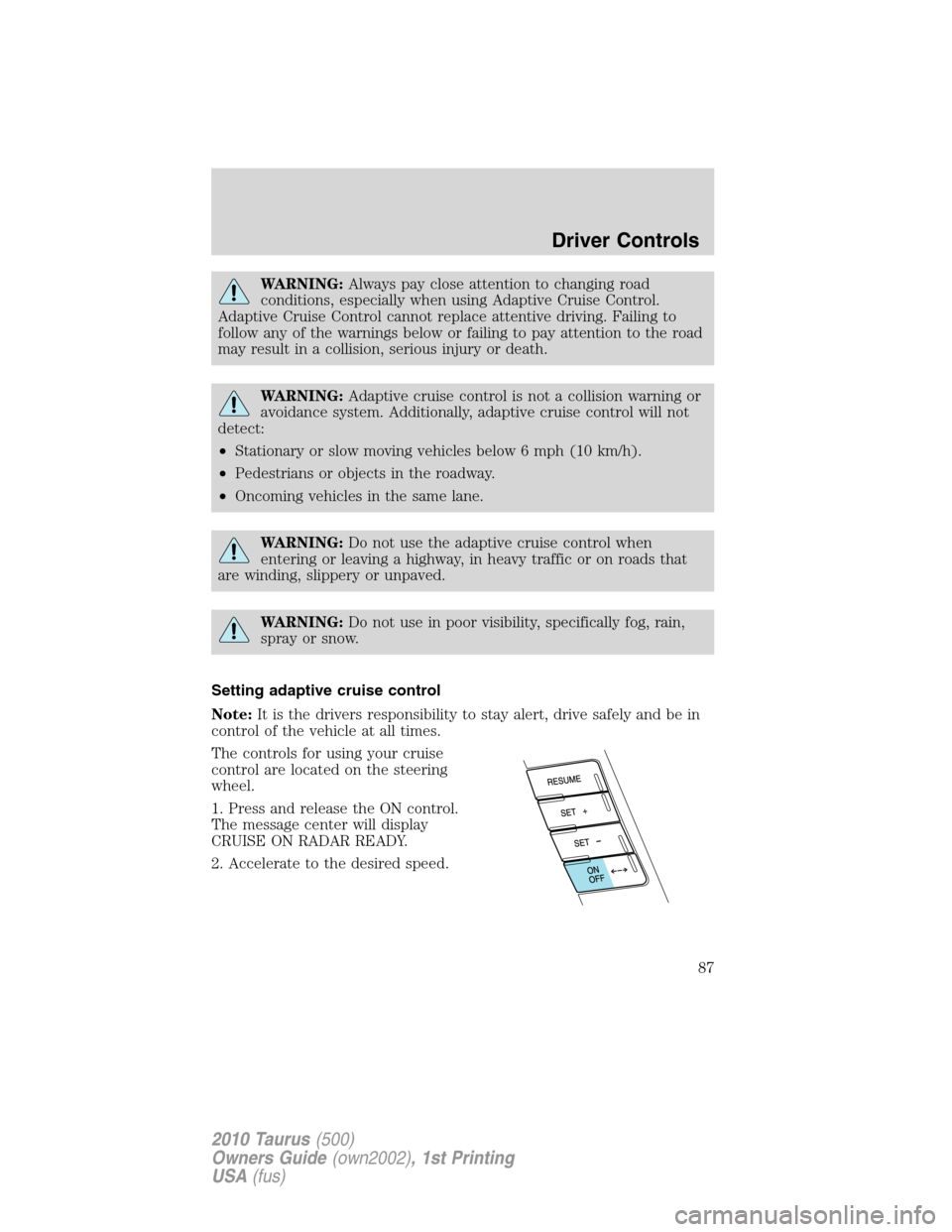
The controls for using your cruise
control are located on the steering
wheel.
1. Press and release the ON control.
The message center will display
CRUISE ON RADAR READY.
2. Accelerate to the desired speed.
Driver Controls
87
2010 Taurus(500)
Owners Guide(own2002), 1st Printing
USA(fus)
Page 95 of 378

STEERING WHEEL CONTROLS (IF EQUIPPED)
Radio control features
VOL + (Volume):Press to increase
the volume.
VOL – (Volume):Press to decrease
the volume.
(Seek):Press to
select the previous/next radio
station preset, CD track or satellite
radio channel preset depending on
which media mode you are in.
MEDIA:Press repeatedly to select:
•AM, FM1, FM2, or CD
•DVD/FES (if equipped)
•SAT1, SAT2 or SAT3 (Satellite radio mode if equipped).
•LINE IN (Auxiliary input jack)
Navigation system hands free
control features (if equipped)
Press and hold
control briefly
until the voice
icon appears on
the navigation display to use the
voice command feature.
Press
to complete a voice
command.
For further information on the
navigation system, refer to theNavigation Systemsupplement.
Driver Controls
95
2010 Taurus(500)
Owners Guide(own2002), 1st Printing
USA(fus)
Page 151 of 378
The memory positions are also recalled when you press your remote
entry transmitter
(unlock) control (if the transmitter is programmed
to a memory position) or, when you enter a valid personal entry code
that is programmed to a memory position.
To program the memory feature to a remote entry transmitter and for
more information on how to use the keypad, refer toRemote entry
systemin theLocks and Securitychapter.
Easy entry/exit feature (if equipped)
This feature automatically moves the steering wheel all the way up and
in and moves the driver’s seat rearward 2 in (5 cm) when:
•the transmission is in N (Neutral) or P (Park)
•the key is removed from the ignition cylinder or the push button start
system (if equipped) is switched off (refer toPush button start
systemin theDrivingchapter).
The seat and steering wheel will move to the original position when:
•the transmission is in N (Neutral) or P (Park)
•the key is placed in the ignition cylinder or when the push button
start system (if equipped) is put in accessory mode (refer toPush
button start systemin theDrivingchapter).
The easy entry feature can be turned off or on through the vehicle
message center. Refer toMessage centerin theDriver controlschapter.
REAR SEATS
Non-adjustable second-row outboard head restraints
Your vehicle is equipped with second row outboard head restraints that
are non-adjustable.
WARNING:To minimize the risk of neck injury in the event of a
crash, the driver and passenger occupants should not sit in
and/or operate the vehicle, until the head restraint is placed in its
proper position. The driver should never adjust the head restraint
while the vehicle is in motion.
Seating and Safety Restraints
151
2010 Taurus(500)
Owners Guide(own2002), 1st Printing
USA(fus)
Page 203 of 378
INFORMATION ABOUT UNIFORM TIRE QUALITY GRADING
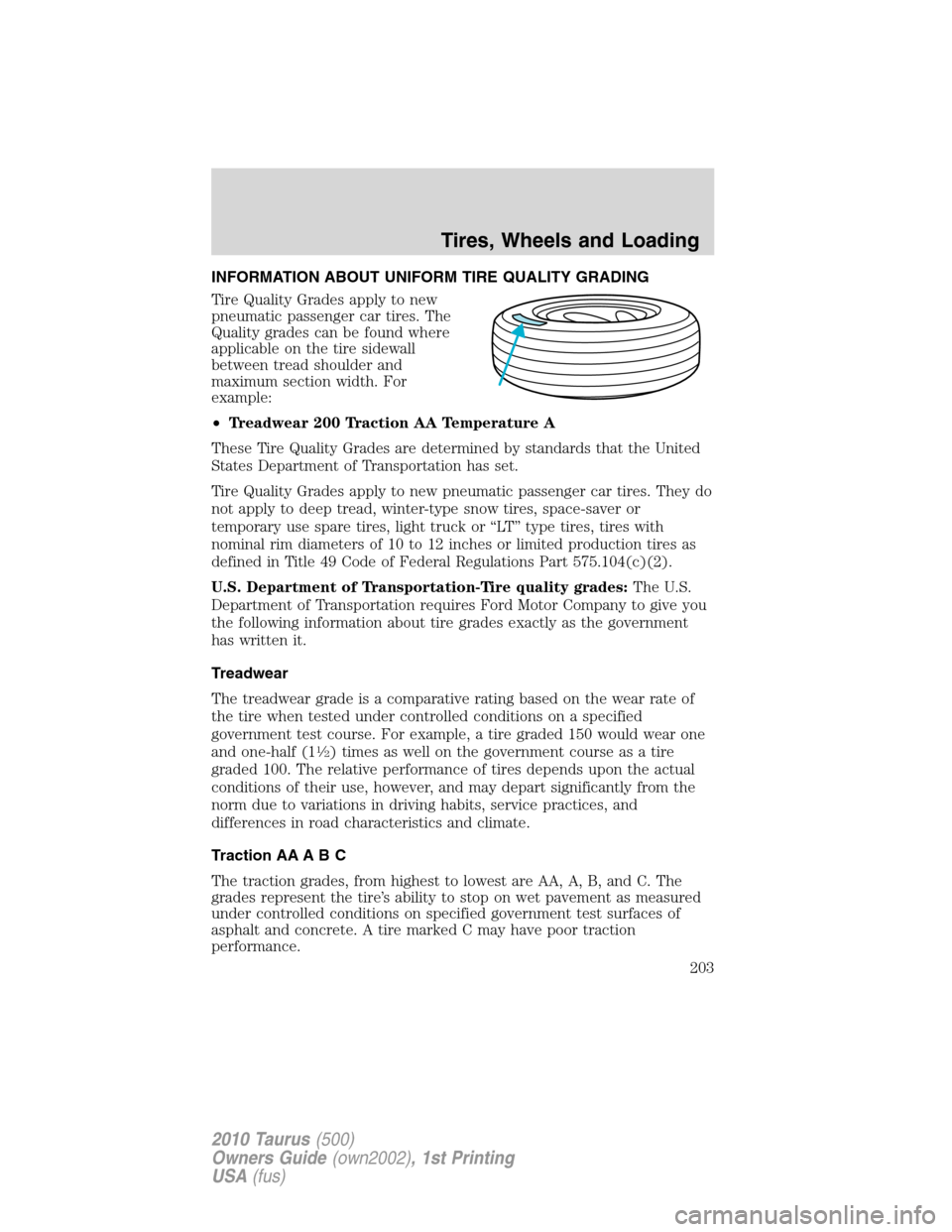
Tire Quality Grades apply to new
pneumatic passenger car tires. The
Quality grades can be found where
applicable on the tire sidewall
between tread shoulder and
maximum section width. For
example:
•Treadwear 200 Traction AA Temperature A
These Tire Quality Grades are determined by standards that the United
States Department of Transportation has set.
Tire Quality Grades apply to new pneumatic passenger car tires. They do
not apply to deep tread, winter-type snow tires, space-saver or
temporary use spare tires, light truck or “LT” type tires, tires with
nominal rim diameters of 10 to 12 inches or limited production tires as
defined in Title 49 Code of Federal Regulations Part 575.104(c)(2).
U.S. Department of Transportation-Tire quality grades:The U.S.
Department of Transportation requires Ford Motor Company to give you
the following information about tire grades exactly as the government
has written it.
Treadwear
The treadwear grade is a comparative rating based on the wear rate of
the tire when tested under controlled conditions on a specified
government test course. For example, a tire graded 150 would wear one
and one-half (1
12) times as well on the government course as a tire
graded 100. The relative performance of tires depends upon the actual
conditions of their use, however, and may depart significantly from the
norm due to variations in driving habits, service practices, and
differences in road characteristics and climate.
Traction AA A B C
The traction grades, from highest to lowest are AA, A, B, and C. The
grades represent the tire’s ability to stop on wet pavement as measured
under controlled conditions on specified government test surfaces of
asphalt and concrete. A tire marked C may have poor traction
performance.
Tires, Wheels and Loading
203
2010 Taurus(500)
Owners Guide(own2002), 1st Printing
USA(fus)