Page 2 of 340
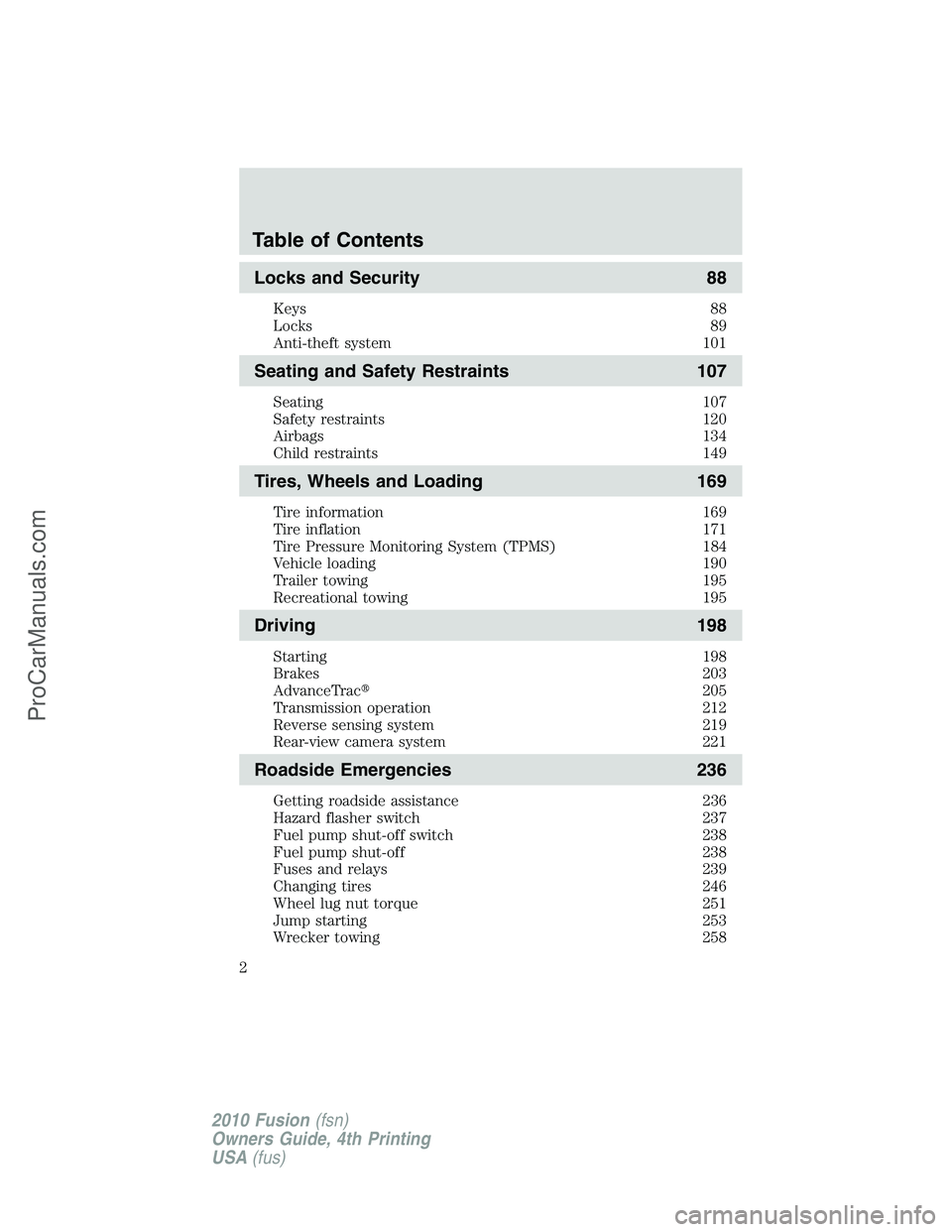
Locks and Security 88
Keys 88
Locks 89
Anti-theft system 101
Seating and Safety Restraints 107
Seating 107
Safety restraints 120
Airbags 134
Child restraints 149
Tires, Wheels and Loading 169
Tire information 169
Tire inflation 171
Tire Pressure Monitoring System (TPMS) 184
Vehicle loading 190
Trailer towing 195
Recreational towing 195
Driving 198
Starting 198
Brakes 203
AdvanceTrac�205
Transmission operation 212
Reverse sensing system 219
Rear-view camera system 221
Roadside Emergencies 236
Getting roadside assistance 236
Hazard flasher switch 237
Fuel pump shut-off switch 238
Fuel pump shut-off 238
Fuses and relays 239
Changing tires 246
Wheel lug nut torque 251
Jump starting 253
Wrecker towing 258
Table of Contents
2
2010 Fusion(fsn)
Owners Guide, 4th Printing
USA(fus)
ProCarManuals.com
Page 3 of 340
Customer Assistance 260
Reporting safety defects (U.S. only) 266
Reporting safety defects (Canada only) 266
Cleaning 267
Maintenance and Specifications 275
Engine compartment 277
Engine oil 281
Battery 287
Engine coolant 289
Fuel information 295
Air filter(s) 317
Part numbers 320
Maintenance product specifications and capacities 321
Engine data 325
Accessories 329
Ford Extended Service Plan 331
Index 334
All rights reserved. Reproduction by any means, electronic or mechanical
including photocopying, recording or by any information storage and retrieval
system or translation in whole or part is not permitted without written
authorization from Ford Motor Company. Ford may change the contents without
notice and without incurring obligation.
Copyright © 2010 Ford Motor Company
Table of Contents
3
2010 Fusion(fsn)
Owners Guide, 4th Printing
USA(fus)
ProCarManuals.com
Page 4 of 340

CONGRATULATIONS
Congratulations on acquiring your new Ford. Please take the time to get
well acquainted with your vehicle by reading this handbook. The more
you know and understand about your vehicle, the greater the safety and
pleasure you will derive from driving it.
For more information on Ford Motor Company and its products visit the
following website:
•In the United States: www.ford.com
•In Canada: www.ford.ca
•In Australia: www.ford.com.au
•In Mexico: www.ford.com.mx
Additional owner information is given in separate publications.
This Owner’s Guide describes every option and model variant available
and therefore some of the items covered may not apply to your
particular vehicle. Furthermore, due to printing cycles it may describe
options before they are generally available.
Remember to pass on this Owner’s Guide when reselling the vehicle. It is
an integral part of the vehicle.
WARNING: Fuel pump shut-off switch:In the event of an
accident the safety switch will automatically cut off the fuel
supply to the engine. The switch can also be activated through sudden
vibration (e.g. collision when parking). To reset the switch, refer to the
Fuel pump shut-off switchin theRoadside Emergencieschapter.
SAFETY AND ENVIRONMENT PROTECTION
Warning symbols in this guide
How can you reduce the risk of personal injury to yourself or others? In
this guide, answers to such questions are contained in comments
highlighted by the warning triangle symbol. These comments should be
read and observed.
Introduction
4
2010 Fusion(fsn)
Owners Guide, 4th Printing
USA(fus)
ProCarManuals.com
Page 8 of 340

Note: Including to the extent that any law pertaining to Event
Data Recorders applies to SYNC�or its features, please note the
following: Once 911 Assist (if equipped) is enabled (set ON), 911
Assist may, through any paired and connected cell phone, disclose
to emergency services that the vehicle has been in a crash
involving the deployment of an airbag or, in certain vehicles, the
activation of the fuel pump shut-off. Certain versions or updates
to 911 Assist may also be capable of being used to electronically
or verbally provide to 911 operators the vehicle location (such as
latitude and longitude), and/or other details about the vehicle or
crash or personal information about the occupants to assist 911
operators to provide the most appropriate emergency services. If
you do not want to disclose this information, do not activate the
911 Assist feature. See your SYNC�supplement for more
information.
Additionally, when you connect to Traffic, Directions and
Information (if equipped, U.S. only) the service uses GPS
technology and advanced vehicle sensors to collect the vehicle’s
current location, travel direction, and speed (“vehicle travel
information”) only to help provide you with the directions, traffic
reports, or business searches your request. If you do not want
Ford or its vendors to receive this information, do not activate
the service. Ford Motor Company and the vendors it uses to
provide you with this information do not store your vehicle travel
information. For more information, see Traffic, Directions and
Information, Terms and Conditions. See your SYNC�supplement
for more information.
CELL PHONE USE
The use of Mobile Communications Equipment has become increasingly
important in the conduct of business and personal affairs. However,
drivers must not compromise their own or others’ safety when using
such equipment. Mobile Communications can enhance personal safety
and security when appropriately used, particularly in emergency
situations. Safety must be paramount when using mobile communications
equipment to avoid negating these benefits.
Mobile Communication Equipment includes, but is not limited to, cellular
phones, pagers, portable email devices, text messaging devices and
portable two-way radios.
Introduction
8
2010 Fusion(fsn)
Owners Guide, 4th Printing
USA(fus)
ProCarManuals.com
Page 10 of 340
These are some of the symbols you may see on your vehicle.
Vehicle Symbol Glossary
Safety Alert
See Owner’s Guide
Fasten Safety BeltAirbag - Front
Airbag - SideChild Seat Lower
Anchor
Child Seat Tether
AnchorBrake System
Anti-Lock Brake SystemParking Brake System
Brake Fluid -
Non-Petroleum BasedParking Aid System
Stability Control SystemSpeed Control
Master Lighting SwitchHazard Warning Flasher
Fog Lamps-FrontFuse Compartment
Fuel Pump ResetWindshield Wash/Wipe
Windshield
Defrost/DemistRear Window
Defrost/Demist
Introduction
10
2010 Fusion(fsn)
Owners Guide, 4th Printing
USA(fus)
ProCarManuals.com
Page 11 of 340
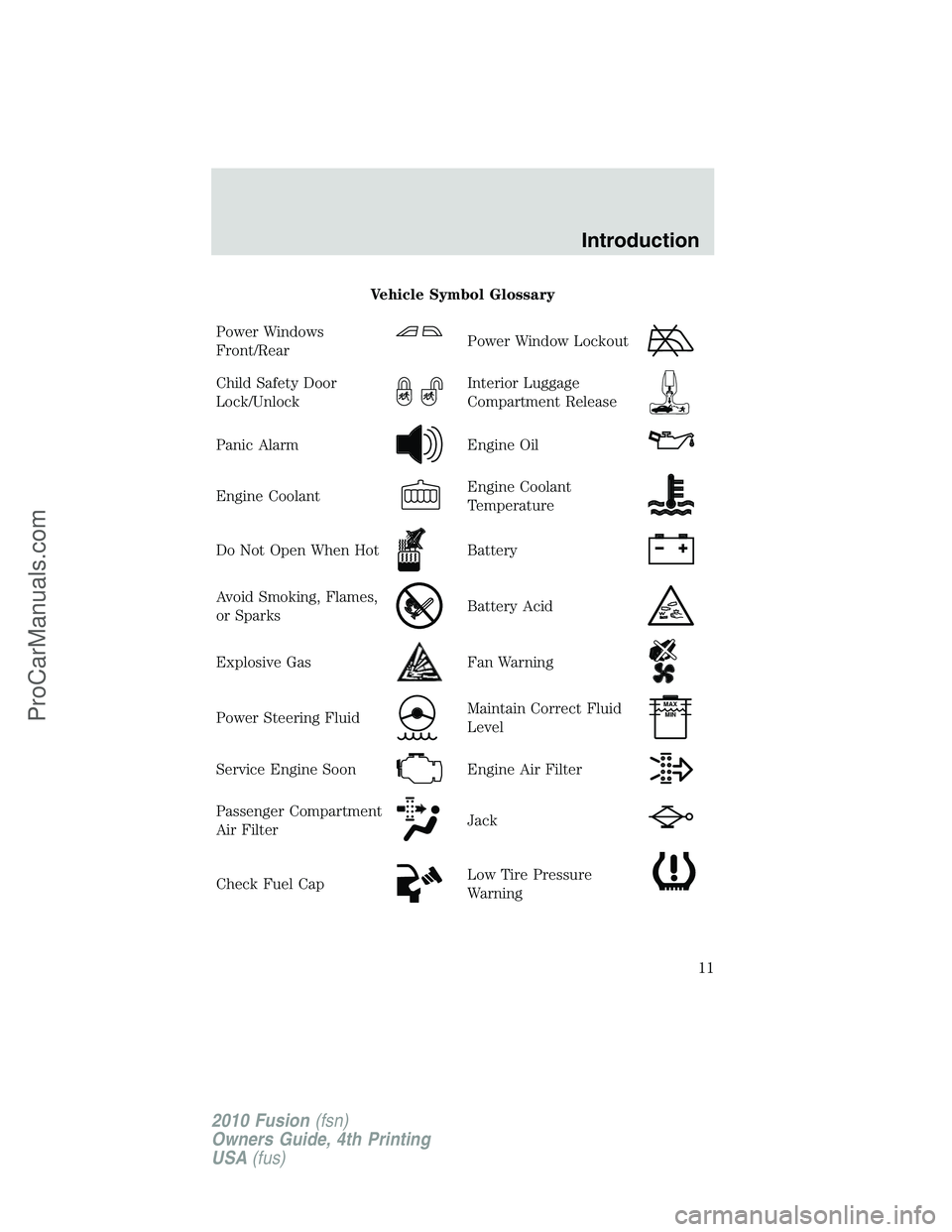
Vehicle Symbol Glossary
Power Windows
Front/Rear
Power Window Lockout
Child Safety Door
Lock/UnlockInterior Luggage
Compartment Release
Panic AlarmEngine Oil
Engine CoolantEngine Coolant
Temperature
Do Not Open When HotBattery
Avoid Smoking, Flames,
or SparksBattery Acid
Explosive GasFan Warning
Power Steering FluidMaintain Correct Fluid
LevelMAX
MIN
Service Engine SoonEngine Air Filter
Passenger Compartment
Air FilterJack
Check Fuel CapLow Tire Pressure
Warning
Introduction
11
2010 Fusion(fsn)
Owners Guide, 4th Printing
USA(fus)
ProCarManuals.com
Page 13 of 340

damage your catalytic converter. Drive in a moderate fashion (avoid
heavy acceleration and deceleration) and contact your authorized dealer
as soon as possible.
WARNING:Under engine misfire conditions, excessive exhaust
temperatures could damage the catalytic converter, the fuel
system, interior floor coverings or other vehicle components, possibly
causing a fire.
Brake system warning light:To
confirm the brake system warning
light is functional, it will
momentarily illuminate when the
ignition is turned to the on position
when the engine is not running, or in a position between on and start, or
by applying the parking brake when the ignition is turned to the on
position. If the brake system warning light does not illuminate at this
time, seek service immediately from your authorized dealer. Illumination
after releasing the parking brake indicates low brake fluid level or a
brake system malfunction and the brake system should be inspected
immediately by your authorized dealer.
WARNING:Driving a vehicle with the brake system warning
light on is dangerous. A significant decrease in braking
performance may occur. It will take you longer to stop the vehicle.
Contact your authorized dealer as soon as possible. Driving extended
distances with the parking brake engaged can cause brake failure and
the risk of personal injury.
Anti-lock brake system:If the
ABS light stays illuminated or
continues to flash, a malfunction has
been detected. Contact your
authorized dealer as soon as
possible. Normal braking is still functional unless the brake warning light
also is illuminated.
P!
BRAKE
ABS
Instrument Cluster
13
2010 Fusion(fsn)
Owners Guide, 4th Printing
USA(fus)
ProCarManuals.com
Page 17 of 340
Standard measure cluster shown, metric similar.
Speedometer:Indicates the
current vehicle speed.
Engine coolant temperature
gauge:Indicates engine coolant
temperature. At normal operating
temperature, the needle will be in
the normal range (between “H” and
“C”).If it enters the red section,
the engine is overheating. Stop
the vehicle as soon as safely
possible, switch off the engine and let the engine cool.
WARNING:Never remove the coolant reservoir cap while the
engine is running or hot.
Fuel gauge:Indicates
approximately how much fuel is left
in the fuel tank (when the ignition
is in the on position). The fuel
gauge may vary slightly when the
vehicle is in motion or on a grade.
The fuel icon and arrow indicates
which side of the vehicle the fuel
filler door is located.
Refer toFilling the tankin theMaintenance and Specifications
chapter for more information.
Instrument Cluster
17
2010 Fusion(fsn)
Owners Guide, 4th Printing
USA(fus)
ProCarManuals.com