Page 53 of 275

5. Remove the bulb socket from the
lamp assembly by turning
counterclockwise.
6. Pull the bulb straight out of the
socket.
Install the new bulb in reverse
order.
Replacing tail/brake/backup lights and turn signal bulbs
1. Make sure the headlamp control
is in the off position and then open
the trunk.
2. Remove two plastic screws and
cover from inside the luggage
compartment.
3. Remove two nuts from the lamp
assembly.
4. Gently pull the lamp assembly away from the vehicle.
5. Turn the bulb socket counterclockwise and pull it out.
6. Pull the bulb straight out of the socket.
Install the new bulb in reverse order.
Replacing fog lamp bulbs (if equipped)
1. Make sure the headlamp switch is
in the off position.
2. Reach under the front fender, and
remove the harness/bulb assembly
from the fog lamp by turning
counterclockwise.
3. Disconnect the harness from the
bulb by pulling it straight off.
Install the new bulb in reverse order.
Lights
53
2010 Focus(foc)
Owners Guide, 1st Printing
USA(fus)
Page 54 of 275
Replacing license plate lamp bulbs
1. Make sure the headlamp switch is
in the off position.
2. Remove the two screws and the
lens from the license plate lamp
assembly.
3. Carefully pull the bulb straight
out from the lamp assembly.
Install new bulb(s) in reverse order.
Replacing high-mount brake lamp assembly
Your vehicle is equipped with an LED center high-mount stop lamp. It is
designed to last the life of the vehicle. If replacement is required, it is
recommended that you see your authorized dealer.
Lights
54
2010 Focus(foc)
Owners Guide, 1st Printing
USA(fus)
Page 56 of 275
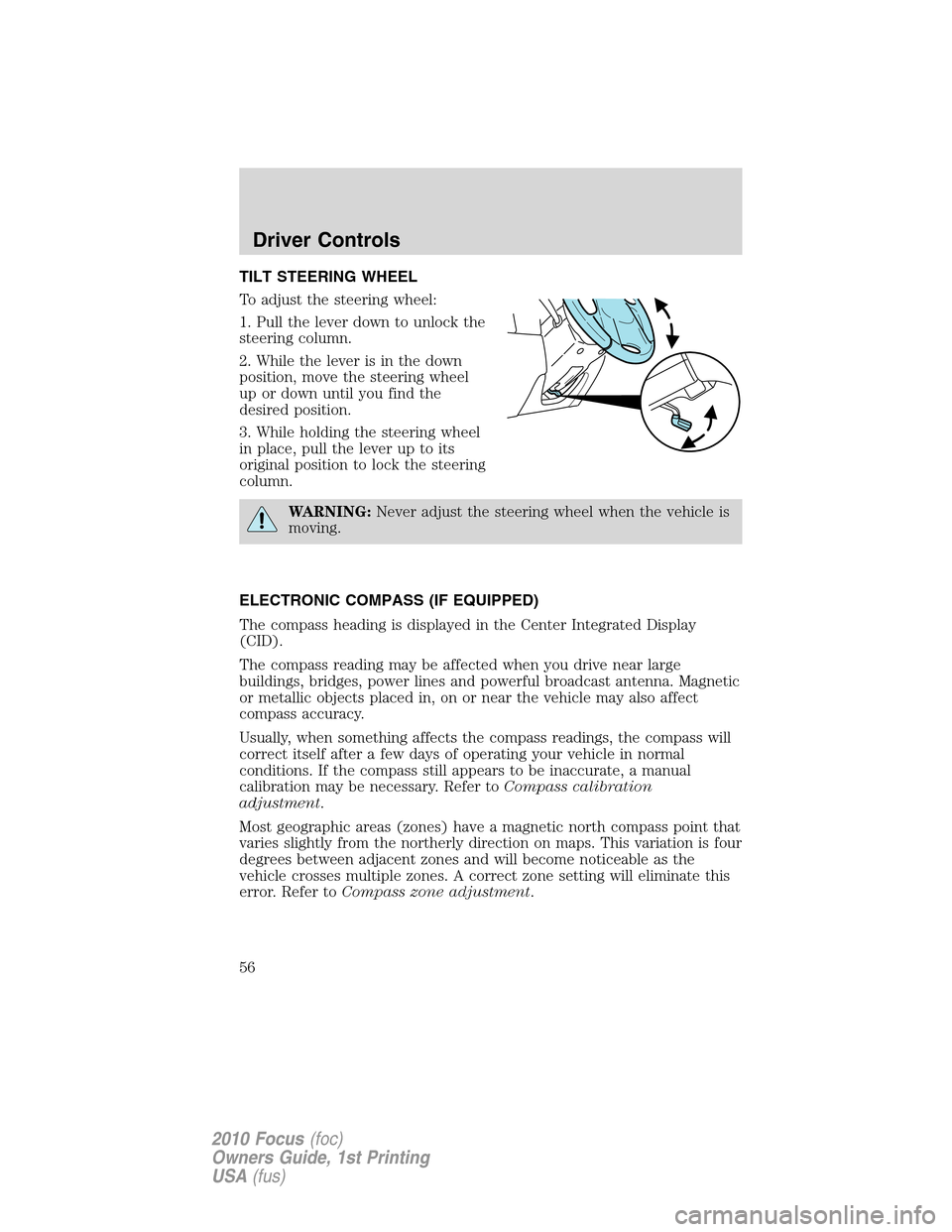
TILT STEERING WHEEL
To adjust the steering wheel:
1. Pull the lever down to unlock the
steering column.
2. While the lever is in the down
position, move the steering wheel
up or down until you find the
desired position.
3. While holding the steering wheel
in place, pull the lever up to its
original position to lock the steering
column.
WARNING:Never adjust the steering wheel when the vehicle is
moving.
ELECTRONIC COMPASS (IF EQUIPPED)
The compass heading is displayed in the Center Integrated Display
(CID).
The compass reading may be affected when you drive near large
buildings, bridges, power lines and powerful broadcast antenna. Magnetic
or metallic objects placed in, on or near the vehicle may also affect
compass accuracy.
Usually, when something affects the compass readings, the compass will
correct itself after a few days of operating your vehicle in normal
conditions. If the compass still appears to be inaccurate, a manual
calibration may be necessary. Refer toCompass calibration
adjustment.
Most geographic areas (zones) have a magnetic north compass point that
varies slightly from the northerly direction on maps. This variation is four
degrees between adjacent zones and will become noticeable as the
vehicle crosses multiple zones. A correct zone setting will eliminate this
error. Refer toCompass zone adjustment.
Driver Controls
56
2010 Focus(foc)
Owners Guide, 1st Printing
USA(fus)
Page 58 of 275

2. To calibrate, press and hold the 7
and 9 radio preset buttons together
for approximately 10 seconds until
CAL appears. Release the buttons.
3. Slowly drive the vehicle in a
circle (less than 3 mph [5 km/h])
until the CAL display changes to the
direction value (N, S, E, W, etc.). It
may take up to five circles to
complete calibration.
4. The compass is now calibrated.
CENTER CONSOLE
Your vehicle has a variety of console features. These include:
•Cupholders
•Utility compartment
WARNING:Use only soft cups in the cupholder. Hard objects
can injure you in a collision.
AUXILIARY POWER POINT (12VDC)
Power outlet is designed for accessory plugs only. Do not insert
any other object in the power outlet as this will damage the
outlet and blow the fuse. Do not hang any type of accessory or
accessory bracket from the plug. Improper use of the power
outlet can cause damage not covered by your warranty.
The auxiliary power points are located near the bottom of the center
stack.
Do not use the power point for operating the cigarette lighter element (if
equipped).
To prevent the fuse from being blown, do not use the power point(s)
over the vehicle capacity of 12 VDC/180W. If the power point or cigar
lighter socket is not working, a fuse may have blown. Refer toFuses and
relaysin theRoadside Emergencieschapter for information on
checking and replacing fuses.
Driver Controls
58
2010 Focus(foc)
Owners Guide, 1st Printing
USA(fus)
Page 60 of 275

Window lock (if equipped)
The window lock feature allows only
the driver to operate the power
windows.
To lock out all the window controls
(except for the driver’s) press the
right side of the control. Press the
left side to restore the window
controls.
INTERIOR MIRROR
The interior rear view mirror has two pivot points on the support arm
which lets you adjust the mirror up or down and from side to side.
WARNING:Do not adjust the mirror while the vehicle is in
motion.
Automatic dimming interior rear view mirror (if equipped)
Your vehicle may be equipped with an interior rear view mirror which
has an auto-dimming function. The electronic day/night mirror will
change from the normal (high reflective) state to the non-glare
(darkened) state when bright lights (glare) reach the mirror. When the
mirror detects bright light from behind the vehicle, it will automatically
adjust (darken) to minimize glare.
The mirror will automatically return to the normal state whenever the
vehicle is placed in R (Reverse) to ensure a bright clear view when
backing up.
Do not block the sensors on the front and back of the interior
rear view mirror since this may impair proper mirror
performance.
Do not clean the housing or glass of any mirror with harsh
abrasives, fuel or other petroleum-based cleaning products.
Driver Controls
60
2010 Focus(foc)
Owners Guide, 1st Printing
USA(fus)
Page 62 of 275
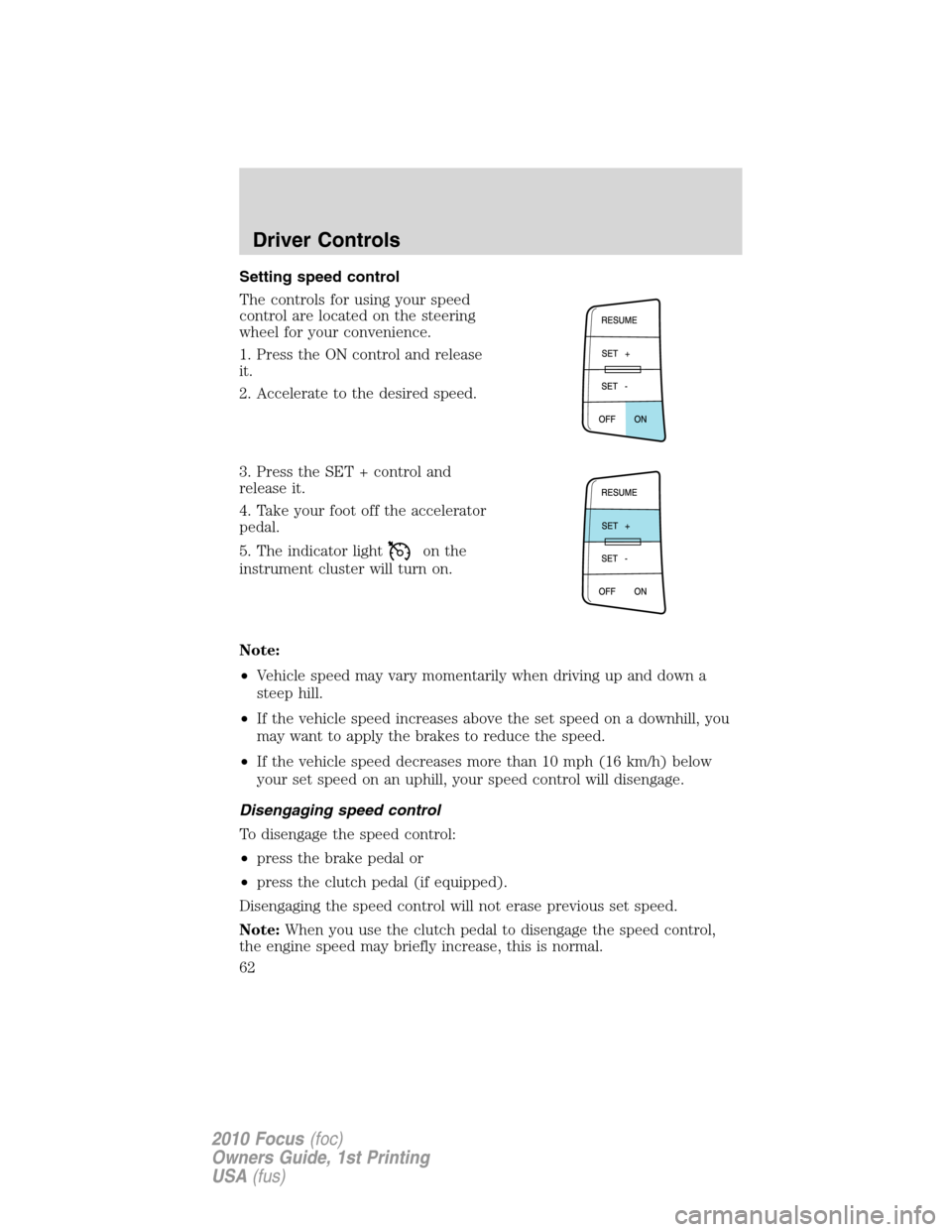
Setting speed control
The controls for using your speed
control are located on the steering
wheel for your convenience.
1. Press the ON control and release
it.
2. Accelerate to the desired speed.
3. Press the SET + control and
release it.
4. Take your foot off the accelerator
pedal.
5. The indicator light
on the
instrument cluster will turn on.
Note:
•Vehicle speed may vary momentarily when driving up and down a
steep hill.
•If the vehicle speed increases above the set speed on a downhill, you
may want to apply the brakes to reduce the speed.
•If the vehicle speed decreases more than 10 mph (16 km/h) below
your set speed on an uphill, your speed control will disengage.
Disengaging speed control
To disengage the speed control:
•press the brake pedal or
•press the clutch pedal (if equipped).
Disengaging the speed control will not erase previous set speed.
Note:When you use the clutch pedal to disengage the speed control,
the engine speed may briefly increase, this is normal.
Driver Controls
62
2010 Focus(foc)
Owners Guide, 1st Printing
USA(fus)
Page 73 of 275
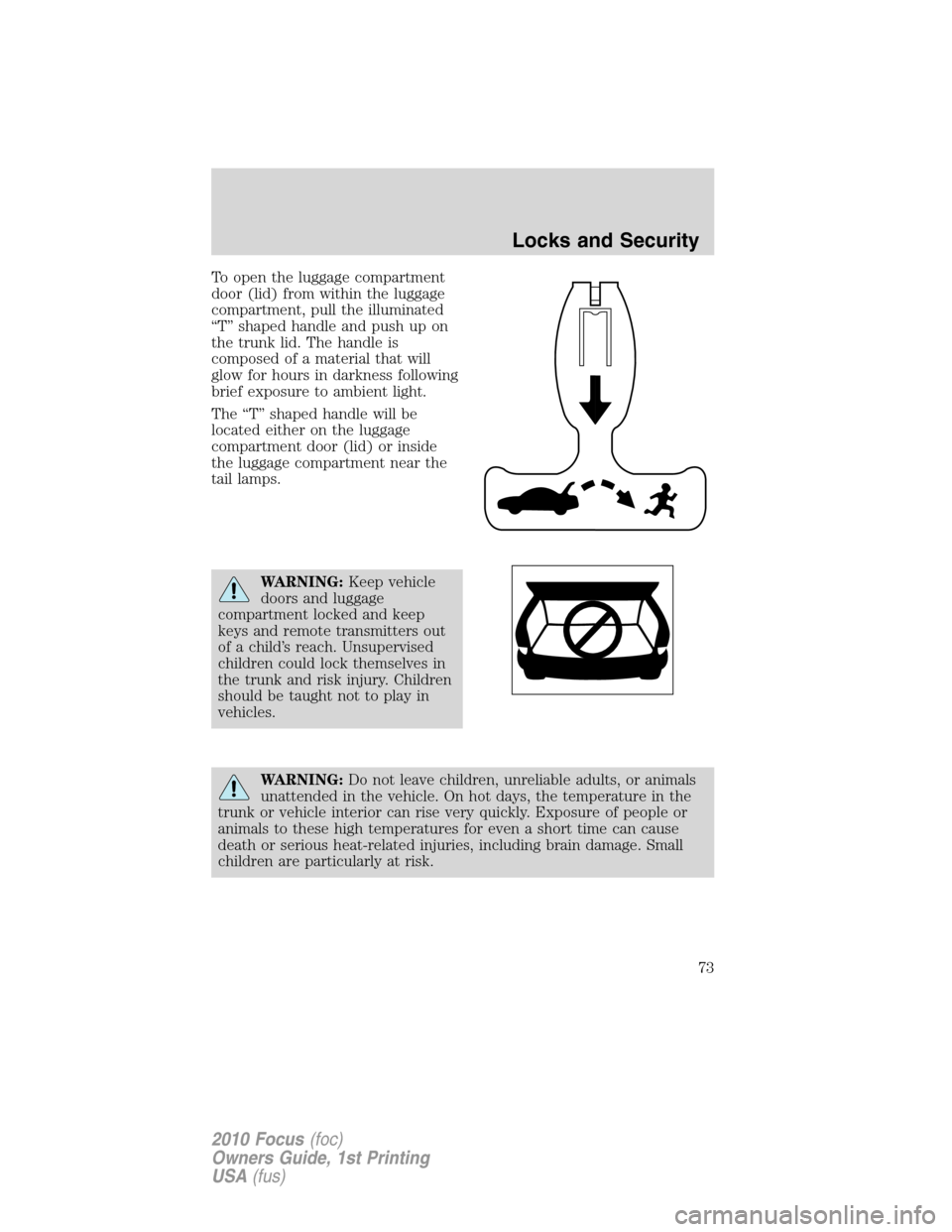
To open the luggage compartment
door (lid) from within the luggage
compartment, pull the illuminated
“T” shaped handle and push up on
the trunk lid. The handle is
composed of a material that will
glow for hours in darkness following
brief exposure to ambient light.
The “T” shaped handle will be
located either on the luggage
compartment door (lid) or inside
the luggage compartment near the
tail lamps.
WARNING:Keep vehicle
doors and luggage
compartment locked and keep
keys and remote transmitters out
of a child’s reach. Unsupervised
children could lock themselves in
the trunk and risk injury. Children
should be taught not to play in
vehicles.
WARNING:Do not leave children, unreliable adults, or animals
unattended in the vehicle. On hot days, the temperature in the
trunk or vehicle interior can rise very quickly. Exposure of people or
animals to these high temperatures for even a short time can cause
death or serious heat-related injuries, including brain damage. Small
children are particularly at risk.
Locks and Security
73
2010 Focus(foc)
Owners Guide, 1st Printing
USA(fus)
Page 77 of 275
How to reprogram your remote entry transmitters
You must haveall remote entry transmitters(maximum of four)
available before beginning this procedure. If all remote entry transmitters
are not present during the programming procedure, the transmitters that
are not present during programming will no longer operate the vehicle.
Note:Ensure the brake pedal is not pressed during this sequence.
To reprogram the remote entry transmitters:
1. Ensure the vehicle is electronically unlocked.
2. Put the key in the ignition.
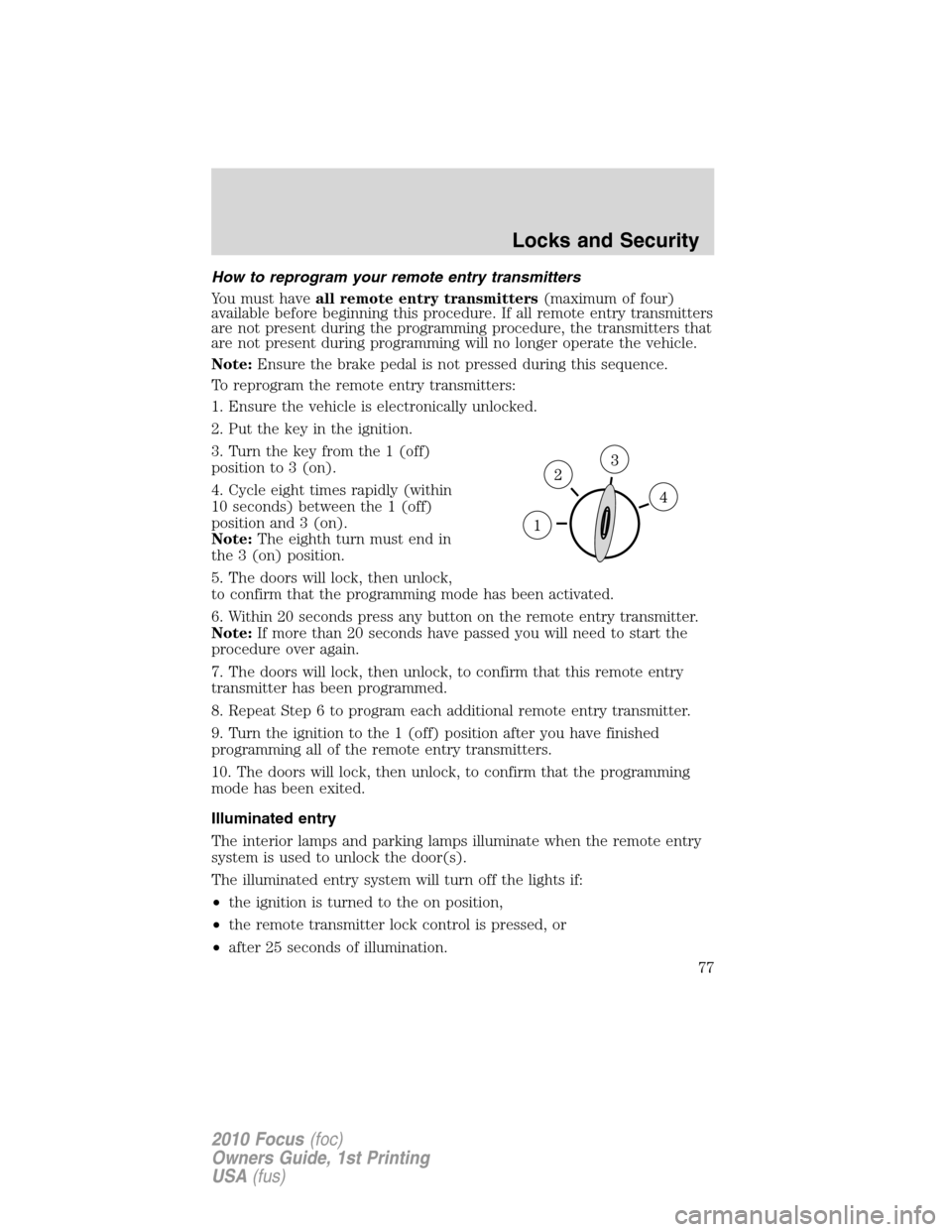
3. Turn the key from the 1 (off)
position to 3 (on).
4. Cycle eight times rapidly (within
10 seconds) between the 1 (off)
position and 3 (on).
Note:The eighth turn must end in
the 3 (on) position.
5. The doors will lock, then unlock,
to confirm that the programming mode has been activated.
6. Within 20 seconds press any button on the remote entry transmitter.
Note:If more than 20 seconds have passed you will need to start the
procedure over again.
7. The doors will lock, then unlock, to confirm that this remote entry
transmitter has been programmed.
8. Repeat Step 6 to program each additional remote entry transmitter.
9. Turn the ignition to the 1 (off) position after you have finished
programming all of the remote entry transmitters.
10. The doors will lock, then unlock, to confirm that the programming
mode has been exited.
Illuminated entry
The interior lamps and parking lamps illuminate when the remote entry
system is used to unlock the door(s).
The illuminated entry system will turn off the lights if:
•the ignition is turned to the on position,
•the remote transmitter lock control is pressed, or
•after 25 seconds of illumination.
Locks and Security
77
2010 Focus(foc)
Owners Guide, 1st Printing
USA(fus)
