Page 140 of 408
current U.S. federal safety standards. For more information, contact
HomeLink � at: www.homelink.com or 1–800–355–3515.
Retain the original transmitter for use in other vehicles as well as for
future programming procedures (i.e. new HomeLink � equipped vehicle
purchase). It is also suggested that upon the sale of the vehicle, the
programmed Homelink � buttons be erased for security purposes, refer to
Programming in this section.
Programming
Do not program HomeLink � with the vehicle parked in the garage.
Note: Your vehicle may require the ignition switch to be turned to the
accessory position for programming and/or operation of the HomeLink � .
It is also recommended that a new battery be placed in the hand-held
transmitter of the device being programmed to HomeLink � for quicker
training and accurate transmission of the radio-frequency signal.
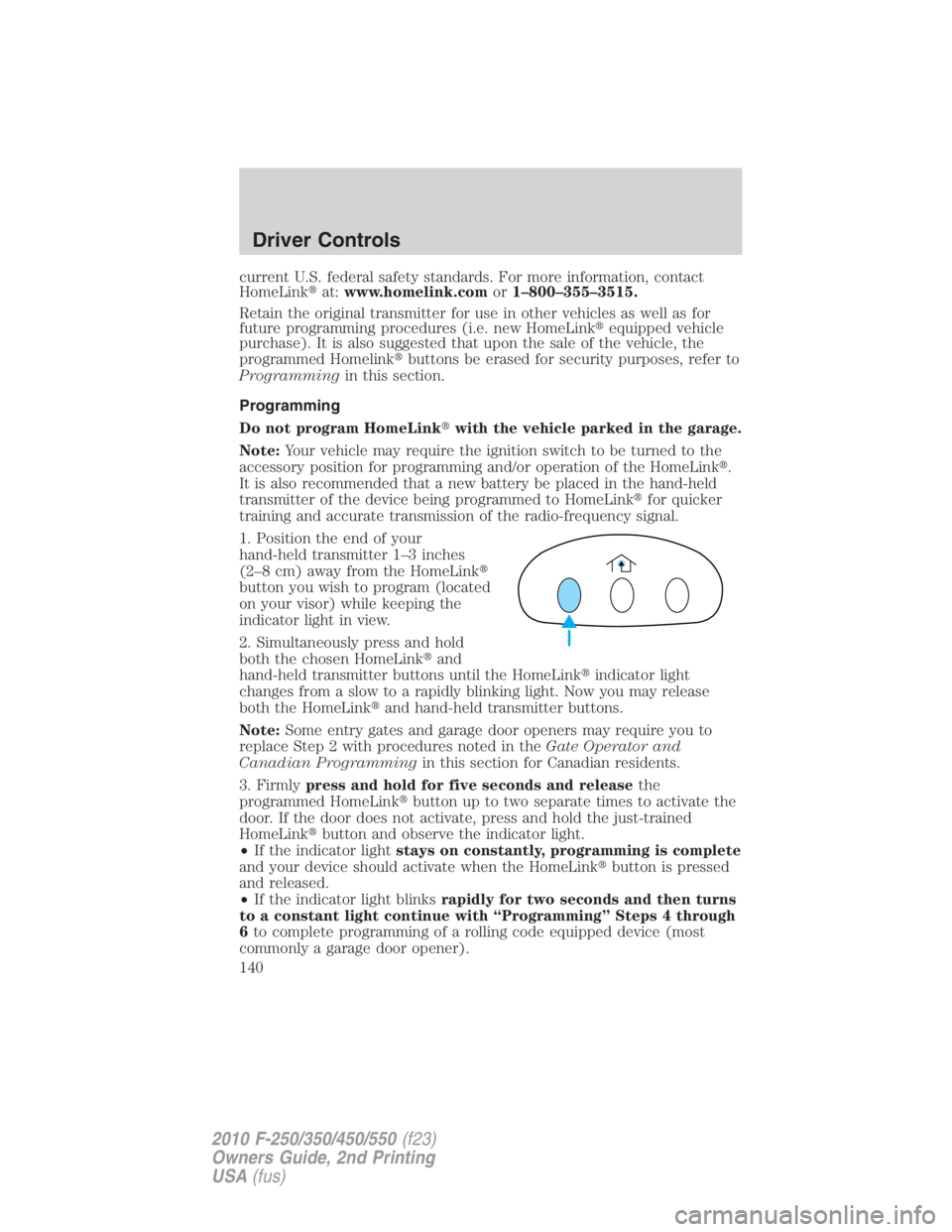
1. Position the end of your
hand-held transmitter 1–3 inches
(2–8 cm) away from the HomeLink �
button you wish to program (located
on your visor) while keeping the
indicator light in view.
2. Simultaneously press and hold
both the chosen HomeLink � and
hand-held transmitter buttons until the HomeLink � indicator light
changes from a slow to a rapidly blinking light. Now you may release
both the HomeLink � and hand-held transmitter buttons.
Note: Some entry gates and garage door openers may require you to
replace Step 2 with procedures noted in the Gate Operator and
Canadian Programming in this section for Canadian residents.
3. Firmly press and hold for five seconds and release the
programmed HomeLink � button up to two separate times to activate the
door. If the door does not activate, press and hold the just-trained
HomeLink � button and observe the indicator light.
• If the indicator light stays on constantly, programming is complete
and your device should activate when the HomeLink � button is pressed
and released.
• If the indicator light blinks rapidly for two seconds and then turns
to a constant light continue with “Programming” Steps 4 through
6 to complete programming of a rolling code equipped device (most
commonly a garage door opener).Driver Controls
140
2010 F-250/350/450/550 (f23)
Owners Guide, 2nd Printing
USA (fus)
Page 142 of 408

Operating the HomeLink � Wireless Control System
To operate, simply press and release
the appropriate HomeLink � button.
Activation will now occur for the
trained product (garage door, gate
operator, security system, entry
door lock, or home or office lighting
etc.). For convenience, the
hand-held transmitter of the device
may also be used at any time. In the event that there are still
programming difficulties, contact HomeLink � at www.homelink.com or
1–800–355–3515.
Erasing HomeLink � buttons
To erase the three programmed
buttons (individual buttons cannot
be erased):
• Press and hold the two outer
HomeLink � buttons until the
indicator light begins to
flash-after 20 seconds. Release
both buttons. Do not hold for
longer that 30 seconds.
HomeLink � is now in the train (or learning) mode and can be
programmed at any time beginning with Step 1 in the Programming
section.
Reprogramming a single HomeLink � button
To program a device to HomeLink � using a HomeLink � button previously
trained, follow these steps:
1. Press and hold the desired HomeLink � button. Do NOT release the
button.
2. The indicator light will begin to flash after 20 seconds. Without
releasing the HomeLink � button, follow Step 1 in the Programming
section.
For questions or comments, contact HomeLink � at www.homelink.com
or 1–800–355–3515.Driver Controls
142
2010 F-250/350/450/550 (f23)
Owners Guide, 2nd Printing
USA (fus)
Page 143 of 408
TAILGATE LOCK (IF EQUIPPED)
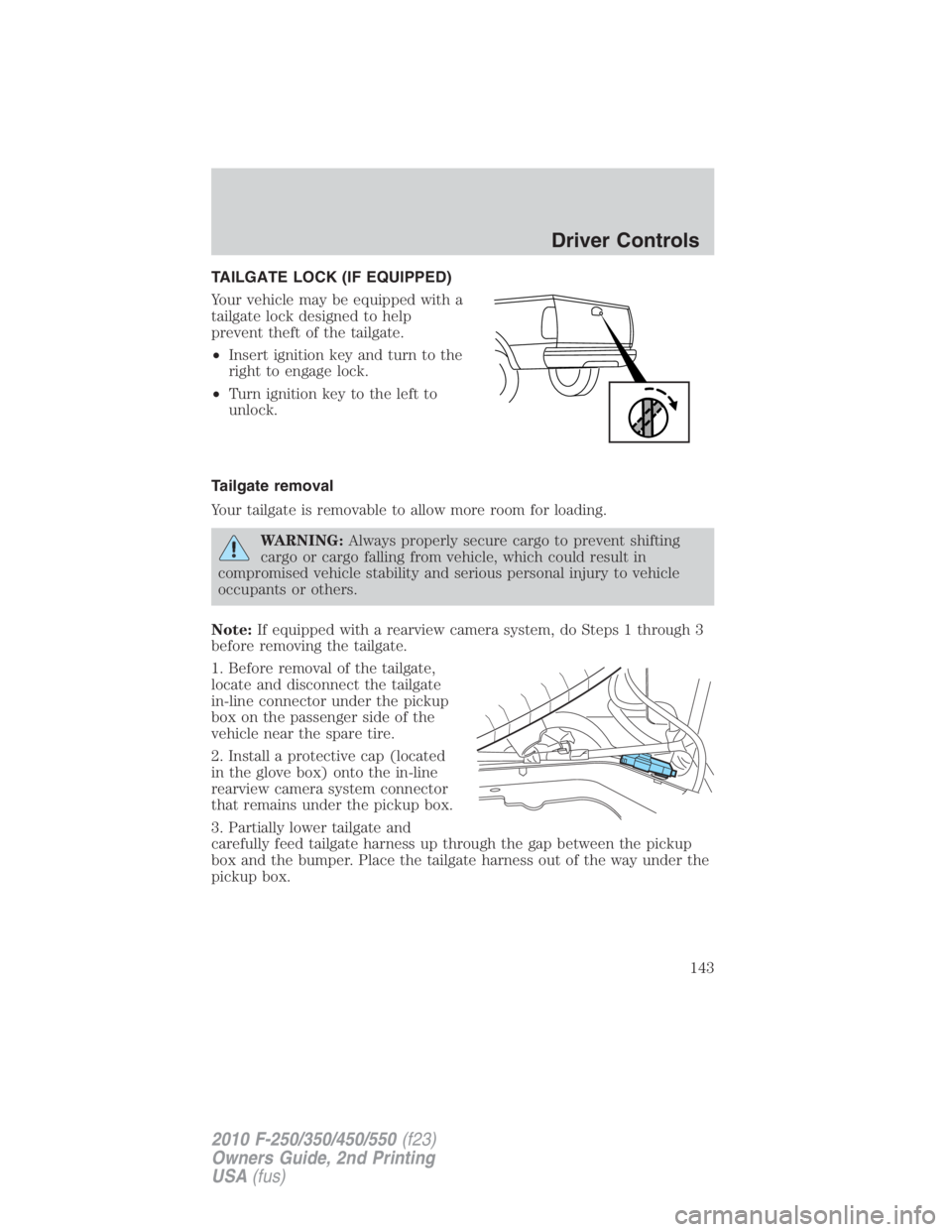
Your vehicle may be equipped with a
tailgate lock designed to help
prevent theft of the tailgate.
• Insert ignition key and turn to the
right to engage lock.
• Turn ignition key to the left to
unlock.
Tailgate removal
Your tailgate is removable to allow more room for loading.
WARNING: Always properly secure cargo to prevent shifting
cargo or cargo falling from vehicle, which could result in
compromised vehicle stability and serious personal injury to vehicle
occupants or others.
Note: If equipped with a rearview camera system, do Steps 1 through 3
before removing the tailgate.
1. Before removal of the tailgate,
locate and disconnect the tailgate
in-line connector under the pickup
box on the passenger side of the
vehicle near the spare tire.
2. Install a protective cap (located
in the glove box) onto the in-line
rearview camera system connector
that remains under the pickup box.
3. Partially lower tailgate and
carefully feed tailgate harness up through the gap between the pickup
box and the bumper. Place the tailgate harness out of the way under the
pickup box. Driver Controls
143
2010 F-250/350/450/550 (f23)
Owners Guide, 2nd Printing
USA (fus)
Page 146 of 408
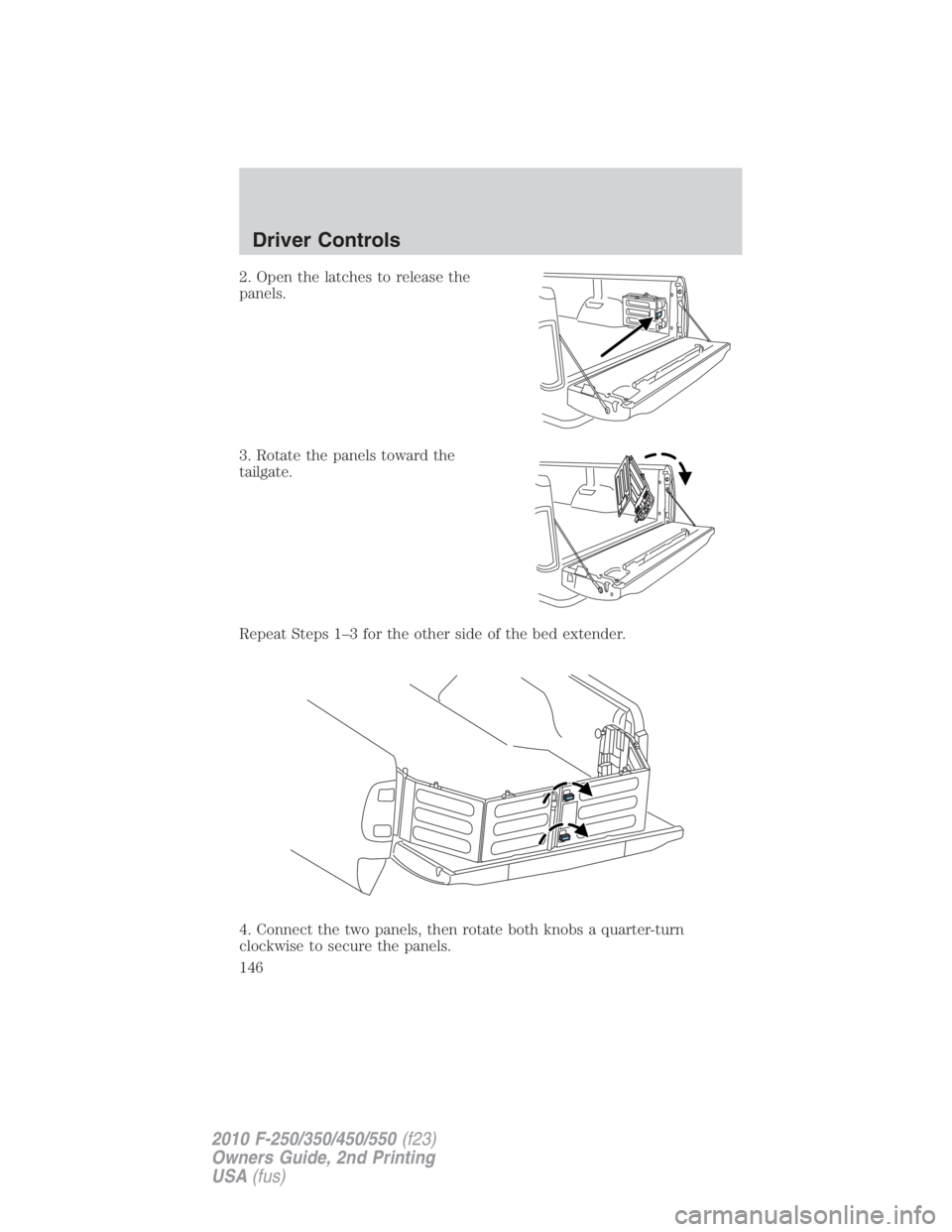
2. Open the latches to release the
panels.
3. Rotate the panels toward the
tailgate.
Repeat Steps 1–3 for the other side of the bed extender.
4. Connect the two panels, then rotate both knobs a quarter-turn
clockwise to secure the panels.Driver Controls
146
2010 F-250/350/450/550 (f23)
Owners Guide, 2nd Printing
USA (fus)
Page 147 of 408
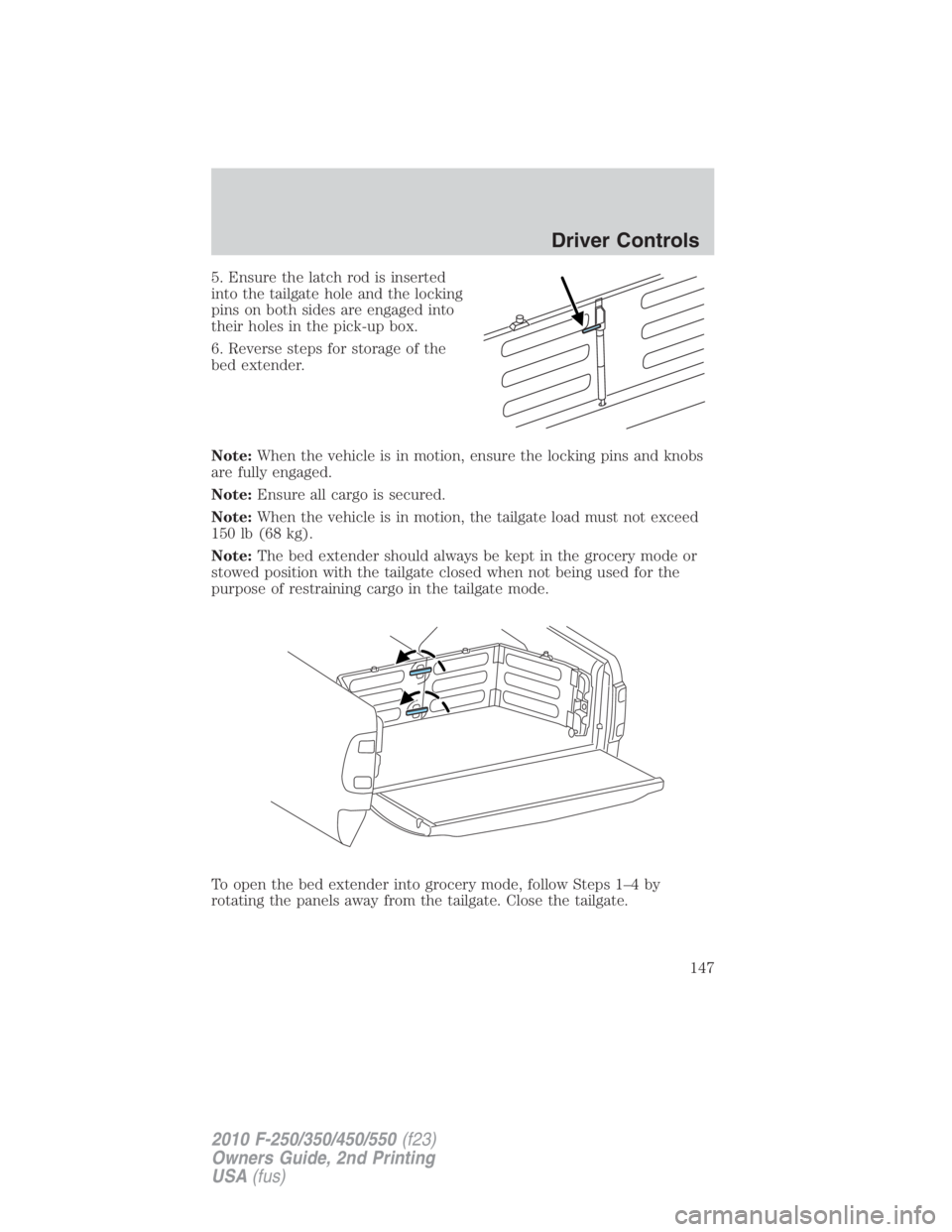
5. Ensure the latch rod is inserted
into the tailgate hole and the locking
pins on both sides are engaged into
their holes in the pick-up box.
6. Reverse steps for storage of the
bed extender.
Note: When the vehicle is in motion, ensure the locking pins and knobs
are fully engaged.
Note: Ensure all cargo is secured.
Note: When the vehicle is in motion, the tailgate load must not exceed
150 lb (68 kg).
Note: The bed extender should always be kept in the grocery mode or
stowed position with the tailgate closed when not being used for the
purpose of restraining cargo in the tailgate mode.
To open the bed extender into grocery mode, follow Steps 1–4 by
rotating the panels away from the tailgate. Close the tailgate. Driver Controls
147
2010 F-250/350/450/550 (f23)
Owners Guide, 2nd Printing
USA (fus)
Page 148 of 408

KEYS
The key operates all locks on your vehicle. You should always carry a
second key with you in a safe place in case you require it in an
emergency.
If your vehicle is equipped with the SecuriLock � Passive Anti-theft
system, your keys are electronically coded to your vehicle; using a
non-coded key will not permit your vehicle to start. If you lose your
dealer supplied keys, replacement keys are available through your
authorized dealer.
POWER DOOR LOCKS (IF EQUIPPED)
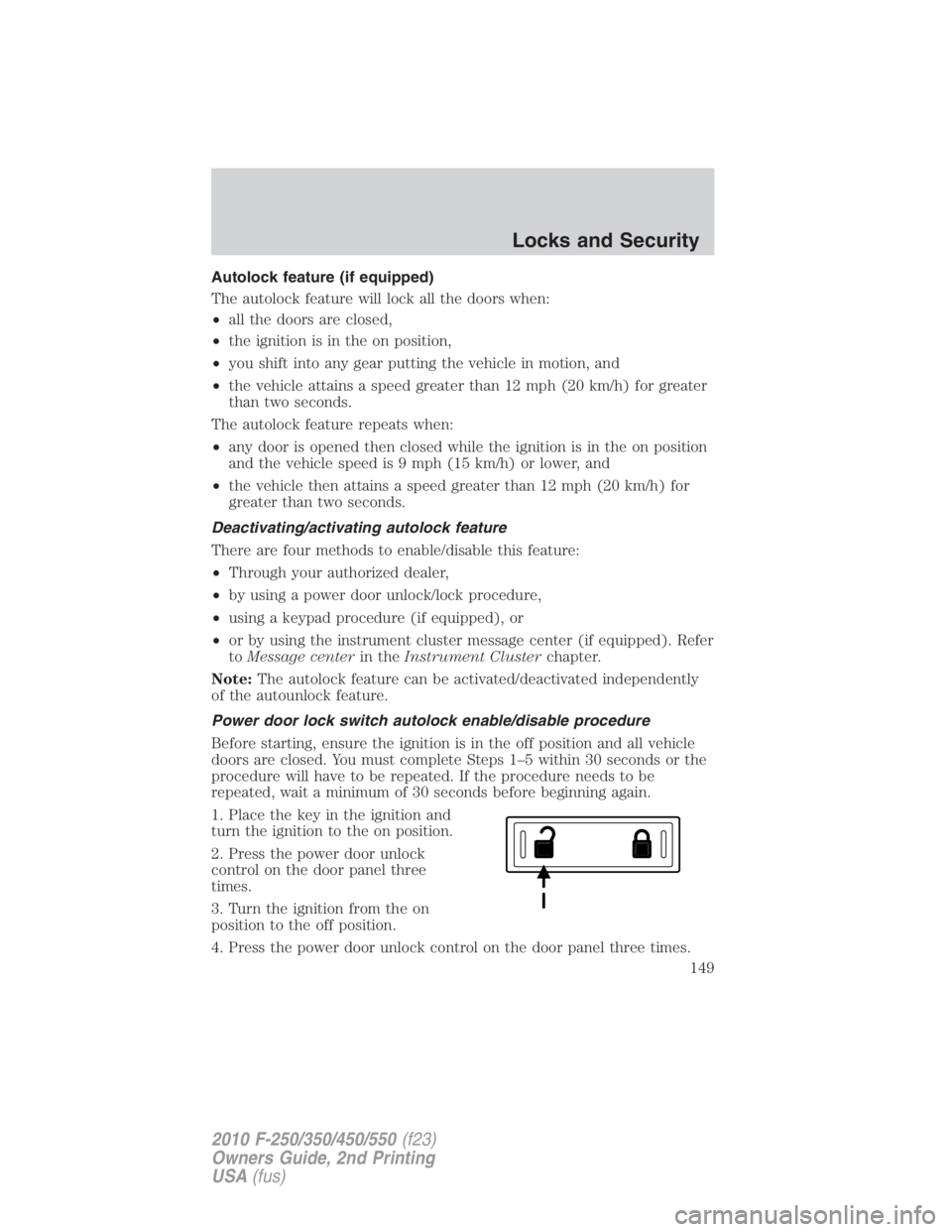
Press control to unlock all doors.
Press control to lock all doors.
Smart locks (if equipped)
This feature prevents you from locking yourself out of the vehicle if your
key is still in the ignition.
When you open the driver’s door and you lock the vehicle with the
power door lock control, all the doors will lock, then the driver’s door
will automatically unlock reminding you that your key is still in the
ignition.
The vehicle can still be locked, with the key in the ignition, using the
manual lock button on the door, locking the driver’s door with a key, by
simultaneously pressing button 7 • 8 and the 9 • 0 controls on the
remote entry keypad (if equipped), or using the
buttononthe
remote entry transmitter (if equipped).Locks and Security
148
2010 F-250/350/450/550 (f23)
Owners Guide, 2nd Printing
USA (fus)
Page 149 of 408
Autolock feature (if equipped)
The autolock feature will lock all the doors when:
• all the doors are closed,
• the ignition is in the on position,
• you shift into any gear putting the vehicle in motion, and
• the vehicle attains a speed greater than 12 mph (20 km/h) for greater
than two seconds.
The autolock feature repeats when:
• any door is opened then closed while the ignition is in the on position
and the vehicle speed is 9 mph (15 km/h) or lower, and
• the vehicle then attains a speed greater than 12 mph (20 km/h) for
greater than two seconds.
Deactivating/activating autolock feature
There are four methods to enable/disable this feature:
• Through your authorized dealer,
• by using a power door unlock/lock procedure,
• using a keypad procedure (if equipped), or
• or by using the instrument cluster message center (if equipped). Refer
to Message center in the Instrument Cluster chapter.
Note: The autolock feature can be activated/deactivated independently
of the autounlock feature.
Power door lock switch autolock enable/disable procedure
Before starting, ensure the ignition is in the off position and all vehicle
doors are closed. You must complete Steps 1–5 within 30 seconds or the
procedure will have to be repeated. If the procedure needs to be
repeated, wait a minimum of 30 seconds before beginning again.
1. Place the key in the ignition and
turn the ignition to the on position.
2. Press the power door unlock
control on the door panel three
times.
3. Turn the ignition from the on
position to the off position.
4. Press the power door unlock control on the door panel three times. Locks and Security
149
2010 F-250/350/450/550 (f23)
Owners Guide, 2nd Printing
USA (fus)
Page 150 of 408

5. Turn the ignition back to the on position. The horn will chirp one time
to confirm programming mode has been entered and is active.
6. To enable/disable the autolock feature, press the unlock control, then
press the lock control. The horn will chirp once if autolock was
deactivated or twice (one short and one long chirp) if autolock was
activated.
7. Turn the ignition to the off position. The horn will chirp once to
confirm the procedure is complete.
Keyless entry keypad autolock enable/disable procedure
1. Turn the ignition to the off
position.
2. Close all the doors.
3. Enter factory–set 5–digit entry
code.
4. Press and hold the 3 • 4. While holding the 3 • 4pressthe7 • 8.
5. Release the 7 • 8.
6. Release the 3 • 4.
The user should receive a horn chirp to indicate the system has been
disabled or a chirp followed by a honk to indicate the system has been
enabled.
Autounlock feature (if equipped)
The autounlock feature will unlock all the doors when:
• the ignition is in the on position, all the doors are closed, and the
vehicle has been in motion at a speed greater than 12 mph (20 km/h);
• the vehicle has then come to a stop and the ignition is turned to the
off ) or accessory position; and
• the driver door is opened within 10 minutes of the ignition being
transitioned to the off or accessory position.
Note: The doors will not autounlock if the vehicle has been
electronically locked before the driver door is opened.
Deactivating/activating autounlock feature
There are three methods to enable/disable this feature:
• Through your authorized dealer,
• by using a power door unlock/lock sequence,Locks and Security
150
2010 F-250/350/450/550 (f23)
Owners Guide, 2nd Printing
USA (fus)