Page 16 of 419

Door ajar (RTT):Displays when
the ignition is in the on position and
any door is open.
Engine coolant temperature
(RTT):Illuminates when the engine
coolant temperature is high. Stop
the vehicle as soon as possible, switch off the engine and let cool. Refer
toEngine coolantin theMaintenance and Specificationschapter.
WARNING:Never remove the coolant reservoir cap while the
engine is running or hot.
Low tire pressure warning:
Illuminates when your tire pressure
is low. If the light remains on at
start up or while driving, the tire
pressure should be checked. Refer
toInflating your tiresin theTires, Wheels and Loadingchapter. When
the ignition is first turned to on, the light will illuminate for three
seconds to ensure the bulb is working. If the light does not turn on, have
the system inspected by your authorized dealer. For more information on
this system, refer toTire pressure monitoring system (TPMS)in the
Tires, Wheels and Loadingchapter.
Overdrive off (if equipped):
Illuminates when the overdrive
function of the transmission has
been turned off; refer to the
Drivingchapter. If the light does not illuminate, have the transmission
serviced soon, or damage may occur.
Transmission Tow/Haul Feature
(six speed transmission only):
Displays when the Tow/Haul feature
has been activated. Refer to the
Drivingchapter for transmission function and operation. If the light
flashes steadily, have the system serviced immediately, damage to the
transmission could occur.
O/D
OFF
Instrument Cluster
16
2010 F-150(f12)
Owners Guide, 1st Printing
USA(fus)
Page 18 of 419
Anti-theft system:Flashes when
the SecuriLock�Passive Anti-theft
System has been activated.
Turn signal:Illuminates when the
left or right turn signal or the
hazard lights are turned on. If the
indicators stay on or flash faster, check for a burned out bulb.
High beams:Illuminates when the
high beam headlamps are turned on.
Key-in-ignition warning chime:Sounds when the key is left in the
ignition in the off or accessory position and the driver’s door is opened.
Headlamps on warning chime:Sounds when the headlamps or parking
lamps are on, the ignition is off (the key is not in the ignition) and the
driver’s door is opened.
GAUGES
Standard instrument cluster
Instrument Cluster
18
2010 F-150(f12)
Owners Guide, 1st Printing
USA(fus)
Page 50 of 419
UseSEEKto adjust between SPEED OFF and levels1–7:
Increasing the level from 1 (lowest setting) to 7 (highest setting) allows
the radio volume to automatically change slightly with vehicle speed to
compensate for road and wind noise.
Recommended level is1–3;SPEED OFF turns the feature off and level 7
is the maximum setting.
Extra Features
AUX:Press repeatedly to cycle through LINE IN (auxiliary audio mode),
and SYNC�(if equipped).
For location and further information on auxiliary audio mode, refer to
Auxiliary input jacklater in this chapter.
If your vehicle is equipped with SYNC�, please refer to supplemental
information onSYNC�.
OK:Your vehicle may be equipped
with special phone and media
features which will require you to
confirm commands by pressing OK.
For further information, refer to
supplemental information on
SYNC�.
(Phone):If your vehicle is equipped with SYNC�, press to access
SYNC PHONE features. For further information, please refer to
supplemental information onSYNC�.
If your vehicle is not equipped with SYNC�, the display may read NO
PHONE.
Audio system–Navigation system based (if equipped)
If your vehicle is equipped with the navigation system, it will have an
integrated navigation/audio system. See theNavigation system
supplement for operating instructions on using this audio system.
Auxiliary input jack (Line in — if equipped)
WARNING:Driving while distracted can result in loss of vehicle
control, accident and injury. Ford strongly recommends that
drivers use extreme caution when using any device that may take their
focus off the road. The driver’s primary responsibility is the safe
operation of their vehicle. Only use cell phones and other devices not
essential to the driving task when it is safe to do so.
Entertainment Systems
50
2010 F-150(f12)
Owners Guide, 1st Printing
USA(fus)
Page 74 of 419

Daytime running lamps (DRL) (if equipped)
Turns the headlamps on with a reduced output.
In order for the DRLs to function:
•the ignition must be in the on position and
•the headlamp control is in the
, parking lamp or autolamp position.
WARNING:Always remember to turn on your headlamps at
dusk or during inclement weather. The Daytime Running Lamp
(DRL) system does not activate the tail lamps and generally may not
provide adequate lighting during these conditions. Failure to activate
your headlamps under these conditions may result in a collision.
PANEL DIMMER CONTROL
Use to adjust the brightness of the
instrument panel when exterior
lights are on.
•Rotate the thumbwheel from left
to right to brighten the
instrument panel.
•Rotate the thumbwheel from right
to left to dim the instrument
panel.
•Rotate fully to the right (past detent) to turn on interior lamps.
•Rotate to the left position (past detent) to turn off the interior lamps
and to disable the illuminated entry feature. When the control is in the
far left position, it acts as a dome lamp defeat/override.
Note:If the battery is disconnected, discharged, or a new battery is
installed, the dimmer switch requires re-calibration. Rotate the dimmer
switch from the full dim position to the full dome/on position to reset.
This will ensure that your displays are visible under all lighting
conditions.
AIMING THE HEADLAMPS
The headlamps on your vehicle are properly aimed at the assembly plant.
If your vehicle has been in an accident, the alignment of your headlamps
should be checked by your authorized dealer.
Lights
74
2010 F-150(f12)
Owners Guide, 1st Printing
USA(fus)
Page 80 of 419
2. Remove the pushpin that holds
the air deflector/protective cover
from the upper inboard corner of
the lamp.
3. Loosen the three retaining bolts
(two at top of lamp, one at lower
inboard corner).
4. Once the three retaining bolts have been removed, slide the headlamp
assembly forward, disconnecting the two snap attachments at the fender.
5. Disconnect the electrical connector from the bulb by pulling rearward.
6. Remove the bulb and socket by
turning it counterclockwise, then
pull it straight out.
WARNING:Handle a halogen headlamp bulb carefully and keep
out of children’s reach. Grasp the bulb only by its plastic base
and do not touch the glass. The oil from your hand could cause the
bulb to break the next time the headlamps are operated.
Lights
80
2010 F-150(f12)
Owners Guide, 1st Printing
USA(fus)
Page 88 of 419
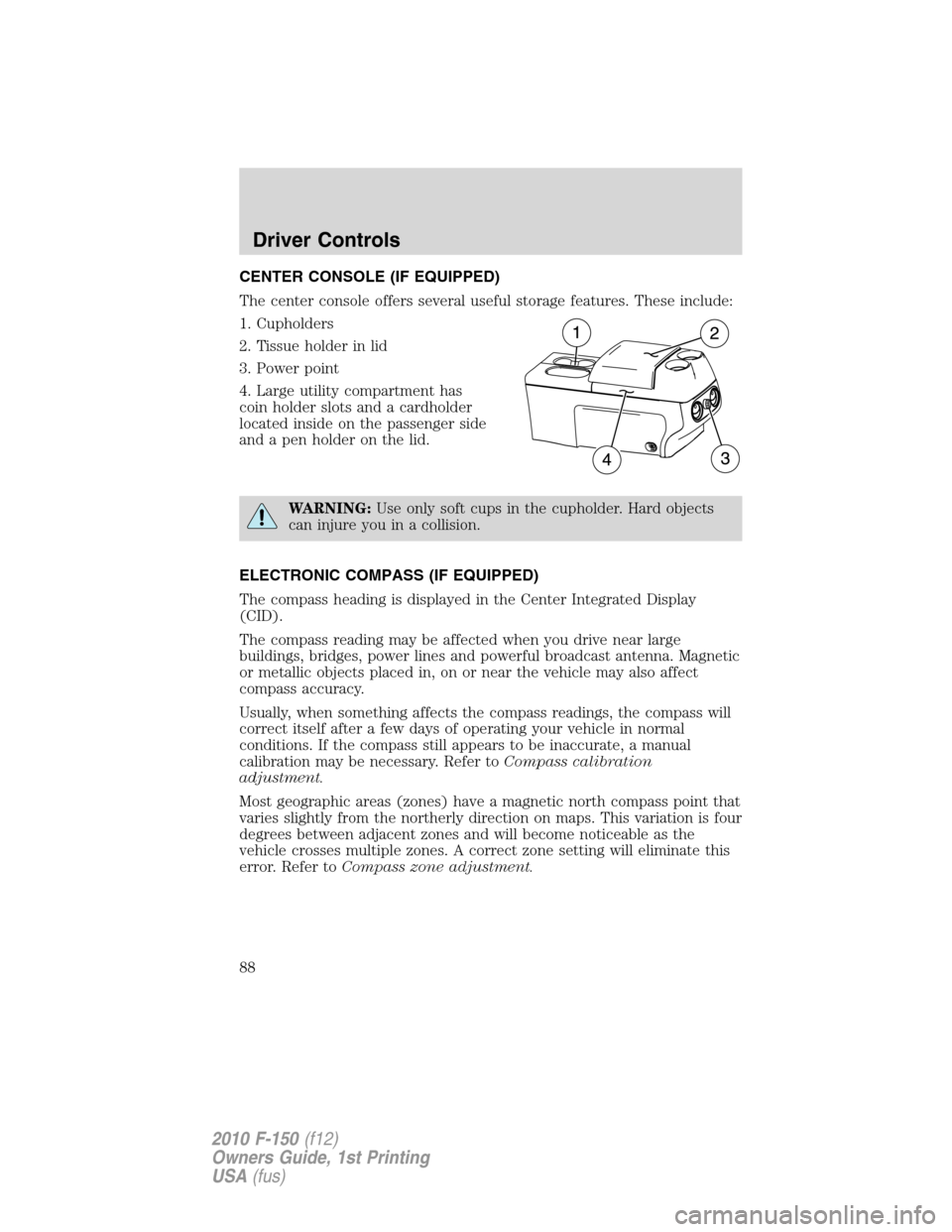
CENTER CONSOLE (IF EQUIPPED)
The center console offers several useful storage features. These include:
1. Cupholders
2. Tissue holder in lid
3. Power point
4. Large utility compartment has
coin holder slots and a cardholder
located inside on the passenger side
and a pen holder on the lid.
WARNING:Use only soft cups in the cupholder. Hard objects
can injure you in a collision.
ELECTRONIC COMPASS (IF EQUIPPED)
The compass heading is displayed in the Center Integrated Display
(CID).
The compass reading may be affected when you drive near large
buildings, bridges, power lines and powerful broadcast antenna. Magnetic
or metallic objects placed in, on or near the vehicle may also affect
compass accuracy.
Usually, when something affects the compass readings, the compass will
correct itself after a few days of operating your vehicle in normal
conditions. If the compass still appears to be inaccurate, a manual
calibration may be necessary. Refer toCompass calibration
adjustment.
Most geographic areas (zones) have a magnetic north compass point that
varies slightly from the northerly direction on maps. This variation is four
degrees between adjacent zones and will become noticeable as the
vehicle crosses multiple zones. A correct zone setting will eliminate this
error. Refer toCompass zone adjustment.
Driver Controls
88
2010 F-150(f12)
Owners Guide, 1st Printing
USA(fus)
Page 93 of 419
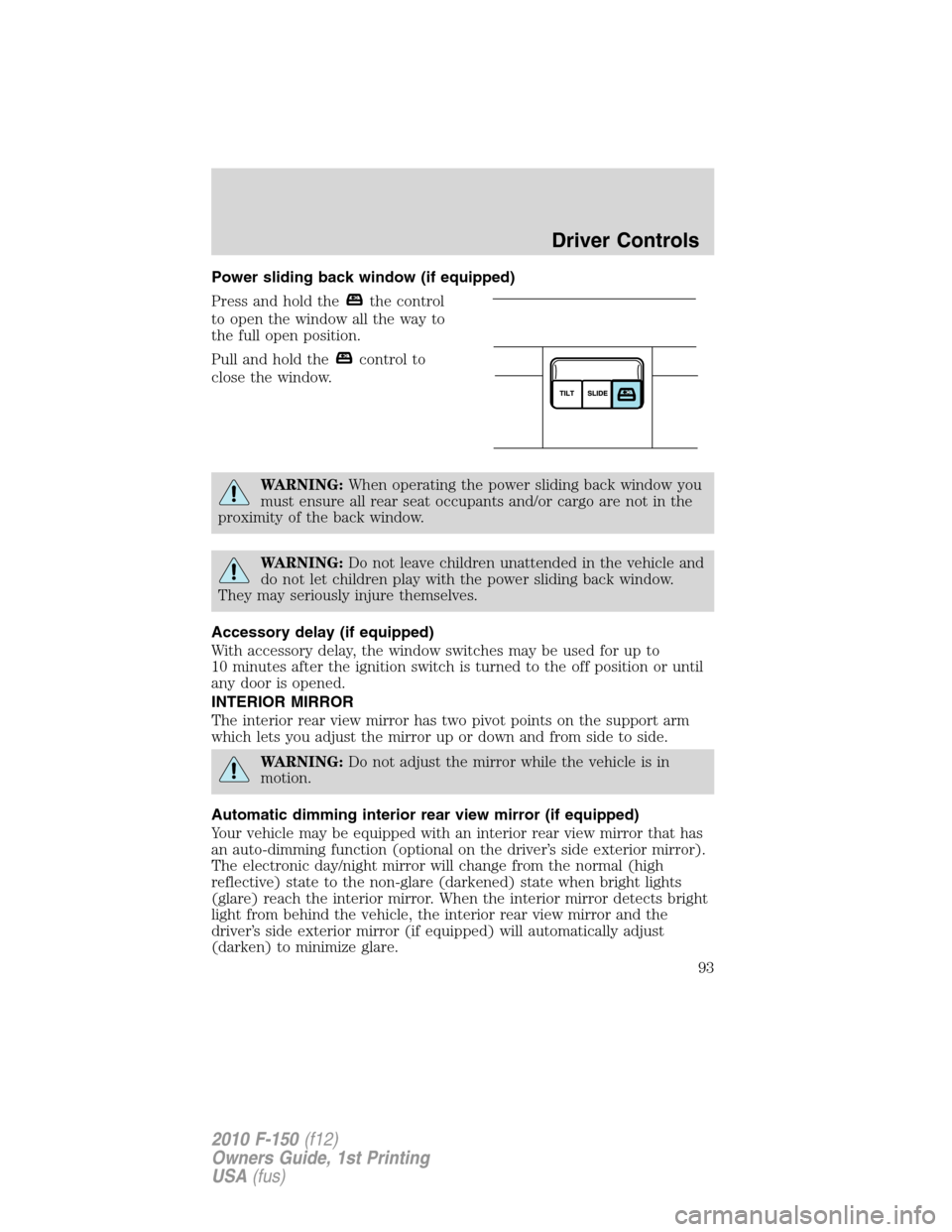
Power sliding back window (if equipped)
Press and hold the
the control
to open the window all the way to
the full open position.
Pull and hold the
control to
close the window.
WARNING:When operating the power sliding back window you
must ensure all rear seat occupants and/or cargo are not in the
proximity of the back window.
WARNING:Do not leave children unattended in the vehicle and
do not let children play with the power sliding back window.
They may seriously injure themselves.
Accessory delay (if equipped)
With accessory delay, the window switches may be used for up to
10 minutes after the ignition switch is turned to the off position or until
any door is opened.
INTERIOR MIRROR
The interior rear view mirror has two pivot points on the support arm
which lets you adjust the mirror up or down and from side to side.
WARNING:Do not adjust the mirror while the vehicle is in
motion.
Automatic dimming interior rear view mirror (if equipped)
Your vehicle may be equipped with an interior rear view mirror that has
an auto-dimming function (optional on the driver’s side exterior mirror).
The electronic day/night mirror will change from the normal (high
reflective) state to the non-glare (darkened) state when bright lights
(glare) reach the interior mirror. When the interior mirror detects bright
light from behind the vehicle, the interior rear view mirror and the
driver’s side exterior mirror (if equipped) will automatically adjust
(darken) to minimize glare.
Driver Controls
93
2010 F-150(f12)
Owners Guide, 1st Printing
USA(fus)
Page 104 of 419
The moon roof has a built-in sliding shade that can be manually opened
or closed when the glass panel is shut. To close the shade, pull it toward
the front of the vehicle.
UNIVERSAL GARAGE DOOR OPENER (IF EQUIPPED)
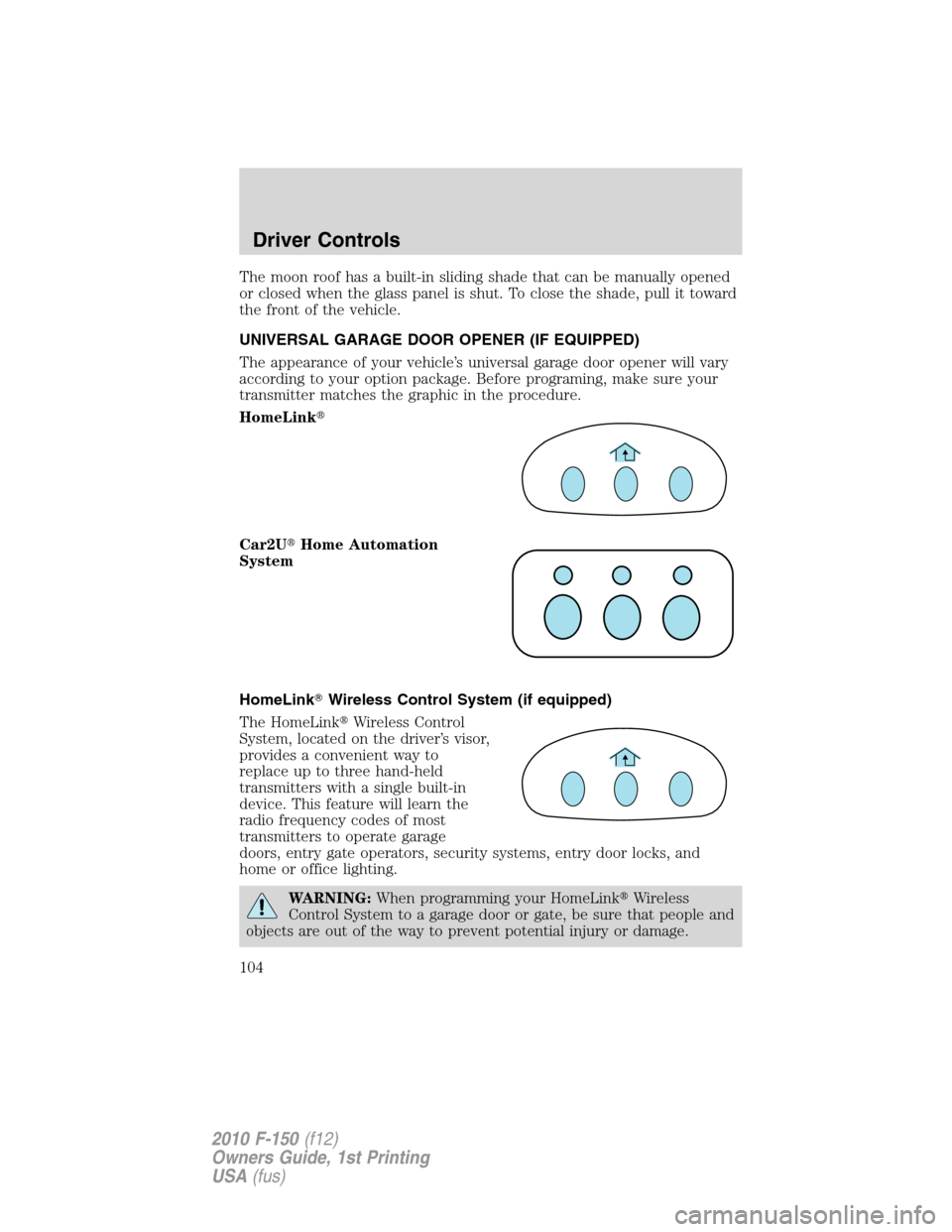
The appearance of your vehicle’s universal garage door opener will vary
according to your option package. Before programing, make sure your
transmitter matches the graphic in the procedure.
HomeLink�
Car2U�Home Automation
System
HomeLink�Wireless Control System (if equipped)
The HomeLink�Wireless Control
System, located on the driver’s visor,
provides a convenient way to
replace up to three hand-held
transmitters with a single built-in
device. This feature will learn the
radio frequency codes of most
transmitters to operate garage
doors, entry gate operators, security systems, entry door locks, and
home or office lighting.
WARNING:When programming your HomeLink�Wireless
Control System to a garage door or gate, be sure that people and
objects are out of the way to prevent potential injury or damage.
Driver Controls
104
2010 F-150(f12)
Owners Guide, 1st Printing
USA(fus)

