2010 FORD F150 Driver seat
[x] Cancel search: Driver seatPage 90 of 419

2. To calibrate, press and hold the 7
and 9 radio preset buttons together
for approximately 10 seconds until
CAL appears. Release the buttons.
3. Slowly drive the vehicle in a
circle (less than 3 mph [5 km/h])
until the CAL display changes to the
direction value (N, S, E, W, etc.). It
may take up to five circles to
complete calibration.
4. The compass is now calibrated.
AUXILIARY POWER POINT (12VDC)
Power outlets are designed for accessory plugs only. Do not insert
any other object in the power outlet as this will damage the
outlet and blow the fuse. Do not hang any type of accessory or
accessory bracket from the plug. Improper use of the power
outlet can cause damage not covered by your warranty.
Auxiliary power points can be found in the following locations:
•On the instrument panel
•Inside the center console storage area (if equipped)
•On the rear of the center console (if equipped) accessible from the
rear seat
Always keep the power point caps closed when not being used.
Do not use the power point for operating the cigarette lighter element (if
equipped).
To prevent the fuse from being blown, do not use the power point(s)
over the vehicle capacity of 12 VDC/180W. If the power point or cigar
lighter socket is not working, a fuse may have blown. Refer toFuses and
relaysin theRoadside Emergencieschapter for information on
checking and replacing fuses.
To have full capacity usage of your power point, the engine is required to
be running to avoid unintentional discharge of the battery. To prevent
the battery from being discharged:
•do not use the power point longer than necessary when the engine is
not running,
Driver Controls
90
2010 F-150(f12)
Owners Guide, 1st Printing
USA(fus)
Page 93 of 419
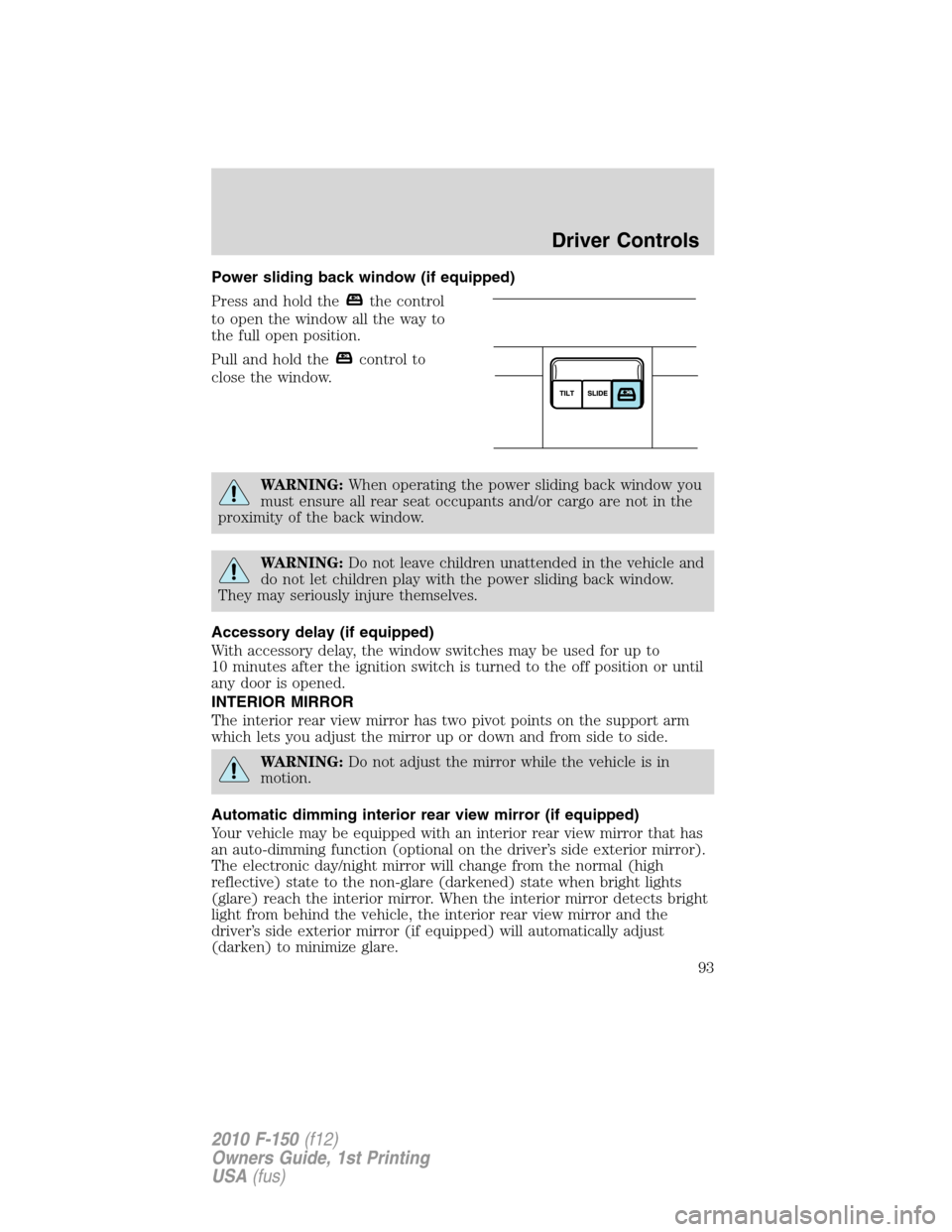
Power sliding back window (if equipped)
Press and hold the
the control
to open the window all the way to
the full open position.
Pull and hold the
control to
close the window.
WARNING:When operating the power sliding back window you
must ensure all rear seat occupants and/or cargo are not in the
proximity of the back window.
WARNING:Do not leave children unattended in the vehicle and
do not let children play with the power sliding back window.
They may seriously injure themselves.
Accessory delay (if equipped)
With accessory delay, the window switches may be used for up to
10 minutes after the ignition switch is turned to the off position or until
any door is opened.
INTERIOR MIRROR
The interior rear view mirror has two pivot points on the support arm
which lets you adjust the mirror up or down and from side to side.
WARNING:Do not adjust the mirror while the vehicle is in
motion.
Automatic dimming interior rear view mirror (if equipped)
Your vehicle may be equipped with an interior rear view mirror that has
an auto-dimming function (optional on the driver’s side exterior mirror).
The electronic day/night mirror will change from the normal (high
reflective) state to the non-glare (darkened) state when bright lights
(glare) reach the interior mirror. When the interior mirror detects bright
light from behind the vehicle, the interior rear view mirror and the
driver’s side exterior mirror (if equipped) will automatically adjust
(darken) to minimize glare.
Driver Controls
93
2010 F-150(f12)
Owners Guide, 1st Printing
USA(fus)
Page 94 of 419

The mirrors will automatically return to the normal state whenever the
vehicle is placed in R (Reverse) to ensure a bright clear view when
backing up.
Do not block the sensors on the front and back of the interior
rear view mirror since this may impair proper mirror
performance.
Do not clean the housing or glass of any mirror with harsh
abrasives, fuel or other petroleum-based cleaning products.
Note:If equipped with a rearview camera system, a video image will
display in the mirror or the Navigation system display (if equipped)
when the vehicle is put in R (Reverse). As you shift into any other gear
from R (Reverse), the image will remain for a few seconds and then turn
off. Refer toRearview camera systemin theDrivingchapter.
EXTERIOR MIRRORS
Power side view mirrors (if equipped)
WARNING:Do not adjust the mirror while the vehicle is in
motion.
To adjust your mirrors:
1. Rotate the control clockwise to
adjust the right mirror and rotate
the control counterclockwise to
adjust the left mirror.
2. Move the control in the direction
you wish to tilt the mirror.
3. Return to the center position to lock mirrors in place.
Memory feature (if equipped)
The power side view mirror positions are saved when doing a memory
set function and can be recalled along with the vehicle personality
features when a memory position is selected through the remote entry
transmitter, keyless entry keypad or memory switch on the driver’s seat.
Refer toMemory seats and mirrorsin theSeating and Safety
Restraintschapter.
Automatic dimming feature (if equipped)
The driver’s side view mirror has an auto-dimming function. For more
information, refer toAutomatic dimming interior rear view mirrorin
this chapter.
Driver Controls
94
2010 F-150(f12)
Owners Guide, 1st Printing
USA(fus)
Page 133 of 419
Activating the memory feature
To activate this feature:
1. Position the seat, power mirrors, adjustable pedals and steering
column (if equipped) to the desired positions.
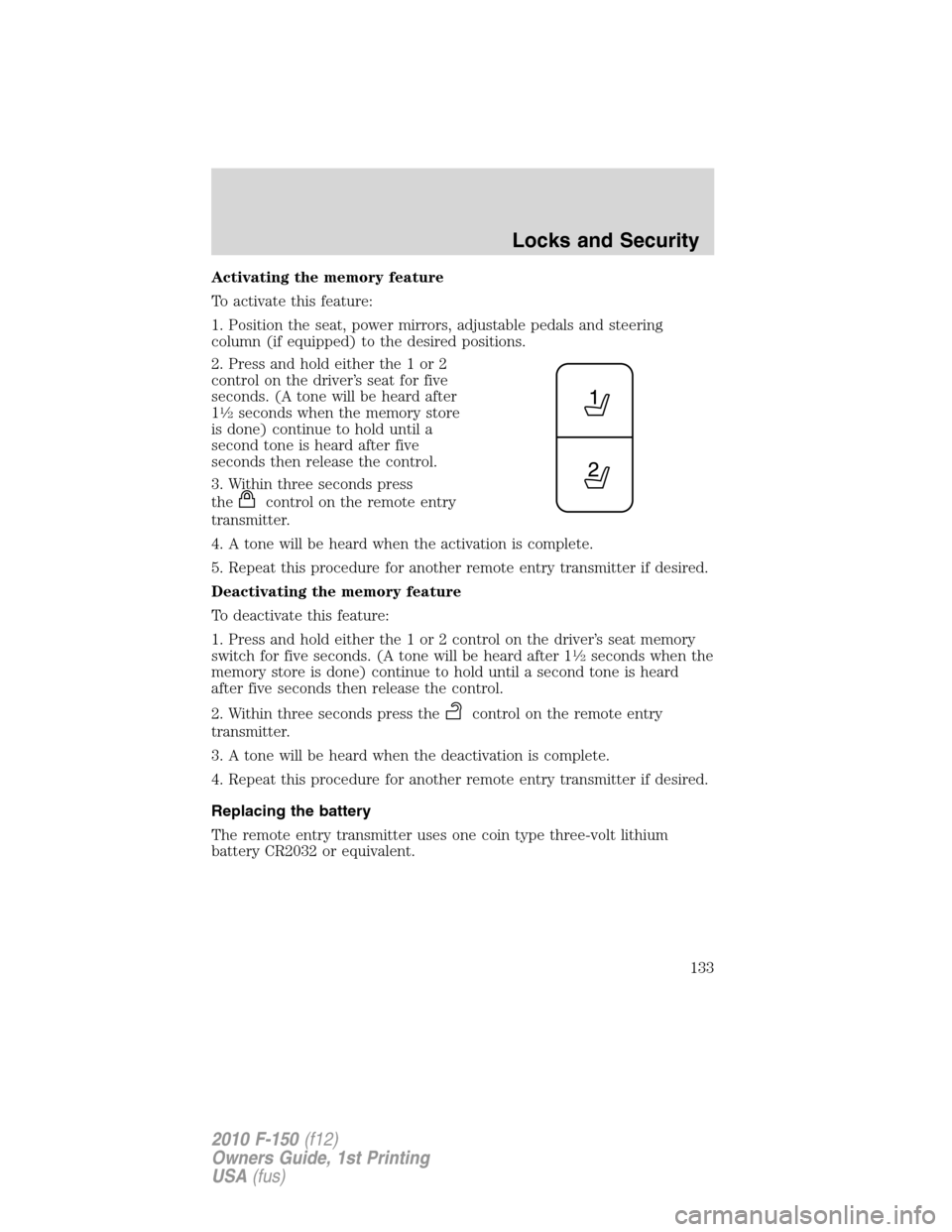
2. Press and hold either the 1 or 2
control on the driver’s seat for five
seconds. (A tone will be heard after
1
12seconds when the memory store
is done) continue to hold until a
second tone is heard after five
seconds then release the control.
3. Within three seconds press
the
control on the remote entry
transmitter.
4. A tone will be heard when the activation is complete.
5. Repeat this procedure for another remote entry transmitter if desired.
Deactivating the memory feature
To deactivate this feature:
1. Press and hold either the 1 or 2 control on the driver’s seat memory
switch for five seconds. (A tone will be heard after 1
12seconds when the
memory store is done) continue to hold until a second tone is heard
after five seconds then release the control.
2. Within three seconds press the
control on the remote entry
transmitter.
3. A tone will be heard when the deactivation is complete.
4. Repeat this procedure for another remote entry transmitter if desired.
Replacing the battery
The remote entry transmitter uses one coin type three-volt lithium
battery CR2032 or equivalent.
Locks and Security
133
2010 F-150(f12)
Owners Guide, 1st Printing
USA(fus)
Page 147 of 419
SEATING
WARNING:Reclining the seatback can cause an occupant to
slide under the seat’s safety belt, resulting in severe personal
injuries in the event of a collision.
WARNING:Do not pile cargo higher than the seatbacks to
reduce the risk of injury in a collision or sudden stop.
WARNING:Before returning the seatback to its original
position, make sure that cargo or any objects are not trapped
behind the seatback. After returning the seatback to its original
position, pull on the seatback to ensure that it has fully latched. An
unlatched seat may become dangerous in the event of a sudden stop or
collision.
Adjustable head restraints
Your vehicle is equipped with front row outboard head restraints that are
vertically adjustable.
WARNING:To minimize the risk of neck injury in the event of a
crash, the driver and passenger occupants should not sit in
and/or operate the vehicle, until the head restraint is placed in its
proper position. The driver should never adjust the head restraint
while the vehicle is in motion.
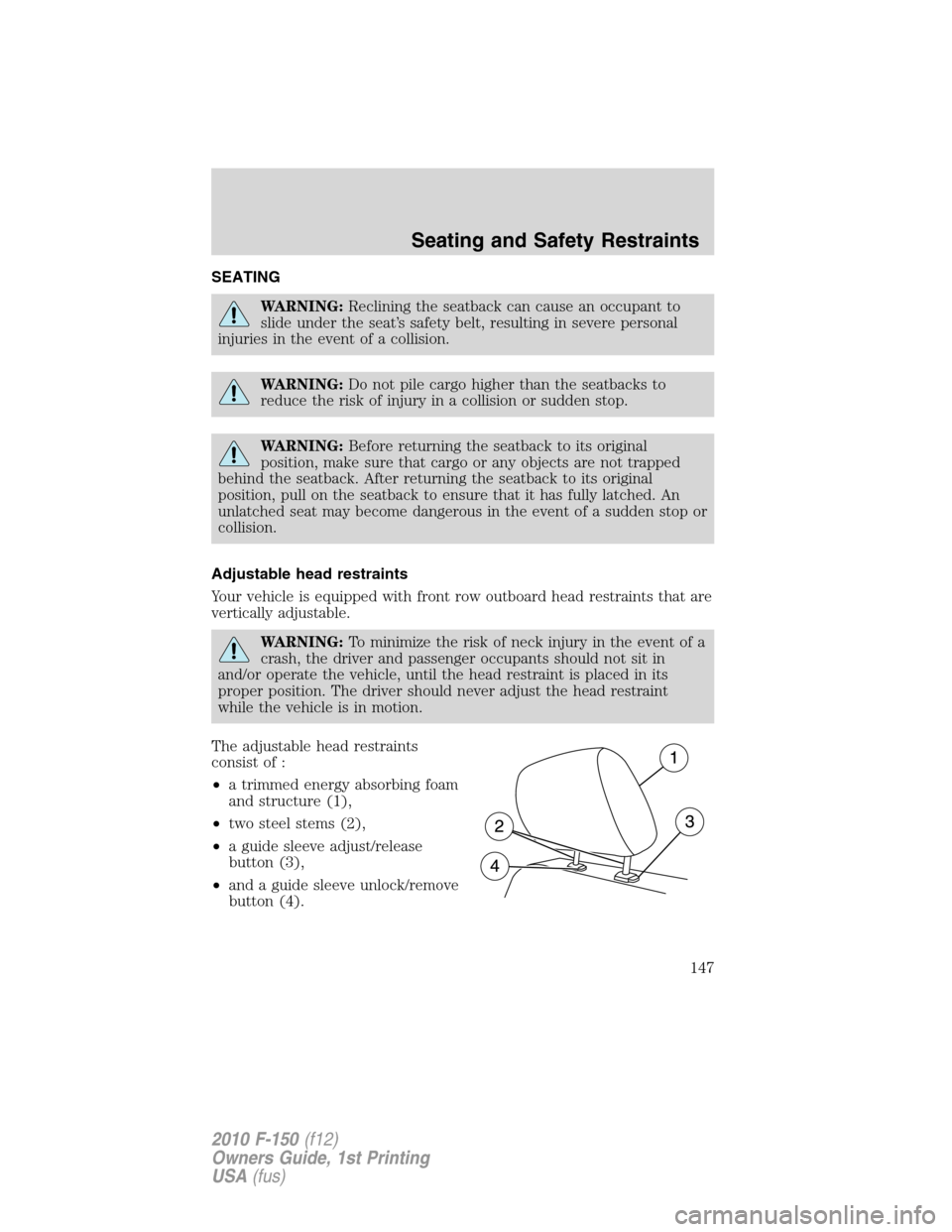
The adjustable head restraints
consist of :
•a trimmed energy absorbing foam
and structure (1),
•two steel stems (2),
•a guide sleeve adjust/release
button (3),
•and a guide sleeve unlock/remove
button (4).
Seating and Safety Restraints
147
2010 F-150(f12)
Owners Guide, 1st Printing
USA(fus)
Page 153 of 419
Using the power lumbar support (if equipped)
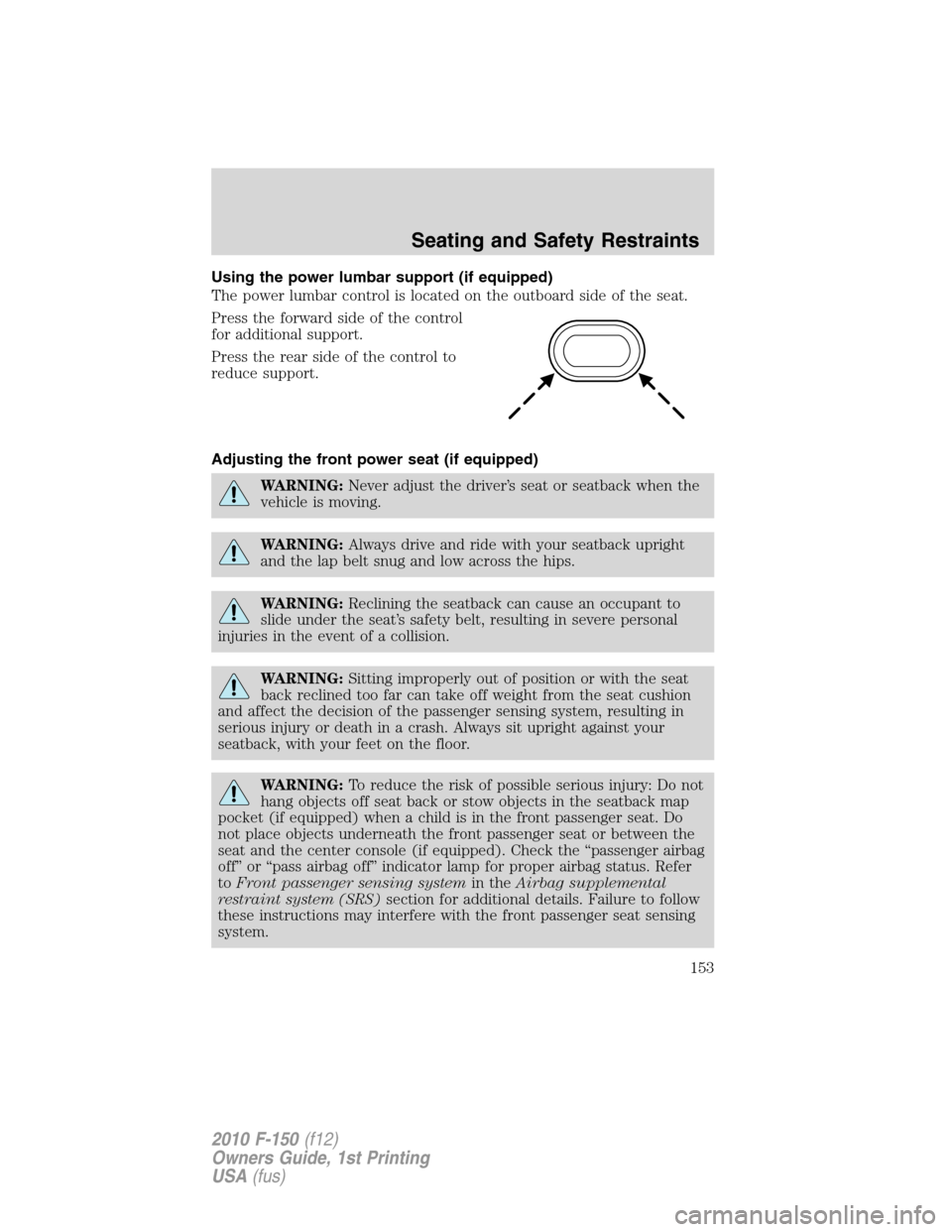
The power lumbar control is located on the outboard side of the seat.
Press the forward side of the control
for additional support.
Press the rear side of the control to
reduce support.
Adjusting the front power seat (if equipped)
WARNING:Never adjust the driver’s seat or seatback when the
vehicle is moving.
WARNING:Always drive and ride with your seatback upright
and the lap belt snug and low across the hips.
WARNING:Reclining the seatback can cause an occupant to
slide under the seat’s safety belt, resulting in severe personal
injuries in the event of a collision.
WARNING:Sitting improperly out of position or with the seat
back reclined too far can take off weight from the seat cushion
and affect the decision of the passenger sensing system, resulting in
serious injury or death in a crash. Always sit upright against your
seatback, with your feet on the floor.
WARNING:To reduce the risk of possible serious injury: Do not
hang objects off seat back or stow objects in the seatback map
pocket (if equipped) when a child is in the front passenger seat. Do
not place objects underneath the front passenger seat or between the
seat and the center console (if equipped). Check the “passenger airbag
off” or “pass airbag off” indicator lamp for proper airbag status. Refer
toFront passenger sensing systemin theAirbag supplemental
restraint system (SRS)section for additional details. Failure to follow
these instructions may interfere with the front passenger seat sensing
system.
Seating and Safety Restraints
153
2010 F-150(f12)
Owners Guide, 1st Printing
USA(fus)
Page 155 of 419

Memory seat/power mirrors/adjustable pedals/steering column
(if equipped)
This system allows automatic
positioning of the driver seat,
outside rearview mirrors, adjustable
pedals, and steering column to two
programmable positions.
The memory seat control is located
on the driver’s seat.
•To program position one, move
the driver seat, exterior mirrors,
adjustable pedals and steering
column to the desired positions using the associated controls. Press
and hold control button 1 for at least two seconds.
•To program position two, repeat the previous procedure using control
button 2.
A position can only be recalled when the transmission gearshift is in Park
(automatic transmission). A memory seat position may be programmed
at any time.
The memory seat positions are also recalled when you press your remote
entry transmitter
(unlock) control and the transmitter is
programmed to a memory seat position or when you enter a valid
customer code 1 or 2 on the keypad.
To program the memory seat to remote entry transmitter, refer to
Remote entry systemin theLocks and Security chapter..
Note: The seat will not travel to its final position if the key is not
in the ignition and the easy entry feature is enabled.
Easy-access/easy-out feature (if equipped)
The easy entry feature automatically moves the driver’s seat 2 inches
(5 cm) forward when:
•the transmission is in P (Park)
•the key is inserted into the ignition cylinder
(If the seat is located less than 2 inches [5 cm] from the front of the seat
track, the seat will travel up to
14inch (.64 cm) to the front of the seat
track).
Seating and Safety Restraints
155
2010 F-150(f12)
Owners Guide, 1st Printing
USA(fus)
Page 156 of 419
The easy out feature automatically moves the driver’s seat 2 inches
(5 cm) backward when:
•the transmission is in P (Park)
•the key is removed from the ignition cylinder
(If the seat is located less than 2 inches (5 cm) from the rear of the seat
track, the seat will travel up to
14inch (.64 cm) to the rear of the seat
track).
If the memory setting is programmed through the remote transmitter,
upon unlocking the door via remote entry system, the seat position will
travel to the desired memory setting less 2 inches (5 cm). Once entering
the vehicle and inserting the key in the ignition while in P (Park), the
easy entry feature will move the seat an additional 2 inches (5 cm) to
the desired memory location. SeeLocks and Securityfor activating the
memory seat feature through the remote entry system.
Deactivating/activating the easy access/easy out feature
The easy entry/exit feature can be turned off or on through the vehicle
message center (if equipped). If your vehicle does not have a message
center, the feature can be turned off or on through the following process:
1. Put the key into the ignition (The driver seat may move forward if the
easy entry/exit feature is activated).
2. Place the ignition key into the on position (do not start the vehicle).
When the vehicle is in the on position, the interior and exterior lights,
the climate controls, and the radio are functional without the engine
started. SeeProgramming remote transmittersfor ignition switch
diagram.
3. Turn the ignition key to the off position.
4. Cycle the ignition key between the off position and the on position a
total of three times ending with the ignition in the off position.
5. Engage the forward or rearward seat switch.
6. Remove the ignition key from the ignition switch. (The driver seat
may move rearward if the easy entry/exit feature is activated).
Steps 2 through 6 must be performed within a 20 second period. The
easy entry/exit feature will be deactivated. Repeating the above process
will also reactivate the easy entry/exit feature.
Seating and Safety Restraints
156
2010 F-150(f12)
Owners Guide, 1st Printing
USA(fus)