2010 FORD EXPLORER oil change
[x] Cancel search: oil changePage 3 of 404
Customer Assistance 333
Reporting safety defects (U.S. only) 339
Reporting safety defects (Canada only) 339
Cleaning 340
Maintenance and Specifications 348
Engine compartment 350
Engine oil 354
Battery 359
Engine coolant 361
Fuel information 367
Air filter(s) 382
Part numbers 384
Maintenance product specifications and capacities 385
Engine data 390
Accessories 393
Ford Extended Service Plan 395
Index 398
All rights reserved. Reproduction by any means, electronic or mechanical
including photocopying, recording or by any information storage and retrieval
system or translation in whole or part is not permitted without written
authorization from Ford Motor Company. Ford may change the contents without
notice and without incurring obligation.
Copyright © 2009 Ford Motor Company
Table of Contents
3
2010 Explorer(exp)
Owners Guide(own2002), 1st Printing
USA(fus)
Page 23 of 404

•Compass zone adjustment
•Compass calibration adjustment
SYSTEM CHECK HOLD RESET
Press and hold the SELECT/RESET stem to select system check when
this is displayed in the message center. The message center will cycle
through each of the systems being monitored. For each of the monitored
systems, the message center will indicate either an OK message or a
warning message for two seconds.
Pressing the SELECT/RESET stem cycles the message center through
each of the systems being monitored.
The sequence of the system check report and how it appears in the
message center is as follows:
1. OIL LIFE
2. CHARGING SYSTEM
3. WASHER FLUID
4. DOOR AJAR
5. EXTERIOR LAMP
6. BRAKE FLUID LEVEL
7. PARK BRAKE
8. MILES TO EMPTY
9. FUEL LEVEL LOW (will only display if 50 miles [80 km] or less to
empty)
AWD AUTO / LOCKED (4.6L engine vehicles only)
This displays the AWD locked function.
1. Press and hold the SELECT/RESET stem within four seconds to turn
the AWD system to the auto / locked mode.
2. Press the SELECT/RESET stem for the next setup menu item or wait
for more than four seconds to return to the info menu.
Note:When the AWD system is in the LOCKED mode, the 4X4 indicator
will be illuminated.
UNITS
Displays the current units English or Metric.
1. Press and hold the SELECT/RESET stem to change from English to
Metric.
Instrument Cluster
23
2010 Explorer(exp)
Owners Guide(own2002), 1st Printing
USA(fus)
Page 25 of 404
2. Press and hold the SELECT/RESET stem to turn park aid on or off.
3. Press the SELECT/RESET stem for the next setup menu item or wait
for more than four seconds to return to the info menu.
TRAILER SWAY
This feature uses the electronic stability control to mitigate trailer sway,
1. Press and hold the SELECT/RESET stem to turn trailer sway on or
off.
2. Press the SELECT/RESET stem for the next setup menu item or wait
for more than four seconds to return to the info menu.
HOLD RESET IF NEW OIL
To reset the oil monitoring system to 100% after each oil change
(approximately 7,500 miles [12,000 km] or six months) perform the
following:
1. Press and hold the SELECT/RESET stem for more than two seconds.
Oil life is set to 100% and OIL LIFE SET TO 100% is displayed.
Note:To change oil life 100% miles value from 7,500 miles (12,000 km)
or six months to another value, proceed to Step 3.
2. Once OIL LIFE SET TO 100% is displayed, release, press and hold the
SELECT/RESET stem for more than two seconds to change the oil life
start value. Each release, press and hold will reduce the value by 10%.
3. After setting the oil life start value, press the SELECT/RESET stem
for the next setup menu item or wait for more than four seconds to
return to the info menu.
Note:Oil Life Start Value of 100% equals 7,500 miles (12,000 km) or six
months. For example, setting oil life start value to 60% sets the oil life
start value to 3,000 miles (4,800 km) and 120 days.
COMPASS (if equipped)
The compass heading is displayed as one of N, NE, E, SE, S, SW, W and
NW in the message center display.
The compass reading may be affected when you drive near large
buildings, bridges, power lines and powerful broadcast antenna. Magnetic
or metallic objects placed in, on or near the vehicle may also affect
compass accuracy.
Usually, when something affects the compass readings, the compass will
correct itself after a few days of operating your vehicle in normal
conditions. If the compass still appears to be inaccurate, a manual
calibration may be necessary. Refer toCompass zone/calibration
adjustment.
Instrument Cluster
25
2010 Explorer(exp)
Owners Guide(own2002), 1st Printing
USA(fus)
Page 29 of 404

TIRE PRESSURE SENSOR FAULT— Displayed when a tire pressure
sensor is malfunctioning, or your spare tire is in use. For more
information on how the system operates under these conditions, refer to
Understanding your Tire Pressure Monitoring System (TPMS)in the
Tires, Wheels and Loadingchapter. If the warning stays on or
continues to come on, contact your authorized dealer as soon as
possible.
BRAKE FLUID LEVEL LOW— Indicates the brake fluid level is low
and the brake system should be inspected immediately. Refer toBrake
fluidin theMaintenance and Specificationschapter.
WASHER FLUID LEVEL LOW— Indicates the washer fluid reservoir
is less than one quarter full. Check the washer fluid level. Refer to
Windshield washer fluidin theMaintenance and Specifications
chapter.
OIL LIFE CHANGE SOON— Displayed when the engine oil life
remaining is 10% or less.
OIL CHANGE REQUIRED— Displayed when the oil life left reaches
0%.
LIFTGATE / GLASS AJAR— Displayed when the liftgate or the
liftgate glass is not completely closed.
TRAILER SWAY REDUCE SPEED— Displayed when your trailer
starts to sway when towing. Refer toTrailer sway controlin the
Drivingchapter for more information.
FOR 4X4 LOW STOP VEHICLE (if equipped)— Displayed when
4X4 LOW is selected while the vehicle is moving. For more information,
refer toUsing the Control Trac 4WD systemin theDrivingchapter.
FOR 4X4 LOW SHIFT TO N (if equipped)— Displayed when 4X4
LOW is selected and the vehicle is stopped. For more information, refer
toUsing the Control Trac 4WD systemin theDrivingchapter.
TO EXIT 4X4 LOW STOP VEHICLE (if equipped)— Displayed
when 2WD is selected while the vehicle is operating in 4X4 LOW. For
more information, refer toUsing the Control Trac 4WD systemin the
Drivingchapter.
TO EXIT 4X4 LOW SHIFT TO N (if equipped)— Displayed when
2WD is selected while the vehicle has been stopped in 4X4 LOW. For
more information, refer toUsing the Control Trac 4WD systemin the
Drivingchapter.
Instrument Cluster
29
2010 Explorer(exp)
Owners Guide(own2002), 1st Printing
USA(fus)
Page 36 of 404
![FORD EXPLORER 2010 4.G Owners Manual HOLD RESET IF NEW OIL
To reset the oil monitoring system to 100% after each oil change
(approximately 7,500 miles [12,000 km] or six months) perform the
following:
1. Press RESET button to display HOL](/manual-img/11/4980/w960_4980-35.png "FORD EXPLORER 2010 4.G Owners Manual HOLD RESET IF NEW OIL
To reset the oil monitoring system to 100% after each oil change
(approximately 7,500 miles [12,000 km] or six months) perform the
following:
1. Press RESET button to display HOL")
HOLD RESET IF NEW OIL
To reset the oil monitoring system to 100% after each oil change
(approximately 7,500 miles [12,000 km] or six months) perform the
following:
1. Press RESET button to display HOLD RESET IF NEW OIL.
2. Press and hold the RESET button for more than two seconds. Oil life
is set to 100% and OIL CHANGE SET TO 100% is displayed.
Note:To change oil life 100% miles value from 7,500 miles (12,000 km)
or six months to another value, proceed to Step 3.
3. Once OIL LIFE SET TO XXX% is displayed, release and press the
RESET button to change the Oil Life Start Value. Each release and press
will reduce the value by 10%.
Note:Oil Life Start Value of 100% equals 7,500 miles (12,000 km) or six
months. For example, setting Oil Life Start Value to 60% sets the Oil Life
Start Value to 3,000 miles (4,800 km) and 120 days.
System warnings
System warnings alert you to possible problems or malfunctions in your
vehicle’s operating systems.
In the event of a multiple warning situation, the message center will
cycle the display to show all warnings by displaying each one for four
seconds.
The message center will display the last selected feature if there are no
more warning messages.
Types of messages and warnings:
•Some messages will appear briefly to inform you of something you
may need to take action on or be informed of.
•Some messages will appear once and then again when the vehicle is
restarted.
•Some messages will reappear after clearing or being reset if a problem
or condition is still present and needs your attention.
•Some messages can be acknowledged and reset by pressing RESET.
This allows you to use the full message center functionality by clearing
the message.
DOOR AJAR— Displayed when a door is not completely closed.
Instrument Cluster
36
2010 Explorer(exp)
Owners Guide(own2002), 1st Printing
USA(fus)
Page 38 of 404

BRAKE FLUID LEVEL LOW— Indicates the brake fluid level is low
and the brake system should be inspected immediately. Refer toBrake
fluidin theMaintenance and Specificationschapter.
WASHER FLUID LEVEL LOW— Indicates the washer fluid reservoir
is less than one quarter full. Check the washer fluid level. Refer to
Windshield washer fluidin theMaintenance and Specifications
chapter.
OIL LIFE CHANGE SOON— Displayed when the engine oil life
remaining is 10% or less.
OIL CHANGE REQUIRED— Displayed when the oil life left reaches
0%.
LIFTGATE / GLASS AJAR— Displayed when the liftgate or the
liftgate glass is not completely closed.
TRAILER SWAY REDUCE SPEED— Displayed when your trailer
starts to sway when towing. Refer toTrailer sway controlin the
Drivingchapter for more information.
FOR 4X4 LOW STOP VEHICLE (if equipped)— Displayed when
4X4 LOW is selected while the vehicle is moving. For more information,
refer toUsing the Control Trac 4WD systemin theDrivingchapter.
FOR 4X4 LOW SHIFT TO N (if equipped)— Displayed when 4X4
LOW is selected and the vehicle is stopped. For more information, refer
toUsing the Control Trac 4WD systemin theDrivingchapter.
TO EXIT 4X4 LOW STOP VEHICLE (if equipped)— Displayed
when 2WD is selected while the vehicle is operating in 4X4 LOW. For
more information, refer toUsing the Control Trac 4WD systemin the
Drivingchapter.
TO EXIT 4X4 LOW SHIFT TO N (if equipped)— Displayed when
2WD is selected while the vehicle has been stopped in 4X4 LOW. For
more information, refer toUsing the Control Trac 4WD systemin the
Drivingchapter.
Instrument Cluster
38
2010 Explorer(exp)
Owners Guide(own2002), 1st Printing
USA(fus)
Page 357 of 404
Engine Oil Recommendations
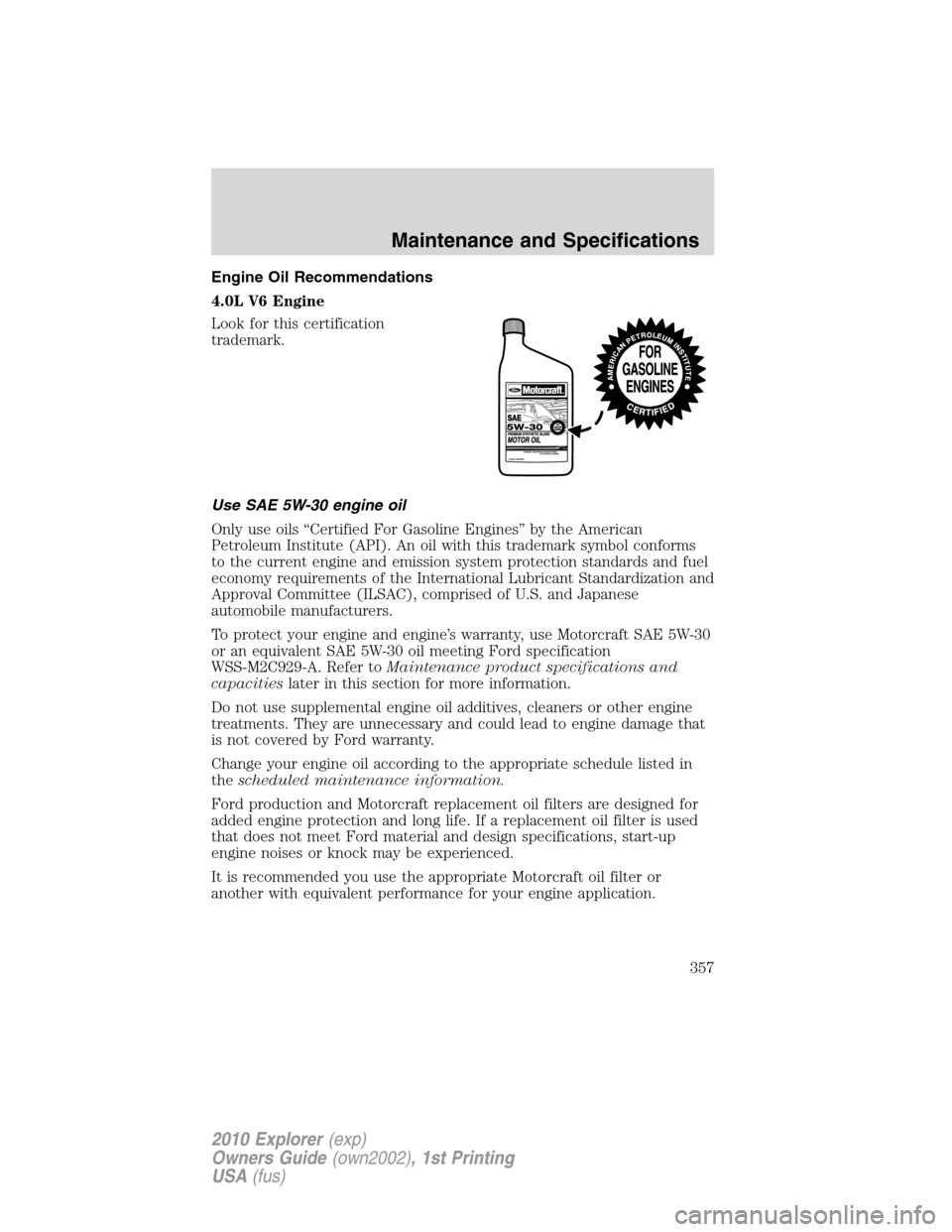
4.0L V6 Engine
Look for this certification
trademark.
Use SAE 5W-30 engine oil
Only use oils “Certified For Gasoline Engines” by the American
Petroleum Institute (API). An oil with this trademark symbol conforms
to the current engine and emission system protection standards and fuel
economy requirements of the International Lubricant Standardization and
Approval Committee (ILSAC), comprised of U.S. and Japanese
automobile manufacturers.
To protect your engine and engine’s warranty, use Motorcraft SAE 5W-30
or an equivalent SAE 5W-30 oil meeting Ford specification
WSS-M2C929-A. Refer toMaintenance product specifications and
capacitieslater in this section for more information.
Do not use supplemental engine oil additives, cleaners or other engine
treatments. They are unnecessary and could lead to engine damage that
is not covered by Ford warranty.
Change your engine oil according to the appropriate schedule listed in
thescheduled maintenance information.
Ford production and Motorcraft replacement oil filters are designed for
added engine protection and long life. If a replacement oil filter is used
that does not meet Ford material and design specifications, start-up
engine noises or knock may be experienced.
It is recommended you use the appropriate Motorcraft oil filter or
another with equivalent performance for your engine application.
Maintenance and Specifications
357
2010 Explorer(exp)
Owners Guide(own2002), 1st Printing
USA(fus)
Page 358 of 404
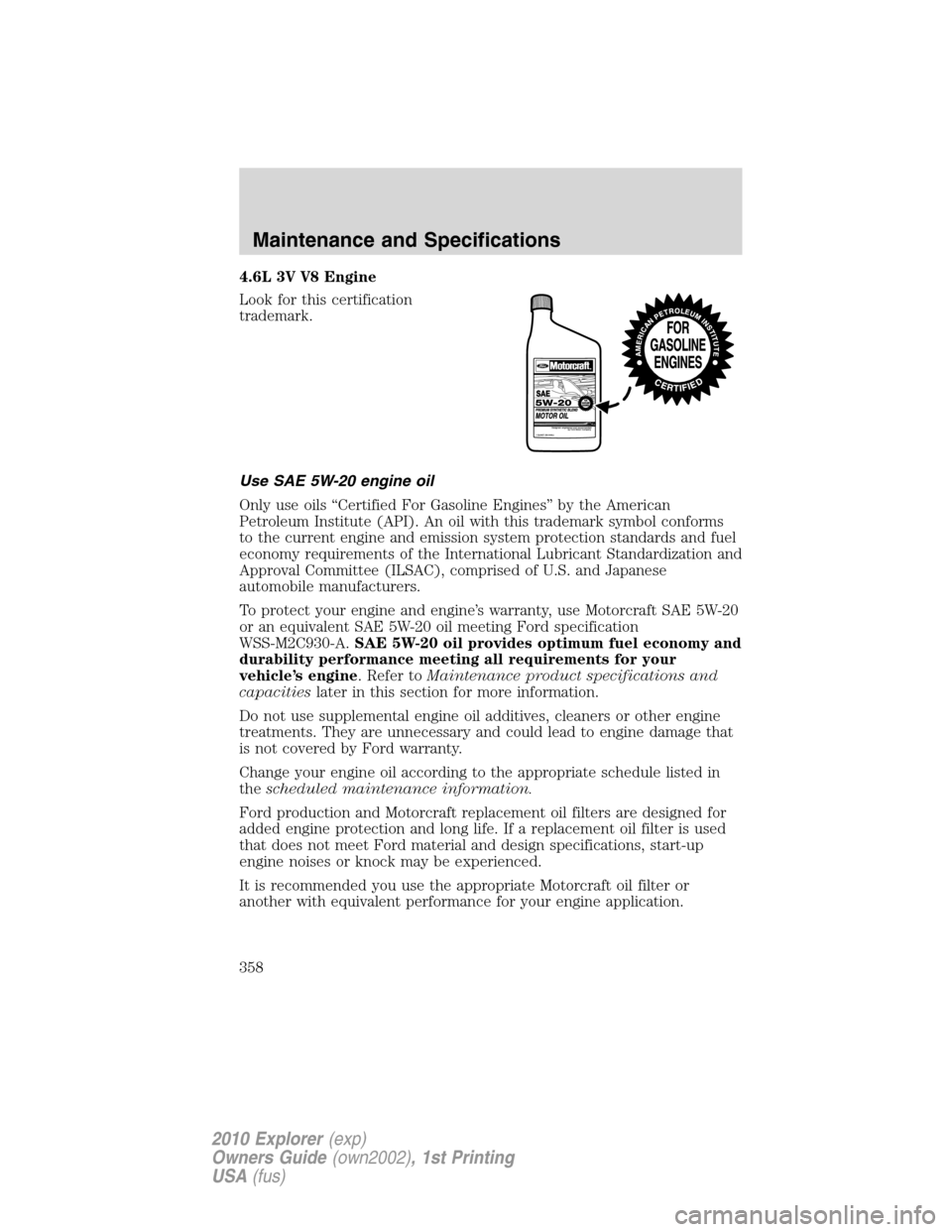
4.6L 3V V8 Engine
Look for this certification
trademark.
Use SAE 5W-20 engine oil
Only use oils “Certified For Gasoline Engines” by the American
Petroleum Institute (API). An oil with this trademark symbol conforms
to the current engine and emission system protection standards and fuel
economy requirements of the International Lubricant Standardization and
Approval Committee (ILSAC), comprised of U.S. and Japanese
automobile manufacturers.
To protect your engine and engine’s warranty, use Motorcraft SAE 5W-20
or an equivalent SAE 5W-20 oil meeting Ford specification
WSS-M2C930-A.SAE 5W-20 oil provides optimum fuel economy and
durability performance meeting all requirements for your
vehicle’s engine. Refer toMaintenance product specifications and
capacitieslater in this section for more information.
Do not use supplemental engine oil additives, cleaners or other engine
treatments. They are unnecessary and could lead to engine damage that
is not covered by Ford warranty.
Change your engine oil according to the appropriate schedule listed in
thescheduled maintenance information.
Ford production and Motorcraft replacement oil filters are designed for
added engine protection and long life. If a replacement oil filter is used
that does not meet Ford material and design specifications, start-up
engine noises or knock may be experienced.
It is recommended you use the appropriate Motorcraft oil filter or
another with equivalent performance for your engine application.
Maintenance and Specifications
358
2010 Explorer(exp)
Owners Guide(own2002), 1st Printing
USA(fus)