2010 FORD EXPLORER warning light
[x] Cancel search: warning lightPage 272 of 404
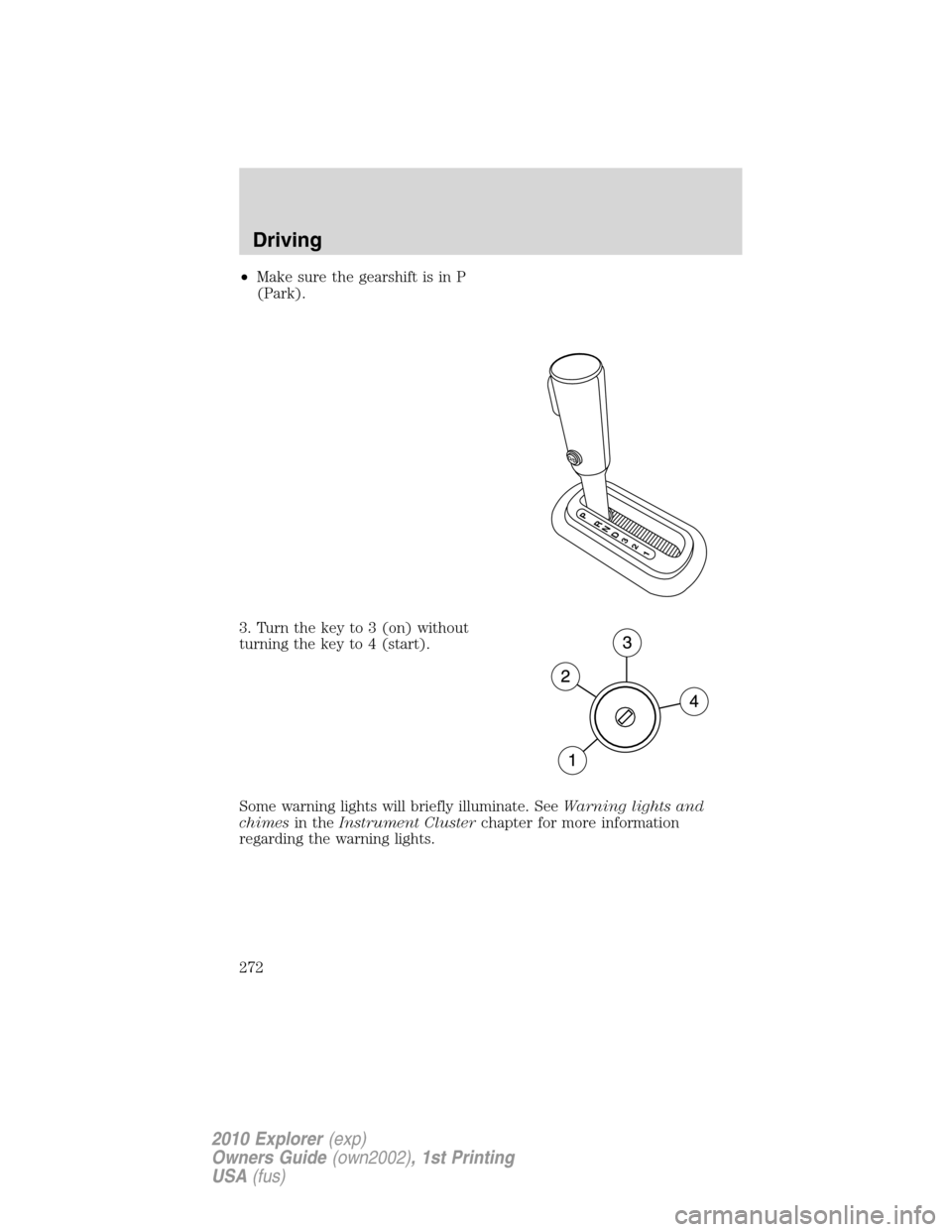
•Make sure the gearshift is in P
(Park).
3. Turn the key to 3 (on) without
turning the key to 4 (start).
Some warning lights will briefly illuminate. SeeWarning lights and
chimesin theInstrument Clusterchapter for more information
regarding the warning lights.
O
/D
RP
N
D
3
2
1
Driving
272
2010 Explorer(exp)
Owners Guide(own2002), 1st Printing
USA(fus)
Page 275 of 404
•Be sure that areas where the vehicle is parked are clean and clear of
all combustibles such as petroleum products, dust, rags, paper and
similar items.
•Be sure that the engine block heater, heater cord and extension cord
are solidly connected. A poor connection can cause the cord to
become very hot and may result in an electrical shock or fire. Be sure
to check for heat anywhere in the electrical hookup once the system
has been operating for approximately a half hour.
•Finally, have the engine block heater system checked during your fall
tune-up to be sure it’s in good working order.
How to use the engine block heater
Ensure the receptacle terminals are clean and dry prior to use. To clean
them, use a dry cloth.
Depending on the type of factory installed equipment, your engine block
heater will use .4 to 1.0 kilowatt-hours of energy per hour of use. Your
factory installed block heater system does not have a thermostat;
however, maximum temperature is attained after approximately three
hours of operation. Block heater operation longer than three hours will
not improve system performance and will unnecessarily use additional
electricity.
Make sure system is unplugged and properly stowed before driving the
vehicle. While not in use, make sure the protective cover seals the
prongs of the engine block heater cord plug.
BRAKES
Occasional brake noise is normal. If a metal-to-metal, continuous grinding
or continuous squeal sound is present, the brake linings may be worn-out
and should be inspected by an authorized dealer. If the vehicle has
continuous vibration or shudder in the steering wheel while braking, the
vehicle should be inspected by an authorized dealer.
Refer toBrake system warning
lightin theInstrument Cluster
chapter for information on the brake
system warning light.
P!
BRAKE
Driving
275
2010 Explorer(exp)
Owners Guide(own2002), 1st Printing
USA(fus)
Page 276 of 404
Four-wheel anti-lock brake system (ABS)
Your vehicle is equipped with an Anti-lock Braking System (ABS). This
system helps you maintain steering control during emergency stops by
keeping the brakes from locking. Noise from the ABS pump motor and
brake pedal pulsation may be observed during ABS braking and the
brake pedal may suddenly travel a little farther as soon as ABS braking is
done and normal brake operation resumes. These are normal
characteristics of the ABS and should be no reason for concern.
Using ABS
When hard braking is required, apply continuous force on the brake
pedal; do not pump the brake pedal since this will reduce the
effectiveness of the ABS and will increase your vehicle’s stopping
distance. The ABS will be activated immediately, allowing you to retain
steering control during hard braking and on slippery surfaces. However,
the ABS does not decrease stopping distance.
ABS warning lamp
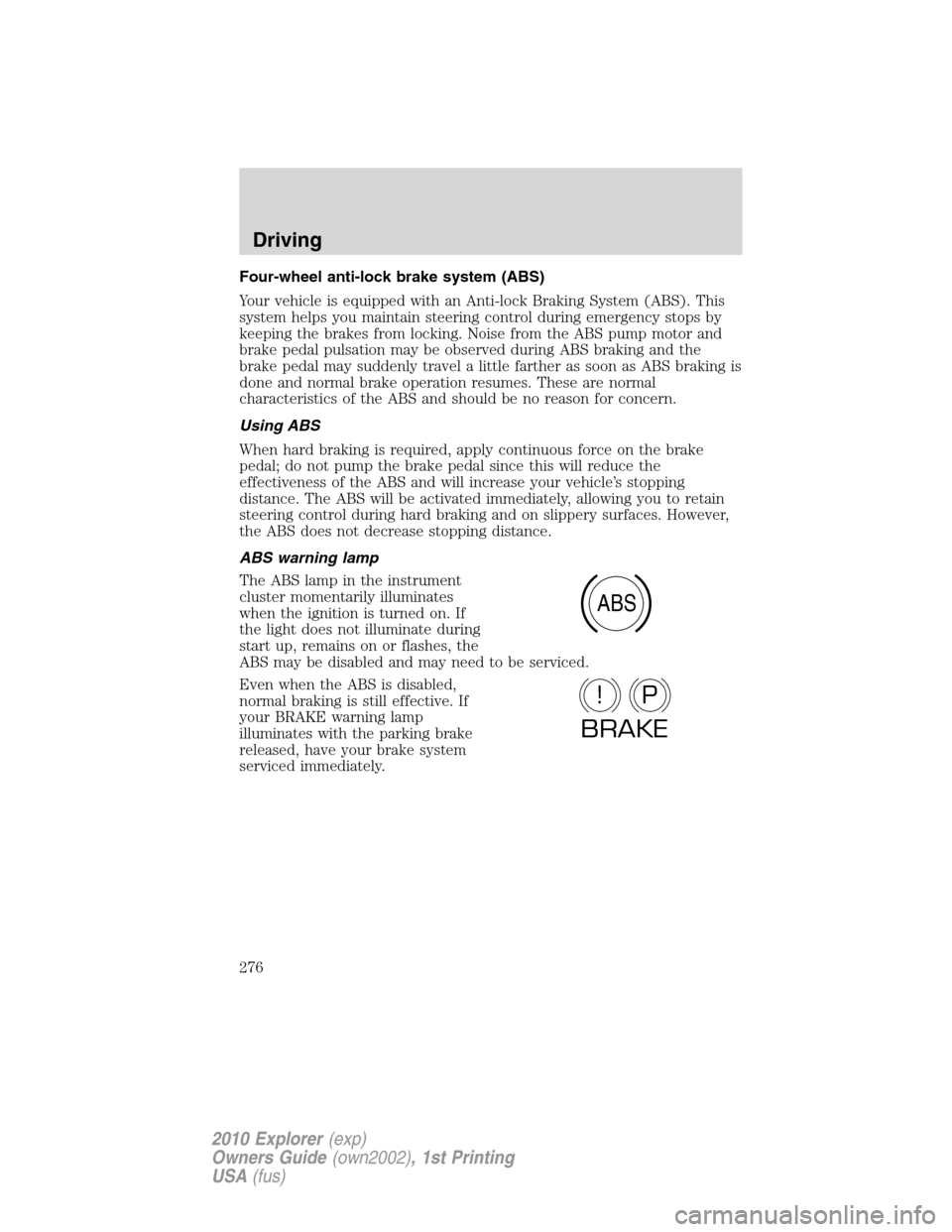
The ABS lamp in the instrument
cluster momentarily illuminates
when the ignition is turned on. If
the light does not illuminate during
start up, remains on or flashes, the
ABS may be disabled and may need to be serviced.
Even when the ABS is disabled,
normal braking is still effective. If
your BRAKE warning lamp
illuminates with the parking brake
released, have your brake system
serviced immediately.
ABS
P!
BRAKE
Driving
276
2010 Explorer(exp)
Owners Guide(own2002), 1st Printing
USA(fus)
Page 283 of 404

WARNING:Trailer sway control does not prevent a trailer from
swaying, it mitigates the sway from increasing once it has
occurred. If you are experiencing trailer sway it is likely that the trailer
is improperly loaded for the correct tongue weight or the speed of the
vehicle and trailer is too high. Pull the vehicle-trailer over to a safe
location to check the trailer weight distribution and tongue load and
reduce speed to a safe level while towing. If trailer sway is
experienced, SLOW DOWN.
During Trailer Sway Control events, the
icon in the instrument
cluster will flash momentarily. The message center will also display
TRAILER SWAY REDUCE SPEED.In some cases when trailer sway is
detected, the vehicle speed is too high and may be at or above a speed
at which trailer sway will grow continuously. This may cause the system
to activate multiple times, and you may experience a slight deceleration
of the vehicle.
Disabling Trailer Sway Control
Trailer sway control can be disabled during any key cycle. See Trailer
Sway Control under Refer toMessage centerin theInstrument Cluster
chapter for more information. Note that even if it was disabled before
turning off the vehicle, Trailer Sway Control will be re-enabled at each
new key cycle.
WARNING:Turning off Trailer Sway Control increases the risk
of loss of vehicle control, serious injury, or death. Ford does not
recommend disabling this feature except in situations where speed
reduction may be detrimental (e.g., hill climbing), the driver has
significant trailer towing experience, and can control trailer sway and
maintain safe operation.
STEERING
To help prevent damage to the power steering system:
•Never hold the steering wheel at its furthest turning points (until it
stops) for more than a few seconds when the engine is running
•Do not operate the vehicle with a low power steering pump fluid level
(below the MIN mark on the reservoir).
•Some noise is normal during operation. If the noise is excessive, check
for low power steering pump fluid level before seeking service by your
authorized dealer.
Driving
283
2010 Explorer(exp)
Owners Guide(own2002), 1st Printing
USA(fus)
Page 286 of 404
WARNING:If the parking brake is fully released, but the brake
warning lamp remains illuminated, the brakes may not be
working properly. See your authorized dealer.
AUTOMATIC TRANSMISSION OPERATION
Driving with a 5–speed automatic transmission (if equipped)
This vehicle is equipped with an Adaptive Transmission Control Strategy.
This Adaptive Transmission Control Strategy offers the optimal
transmission operation and shift quality. When the vehicle’s battery has
been disconnected for any type of service or repair, the transmission will
need to relearn the normal shift strategy parameters, much like having to
reset your radio stations when your vehicle battery has been
disconnected. The Adaptive Transmission Control Strategy allows the
transmission to relearn these operating parameters. This learning process
could take several transmission upshifts and downshifts; during this
learning process, slightly firmer shifts may occur. After this learning
process, normal shift feel and shift scheduling will resume.
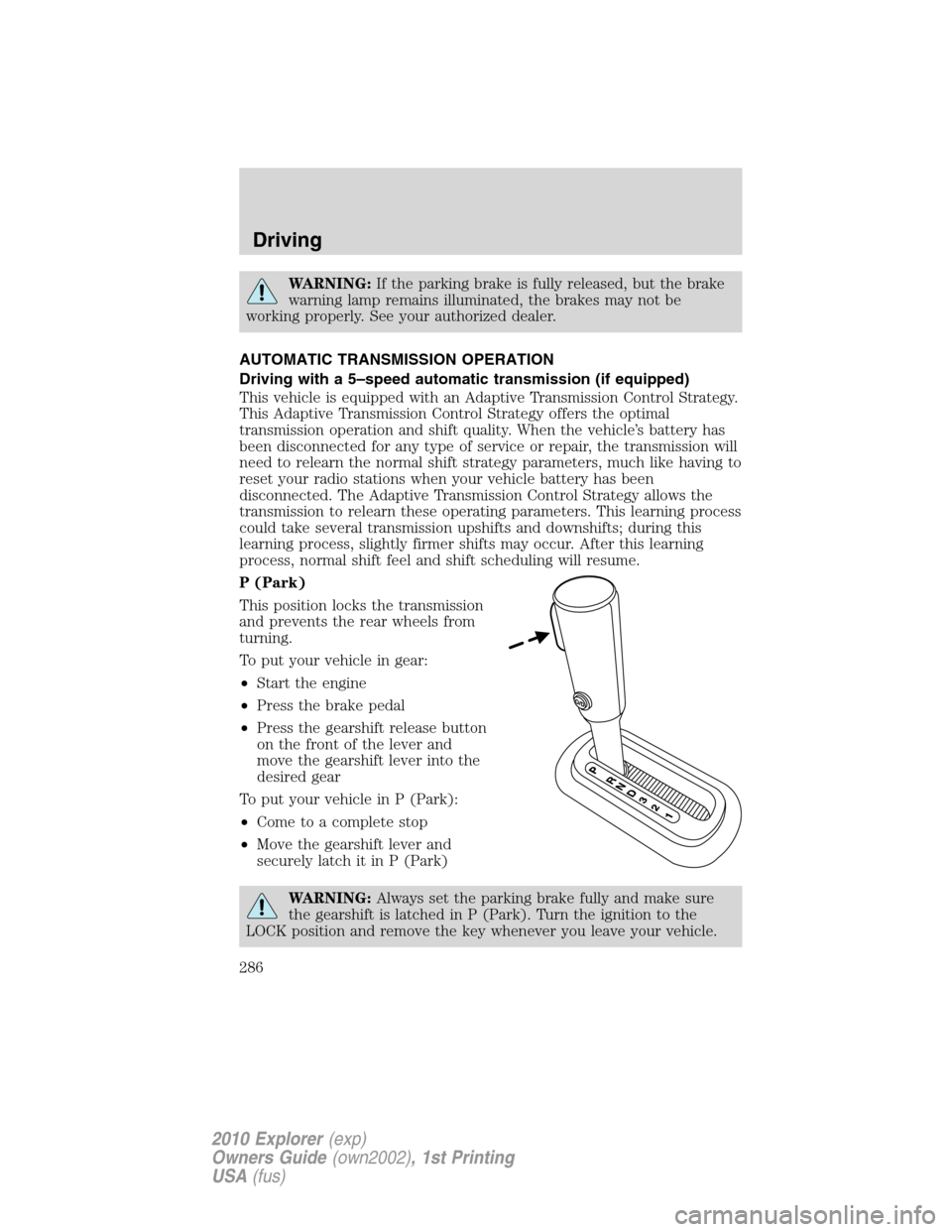
P (Park)
This position locks the transmission
and prevents the rear wheels from
turning.
To put your vehicle in gear:
•Start the engine
•Press the brake pedal
•Press the gearshift release button
on the front of the lever and
move the gearshift lever into the
desired gear
To put your vehicle in P (Park):
•Come to a complete stop
•Move the gearshift lever and
securely latch it in P (Park)
WARNING:Always set the parking brake fully and make sure
the gearshift is latched in P (Park). Turn the ignition to the
LOCK position and remove the key whenever you leave your vehicle.
Driving
286
2010 Explorer(exp)
Owners Guide(own2002), 1st Printing
USA(fus)
Page 291 of 404
•Allows upshifts by moving gearshift lever.
•Will not downshift into 1 (First) at high speeds; allows for 1 (First)
when vehicle reaches slower speeds.
Forced downshifts
•Allowed in D (Drive) only.
•Press the accelerator to the floor.
•Allows transmission to select an appropriate gear.
If your vehicle gets stuck in mud or snow
If your vehicle gets stuck in mud or snow, it may be rocked out by
shifting between forward and reverse gears, stopping between shifts in a
steady pattern. Press lightly on the accelerator in each gear.
Do not rock the vehicle if the engine is not at normal operating
temperature or damage to the transmission may occur.
Do not rock the vehicle for more than a minute or damage to the
transmission and tires may occur, or the engine may overheat.
REVERSE SENSING SYSTEM (IF EQUIPPED)
The reverse sensing system sounds a tone to warn the driver of obstacles
near the rear bumper when the R (Reverse) gear is selected.
WARNING:To help avoid personal injury, please read and
understand the limitations of the reverse sensing system as
contained in this section. The park assist is only an aid for some
(generally large and fixed) objects when moving in reverse on a flat
surface at “parking speeds”. Inclement weather may also affect the
function of the RSS; this may include reduced performance or a false
activation.
WARNING:To help avoid personal injury, always use caution
when in R (Reverse) and when using the reverse sensing system.
WARNING:This system is not designed to prevent contact with
small or moving objects. The system is designed to provide a
warning to assist the driver in detecting objects to avoid damaging the
vehicle. The system may not detect smaller objects, particularly those
close to the ground.
Driving
291
2010 Explorer(exp)
Owners Guide(own2002), 1st Printing
USA(fus)
Page 294 of 404
If the vehicle sustains damage to the rear bumper/fascia, leaving
it misaligned or bent, the sensing zone may be altered causing
inaccurate measurement of obstacles or false alarms.
FOUR-WHEEL DRIVE (4WD) OPERATION (IF EQUIPPED)
WARNING:For important information regarding safe operation
of this type of vehicle, seePreparing to drive your vehiclein
this chapter.
Four–wheel drive (4WD) supplies power to all four wheels. Do not use
4X4 High or 4X4 Low on dry, hard surfaced roads. Doing so will produce
excessive noise, increase tire wear and may damage drive components.
4X4 High and 4X4 Low are only intended for consistently slippery or
loose surfaces. The use of 4X4 High or 4X4 Low on these surfaces may
produce some noise, such as occasional clunks, but will not damage the
drive system.
If equipped with the Electronic Shift 4WD System, and 4WD Low
is selected while the vehicle is moving above 3 mph (5 km/h), the
4WD system will not engage. This is normal and should be no
reason for concern.Refer toShifting to/from 4WD Lowfor proper
operation.
System indicator lights
•4X4- momentarily illuminates
when the vehicle is started.
Illuminates when 4X4 HIGH
(4WD High) is selected.
•4X4 LOW– momentarily
illuminates when the vehicle is
started. Illuminates when 4X4
LOW (4WD Low) is selected.
Using the Control Trac 4WD system
4X4 AUTO- Provides
electronically-controlled four-wheel
drive with power delivered to all
four wheels as required for traction.
This mode is acceptable for all
on-road driving but recommended
when wet pavement, snow, or loose gravel conditions are expected.
4x4
4x4
LOW
Driving
294
2010 Explorer(exp)
Owners Guide(own2002), 1st Printing
USA(fus)
Page 295 of 404
4X4 HIGH (4WD High)- Provides locked four-wheel drive power to all
four wheels. This mode is not intended for use on dry pavement. This
mode is appropriate for severe winter and off-road conditions, such as
deep snow, ice or shallow sand.
4X4 LOW (4WD Low)- Provides locked four-wheel drive power when
extra power at reduced speeds is required. This mode is not
recommended for use on dry pavement. Use this mode for off-road,
low-speed operation or when extra power is required, such as climbing
steep grades, going through deep sand, or pulling a boat out of the
water.
Shifting between 4X4 AUTO (4WD Auto) and 4X4 HIGH (4WD High)
•Select 4X4 AUTO (4WD Auto) or 4X4 HIGH (4WD High) at any
forward speed.
Note:Do not perform this operation if the rear wheels are slipping.
Shifting to/from 4X4 LOW (4WD Low)
1. Bring the vehicle to a complete stop
2. Place the transmission in N (Neutral).
3. Press the desired 4WD position.
•If shifting into 4x4 LOW (4WD Low), wait for the 4X4 LOW light in
the instrument cluster to turnonindicating the shift is complete.
•If shifting out of 4X4 LOW (4WD Low), wait for the 4X4 LOW light in
the instrument cluster to turnoffindicating the shift is complete.
If any of the above shift conditions are not met, the shift will not occur
and the message center will display the appropriate information.
ALL WHEEL DRIVE (AWD) SYSTEM (IF EQUIPPED)
For the lubricant specification and refill capacity of the AWD transfer
case refer toMaintenance and Specificationschapter.
WARNING:If your vehicle is equipped with AWD, a spare tire of
a different size than the road tires should never be used. Such a
tire could make the vehicle difficult to control as well as result in
damage to driveline components.
WARNING:Utility and four-wheel drive vehicles arenot
designed for cornering at speeds as high as passenger cars any
more than low-slung sports cars are designed to perform satisfactorily
under off-road conditions. Avoid sharp turns or abrupt maneuvers in
these vehicles.
Driving
295
2010 Explorer(exp)
Owners Guide(own2002), 1st Printing
USA(fus)