Page 177 of 420
If the key has been successfully programmed it will start the vehicle’s
engine and will operate the remote entry system (if the new key is an
Integrated Keyhead Transmitter). The theft indicator light will illuminate
for three seconds and then go out to indicate successful programming.
If the key was not successfully programmed, it will not start your
vehicle’s engine and/or will not operate the remote entry features. The
theft indicator light may flash on and off. Wait 20 seconds and you may
repeat Steps 1 through 8. If failure repeats, bring your vehicle to your
authorized dealer to have the new key(s) programmed.
To program additional new unprogrammed key(s), wait 20 seconds and
then repeat this procedure from Step 1.
Note:To program MyKey™ features, refer toMyKey™in this chapter.
MYKEY™
The MyKey™ feature allows you to program a restricted driving mode to
promote good driving habits. All but one of the keys programmed to the
vehicle can be activated as a MyKey™. The key will remain restricted
until MyKey™ is disabled. Any remaining keys are referred to as an
“Administrator key” or Admin key. The Admin key can be used to create
a MyKey™, program optional MyKey™ settings, and disable the
MyKey™ feature. When the MyKey™ feature is enabled the user can use
System Check in the message center to see how many MyKeys and
Admin keys are programmed to the vehicle, and how many total miles
have been driven with the MyKey™ active.
MyKey™ Restricted Features
Standard settings – These settings cannot be changed
•The audio system will be muted whenever Belt-Minder�is activated
until the safety belts are buckled. Refer to theSeating and Safety
Restraintschapter for a detailed description of Belt-Minder�
operation.
•Low fuel warnings are displayed in the message center followed by a
chime when the Distance to Empty value reaches 75 miles (120 km).
•The Reverse sensing system cannot be turned off.
Optional settings – These settings can be changed
•Vehicle speed is limited to 80 mph (130 km/h). Visual warnings are
displayed followed by a chime when the vehicle speed has reached
80 mph (130 km/h).
Locks and Security
177
2010 Expedition(exd)
Owners Guide(own2002), 1st Printing
USA(fus)
Page 178 of 420
•Visual warnings are displayed followed by a chime when a preselected
vehicle speed of 45, 55 or 65 mph (75, 90, or 105 km/h) is exceeded
•The maximum volume of the audio system is limited to 45%. MYKEY
VOLUME LIMITED will be displayed in the radio or (if equipped)
navigation screen when attempting to exceed the limited volume
•The AdvanceTrac�system cannot be turned off. When this optional
setting is on, the MyKey™ user will not be able to deactivate the
system.Note:It may be beneficial to deactivate the AdvanceTrac�
system if the vehicle is stuck in snow, mud, or sand.
Create a MyKey™
To program MyKey™ on one of the keys programmed to the vehicle,
insert it into the ignition. Turn the ignition on. Use the message center
buttons to do the following:
1. Press SETUP until PRESS RESET TO CREATE MYKEY is displayed.
2. Press and release the RESET button. HOLD RESET TO CONFIRM
MYKEY will be displayed.
3. Press and hold the RESET button for two seconds until MARK THIS
AS RESTRICTED is displayed.
4. Wait until KEY RESTRICTED AT NEXT START is displayed.
MyKey™ is successfully programmed. Make sure you label it so you can
distinguish it from the Admin keys.Note:To program the optional
settings go to step 2 in theProgramming MyKey™ optional settings
section.
Note:The MyKey™ can be cleared within the same key cycle that it was
created, otherwise a standard key (Administrator key) is required to
disable the MyKey™ programming. To clear all MyKeys™ go to step 2 in
theDisable MyKey™section.
Programming MyKey™ Optional Settings
Turn the ignition on using an Admin key. To program the optional
settings, use the message center buttons to do the following:
1. Press SETUP until RESET FOR MYKEY SETUP is displayed.
2. Press and release the RESET button to display MyKey™ setup menus.
The first menu shown is:
MYKEY MAX MPH <80 MPH> OFF
Locks and Security
178
2010 Expedition(exd)
Owners Guide(own2002), 1st Printing
USA(fus)
Page 179 of 420

3. If you don’t want to change the maximum speed setting, press the
SETUP button to display the next menu. The remaining menus appear as
follows with the default settings shown:
MYKEY MPH TONES 45 55 65
MYKEY VOLUME LIMIT OFF
MYKEY ADVTRAC CTRL ON .
4. On any of the menus press RESET to highlight your choice with the
<…>.
5. Press SETUP to enter your choice. The next optional setting will be
displayed.
6. Repeat steps 4 and 5 until you are done changing the optional
settings.
Disable MyKey™
To reset all MyKeys™ as Admin keys do the following:
1. Turn the vehicle on using the Admin key.
2. Press SETUP until PRESS RESET TO CLEAR MYKEY is displayed.
3. Press and release the RESET button. HOLD RESET TO CONFIRM
CLEAR is displayed.
4. Press and hold the RESET button for two seconds until ALL MYKEYS
CLEARED is displayed.
Check MyKey™ System Status
The vehicle System Check will provide the status of the following
MyKey™ parameters:
•MYKEY MILES — This odometer only tracks mileage when a MyKey™
is used. If mileage does not accumulate as expected, then the
MyKey™ is not being used by the intended user. The only way to
reset this odometer to zero is by disabling MyKey™. If this odometer
is lower than the last time you checked, then the MyKey™ system has
been recently cleared.
•# MYKEY(S) PROGRAMMED — Indicates how many MyKeys™ are
programmed to the vehicle. Can be used to detect deletion of a
MyKey™.
•# ADMIN KEYS PROGRAMMED — Indicates how many Admin keys
are programmed to the vehicle. Can be used to detect if an additional
spare key has been programmed to the vehicle
Refer toMessage centerin theInstrument Clusterchapter for MyKey™
system warnings displays.
Locks and Security
179
2010 Expedition(exd)
Owners Guide(own2002), 1st Printing
USA(fus)
Page 183 of 420
SEATING
Adjustable head restraints
Your vehicle is equipped with front row outboard head restraints that are
vertically adjustable.
WARNING:To minimize the risk of neck injury in the event of a
crash, the driver and passenger occupants should not sit in
and/or operate the vehicle, until the head restraint is placed in its
proper position. The driver should never adjust the head restraint
while the vehicle is in motion.
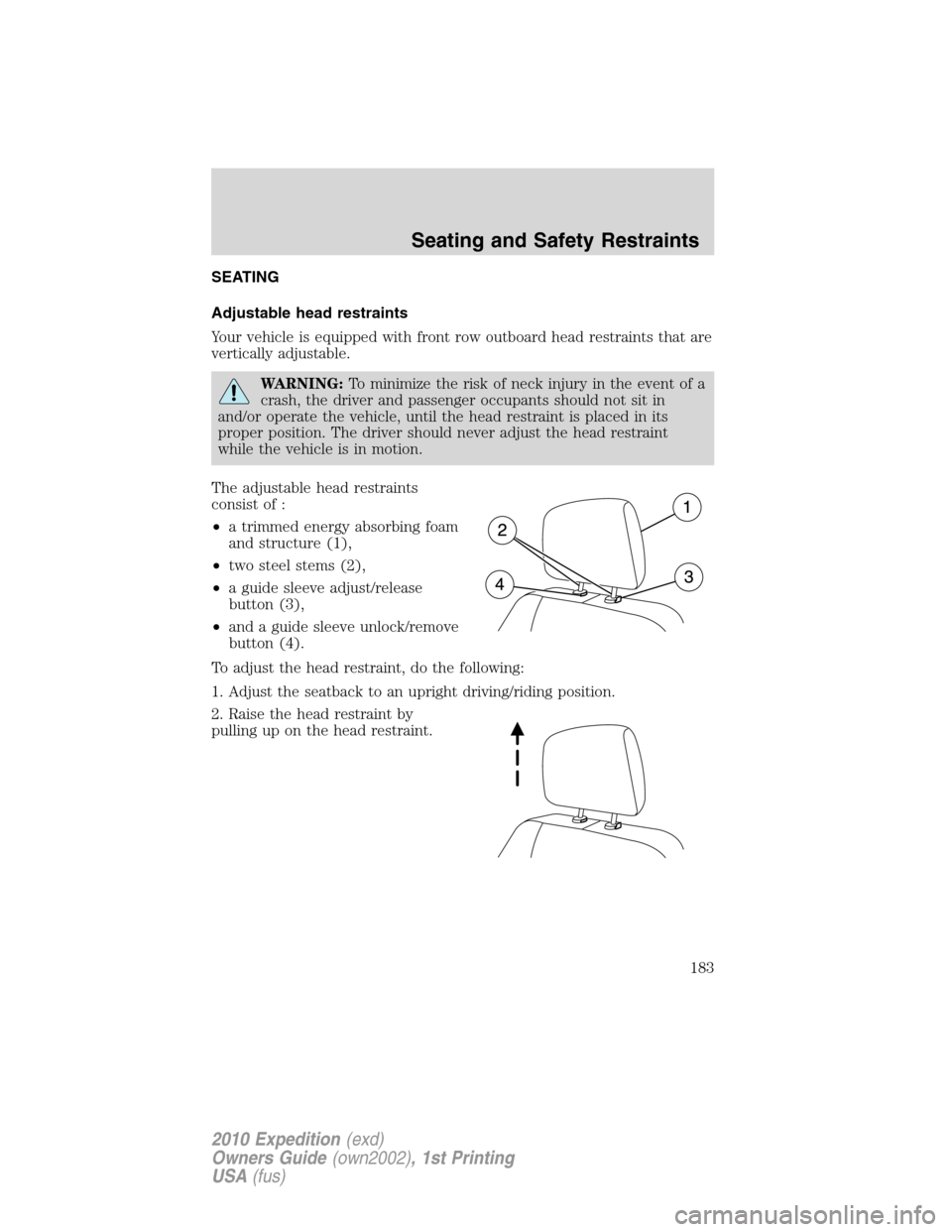
The adjustable head restraints
consist of :
•a trimmed energy absorbing foam
and structure (1),
•two steel stems (2),
•a guide sleeve adjust/release
button (3),
•and a guide sleeve unlock/remove
button (4).
To adjust the head restraint, do the following:
1. Adjust the seatback to an upright driving/riding position.
2. Raise the head restraint by
pulling up on the head restraint.
Seating and Safety Restraints
183
2010 Expedition(exd)
Owners Guide(own2002), 1st Printing
USA(fus)
Page 184 of 420
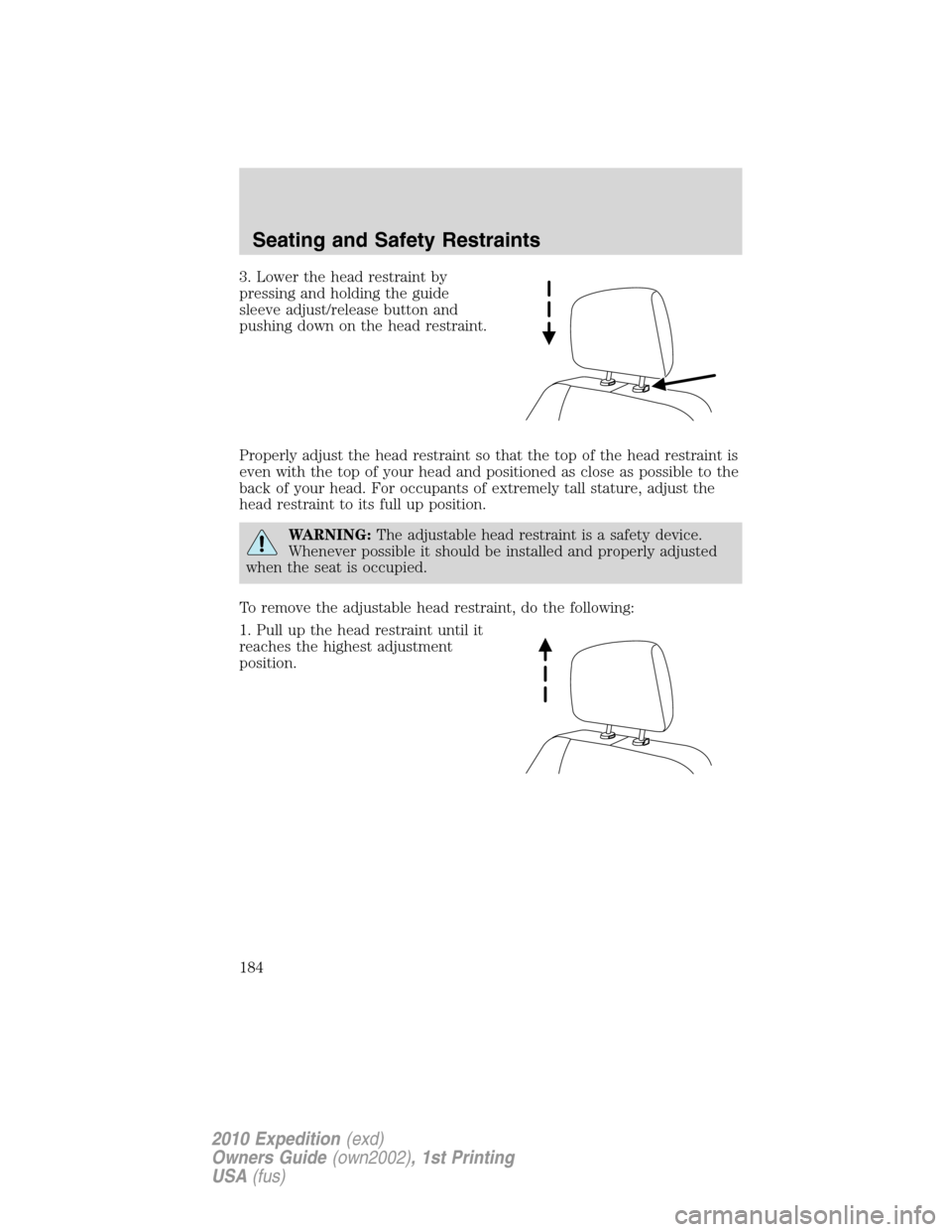
3. Lower the head restraint by
pressing and holding the guide
sleeve adjust/release button and
pushing down on the head restraint.
Properly adjust the head restraint so that the top of the head restraint is
even with the top of your head and positioned as close as possible to the
back of your head. For occupants of extremely tall stature, adjust the
head restraint to its full up position.
WARNING:The adjustable head restraint is a safety device.
Whenever possible it should be installed and properly adjusted
when the seat is occupied.
To remove the adjustable head restraint, do the following:
1. Pull up the head restraint until it
reaches the highest adjustment
position.
Seating and Safety Restraints
184
2010 Expedition(exd)
Owners Guide(own2002), 1st Printing
USA(fus)
Page 185 of 420
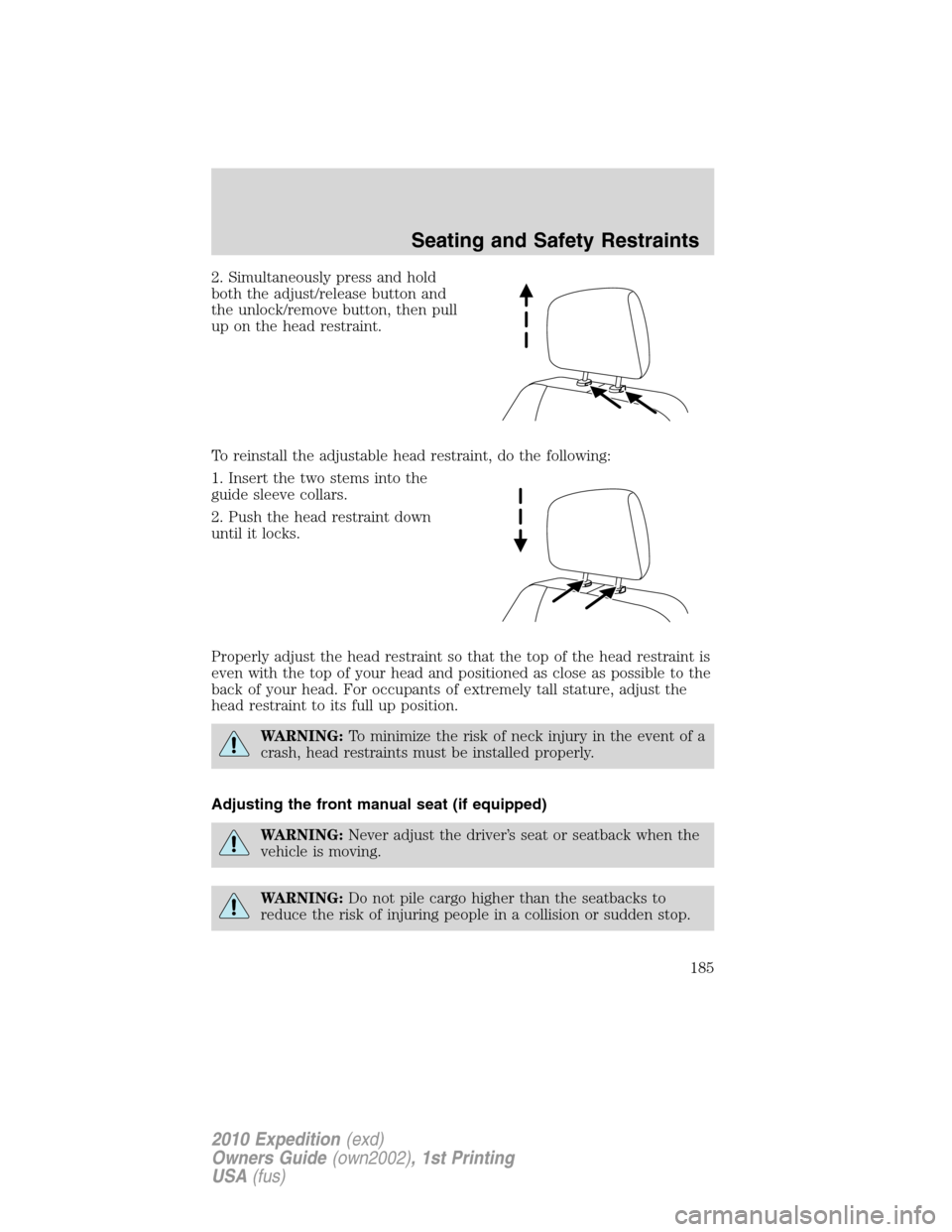
2. Simultaneously press and hold
both the adjust/release button and
the unlock/remove button, then pull
up on the head restraint.
To reinstall the adjustable head restraint, do the following:
1. Insert the two stems into the
guide sleeve collars.
2. Push the head restraint down
until it locks.
Properly adjust the head restraint so that the top of the head restraint is
even with the top of your head and positioned as close as possible to the
back of your head. For occupants of extremely tall stature, adjust the
head restraint to its full up position.
WARNING:To minimize the risk of neck injury in the event of a
crash, head restraints must be installed properly.
Adjusting the front manual seat (if equipped)
WARNING:Never adjust the driver’s seat or seatback when the
vehicle is moving.
WARNING:Do not pile cargo higher than the seatbacks to
reduce the risk of injuring people in a collision or sudden stop.
Seating and Safety Restraints
185
2010 Expedition(exd)
Owners Guide(own2002), 1st Printing
USA(fus)
Page 186 of 420
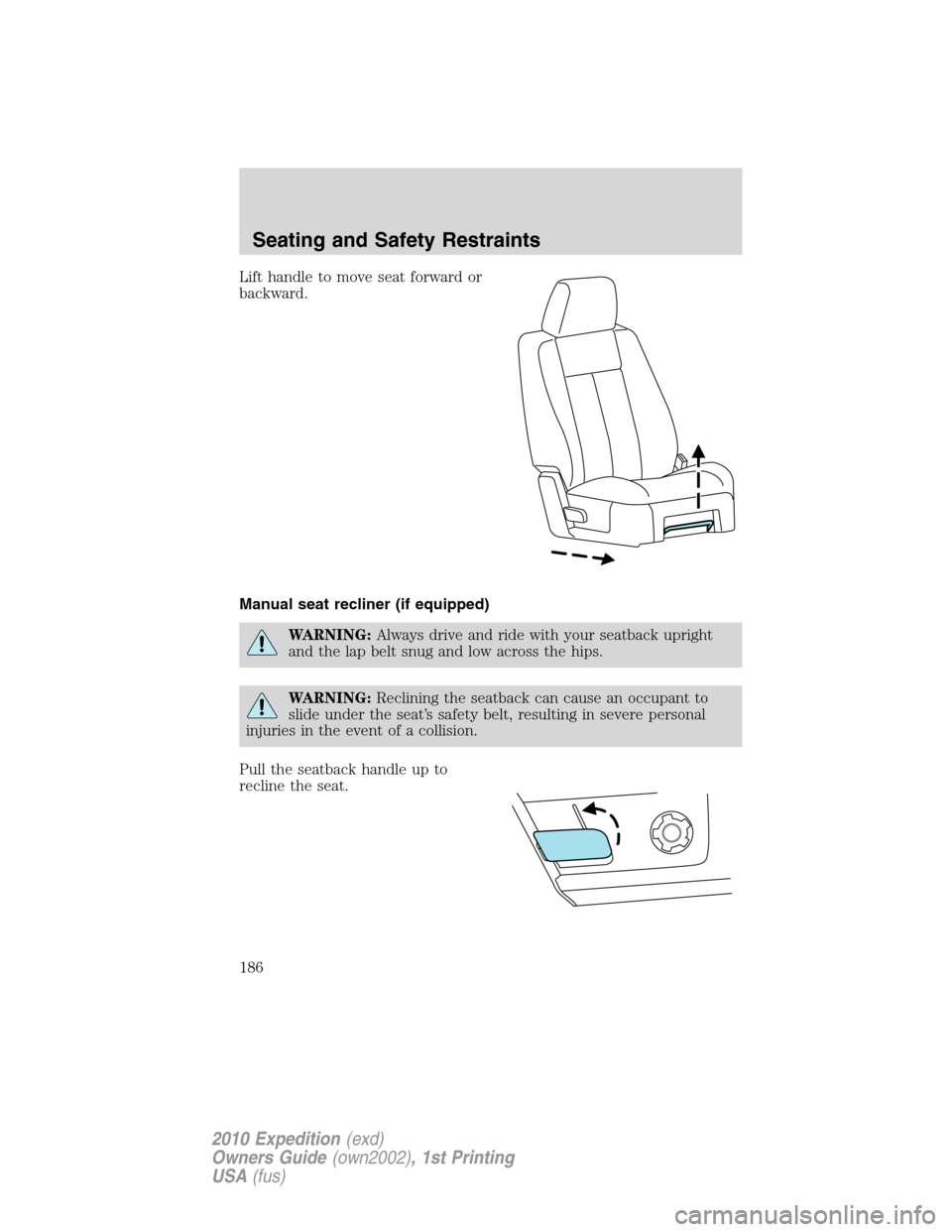
Lift handle to move seat forward or
backward.
Manual seat recliner (if equipped)
WARNING:Always drive and ride with your seatback upright
and the lap belt snug and low across the hips.
WARNING:Reclining the seatback can cause an occupant to
slide under the seat’s safety belt, resulting in severe personal
injuries in the event of a collision.
Pull the seatback handle up to
recline the seat.
Seating and Safety Restraints
186
2010 Expedition(exd)
Owners Guide(own2002), 1st Printing
USA(fus)
Page 188 of 420
Using the power lumbar support (if equipped)
The power lumbar control is located on the outboard side of the seat.
Press the forward side of the control
for additional support.
Press the rear side of the control to
reduce support.
Adjusting the front power seat
WARNING:Never adjust the driver’s seat or seatback when the
vehicle is moving.
WARNING:Do not pile cargo higher than the seatbacks to avoid
injuring people in a collision or sudden stop.
WARNING:Always drive and ride with your seatback upright
and the lap belt snug and low across the hips.
WARNING:Reclining the seatback can cause an occupant to
slide under the seat’s safety belt, resulting in severe personal
injuries in the event of a collision.
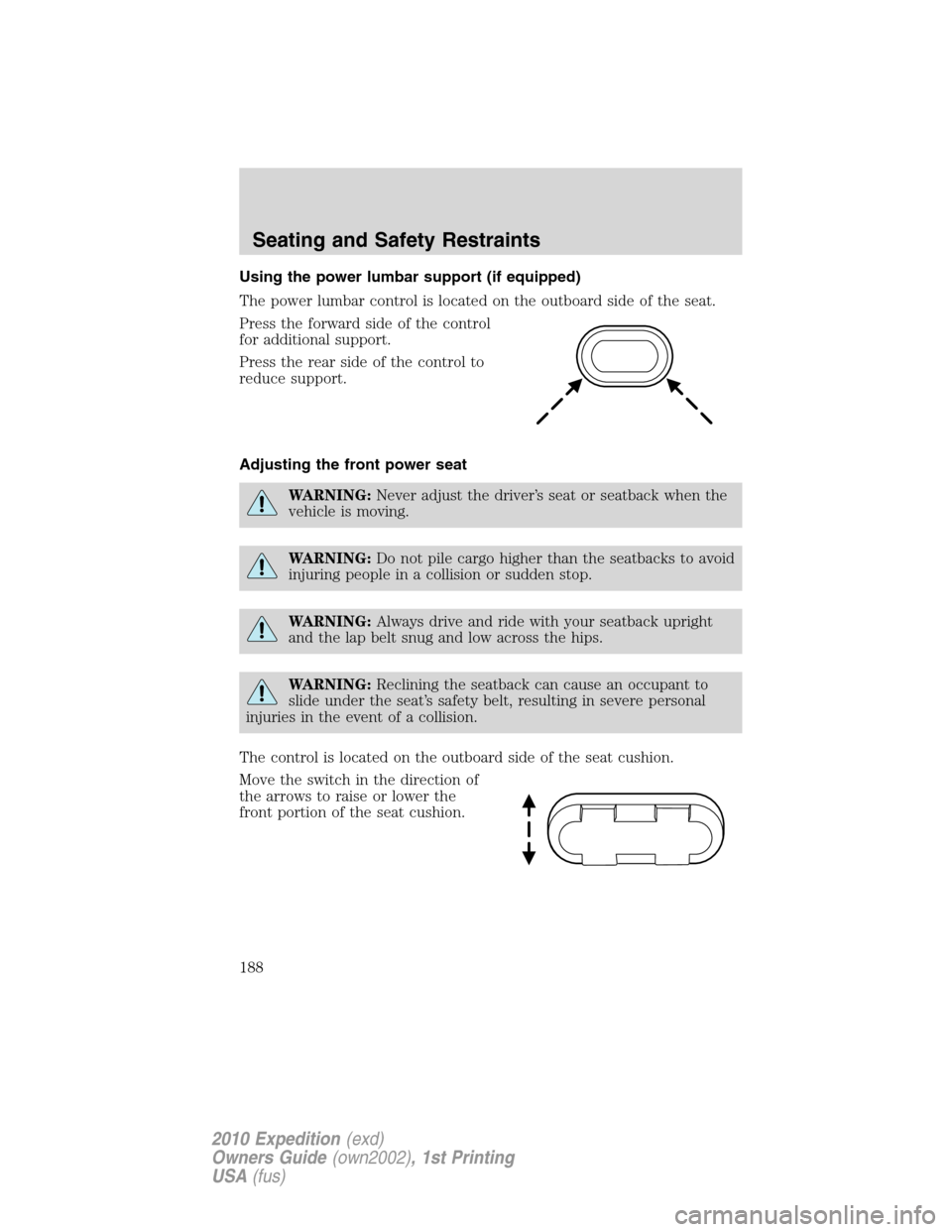
The control is located on the outboard side of the seat cushion.
Move the switch in the direction of
the arrows to raise or lower the
front portion of the seat cushion.
Seating and Safety Restraints
188
2010 Expedition(exd)
Owners Guide(own2002), 1st Printing
USA(fus)