Page 36 of 308
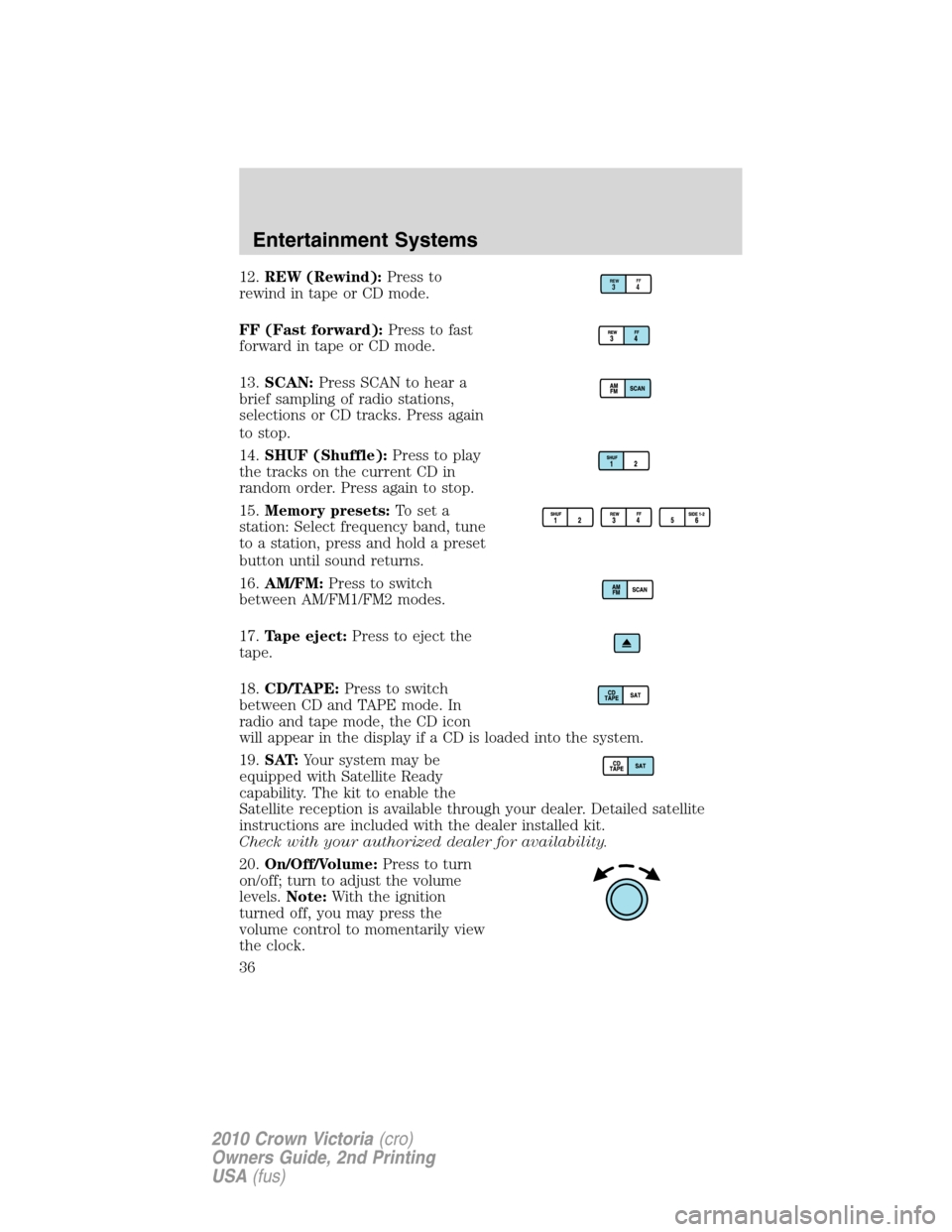
12.REW (Rewind):Press to
rewind in tape or CD mode.
FF (Fast forward):Press to fast
forward in tape or CD mode.
13.SCAN:Press SCAN to hear a
brief sampling of radio stations,
selections or CD tracks. Press again
to stop.
14.SHUF (Shuffle):Press to play
the tracks on the current CD in
random order. Press again to stop.
15.Memory presets:To set a
station: Select frequency band, tune
to a station, press and hold a preset
button until sound returns.
16.AM/FM:Press to switch
between AM/FM1/FM2 modes.
17.Tape eject:Press to eject the
tape.
18.CD/TAPE:Press to switch
between CD and TAPE mode. In
radio and tape mode, the CD icon
will appear in the display if a CD is loaded into the system.
19.SAT:Your system may be
equipped with Satellite Ready
capability. The kit to enable the
Satellite reception is available through your dealer. Detailed satellite
instructions are included with the dealer installed kit.
Check with your authorized dealer for availability.
20.On/Off/Volume:Press to turn
on/off; turn to adjust the volume
levels.Note:With the ignition
turned off, you may press the
volume control to momentarily view
the clock.REWFF34
Entertainment Systems
36
2010 Crown Victoria(cro)
Owners Guide, 2nd Printing
USA(fus)
Page 40 of 308
Autoset:Allows you to set the strongest local radio stations without
losing your original manually set preset stations for AM/FM1/FM2. Press
MENU until AUTOSET appears in the display. Press
SEL-TEXT
to turn ON or OFF. When the six strongest stations are filled, the station
stored in preset 1 will begin playing. If there are less than six strong
stations, the system will store the last one in the remaining presets.
When activated, AUTOSET will appear in the display when any of the
preset controls are pressed.
Speed sensitive volume:Radio volume changes automatically and
slightly with vehicle speed to compensate for road and wind noise.
Recommended level is 1–3. Level 0 turns the feature off and level 7 is
the maximum setting.
Press MENU to access and use
SEL-TEXTto adjust the volume
setting. The level will appear in the display.
Setting the clock:Press MENU until SELECT HOUR or SELECT MINS
is displayed. Press
SEL-TEXTto increase/decrease the
hours/minutes. Press MENU again to disengage clock mode.
10.Memory presets:To set a
station: Select frequency band, tune
to a station, press and hold a preset
button until sound returns. In CD mode, press to select a specific CD to
play.
11.On/Off/Volume:Press to turn
on/off; turn to adjust the volume
levels.
Note:With the ignition off, you may
press the volume control to
momentarily view the clock.
12.LOAD:Press to load a CD.
Press LOAD and a specific preset to
load in that particular slot. Available
slots are indicated by small flashing indicators in the display. When the
system is ready to accept a disc, LOAD CD X will appear in the display.
Load the CD. Press and hold to autoload up to 6 discs.
Note:Ensure that the system is ready to accept the CD. Do not force
the disc into the CD slot as damage could result.
Entertainment Systems
40
2010 Crown Victoria(cro)
Owners Guide, 2nd Printing
USA(fus)
Page 47 of 308
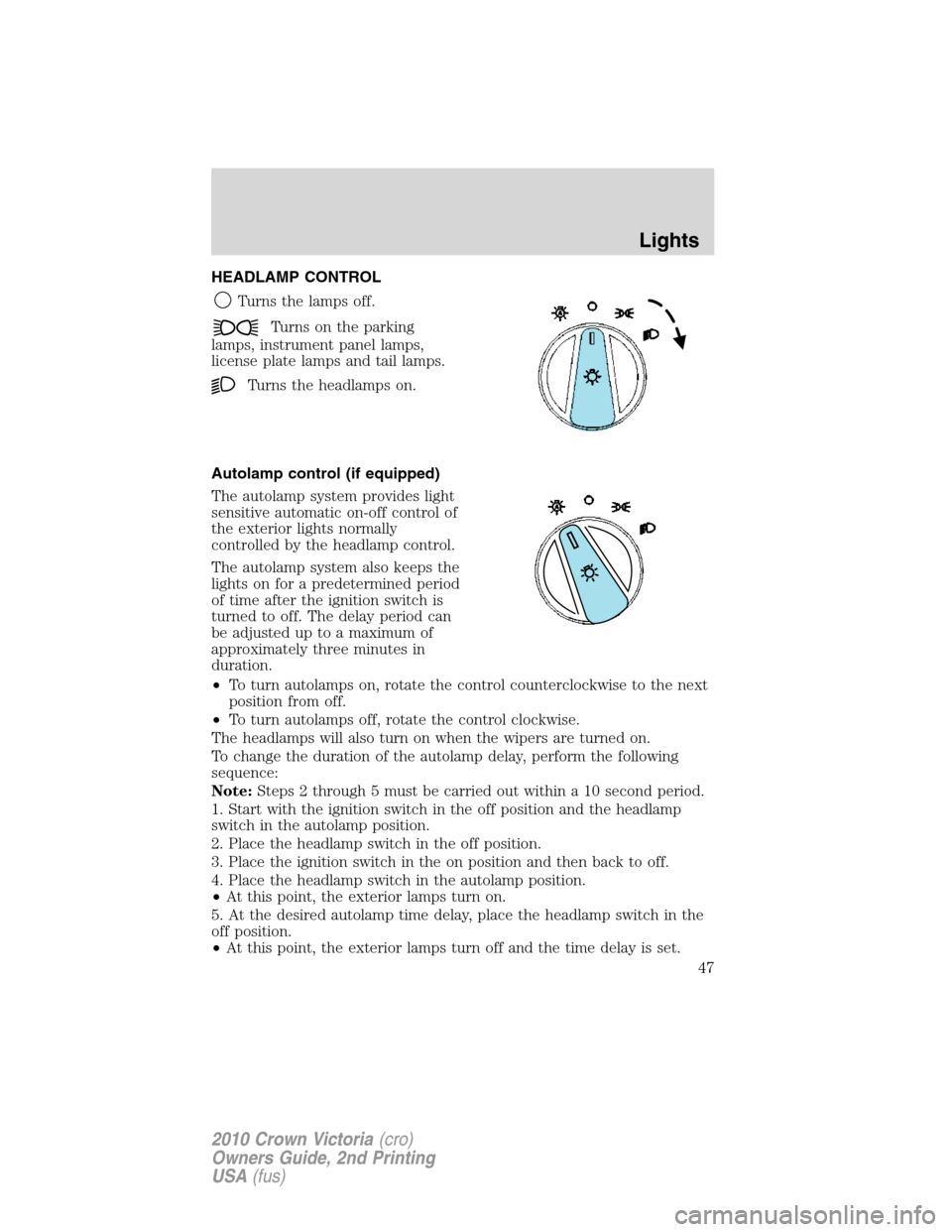
HEADLAMP CONTROL
Turns the lamps off.
Turns on the parking
lamps, instrument panel lamps,
license plate lamps and tail lamps.
Turns the headlamps on.
Autolamp control (if equipped)
The autolamp system provides light
sensitive automatic on-off control of
the exterior lights normally
controlled by the headlamp control.
The autolamp system also keeps the
lights on for a predetermined period
of time after the ignition switch is
turned to off. The delay period can
be adjusted up to a maximum of
approximately three minutes in
duration.
•To turn autolamps on, rotate the control counterclockwise to the next
position from off.
•To turn autolamps off, rotate the control clockwise.
The headlamps will also turn on when the wipers are turned on.
To change the duration of the autolamp delay, perform the following
sequence:
Note:Steps 2 through 5 must be carried out within a 10 second period.
1. Start with the ignition switch in the off position and the headlamp
switch in the autolamp position.
2. Place the headlamp switch in the off position.
3. Place the ignition switch in the on position and then back to off.
4. Place the headlamp switch in the autolamp position.
•At this point, the exterior lamps turn on.
5. At the desired autolamp time delay, place the headlamp switch in the
off position.
•At this point, the exterior lamps turn off and the time delay is set.
Lights
47
2010 Crown Victoria(cro)
Owners Guide, 2nd Printing
USA(fus)
Page 50 of 308
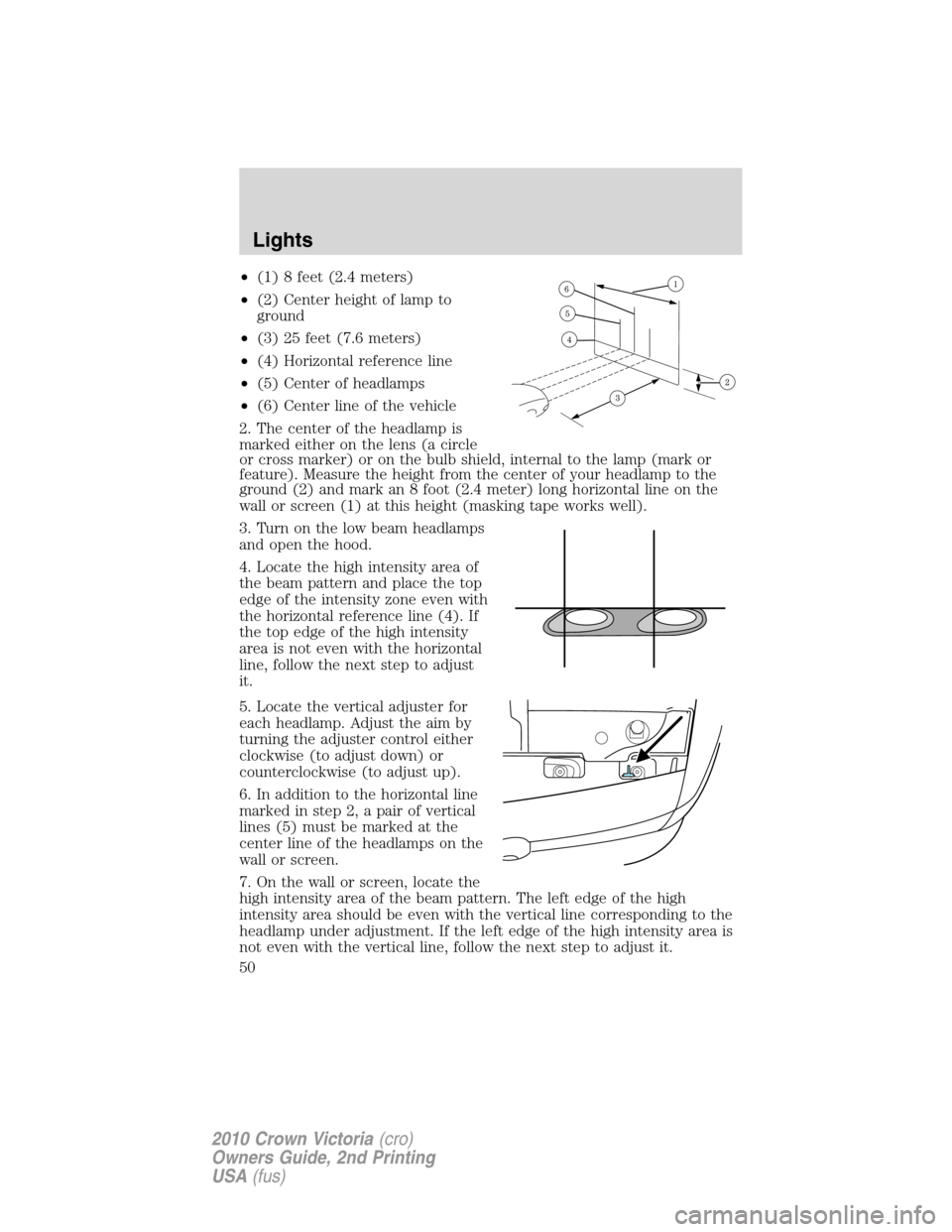
•(1) 8 feet (2.4 meters)
•(2) Center height of lamp to
ground
•(3) 25 feet (7.6 meters)
•(4) Horizontal reference line
•(5) Center of headlamps
•(6) Center line of the vehicle
2. The center of the headlamp is
marked either on the lens (a circle
or cross marker) or on the bulb shield, internal to the lamp (mark or
feature). Measure the height from the center of your headlamp to the
ground (2) and mark an 8 foot (2.4 meter) long horizontal line on the
wall or screen (1) at this height (masking tape works well).
3. Turn on the low beam headlamps
and open the hood.
4. Locate the high intensity area of
the beam pattern and place the top
edge of the intensity zone even with
the horizontal reference line (4). If
the top edge of the high intensity
area is not even with the horizontal
line, follow the next step to adjust
it.
5. Locate the vertical adjuster for
each headlamp. Adjust the aim by
turning the adjuster control either
clockwise (to adjust down) or
counterclockwise (to adjust up).
6. In addition to the horizontal line
marked in step 2, a pair of vertical
lines (5) must be marked at the
center line of the headlamps on the
wall or screen.
7. On the wall or screen, locate the
high intensity area of the beam pattern. The left edge of the high
intensity area should be even with the vertical line corresponding to the
headlamp under adjustment. If the left edge of the high intensity area is
not even with the vertical line, follow the next step to adjust it.
Lights
50
2010 Crown Victoria(cro)
Owners Guide, 2nd Printing
USA(fus)
Page 51 of 308
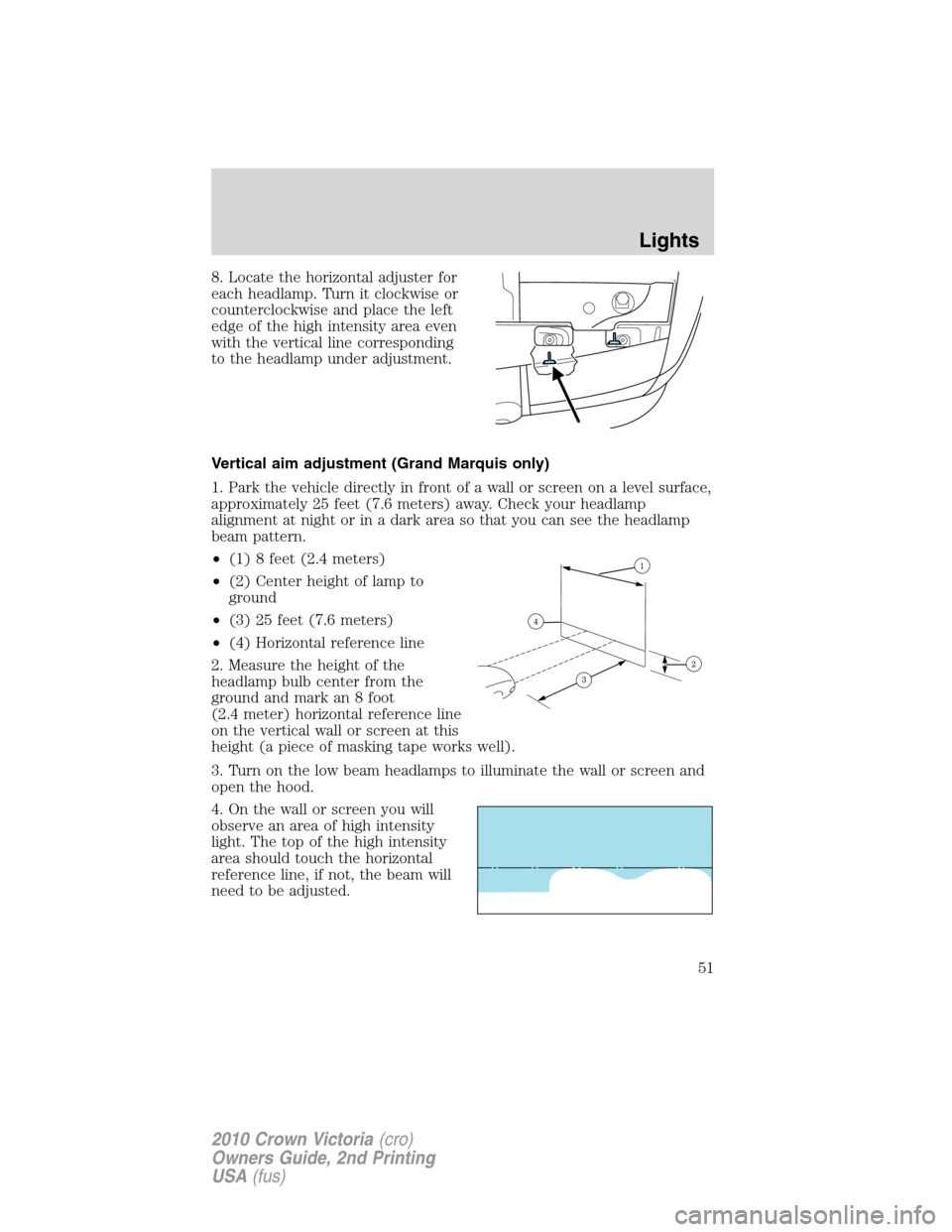
8. Locate the horizontal adjuster for
each headlamp. Turn it clockwise or
counterclockwise and place the left
edge of the high intensity area even
with the vertical line corresponding
to the headlamp under adjustment.
Vertical aim adjustment (Grand Marquis only)
1. Park the vehicle directly in front of a wall or screen on a level surface,
approximately 25 feet (7.6 meters) away. Check your headlamp
alignment at night or in a dark area so that you can see the headlamp
beam pattern.
•(1) 8 feet (2.4 meters)
•(2) Center height of lamp to
ground
•(3) 25 feet (7.6 meters)
•(4) Horizontal reference line
2. Measure the height of the
headlamp bulb center from the
ground and mark an 8 foot
(2.4 meter) horizontal reference line
on the vertical wall or screen at this
height (a piece of masking tape works well).
3. Turn on the low beam headlamps to illuminate the wall or screen and
open the hood.
4. On the wall or screen you will
observe an area of high intensity
light. The top of the high intensity
area should touch the horizontal
reference line, if not, the beam will
need to be adjusted.
Lights
51
2010 Crown Victoria(cro)
Owners Guide, 2nd Printing
USA(fus)
Page 52 of 308
To see a clearer light pattern for
adjusting, you may want to block
the light from one headlamp while
adjusting the other.
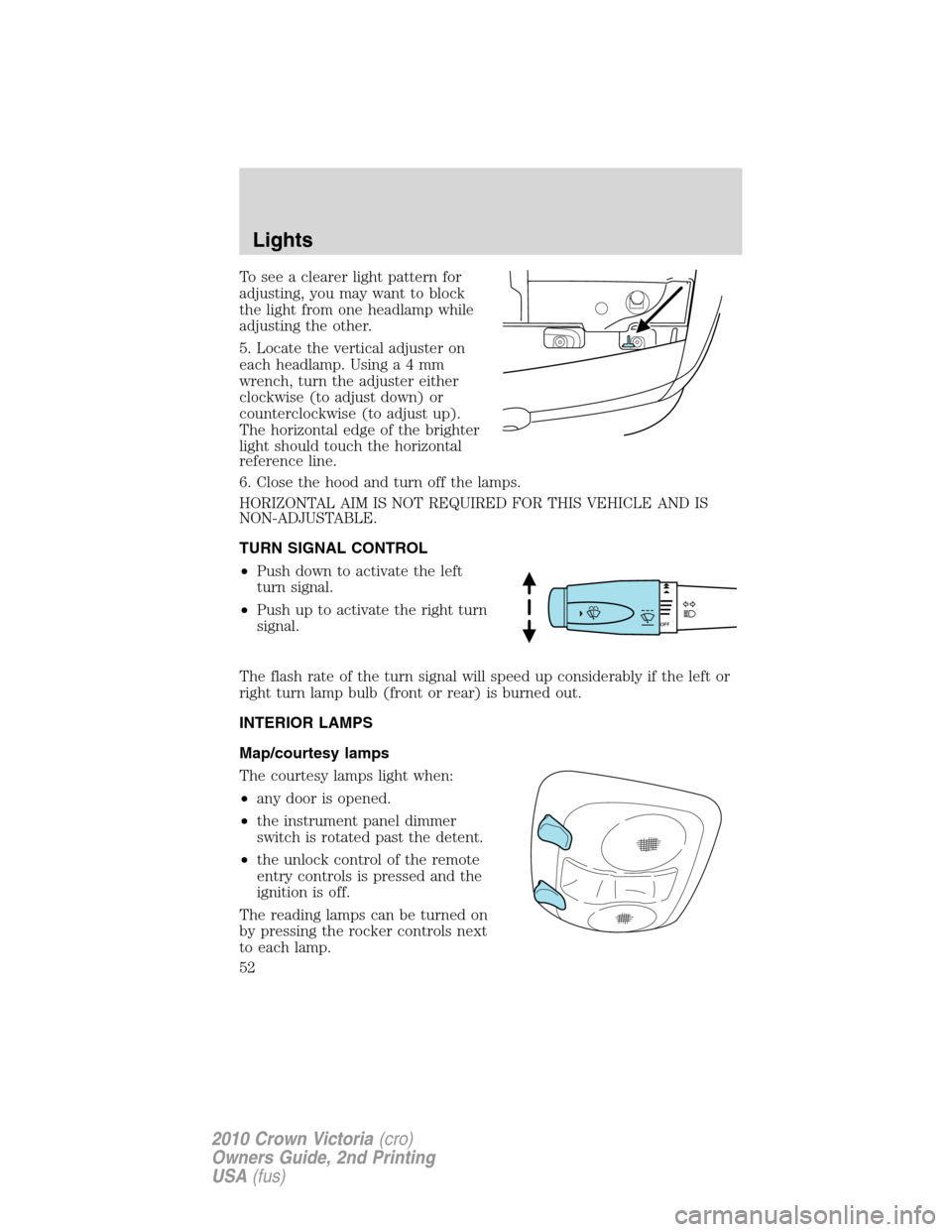
5. Locate the vertical adjuster on
each headlamp. Usinga4mm
wrench, turn the adjuster either
clockwise (to adjust down) or
counterclockwise (to adjust up).
The horizontal edge of the brighter
light should touch the horizontal
reference line.
6. Close the hood and turn off the lamps.
HORIZONTAL AIM IS NOT REQUIRED FOR THIS VEHICLE AND IS
NON-ADJUSTABLE.
TURN SIGNAL CONTROL
•Push down to activate the left
turn signal.
•Push up to activate the right turn
signal.
The flash rate of the turn signal will speed up considerably if the left or
right turn lamp bulb (front or rear) is burned out.
INTERIOR LAMPS
Map/courtesy lamps
The courtesy lamps light when:
•any door is opened.
•the instrument panel dimmer
switch is rotated past the detent.
•the unlock control of the remote
entry controls is pressed and the
ignition is off.
The reading lamps can be turned on
by pressing the rocker controls next
to each lamp.
Lights
52
2010 Crown Victoria(cro)
Owners Guide, 2nd Printing
USA(fus)
Page 55 of 308
Replacing headlamp bulbs (Crown Victoria only)
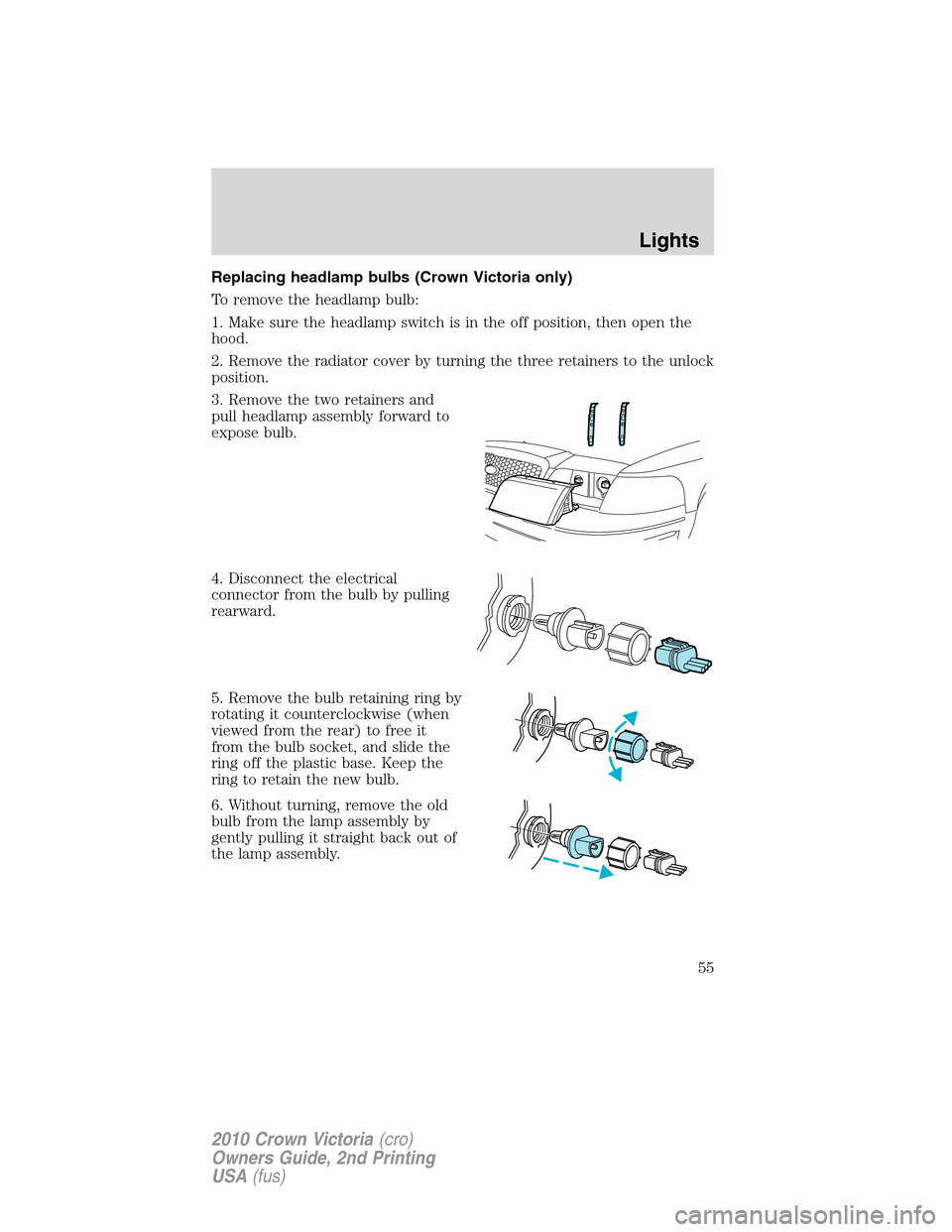
To remove the headlamp bulb:
1. Make sure the headlamp switch is in the off position, then open the
hood.
2. Remove the radiator cover by turning the three retainers to the unlock
position.
3. Remove the two retainers and
pull headlamp assembly forward to
expose bulb.
4. Disconnect the electrical
connector from the bulb by pulling
rearward.
5. Remove the bulb retaining ring by
rotating it counterclockwise (when
viewed from the rear) to free it
from the bulb socket, and slide the
ring off the plastic base. Keep the
ring to retain the new bulb.
6. Without turning, remove the old
bulb from the lamp assembly by
gently pulling it straight back out of
the lamp assembly.
Lights
55
2010 Crown Victoria(cro)
Owners Guide, 2nd Printing
USA(fus)
Page 56 of 308
To install the new bulb:
WARNING:Handle a halogen headlamp bulb carefully and keep
out of children’s reach. Grasp the bulb only by its plastic base
and do not touch the glass. The oil from your hand could cause the
bulb to break the next time the headlamps are operated.
Note:If the bulb is accidentally touched, it should be cleaned with
rubbing alcohol before being used.
1. With the flat side of the new bulb’s plastic base facing upward, insert
the glass end of the bulb into the lamp assembly. Turn the bulb left or
right to align the grooves in the plastic base with the tabs in the lamp
assembly. When the grooves are aligned, push the bulb into the lamp
assembly until the plastic base contacts the rear of the lamp assembly.
2. Install the bulb retaining ring over the plastic base until it contacts the
rear of the socket by rotating it clockwise until you feel a “stop.”
3. Connect the electrical connector into the rear of the plastic base until
it snaps, locking it into position.
4. Install the headlamp assembly with two retainers.
5. Install the radiator cover locking it in place with three retainers.
6. Turn the headlamps on and make sure they work properly. If the
headlamp was correctly aligned before you changed the bulb, you should
not need to align it again.
Replacing front parking/turn signal lamp bulbs
To remove the front parking/turn signal lamp bulbs:
1. Make sure headlamp switch is in the off position, then open the hood.
2. Remove the radiator cover by turning the three retainers to the unlock
position.
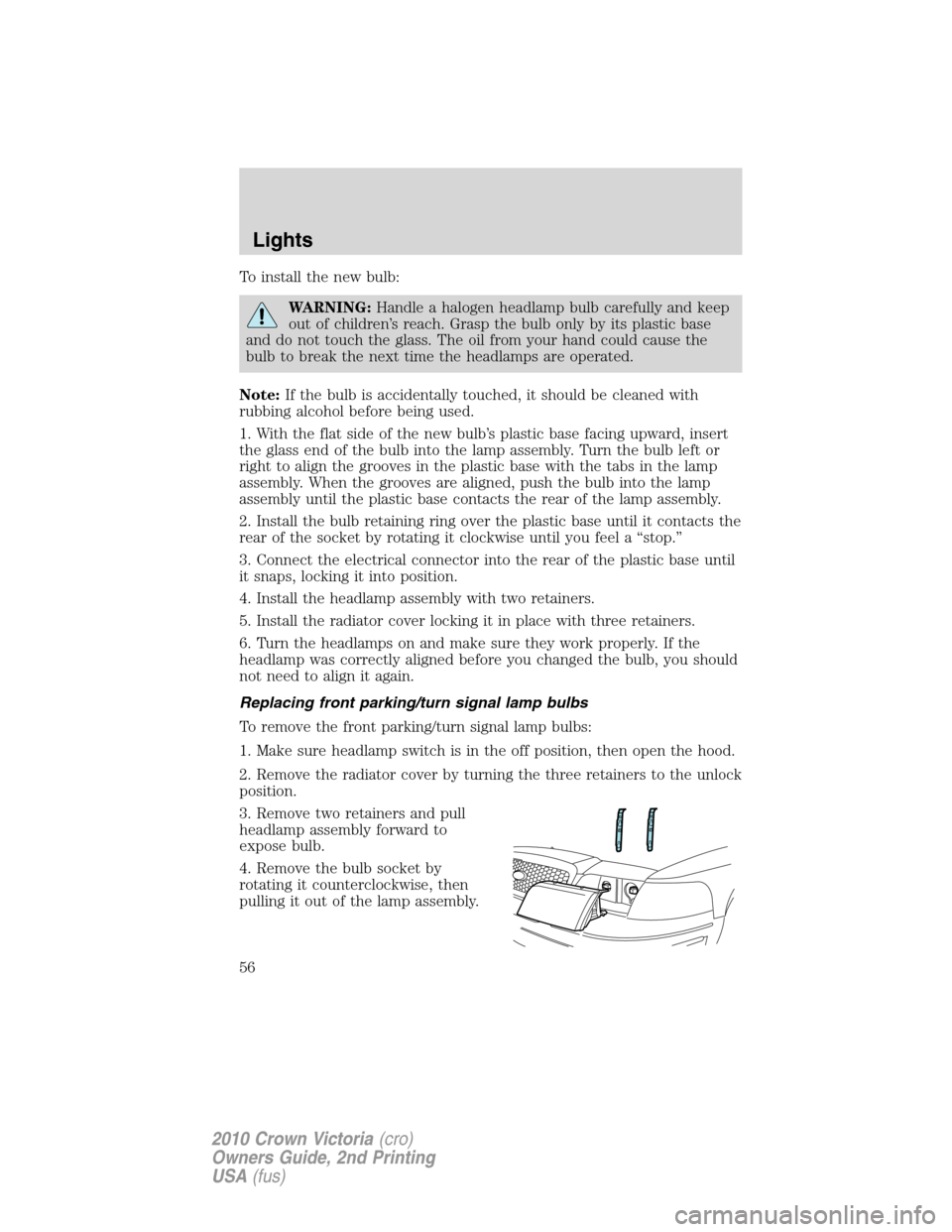
3. Remove two retainers and pull
headlamp assembly forward to
expose bulb.
4. Remove the bulb socket by
rotating it counterclockwise, then
pulling it out of the lamp assembly.
Lights
56
2010 Crown Victoria(cro)
Owners Guide, 2nd Printing
USA(fus)