Page 32 of 448

Auto Unlock On Exit
The doors will unlock automatically on vehicles with
power door locks if:
1. The Automatic Unlock Doors On Exit feature is en-
abled.
2. The transmission shift lever was in gear and the
vehicle speed returned to 0 mph (0 km/h).
3. The transmission shift lever is in NEUTRAL or PARK.
4. The driver door is opened.
5. The doors were not previously unlocked, and
6. The vehicle speed is 0 mph (0 km/h).
Auto Unlock On Exit Programming
The Automatic Unlock Doors On Exit feature can be
enabled or disabled as follows:
•For vehicles equipped with the Electronic Vehicle
Information Center (EVIC), refer to “Electronic Vehicle
Information Center (EVIC)/Personal Settings (Cus-
tomer-Programmable Features)” in “Understanding
Your Instrument Panel” for further information.
•For vehicles not equipped with the EVIC, performing
the following procedure:
1. Close all doors and place the key in the ignition.
2. Within 15 seconds, cycle the ignition switch between
LOCK and ON and then back to LOCK four times ending
up in the LOCK position. (do not start the engine)
3. Within 30 seconds, press the power door UNLOCK
switch to unlock the doors.
2
THINGS TO KNOW BEFORE STARTING YOUR VEHICLE 31
Page 33 of 448
4. Repeat these steps if you want to return this feature to
its previous setting.
NOTE:Use the Automatic Unlock Doors On Exit feature
in accordance with local laws.
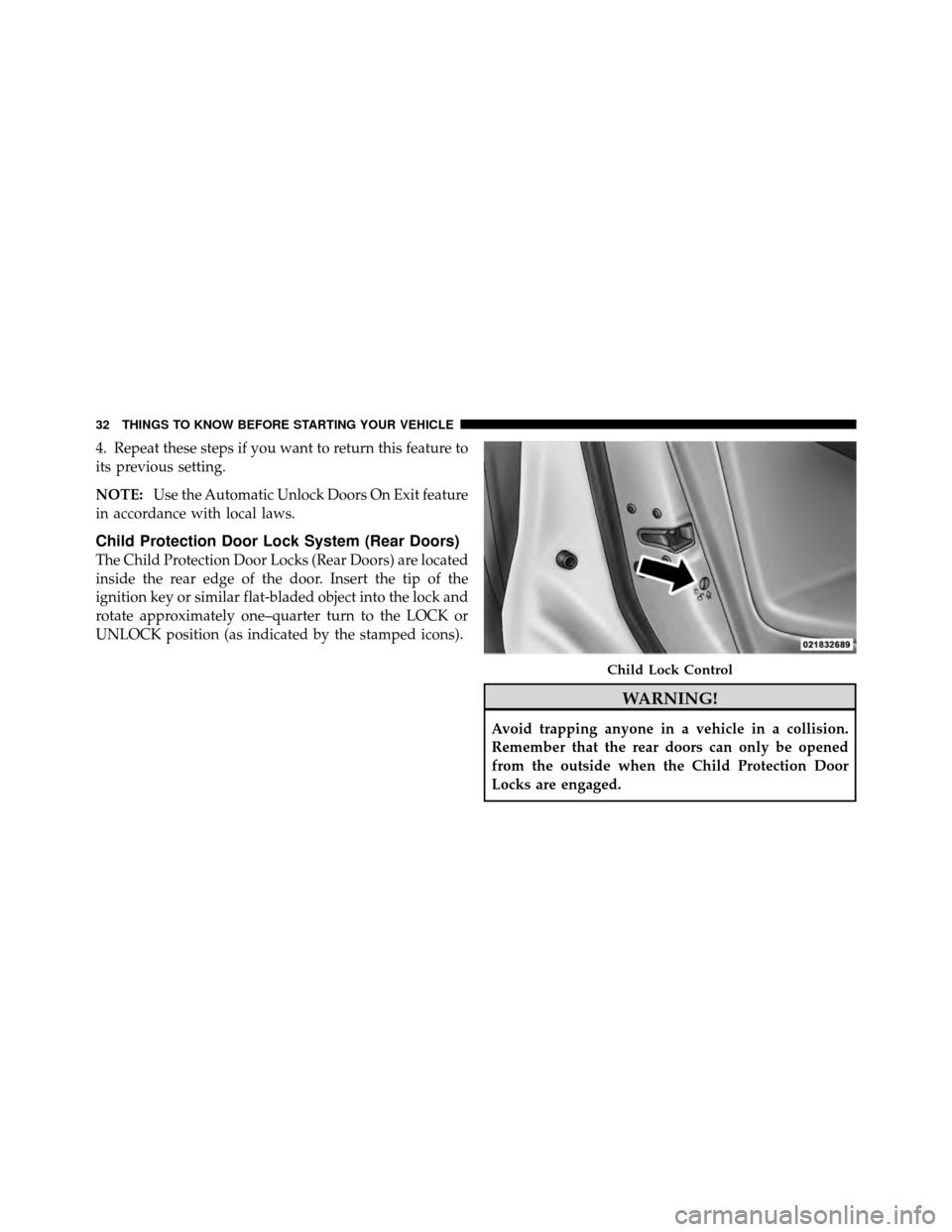
Child Protection Door Lock System (Rear Doors)
The Child Protection Door Locks (Rear Doors) are located
inside the rear edge of the door. Insert the tip of the
ignition key or similar flat-bladed object into the lock and
rotate approximately one–quarter turn to the LOCK or
UNLOCK position (as indicated by the stamped icons).
WARNING!
Avoid trapping anyone in a vehicle in a collision.
Remember that the rear doors can only be opened
from the outside when the Child Protection Door
Locks are engaged.
Child Lock Control
32 THINGS TO KNOW BEFORE STARTING YOUR VEHICLE
Page 34 of 448

NOTE:For emergency exit with the system engaged,
move the lock plunger up (UNLOCKED position), roll
down the window, and open the door with the outside
door handle.
POWER WINDOWS
Power Window Switches
The window controls on the driver ’s door trim panel
operate the door windows and the rear windows
NOTE:
•For vehicles not equipped with the Electronic Vehicle
Information Center (EVIC), the power window
switches will remain active for 45 seconds after the
ignition switch is turned to the LOCK position. Open-
ing either front door will cancel this feature.
•For vehicles equipped with the EVIC, the power
window switches will remain active for up to 10 min-
utes after the ignition switch is turned to the LOCK position. Opening either front door will cancel this
feature. The time for this feature is programmable.
Refer to “Electronic Vehicle Information Center
(EVIC)/Personal Settings (Customer-Programmable
Features)” in “Understanding Your Instrument Panel”
for further information.
AUTO Power Window Switch
2
THINGS TO KNOW BEFORE STARTING YOUR VEHICLE 33
Page 37 of 448
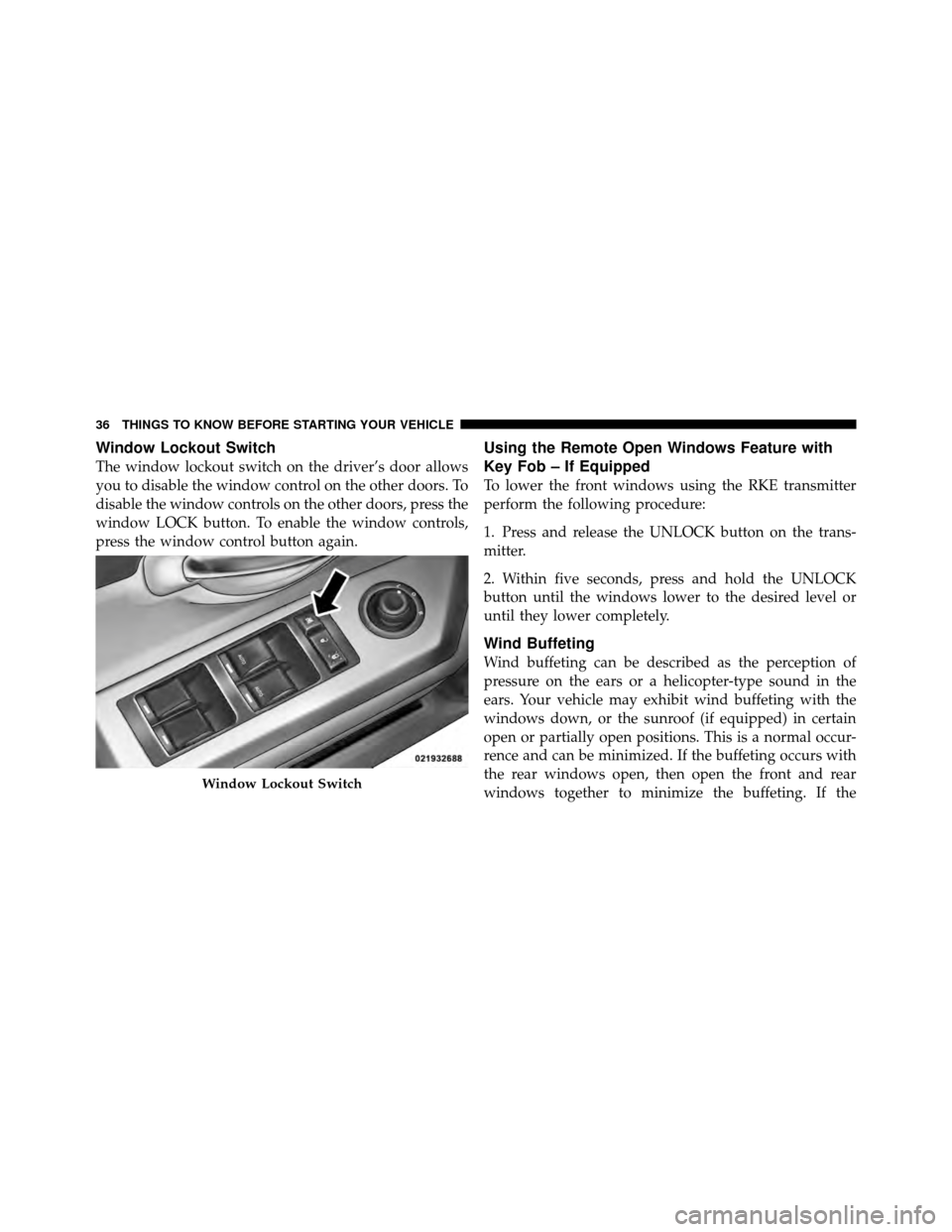
Window Lockout Switch
The window lockout switch on the driver’s door allows
you to disable the window control on the other doors. To
disable the window controls on the other doors, press the
window LOCK button. To enable the window controls,
press the window control button again.
Using the Remote Open Windows Feature with
Key Fob – If Equipped
To lower the front windows using the RKE transmitter
perform the following procedure:
1. Press and release the UNLOCK button on the trans-
mitter.
2. Within five seconds, press and hold the UNLOCK
button until the windows lower to the desired level or
until they lower completely.
Wind Buffeting
Wind buffeting can be described as the perception of
pressure on the ears or a helicopter-type sound in the
ears. Your vehicle may exhibit wind buffeting with the
windows down, or the sunroof (if equipped) in certain
open or partially open positions. This is a normal occur-
rence and can be minimized. If the buffeting occurs with
the rear windows open, then open the front and rear
windows together to minimize the buffeting. If the
Window Lockout Switch
36 THINGS TO KNOW BEFORE STARTING YOUR VEHICLE
Page 65 of 448

covers the window. The airbag inflates in about 30 ms
(about one-quarter of the time that it takes to blink your
eyes) with enough force to injure you if you are not belted
and seated properly, or if items are positioned in the area
where the side curtain airbag inflates. This especially
applies to children. The side curtain airbag is only about
3-1/2 in (9 cm) thick when it is inflated.
Because airbag sensors estimate deceleration over time,
vehicle speed and damage are not good indicators of
whether or not an airbag should have deployed.
NOTE:In a rollover the pretensioners and/or SABIC
airbags may deploy on both sides of the vehicle.
Front and Side Impact Sensors
In front and side impacts, impact sensors can aid the
ORC in determining appropriate response to impact
events. Additional sensors in the ORC determine the
level of airbag deployment and provide verification.
Enhanced Accident Response System
In the event of an impact causing airbag deployment, if
the communication network remains intact, and the
power remains intact, depending on the nature of the
event the ORC will determine whether to have the
Enhanced Accident Response System perform the follow-
ing functions:
•Cut off fuel to the engine.
•Flash hazard lights as long as the battery has power or
until the ignition key is turned off.
•Turn on the interior lights, which remain on as long as
the battery has power or until the ignition key is
removed.
•Unlock the doors automatically.
If a Deployment Occurs
The front airbags are designed to deflate immediately
after deployment.
64 THINGS TO KNOW BEFORE STARTING YOUR VEHICLE
Page 85 of 448
Periodic Safety Checks You Should Make Outside
the Vehicle
Tires
Examine tires for excessive tread wear and uneven wear
patterns. Check for stones, nails, glass, or other objects
lodged in the tread. Inspect the tread and sidewall for
cuts and cracks. Check the wheel nuts for tightness.
Check the tires (including spare) for proper pressure.
Lights
Have someone observe the operation of exterior lights
while you work the controls. Check turn signal and high
beam indicator lights on the instrument panel.
Door Latches
Check for positive closing, latching, and locking.
Fluid Leaks
Check area under vehicle after overnight parking for fuel,
engine coolant, oil, or other fluid leaks. Also, if gasoline
fumes are detected or if fuel, power steering fluid, or
brake fluid leaks are suspected, the cause should be
located and corrected immediately.
84 THINGS TO KNOW BEFORE STARTING YOUR VEHICLE
Page 113 of 448
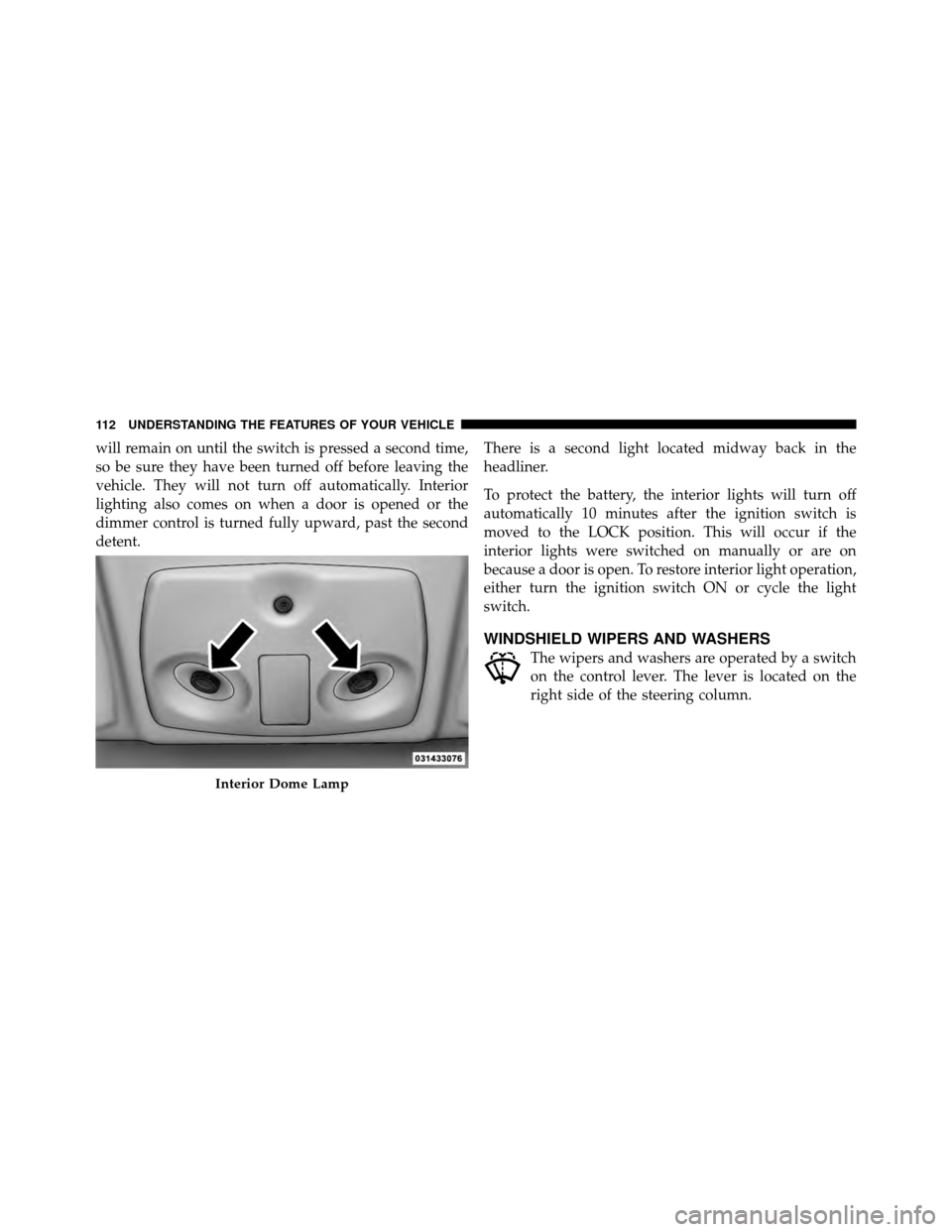
will remain on until the switch is pressed a second time,
so be sure they have been turned off before leaving the
vehicle. They will not turn off automatically. Interior
lighting also comes on when a door is opened or the
dimmer control is turned fully upward, past the second
detent.There is a second light located midway back in the
headliner.
To protect the battery, the interior lights will turn off
automatically 10 minutes after the ignition switch is
moved to the LOCK position. This will occur if the
interior lights were switched on manually or are on
because a door is open. To restore interior light operation,
either turn the ignition switch ON or cycle the light
switch.
WINDSHIELD WIPERS AND WASHERS
The wipers and washers are operated by a switch
on the control lever. The lever is located on the
right side of the steering column.
Interior Dome Lamp
112 UNDERSTANDING THE FEATURES OF YOUR VEHICLE
Page 126 of 448
Using HomeLink�
To operate, press and release the programmed
HomeLink�button. Activation will now occur for the
trained device (i.e., garage door opener, gate operator,
security system, entry door lock, home/office lighting,
etc.,). The handheld transmitter of the device may also be
used at any time.
Reprogramming a Single HomeLink� Button
To reprogram a channel that has been previously trained,
follow these steps:
1. Turn the ignition switch to the ON/RUN position.
2. Press and hold the desired HomeLink� button until
the indicator light begins to flash after 20 seconds. Do not
release the button.
3. Without releasing the button, proceed with Program-
ming HomeLink� Step 2 and follow all remaining steps.
Gate Operator/Canadian Programming
Canadian radio frequency laws require transmitter sig-
nals to time-out (or quit) after several seconds of trans-
mission – which may not be long enough for HomeLink�
to pick up the signal during programming. Similar to this
Canadian law, some U.S. gate operators are designed to
time-out in the same manner.
It may be helpful to unplug the device during the cycling
process to prevent possible overheating of the garage
door or gate motor.
If you are having difficulties programming a garage door
opener or a gate operator, replace “Programming
HomeLink�” Step 3, with the following:
3. Continue to press and hold the HomeLink� button,
while you press and release (“cycle”), your handheld
transmitter every two seconds until HomeLink� has
3
UNDERSTANDING THE FEATURES OF YOUR VEHICLE 125